1
When researching a document, it is important to inquire each function in the process (i.e.,
routing, receiving, invoicing, matching, vouchering, and overall purchasing document status) to
make sure that each one reaches its end result or goal. Any function that has not reached its goal
may need further research to identify a problem. One way to research the status of a document is
described below:
•
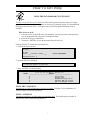
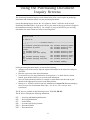
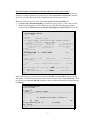
If you know the purchasing document number, proceed to Screen 278.
•
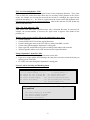
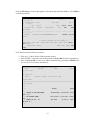
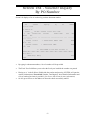
On Screen 278, type in the document number and press <enter>.
•
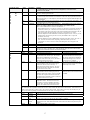
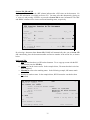
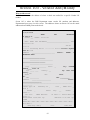
Research each function’s status. Each function status has a set of status codes. See the
Status Code Reference Guide on pages 15-16 for the codes and their meanings. Each status
has an end result, or a goal. The following are the goals for each status:
• Overall Document Status: Completed (CO) Note: If the Overall Document Status is
CL (closed), then this could mean that funds are currently encumbered on a
document – even if you do not plan to purchase anything from it. You will need to
follow up on your documents to make sure that you release any encumbrances for
documents that you decide not to use for some reason.
• Routing: Completed (CO)
• Receiving: Completed (CO) – for each shipment
• Invoicing: Completed (CO) – for each invoice
• Matching: Match Successful (MS)
• Voucher: Reconciled (RECN)
•
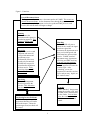
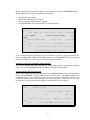
For any status that has not obtained its goal, proceed to the appropriate inquiry screen for
further research of the problem.
• Overall Document Status: Screens 271, 272, 278-87
• Routing: Screen 914 to inquire on whose electronic desk the document it sitting
• Receiving: Screen 330 to inquire on each receiving shipment
• Invoicing: Screen 350 to inquire on each individual invoice processed by FMS analysts
• Matching: Screen 350 to inquire if FAMIS matched the department’s entry to FMS
invoicing
• Voucher: Screen 164 to inquire on the status of the check, if FAMIS has issued one.
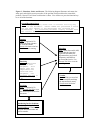
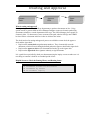
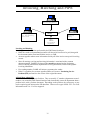
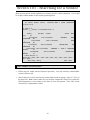
See Figure 2 for a diagram of the process.
10