Download Geant4 User`s Guide for Application Developers
Transcript
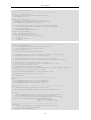
Visualization and notes on each driver are briefly described in Section 8.3 "Visualization Drivers", along with links to detailed web pages for the various drivers. Note that not all drivers can be installed on all systems; Table 8.1 in Section 8.3 lists all the available drivers and the platforms on which they can be installed. For any of the visualization drivers to work, the corresponding graphics system must be installed beforehand. Unless the environment variable G4VIS_NONE is set to "1", visualization drivers that do not depend on external libraries are automatically incorporated into Geant4 libraries during their installation. (Here "installation of Geant4 libraries" means the generation of Geant4 libraries by compilation.) The automatically incorporated visualization drivers are: DAWNFILE, HepRepFile, HepRepXML, RayTracer, VRML1FILE, VRML2FILE and ATree and GAGTree. The OpenGL, OpenInventor and RayTracerX drivers are not incorporated by default. Nor are the DAWN-Network and VRML-Network drivers, because they require the network setting of the installed machine. In order to incorporate them, the environment variables "G4VIS_BUILD_DRIVERNAME_DRIVER" should be set to "1" before installing the Geant4 libraries: setenv setenv setenv setenv setenv setenv G4VIS_BUILD_OPENGLX_DRIVER G4VIS_BUILD_OPENGLXM_DRIVER G4VIS_BUILD_OIX_DRIVER G4VIS_BUILD_RAYTRACERX_DRIVER G4VIS_BUILD_DAWN_DRIVER G4VIS_BUILD_VRML_DRIVER 1 1 1 1 1 1 # # # # # # OpenGL-Xlib driver OpenGL-Motif driver OpenInventor-Xlib driver RayTracer-XLib driver DAWN-Network driver VRML-Network Unless the environment variable G4VIS_NONE is set to "1", setting any of the above variables sets a C-pre-processor flag of the same name. Also the C-pre-processor flag G4VIS_BUILD is set (see config/G4VIS_BUILD.gmk), which incorparates the selected driver into the Geant4 libraries. 8.2.2. How to Realize Visualization Drivers in an Executable You can realize and use any of the visualization driver(s) you want in your Geant4 executable, provided they are among the set installed beforehand into the Geant4 libraries. A warning will appear if this is not the case. In order to realize visualization drivers, you must instantiate and initialize a subclass of G4VisManager that implements the pure virtual function RegisterGraphicsSystems(). This subclass must be compiled in the user's domain to force the loading of appropriate libraries in the right order. The easiest way to do this is to use G4VisExecutive, a provided class with included implementation. G4VisExecutive is sensitive to the G4VIS_USE... variables mentioned below. If you do wish to write your own subclass, you may do so. You will see how to do this by looking at G4VisExecutive.icc. A typical extract is: ... RegisterGraphicsSystem (new G4DAWNFILE); ... #ifdef G4VIS_USE_OPENGLX RegisterGraphicsSystem (new G4OpenGLImmediateX); RegisterGraphicsSystem (new G4OpenGLStoredX); #endif ... If you wish to use G4VisExecutive but register an additional graphics system, XXX say, you may do so either before or after initializing: visManager->RegisterGraphicsSytem(new XXX); visManager->Initialize(); By default, you get the DAWNFILE, HepRepFile, RayTracer, VRML1FILE, VRML2FILE, ATree and GAGTree drivers. Additionally, you may choose from the OpenGL-Xlib, OpenGL-Motif, OpenInventor, RayTracerX, 193