1
MSHD Quick Set_up Guide
system and the location selected for software installation; for example:
• \Program Files (x86)\\ServoStudio\Drivers
• \Program Files\\ServoStudio\Drivers
The wizard will automatically select and install the driver file STX-MSHD.inf from the
folder.
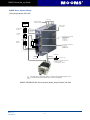
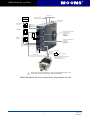
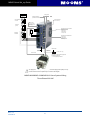
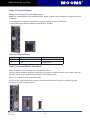
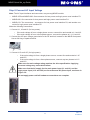
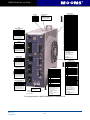
3. Look at the 7-segment display on the MSHD front panel.
Upon initial power up, the status display shows a flashing e, indicating a Parameter
Memory Checksum Failure. This fault will be cleared once the drive is configured and
the parameters are saved in the drive’s non-volatile memory.
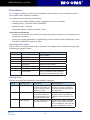
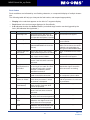
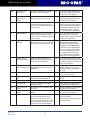
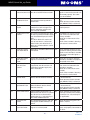
The digital display provides various indications of drive operation, such as operation modes, drive
enable status, and fault conditions.
For more information, refer to the section Drive Status 7-Segment Display.
Step 13 Configure the Drive
1. In ServoStudio, select the Setup Wizard option from the navigation menu.
2. Follow the prompts to configure the MSHD for your particular motor and application.
Note: The wizard performs a basic drive configuration. For more advanced configuration options
and procedures, refer to the MSHD User Manual.
21
Rev. 1.0
4/10/2012