1
"Forward", "Backward", and "Skip" Arrows
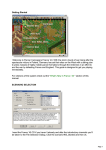
You can cycle through the units on the map using
these arrows. The arrows allow you to move back
and forwards in the list of units, or skip a unit.
Selected Unit Panel
The selected unit is displayed in the bottom left
panel. Here you can see:
1 Unit’s name ;
2 Current experience level ;
3 Number of soldiers and wounded in the unit ;
4 Type of terrain the unit is on ;
5 “Level Up” button, ;
6 “Halt” button,
7 “Recruit” button.
Panel for Unit under the Cursor
Similar information for the unit under the cursor is
displayed in the bottom right panel. It is worth
checking this panel before attacking an enemy.
There are additional control buttons under the
Army Panel.
Grid
This button allows you to toggle the grid on and off.
The grid will help you when thinking over your
position.
Banners
This button allows you to switch between banner
modes. The color of the unit’s banner indicates the
side it belongs to. The banner also shows whether the
unit is able to move, attack or cover its neighbor.
Banners can be shown for all the units, for only the
units under the cursor or be switched off
completely.
7