1
III. Introduction
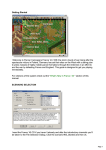
Fantasy Wars is a classic turn-based hexagonal wargame set in a fantasy world.
The game combines advanced 3D technologies with a tried and tested strategy
gameplay.
You will find yourself in a world where Human kingdoms, Orc barrens,
underground fortresses of Dwarves, and magic Elven forests exist side by side.
This world is afire with a devastating war.
You will have a chance to walk in the shoes of the great chief of Orcs and
Goblins, you will fight in Human cities and command elite Elven warriors as
mercenary army captain. You will siege unassailable fortresses and protect
civilian settlements, cover retreating units and take part in rescue operations,
raid the enemy’s rear and battle at several fronts simultaneously.
Entering the decisive battle against the enemy, you will use daring flanking
movements, reckless assaults, and cunning ambushes. The victory in
engagements will depend mostly on skilful interaction between military branches
and competent use of the terrain, not as much on the number and experience of
warriors.
IV. Starting the Game
• Main Menu
Campaign – here you can start
a new campaign or load a
saved campaign game
Single Mission – here you can
start a new single mission or
load a saved game.
Multiplayer – here you can
create an online game, join an
online game, or start a “HOT
SEAT” game (several players
on one computer).
Tutorial– tutorial missions. Here
you will be taught the basics of
the game.
Options – here you can configure graphics, sound, game options, and view the hot
keys. For a detailed description of settings see Appendix 2
Credits – "Fantasy Wars" creators.
Exit – exit to the operating system.
• Campaign
After clicking the “Campaign” button the campaign menu appears where you can:
– Continue the most recent saved game ;
– Launch a new campaign, or ;
4