1
Sourcing User Manual
Icons
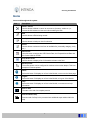
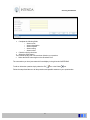
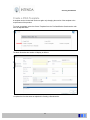
Icons used throughout the system:
Icon
Description
Delete / Cancel
Use this button to delete or cancel an occurrence (Inventory, tender etc.) or
remove the link between an item and a list containing the item
Edit
Use this button to Edit existing records
Lookup
Use this button to lookup an item for selection
Select
Use this button to select an item from an available list (commodity category, entity
etc.)
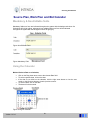
Date Picker
User this button to capture the OJEU Notice Date, the Proposed Award Date and
the Contract date on a PQQ
Drop Down Arrow
Use this button to display a list of information relevant to the field
Mouse pointer
The mouse pointer can be configured in windows to have other shapes. This is an
example of a mouse pointer.
Home
Select this button if it displays on a form in the Module, to return to the Home page
Logout
Select this button if it displays on a form in the Module, to log out of the Module
Help
Select this button if it displays on a form in the Module, to access screen help
information
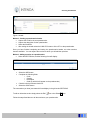
Start or End
The start or the end of a complete process
Start and End of step
Start and end of a Step in the process where additional steps resides within the
step
4