1
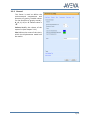
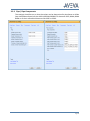
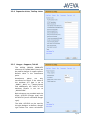
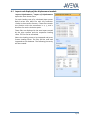
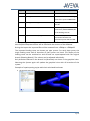
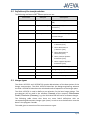
Type Name Beschreibung SITE /DISP ZONE /DISP_28MAW30 This ZONE contains all loading cases of the system 28MAW30 EQUI /DISP_28MAW30_DL This EQUI contains the loading case DL SUBE …/F0HAC10BR011/B1 The SUBEquipment contains the branch /F0HAC10BR011/B1 of the loading case DL. NOZZ …/F0HAC10BR011/B1_260-280 The NOZZle represents the connection between the calculation points 260 and 280. After importing the loading cases the Import area of the form will be updated and the area Graphical Representations will be filled with the content of the database. During the import the imported files will be renamed from .r2disp to .r2dispold. The imported loading cases are shown per pipe system. For each pipe system the single loading cases and all branches of that system are listed. The display of the loading cases can be switched on and off and can superimposed with the original branch (Showing Branch). The colours can be adjusted individually. Only branches selected in the branch list (Branches) are shown in the graphical view. Selecting the System again will update the graphical view with all branches of the system. Example of superimposing a pipe with their calculated load cases the original pipe in blue Page 16