1
LonHand Series product user manual
www.usr.so
2 USR-WIFIIO-83 detail introduction
2.
2.2
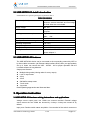
USR-WIFIIO-83’s specific parameters are listed in table 1.
Table1 Parameters
Dimension(L×W×H)
104.5*83*28.7mm
antenna, external terminals and fixed edge
on both sides are not included
Supply voltage
DC 12V
Number of Ports
8 outputs
3 inputs
Standby power consumption
Typical: 3W
Max:
6W
Input port operation mode
Passive switch
Output ports maximum voltage/current
AC 250V/10A
Operating temperature
-25~75°C
Storage temperature
-40~85°C
Storage humidity
5%~95%RH
Packing list
antenna*1, USR-WIFIIO-83*1, CD*1, 12v
power adapter*1
2.3 USR-WIFIIO-83 features
The USR-WIFIIO-83 device can be connected to the surrounding network by WIFI or
by direct cable connection (via Ethernet cable interface RJ45) after you appropriately
set up it. Users can control the USR - WIFIIO - 83 for proper operation with the
LonHand software in long distance.
Output ports features:
� Multiple timing tasks(4 timing tasks for every output)
� Lock of output state
� All on
� All off
� Self-define startup state
� Touch mode
� Jog mode
Detail operating approaches are illustrated later.
3. Operation instruction
s
3.1USR-WIFIIO-83 Hardware wiring instructions and application
applications
Voltage source output ports: two COMs are common terminal. External voltage
source across the two COMs are shunted by 8 relays. 8 relays are turned off by
default.
Input ports: Passive switch states acquisition. One terminal of the switch connects to
Jinan USR IOT Technology Limited
6 / 28
[email protected]