1
Lenawee Encompass User Manual
ACCESS Staff
Created By: PCE Systems
29592 Northwestern Highway
Southfield, MI 48034
248.223.4888
Last Update: September 24, 2004
Table of Contents
Section 1: Accessing Encompass.......................................................................................................4
Logging Into the Encompass System ...............................................................................................4
Logging Out of the Encompass System...........................................................................................5
Section 2: Navigation and Menu Options ........................................................................................7
Navigation Buttons..............................................................................................................................7
Menu Options.......................................................................................................................................8
Section 3: Consumer Information ...................................................................................................10
Consumer Demographics .................................................................................................................10
Changing Consumer Demographics...........................................................................................10
View Consumer Information.......................................................................................................12
Printing Consumer Demographic Information ........................................................................13
Lenawee Consumer Forms...............................................................................................................14
Eligibility Assessment ...................................................................................................................14
Adding an Adult Eligibility Assessment ................................................................................15
Adding a Child Eligibility Assessment...................................................................................19
Adding Developmental Disability Eligibility Assessment...................................................22
Printing a Service Eligibility Assessment ...................................................................................25
Crisis Sheet .....................................................................................................................................26
CMHSP Admissions..........................................................................................................................29
Admitting a Consumer .................................................................................................................30
Transferring a Consumer..............................................................................................................31
Discharge a Consumer..................................................................................................................34
Consumer Financial Information ....................................................................................................36
Adding/View Financial Information..........................................................................................36
Printing Financial Information....................................................................................................38
Adding Insurance Policies............................................................................................................40
Adding a Self Pay Insurance Policy........................................................................................40
Adding a Third Party Insurance Policy..................................................................................42
Adding a Medicare Policy ........................................................................................................43
Adding a Medicaid Insurance Policy......................................................................................45
Changing Insurance Policy Information ....................................................................................46
Viewing Insurance Policies ..........................................................................................................47
2
Consumer Authorizations – See Section 3.....................................................................................48
Release of Information Agreements ...............................................................................................48
Adding a Release of Information Agreement ...........................................................................49
Changing a Release of Information Agreement........................................................................51
Viewing a Release of Information Agreement ..........................................................................52
Consumer Notes ................................................................................................................................54
Adding a Consumer Note ............................................................................................................54
Changing a Consumer Note ........................................................................................................56
View Consumer Notes..................................................................................................................57
Section 4: ACCESS Screenings ........................................................................................................59
Consumer ACCESS Calls .................................................................................................................59
Adding a Call Log for an Existing Consumer ......................................................................60
Adding a Screening Call for an Existing Consumer ............................................................61
Adding a Call Log for a Non-Existing Consumer ...............................................................64
Adding a Screening Call for a Non-Existing Consumer .....................................................65
ACCESS Call Back Calls...................................................................................................................68
ACCESS Calls History ......................................................................................................................69
Consumer Authorizations – See Section 5.....................................................................................69
Consumer Appointments..................................................................................................................69
Adding an Authorization for Services ........................................................................................70
Request Authorization for CMHSP Staff to Provide On-Going Service.........................70
Request Authorization for Outside Facility ..........................................................................72
Request Authorization to Hospital.........................................................................................73
Section 6: Service Activity Logs.......................................................................................................75
Adding Service Activity Logs.......................................................................................................75
Section 7: Medifax Lookup...............................................................................................................77
3
SECTION 1: ACCESSING ENCOMPASS
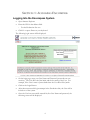
Logging Into the Encompass System
•
Open Internet Explorer
•
Enter the URL in the address field.
o
•
For the Production Site: cns
Click Go or press Enter on your keyboard.
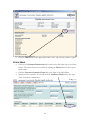
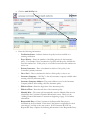
The following login screen will be displayed:
•
On the login page, enter your User Name and Password (passwords are case
sensitive). The User ID is the first initial and the last name of the User. For
example, if the User’s name is James Smith then the User ID will be jsmith.
•
Click on the Login Button.
•
After three unsuccessful login attempts in the Production Site, the User will be
locked out of the system.
•
Once the User has successfully entered his/her User Name and password, the
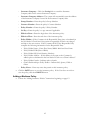
following screen will be displayed.
4
•
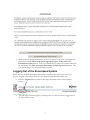
Read the above Attention Statement. If the User agrees to the terms outlined in the
statement, click the I have read and accept these terms. Take me to the
Encompass system button. If the User DOES NOT agree to the terms outlined in
the statement, click I do not accept these terms. Please log me out button. The
User will be logged out of the Encompass system.
Logging Out of the Encompass System
When the User is finished using the Encompass system he/she must log of out of the
system. Logging out protects the data in the database from unauthorized Users.
•
Click the Logout button located in the upper left hand corner of the database
screen.
•
The following screen will appear, informing the User that he/she has logged out of
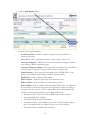
the Encompass system.
5
•
To quickly access the log in screen from this page, click the here link.
6
SECTION 2: NAVIGATION AND MENU OPTIONS
Navigation Buttons
When you are in the Encompass System, DO NOT use your browser’s back or forward
buttons. Only click on the buttons and links on the actual System Screens, that is, those
below the red line and above the footer that contains the current date, time and the User’s
Name.
Click on the Back Button to go to the previous page. Do not use your
Browser’s Back Button.
Click on the Logout Button to logout of the system.
From any section on the website, the Home Button will take you to the
Home Screen.
Find out what we will be using the HELP button for, will it still be for
the User Manuals??
This Button will blink when you have messages waiting. Click on the Button
to retrieve your messages. A new window will open to display the message.
7
Menu Options
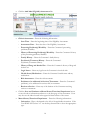
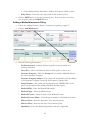
The following is a list of the Main Menu options and an explanation of each option. The
Main Menu is located on the left-hand side of the Home screen. The Home screen is
accessible by clicking the Home button located in the upper left-hand corner of the
Encompass System.
Consumer Information
This menu option is used to access the majority of the Consumer’s demographic, admission,
chart documentation, financial information, health and safety notes, and authorizations. The
following links are available under Consumer Information.
•
View Consumer Demographic Information – This link allows the User to add
new Consumers to the Encompass system, change or view existing Consumer data,
and print Consumer information (demographics and emergency contact
information.) This link also provides the follow shortcuts to other menu options
available in other sections; Financial Information, Insurance Policies, Authorizations,
Notes and Appointments.
•
Lenawee Consumer Forms – This link allows the User to add, change, and view
Lenawee Consumer Forms, i.e. crisis plan, service eligibility, medical questionnaire,
etc. Forms that have been replaced by the Encompass Forms will be available for
viewing only.
•
View CMHSP Admissions – This link allows the User to add, change and view
Consumer admissions. Users can also transfer the Consumer from one program to
another and discharge the Consumer from Lenawee.
•
Consumer Financial Information – This link allows the User to add or change the
Consumers financial information, update and add Consumer insurance polices, and
print the Consumer’s financial information.
•
Consumer Authorizations – This link allows the User view, change, print and void
existing Consumer authorizations for service, request an authorization for a service
eligibility assessment, and ongoing services.
•
View Consumer Release of Information Agreements – This link allows the User
to add, change or view all of the Consumer release of information agreements.
•
View Consumer Notes (Non-Clinical Notes Only) – This link allows the User to
add notes to the Consumer’s electronic file. These notes can be marked as
confidential or used as health and safety warnings.
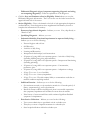
ACCESS Screenings
This menu option deals specifically with the ACCESS Staff’s screenings and phone calls.
The following links are available under ACCESS Screenings.
•
Add/View Consumer ACCESS Calls – This link allows the User to manage calls
from existing and non-existing Consumers. This link also allows the User to
conduct phone screenings as well as view a listing of the existing Consumer’s
screenings, authorizations, and call logs.
8
•
View ACCESS Calls That Require Call-Back – This link allows the User to view
a list of any call received from a Consumer or non-Consumer that requires a call
back.
•
View Consumer Authorizations – This link allows the User to change, view, print
or void existing Consumer authorizations for service, and request an authorization
for service eligibility assessment, and ongoing services.
•
View Consumer Appointments – This link allows the User to view a list of the all
of the Consumer’s appointments past, present and future. This application is not
currently in use.
Authorizations
This menu option deals specifically with Consumer authorizations. The following links are
available under Authorizations.
•
View Consumer Authorizations – This link allows the User to change, view, print
or void existing Consumer authorizations for service, and request an authorization
for service eligibility assessment, and ongoing services.
Service Activity Logs
This menu option is used to enter the User’s service activity logs, Service activity logs will
now be entered by the User and not created from the forms entered by the User. The
following links are available under Service Activity Log.
•
View My Own Service Activity Log – The User will use this link to add, change,
delete and view his/her service activity logs.
Medifax Lookup
This menu option allows the User to connect through Medifax and obtain a Consumer’s
Medicaid information in three-month intervals.
•
Connect To Medifax-Verify Consumer Medicaid and Insurance Data – The
User will use this link to connect to Medifax and request insurance and Medicaid
information from one to three month intervals.
9
SECTION 3: CONSUMER INFORMATION
Consumer Demographics
The Consumer Demographic Information link is an effective means to access most of the
Consumer’s information such as, financial information, insurance policies, person centered
plans, authorizations and notes. In this section of the User Manual we will specifically cover
the Consumer Demographics screen, and will cover the remaining information in later
sections of this Manual.
Changing Consumer Demographics
Sometime it is necessary to update a Consumer’s demographic information, i.e. corrections
in spelling, address changes, name changes due to marriages or divorces, emergency contact
changes, etc. The User will update the Consumer’s demographic information when
informed of these changes to ensure the most up to date information is in the Encompass
system.
•
Click the Consumer Information link in the Main Menu. The Main Menu is
located on the left-hand side of the Home screen. The Home screen is accessible by
clicking the Home button located in the upper left-hand corner of each Encompass
screen.
•
Click the View Consumer Demographic Information link located to the right of
the Main Menu.
•
Search for the Consumer. There are several ways of searching for the Consumer,
last and first name, SSN, Case ID, Case Number, etc. Enter the search criteria and
click the SEARCH button.
•
Once found click the Change link that appears to the right of the Consumer’s
information.
10
•
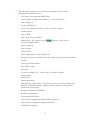
The following information is saved and can be changed in the Consumer
Demographic Information screen:
o
Last Name, First Name and Middle Initial
o
Home Address, including street address, city, state and zip code.
o
Home Telephone
o
County of Residence
o
AKA or information that can be used for Consumer searches.
o
Alternate Phone
o
Date of Birth
o
SSN (Social Security Number)
o
Medicaid ID – The User can use the
Consumer’s Medicaid ID.
o
Primary Language
o
Date of Death
o
Parental Status
o
Family Independence Agency Information
o
Emergency Contact – Includes name, relationship to the Consumer, and address
o
Gender
o
Court Appointed Guardian
o
Race/Ethnic Origin
o
Education
o
For those attending K-12 – Grade, School, and School District
o
Veteran Status
o
Marital Status
o
Employment Status
o
Drug Allergies and Reactions – The User can choose to show the allergies and
reaction as a Health and Safety warning. Health and Safety warnings will be
discussed in a later section.
o
Referred for treatment by EPSDT
o
Residential Arrangement
o
Corrections Related Status
o
Current Service Assignment-Child enrolled in Early On
o
Current Service Assignment-Wraparound Service
o
ACCESS Case Manager
11
button to search for the
•
o
OBRA Case Manager
o
Primary Care Physician
o
Name of person completing the form
o
Completion Date
If the User changes any of the information in the Consumer Demographics, he/she
must click the SAVE button. If no changes were made, click the CANCEL button.
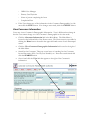
View Consumer Information
Users may view a Consumer’s Demographic Information. View is different then change in
that the User cannot change an of the Consumer’s Demographic in the view mode.
•
Click the Consumer Information link in the Main Menu. The Main Menu is
located on the left-hand side of the Home screen. The Home screen is accessible by
clicking the Home button located in the upper left-hand corner of each Encompass
screen.
•
Click the View Consumer Demographic Information link located to the right of
the Main Menu.
•
Search for the Consumer. There are several ways of searching for the Consumer,
last and first name, SSN, Case ID, Case Number, etc. Enter the search criteria and
click the SEARCH button.
•
Once found click the View link that appears to the right of the Consumer’s
information.
12
Printing Consumer Demographic Information
The User may print the Consumer Demographics for the Consumer’s paper file, or when/if
the Consumer requests to see his/her chart.
•
Click the Consumer Information link in the Main Menu. The Main Menu is
located on the left-hand side of the Home screen. The Home screen is accessible by
clicking the Home button located in the upper left-hand corner of each Encompass
screen.
•
Click the View Consumer Demographic Information link located to the right of
the Main Menu.
•
Search for the Consumer. There are several ways of searching for the Consumer,
last and first name, SSN, Case ID, Case Number, etc. Enter the search criteria and
click the SEARCH button.
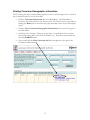
•
Once found click the Print Consumer Info link that appears to the right of the
Consumer’s information.
13
•
A new window will appear with a “Processing Request” message. Once the request
is processed the Consumer’s information will appear in a “Print Friendly” format.
•
Click the Print button to send a copy to the printer.
Lenawee Consumer Forms
Many of the forms used in the Adia/CareNet system have been replaced by the Encompass
Forms and all of them will eventually be fazed out of use. Since it is essentially to have a
history of Consumer forms, the Lenawee Forms will be available to Users. Lenawee Forms
that are no longer in use will be available for viewing only.
Eligibility Assessment
•
Click on the Consumer Information link located on the left-hand side of the Home
Screen. The Home Screen is accessible by clicking the Home button in the top lefthand corner.
•
Click the Lenawee Consumer Forms link to the right of the Main Menu.
•
Search for the Consumer, once found click the Consumer Forms link to the right
of the Consumer’s information.
14
•
The screen appears with all of the Lenawee Forms your department has access to.
For the Service Eligibility Form, click the Eligibility Assessment link.
•
There are three types of Service Eligibility assessments; Adult, Child and
Developmental Disability.
Adding an Adult Eligibility Assessment
•
Follow the “Adding a Service Eligibility Form” instructions beginning on page 3.
15
•
Click the Add Adult Eligibility Assessment link.
•
Clinical Assessment – Enter the following information:
o
Start Time – Enter the beginning time of the Eligibility Assessment.
o
Assessment Date – Enter the date of the Eligibility Assessment.
o
Presenting Problem(s)/Disability – Enter the Consumer’s presenting
problems/disability.
o
History of Presenting Problem(s)/Disability – Enter the Consumer’s history
pf the presenting problems/disability.
o
Family History – Enter the Consumer’s family history.
o
Psychiatric/Treatment History – Enter the Consumer’s
Psychiatric/Treatment History.
o
History of Drug and Alcohol Use – Enter the Consumer’s history of drug and
alcohol use.
o
Legal Issues – Enter any legal issue the Consumer is involved with.
o
Health Status/Medications – Enter the Consumer’s health status and any
medications.
o
Risk Assessment – Enter the risk assessment.
o
Problems to be addressed in Services/Treatments – Enter the Consumer’s
problem(s) to be addressed in services and/or treatment.
o
Barriers to Service – Enter any of the barriers of the Consumer receiving
services or treatment.
•
Click the Save and Continue to Mental Status/Functional Impairment button
to save the above information and move to the next page of the assessment. Users
may also use the index located in the upper left-hand corner of the screen.
•
Mental Status/Functional Impairment – Enter the following information:
o
Orientation – Place a checkmark to the left of the applicable orientation. If the
User DOES NOT select “x3” use the drop down menu to select the appropriate
type.
16
o
Memory – Place a checkmark to the left of the applicable memory. If the User
selects “impaired” use the drop down menu to select the appropriate type.
o
Thought Process – Place a checkmark to the left of the applicable though
process. If the User DOES NOT select “disordered” use the drop down menu
to select the appropriate type.
o
Content – Place a checkmark to the left of the applicable content. If the User
DOES NOT select “delusional” or “paranoid” use the drop down menu to
select the appropriate content. If the User selects “hallucinations” use the drop
down menu to select the appropriate type.
o
Motor Activity – Place a checkmark to the left of the applicable motor activity.
If the User selects “impaired use the drop down menu to select the appropriate
type.
o
Affect – Place a check mark to the left of the applicable affect. Use the drop
down menu to select the correct type.
o
Speech – Place a checkmark to the left of the applicable speech. If the User
DOES NOT select “incoherent” and/or “pressured” use the drop down menu
to select the appropriate type.
o
Mood – Place a checkmark to the left of the applicable mood. If the User
DOES NOT select “normal” and/or “anxious” use the drop down menu to
select the appropriate mood type.
o
Judgement – Place a checkmark to the left of the applicable judgement. If the
User DOES NOT select “intolerant” and/or “impulsive” use the drop down
menu to select the appropriate judgement type.
o
Appearance – Place a checkmark to the left of the applicable appearance. If the
User selects “inadequate” use the drop down menu to select the appropriate.
o
Attitude – Use the drop down menu to select the applicable attitude type. Place
a checkmark to the left of each type(s) indicated.
o
Comments/Observations (of above) – Enter any comments or observation
that support the above selections.
•
Click the Save and Continue to Differential Diagnosis button to save the Mental
Status/Functional Impairment information. The User can also use the index located
in the upper left-hand side of the screen.
•
Differential Diagnosis – Enter the following information:
o
DSM-IV-TR Diagnosis – Enter the DSM-IV-TR diagnosis code for Axis I,
Axis II, Axis III, Axis IV. The User can use the
button to search the
DSM-IV-TR table for the appropriate code.
o
ICD-9 Diagnosis – Enter the ICD-9 diagnosis code for the Primary and
Secondary diagnosis. The User can use the
button to search the ICD-9
table for the appropriate code.
17
o
Differential Diagnosis (signs/symptoms supporting diagnosis and ruling
out competing diagnoses) – Enter the explanation of the diagnoses.
•
Click the Save and Continue to Service Eligibility Criteria button to save the
Differential Diagnosis information. The User can also use the index located in the
upper left-hand side of the screen.
•
Service Eligibility – Place a checkmark to the left of each appropriate designation
(outlined below). Some designations have supplemental information, be sure to
complete the information in its entirety.
o
Presence of psychiatric diagnosis – Indicate yes or no. If no, skip directly to
“Band of Care”
o
Qualifying Diagnosis – Indicate yes or no.
o
Substantial disability/functional impairments in aspects of daily living… Indicate yes or no for the following:
o
o
o
o
o
o
o
o
o
o
o
o
o
Personal hygiene and self-care
Self-Direction
Activities of daily living
Learning and Recreation
Interpersonal relationships/social transactions
*If parent of young child or an expectant parent – Activities of daily living
(including fulfilling care giving responsibilities)
*If parent of young child or an expectant parent – Interpersonal functioning
(including parenting)
*If parent of young child or an expectant parent – Concentration,
persistence, pace
*If parent of young child or an expectant parent – Adaptation to change
*If age 55 or over – Loss of mobility
*If age 55 or over – Sensory impairment
*If age 55 or over – Physical stamina/ability to communicate needs due to
medical conditions requiring medical
Sufficient Duration – Indicate yes or no for the following:
o Six continuous months, or six cumulative months in a 12-month period, of
illness, symptomatology, and/or dysfunction.
o Based on current condition and diagnosis, there is reasonable expectation
that symptoms/impairment will continue for more than six months.
o Prior history of severe mental illness with continued significant Residual
symptoms or impairments.
o
Prior Service Utilization – Indicate yes or no for the following:
o Two or more admissions to psychiatric unit in a calendar year.
o Thirty days or more of inpatient treatment in a calendar year.
o State hospital utilization within the calendar year.
18
o Use of 20 or more outpatient mental health visits in a calendar year.
o
Substance use/abuse is not the sole basis of psychiatric symptomatology
or need for treatment – Indicate yes or no.
o
For a person to meet “must serve” criteria, they must meet one of the
following combinations – Place a checkmark to the left of all that apply,
selections include:
Qualifying diagnosis (A), functional impairment (B), and (E)
Qualifying diagnosis (A), duration of illness (C), and (E)
Qualifying diagnosis (A), prior service utilization (D), and (E)
Non-qualifying diagnosis, functional impairment (B), duration of illness (C),
prior service utilization (D), and (E)
o Does not meet “must serve” criteria
o Notice of Hearing Rights form sent (only applicable if person meets must
serve criteria)
o
o
o
o
o
Appropriate Band of Service – Indicate the Consumer’s appropriate band of
service, selections include:
o
o
o
o
o
o
Band 1: Problem/Symptom Focused
Band 2: Stabilization/Management
Band 3: Supportive Case Management
Band 4: Intensive Care Management
Band 5: Crisis/Acute
Not Applicable.
•
Click the Save and Continue to Disposition button to save the Service Eligibility
information. The User can also use the index located in the top left-hand side of
the screen.
•
Disposition – Enter the following information.
o
•
Disposition/Services Authorized Within Band of Care – Enter the
disposition/Services authorized within the selected band of care.
Click the SAVE button.
Adding a Child Eligibility Assessment
•
Follow the “Adding a Service Eligibility Form” instructions beginning on page 3.
19
•
Click the Add Child Eligibility Assessment link.
•
Clinical Assessment – Enter the following information:
o
Start Time – Enter the beginning time of the Eligibility Assessment.
o
Assessment Date – Enter the date of the Eligibility Assessment.
o
Presenting Problem(s)/Disability – Enter the Consumer’s presenting
problems/disability.
o
History of Presenting Problem(s)/Disability – Enter the Consumer’s history
pf the presenting problems/disability.
o
Family History – Enter the Consumer’s family history.
o
Psychiatric/Treatment History – Enter the Consumer’s
Psychiatric/Treatment History.
o
History of Drug and Alcohol Use – Enter the Consumer’s history of drug and
alcohol use.
o
Academic Achievement – Enter the Consumer’s academic achievements.
o
Legal Issues – Enter any legal issue the Consumer is involved with.
o
Health Status/Medications – Enter the Consumer’s health status and any
medications.
o
Risk Assessment – Enter the risk assessment.
o
Problems to be addressed in Services/Treatments – Enter the Consumer’s
problem(s) to be addressed in services and/or treatment.
o
Barriers to Service – Enter any of the barriers of the Consumer receiving
services or treatment.
•
Click the Save and Continue to Mental Status/Functional Impairment button
to save the above information and move to the next page of the assessment. Users
may also use the index located in the upper left-hand corner of the screen.
•
Mental Status/Functional Impairment – Complete the CAFAS Scoring
Summary.
o
Role Performance: School/Work – Indicate score 0, 10, 20 or 30.
20
o
Role Performance: Home – Indicate score 0, 10, 20, or 30
o
Role Performance: Community – Indicate score 0, 10, 20, or 30
o
Behavior Towards Others – Indicate score 0, 10, 20, or 30.
o
Moods/Emotions – Indicate score 0, 10, 20, or 30.
o
Self-Harmful Behavior – Indicate score 0,10, 20, or 30.
o
Substance Use – Indicate score 0, 10, 20, or 30.
o
Thinking – Indicate score 0, 10, 20, or 30.
o
Total 8-Scale Score – This field will update itself after the information is saved.
•
Click the Save and Continue to Differential Diagnosis button. The User may
also use the index located in the upper left-hand corner of the screen.
•
Differential Diagnosis – Enter the following information:
o
DSM-IV-TR Diagnosis – Enter the DSM-IV-TR diagnosis code for Axis I,
Axis II, Axis III, Axis IV. The User can use the
button to search the
DSM-IV-TR table for the appropriate code.
o
ICD-9 Diagnosis – Enter the ICD-9 diagnosis code for the Primary and
Secondary diagnosis. The User can use the
button to search the ICD-9
table for the appropriate code.
o
Differential Diagnosis (signs/symptoms supporting diagnosis and ruling
out competing diagnoses) – Enter the explanation of the diagnoses.
•
Click the Save and Continue to Service Eligibility Criteria button to save the
Differential Diagnosis information. The User can also use the index located in the
upper left-hand side of the screen.
•
Service Eligibility – Place a checkmark to the left of each appropriate designation
(outlined below). Some designations have supplemental information, be sure to
complete the information in its entirety.
o
Presence of psychiatric diagnosis – Indicate yes or no. If no, skip directly to
“Band of Care”
o
Qualifying Diagnosis – Indicate yes or no.
o
Substantial disability/functional impairments in aspects of daily living… -
o
Sufficient Duration – Indicate yes or no for the following:
o Six continuous months, or six cumulative months in a 12-month period, of
illness, symptomatology, and/or dysfunction.
o Based on current condition and diagnosis, there is reasonable expectation
that symptoms/impairment will continue for more than six months.
o Prior history of severe mental illness with continued significant Residual
symptoms or impairments.
o
Prior Service Utilization – Indicate yes or no for the following:
21
o
o
o
o
Two or more admissions to psychiatric unit in a calendar year.
Thirty days or more of inpatient treatment in a calendar year.
State hospital utilization within the calendar year.
Use of 20 or more outpatient mental health visits in a calendar year.
o
Substance use/abuse is not the sole basis of psychiatric symptomatology
or need for treatment – Indicate yes or no.
o
For a person to meet “must serve” criteria, they must meet one of the
following combinations – Place a checkmark to the left of all that apply,
selections include:
Qualifying diagnosis (A), functional impairment (B), and (E)
Qualifying diagnosis (A), duration of illness (C), and (E)
Qualifying diagnosis (A), prior service utilization (D), and (E)
Non-qualifying diagnosis, functional impairment (B), duration of illness (C),
prior service utilization (D), and (E)
o Does not meet “must serve” criteria
o Notice of Hearing Rights form sent (only applicable if person meets must
serve criteria)
o
o
o
o
•
Click the Save and Continue to Disposition button to save the Service Eligibility
information. The User can also use the index located in the top left-hand side of
the screen.
•
Disposition – Enter the following information.
o
•
Disposition/Services Authorized Within Band of Care – Enter the
disposition/Services authorized within the selected band of care.
Click the SAVE button.
Adding Developmental Disability Eligibility Assessment
•
Follow the “Adding a Service Eligibility Form” instructions beginning on page 3.
•
Click the Add Developmental Disability Eligibility Assessment link.
•
Clinical Assessment – Enter the following information:
o
Start Time – Enter the beginning time of the Eligibility Assessment.
22
o
Assessment Date – Enter the date of the Eligibility Assessment.
o
Presenting Problem(s)/Disability – Enter the Consumer’s presenting
problems/disability.
o
History of Presenting Problem(s)/Disability – Enter the Consumer’s history
pf the presenting problems/disability.
o
Family History – Enter the Consumer’s family history.
o
Psychiatric/Treatment History – Enter the Consumer’s
Psychiatric/Treatment History.
o
History of Drug and Alcohol Use – Enter the Consumer’s history of drug and
alcohol use.
o
Legal Issues – Enter any legal issue the Consumer is involved with.
o
Health Status/Medications – Enter the Consumer’s health status and any
medications.
o
Risk Assessment – Enter the risk assessment.
o
Problems to be addressed in Services/Treatments – Enter the Consumer’s
problem(s) to be addressed in services and/or treatment.
o
Barriers to Service – Enter any of the barriers of the Consumer receiving
services or treatment.
•
Click the Save and Continue to Mental Status/Functional Impairment button
to save the above information and move to the next page of the assessment. Users
may also use the index located in the upper left-hand corner of the screen.
•
Mental Status/Functional Impairment – Complete the CAFAS Scoring
Summary.
o
Role Performance: School/Work – Indicate score 0, 10, 20 or 30.
o
Role Performance: Home – Indicate score 0, 10, 20, or 30
o
Role Performance: Community – Indicate score 0, 10, 20, or 30
o
Behavior Towards Others – Indicate score 0, 10, 20, or 30.
o
Moods/Emotions – Indicate score 0, 10, 20, or 30.
o
Self-Harmful Behavior – Indicate score 0,10, 20, or 30.
o
Substance Use – Indicate score 0, 10, 20, or 30.
o
Thinking – Indicate score 0, 10, 20, or 30.
o
Total 8-Scale Score – This field will update itself after the information is saved.
•
Click the Save and Continue to Differential Diagnosis button. The User may
also use the index located in the upper left-hand corner of the screen.
•
Differential Diagnosis – Enter the following information:
23
o
DSM-IV-TR Diagnosis – Enter the DSM-IV-TR diagnosis code for Axis I,
Axis II, Axis III, Axis IV. The User can use the
button to search the
DSM-IV-TR table for the appropriate code.
o
ICD-9 Diagnosis – Enter the ICD-9 diagnosis code for the Primary and
Secondary diagnosis. The User can use the
button to search the ICD-9
table for the appropriate code.
o
Differential Diagnosis (signs/symptoms supporting diagnosis and ruling
out competing diagnoses) – Enter the explanation of the diagnoses.
•
Click the Save and Continue to Service Eligibility Criteria button to save the
Differential Diagnosis information. The User can also use the index located in the
upper left-hand side of the screen.
•
Service Eligibility – Place a checkmark to the left of each appropriate designation
(outlined below). Some designations have supplemental information, be sure to
complete the information in its entirety.
o
A severe, chronic condition that is attributable to a mental or physical
impairment or a combination of mental and physical impairments –
Indicate yes or no.
o
The condition was manifested before the individual was 22 years old –
Indicate yes or no.
o
The condition is likely to continue indefinitely – Indicate yes or no.
o
Substantial functional limitations of major life activity – Indicate yes or no
for the following:
Self-Care
Receptive and expressive language
Learning
Mobility
Self-Direction
Capacity for independent living
Economic self-sufficiency
*If degree of functional limitation is unclear – The individual has obtained
SSI or SSD in the bases of disability.
o *If degree of functional limitation is unclear – School testing established that
the individual is EMI or SMI and has an I.Q. of 69 or lower
o *If degree of functional limitation is unclear – A CMH Psychologist
confirmed I.Q. or 69 or lower through psychological testing.
o
o
o
o
o
o
o
o
o
Due to their condition, the individual needs a combination of and
sequence of special, interdisciplinary or generic care …. – Indicate yes or
no.
o
All five of the above criteria are met, thus meeting the “must serve”
criteria – Indicate yes or no.
24
o
Does not meet “must serve” criteria – Indicate yes or no.
o
Notice of Hearing Rights form sent (only applicable if person meets must
serve criteria) – Indicate yes or no.
o
For a person to meet “must serve” criteria, they must meet one of the
following combinations – Place a checkmark to the left of all that apply,
selections include:
Qualifying diagnosis (A), functional impairment (B), and (E)
Qualifying diagnosis (A), duration of illness (C), and (E)
Qualifying diagnosis (A), prior service utilization (D), and (E)
Non-qualifying diagnosis, functional impairment (B), duration of illness (C),
prior service utilization (D), and (E)
o Does not meet “must serve” criteria
o Notice of Hearing Rights form sent (only applicable if person meets must
serve criteria)
o
o
o
o
•
Click the Save and Continue to Disposition button to save the Service Eligibility
information. The User can also use the index located in the top left-hand side of
the screen.
•
Disposition – Enter the following information.
o
•
Disposition/Services Authorized Within Band of Care – Enter the
disposition/Services authorized within the selected band of care.
Click the SAVE button.
Printing a Service Eligibility Assessment
•
Follow the “Adding a Service Eligibility Form” instructions beginning on page 3.
•
A listing of all of the Eligibility Assessments the Consumer has received will be
displayed.
•
Click the Print link to the right of the Assessment you wish to print.
•
A new window will open and the Eligibility Assessment will appear in a print friendly
format.
25
•
Click the PRINT link in the upper right-hand corner, and select the printer to print.
Crisis Sheet
•
Click on the Consumer Information link located on the left-hand side of the Home
Screen. The Home Screen is accessible by clicking the Home button in the top lefthand corner.
•
Click the Lenawee Consumer Forms link to the right of the Main Menu.
•
Search for the Consumer, once found click the Consumer Forms link to the right
of the Consumer’s information.
26
•
The screen appears with all of the Lenawee Forms your department has access to.
For the Service Eligibility Form, click the Crisis Sheet link.
•
Click the Add Crisis Sheet link.
•
Enter the following information:
o
Date – Enter the date of the Crisis.
o
Start Time – Enter the start time of the Crisis call.
o
Stop Time – Enter the stop time of the Crisis call.
o
Name – The Consumer’s name will be automatically entered by the system.
o
Contact – Indicate whether the contact was over the phone or face-to-face. If
the contact was face-to-face enter the location in the filed provided.
o
Address – The Consumer’s address will be automatically entered by the system.
This includes City, State and Zip Code.
o
Phone – The Consumer’s phone number will be automatically entered by the
system.
o
Date of Birth – The Consumer’s date of birth will be automatically entered by
the system.
27
o
Case Worker – Enter the name of the Consumer’s Case Worker
o
Gender – Indicate male or female
o
Veteran – Indicate yes, no, Special Discharge, or Unknown.
o
Referral Source – Enter the referral source
o
Parent/Guardian – Enter the name of the Consumer’s parent or guardian.
o
Phone – Enter the Parent’s/Guardian’s phone number.
o
Start/Stop Times – Enter the start and stop times
o
Total Time – Enter the total time spent on this Crisis.
o
Insurance – Place a checkmark to the left of all insurance that applies to the
Consumer. Selections include:
o
o
o
o
o
Medicaid – Enter the Consumer’s Medicaid ID.
HMO – Specify the HMO in the field provided.
Medicare
Other – Specify “Other” in the field provided.
None/Indigent
o
Presenting Problem – Enter the Consumer’s presenting problem
o
Relevant History/Psychotropic Medicines – Enter the Consumer’s relevant
history and any psychotropic medicines.
o
Mental Status – Enter the following information:
o Orientation – Place a checkmark to the left of the applicable orientation. If
the User DOES NOT select “x3” use the drop down menu to select the
appropriate type.
o Memory – Place a checkmark to the left of the applicable memory. If the
User selects “impaired” use the drop down menu to select the appropriate
type.
o Thought Process – Place a checkmark to the left of the applicable though
process. If the User DOES NOT select “disordered” use the drop down
menu to select the appropriate type.
o Content – Place a checkmark to the left of the applicable content. If the
User DOES NOT select “delusional” or “paranoid” use the drop down
menu to select the appropriate content. If the User selects “hallucinations”
use the drop down menu to select the appropriate type.
o Motor Activity – Place a checkmark to the left of the applicable motor
activity. If the User selects “impaired use the drop down menu to select the
appropriate type.
o Affect – Place a check mark to the left of the applicable affect. Use the drop
down menu to select the correct type.
o Speech – Place a checkmark to the left of the applicable speech. If the User
DOES NOT select “incoherent” and/or “pressured” use the drop down
menu to select the appropriate type.
28
o Mood – Place a checkmark to the left of the applicable mood. If the User
DOES NOT select “normal” and/or “anxious” use the drop down menu to
select the appropriate mood type.
o Judgement – Place a checkmark to the left of the applicable judgement. If
the User DOES NOT select “intolerant” and/or “impulsive” use the drop
down menu to select the appropriate judgement type.
o Appearance – Place a checkmark to the left of the applicable appearance. If
the User selects “inadequate” use the drop down menu to select the
appropriate.
o Attitude – Use the drop down menu to select the applicable attitude type.
Place a checkmark to the left of each type(s) indicated.
o Comments/Observations (of above) – Enter any comments or
observation that support the above selections.
o
Risk to Self to Others – Indicate yes or no. If yes, enter specificity, lethality,
availability, and intent.
o
Diagnostic Impressions – Place a checkmark to the left of all that apply,
selections include:
o
o
o
o
o
o
o
o
o
o
•
Schizophrenia
Personality Disorder
Drug/Alcohol Abuse
Major Depression
Alcohol Dependence
Adjustment Disorder
Anxiety Disorder
Drug Dependence
ADD/ADHD
Other – Enter the specifics of “Other” in the field provided.
o
Interventions/Rationale – Enter the interventions/rationale.
o
Recommendations – Enter the recommendations
o
Disposition – Enter the disposition
o
Addendum – Enter the addendum, if applicable.
Click the SAVE button to save the crisis plan. If you do not wish to save the Crisis
Sheet, click the CANCEL button.
CMHSP Admissions
This link is used to admit Consumers, transfer Consumers to different programs and
discharge Consumers from Lenawee services.
29
Admitting a Consumer
The Consumer can only be admitted if they are not currently enrolled for services. If the
Consumer is currently enrolled the User must perform a transfer.
•
Click the Consumer Information link in the Main Menu. The Main Menu is
located on the left-hand side of the Home screen. The Home screen is accessible by
clicking the Home button located in the upper left-hand corner of the Encompass
system.
•
Click the View CMHSP Admissions link located to the right of the Main Menu.
•
Search for the Consumer, once found click the CMHSP
Admissions/Transfers/Discharges link to the right of the Consumer’s
information.
•
A listing of the Consumers admissions, transfers and discharges are listed, if
applicable.
•
Click the Add Admission link – This link is only available if the Consumer is not
currently enrolled with Lenawee, i.e. new Consumer, discharged Consumer.
•
Enter the following information:
o
Date – Enter the Consumer’s admission date
30
o
Admission Diagnosis – Enter the Consumer’s diagnosis. The User can use the
button to search for the correct diagnosis code.
o
Current Admission – Enter the following information:
o Team – Use the
button to enter the Team the Consumer has been
assigned to upon admission. If the Team is incorrect click the
button.
o Case Manager – Use the
button to enter the Case Manager the
Consumer has been assigned to upon admission.
button to enter the Attending
o Attending Physician – Use the
Physician the Consumer has been assigned to upon admission.
o Psychologist – Use the
button to enter the Psychologist the
Consumer has been assigned to upon admission.
o Nurse – Use the
button to enter the Nurse the Consumer has been
assigned to upon admission.
o
Disability Designation – Indicate yes or no for the following.
o Developmental Disability
o Mental Illness
o Substance Abuse Disorder
o
Service Designation – Indicate yes or no for the following.
o Developmental Disability
o Mental Illness
o Substance Abuse Disorder
o
Diagnostic Category – Indicate the diagnostic category, selections include:
o
o
o
o
o
•
Developmentally Disabled Adult
Developmentally Disabled Children
All Other Adults
All Other Children
Notes – Enter any additional notes necessary for the admission.
Click the SAVE button to save the admission and admit the Consumer. If the User
does not wish to save the admission and/or admit the Consumer, click the
CANCEL button.
Transferring a Consumer
A Consumer must be admitted to Lenawee in order to be transferred. If the Consumer is
not currently enrolled in services he/she must be admitted first.
•
Click the Consumer Information link in the Main Menu. The Main Menu is
located on the left-hand side of the Home screen. The Home screen is accessible by
31
clicking the Home button located in the upper left-hand corner of the Encompass
system.
•
Click the View CMHSP Admissions link located to the right of the Main Menu.
•
Search for the Consumer, once found click the CMHSP
Admissions/Transfers/Discharges link to the right of the Consumer’s
information.
•
A listing of the Consumers admissions, transfers and discharges are listed, if
applicable.
•
Click the Transfer link. This link is only available if the Consumer is currently
admitted.
•
Enter the following information:
o
Date – Enter the date of the Transfer
o
Previous Admission – The system will display a “read-only” format of the
previous admission.
o
Current Admission – Enter the following information:
32
o Team – Use the
button to enter the Team the Consumer has been
assigned to upon admission. If the Team is incorrect click the
button.
o Case Manager – Use the
button to enter the Case Manager the
Consumer has been assigned to upon admission.
o Attending Physician – Use the
button to enter the Attending
Physician the Consumer has been assigned to upon admission.
button to enter the Psychologist the
o Psychologist – Use the
Consumer has been assigned to upon admission.
o Nurse – Use the
button to enter the Nurse the Consumer has been
assigned to upon admission.
o
Disability Designation – Indicate yes or no for the following.
o Developmental Disability
o Mental Illness
o Substance Abuse Disorder
o
Service Designation – Indicate yes or no for the following.
o Developmental Disability
o Mental Illness
o Substance Abuse Disorder
o
Diagnostic Category – Indicate the diagnostic category, selections include:
o
o
o
o
o
Developmentally Disabled Adult
Developmentally Disabled Children
All Other Adults
All Other Children
Reason for Transfer – Indicate the reason for the transfer, selections include:
o Consumer needs are not adequately met through current program, referred
to higher intensity service.
o Consumer has responded to the services and supports offered in current
program, now meets criteria for less intensive service.
o Consumer reached age of 18 years, transfer to Adult program.
o Consumer continues need for service in a different location.
o Assigned Staff changed, same program-Consumer requested change
o Assigned Staff changed, same program-Assigned staff left
o Assigned Staff changed, same program-Other
o
•
Notes – Enter any necessary notes applicable to the Transfer.
Click the SAVE button to save the Transfer. If the User does not wish to save the
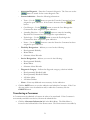
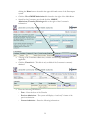
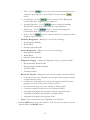
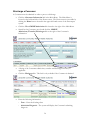
Transfer, click the CANCEL button.
33
Discharge a Consumer
A Consumer must be admitted in order to process a discharge.
•
Click the Consumer Information link in the Main Menu. The Main Menu is
located on the left-hand side of the Home screen. The Home screen is accessible by
clicking the Home button located in the upper left-hand corner of the Encompass
system.
•
Click the View CMHSP Admissions link located to the right of the Main Menu.
•
Search for the Consumer, once found click the CMHSP
Admissions/Transfers/Discharges link to the right of the Consumer’s
information.
•
A listing of the Consumers admissions, transfers and discharges are listed, if
applicable.
•
Click the Discharge link. This link is only available if the Consumer is admitted.
•
Enter the following information:
o
Date – Enter the discharge date
o
Admission Diagnosis – The system will display the Consumer’s admitting
diagnosis.
34
o
Discharge Diagnosis – Enter the Consumer’s discharge diagnosis.
o
Current Admission – The system will display the Consumer’s current admission
information.
o
Disability Designation – Indicate yes or no for the following.
o Developmental Disability
o Mental Illness
o Substance Abuse Disorder
o
Service Designation – Indicate yes or no for the following.
o Developmental Disability
o Mental Illness
o Substance Abuse Disorder
o
Diagnostic Category – Indicate the diagnostic category, selections include:
o
o
o
o
o
Developmentally Disabled Adult
Developmentally Disabled Children
All Other Adults
All Other Children
Reason for Discharge – Indicate the reason for the transfer, selections include:
o According to Plan-The goals and dreams in the Person Centered Plan have
been substantially met and the Consumer/Family no longer desires or
requires additional services.
o According to Plan-Referred to Primary Care Physician and/or other
community agencies and natural supports for services.
o According to Plan-Consumer/Family relocates out of area and appropriate
referrals and linkages have been made.
o According to Plan-Transfer to State Institution, nursing home.
o Not according to Plan-Consumer/family withdraws their consent for
services and all appropriate attempts to offer ongoing services have been
made.
o Not according to Plan-Consumer/family misses scheduled appointments,
does not respond to follow up contact by staff, or can’t be located.
o Not according to Plan-Consumer/family relocates out of service area
without appropriate referrals in place.
o Other-Closed – consumer incarcerated in prison or a long-term jail sentence.
o Other-Consumer deceased Date of death (if know) – Enter the date of death,
if known.
o
•
Note – Enter any necessary information applicable to the Consumer’s discharge.
Click the SAVE button to save the discharge. If the User does not wish to discharge
the Consumer, click the CANCEL button.
35
Consumer Financial Information
The User can enter, view and print the Consumer’s financial information, and insurance
policies through this link.
Adding/View Financial Information
•
Click the Consumer Information link in the Main Menu. The Main Menu is
located on the left-hand side of the Home screen. The Home screen is accessible by
clicking the Home button in the top left-hand corner of the Encompass system.
•
Click the View Consumer Financial Information link located to the right of the
Main Menu.
•
Search for the Consumer. There are several ways of searching for the Consumer,
last and first name, SSN, Case ID, Case Number, etc. Enter the search criteria and
click the SEARCH button.
•
Click the Financial Information link to the right of the Consumer’s information.
•
Enter/View the following information
o
UM CPI
o
Responsible Party Information – The Responsible Party is the person who is
responsible for payment for services rendered on behalf of the Consumer. If the
responsible party is the Consumer himself/herself, place a checkmark in the box
labeled “Check here if the Consumer is responsible for their own finances,
otherwise enter the information below”. If the responsible IS NOT the
Consumer, enter the Name, relationship to Consumer, address, phone, and social
security number of the Responsible Party.
o
Status of Entitlements – Indicate yes or no for the following:
o Commercial Health Insurance
o Medicare
36
o
o
o
o
o
o
o
o
o
o
o
Medicaid (except Child Waiver)
Habilitation Supports Waiver
Adoption Subsidy
Not enrolled in payment program or plan
SDA, SSI, SSDI
MI Child Program
Medicaid Children’s Waiver
Wraparound
State Medical Plan
Payment source is none of the above
Financial Information – Enter the following information:
o
o
o
o
o
o
Non-Taxable Income – Enter the FIA, SS, and CH Support amounts.
Total Monthly Income
Total Earned Income
Total Annual Taxable Income – Enter Line 16 of MI Income tax if possible
Total Annual Gross Income
# of Dependents – Enter the number of dependents claimed on Income
Tax.
o Monthly Max Charge – Use the
button to determine the monthly
max charge.
o Total Financial Situation Utilized – Indicate yes or no.
o County of Financial Responsibility – Use the drop down menu to select the
correct county of financial responsibility.
o County of Financial Responsibility Agreement – Use the drop down menu to
select the correct county of financial responsibility agreement.
o
Recipient ID # - Enter the Consumer’s Medicaid Recipient ID number, if
applicable. Use the
button to search for Medicaid Recipient ID and to
review complete Medicaid information.
o
MI Child ID # - Enter the Consumer’s Michigan Child Medicaid ID number, if
applicable. Use the
button to search for Michigan Child Recipient ID
and to review complete MI Child information.
o
State Medical Program Clients – Enter the following information, if
applicable:
o Medical Authorization Form Obtained? – Indicate yes or no.
o FIA Worker’s Name – Enter the name of the FIA Worker.
o
Medicare – Enter the following information, if applicable:
o Medicare – Indicate yes or no
o Effective Date – Enter the Medicare effective date.
o Eligibility ID # - Enter the Medicare eligibility ID number.
37
o Medicare (Part B) Coverage – Indicate yes or no.
o
Other Insurance – If the Consumer has other insurance and the insurance
information has already been added to the system, the insurance information will
be listed in this section. Enter the following information, if applicable:
o Prior Auth # (for CW-T1005)
o
Action Taken – Place a checkmark to the left of all actions taken, selections
include:
o
o
o
o
o
o
o
•
Sample Drugs
Medicaid application given to Client
PAP Enrollment initiated
Medicaid application completed
Enrolled in NEChealth
MI Child application given to Client
Comments – Enter any comments applicable to the Consumer’s Financial
Information.
Click the SAVE button to save the financial information. If no financial information
was changed, or the User does not wish to save the changes made, click the
CANCEL button.
Printing Financial Information
The User has the ability to print the Consumer’s financial information.
•
Click the Consumer Information link in the Main Menu. The Main Menu is
located on the left-hand side of the Home screen. The Home screen is accessible by
clicking the Home button in the top left-hand corner of the Encompass system.
•
Click the View Consumer Financial Information link located to the right of the
Main Menu.
•
Search for the Consumer. There are several ways of searching for the Consumer,
last and first name, SSN, Case ID, Case Number, etc. Enter the search criteria and
click the SEARCH button.
38
•
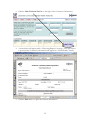
Click the Print Financial Info link to the right of the Consumer’s information.
•
A new window will appear with a “Processing Request” message. Once the request
is processed the Consumer’s information will appear in a “Print Friendly” format.
•
Click the Print button to print the Financial Information
39
Adding Insurance Policies
Insurance policies include, Medicaid, Medicare, Third Party Insurance and Self Pay (Ability
to Pay).
•
Click the Consumer Information link in the Main Menu. The Main Menu is
located on the left-hand side of the Home screen. The Home screen is accessible by
clicking the Home button in the top left-hand corner of the Encompass system.
•
Click the View Consumer Financial Information link located to the right of the
Main Menu.
•
Search for the Consumer. There are several ways of searching for the Consumer,
last and first name, SSN, Case ID, Case Number, etc. Enter the search criteria and
click the SEARCH button.
•
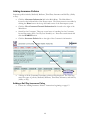
Click the Insurance Policies link to the right of the Consumer’s information.
•
A listing of all the Consumer’s Insurance policies will be displayed. The User may
enter four types of policies, Medicaid, Medicare, Third Party Insurance, and Self Pay
(Ability to Pay).
Adding a Self Pay Insurance Policy
•
Follow the “Adding Insurance Policies” instructions beginning on page 15.
40
•
Click the Add Self Pay link
•
Enter the following information:
o
Verification Status – Indicate whether the policy has been verified or is
awaiting verification.
o
Payer Priority – Enter the number of the billing priority for this insurance
policy. For example, if the Consumer has 3 polices and this policy is billed first
enter the number one. If this policy is to be billed second enter the number two
and so on.
o
Primary Insurance – Place a checkmark in this box if this policy is the
Consumer’s primary insurance.
o
Ok to Use? – Place a checkmark in this box if this policy is okay to use.
o
Insurance Company – “Self Pay” is the only insurance company available when
entering a Self Pay Insurance policy.
o
Insurance Company Address – The team’s address is used as the Insurance
Company address when adding a Self Pay Insurance policy.
o
Effective From – Enter the begin date of the insurance policy.
o
Effective Thru – Enter the end date of the insurance policy.
o
Monthly Max – The system will automatically enter the Monthly Max amount
calculated in the Consumer’s Financial Information screen. Please see the
“Adding Financial Information” instructions beginning of page 12 for further
information.
o
Responsible Party – If the Consumer is the Responsible Party place a
checkmark in the box labeled “Check here if the patient is responsible for their
own charges” and skip to the next section. If the Consumer IS NOT the
Responsible Party complete the following information for the Responsible Party.
41
Responsible Party Name – Enter First Name, Middle Initial and Last Name.
Responsible Party DOB (Date of Birth)
Responsible Party SSN (Social Security Number)
Responsible Party Address – If this address is the same as the Consumer’s
address place a checkmark in the box labeled “Click to use Client’s address”.
o Responsible Party Gender – Indicate male or female
o Client’s Relationship to Responsible Party – Indicate Self, Spouse, Child or
Other.
o
o
o
o
o
•
Policy Notes – Enter any notes that pertain to this insurance policy.
Click the SAVE button to save the insurance policy. If the User does not wish to
save the policy, click the CANCEL button.
Adding a Third Party Insurance Policy
•
Follow the “Adding Insurance Policies” instructions beginning on page 15.
•
Click the Add Insurance link
•
Enter the following information:
o
Verification Status – Indicate whether the policy has been verified or is
awaiting verification.
o
Payer Priority – Enter the number of the billing priority for this insurance
policy. For example, if the Consumer has 3 polices and this policy is billed first
enter the number one. If this policy is to be billed second enter the number two
and so on.
o
Primary Insurance – Place a checkmark in this box if this policy is the
Consumer’s primary insurance.
o
Ok to Use? – Place a checkmark in this box if this policy is okay to use.
42
o
Insurance Company – Click the Lookup link to search the Insurance
Company table for the correct Insurance Company.
o
Insurance Company Address – The system will automatically enter the address
of the Insurance Company if stored in the Insurance Company table.
o
Group Number – Enter the policy’s Group Number
o
Contract Number – Enter the policy’s Contract Number.
o
Policy Number – Enter the policy’s Policy Number.
o
Co-Pay – Enter the policy’s co-pay amount if applicable.
o
Effective From – Enter the begin date of the insurance policy.
o
Effective Thru – Enter the end date of the insurance policy.
o
Policy Holder – If the Consumer is the Responsible Party place a checkmark in
the box labeled “Check here if the patient is responsible for their own charges”
and skip to the next section. If the Consumer IS NOT the Responsible Party
complete the following information for the Responsible Party.
Policy Holder Name – Enter First Name, Middle Initial and Last Name.
Policy Holder DOB (Date of Birth)
Policy Holder SSN (Social Security Number)
Policy Holder Address – If this address is the same as the Consumer’s
address place a checkmark in the box labeled “Click to use Client’s address”.
o Policy Holder Gender – Indicate male or female
o Client’s Relationship to Policy Holder – Indicate Self, Spouse, Child or
Other.
o
o
o
o
o
•
Policy Notes – Enter any notes that pertain to this insurance policy.
Click the SAVE button to save the insurance policy. If the User does not wish to
save the policy, click the CANCEL button.
Adding a Medicare Policy
•
Follow the “Adding Insurance Policies” instructions beginning on page 15.
43
•
Click the Add Medicare link
•
Enter the following information:
o
Verification Status – Indicate whether the policy has been verified or is
awaiting verification.
o
Ok to Use? – Place a checkmark in this box if this policy is okay to use.
o
Insurance Company – “Medicare B” is the only Insurance Company available
when adding a Medicare Insurance policy.
o
Insurance Company Address – The system will automatically enter the address
of the Insurance Company if stored in the Insurance Company table.
o
Group Number – The system will automatically enter “MEDICARE” as the
policy’s group number when adding a Medicare Insurance policy.
o
Medicare # – Enter to Medicare ID number
o
Effective From – Enter the begin date of the insurance policy.
o
Effective Thru – Enter the end date of the insurance policy.
o
Policy Holder – If the Consumer is the Responsible Party place a checkmark in
the box labeled “Check here if the patient is responsible for their own charges”
and skip to the next section. If the Consumer IS NOT the Responsible Party
complete the following information for the Responsible Party.
Subscriber Name – Enter First Name, Middle Initial and Last Name.
Subscriber DOB (Date of Birth)
Subscriber SSN (Social Security Number)
Subscriber Address – If this address is the same as the Consumer’s address
place a checkmark in the box labeled “Click to use Client’s address”.
o Subscriber Gender – Indicate male or female
o
o
o
o
44
o Client’s Relationship to Subscriber – Indicate Self, Spouse, Child or Other.
o
•
Policy Notes – Enter any notes that pertain to this insurance policy.
Click the SAVE button to save the insurance policy. If the User does not wish to
save the policy, click the CANCEL button.
Adding a Medicaid Insurance Policy
•
Follow the “Adding Insurance Policies” instructions beginning on page 15.
•
Click the Add Medicaid link
•
Enter the following information:
o
Verification Status – Indicate whether the policy has been verified or is
awaiting verification.
o
Ok to Use? – Place a checkmark in this box if this policy is okay to use.
o
Insurance Company – Click the Lookup link to search the Medicaid table for
the correct Insurance Company
o
Insurance Company Address – The system will automatically enter the address
of the Insurance Company if stored in the Insurance Company table.
o
Group Number – The system will automatically enter “MEDICAID” as the
policy’s group number when adding a Medicare Insurance policy.
o
Medicaid ID# – Enter the Medicaid ID number
o
Medicaid Type – Enter the Medicaid type.
o
Medicaid Contact – Enter the name of the Medicaid Contact.
o
Medicaid Contact Phone – Enter the phone number of the Medicaid Contact.
o
Effective From – Enter the begin date of the insurance policy.
o
Effective Thru – Enter the end date of the insurance policy.
o
Spenddown – Enter the Medicaid Spenddown amount, if applicable.
45
o
Policy Holder – If the Consumer is the Responsible Party place a checkmark in
the box labeled “Check here if the patient is responsible for their own charges”
and skip to the next section. If the Consumer IS NOT the Responsible Party
complete the following information for the Responsible Party.
Subscriber Name – Enter First Name, Middle Initial and Last Name.
Subscriber DOB (Date of Birth)
Subscriber SSN (Social Security Number)
Subscriber Address – If this address is the same as the Consumer’s address
place a checkmark in the box labeled “Click to use Client’s address”.
o Subscriber Gender – Indicate male or female
o Client’s Relationship to Subscriber – Indicate Self, Spouse, Child or Other.
o
o
o
o
o
•
Policy Notes – Enter any notes that pertain to this insurance policy.
Click the SAVE button to save the insurance policy. If the User does not wish to
save the policy, click the CANCEL button.
Changing Insurance Policy Information
The User has the ability to update, or correct a Consumer’s insurance policy.
•
Click the Consumer Information link in the Main Menu. The Main Menu is
located on the left-hand side of the Home screen. The Home screen is accessible by
clicking the Home button in the top left-hand corner of the Encompass system.
•
Click the View Consumer Financial Information link located to the right of the
Main Menu.
•
Search for the Consumer. There are several ways of searching for the Consumer,
last and first name, SSN, Case ID, Case Number, etc. Enter the search criteria and
click the SEARCH button.
•
Click the Insurance Policies link to the right of the Consumer’s information.
•
A listing of all the Consumer’s Insurance policies will be displayed. The User may
enter four types of policies, Medicaid, Medicare, Third Party Insurance, and Self Pay
(Ability to Pay).
46
•
Click the Change link to the right of the Insurance Policy to be changed.
•
Make the necessary changes to the Insurance Policy. Please note, if the Consumer
has a new policy – DO NOT change the existing policy to reflect the new
information, instead add an “Effective Through” date to the existing policy and then
add a new Insurance Policy. This will ensure a history of the Consumer’s Insurance
Policies.
Viewing Insurance Policies
•
Click the Consumer Information link in the Main Menu. The Main Menu is
located on the left-hand side of the Home screen. The Home screen is accessible by
clicking the Home button in the top left-hand corner of the Encompass system.
•
Click the View Consumer Financial Information link located to the right of the
Main Menu.
•
Search for the Consumer. There are several ways of searching for the Consumer,
last and first name, SSN, Case ID, Case Number, etc. Enter the search criteria and
click the SEARCH button.
47
•
Click the Insurance Policies link to the right of the Consumer’s information.
•
A listing of all the Consumer’s Insurance policies will be displayed. The User may
enter four types of policies, Medicaid, Medicare, Third Party Insurance, and Self Pay
(Ability to Pay).
•
Click the View link to the right of the Insurance Policy the User wishes to view.
Consumer Authorizations – See Section 3
Please Section 3: Authorizations for complete instructions regarding Consumer instructions.
The link under Consumer Information has the same functionality as the Consumer
Authorizations under Authorizations.
Release of Information Agreements
This link allows the User to add, view and change the Consumer’s Release of Information
Agreements.
48
Adding a Release of Information Agreement
•
Click the Consumer Information link located in the Main Menu. The Main Menu
is located on the left-hand side on the Home screen. The Home screen is accessible
by click the Home button located in the upper left-hand corner of the Encompass
system.
•
Click the View Consumer Release of Information Agreement link located to the
right of the Main Menu.
•
Search for the Consumer, once found click the Release of Information link located
to the right of the Consumer’s information.
•
A list of all of the Consumer’s Release of Information Agreements is displayed.
•
Click the Add Release of Information link
•
Enter the following information:
o
Release From Agency – Enter the name of the agency the information will be
released from.
o
Release To Agency – Enter the name of the agency the information will be
released to.
49
o
Date Consumer Signed – Enter the date the Consumer signed the Release of
Information Agreement
o
Effective Date – Enter the date the Release of Information Agreement is
effective.
o
Expiration Date – Enter the date the Release of Information Agreement
expires.
o
Status – Indicate authorized or denied
o
Condition of Expiration – Enter any conditions that will expire the Release of
Information Agreement.
o
Specific Information to be Disclosed – Place a checkmark to the left of all
that apply. Selection include:
o
o
o
o
o
o
o
o
o
o
o
Specific Information to be Disclosed about Communicable Diseases and
Infections – Place a checkmark to the left of all that apply.
o
o
o
o
o
Admission/Discharge Summary
Psychological Evaluation and Test Results
Medication
Educational
Medical History and Physical
Social History
Vocational
X-Ray/Lab/Test Results
Psychiatric Evaluation
Other – Enter the specifics in the field provided.
Alcohol and Drug Treatment Information
Hepatitis B
Tuberculosis (TB)
Sexually Transmitted Diseases
Use of Disclosure – Place a checkmark to the left of all that apply.
o
o
o
o
o
o
o
o
o
o
Billing Information
Insurance Investigation
Continuation of Treatment or Healthcare
Social Service Referral
Diagnostic/Treatment Planning
Vocational Rehabilitation
Disability Determination
Ongoing Communication with Family or Significant Other
Follow-Up
Barrier Buster
50
•
o
Restrictions Requested for this Specific Disclosure – Enter any restrictions
that pertain to this Release of Information Agreement
o
Comments – Enter any additional information that is applicable to this Release
of Information Agreement.
Click the SAVE button to save the Release of Information Agreement. If the User
does not wish to save the release, click the CANCEL button.
Changing a Release of Information Agreement
•
Click the Consumer Information link located in the Main Menu. The Main Menu
is located on the left-hand side on the Home screen. The Home screen is accessible
by click the Home button located in the upper left-hand corner of the Encompass
system.
•
Click the View Consumer Release of Information Agreement link located to the
right of the Main Menu.
•
Search for the Consumer, once found click the Release of Information link located
to the right of the Consumer’s information.
•
A list of all of the Consumer’s Release of Information Agreements is displayed.
51
•
Click the Change link to the right of the Release of Information Agreement the
User wishes to edit.
•
User will make the changes and click the SAVE button to save the changes.
Viewing a Release of Information Agreement
•
Click the Consumer Information link located in the Main Menu. The Main Menu
is located on the left-hand side on the Home screen. The Home screen is accessible
by click the Home button located in the upper left-hand corner of the Encompass
system.
•
Click the View Consumer Release of Information Agreement link located to the
right of the Main Menu.
•
Search for the Consumer, once found click the Release of Information link located
to the right of the Consumer’s information.
•
A list of all of the Consumer’s Release of Information Agreements is displayed.
52
53
•
Click the View link to the right of the Release of Information Agreement the User
wishes to view.
•
The User can review the information stored in the Release of Information
Agreement, no changes can be made in this screen. When the User is finished
viewing the information, click the CANCEL button.
Consumer Notes
Consumer Notes are not to be used for information that would typically be entered into a
Progress Note.
Adding a Consumer Note
•
Click the Consumer Information link in the Main Menu. The Main Menu is
located on the left-hand side of the Home screen. The Home screen is accessible by
click the Home button in the upper left-hand corner of the Encompass system.
•
Click the View Consumer Notes (Non-Clinical Notes Only) link located to the
right of the Main Menu.
•
Search for the Consumer, once found click the Select link located to the right of the
Consumer’s information.
54
•
Click the Add Note link
•
Enter the following information:
o
Contact Type – Indicate one of the following, selections include:
o
o
o
o
o
Phone
Face-to-Face
Mail
Fax
Other
o
Note Date - The system will automatically enter the current day’s date. The
User may change the date if necessary.
o
Confidential Date – Indicate yes or no. If the note is marked confidential on
the User that entered the confidential note will be able to view the text once that
note has been saved.
o
This is a Health and Safety warning message – Place a checkmark in this
box to display the Health and Safety warning on all of the Consumer’s pages.
55
o
•
Note – Enter the text of the note
Click the SAVE button to save the note. If the User does not wish to save the note,
click the CANCEL button.
Changing a Consumer Note
•
Click the Consumer Information link in the Main Menu. The Main Menu is
located on the left-hand side of the Home screen. The Home screen is accessible by
click the Home button in the upper left-hand corner of the Encompass system.
•
Click the View Consumer Notes (Non-Clinical Notes Only) link located to the
right of the Main Menu.
•
Search for the Consumer, once found click the Select link located to the right of the
Consumer’s information.
•
Click the Change link to the right of the note that the User wishes to edit.
56
•
The User will make the necessary changes and click the SAVE button to save the
information.
View Consumer Notes
•
Click the Consumer Information link in the Main Menu. The Main Menu is
located on the left-hand side of the Home screen. The Home screen is accessible by
click the Home button in the upper left-hand corner of the Encompass system.
•
Click the View Consumer Notes (Non-Clinical Notes Only) link located to the
right of the Main Menu.
•
Search for the Consumer, once found click the Select link located to the right of the
Consumer’s information.
•
Click the View link to the right of the note that the User wishes to edit.
57
•
The User can review the information stored in the Release of Information
Agreement, no changes can be made in this screen. When the User is finished
viewing the information, click the CANCEL button.
58
SECTION 4: ACCESS SCREENINGS
Consumer ACCESS Calls
•
Click on the ACCESS Screenings link in the Main Menu. The Main Menu is
accessible by clicking the Home button in upper left hand corner of every screen.
•
Click on the Add/View Consumer ACCESS Calls link, located to the right of the
Main Menu.
•
The system MUST be searched for the Consumer BEFORE entering any
information. To search for the Consumer enter any of the following search criteria:
Last name, Last and first name, Consumer ID, Social Security Number, Birth Date,
and/or Case Number.
•
If the Consumer IS (existing) found, click the Select link to the right of the
Consumer information.
•
If the Consume IS NOT (non-existing) found, click the here link in the box with
the red outline.
59
Existing Consumers
An existing Consumer is one that already has a record in the Encompass system. This
would be any existing Consumer or any Consumer that received services in the past.
•
Follow the “ACCESS Screening Calls” instructions, beginning on page 3.
•
A complete listing of the Consumer activities is displayed, including Authorizations
for service, Call Logs, Screening Calls, and Screening/Assessments.
•
You may choose to: add a Call Log, add a Screening Call, or add a
Screening/Assessment.
Adding a Call Log for an Existing Consumer
•
Follow the “EXISTING Consumer” instructions, beginning on page 3.
•
Click the Log Consumer Call link
•
Enter the following information:
o
Call Date – The current date is automatically entered by the system. You may
edit the date if necessary.
o
Call Time – The current time is automatically entered by the system. You may
edit the date if necessary.
o
ACCESS Staff taking this call – The system will automatically enter the name
of the Current User. If this is not correct use the
button and searching
for the correct name.
o
Note – Enter any documentation needed for the call.
60
o
•
Check here if this call requires a call-back – Place a check mark in this box if
the call requires a call back.
Click the SAVE button to save the Call Log. If you do not wish to save the Call
Log, click the CANCEL button.
Adding a Screening Call for an Existing Consumer
•
Follow the “EXISTING Consumer” instructions, beginning on page 3.
•
Click the Add a Screening Call link
•
Enter the following information:
o
CALLER INFORMATION
o
Last Name – If existing Consumer the Consumer’s last name is automatically
entered by the system. You may edit the name if necessary, i.e. the Caller is not
the Consumer.
o
First Name – If existing Consumer the Consumer’s first name is automatically
entered by the system. You may edit the name if necessary, i.e. the Caller is not
the Consumer.
o
Phone and Extension – Enter the Caller’s phone number and extension, if
applicable.
o
CONSUMER INFORMATION
o
Last Name – This field is automatically entered by the system based upon the
Consumer’s demographic record.
o
First Name – This field is automatically entered by the system based upon the
Consumer’s demographic record.
61
o
Gender – This field is automatically entered by the system based upon the
Consumer’s demographic record.
o
Phone – This field is automatically entered by the system based upon the
Consumer’s demographic record. You may edit the information if necessary
o
Address – This field is automatically entered by the system based on the
Consumer’s demographic record. This includes City, State, and Zip Code. You
may edit the information if necessary.
o
County – This field is automatically entered by system based upon the
Consumer’s demographic record. Use the drop down menu to change the
County if applicable.
o
SSN (Social Security Number) – This field is automatically entered by the
system based upon the Consumer’s demographic record.
o
Birth Date – This field is automatically entered by the system based upon the
Consumer’s demographic record.
o
Veteran? – Indicate yes or no.
o
Has Veteran Benefits? – Indicate yes or no.
o
Legal Involvement? – Indicate yes or no. If yes, specify the involvement in the
field provided.
o
SSN Verified – Confirm the Consumer’s Social Security Number and place a
check mark in the box provided. If the SSN is different, update the Consumer’s
record.
o
Birth Date Verified – Confirm the Consumer’s Birth Date and place a check
mark in the box provided. If the birth date is different, update the Consumer’s
record.
o
Address Verified – Confirm the Consumer’s address and place a check mark in
the box provided. If the address is different, update the Consumer’s record.
o
Insurance Information – Place a check mark to the left of every option that
applies to the Consumer. Selections include:
o
o
o
o
o
o
o
o
o
o
o
Able to pay
Workers’ Compensation
State Medical Plan
Commercial Insurance
Habilitation Supports Waiver
MI Child Program
Services Contract
SDA, SSI, SSDI
Medicaid Children’s Waiver
Medicare
Other Public Sources
62
o
o
o
o
o
Adoption Subsidy
Medicaid
CA Resources
Other Payment Source.
Caller’s Relationship to Consumer – Indicate the Caller’s relationship to the
Consumer. Selections include:
o
o
o
o
o
Self
Parent
Spouse
Other Family Member
Other
o
Referral Source – If the Caller was referred, use the drop down menu to select
the referral source. If the referral source is not listed in the drop down menu,
select “Other” and enter the specific source in the text box labeled “Specify (if
other)”.
o
Consumer Population – Indicate whether the Consumer is part of the Adult or
Child population by clicking on the appropriate selection.
o
Emergency Contact – Enter the information for the primary and secondary
emergency contact. This information includes: Contact Name, Relationship to
the Consumer, Home Phone, Work Phone, Pager, and Cell Phone.
o
Phone Conversation and Notes – Enter the detail regarding the conversation
and any necessary and applicable notes.
o
Disposition – Place a check mark next to all that apply. Selections include:
o Hospital Screening
o Crisis Contact
o Intake Assessment Scheduled
o
Service(s) Needed – Place a check mark next to all of the options that pertain
to the services needed by the Consumer. Selections include:
o
o
o
o
o
MH-Mental Health
SA-Substance Abuse
MH and SA
DD-Developmentally Disabled
Other – if “Other” is selected enter the specifics in the box labeled “Specify
if Other”.
o
ACCESS Staff taking this call – The system automatically enters the current
User’s name, if this is incorrect use the
button to search for the correct
Staff Member.
o
Time Started – This field is automatically entered by the system based on the
time you entered the screen.
63
•
o
Time Call Ended – Enter the time the call entered.
o
Call Completed vs. Put this in our call-back queue and we’ll call him/her
back later – Indicate whether the call is complete or the caller will receive a callback.
Click the SAVE button to save the Screening Call. If you wish to continue to the
Assessment, click the Save and Continue to Assessment. If you do not wish to
save this screening, click the CANCEL button.
Non-Existing Consumers
Adding a Call Log for a Non-Existing Consumer
A non-existing Consumer is one that does not already have a record in the Encompass
system.
•
Follow the “ACCESS Screening Calls” instructions, beginning on page 3.
•
The Screening Call screen will open, enter the following information:
o
Date of Call – The system will automatically enter the current day’s date.
o
Time Call Started – The system will automatically the current time.
o
ACCESS Staff taking this call – The system will enter the current User’s name.
To change the name, use the
button to search the Staff file for the
correct Staff Member.
o
Caller Information – Enter the following information
o
o
o
o
o
Last Name
First Name
Phone and Extension
If the Caller refuses to give his/her name, place a checkmark in the box
labeled “Check if Caller refuses to give name”
Information Request – Place a checkmark to the left of all that apply.
Selections include:
Wrong Number-Misrouted call
Psychiatrists in area
Counseling in area
Housing Assistance
Food-Request
FIA
Children Services
Substance Abuse Services
Contact another CMH/CA
PH-Physical Health – Please place a checkmark to the left of all that apply
under physical health.
o Environmental Health
o
o
o
o
o
o
o
o
o
o
64
o Jobs
o Prescription Assistance
o Other – Enter the specifics of Other in the field provided.
o
Disposition – For Information Request Calls – Place a checkmark to the leaft
of all that apply. Selections include:
o Information provided as requested
o Refer to LCMHA agency
o Referred to Outside agency – Enter the Agency name, Contact Person
provided and phone number.
o Other – Enter the specifics of Other in the field provided.
o
•
Call Completed vs. Put this in our call-back queue and we’ll call him/her
back later – Indicate whether the call is complete or the caller will receive a callback.
There are two types of save options for the call. Click the SAVE and Exit button if
the call has ended. Click the SAVE and Continue to Screening button to continue
onto the Consumer screening. If the User does not wish to save the call log, click
the CANCEL button.
Adding a Screening Call for a Non-Existing Consumer
•
Follow the instructions for the “Adding a Call Log for a Non-Existing Consumer”.
Use the SAVE and Continue to Screening button to save the call log.
•
Enter the following information:
o
CALLER INFORMATION
o
Last Name – If existing Consumer the Consumer’s last name is automatically
entered by the system. You may edit the name if necessary, i.e. the Caller is not
the Consumer.
o
First Name – If existing Consumer the Consumer’s first name is automatically
entered by the system. You may edit the name if necessary, i.e. the Caller is not
the Consumer.
o
Phone and Extension – Enter the Caller’s phone number and extension, if
applicable.
o
CONSUMER INFORMATION
o
IF the Consumer does not exist in the Encompass system, place a checkmark in
the box labeled “Check here, if the Consumer entered below does not currently
exist in the database. Use the
button to ensure the Consumer does not
exist. This step is extremely important, if the box is checked it will create a
Consumer Demographics record for the new Consumer.
o
Last Name – This field is automatically entered by the system based upon the
Consumer’s demographic record.
65
o
First Name – This field is automatically entered by the system based upon the
Consumer’s demographic record.
o
Gender – This field is automatically entered by the system based upon the
Consumer’s demographic record.
o
Phone – This field is automatically entered by the system based upon the
Consumer’s demographic record. You may edit the information if necessary
o
Address – This field is automatically entered by the system based on the
Consumer’s demographic record. This includes City, State, and Zip Code. You
may edit the information if necessary.
o
County – This field is automatically entered by system based upon the
Consumer’s demographic record. Use the drop down menu to change the
County if applicable.
o
SSN (Social Security Number) – This field is automatically entered by the
system based upon the Consumer’s demographic record.
o
Birth Date – This field is automatically entered by the system based upon the
Consumer’s demographic record.
o
Veteran? – Indicate yes or no.
o
Has Veteran Benefits? – Indicate yes or no.
o
Legal Involvement? – Indicate yes or no. If yes, specify the involvement in the
field provided.
o
SSN Verified – Confirm the Consumer’s Social Security Number and place a
check mark in the box provided. If the SSN is different, update the Consumer’s
record.
o
Birth Date Verified – Confirm the Consumer’s Birth Date and place a check
mark in the box provided. If the birth date is different, update the Consumer’s
record.
o
Address Verified – Confirm the Consumer’s address and place a check mark in
the box provided. If the address is different, update the Consumer’s record.
o
Insurance Information – Place a check mark to the left of every option that
applies to the Consumer. Selections include:
o
o
o
o
o
o
o
o
o
Able to pay
Workers’ Compensation
Adult Benefit Waiver
Commercial Insurance – Enter the name of the Commercial Insurance in the
field provided.
Habilitation Supports Waiver
MI Child Program
Medicare
HMO – Enter the name of the HMO in the field provided.
Medicaid Children’s Waiver
66
o Adoption Subsidy
o Medicaid
o Other Payment Source.
o
Caller’s Relationship to Consumer – Indicate the Caller’s relationship to the
Consumer. Selections include:
o
o
o
o
o
Self
Parent
Spouse
Other Family Member
Other
o
Referral Source – If the Caller was referred, use the drop down menu to select
the referral source. If the referral source is not listed in the drop down menu,
select “Other” and enter the specific source in the text box labeled “Specify (if
other)”.
o
Consumer Population – Indicate whether the Consumer is part of the Adult or
Child population by clicking on the appropriate selection.
o
Emergency Contact – Enter the information for the primary and secondary
emergency contact. This information includes: Contact Name, Relationship to
the Consumer, Home Phone, Work Phone, Pager, and Cell Phone.
o
Phone Conversation and Notes – Enter the detail regarding the conversation
and any necessary and applicable notes.
o
Disposition – Place a check mark next to all that apply. Selections include:
o Hospital Screening
o Crisis Contact
o Intake Assessment Scheduled
o
Service(s) Needed – Place a check mark next to all of the options that pertain
to the services needed by the Consumer. Selections include:
o
o
o
o
o
MH-Mental Health
SA-Substance Abuse
MH and SA
DD-Developmentally Disabled
Other – if “Other” is selected enter the specifics in the box labeled “Specify
if Other”.
o
ACCESS Staff taking this call – The system automatically enters the current
User’s name, if this is incorrect use the
button to search for the correct
Staff Member.
o
Time Started – This field is automatically entered by the system based on the
time you entered the screen.
o
Time Call Ended – Enter the time the call entered.
67
o
•
Call Completed vs. Put this in our call-back queue and we’ll call him/her
back later – Indicate whether the call is complete or the caller will receive a callback.
Click the SAVE button to save the Screening Call. If you wish to continue to the
Assessment, click the Save and Continue to Assessment. If you do not wish to
save this screening, click the CANCEL button.
ACCESS Call Back Calls
This link provides a listing of all call that require a call-back
•
Click the ACCESS Screenings link in the Main Menu. The Main Menu is located
on the left-hand side of the Home screen. The Home screen is accessible by click
the Home button located in the upper left-hand corner of the Encompass system.
•
Click the View ACCESS Calls That Require Call-Back link located to the right of
the Main Menu.
•
A list of the calls that require a call-back will be displayed. Once a call is returned
click the Call Back link to the right of the returned call.
•
The Information Request and Disposition from the original call will be displayed.
Click the Add Follow-Up Call link.
68
•
•
Enter the following information
o
Call Date – The system will automatically enter the current day’s date.
o
Call Time – The system will automatically enter the current time.
o
ACCESS Staff taking this call – The system will automatically enter the name
of the current User. If this is incorrect use the
button to search for the
correct Staff Member.
o
Note – Enter the detail from the call
o
Check here is this call requires a call-back – Place a checkmark in the box if
this call still requires a call-back.
Click the SAVE button to save the follow-up call. If the User does not wish to save
the follow-up call, click the CANCEL button.
ACCESS Calls History
Use this link to view a listing of all ACCESS calls regardless of Consumer or Non-Consumer
status.
•
Click the ACCESS Screenings link in the Main Menu. The Main Menu is located
on the left-hand side of the Home screen. The Home screen is accessible by click
the Home button located in the upper left-hand corner of the Encompass system.
•
Click the View ACCESS Calls History link located to the right of the Main Menu.
•
A list of all ACCESS calls will be displayed. The User may search the list by date of
call, and/or Caller Last and First name. The following option are available for each
call.
o
Change – Allows User to edit the original screening log.
o
View – Allows the User to view the original screening log.
o
View Call Log – Allows the User to view the original call log.
Consumer Authorizations – See Section 5
Please see Scetion5: Authorizations for complete instructions.
Consumer Appointments
This application has not been launched within the Lenawee Encompass system. Once
launched this manual will be updated to reflect the new application.
69
Section 5: Authorizations
Adding an Authorization for Services
Consumer Authorizations for Outside Providers can be entered into the system as soon as
the Consumer is added to the system. However, the Consumer must be assigned to a Team
before Authorizations can be approved.
•
Click the Authorizations link in the Main Menu. The Main Menu is located on the
left-hand side of the Home Screen. The Home screen is accessible by linking the
Home button located in the upper left-hand corner of the Encompass screen.
•
Click the Request Authorization link located to the right of the Main Menu.
•
Search for Encompass System for the Consumer; click the Select link to the right of
the Consumer’s information.
•
The screen will display any of the Consumer’s existing authorizations. Information
includes; Authorized by, Authorized to, Effective and Expiration dates,
Authorization Number, and Status.
Request Authorization for CMHSP Staff to Provide On-Going Service
•
Follow “Adding an Authorization for Services” instructions beginning on page 3.
70
•
Click the Click here to request Authorization for CMHSP staff to provide
ongoing services, as defined in PCP link.
•
Enter the following information.
o
Effective Date – Enter the effective date of the Authorization.
o
Expiration Date – Enter the expiration date of the Authorization.
o
Comments – Enter any necessary comments needed for the Authorization.
o
Staff requesting this Authorization – The system will automatically enter the
name of the current User. If this is not correct, use the
button to search
the Staff file for the correct name.
•
Click the AUTHORIZE UNITS button to authorize units for the Authorization.
If you do not wish to save this authorization, click the CANCEL button.
•
A list of the fiscal year’s available codes is displayed (please see screenshot on page 5
– Note CPT Code lists will differ).
•
Enter the Units Authorized in the Units Authorized field to the right of the
appropriate CPT code.
•
Use the Frequency drop down menu to select the frequency of the Unit
Authorized. Selections include; per Auth, per Day, per Week, per Month, or per
Year
•
Click the SAVE button to save the Units. If you do not wish to save the Units, click
the CANCEL button.
•
The authorization has been added to the existing list of the Consumer’s
authorizations. The status of this authorization will be “Waiting for Supervisor
Approval” until the authorization has been approved by the Staff Member’s
71
Supervisor. The User may change, or delete the authorization UNTIL the
Supervisor approves it.
Request Authorization for Outside Facility
•
Follow “Adding an Authorization for Services” instructions beginning on page 3.
•
Click the Click here to request an Authorization for an outside facility to
provide services, as defined in PCP link.
•
Enter the following information.
o
Effective Date – Enter the effective date of the Authorization.
o
Expiration Date – Enter the expiration date of the Authorization.
o
Select the Required Services – Place a check mark to the left of each of the
Consumer’s required services. Selections include; DD Services, Respite Services,
MI Services, 24 Hours Crisis Services, Child Waiver Respite Services, Child
Waiver Community Living Support Services, Child Waiver Vacation Services,
Child Waiver Specialty Services, and/or Other Services. These selections will
allow the system to display a list of appropriate Providers.
o
Select a Panel Type – Use the drop down menu to select a Panel Type,
selections include: Child Waiver, Clubhouse, COFR, Community Center,
Consultant, Respite, Specialty Services, Supported Living, or Supported
Employment.
o
Comments – Enter any necessary comments needed for the Authorization.
o
Staff Requesting the Authorization – The system will automatically enter the
button to
name of the current User. If this field is not correct, use the
search the Staff file for the correct Staff Member.
72
•
Click the SEARCH FOR PROVIDERS button to search the system for an
appropriate Provider. If you do not wish to save this Authorization, click the
CANCEL button.
•
A list of appropriate Providers is displayed. To select a Provider, click the Select
link to the right of the Providers information. Please note the listing will vary
depending upon the required services selected.
•
A list of the fiscal year’s available codes is displayed (please see screenshot on page 5
– Please note CPT Code lists will differ).
•
Enter the Units Authorized in the Units Authorized field to the right of the
appropriate CPT code.
•
Use the Frequency drop down menu to select the frequency of the Unit
Authorized. Selections include; per Auth, per Day, per Week, per Month, or per
Year
•
Click the SAVE button to save the Units. If you do not wish to save the Units, click
the CANCEL button.
•
The authorization has been added to the existing list of the Consumer’s
authorizations. The status of this authorization will be “Waiting for Supervisor
Approval” until the authorization has been approved by the Staff Manager’s
Supervisor. The User may change, or delete the authorization UNTIL the
Supervisor approves it.
Request Authorization to Hospital
•
Follow “Adding an Authorization for Services” instructions beginning on page 3.
•
Click the Click here to request an Authorization for a Hospital to provide
services, as defined in the PCP link
73
•
Enter the following information:
o
Effective Date – Enter the effective date of the authorization
o
Expiration Date – Enter the expiration date of the authorization
o
Select the required services – Indicate Hospitalization vs. Partial
Hospitalization
o
Comments – Enter any additional information applicable to this authorization.
o
Staff Requesting the Authorization – The system will automatically enter the
name of the current User. If this name is incorrect use the
button to
search for the correct Staff Member.
•
Click the SEARCH FOR PROVIDERS button to search for acceptable Providers.
If the User does not wish to save the authorization, click the CANCEL button.
•
Once the User clicks the SEARCH FOR PROVIDERS button a list acceptable
Providers will be listed. To select a Provider, click the Select link to the right of the
Provider name.
•
Enter the following information:
o
•
Units Authorized – Enter the number of units to be authorized.
Click the SAVE button to save the authorization. If the User does not wish to save
the authorization, click the CANCEL button.
74
SECTION 6: SERVICE ACTIVITY LOGS
Users will manually input their Service Activity Logs into the Encompass System. Some
forms, i.e. Progress Notes, will have a Service Activity Log as part of the application, a trend
that will be seen continually as the system is developed. Until that time however, it will be
necessary for Users to enter Service Activity Logs by hand.
Adding Service Activity Logs
•
Click the Service Activity Logs link located on the left-hand side of the Home
screen. The Home screen is accessible by clicking the Home button in the upper
left-hand corner of every screen.
•
Click the View My Own Service Activity Log link located to the right of the Main
Menu.
•
Click the Add Service Activity Log link.
•
The Service Activity Log (SAL) appears, enter the following information:
o
Service Activity Log for Staff – The system will automatically enter the name of
the current User. If this is incorrect use the
button to search the Staff
table for the correct Staff Member.
o
Consumer – Use the
button to search for the Consumer that this SAL
pertains to. If this SAL does not pertain to a Consumer, click the
button
to clear the Consumer information.
o
Authorization – User the
to search the Authorizations table for the
appropriate authorization. All of the authorizations for the selected Consumer
will be listed. If no Consumer is selected no Authorizations will be displayed.
Click the Select link to the right of the correct authorization. If wrong
authorization is listed use the
button to clear the authorization.
o
CPT Code – The User will enter the appropriate CPT Code for services
rendered. Use the
button to view a listing of the CPT Codes that have
75
been authorized for the Consumer and the Authorization selected. Click the
Select link to the right of the code.
•
o
Service Date – Enter the date of the service.
o
Service Time – Enter the begin and end time of the service. Use the drop
down menu to select A.M. or P.M.
o
# in Group – Enter the number of Consumers in the group. If the service was
a one-on-one service leave the number as one.
o
Location – Indicate Office, Comm (Community), Hospital, or Jail.
o
Face to Face – Indicate yes or no.
o
Staff Type – Indicate Primary or Secondary.
o
Team/Location of Service – The Staff Member’s Team will be automatically
entered by the system. If this is not the Team that provided the service, use the
button to select the correct Team.
Click the SAVE button to save the Service Activity Log. If the User would like to
enter multiple logs, use the SAVE & ADD ANOTHER button to continue
entering SAL’s.
76
SECTION 7: MEDIFAX LOOKUP
The Encompass system allows the User to send a request to Medifax for Medicaid and
Insurance information. The system will display the User’s request in a matter of minutes.
•
Click the Medifax Lookup link in the Main Menu. The Main Menu is located on
the left-hand side of the Home screen. The Home screen is accessible by clicking
the Home button located in the upper left-hand corner of the Encompass system.
•
Click the Connect to Medifax-Verify Consumer Medicaid and Insurance Data
link located to the right of the Main Menu.
•
Enter the following information. *Please note, the User does not have to enter all of
the search information. It is recommended the User enter at least a Name and Social
Security number and/or Medicaid ID.
o
Last Name
o
First Name
o
Date of Birth
o
Soc. Sec. No.
o
Medicaid ID
o
Service Date – Enter the beginning and ending dates of service. The User may
request up to three months of data at a time.
77