1
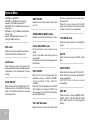
Tuner Operation RDS (Radio Data System) FM/AM(MW) Band RDS service availability varies with areas. Please understand if RDS service is not available in you area, the following service is not available. ———————————————————— During radio play, press the [ BAND ] button to choose between three FM and two AM(MW) bands. The indication “AM(MW)” or “FM” appears on the display panel according to your selection. ————————————————————— Up Tuning Press the Seek up [>>] button to tune to the next available station higher than present station. Press and hold the Seek up [>>] button to enter manual tuning. Rotating the center knob will change the frequency. Pressing the center knob will select the current frequency shown on the display. ————————————————————— Down Tuning Press the Seek down [<<] button to tune to the next available station lower than present station. Press and hold the Seek down [<<] button to enter manual tuning. Rotating the center knob will change the frequency. Pressing the center knob will select the current frequency shown on the display. ————————————————————— Auto Memory Store Press and hold the [ BAND ] button to scan preset stations 1-6. Hold it to automatically select six strong stations and store them in the all band. The new stations replace stations already stored in that band. RDS Basics AF (Alternative Frequency): When the radio signal strength is poor, enabling the AF function will allow the unit to automatically search another station with the same PI (Program Identification) as the current station but with stronger signal strength. PS (Program Service name): The name of station will be display instead of frequency. AF Mode: Turn AF function on in the setting menu (see <system menu> ). AF on: AF function is activated. AF off: AF function is disabled. Remark: AF indicator on LCD will flash until RDS information is received. If RDS service is not available in your area, turn off the AF mode. REG Mode: Turn REG function on in the setting menu (see <system menu> ). REG on: AF function will implement the regional code (of the PI) and only stations in the current region can be tuned automatically. REG off: AF function will ignore the regional code(of the PI) and stations in the other regions can also be tuned automatically. Traffic Announcements Some RDS FM stations periodically provide traffic information. TP (Traffic Program Identification) Broadcasting of traffic information. TA (Traffic Announcements Identification) Radio announcements on traffic conditions. TA Mode: Press [ PTY/TA ] button for more than 2 seconds to switch TA mode on and off. When TA mode is turned on, the TA indicator will blink. When traffic announcement is received, the TA indicator will display. The unit will temporarily switch to the tuner mode (regardless of the current mode) and begin broadcasting the announcement at TA volume level. After the traffic announcement is over, it will return to the previous mode and volume level. When TA is turned on, SEEK, SCAN, AMS function can only be received or saved when traffic program identification (TP) code is received.. EON (Enhanced Other Networks) When EON data is received, the EON indicator lights and the TA and AF functions are enhanced. 55