1
Exporting to a Bitmap File
An alternate method of publishing your SmartDraw document to the web (instead
ofHTML files) is to export it as a web-compatible bitmap image (such as JPG) and
then embed that image in an HTML file of your own creation.
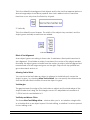
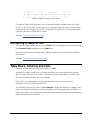
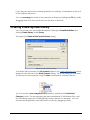
You can export a bitmap file using the Export command under the SmartDraw
Button. Select the type of file you would like to export to from the menu.
Most web browsers will display only GIF, PNG and JPG formats. When you export to
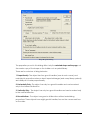
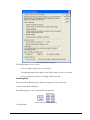
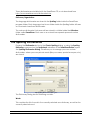
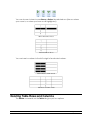
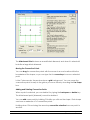
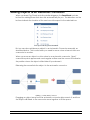
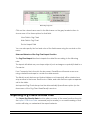
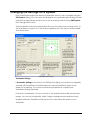
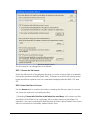
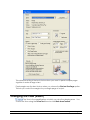
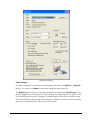
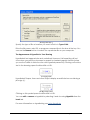
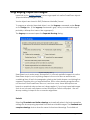
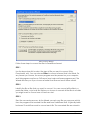
a bitmap you are presented with the The Export Bitmap Dialog where you can set
the parameters of your image.
See The Export Bitmap Dialog
The Export Bitmap Dialog
SmartDraw can export many bitmapped file formats including BMP, TIFF, GIF, JPG,
PNG, and others. All of these formats represent an image as a pattern of colored
dots, called a bitmap.
The number of dots per inch is called its resolution. The number of different colors
that each dot can represent is called its color depth. The greater the resolution and
color depth of a bitmap, the better it looks, but the more memory and disk space it
occupies.
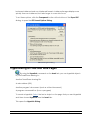
When you prepare to save your exported image, you first name it in a dialog much
like a Save dialog, then the Export Bitmap Dialog appears:
SmartDraw 2009 User's GuideUser’s Guide
Publishing To The Web • 210