1
Getting Started
8
Welcome to SmartDraw! ........................................................................................................... 8
Installing SmartDraw................................................................................................................. 8
Installing SmartDraw on a Network .......................................................................................... 9
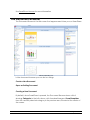
The Document Browser ........................................................................................................... 10
Getting Help ............................................................................................................................ 11
Creating a New Document....................................................................................................... 13
Closing and Saving Documents ............................................................................................... 14
Documents and Windows ........................................................................................................ 16
Right Mouse Button Menus ..................................................................................................... 16
The Main Toolbar .................................................................................................................... 16
The SmartPanel........................................................................................................................ 17
The SmartDraw Button............................................................................................................ 18
The Home Tab ......................................................................................................................... 19
The Design Tab........................................................................................................................ 22
The Insert Tab.......................................................................................................................... 24
The Page Tab ........................................................................................................................... 25
The Table Tab.......................................................................................................................... 27
The Chart Tab .......................................................................................................................... 28
The Picture Tab........................................................................................................................ 31
The PowerPoint Tab ................................................................................................................ 32
The Help Tab ........................................................................................................................... 33
The Work Area Toolbar........................................................................................................... 33
One-Click Common Control Buttons ...................................................................................... 34
Rulers and Grids ...................................................................................................................... 34
Undo and Redo ........................................................................................................................ 36
Storing Two or More Drawings in the Same Document.......................................................... 36
Tool Default Settings ............................................................................................................... 36
Exiting SmartDraw .................................................................................................................. 37
The Left Panel
38
The Left Panel.......................................................................................................................... 38
Searching the Symbol Libraries............................................................................................... 41
Opening Symbol Libraries....................................................................................................... 44
Explorer Favorites ................................................................................................................... 45
Symbol Explorer Right Mouse Button Menus......................................................................... 46
Refreshing the Symbol Explorer Tree ..................................................................................... 46
Library Previews and On-Demand Installation ....................................................................... 47
Licensed and Unlicensed Content............................................................................................ 48
Drawing with SmartDraw
49
Selecting a SmartTemplate ...................................................................................................... 49
Searching for SmartTemplates................................................................................................. 52
SmartTemplate Favorites......................................................................................................... 52
SmartTemplate Previews and On-Demand Installation ........................................................... 53
Adding Objects to Your Drawing ............................................................................................ 54
Drawing Lines ......................................................................................................................... 55
Changing the Shape of a Line.................................................................................................. 58
Line Hops ................................................................................................................................ 58
Selecting Objects ..................................................................................................................... 60
Selecting Multiple Objects....................................................................................................... 61
SmartDraw 2009 User's GuideUser’s Guide
• 2