1
Forms
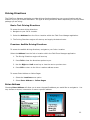
Field Force Manager allows you to complete your paperwork using Forms on your mobile phone. Forms
can be completed as a part of Timecards, Jobs or Standard Forms. Standard Forms are available from the
Forms menu on the mobile phone. The Administrator will create these forms from the customer web
portal and assign them to specific mobile workers.
To complete a form:
1. Select “Forms” from the Field Force Manager Menu.
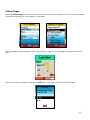
2. Select the Form you want to fill out.
3. Enter a value for each field
4. Use the scroll wheel to navigate to the next field
5. Select “Done”, once you have completed the form. The submitted form will immediately be sent to
Web Portal.
Picture Capture
[Only available in Field Force Manager Premium]
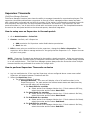
Picture capture is a feature that can be added as a field type on a form. Users take a picture with
the mobile application for the form they are using, which can then be sent and displayed in the web
portal or integrated with other programs via web services. Only one picture can be taken per form.
`
***Mobile Workers must have the latest version of software on their handset to capture a picture
in a form. Mobile workers with older software or a device that does not support picture capture will
see a text field in place of a picture capture field.
26