1
PLASMATRONICS SPSD-ENET
3. Web pages
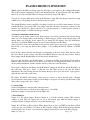
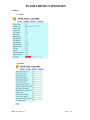
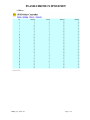
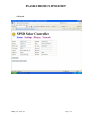
The SPS solar charge controller has four web pages:
Status (default)
Settings
History
Network
*figure 1
*figure 2
*figure 3
*figure 4
To navigate between web pages, click on the Status/Settings/History/Network links on each page, or
use the page name with the web address:
http://SPSD-ENET/status
The web pages are displayed English, or in the language of your web browser if the SPSD-ENET
board supports that language. To force the pages to display in English, use the alternate page names
en\Status
en\Settings
en\History
The first value displayed on the Status, Settings and History web pages will be a cached value. The
page will automatically refresh with a current value after a few seconds. The web pages then go to a
slow refresh cycle. Press refresh on your web browser to force a faster update.
The SPS solar charge controller user guide contains more information on SPS status and settings
values.
The default username to change SPS settings is SPSD. The default Password is ENET. Both words
must be uppercase. The user name and password may be changed on the network page (see below).
4. Network configuration default
The SPS solar charge controller with SPSD-ENET option has a standard 10.0Mbps Ethernet
connection. Use a cross-over cable to connect directly to a PC, or a standard cable to connect to a hub
or switch. Use a 10.0 Mbps switch or hub if available. Do not use a 100.0Mbps or 1Gbps switch or hub
unless it is auto-sensing. Configure network cards to 10.0Mbps for direct connection (using a crossover cable).
The SPSD-ENET option has default values
IP address
192.168.1.100
netmask
255.255.255.0
NetBios Name
SPSD-ENET
user name
SPSD
password
ENET
On a network without DHCP, the default values will be used. If there is a DHCP server, the DHCP
server will provide the IP address, and may provide the following DHCP options:
1
Subnet Mask
(“255.255.255.0”)
12
Hostname
(“SPSD-ENET”)
The SPSD-ENET option supports NetBios Name Server requests. If the network is configured for
ENET_User_Guide-v2.1
Page 2 of 6