1
3.1
3.2
3.2.1
3.2.2
3.2.3
3.2.4
3.2.5
Web Demo List........................................................................................................ 3-9
Steps To Set Up A Web HMI Demo ...................................................................... 3-10
Step 1 - Setup The Hardware ................................................................................ 3-10
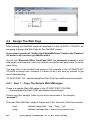
Step 2 - Setting The Web Options ......................................................................... 3-10
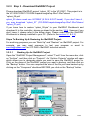
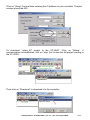
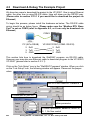
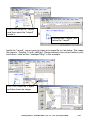
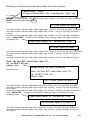
Step 3 - Download ISaGRAF Project .................................................................... 3-11
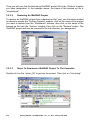
Step 4 - Download Web Pages To The ViewPAC ................................................. 3-14
Step 5 - Show Time ............................................................................................... 3-14
Chapter 4
Programming A Web HMI Example...................................................................... 4-1
4.1
4.1.1
4.1.2
4.1.3
4.1.4
4.1.5
4.1.6
4.1.7
4.1.8
4.2
4.2.1
4.3
4.4
4.4.1
4.4.2
4.4.3
4.4.4
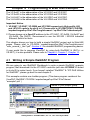
Writing A Simple ISaGRAF Program ....................................................................... 4-1
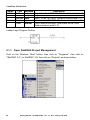
Open ISaGRAF-Project Management ..................................................................... 4-2
Creating An ISaGRAF User‟s Group ....................................................................... 4-3
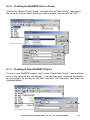
Creating A New ISaGRAF Project ........................................................................... 4-3
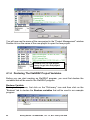
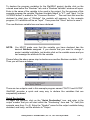
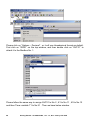
Declaring The ISaGRAF Project Variables.............................................................. 4-4
Assign Modbus Network Address No to Variables .................................................. 4-7
Create The LD - "LD1" Program .............................................................................. 4-9
Edit The "LD1" Program ........................................................................................ 4-10
Connecting The I/O ............................................................................................... 4-14
Compiling & Simulating The Example Project ....................................................... 4-16
Compiling Error Result In Different ISaGRAF Version .......................................... 4-16
Download & Debug The Example Project ............................................................. 4-20
Design The Web Page .......................................................................................... 4-24
Step 1 – Copy The Sample Web HMI pages......................................................... 4-24
Step 2 – Building The Main.htm ............................................................................ 4-25
Step 3 – Adding Control Code To The Main.htm ................................................... 4-30
Step 4 – Download Web HMI Pages To The Controller ........................................ 4-35
Chapter 5
Web HMI Basics .................................................................................................... 5-1
5.1
5.2
5.3
5.4
5.4.1
5.4.2
5.4.3
5.5
5.5.1
5.5.2
5.6
Basic Files For The Web HMI ................................................................................. 5-1
Login.htm ................................................................................................................ 5-2
menu.htm ................................................................................................................ 5-3
main.htm ................................................................................................................. 5-5
A Simple Main.htm Example ................................................................................... 5-5
More About The refresh_data( ) Function And Dynamic Data................................. 5-7
Post Data To The Controller.................................................................................. 5-13
Multi-Pages ........................................................................................................... 5-17
Level 2 And Level 3 Page ..................................................................................... 5-17
Switch One Page To One Another Page ............................................................... 5-18
Web Security ......................................................................................................... 5-19
Chapter 6
VB.NET 2008 Program Running In ViewPAC Access To ISaGRAF Variables .. 6-1
6.1
6.2
6.3
6.4
6.4.1
6.4.2
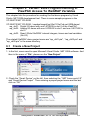
Create a New Project .............................................................................................. 6-1
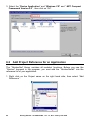
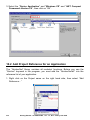
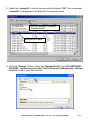
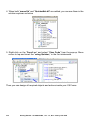
Add Project Reference for an Application................................................................ 6-2
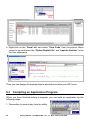
Compiling an Application Program .......................................................................... 6-4
QuickerNET.DLL ..................................................................................................... 6-5
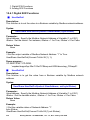
Digital R/W Functions .............................................................................................. 6-5
Analog R/W Functions............................................................................................. 6-7
Chapter 7
EVC++ Program Running In ViewPAC Access To ISaGRAF Variables ............ 7-1
Chapter 8
InduSoft Project Running In ViewPAC Access To ISaGRAF Variables ............ 8-1
Chapter 9
Example Program & FAQ ...................................................................................... 9-1
9.1
9.2
9.3
Get On-Line help ..................................................................................................... 9-1
Installing The ISaGRAF Programming Examples ................................................... 9-4
Frequently Asked Questions ................................................................................. 9-11
Getting Started : VP-25W7/23W7, Ver. 1.3 , Nov. 2010 by ICP DAS
3