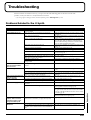
1
Creating a Patch
Initializing Patch Settings (PATCH
Init)
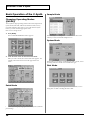
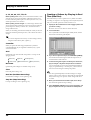
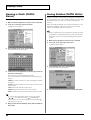
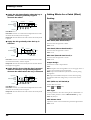
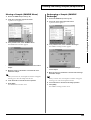
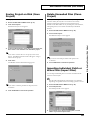
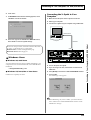
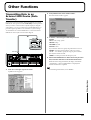
2. Touch <▼> in the upper right of the screen.
A pulldown menu appears.
fig.01-05_50
“Initialize” means to return the settings of the currently selected
patch to a standard set of values.
Creating a Patch
The Initialize operation will affect only the currently selected
patch in temporary area; the patches that are stored in internal
memory and work area will not be affected. If you wish to
restore all of the V-Synth’s settings to their factory values,
perform a Factory Reset (p. 98).
1. Access the PATCH PLAY screen, and select the patch that
you wish to initialize (p. 21).
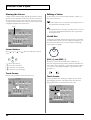
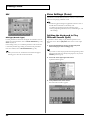
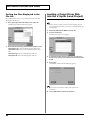
2. Touch <▼> in the upper right of the screen.
A pulldown menu appears.
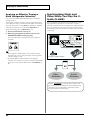
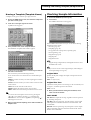
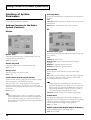
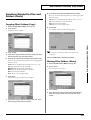
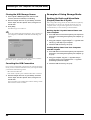
3. In the pulldown menu, touch <PATCH Copy>.
The PATCH Copy window appears.
fig.03-02_50
fig.01-05_50
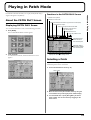
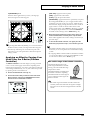
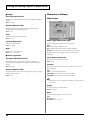
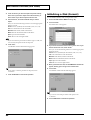
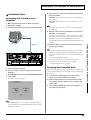
3. In the pulldown menu, touch <PATCH Init>.
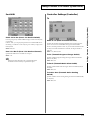
A window like the following appears.
fig.03-01_50
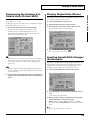
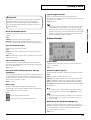
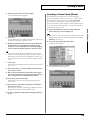
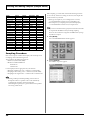
4. Touch a button in the left side of the screen to select the
object you want to copy.
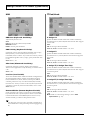
<NAME>: Copy only the patch name.
<ZONE>: Copy patch settings for one zone.
<OSC>: Copy oscillator parameter settings. Specify the copysource (Source) and copy-destination (Destination) oscillator
(OSC1/OSC2).
<COSM>: Copy COSM parameter settings. Specify the copysource (Source) and copy-destination (Destination) COSM
section (COSM1/COSM2).
<TVA>: Copy TVA parameter settings.
<MFX>: Copy MFX settings.
<CHO>: Copy chorus settings.
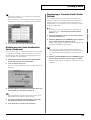
4. Touch <EXECUTE>.
The initialization will be carried out, and you’ll be returned to
the Patch Edit screen.
Copying Patch Settings (PATCH
Copy)
This operation copies the settings of any desired patch to the
currently selected patch. You can use this feature to make the editing
process faster and easier.
1. Access the PATCH PLAY screen, and select the copydestination patch (Dest Patch) (p. 21).
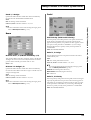
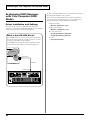
<REV>: Copy reverb settings.
<ARP>: Copy arpeggiator settings.
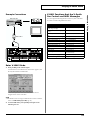
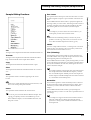
5. Specify the zone (Zone 01–Zone 16) for the copy source
(Source) and copy destination (Destination). Move the
cursor to “Zone**” and make your selection.
6. Move the cursor to “Src Patch” and select the copy-source
patch number.
For the Zone Copy, Oscillator Copy, COSM Copy, and TVA
Copy operations, you can specify the currently selected patch as
the copy source by setting “SrcPatch” to “TEMP.”
7. Touch <Execute> to execute the copy operation.
33