1
I.
Introduction
This manual is primarily written for the beginning students in CS240 who are unfamiliar
with the UNIX operating system. The main objective is to enable students to enter, compile,
execute, and print their C/C++ software projects in the UNIX environment as quickly as possible.
To this end, the same two simple programs used in our MS Visual C/C++ 6.0 manual -- the
Hello World single-file program and the Time multiple-file project -- are used here for
demonstration. A subset of frequently used UNIX commands and utilities especially those that
are used for file management is also introduced. Because of its relative ease of use, the menudriven pico editor is used for the demonstration instead of the more popular vi and emacs editors
used in the industry. The vi and/or emacs can be learned quickly as soon as students become
acquainted with the UNIX environment.
In order to access our powerful UNIX from a remote location such as from your home, it
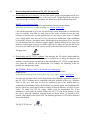
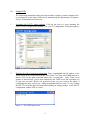
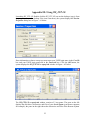
is strongly recommended that the users download and install WS_FTP LE and puTTy. WS_FTP
LE is a file transfer utility that facilitates the file transfer between a home PC and the
Department‘s UNIX server; puTTy is a Telnet program that facilitates remote access to our
UNIX server from a home PC. Both WS_FTP LE and puTTy are shareware that can be
downloaded from the Internet free of charge for educators and students. We first provide the
downloading and installation procedure of these two software packages. We then demonstrate in
detailed steps how a single-file and then a multiple-file program are entered, compiled and
executed in the Solaris UNIX environment.
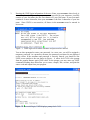
Note: Although the default settings for PuTTy display white text on a black background,
in this document we use black text on a white background in order to save ink.
2