Download user`s manual elevator controller cj1m processor 1

Transcript
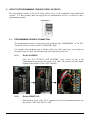
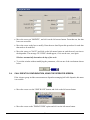
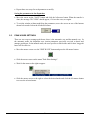
To monitor the value from the LCD screen, do as the following (To monitor the
value from the PLC with the programming tool, see section 1):
 Press "ESC" and on the "UP/DOWN" keys to select "Registers access".
 Presses "ENTER".
 Choose "DM" for the register type.
 Press "ENTER"
 Press on the "LEFT/RIGHT" keys and "UP/DOWN" to enter 5800.
 Press "ENTER".
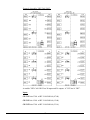
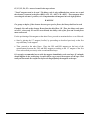
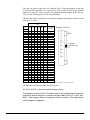
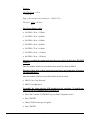
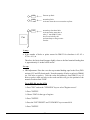
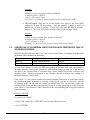
Note: DM5800 is the lower part and DM5801 is the higher part, example: 52 000,
DM5801 = 0005 and DM5800 = 2000.
0 ---------->
10 000 000
0000
0000
1000
0000
DM 5801
DM 5800
DM 5801
DM 5800
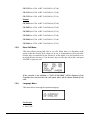
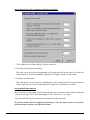
Activate the PCH signal to make the car go up in inspection mode. The value must
increase. If not, invert the HT1 and HT2 signals.
6.2.6.
Recording of floors position:
 Make sure that the 12” magnets (door zone) are correctly installed on each floor.
Refer to section 6.2.1.
 The controller has to be in "inspection" mode.
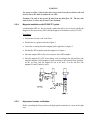
 Lower the car to the bottom landing so that the normal down limit (LNB) and LU
sensor are activated. At this time, the car must be a little lower than the level of
the bottom landing.
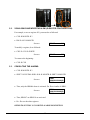
With the LCD screen, do the following:
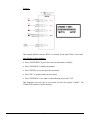
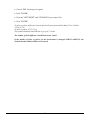
 Press "ESC" and on the "UP/DOWN" keys to choose "Recording floor
position".
 Press "ENTER".
 Press "UP".
 Press "ENTER".
6-9