1
QuickBooks® Link User Manual
Import Items
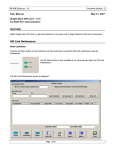
The items are imported by selecting QuickBooks Import > Items from the
Financial tab. The subitems are also included in the import if they are of the inventory,
non-inventory or assembly part type. To import items, inventory tracking needs to be
turned on QuickBooks. For instructions on setting up QuickBooks inventory and required
accounts, refer to the Enable QuickBooks Inventory section. When importing items from
QuickBooks, only those items that have not been previously imported are added. The onhand quantity for the item is also added with an opening balance inventory transaction to
set the initial quantity. The revenue, inventory, and cost of goods sold account codes are
not imported and need to be assigned manually by selecting the appropriate product class
on the Cost page of the Item Master after the import is complete.
11