1
Singlebeam Processing
154
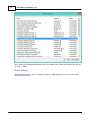
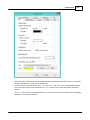
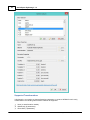
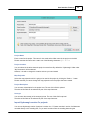
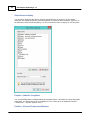
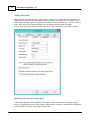
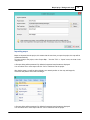
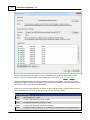
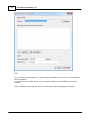
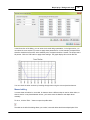
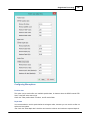
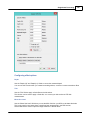
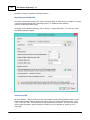
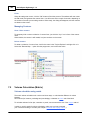
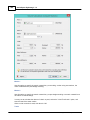
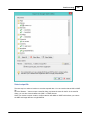
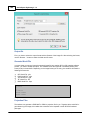
Select the units that are recorded. When your echosounder was outputting depth data in feet, while the
software was expecting meters,
you should set the "Old units" selection box to "International Feet" and the "New units" box to "Meters".
When your echosounder was outputting meters, while you configured the echosounder plugin for feet,
you have to do it the other way around.
A large number of units are supported, but in most cases you will probably be using Feet, Meters or
Fathoms.
Values
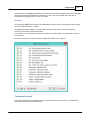
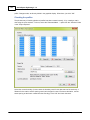
Select one or more values to convert. When having a problem with depth values, you have to select
"Convert Depth Lo" and "Convert Depth Hi" only.
Use one of the other options when you have to correct data from a positioning device, heave sensor or
tide gauge.
Files
You can choose to convert one raw data file at a time, or convert all files at once.
When you select to convert all files at once, all files you are currently editing will be modified.
Start the conversion
When all options has been set, click the "OK" button to start the conversion process.
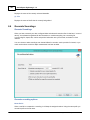
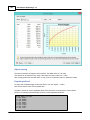
When finished, you can use the "Table Editor" to check the corrected values.
Please note that this tool only alters the modified raw data files.
The original raw data files will not be modified.
IMPORTANT:
In case you select the "Start editing from original raw data" in second page the "Sounding
Wizard",
the modified files are overwritten, and you have to repeat the unit conversion !
6.5.4.4
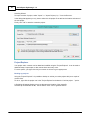
Table Editor
Table Editor
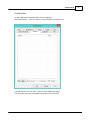
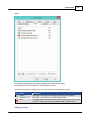
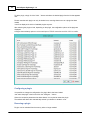
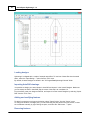
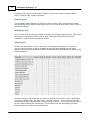
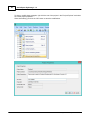
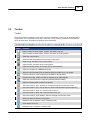
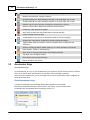
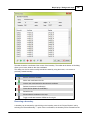
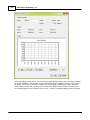
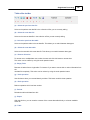
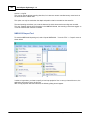
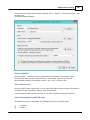
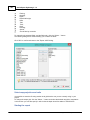
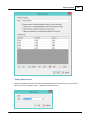
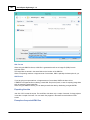
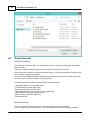
The table editor allows you to modify any value, except for timestamps in a raw data file directly.
It is recommended to use this editor only in cases one of the other editor can't be used.
You can also use this editor to analyze and export raw data.
(C) 2015 ActiveXperts Software B.V.



































































































![U.S. Version [Last Updated on: Jun 13th, 2014]](http://vs1.manualzilla.com/store/data/005873845_1-0370c7761d3b42576ec2ae1fd24c9e75-150x150.png)