1
im Vertrieb von
CAMBOARD
Electronics
Contents
Contents
1
2
3
4
5
5.1
5.2
6
7
8
8.1
9
Introduction
Getting Started
Overview
Defining the RC-74DL Master Room Controller
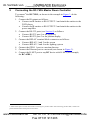
Connecting the RC-74DL Master Room Controller
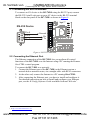
Connecting the RS-232 Interface
Connecting the Ethernet Port
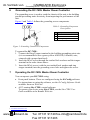
Grounding the RC-74DL Master Room Controller
Operating the RC-74DL Master Room Controller
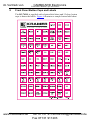
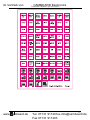
Front Panel Button Caps and Labels
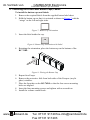
Installing the Front Panel Button Caps, Labels
Technical Specifications
1
1
1
3
6
8
8
9
9
10
13
14
Figures
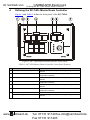
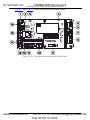
Figure 1: RC-74DL Master Room Controller Front Panel
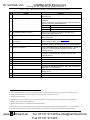
Figure 2: RC-74DL Master Room Controller Rear Panel
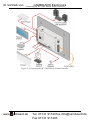
Figure 3: Connecting the RC-74DL Master Room Controller
Figure 4: RS-232 Connection
Figure 5: Grounding Connection Components
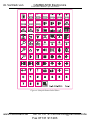
Figure 6: Sample Button Label Sheet
Figure 7: Button Cap Orientation
Figure 8: Button Cap Orientation with Label
Figure 9: Placing the Button Cap
3
4
7
8
9
12
13
13
13
Tables
Table 1: RC-74DL Master Room Controller Front Panel Features
Table 2: RC-74DL Master Room Controller Rear Panel Features
Table 3: Grounding Component Descriptions
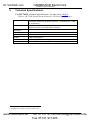
Table 4: RC-74DL Master Room Controller Technical Specifications
3
5
9
14
i
www.camboard.de
Tel. 07131 [email protected]
Fax 07131 911203