1
OptoTerminal Programmer’s Reference Manual
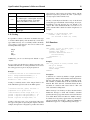
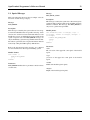
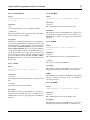
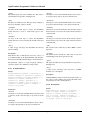
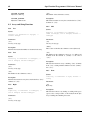
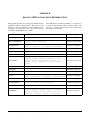
4.18.7 SetBacklight
85
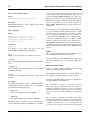
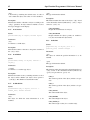
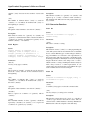
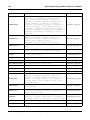
should be made with the Power On Setup facility or the SetSystemSetting() API function.
Syntax:
setbacklight({command} as backlight_adjust)
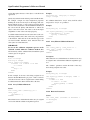
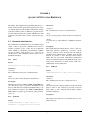
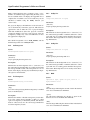
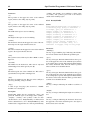
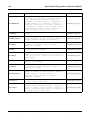
4.18.9 SetLED
Parameters:
Syntax:
{command}
A value of type “backlight_adjust” (see below) that determines how to adjust the backlight setting.
setled(cmd as ledcmd, lednum as integer)
Description:
This function adjusts the backlight setting of the display at
runtime (i.e., not with Power On Setup). The adjustment is
temporary and is forgotten when power is removed from the
terminal. Permanent changes to the backlight setting should
be made with the Power On Setup facility or the SetSystemSetting() API function.
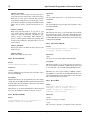
The SetBacklight() function takes an argument of type
“backlight_adjust,” which is a defined type with the following legal values:
BACKLIGHT_ON
Turn backlight on (set to previous “on” setting).
BACKLIGHT_OFF
Turn backlight off (power saving mode).
BACKLIGHT_LIGHTER
Adjust the backlight one step lighter.
Parameters:
{cmd}
A value of type “led_cmd” (see below) that determines how
the LED setting is adjusted.
{lednum}
An integer indicating which LED is adjusted.
Description:
This function changes the state (on or off) of one of the keypad LEDs. The “{cmd}” parameter of type “led_cmd” is a
defined type with the following legal values:
LED_ON
Turn on the specified LED.
LED_OFF
Turn off the specified LED.
LED_TOGGLE
Toggle the state of the specified LED.
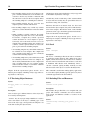
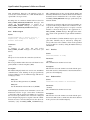
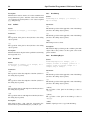
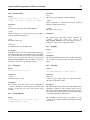
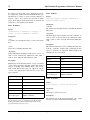
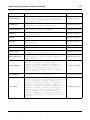
4.18.10 GetTime
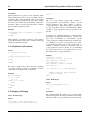
BACKLIGHT_DARKER
Adjust the backlight one step darker.
4.18.8 EnableKeypadBacklight
Syntax:
enablekeypadbacklight(enable as boolean)
Parameters:
{enable}
A boolean value that sets the state of the keypad backlight.
A setting of TRUE turns on the backlight, while a setting of
FALSE turns it off.
Description:
The EnableKeypadBacklight function sets the current state
of the keypad backlight (if one is available). The setting is
temporary and is forgotten when power is removed from the
terminal. Permanent changes to the keypad backlight setting
Syntax:
gettime(day as reference to integer, ->
month as reference to integer, dig2year ->
as reference to integer, dotw as reference ->
to weekday, hour as reference to integer, ->
minute as reference to integer, second as ->
reference to integer)
Parameters:
{day}
An integer to receive the current day of the month.
{month}
An integer to receive the current month.
{dig2year}
An integer to receive the last two digits of the current year.
Opto 22 Fax 800-832-OPTO (6786) Web www.opto22.com Phone 800-321-OPTO (6786)