1
OptoTerminal Programmer’s Reference Manual
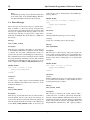
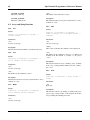
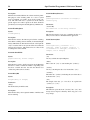
Parameters:
{startobj}
First object in Z-order to receive the message. Only this
object and its children will receive the message. Specify a
value of “default” to send the message to all objects.
75
{donow}
A flag to select preemption of the current message while the
user message is processed
Description:
{donow}
A flag to select preemption of the current message while the
user message is processed
This function sends a user message directly to the
“{startobj}” object. If “{startobj}” has a handler for
“{msgnum}” and “{donow}” is “true,” the handler is immediately called and executed. Otherwise, the “{msgnum}”
message is posted in the messaging queue as a direct message to “{startobj}.” The return value is the value returned
by the called handler (if “{donow}” is “true”) or “false” if
“{startobj}” has no handler for “{msgnum}” (or if
“{donow}” is “false”). The message is delivered whether
“{startobj}” is enabled or disabled.
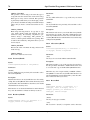
Description:
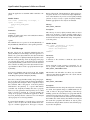
4.12.4 FakeKeyMsg
{msgnum}
The user message to send.
{parm}
The integer parameter to associate with the sent message.
This function sends the “{msgnum}” user message as a normal message; it will go only to enabled objects starting with
“{startobj}” in Z-order. Any object with a handler for
“{msgnum}” is eligible to handle the message. Messages
sent with this function can be terminated by a handler
returning “true.” If “false” is returned, the message continues through Z-order.
The “{parm}” parameter may be set to any integer value
and may be used for any purpose. If “{donow}” is set to
“true,” processing of the current message is suspended
while the user message is processed by the system. When
the user message processing is complete, this function
returns and the current message continues processing. Any
pending exceptions are thrown in the calling function. Setting “{donow}” to “false” causes the user message to be
enqueued and handled as any other message.
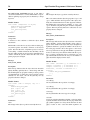
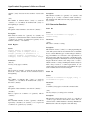
4.12.3 UserDirectMsg
Syntax:
userdirectmsg(startobj as objref, msgnum ->
as message, parm as integer, donow as ->
boolean) returns boolean
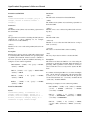
Syntax:
fakekeymsg(msgtype as fake_key, keycode ->
as UNIBYTE)
Parameters:
{msgtype}
The type of key message to post.
{keycode}
The keycode of the key to post.
Description:
This function allows the programmer to introduce a simulated key message into the messaging system (simulating a
physical key press or release). The variable “{msgtype}”
must be one of the following:
KEY_PUSH
KEY_REPEAT
KEY_RELEASE
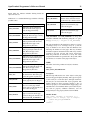
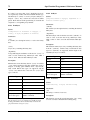
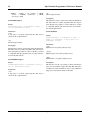
4.12.5 FakeScreenMsg
Syntax:
Parameters:
{startobj}
The object to which the message is being sent.
{msgnum}
The user message to send.
{parm}
The integer parameter to associate with the sent message.
fakescreenmsg(msgtype as fake_screen, x1 ->
as integer, y1 as integer, x2 as integer, ->
y2 as integer)
Parameters:
{msgtype}
Type of screen message to post.
Opto 22 Fax 800-832-OPTO (6786) Web www.opto22.com Phone 800-321-OPTO (6786)