1
Mach1 - M.Sc
SECTION 4
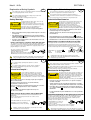
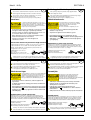
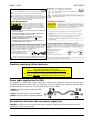
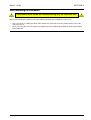
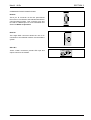
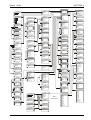
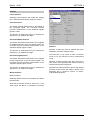
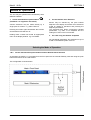
RollCall Control Templates for the Mach1 M.Sc (see section 5 to operate in this mode)
Control
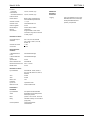
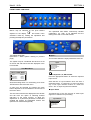
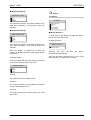
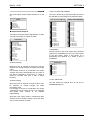
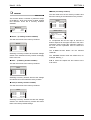
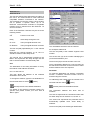
Input Select
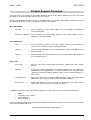
This allows any of the five sources of video input
signal to be selected for processing.
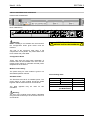
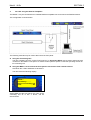
Input Standard
The decoder employs an auto standard detection
system. It will auto detect any of the composite or
SDI standards that are checked in the list of Input
Standards.
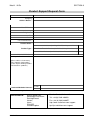
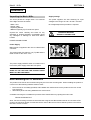
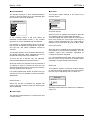
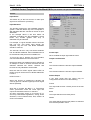
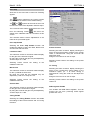
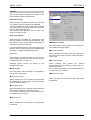
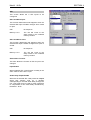
In the example above it will auto detect all
standards (including the SDI standards) except
NTSC. Any number (greater than one) of
standards may be selected.
For example, in a given situation where it is known
that only PAL and NTSC input signals are
expected, only the PAL and NTSC standards
should be checked.
The decoder will then only auto detect between
PAL and NTSC standards. Other standards will not
be decoded and will produce an unstable lock.
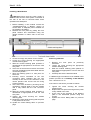
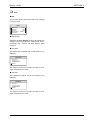
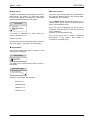
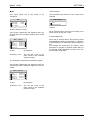
Freeze Input
To force the unit to decode only one standard,
check that standard and uncheck all others.
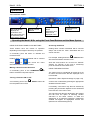
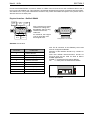
Output Line Standard
Note that at least one standard must be selected; if
an attempt is made to uncheck all items the last
standard selected will remain checked and
become the only standard to be decoded.
Note also that for NTSC signals either NTSC or
NTSCJ may be checked but not NTSC and NTSC
Format J.
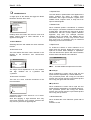
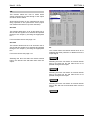
NTSC Format J
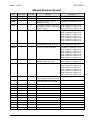
When this function is enabled the decoder will
correctly process a NTSCJ signal (an NTSC signal
without pedestal).
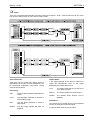
Note that to operate the Mach 1 in Transparent
frame synchronizer mode the same input and
output line standards need to be selected.
All video processing needs to be turned off i.e.
Proc-amp, RGB Gamut legalization, Timing, Noise
Reduction, Linear Enhancement, Size, Pattern all
need to be disabled.
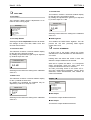
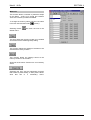
When enabled the input signal will be frozen.
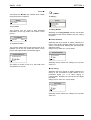
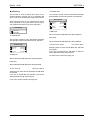
625
This function selects the 625 line output standard.
525
This function selects the 525 line output standard.
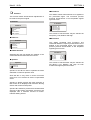
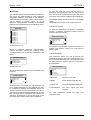
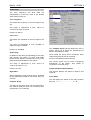
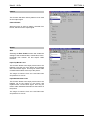
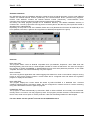
Default Output
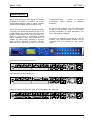
If the input signal fails the output may be
configured to become one of the following:
Freeze
The output will become a frozen picture of the last
frame.
Black
The output will become a black picture.
Pattern
The output will become the test pattern as selected
from the Setup/Pattern menu.
MACH1OPS
151204
www.snellwilcox.com
Version 2 Issue 5
4.29