1
S ECTION 4
SCREENS AND SETTINGS
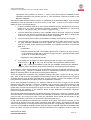
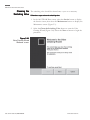
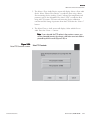
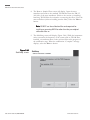
To install new firmware using a USB Flash Drive:
Note
Note. In order to update the instrument firmware via the USB port,
current instrument firmware version 1.51 or later is required to be
installed on the monitor. Contact Thermo Fisher Scientific for
further information if an earlier version is installed. If updating the
firmware using ePort, this limitation does not apply. ▲
To perform a firmware upgrade using the USB port, first copy the firmware
upgrade files to the root folder of a standard USB flash drive. The required
files are:
etx_dichotFDMS.tar
etx_dichotFDMS.kernel
etx_dichotFDMS_USB.rc
1. Record all important configuration information from the instrument.
This includes K0 values, instrument serial number, data storage
settings, etc.
2. Turn off the instrument.
3. Open the front panel that contains the instrument display.
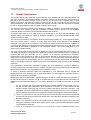
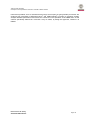
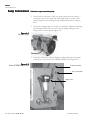
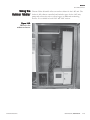
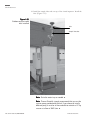
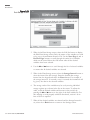
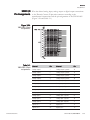
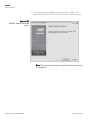
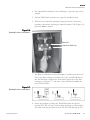
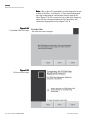
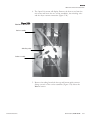
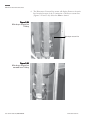
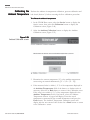
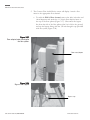
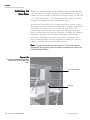
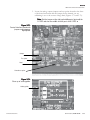
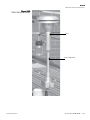
4. Compare the inside of the instrument to the following figure. If the
instrument interface board matches the figure, proceed to step 4. If the
unit is an updated version, close the front panel and continue with step
6. An updated interface board includes the text “Thermo Fisher
Scientific” along the front edge of the board.
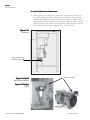
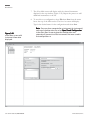
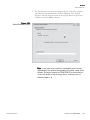
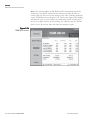
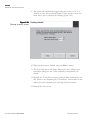
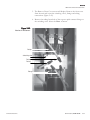
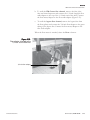
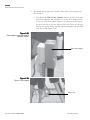
5. Locate the Module Power Jumper on the interface board as indicated in
Figure 4-34 and install a jumper across the pins. (One of the analog
input jumpers may be temporarily used for this purpose.)
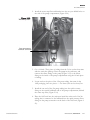
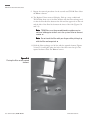
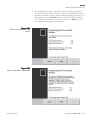
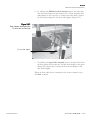
6. Insert the USB Flash Drive and turn on the instrument power.
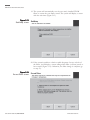
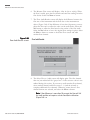
7. The instrument will automatically locate and install the necessary files
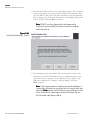
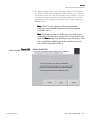
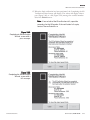
from the USB flash drive and update the instrument firmware.
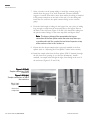
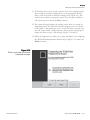
8. At the end of the update process, the instrument will pause for 20
seconds before a blank/white screen appears. Remove the USB Flash
Drive. The instrument will reboot automatically to complete the
installation of the firmware.
9. If you installed a jumper in step 4 above, turn off the instrument power
and remove the jumper. If one of the analog input jumpers was used,
replace it in the original location. Close the instrument front panel and
turn on the instrument power.
THERMO FISHER SCIENTIFIC
OPERATING GUIDE, TEOM 1405-DF
4-41