1
1.2.4 In Pro Version 9
1.2.4.1 NEW VISUAL CADD ENGINE
This version upgrades the version of VisualCadd Dlls to V5.06.137.
1.2.4.2 INSERTING OLE DATA
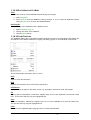
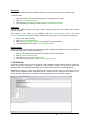
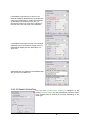
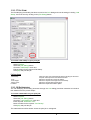
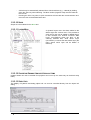
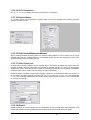
OLE Functionality
Items such as Irricad reports, spreadsheets, documents etc. can now be inserted into the Irricad
design.
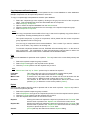
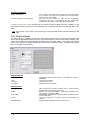
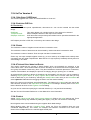
Edit|Paste:
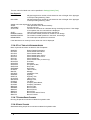
Tools|Insert OLE:
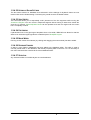
Edit|Open OLE Item:
This option allows only a single instance of the object to be inserted.
Allows multiple instances of the object to be inserted.
OLE items that have previously been added can be opened and altered in the
appropriate application.
OLE objects print first in PDF files, so that they don't obscure the design.
1.2.4.3 AREAS
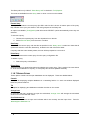
The maximum number of Irrigation Areas has been increased to 1001.
The maximum number of areas that can be enclosed by another has been increased to 1000.
The maximum number of Areas a Zone can span has been increased to 25.
Zones may now span multiple Irrigation Areas (e.g. a zone made up of multiple block entities) when
calculating area and water requirements. Note that the V7 style reports (if enabled) still only allow for
zones being in one area.
1.2.4.4 TAPE AND SPRAY IRRIGATION BLOCKS
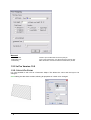
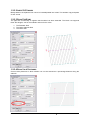
This version introduces the concept of ‘Block Entities’ which are essentially an extension of the
current block tools. Bock Entities retain the drawn boundary of the block tools as an Irrigation Area
and ‘group’ the laterals contained by them. They also facilitate the automatic placement of submains,
creation of block labels, and simplify the process of changing the type, spacing etc. of laterals.
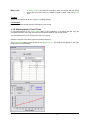
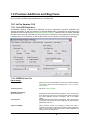
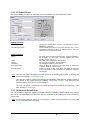
At present blocks of tapes or blocks of Spraylines can be treated in this way they can be created by
selecting Tape Irrigation Blocks or Spray Irrigation Blocks from the Zone menu. Note that you may
need to add these to your Toolbar by selecting the View|Toolbars menu item (on the Commands tab
select Hydraulic Tools and then dragging the button onto the desired toolbar).
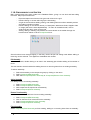
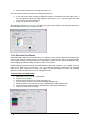
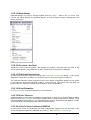
Most of the items on this dialogs are self-explanatory. The fields on the Lateral tab have exactly the
same function as those on the Tape Block or Sprayline Block tool dialogs. Similarly those on the Area
tab are identical to those on the Irrigation Area tool dialog.
Any line can be used when specifying the submain direction (i.e. not just block boundaries).
See the Tool and Command Reference or User Manual for more information.
1.2.4.5 LABELS
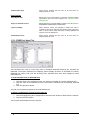
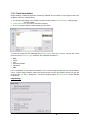
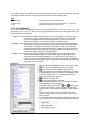
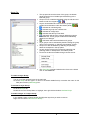
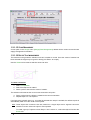
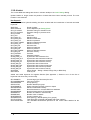
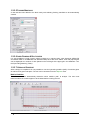
Added "Check Label Length" and "Label Length Allowance" fields to the Label settings tab. These
values were previously only available by editing the registry. They are now saved for each design.
Now Irrigation Areas can be labeled using the Irrigation block label settings.
When labeling pipes, with the "Combine Pipes" option set, Zone and Mainline pipes are now
considered independently. This means, for example, that submain connected to an inline valve
doesn't force multiple labels in the mainline pipes at that point.
Release Notes IRRICAD Pro Version 11
Release Notes Pro V11 · 45