1
MikroTik RouterOS™ v28
Reference Manual
Table Of Contents
Specifications Sheet........................................................................... 1
General Information ............................................................................................................... 1
Device Driver List................................................................................ 5
General Information ............................................................................................................... 6
Ethernet.................................................................................................................................. 6
Wireless................................................................................................................................ 13
Aironet Arlan........................................................................................................................ 15
RadioLAN............................................................................................................................ 16
Synchronous Serial............................................................................................................... 16
Asynchronous Serial............................................................................................................. 16
ISDN..................................................................................................................................... 17
VoIP...................................................................................................................................... 17
xDSL.................................................................................................................................... 17
HomePNA............................................................................................................................ 18
LCD...................................................................................................................................... 18
PCMCIA Adapters............................................................................................................... 18
GPRS Cards.......................................................................................................................... 18
License Management........................................................................ 19
General Information............................................................................................................. 19
License Management............................................................................................................ 21
Basic Setup Guide............................................................................ 24
General Information ............................................................................................................. 24
Setting up MikroTik RouterOS™........................................................................................ 25
Logging into the MikroTik Router....................................................................................... 28
Adding Software Packages................................................................................................... 28
Navigating The Terminal Console....................................................................................... 28
Basic Configuration Tasks................................................................................................... 31
Setup Command................................................................................................................... 32
Basic Examples.................................................................................................................... 33
Advanced Configuration Tasks............................................................................................ 36
Installing RouterOS with CD-Install................................................. 38
CD-Install............................................................................................................................. 38
Installing RouterOS with Floppies................................................... 43
Floppy Install........................................................................................................................ 43
Installing RouterOS with NetInstall................................................. 44
NetInstall.............................................................................................................................. 44
Configuration Management.............................................................. 47
General Information ............................................................................................................. 47
System Backup..................................................................................................................... 48
The Export Command.......................................................................................................... 48
The Import Command.......................................................................................................... 49
Configuration Reset.............................................................................................................. 50
FTP (File Transfer Protocol) Server................................................. 51
i
General Information ............................................................................................................. 51
File Transfer Protocol Server............................................................................................... 51
MAC Telnet Server and Client.......................................................... 53
General Information ............................................................................................................. 53
MAC Telnet Server.............................................................................................................. 53
Monitoring Active Session List............................................................................................ 54
MAC Telnet Client............................................................................................................... 54
Serial Console and Terminal............................................................ 55
General Information ............................................................................................................. 55
Serial Console Configuration............................................................................................... 56
Setting Serial Console.......................................................................................................... 56
Using Serial Terminal.......................................................................................................... 57
Package Management....................................................................... 59
General Information ............................................................................................................. 59
Installation (Upgrade)........................................................................................................... 60
Uninstalling.......................................................................................................................... 61
Downgrading........................................................................................................................ 62
Software Package List.......................................................................................................... 62
System Upgrade................................................................................ 65
General Information ............................................................................................................. 65
System Upgrade................................................................................................................... 65
Adding Package Source........................................................................................................ 67
SSH (Secure Shell) Server and Client............................................. 68
General Information ............................................................................................................. 68
SSH Server........................................................................................................................... 69
SSH Client............................................................................................................................ 70
Telnet Server and Client................................................................... 71
General Information ............................................................................................................. 71
Telnet Server........................................................................................................................ 71
Telnet Client......................................................................................................................... 72
Terminal Console.............................................................................. 73
General Information ............................................................................................................. 73
Common Console Functions................................................................................................ 74
Lists and Item Names........................................................................................................... 75
Quick Typing........................................................................................................................ 76
Additional Information......................................................................................................... 77
General Commands.............................................................................................................. 77
Safe Mode............................................................................................................................. 79
Winbox............................................................................................... 81
General Information............................................................................................................. 81
Troubleshooting.................................................................................................................... 82
IP Addresses and ARP..................................................................... 83
General Information ............................................................................................................. 83
IP Addressing....................................................................................................................... 84
Address Resolution Protocol................................................................................................ 85
Proxy-ARP feature............................................................................................................... 86
ii
Unnumbered Interfaces........................................................................................................ 87
OSPF.................................................................................................. 88
General Information ............................................................................................................. 88
General Setup....................................................................................................................... 89
Areas..................................................................................................................................... 91
Networks.............................................................................................................................. 92
Interfaces.............................................................................................................................. 93
Virtual Links......................................................................................................................... 94
Neighbours........................................................................................................................... 94
General Information ............................................................................................................. 95
RIP.................................................................................................... 101
General Information........................................................................................................... 101
General Setup..................................................................................................................... 102
Interfaces............................................................................................................................ 103
Networks............................................................................................................................ 104
Neighbors........................................................................................................................... 105
Routes................................................................................................................................. 105
General Information ........................................................................................................... 106
Routes, Equal Cost Multipath Routing, Policy Routing............... 109
General Information ........................................................................................................... 109
Static Routes....................................................................................................................... 110
Routing Tables................................................................................................................... 112
Policy Rules........................................................................................................................ 113
Application Examples........................................................................................................ 114
BGP (Border Gateway Protocol).................................................... 116
General Information........................................................................................................... 116
BGP Setup.......................................................................................................................... 117
BGP Network..................................................................................................................... 118
BGP Peers........................................................................................................................... 119
Troubleshooting.................................................................................................................. 119
ARLAN 655 Wireless Client Card................................................... 121
General Information........................................................................................................... 121
Installation.......................................................................................................................... 121
Wireless Interface Configuration....................................................................................... 122
Troubleshooting.................................................................................................................. 123
Bridge............................................................................................... 125
General Information........................................................................................................... 125
Bridge Interface Setup........................................................................................................ 127
Port Settings....................................................................................................................... 128
Bridge Monitoring.............................................................................................................. 128
Bridge Port Monitoring...................................................................................................... 129
Bridge Host Monitoring..................................................................................................... 130
Bridge Firewall................................................................................................................... 130
Application Example.......................................................................................................... 132
Troubleshooting.................................................................................................................. 133
CISCO/Aironet 2.4GHz 11Mbps Wireless Interface...................... 134
General Information ........................................................................................................... 134
iii
Wireless Interface Configuration....................................................................................... 135
Troubleshooting.................................................................................................................. 138
Application Examples........................................................................................................ 138
Cyclades PC300 PCI Adapters....................................................... 141
General Information........................................................................................................... 141
Synchronous Interface Configuration................................................................................ 142
Troubleshooting.................................................................................................................. 143
RSV/V.35 Synchronous Link Applications....................................................................... 143
Driver Management......................................................................... 145
General Information ........................................................................................................... 145
Loading Device Drivers..................................................................................................... 146
Removing Device Drivers.................................................................................................. 147
Notes on PCMCIA Adapters.............................................................................................. 148
Ethernet Interfaces.......................................................................... 149
General Information........................................................................................................... 149
Ethernet Interface Configuration........................................................................................ 150
Monitoring the Interface Status.......................................................................................... 151
Troubleshooting.................................................................................................................. 151
FarSync X.21 Interface.................................................................... 152
General Information........................................................................................................... 152
Synchronous Interface Configuration................................................................................ 153
Troubleshooting.................................................................................................................. 154
Synchronous Link Applications......................................................................................... 154
FrameRelay (PVC, Private Virtual Circuit) Interface..................... 158
General Information........................................................................................................... 158
Configuring Frame Relay Interface.................................................................................... 159
Frame Relay Configuration................................................................................................ 159
Troubleshooting.................................................................................................................. 162
General Interface Settings.............................................................. 163
General Information ........................................................................................................... 163
Interface Status................................................................................................................... 164
Traffic Monitoring.............................................................................................................. 164
GPRS PCMCIA................................................................................. 166
How to make a GPRS connection...................................................................................... 166
ISDN (Integrated Services Digital Network) Interface.................. 168
General Information........................................................................................................... 168
ISDN Hardware and Software Installation......................................................................... 169
ISDN Client Interface Configuration................................................................................. 170
ISDN Server Interface Configuration................................................................................. 171
ISDN Examples.................................................................................................................. 172
M3P................................................................................................... 176
General Information ........................................................................................................... 176
Setup................................................................................................................................... 177
MOXA C101 Synchronous Interface.............................................. 179
General Information........................................................................................................... 179
Synchronous Interface Configuration................................................................................ 180
iv
Troubleshooting.................................................................................................................. 182
Synchronous Link Application Examples.......................................................................... 182
MOXA C502 Dual-port Synchronous Interface............................. 185
General Information........................................................................................................... 185
Synchronous Interface Configuration................................................................................ 186
Troubleshooting.................................................................................................................. 187
Synchronous Link Application Examples.......................................................................... 187
PPP and Asynchronous Interfaces............................................... 190
General Information........................................................................................................... 190
Serial Port Configuration.................................................................................................... 191
PPP Server Setup................................................................................................................ 192
PPP Client Setup................................................................................................................ 193
PPP Application Example.................................................................................................. 194
RadioLAN 5.8GHz Wireless Interface............................................ 196
General Information........................................................................................................... 196
Wireless Interface Configuration....................................................................................... 197
Troubleshooting.................................................................................................................. 199
Wireless Network Applications.......................................................................................... 199
Sangoma Synchronous Cards....................................................... 201
General Information........................................................................................................... 201
Synchronous Interface Configuration................................................................................ 201
LMC/SBEI Synchronous Interfaces............................................... 203
General Information........................................................................................................... 203
Synchronous Interface Configuration................................................................................ 203
General Information ........................................................................................................... 204
Wireless Client and Wireless Access Point Manual.................... 206
General Information........................................................................................................... 207
Wireless Interface Configuration....................................................................................... 210
Nstreme Settings................................................................................................................. 214
Nstreme2 Group Settings................................................................................................... 215
Registration Table.............................................................................................................. 217
Access List......................................................................................................................... 218
Info..................................................................................................................................... 219
Virtual Access Point Interface............................................................................................ 222
WDS Interface Configuration............................................................................................ 223
Align................................................................................................................................... 225
Align Monitor..................................................................................................................... 226
Network Scan..................................................................................................................... 226
Wireless Security................................................................................................................ 227
Wireless Aplication Examples........................................................................................... 229
Troubleshooting.................................................................................................................. 232
Xpeed SDSL Interface..................................................................... 234
General Information........................................................................................................... 234
Xpeed Interface Configuration........................................................................................... 235
Frame Relay Configuration Examples............................................................................... 236
Troubleshooting.................................................................................................................. 237
v
EoIP Tunnel Interface..................................................................... 239
General Information........................................................................................................... 239
EoIP Setup.......................................................................................................................... 240
EoIP Application Example................................................................................................. 241
Troubleshooting.................................................................................................................. 243
IP Security........................................................................................ 244
General Information ........................................................................................................... 244
Policy Settings.................................................................................................................... 247
Peers................................................................................................................................... 249
Remote Peer Statistics........................................................................................................ 251
Installed SAs....................................................................................................................... 251
Flushing Installed SA Table............................................................................................... 252
Counters.............................................................................................................................. 253
General Information ........................................................................................................... 254
IPIP Tunnel Interfaces..................................................................... 259
General Information........................................................................................................... 259
IPIP Setup........................................................................................................................... 260
General Information ........................................................................................................... 261
L2TP Interface................................................................................. 263
General Information........................................................................................................... 263
L2TP Client Setup.............................................................................................................. 265
Monitoring L2TP Client..................................................................................................... 266
L2TP Server Setup............................................................................................................. 266
L2TP Server Users............................................................................................................. 267
L2TP Application Examples.............................................................................................. 268
Troubleshooting.................................................................................................................. 271
PPPoE.............................................................................................. 272
General Information........................................................................................................... 272
PPPoE Client Setup............................................................................................................ 274
Monitoring PPPoE Client................................................................................................... 275
PPPoE Server Setup (Access Concentrator)...................................................................... 276
PPPoE Server Users........................................................................................................... 277
Troubleshooting.................................................................................................................. 278
Application Examples........................................................................................................ 279
PPTP................................................................................................. 281
General Information........................................................................................................... 281
PPTP Client Setup.............................................................................................................. 283
Monitoring PPTP Client..................................................................................................... 284
PPTP Server Setup............................................................................................................. 284
PPTP Server Users............................................................................................................. 285
PPTP Application Examples.............................................................................................. 286
Troubleshooting.................................................................................................................. 289
VLAN Interface................................................................................ 290
General Information........................................................................................................... 290
VLAN Setup....................................................................................................................... 291
Application Example.......................................................................................................... 292
vi
Traffic Flow...................................................................................... 294
General Information........................................................................................................... 294
SNMP Service.................................................................................. 295
General Information...........................................................................................................
SNMP Setup.......................................................................................................................
SNMP Communities..........................................................................................................
Available OIDs...................................................................................................................
Available MIBs..................................................................................................................
Tools for SNMP Data Collection and Analysis.................................................................
295
296
296
297
298
301
Log Management............................................................................. 304
General Information ........................................................................................................... 304
General Settings................................................................................................................. 305
Log Classification............................................................................................................... 305
Log Messages..................................................................................................................... 306
Bandwidth Control.......................................................................... 308
General Information ........................................................................................................... 308
Queue Types....................................................................................................................... 312
Interface Default Queues.................................................................................................... 313
Configuring Simple Queues............................................................................................... 314
Configuring Queue Trees................................................................................................... 315
Troubleshooting.................................................................................................................. 316
General Information ........................................................................................................... 316
Packet Marking (Mangle)................................................................ 321
General Information........................................................................................................... 321
Mangle................................................................................................................................ 322
General Information ........................................................................................................... 325
Network Address Translation........................................................ 326
General Information........................................................................................................... 326
Source NAT........................................................................................................................ 328
Destination NAT................................................................................................................ 330
Services, Protocols, and Ports...................................................... 332
General Information ........................................................................................................... 332
Modifying Service Settings................................................................................................ 332
List of Services................................................................................................................... 333
DHCP Client and Server................................................................. 335
General Information ........................................................................................................... 335
DHCP Client Setup............................................................................................................ 337
DHCP Client Lease............................................................................................................ 338
DHCP Server Setup............................................................................................................ 339
DHCP Networks................................................................................................................. 340
DHCP Leases..................................................................................................................... 341
DHCP Relay....................................................................................................................... 343
Question&Answer-Based Setup......................................................................................... 343
DNS Client and Cache.................................................................... 346
General Information ........................................................................................................... 346
Client Configuration and Cache Setup............................................................................... 347
vii
Cache Monitoring............................................................................................................... 348
Static DNS Entries.............................................................................................................. 348
Flushing DNS cache........................................................................................................... 348
HotSpot Gateway............................................................................ 350
General Information........................................................................................................... 351
Question&Answer-Based Setup......................................................................................... 355
HotSpot Gateway Setup..................................................................................................... 356
HotSpot User Profiles......................................................................................................... 358
HotSpot Users..................................................................................................................... 360
HotSpot Active Users......................................................................................................... 361
HotSpot Remote AAA........................................................................................................ 362
HotSpot Server Settings..................................................................................................... 363
HotSpot Cookies................................................................................................................ 364
Walled Garden.................................................................................................................... 365
Customizing HotSpot Servlet............................................................................................. 366
Possible Error Messages..................................................................................................... 372
HotSpot Step-by-Step User Guide for dhcp-pool Method................................................. 373
HotSpot Step-by-Step User Guide for enabled-address Method........................................ 376
IP Pools............................................................................................ 380
General Information ........................................................................................................... 380
Setup................................................................................................................................... 381
SOCKS Proxy Server...................................................................... 382
General Information ........................................................................................................... 382
SOCKS Configuration........................................................................................................ 383
Access List......................................................................................................................... 384
Active Connections............................................................................................................ 384
General Information ........................................................................................................... 385
UPnP................................................................................................. 387
General Information ........................................................................................................... 387
Enabling Universal Plug-n-Play......................................................................................... 388
UPnP Interfaces.................................................................................................................. 388
Web Proxy........................................................................................ 390
General Information ........................................................................................................... 390
Setup................................................................................................................................... 391
Monitoring.......................................................................................................................... 393
Access List......................................................................................................................... 394
Direct Access List.............................................................................................................. 395
Managing the Cache........................................................................................................... 396
Rebuilding the Cache......................................................................................................... 396
Transparent Mode............................................................................................................... 397
HTTP Methods................................................................................................................... 397
Certificate Management.................................................................. 400
General Information ........................................................................................................... 400
Certificates.......................................................................................................................... 401
DDNS Update Tool.......................................................................... 404
General Information ........................................................................................................... 404
Dynamic DNS Update........................................................................................................ 405
viii
GPS Synchronization...................................................................... 406
General Information ........................................................................................................... 406
Synchronizing with a GPS Receiver.................................................................................. 407
GPS Monitoring................................................................................................................. 408
LCD Management............................................................................ 409
General Information ........................................................................................................... 409
Configuring the LCD's Settings......................................................................................... 411
LCD Information Display Configuration........................................................................... 411
LCD Troubleshooting......................................................................................................... 412
MNDP................................................................................................ 414
General Information ........................................................................................................... 414
Setup................................................................................................................................... 415
Neighbour List.................................................................................................................... 415
NTP (Network Time Protocol)........................................................ 417
General Information ........................................................................................................... 417
Client.................................................................................................................................. 418
Server.................................................................................................................................. 419
Time Zone.......................................................................................................................... 419
RouterBoard-specific functions.................................................... 421
General Information ........................................................................................................... 421
BIOS upgrading.................................................................................................................. 422
BIOS Configuration........................................................................................................... 423
System Health Monitoring................................................................................................. 424
LED Managment................................................................................................................ 425
Fan voltage control............................................................................................................. 425
Console Reset Jumper........................................................................................................ 426
Support Output File........................................................................ 427
General Information ........................................................................................................... 427
Generating Support Output File......................................................................................... 427
System Resource Management..................................................... 429
General Information ........................................................................................................... 430
System Resource................................................................................................................ 430
IRQ Usage Monitor............................................................................................................ 431
IO Port Usage Monitor....................................................................................................... 431
USB Port Information........................................................................................................ 432
PCI Information.................................................................................................................. 432
Reboot................................................................................................................................ 433
Shutdown............................................................................................................................ 433
Router Identity.................................................................................................................... 434
Date and Time.................................................................................................................... 434
Configuration Change History........................................................................................... 435
Bandwidth Test............................................................................... 436
General Information........................................................................................................... 436
Server Configuration.......................................................................................................... 437
Client Configuration........................................................................................................... 438
ICMP Bandwidth Test..................................................................... 440
ix
General Information ........................................................................................................... 440
ICMP Bandwidth Test........................................................................................................ 440
Packet Sniffer.................................................................................. 442
General Information........................................................................................................... 442
Packet Sniffer Configuration.............................................................................................. 443
Running Packet Sniffer...................................................................................................... 444
Sniffed Packets................................................................................................................... 445
Packet Sniffer Protocols..................................................................................................... 446
Packet Sniffer Host............................................................................................................. 448
Packet Sniffer Connections................................................................................................ 448
Ping.................................................................................................. 450
General Information........................................................................................................... 450
The Ping Command............................................................................................................ 451
MAC Ping Server............................................................................................................... 451
Torch (Realtime Traffic Monitor).................................................... 453
General Information........................................................................................................... 453
The Torch Command.......................................................................................................... 453
Traceroute........................................................................................ 456
General Information........................................................................................................... 456
The Traceroute Command.................................................................................................. 457
Scripting Host and Complementary Tools.................................... 458
General Information ........................................................................................................... 459
Console Command Syntax................................................................................................. 460
Expression Grouping.......................................................................................................... 461
Variables............................................................................................................................. 462
Command Substitution and Return Values........................................................................ 462
Operators............................................................................................................................ 463
Data types........................................................................................................................... 466
Internal Console Expressions (ICE)................................................................................... 467
Special Actions................................................................................................................... 469
Additional Features............................................................................................................ 470
Scripts................................................................................................................................. 470
Task Management.............................................................................................................. 471
Script Editor....................................................................................................................... 472
System Scheduler............................................................................................................... 473
Network Watching Tool..................................................................................................... 475
Traffic Monitor................................................................................................................... 477
Sigwatch............................................................................................................................. 478
IP Telephony.................................................................................... 481
General Information ........................................................................................................... 482
General Voice port settings................................................................................................ 484
Voicetronix Voice Ports..................................................................................................... 485
LineJack Voice Ports.......................................................................................................... 486
PhoneJack Voice Ports....................................................................................................... 488
Zaptel Voice Ports.............................................................................................................. 490
ISDN Voice Ports............................................................................................................... 491
Voice Port for Voice over IP (voip)................................................................................... 493
x
Numbers............................................................................................................................. 493
Regional Settings................................................................................................................ 496
Audio CODECs.................................................................................................................. 497
AAA................................................................................................................................... 497
Gatekeeper.......................................................................................................................... 499
Troubleshooting.................................................................................................................. 502
A simple example............................................................................................................... 502
System Watchdog........................................................................... 509
General Information ........................................................................................................... 509
Hardware Watchdog Management..................................................................................... 509
UPS Monitor..................................................................................... 511
General Information ........................................................................................................... 511
UPS Monitor Setup............................................................................................................ 512
Runtime Calibration........................................................................................................... 514
UPS Monitoring................................................................................................................. 514
VRRP................................................................................................ 516
General Information........................................................................................................... 516
VRRP Routers.................................................................................................................... 517
Virtual IP addresses............................................................................................................ 518
A simple example of VRRP fail over................................................................................. 519
xi
Specifications Sheet
Document revision 2.5 (Wed Apr 21 10:49:51 GMT 2004)
This document applies to MikroTik RouterOS V2.8
Table of Contents
Table of Contents
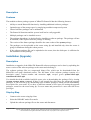
Description
General Information
Description
Major features
• Firewall and NAT - stateful packet filtering; Peer-to-Peer protocol filtering; source and
destination NAT; classification by source MAC, IP addresses, ports, protocols, protocol
options, interfaces, internal marks, content, matching frequency
• Routing - Static routing; Equal cost multi-path routing; Policy based routing (classification by
source and destination addresses and/or by firewall mark); RIP v1 / v2, OSPF v2, BGP v4
• Data Rate Management - per IP / protocol / subnet / port / firewall mark; HTB, PCQ, RED,
SFQ, byte limited queue, packet limited queue; hierarchical limitation, CIR, MIR, contention
ratios, dynamic client rate equalizing (PCQ)
• HotSpot - HotSpot Gateway with RADIUS authentication/accounting; data rate limitation;
traffic quota; real-time status information; walled-garden; customized HTML login pages; iPass
support; SSL secure authentication
• Point-to-Point tunneling protocols - PPTP, PPPoE and L2TP Access Concentrators and
clients; PAP, CHAP, MSCHAPv1 and MSCHAPv2 authentication protocols; RADIUS
authentication and accounting; MPPE encryption; compression for PPPoE; data rate limitation;
PPPoE dial on demand
• Simple tunnels - IPIP tunnels, EoIP (Ethernet over IP)
• IPsec - IP security AH and ESP protocols; Diffie-Hellman groups 1,2,5; MD5 and SHA1
hashing algorithms; DES, 3DES, AES-128, AES-192, AES-256 encryption algorithms; Perfect
Forwarding Secresy (PFS) groups 1,2,5
• Web proxy - FTP, HTTP and HTTPS caching proxy server; transparent HTTP caching proxy;
SOCKS protocol support; support for caching on a separate drive; access control lists; caching
lists; parent proxy support
• Caching DNS client - name resolving for local use; Dynamic DNS Client; local DNS cache
with static entries
• DHCP - DHCP server per interface; DHCP relay; DHCP client; multiple DHCP networks;
static and dynamic DHCP leases
• Universal Client - Transparent address translation not depending on the client's setup
• VRRP - VRRP protocol for high availability
Page 1 of 521
Copyright 1999-2005, MikroTik. All rights reserved. Mikrotik, RouterOS and RouterBOARD are trademarks of Mikrotikls SIA.
Other trademarks and registred trademarks mentioned herein are properties of their respective owners.
•
•
•
•
•
•
UPnP - Universal Plug-and-Play support
NTP - Network Time Protocol server and client; synchronization with GPS system
Monitoring/Accounting - IP traffic accounting, firewall actions logging
SNMP - read-only access
M3P - MikroTik Packet Packer Protocol for Wireless links and Ethernet
MNDP - MikroTik Neighbor Discovery Protocol; also supports Cisco Discovery Protocol
(CDP)
• Tools - ping; traceroute; bandwidth test; ping flood; telnet; SSH; packet sniffer
TCP/IP protocol suite:
• Wireless - IEEE802.11a/b/g wireless client and Access Point; Wireless Distribution System
(WDS) support; virtual AP; 40 and 104 bit WEP; access control list; authentication on RADIUS
server; roaming (for wireless client); Access Point bridging
• Bridge - spanning tree protocol; multiple bridge interfaces; bridge firewalling
• VLAN - IEEE802.1q Virtual LAN support on Ethernet and WLAN links; multiple VLANs;
VLAN bridging
• Synchronous - V.35, V.24, E1/T1, X.21, DS3 (T3) media types; sync-PPP, Cisco HDLC,
Frame Relay line protocols; ANSI-617d (ANDI or annex D) and Q933a (CCITT or annex A)
Frame Relay LMI types
• Asynchronous - serial PPP dial-in / dial-out; PAP, CHAP, MSCHAPv1 and MSCHAPv2
authentication protocols; RADIUS authentication and accounting; onboard serial ports; modem
pool with up to 128 ports; dial on demand
• ISDN - ISDN dial-in / dial-out; PAP, CHAP, MSCHAPv1 and MSCHAPv2 authentication
protocols; RADIUS authentication and accounting; 128K bundle support; Cisco HDLC, x75i,
x75ui, x75bui line protocols; dial on demand
• SDSL - Single-line DSL support; line termination and network termination modes
Layer 2 connectivity
Hardware requirements
• CPU and motherboard - advanced 4th generation (core frequency 100MHz or more), 5th
generation (Intel Pentium, Cyrix 6X86, AMD K5 or comparable) or newer uniprocessor Intel
IA-32 (i386) compatible (multiple processors are not supported)
• RAM - minimum 48 MB, maximum 1 GB; 64 MB or more recommended
• Hard Drive/Flash - standard ATA interface controller and drive (SCSI and USB controllers
and drives are not supported; RAID controllers that require additional drivers are not supported)
with minimum of 64 MB space
Hardware needed for installation time only
• Floppy-based installation - standard AT floppy controller and 3.5'' disk drive connected as the
first floppy disk drive (A); AT, PS/2 or USB keyboard; VGA-compatible video controller card
and monitor
• CD-based installation - standard ATA/ATAPI interface controller and CD drive supporting
Page 2 of 521
Copyright 1999-2005, MikroTik. All rights reserved. Mikrotik, RouterOS and RouterBOARD are trademarks of Mikrotikls SIA.
Other trademarks and registred trademarks mentioned herein are properties of their respective owners.
"El Torito" bootable CDs (you might need also to check if the router's BIOS supports booting
from this type of media); AT, PS/2 or USB keyboard; VGA-compatible video controller card
and monitor
• Floppy-based network installation - standard AT floppy controller and 3.5'' disk drive
connected as the first floppy disk drive (A); PCI Ethernet network interface card supported by
MikroTik RouterOS (see the Device Driver List for the list)
• Full network-based installation - PCI Ethernet network interface card supported by MikroTik
RouterOS (see the Device Driver List for the list) with PXE or EtherBoot extension booting
ROM (you might need also to check if the router's BIOS supports booting from network)
Depending on installation method chosen the router must have the following hardware:
Configuration possibilities
RouterOS provides powerful command-line configuration interface. You can also manage the
router through WinBox - the easy-to-use remote configuration GUI for Windows -, which provides
all the benefits of the command-line interface, without the actual "command-line", which may scare
novice users. Major features:
•
Clean and consistent user interface
•
Runtime configuration and monitoring
•
Multiple connections
•
User policies
•
Action history, undo/redo actions
•
safe mode operation
•
Scripts can be scheduled for executing at certain times, periodically, or on events. All
command-line commands are supported in scripts
• Local terminal console - AT, PS/2 or USB keyboard and VGA-compatible video controller
card with monitor
• Serial console - First RS232 asynchronous serial port (usually, onboard port marked as
COM1), which is by default set to 9600bit/s, 8 data bits, 1 stop bit, no parity
When router is not configured, there are only two ways to configure it:
• Local teminal console - AT, PS/2 or USB keyboard and VGA-compatible video controller card
with monitor
• Serial console - any (you may choose any one; the first, also known as COM1, is used by
default) RS232 asynchronous serial port, which is by default set to 9600bit/s, 8 data bits, 1 stop
bit, no parity
• Telnet - telnet server is running on 23 TCP port by default
• SSH - SSH (secure shell) server is running on 22 TCP port by default (available only if security
package is installed)
• MAC Telnet - MikroTik MAC Telnet potocol server is by default enabled on all Ethernet-like
interfaces
• Winbox - Winbox is a RouterOS remote administration GUI for Windows, that use 3986 TCP
port (or 3987 if security package is installed)
Page 3 of 521
Copyright 1999-2005, MikroTik. All rights reserved. Mikrotik, RouterOS and RouterBOARD are trademarks of Mikrotikls SIA.
Other trademarks and registred trademarks mentioned herein are properties of their respective owners.
After the router is configured, it may be managed through the following interfaces:
Page 4 of 521
Copyright 1999-2005, MikroTik. All rights reserved. Mikrotik, RouterOS and RouterBOARD are trademarks of Mikrotikls SIA.
Other trademarks and registred trademarks mentioned herein are properties of their respective owners.
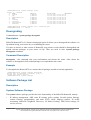
Device Driver List
Document revision 2.8 (Wed Oct 13 11:39:39 GMT 2004)
This document applies to MikroTik RouterOS V2.8
Table of Contents
Table of Contents
Summary
Ethernet
Specifications
Description
Notes
Wireless
Specifications
Description
Aironet Arlan
Specifications
Description
RadioLAN
Specifications
Description
Synchronous Serial
Specifications
Description
Asynchronous Serial
Specifications
Description
ISDN
Specifications
Description
VoIP
Specifications
Description
xDSL
Specifications
Description
HomePNA
Specifications
Description
LCD
Specifications
Description
PCMCIA Adapters
Specifications
Description
GPRS Cards
Specifications
Page 5 of 521
Copyright 1999-2005, MikroTik. All rights reserved. Mikrotik, RouterOS and RouterBOARD are trademarks of Mikrotikls SIA.
Other trademarks and registred trademarks mentioned herein are properties of their respective owners.
Description
General Information
Summary
The document lists the drivers, included in MikroTik RouterOS and the devices that are tested to
work with MikroTik RouterOS. If a device is not listed here, it does not mean the device is not
supported, it still may work. It just means that the device was not tested.
Ethernet
Packages required: system
Description
3Com 509 Series
Chipset type: 3Com 509 Series ISA 10Base
Compatibility:
•
3Com EtherLink III
3Com FastEtherLink
Chipset type: 3Com 3c590/3c900 (3Com FastEtherLink and FastEtherLink XL) PCI 10/100Base
Compatibility:
•
3c590 Vortex 10BaseT
•
3c592 chip
•
3c595 Vortex 100BaseTX
•
3c595 Vortex 100BaseT4
•
3c595 Vortex 100Base-MII
•
3c597 chip
•
3Com Vortex
•
3c900 Boomerang 10BaseT
•
3c900 Boomerang 10Mbit/s Combo
•
3c900 Cyclone 10Mbit/s Combo
•
3c900B-FL Cyclone 10Base-FL
•
3c905 Boomerang 100BaseTX
•
3c905 Boomerang 100BaseT4
•
3c905B Cyclone 100BaseTX
Page 6 of 521
Copyright 1999-2005, MikroTik. All rights reserved. Mikrotik, RouterOS and RouterBOARD are trademarks of Mikrotikls SIA.
Other trademarks and registred trademarks mentioned herein are properties of their respective owners.
•
3c905B Cyclone 10/100/BNC
•
3c905B-FX Cyclone 100BaseFX
•
3c905C Tornado
•
3c980 Cyclone
•
3cSOHO100-TX Hurricane
•
3CSOHO100B-TX
•
3c555 Laptop Hurricane
•
3c575 Boomerang CardBus
•
3CCFE575 Cyclone CardBus
•
3CCFE656 Cyclone CardBus
•
3c575 series CardBus
•
3Com Boomerang
ADMtek Pegasus
Chipset type: ADMtek Pegasus/Pegasus II USB 10/100BaseT
Compatibility:
•
Planet 10/100Base-TX USB Ethernet Adapter UE-9500
•
Linksys Instant EtherFast 10/100 USB Network Adapter USB100TX
AMD PCnet
Chipset type: AMD PCnet/PCnet II ISA/PCI 10BaseT
Compatibility:
•
AMD PCnet-ISA
•
AMD PCnet-ISA II
•
AMD PCnet-PCI II
•
AMD 79C960 based cards
AMD PCnet32
Chipset type: AMD PCnet32 PCI 10BaseT and 10/100BaseT
Compatibility:
•
AMD PCnet-PCI
•
AMD PCnet-32
•
AMD PCnet-Fast
Page 7 of 521
Copyright 1999-2005, MikroTik. All rights reserved. Mikrotik, RouterOS and RouterBOARD are trademarks of Mikrotikls SIA.
Other trademarks and registred trademarks mentioned herein are properties of their respective owners.
Broadcom Tigon3
Chipset type: Broadcom Tigon3 PCI 10/100/1000BaseT
Compatibility:
•
Broadcom Tigon3 570x
•
Broadcom Tigon3 5782
•
Broadcom Tigon3 5788
•
Broadcom Tigon3 5901
•
Broadcom Tigon3 5901-2
•
SysKonnect SK-9Dxx Gigabit Ethernet
•
SysKonnect SK-9Mxx Gigabit Ethernet
•
Altima AC100x
•
Altima AC9100
Davicom DM9102
Chipset type: Davicom DM9102 PCI 10/100Base
Compatibility:
•
Davicom DM9102
•
Davicom DM9102A
•
Davicom DM9102A+DM9801
•
Davicom DM9102A+DM9802
DEC 21x4x 'Tulip'
Chipset type: DEC 21x4x "Tulip" PCI 10/100Base
Compatibility:
•
Digital DC21040 Tulip
•
Digital DC21041 Tulip
•
Digital DS21140 Tulip
•
21140A chip
•
21142 chip
•
Digital DS21143 Tulip
•
D-Link DFE 570TX 4-port
•
Lite-On 82c168 PNIC
•
Macronix 98713 PMAC
Page 8 of 521
Copyright 1999-2005, MikroTik. All rights reserved. Mikrotik, RouterOS and RouterBOARD are trademarks of Mikrotikls SIA.
Other trademarks and registred trademarks mentioned herein are properties of their respective owners.
•
Macronix 98715 PMAC
•
Macronix 98725 PMAC
•
ASIX AX88140
•
Lite-On LC82C115 PNIC-II
•
ADMtek AN981 Comet
•
Compex RL100-TX
•
Intel 21145 Tulip
•
IMC QuikNic FX
•
Conexant LANfinity
Intel EtherExpressPro
Chipset type: Intel i82557 "Speedo3" (Intel EtherExpressPro) PCI 10/100Base
Compatibility:
•
Intel i82557/i82558/i82559ER/i82801BA-7 EtherExpressPro PCI cards
Intel PRO/1000
Chipset type: Intel i8254x (Intel PRO/1000) PCI 10/100/1000Base
Compatibility:
•
Intel PRO/1000 Gigabit Server Adapter (i82542, Board IDs: 700262-xxx, 717037-xxx)
•
Intel PRO/1000 F Server Adapter (i82543, Board IDs: 738640-xxx, A38888-xxx)
•
Intel PRO/1000 T Server Adapter (i82543, Board IDs: A19845-xxx, A33948-xxx)
•
Intel PRO/1000 XT Server Adapter (i82544, Board IDs: A51580-xxx)
•
Intel PRO/1000 XF Server Adapter (i82544, Board IDs: A50484-xxx)
•
Intel PRO/1000 T Desktop Adapter (i82544, Board IDs: A62947-xxx)
•
Intel PRO/1000 MT Desktop Adapter (i82540, Board IDs: A78408-xxx, C91016-xxx)
•
Intel PRO/1000 MT Server Adapter (i82545, Board IDs: A92165-xxx, C31527-xxx)
•
Intel PRO/1000 MT Dual Port Server Adapter (i82546, Board IDs: A92111-xxx, C29887-xxx)
•
Intel PRO/1000 MT Quad Port Server Adapter (i82546, Board IDs: C32199-xxx)
•
Intel PRO/1000 MF Server Adapter (i82545, Board IDs: A91622-xxx, C33915-xxx)
•
Intel PRO/1000 MF Server Adapter (LX) (i82545, Board IDs: A91624-xxx, C33916-xxx)
•
Intel PRO/1000 MF Dual Port Server Adapter (i82546, Board IDs: A91620-xxx, C30848-xxx)
Marvell Yukon
Chipset type: Marvell Yukon 88E80xx PCI 10/100/1000Base
Page 9 of 521
Copyright 1999-2005, MikroTik. All rights reserved. Mikrotik, RouterOS and RouterBOARD are trademarks of Mikrotikls SIA.
Other trademarks and registred trademarks mentioned herein are properties of their respective owners.
Compatibility:
•
3Com 3C940 Gigabit LOM Ethernet Adapter
•
3Com 3C941 Gigabit LOM Ethernet Adapter
•
Allied Telesyn AT-2970LX Gigabit Ethernet Adapter
•
Allied Telesyn AT-2970LX/2SC Gigabit Ethernet Adapter
•
Allied Telesyn AT-2970SX Gigabit Ethernet Adapter
•
Allied Telesyn AT-2970SX/2SC Gigabit Ethernet Adapter
•
Allied Telesyn AT-2970TX Gigabit Ethernet Adapter
•
Allied Telesyn AT-2970TX/2TX Gigabit Ethernet Adapter
•
Allied Telesyn AT-2971SX Gigabit Ethernet Adapter
•
Allied Telesyn AT-2971T Gigabit Ethernet Adapter
•
DGE-530T Gigabit Ethernet Adapter
•
EG1032 v2 Instant Gigabit Network Adapter
•
EG1064 v2 Instant Gigabit Network Adapter
•
Marvell 88E8001 Gigabit LOM Ethernet Adapter
•
Marvell RDK-80xx Adapter
•
Marvell Yukon Gigabit Ethernet 10/100/1000Base-T Adapter
•
N-Way PCI-Bus Giga-Card 1000/100/10Mbps(L)
•
SK-9521 10/100/1000Base-T Adapter
•
SK-98xx Gigabit Ethernet Server Adapter
•
SMC EZ Card 1000
•
Marvell Yukon 88E8010 based
•
Marvell Yukon 88E8003 based
•
Marvell Yukon 88E8001 based
National Semiconductor DP83810
Chipset type: National Semiconductor DP83810 PCI 10/100BaseT
Compatibility:
•
RouterBoard 200 built-in Ethernet
•
RouterBoard 24 4-port Ethernet
•
NS DP8381x-based cards
National Semiconductor DP83820
Chipset type: National Semiconductor DP83820 PCI 10/100/1000BaseT
Page 10 of 521
Copyright 1999-2005, MikroTik. All rights reserved. Mikrotik, RouterOS and RouterBOARD are trademarks of Mikrotikls SIA.
Other trademarks and registred trademarks mentioned herein are properties of their respective owners.
Compatibility:
•
Planet ENW-9601T
•
NS DP8382x-based cards
NE2000 ISA
Chipset type: NE2000 ISA 10Base
Compatibility:
•
various ISA cards
NE2000 PCI
Chipset type: NE2000 PCI 10Base
Compatibility:
•
RealTek RTL-8029
•
Winbond 89C940 and 89C940F
•
Compex RL2000
•
KTI ET32P2
•
NetVin NV5000SC
•
Via 86C926
•
SureCom NE34
•
Holtek HT80232
•
Holtek HT80229
•
IMC EtherNic/PCI FO
NS8390
Chipset type: NS8390 PCMCIA/CardBus 10Base
Compatibility:
•
D-Link DE-660 Ethernet
•
NE-2000 Compatible PCMCIA Ethernet
•
NS8390-based PCMCIA cards
RealTek RTL8129
Chipset type: RealTek RTL8129 PCI 10/100Base
Compatibility:
Page 11 of 521
Copyright 1999-2005, MikroTik. All rights reserved. Mikrotik, RouterOS and RouterBOARD are trademarks of Mikrotikls SIA.
Other trademarks and registred trademarks mentioned herein are properties of their respective owners.
•
RealTek RTL8129 Fast Ethernet
•
RealTek RTL8139 Fast Ethernet
•
RTL8139A/B/C chip
•
RTL8130 chip
•
SMC1211TX EZCard 10/100 (RealTek RTL8139)
•
Accton MPX5030 (RealTek RTL8139)
•
D-Link DFE 538TX
RealTek RTL8169
Chipset type: RealTek RTL8169 PCI 10/100/1000Base
Compatibility:
•
RealTek RTL8169 Gigabit Ethernet (not recommended: may lock up the router)
Sundance ST201 'Alta'
Chipset type: Sundance ST201 "Alta" PCI 10/100Base
Compatibility:
•
D-Link DFE-550TX Fast Ethernet Adapter
•
D-Link DFE-550FX 100Mbps Fiber-optics Adapter
•
D-Link DFE-580TX 4-port Server Adapter (not recommended: may lock up the system)
•
D-Link DFE-530TXS Fast Ethernet Adapter
•
D-Link DL10050-based FAST Ethernet Adapter
•
Sundance ST201 "Alta" chip
•
Kendin KS8723 chip
TI ThunderLAN
Chipset type: TI ThunderLAN PCI 10/100Base
Compatibility:
•
Compaq Netelligent 10 T
•
Compaq Netelligent 10 T/2
•
Compaq Netelligent 10/100 TX
•
Compaq NetFlex-3/P
•
Olicom OC-2183
•
Olicom OC-2185
•
Olicom OC-2325
Page 12 of 521
Copyright 1999-2005, MikroTik. All rights reserved. Mikrotik, RouterOS and RouterBOARD are trademarks of Mikrotikls SIA.
Other trademarks and registred trademarks mentioned herein are properties of their respective owners.
•
Olicom OC-2326
VIA vt612x 'Velocity'
Chipset type: VIA vt612x "Velocity" PCI 10/100/1000Base
Compatibility:
•
VIA VT6120
•
VIA VT6121
•
VIA VT6122
VIA vt86c100 'Rhine'
Chipset type: VIA vt86c100 "Rhine" PCI 10/100Base
Compatibility:
•
VIA Rhine (vt3043)
•
VIA Rhine II (vt3065 AKA vt86c100)
•
VIA VT86C100A Rhine
•
VIA VT6102 Rhine-II
•
VIA VT6105 Rhine-III
•
VIA VT6105M Rhine-III
•
RouterBOARD 44 4-port Fast Ethernet card
•
D-Link DFE 530TX
Winbond w89c840
Chipset type: Winbond w89c840 PCI 10/100Base
Compatibility:
•
Winbond W89c840
•
Compex RL100-ATX
Notes
For ISA cards load the driver by specifying the I/O base address. IRQ is not required.
Wireless
Packages required: wireless
Description
Page 13 of 521
Copyright 1999-2005, MikroTik. All rights reserved. Mikrotik, RouterOS and RouterBOARD are trademarks of Mikrotikls SIA.
Other trademarks and registred trademarks mentioned herein are properties of their respective owners.
Atheros
Chipset type: Atheros AR5001X PC/PCI 11/54Mbit/s IEEE802.11a/b/g
Compatibility:
•
Intel 5000 series
•
Dlink DWL-A520
•
Dlink DWL-G650
•
Atheros AR5000 chipset series based IEEE802.11a (AR5210 MAC plus AR5110 PHY chips)
cards
•
Atheros AR5001A chipset series based IEEE802.11a (AR5211 MAC plus AR5111 PHY
chips) cards
•
Atheros AR5001X chipset series based IEEE802.11a (AR5211 MAC plus AR5111 PHY
chips), IEEE802.11b/g (AR5211 MAC plus AR2111 PHY chips), IEEE802.11a/b/g (AR5211
MAC plus AR5111 and 2111 PHY chips) cards
•
Atheros AR5001X+ chipset series based IEEE802.11a (AR5212 MAC plus AR5111 PHY
chips), IEEE802.11b/g (AR5212 MAC plus AR2111 PHY chips), IEEE802.11a/b/g (AR5212
MAC plus AR5111 and 2111 PHY chips) cards
•
Atheros AR5002X+ chipset series based IEEE802.11b/g (AR5212 MAC plus AR2112 PHY
chips), IEEE802.11a/b/g (AR5212 MAC plus AR5112 PHY chips) cards
•
Atheros AR5004X+ chipset series based IEEE802.11b/g (AR5213 MAC plus AR2112 PHY
chips), IEEE802.11a/b/g (AR5213 MAC plus AR5112 PHY chips) cards
Cisco/Aironet
Chipset type: Cisco/Aironet ISA/PCI/PC 11Mbit/s IEEE802.11b
Compatibility:
•
Aironet ISA/PCI/PC4800 2.4GHz DS 11Mbit/s Wireless LAN Adapters (100mW)
•
Aironet ISA/PCI/PC4500 2.4GHz DS 2Mbit/s Wireless LAN Adapters (100mW)
•
CISCO AIR-PCI340 2.4GHz DS 11Mbit/s Wireless LAN Adapters (30mW)
•
CISCO AIR-PCI/PC350/352 2.4GHz DS 11Mbit/s Wireless LAN Adapters (100mW)
Intersil Prism II
Chipset type: Intersil Prism II PC/PCI 11Mbit/s IEEE802.11b
Compatibility:
•
Intersil PRISM2 Reference Design 11Mbit/s IEEE802.11b WLAN Card
•
GemTek WL-211 Wireless LAN PC Card
•
Compaq iPaq HNW-100 11Mbit/s 802.11b WLAN Card
Page 14 of 521
Copyright 1999-2005, MikroTik. All rights reserved. Mikrotik, RouterOS and RouterBOARD are trademarks of Mikrotikls SIA.
Other trademarks and registred trademarks mentioned herein are properties of their respective owners.
•
Samsung SWL2000-N 11Mbit/s 802.11b WLAN Card
•
Z-Com XI300 11Mbit/s 802.11b WLAN Card
•
ZoomAir 4100 11Mbit/s 802.11b WLAN Card
•
Linksys WPC11 11Mbit/s 802.11b WLAN Card
•
Addtron AWP-100 11Mbit/s 802.11b WLAN Card
•
D-Link DWL-650 11Mbit/s 802.11b WLAN Card
•
SMC 2632W 11Mbit/s 802.11b WLAN Card
•
BroMax Freeport 11Mbit/s 802.11b WLAN Card
•
Intersil PRISM2 Reference Design 11Mbit/s WLAN Card
•
Bromax OEM 11Mbit/s 802.11b WLAN Card (Prism 2.5)
•
corega K.K. Wireless LAN PCC-11
•
corega K.K. Wireless LAN PCCA-11
•
CONTEC FLEXSCAN/FX-DDS110-PCC
•
PLANEX GeoWave/GW-NS110
•
Ambicom WL1100 11Mbit/s 802.11b WLAN Card
•
LeArtery SYNCBYAIR 11Mbit/s 802.11b WLAN Card
•
Intermec MobileLAN 11Mbit/s 802.11b WLAN Card
•
NETGEAR MA401 11Mbit/s 802.11 WLAN Card
•
Intersil PRISM Freedom 11Mbit/s 802.11 WLAN Card
•
OTC Wireless AirEZY 2411-PCC 11Mbit/s 802.11 WLAN Card
•
Z-Com XI-325HP PCMCIA 200mW Card
•
Z-Com XI-626 Wireless PCI Card
Note If planned to use WEP with Prism cards see link for more information: Wireless Security
WaveLAN/ORiNOCO
Chipset type: Lucent/Agere/Proxim WaveLAN/ORiNOCO ISA/PC 11Mbit/s IEEE802.11b
Compatibility:
•
WaveLAN Bronze/Gold/Silver ISA/PCMCIA
Aironet Arlan
Packages required: arlan
Description
This is driver for legacy Aironet Arlan cards, not for newer Cisco/Aironet cards.
Page 15 of 521
Copyright 1999-2005, MikroTik. All rights reserved. Mikrotik, RouterOS and RouterBOARD are trademarks of Mikrotikls SIA.
Other trademarks and registred trademarks mentioned herein are properties of their respective owners.
Chipset type: Aironet Arlan IC2200 ISA 2Mbit/s IEEE802.11b
Compatibility:
•
Aironet Arlan 655
RadioLAN
Packages required: radiolan
Description
This is driver for legacy RadioLAN cards.
Chipset type: RadioLAN ISA/PC 10Mbit/s 5.8GHz
Compatibility:
•
RadioLAN ISA card (Model 101)
•
RadioLAN PCMCIA card
Synchronous Serial
Packages required: synchronous
Description
•
Moxa C101 ISA and PCI V.35 (4 Mbit/s)
•
Moxa C502 PCI 2-port V.35 (8 Mbit/s)
•
Cyclades PCI PC-300 V.35 (5 Mbit/s)
•
Cyclades PCI PC-300 E1/T1
•
FarSync PCI V.35/X.21 (8.448 Mbit/s)
•
LMC/SBEI wanPCI-1T1E1 PCI T1/E1 (also known as DS1 or LMC1200P, 1.544 Mbit/s or
2.048 Mbit/s)
•
LMC/SBEI wanPCI-1T3 PCI T3 (also known as DS3, 44.736Mbit/s)
•
Sangoma S5141 (dual-port) and S5142 (quad-port) PCI RS232/V.35/X.21 (4Mbit/s - primary
port and 512Kbit/s - secondary ones)
•
Sangoma S5148 (single-port) and S5147 (dual-port) PCI E1/T1
Asynchronous Serial
Packages required: system
Description
•
Standard Communication Ports Com1 and Com2
Page 16 of 521
Copyright 1999-2005, MikroTik. All rights reserved. Mikrotik, RouterOS and RouterBOARD are trademarks of Mikrotikls SIA.
Other trademarks and registred trademarks mentioned herein are properties of their respective owners.
•
Moxa Smartio C104H/PCI, CP-114, CT-114, CP-132, C168H, CP-168H, and CP-168U PCI
2/4/8 port up to 4 cards (up to 32 ports)
•
Cyclades Cyclom-Y and Cyclades-Z Series PCI cards up to 64 ports per card, up to 4 cards (up
to 256 ports)
•
TCL DataBooster 4 or 8 PCI 4/8 port cards
•
Sangoma S514/56 PCI 56 or 64Kbit/s DDS DSU with secondary 128Kbit/s RS232 port (Note:
this card is not for modem pools or serial terminals)
ISDN
Packages required: isdn
Description
PCI ISDN cards:
•
Eicon.Diehl Diva PCI
•
Sedlbauer Speed Card PCI
•
ELSA Quickstep 1000PCI
•
Traverse Technologie NETjet PCI S0 card
•
Teles PCI
•
Dr. Neuhaus Niccy PCI
•
AVM Fritz PCI
•
Gazel PCI ISDN cards
•
HFC-2BS0 based PCI cards (TeleInt SA1)
•
Winbond W6692 based PCI cards
VoIP
Packages required: telephony
Description
H.323 Protocol VoIP Analog Gateways
•
QuickNet LineJack ISA
•
QuickNet PhoneJack ISA
•
Voicetronix V4PCI - 4 analog telephone lines cards
•
Zaptel X.100P IP telephony card (1 analog line)
xDSL
Packages required: synchronous
Page 17 of 521
Copyright 1999-2005, MikroTik. All rights reserved. Mikrotik, RouterOS and RouterBOARD are trademarks of Mikrotikls SIA.
Other trademarks and registred trademarks mentioned herein are properties of their respective owners.
Description
Xpeed 300 SDSL cards (up to 6.7km twisted pair wire connection, max 2.3Mbit/s)
HomePNA
Packages required: system
Description
Linksys HomeLink PhoneLine Network Card (up to 10Mbit/s home network over telephone line)
LCD
Packages required: lcd
Description
•
Crystalfontz Intelligent Serial LCD Module 632 (16x2 characters)
•
Powertip Character LCD Module PC2404 (24x4 characters)
PCMCIA Adapters
Packages required: system
Description
•
Vadem VG-469 PCMCIA-ISA adapter (one or two PCMCIA ports)
•
RICOH PCMCIA-PCI Bridge with R5C475 II or RC476 II chip (one or two PCMCIA ports)
•
CISCO/Aironet PCMCIA adapter (ISA and PCI versions) for CISCO/Aironet PCMCIA cards
only
GPRS Cards
Packages required: wireless
Description
•
MikroTik-supplied GPRS card
For more information, see interface list .
Page 18 of 521
Copyright 1999-2005, MikroTik. All rights reserved. Mikrotik, RouterOS and RouterBOARD are trademarks of Mikrotikls SIA.
Other trademarks and registred trademarks mentioned herein are properties of their respective owners.
License Management
Document revision 3 (Tue Jul 13 13:04:07 GMT 2004)
This document applies to MikroTik RouterOS V2.8
Table of Contents
Table of Contents
General Information
Summary
Specifications
Description
License Management
Description
Property Description
Command Description
General Information
Summary
MikroTik RouterOS software has a licensing system with Software License (Software Key) issued
for each individual installation of the RouterOS. RouterOS version 2.8 introduces a new licensing
scheme with different key system. You should upgrade your key when updating to 2.8 version from
2.5, 2.6 or 2.7 versions.
Specifications
Packages required: system
License required: level1
Home menu level: /system license
Hardware usage: Not significant
Description
The Software License can be obtained through the Account Server at www.mikrotik.com after the
MikroTik RouterOS has been installed. The Software ID of the installation is required when
obtaining the Software License. Please read the MikroTik RouterOS Basic Setup Guide for detailed
explanation of the installation and licensing process.
RouterOS allows you to use all its features without registration for about 24 hours from the first
run. Note that if you shut the router down, the countdown is paused, and it is resumed only when
the router is started again. During this period you must get a key, otherwise you will need to
reinstall the system. A purchased license key allows you to use RouterOS features according to the
chosen license level for unlimited time, and gives you rights to freely upgrade and downgrade its
versions for the term of one year since the key was purchased. A free registred license key (referred
as a SOHO key further on) allows you to use a restricted set of functions for unlimited period of
time, but does not allows upgrading and downgrading versions.
Page 19 of 521
Copyright 1999-2005, MikroTik. All rights reserved. Mikrotik, RouterOS and RouterBOARD are trademarks of Mikrotikls SIA.
Other trademarks and registred trademarks mentioned herein are properties of their respective owners.
There are 6 licensing levels, each providing some additional features. Level 0 means that there is no
key and all the features are enabled for one day. Level 2 is a transitional license level, that allows to
use all the features were allowed by your original license key for a previus version.
Level number
1 (SOHO)
3 (ISP)
4 (WISP)
5 (WISP AP) 6 (Controller)
Wireless
Client and
Bridge
-
-
yes
yes
yes
Wireless AP
-
-
-
yes
yes
Synchronous
interfaces
-
-
yes
yes
yes
EoIP tunnels
1
unlimited
unlimited
unlimited
unlimited
PPPoE
tunnels
1
200
200
500
unlimited
PPTP tunnels
1
200
200
unlimited
unlimited
L2TP tunnels
1
200
200
unlimited
unlimited
VLAN
interfaces
1
unlimited
unlimited
unlimited
unlimited
P2P firewall
rules
1
unlimited
unlimited
unlimited
unlimited
NAT rules
1
unlimited
unlimited
unlimited
unlimited
HotSpot
active users
1
1
200
500
unlimited
RADIUS
client
-
yes
yes
yes
yes
Queues
1
unlimited
unlimited
unlimited
unlimited
Web proxy
-
yes
yes
yes
yes
RIP, OSPF,
BGP
protocols
-
yes
yes
yes
yes
Upgrade
configuration
erased on
upgrade
yes
yes
yes
yes
Note that Wireless Client and Bridge means that wireless cards can be used in station and bridge
modes. Bridge mode allows one wireless station to connect it.
When upgrading to 2.8, you can update your existing key for version 2.5, 2.6 or 2.7 for free, if the
existing key upgrade term is not over, during the three-day demonstration period either manually on
our accounting server or with a console or WinBox command. This three-day term allows you to
use all the existing key features present in the previous version. There is also a possibility in 2.8
version to upgrade your key (i.e. to extend licensing term) from the console or WinBox.
Note that the license is kept on hard drive. You can move the hard drive to another system, but you
Page 20 of 521
Copyright 1999-2005, MikroTik. All rights reserved. Mikrotik, RouterOS and RouterBOARD are trademarks of Mikrotikls SIA.
Other trademarks and registred trademarks mentioned herein are properties of their respective owners.
can not move license on another hard drive. License transfer to another drive is a paid service
(unless your hard drive has crashed). Please contact [email protected] to arrange this. Also
note that you must not use MS-DOS format or fdisk utilities or you may loose the license.
Important: the abovementioned limits depict the limits enforced by the license. The actual number
of concurrent tunnels, rules, queues, users, etc. will vary depending the combination of features
used and the load they place on the MikroTik RouterOS.
License Management
Home menu level: /system license
Description
There are three methods of entering a key to the system console:
•
import a file that should be sent to you after you will require a key (you should upload this file
to the router's FTP server)
•
simply copy the received key as a text and paste (or type) in to the router's console (no matter
in which submenu)
These methods also apply to WinBox, with the difference that key importing and exporting is
happening through the Windows host PC itself. The options available:
•
•
•
•
•
Paste Key - get a new license from the Windows Clipboard
Import Key - get a new license from a file stored locally on the Windows PC
Export Key - save the existing license as a file on the Windows PC
Upgrade/Get New Key - the same as new-upgrade-key command in system console
Update Key - the same as update-key command in system console
Property Description
key ( read-only: text ) - software license key that unlocks the installation
level ( read-only: integer : 0 ..6 ) - license level of the installation
software-id ( read-only: text ) - ID number of the installation
upgradable-until ( read-only: text ) - the date until which the software version can be upgraded or
downgraded
Command Description
import - import a key file ( name ) - file name to use as a key
new-upgrade-key - request a new key ( IP address ) - key server's IP address ( text ) - username to
log into the key server ( text ) - password to log into the key server ( integer : 2 ..6 ) - license level
to request ( credit-card | credit-keys | credit-money | debit-keys | debit-money ) - Payment method to
use ( text ; default: "" ) - script to execute while the command is running ( time ; default: 1s ) - how
frequently to execute the given script - if specified, executes the sctipt once, and then terminates the
command - command's execution status
• Resolving www.mikrotik.com - resolving DNS name
Page 21 of 521
Copyright 1999-2005, MikroTik. All rights reserved. Mikrotik, RouterOS and RouterBOARD are trademarks of Mikrotikls SIA.
Other trademarks and registred trademarks mentioned herein are properties of their respective owners.
• Failed to resolve www.mikrotik.com, check your dns settings - check whether DNS client is
set up on the router, and that it is allowed to resolve a DNS name on the DNS server set
• Failed to connect, probably no IP address - self-explanatory
• Failed to connect, is your router public? - check whether the router has a default route and is
able to reack the key server
• Connecion failed - connection has timed out
• Bad response from server - try again
• ERROR: You don't have appropriate debit key! - no existing debit keys on your account
matches the requested one
• ERROR: You don't have enought debit money! - self-explanatory
• ERROR: Credit key limit exceeded! - self-explanatory
• ERROR: Your credit limit is exceeded! - self-explanatory
• ERROR: This payment method is not more allowed! Go to www.mikrotik.com, log on and
purchase key there or use other payment methods. - you can not use the selected payment
method from the router anymore due to system changes (for credit cards now)
• ERROR: You must enable this feature in account server (change user information
section)! - you should enable Allow to use my account in netinstall feature on the accout server
(in change user information section
• ERROR: Incorrect username or password! - self-explanatory
• ERROR: You are not allowed to use this service! - please contact [email protected] for
further assistance
• Key upgraded successfully - the upgrade procedure has been completed successfully
output - exports the current key to a key file
update-key - request a free update of your existing key to the version's 2.8 one (this can be done
during your existing key upgrade term) ( IP address ) - key server's IP address ( text ) - username to
log into the key server ( text ) - password to log into the key server ( text ; default: "" ) - script to
execute while the command is running ( time ; default: 1s ) - how frequently to execute the given
script - if specified, executes the sctipt once, and then terminates the command - command's
execution status
• Resolving www.mikrotik.com - resolving DNS name
• Failed to resolve www.mikrotik.com, check your dns settings - check whether DNS client is
set up on the router, and that it is allowed to resolve a DNS name on the DNS server set
• Failed to connect, probably no IP address - self-explanatory
• Failed to connect, is your router public? - check whether the router has a default route and is
able to reack the key server
• Connecion failed - connection has timed out
• Bad response from server - try again
• ERROR: You must enable this feature in account server (change user information
section)! - you should enable Allow to use my account in netinstall feature on the accout server
(in change user information section
• ERROR: Incorrect username or password! - self-explanatory
• ERROR: Someone has already converted this key! - the requested software ID has already
been converted to 2.8 version
Page 22 of 521
Copyright 1999-2005, MikroTik. All rights reserved. Mikrotik, RouterOS and RouterBOARD are trademarks of Mikrotikls SIA.
Other trademarks and registred trademarks mentioned herein are properties of their respective owners.
• ERROR: Key for specified software ID is expired. You can purchase new key at
www.mikrotik.com website! - you may not update an expired key to the version 2.8, you must
purchase a new one
• ERROR: You are not allowed to use this service! - please contact [email protected] for
further assistance
• Key upgraded successfully - the upgrade procedure has been completed successfully
Page 23 of 521
Copyright 1999-2005, MikroTik. All rights reserved. Mikrotik, RouterOS and RouterBOARD are trademarks of Mikrotikls SIA.
Other trademarks and registred trademarks mentioned herein are properties of their respective owners.
Basic Setup Guide
Document revision 3.6 (Thu Oct 07 11:34:10 GMT 2004)
This document applies to MikroTik RouterOS V2.8
Table of Contents
Table of Contents
Summary
Related Documents
Description
Setting up MikroTik RouterOS™
Description
Notes
Logging into the MikroTik Router
Description
Adding Software Packages
Description
Navigating The Terminal Console
Description
Notes
Basic Configuration Tasks
Description
Notes
Setup Command
Description
Configure IP address on router, using the Setup command
Basic Examples
Example
Viewing Routes
Adding Default Routes
Testing the Network Connectivity
Advanced Configuration Tasks
Description
Application Example with Masquerading
Example with Bandwidth Management
Example with NAT
General Information
Summary
MikroTik RouterOS™ is independent Linux-based Operating System for IA-32 routers and
thinrouters. It does not require any additional components and has no software prerequirements. It
is designed with easy-to-use yet powerful interface allowing network administrators to deploy
network structures and functions, that would require long education elsewhere simply by following
the Reference Manual (and even without it).
Page 24 of 521
Copyright 1999-2005, MikroTik. All rights reserved. Mikrotik, RouterOS and RouterBOARD are trademarks of Mikrotikls SIA.
Other trademarks and registred trademarks mentioned herein are properties of their respective owners.
Related Documents
•
Package Management
•
Device Driver List
•
License Management
•
Ping
•
Bandwidth Control
•
Firewall Filters
•
Winbox
Description
MikroTik RouterOS™ turns a standard PC computer into a powerful network router. Just add
standard network PC interfaces to expand the router capabilities. Remote control with easy
real-time Windows application (WinBox)
•
Advanced Quality of Service control with burst support
•
Stateful firewall with P2P protocol filtering, tunnels and IPsec
•
STP bridging with filtering capabilities
•
Super high speed 802.11a/b/g wireless with WEP
•
WDS and Virtual AP features
•
HotSpot for Plug-and-Play access
•
RIP, OSPF, BGP routing protocols
•
Gigabit Ethernet ready
•
V.35, X.21, T1/E1 synchronous support
•
async PPP with RADIUS AAA
•
IP Telephony
•
remote winbox GUI admin
•
telnet/ssh/serial console admin
•
real-time configuration and monitoring
•
and much more (please see the Specifications Sheet)
The Guide describes the basic steps of installing and configuring a dedicated PC router running
MikroTik RouterOS™.
Note: if you have purchased one of the MikroTik wireless kits , or simply as an alternative read this
guide too
Setting up MikroTik RouterOS™
Page 25 of 521
Copyright 1999-2005, MikroTik. All rights reserved. Mikrotik, RouterOS and RouterBOARD are trademarks of Mikrotikls SIA.
Other trademarks and registred trademarks mentioned herein are properties of their respective owners.
Description
Downloading and Installing the MikroTik RouterOS™
The download and installation process of the MikroTik RouterOS™ is described in the following
diagram:
1.
2.
3.
Download the basic installation archieve file.
Depending on the desired media to be used for installing the MikroTik RouterOS™ please
chose one of the following archive types for downloading:
• ISO image - of the installation CD, if you have a CD writer for creating CDs. The ISO image is
in the MTcdimage_v2-8-x_dd-mmm-yyyy_(build_z).zip archive file containing a bootable CD
image. The CD will be used for booting up the dedicated PC and installing the MikroTik
RouterOS™ on its hard-drive or flash-drive.
• Netinstall - if you want to install RouterOS over a LAN with one floppy boot disk, or
alternatively using PXE or EtherBoot option supported by some network interface cards, that
allows truly networked installation. Netinstall program works on Windows 95/98/NT4/2K/XP.
• MikroTik Disk Maker - if you want to create 3.5" installation floppies. The Disk Maker is a
self-extracting archive DiskMaker_v2-8-x_dd-mmm-yyyy_(build_z).exe file, which should be
run on your Windows 95/98/NT4/2K/XP workstation to create the installation floppies. The
installation floppies will be used for booting up the dedicated PC and installing the MikroTik
RouterOS™ on its hard-drive or flash-drive.
Create the installation media.
Use the appropriate installation archive to create the Installation CD or floppies.
•
For the CD, write the ISO image onto a blank CD.
•
For the floppies, run the Disk Maker on your Windows workstation to create the
installation floppies. Follow the instructions and insert the floppies in your FDD as
requested, label them as Disk 1,2,3, etc.
Install the MikroTik RouterOS™ software.
Your dedicated PC router hardware should have:
• CPU and motherboard - advanced 4th generation (core frequency 100MHz or more), 5th
generation (Intel Pentium, Cyrix 6X86, AMD K5 or comparable) or newer uniprocessor Intel
IA-32 (i386) compatible (multiple processors are not supported)
• RAM - minimum 64 MB, maximum 1 GB; 64 MB or more recommended
• Hard Drive/Flash - standard ATA interface controller and drive (SCSI and USB controllers
and drives are not supported; RAID controllers that require additional drivers are not supported)
with minimum of 64 MB space
Hardware needed for installation time only
Depending on installation method chosen the router must have the following hardware:
• Floppy-based installation - standard AT floppy controller and 3.5'' disk drive connected as the
first floppy disk drive (A); AT, PS/2 or USB keyboard; VGA-compatible video controller card
and monitor
• CD-based installation - standard ATA/ATAPI interface controller and CD drive supporting
"El Torito" bootable CDs (you might need also to check if the router's BIOS supports booting
Page 26 of 521
Copyright 1999-2005, MikroTik. All rights reserved. Mikrotik, RouterOS and RouterBOARD are trademarks of Mikrotikls SIA.
Other trademarks and registred trademarks mentioned herein are properties of their respective owners.
from this type of media); AT, PS/2 or USB keyboard; VGA-compatible video controller card
and monitor
• Floppy-based network installation - standard AT floppy controller and 3.5'' disk drive
connected as the first floppy disk drive (A); PCI Ethernet network interface card supported by
MikroTik RouterOS (see the Device Driver List for the list)
• Full network-based installation - PCI Ethernet network interface card supported by MikroTik
RouterOS (see the Device Driver List for the list) with PXE or EtherBoot extension booting
ROM (you might need also to check if the router's BIOS supports booting from network)
Note that if you use Netinstall, you can license the software during the installation procedure
(the next point of this section describes how to do it).
Boot up your dedicated PC router from the Installation Media you created and follow the
instructions on the console screen while the HDD is reformatted and MikroTik RouterOS
installed on it. After successful installation please remove the installation media from your CD
or floppy disk drive and hit 'Enter' to reboot the router.
4.
License the software.
When booted, the software allows you to use all its features for 24 hours. If the license key
will not be entered during this period of time, the router will become unusable, and will need a
complete reinstallation.
RouterOS licensing scheme is based on software IDs. To license the software, you must know
the software ID. It is shown during installation procedures, and also you can get it from system
console or Winbox. To get the software ID from system console, type: /system license print
(note that you must first log in the router; by default there is user admin with no password
(just press [Enter] key when prompted for password)). See sections below on basic
configuration of your router
Once you have the ID, you can obtain a license:
•
You shoud have an account on our account server. If you do not have an account at
www.mikrotik.com, just press the 'New' button on the upper right-hand corner of the
MikroTik's web page to create your account
•
Choose the appropriate licence level that meets your needs. Please see the License
Manual or the Software price list . Note that there is a free license with restricted
features (no time limitation)
•
There are different methods how to get a license from the accout server:
1.
Enter the software ID in the account server, and get the license key by e-mail. You
can upload the file received on the router's FTP server, or drag-and-drop it into
opened Winbox window
2.
You can open the file with a text editor, and copy the contents. Then paste the text
into system console (in any menu - you just should be logged in), or into
System->License window of Winbox
3.
If the router has Internet connection, you can obtain the license directly from
within it. The commands are described in the License Manual . Note that you must
have Allow to use my account in netinstall option enabled for your account. You
can set it by following change user information link on the main screen of the
account server.
Page 27 of 521
Copyright 1999-2005, MikroTik. All rights reserved. Mikrotik, RouterOS and RouterBOARD are trademarks of Mikrotikls SIA.
Other trademarks and registred trademarks mentioned herein are properties of their respective owners.
Notes
The hard disk will be entirely reformatted during the installation and all data on it will be lost!
You can move the hard drive with MikroTik RouterOS installed to a new hardware without loosing
a license, but you cannot move the RouterOS to a different hard drive without purchasing an
another license (except hardware failure situations). For additional information write to
[email protected] .
Note! Do not use MS-DOS format command or other disk format utilities to reinstall your
MikroTik router! This will cause the Software-ID to change, so you will need to buy another license
in order to get MikroTik RouterOS running.
Logging into the MikroTik Router
Description
When logging into the router via terminal console, you will be presented with the MikroTik
RouterOS™ login prompt. Use 'admin' and no password (hit 'Enter') for logging in the router for the
first time, for example:
MikroTik v2.8
Login: admin
Password:
The password can be changed with the /password command.
[admin@MikroTik] > password
old password:
new password: ************
retype new password: ************
[admin@MikroTik] >
Adding Software Packages
Description
The basic installation comes only with the system package. This includes basic IP routing and
router administration. To have additional features such as IP Telephony, OSPF, wireless and so on,
you will need to download additional software packages.
The additional software packages should have the same version as the system package. If not, the
package won't be installed. Please consult the MikroTik RouterOS™ Software Package Installation
and Upgrading Manual for more detailed information about installing additional software packages.
To upgrade the router packages, simply upload the packages to the router via ftp, using the binary
transfer mode. After you have uploaded the packages, reboot the router, and the features that are
provided by those packages will be available (regarding your license type, of course).
Navigating The Terminal Console
Page 28 of 521
Copyright 1999-2005, MikroTik. All rights reserved. Mikrotik, RouterOS and RouterBOARD are trademarks of Mikrotikls SIA.
Other trademarks and registred trademarks mentioned herein are properties of their respective owners.
Description
Welcome Screen and Command Prompt
After logging into the router you will be presented with the MikroTik RouterOS™ Welcome Screen
and command prompt, for example:
MMM
MMM
MMMM
MMMM
MMM MMMM MMM
MMM MM MMM
MMM
MMM
MMM
MMM
III
III
III
III
KKK
KKK
KKK KKK
KKKKK
KKK KKK
KKK KKK
RRRRRR
RRR RRR
RRRRRR
RRR RRR
MikroTik RouterOS 2.8 (c) 1999-2004
TTTTTTTTTTT
TTTTTTTTTTT
OOOOOO
TTT
OOO OOO
TTT
OOO OOO
TTT
OOOOOO
TTT
III
III
III
III
KKK
KKK
KKK KKK
KKKKK
KKK KKK
KKK KKK
http://www.mikrotik.com/
Terminal xterm detected, using multiline input mode
[admin@MikroTik] >
The command prompt shows the identity name of the router and the current menu level, for
example:
[admin@MikroTik] >
[admin@MikroTik] interface>
[admin@MikroTik] ip address>
Base menu level
Interface management
IP address manangement
Commands
The list of available commands at any menu level can be obtained by entering the question mark '?',
for example:
[admin@MikroTik] >
certificate
driver
file
import
interface
log
password
ping
port
quit
radius
redo
setup
snmp
special-login
undo
user
ip
queue
system
tool
export
Certificate management
Driver manageent
Local router file storage.
Run exported configuration script
Interface configuration
System logs
Change password
Send ICMP Echo packets
Serial ports
Quit console
Radius client settings
Redo previosly undone action
Do basic setup of system
SNMP settings
Special login users
Undo previous action
User management
IP options
Bandwidth management
System information and utilities
Diagnostics tools
Print or save an export script that can be used to restore
configuration
[admin@MikroTik] >
Page 29 of 521
Copyright 1999-2005, MikroTik. All rights reserved. Mikrotik, RouterOS and RouterBOARD are trademarks of Mikrotikls SIA.
Other trademarks and registred trademarks mentioned herein are properties of their respective owners.
[admin@MikroTik] ip>
accounting
address
arp
dns
firewall
neighbor
packing
pool
route
service
policy-routing
upnp
vrrp
socks
hotspot
ipsec
web-proxy
export
Traffic accounting
Address management
ARP entries management
DNS settings
Firewall management
Neighbors
Packet packing settings
IP address pools
Route management
IP services
Policy routing
Universal Plug and Play
Virtual Router Redundancy Protocol
SOCKS version 4 proxy
HotSpot management
IP security
HTTP proxy
Print or save an export script that can be used to restore
configuration
[admin@MikroTik] ip>
The list of available commands and menus has short descriptions next to the items. You can move
to the desired menu level by typing its name and hitting the [Enter] key, for example:
[admin@MikroTik] >
[admin@MikroTik] > driver
[admin@MikroTik] driver> /
[admin@MikroTik] > interface
[admin@MikroTik] interface> /ip
Base level menu
Enter 'driver' to move to the driver level
menu
Enter '/' to move to the base level menu
from any level
Enter 'interface' to move to the interface
level menu
Enter '/ip' to move to the IP level menu
from any level
[admin@MikroTik] ip>
A command or an argument does not need to be completed, if it is not ambiguous. For example,
instead of typing interface you can type just in or int. To complete a command use the [Tab] key.
The commands may be invoked from the menu level, where they are located, by typing its name. If
the command is in a different menu level than the current one, then the command should be invoked
using its full (absolute) or relative path, for example:
[admin@MikroTik] ip route> print
[admin@MikroTik] ip route> .. address print
[admin@MikroTik] ip route> /ip address print
Prints the routing table
Prints the IP address table
Prints the IP address table
The commands may have arguments. The arguments have their names and values. Some
commands, may have a required argument that has no name.
Summary on executing the commands and navigating the menus
Command
Action
command [Enter]
Executes the command
[?]
Shows the list of all available commands
command [?]
Displays help on the command and the list of
arguments
command argument [?]
Displays help on the command's argument
[Tab]
Completes the command/word. If the input is
Page 30 of 521
Copyright 1999-2005, MikroTik. All rights reserved. Mikrotik, RouterOS and RouterBOARD are trademarks of Mikrotikls SIA.
Other trademarks and registred trademarks mentioned herein are properties of their respective owners.
ambiguous, a second [Tab] gives possible
options
/
Moves up to the base level
/command
Executes the base level command
..
Moves up one level
""
Specifies an empty string
"word1 word2"
Specifies a string of 2 words that contain a
space
You can abbreviate names of levels, commands and arguments.
For the IP address configuration, instead of using the 'address' and 'netmask' arguments, in most
cases you can specify the address together with the number of true bits in the network mask, i.e.,
there is no need to specify the 'netmask' separately. Thus, the following two entries would be
equivalent:
/ip address add address 10.0.0.1/24 interface ether1
/ip address add address 10.0.0.1 netmask 255.255.255.0 interface ether1
Notes
You must specify the size of the network mask in the address argument, even if it is the 32-bit
subnet, i.e., use 10.0.0.1/32 for address=10.0.0.1 netmask=255.255.255.255
Basic Configuration Tasks
Description
Interface Management
Before configuring the IP addresses and routes please check the /interface menu to see the list of
available interfaces. If you have Plug-and-Play cards installed in the router, it is most likely that the
device drivers have been loaded for them automatically, and the relevant interfaces appear on the
/interface print list, for example:
[admin@MikroTik] interface> print
Flags: X - disabled, D - dynamic, R - running
#
NAME
TYPE
0 R ether1
ether
1 R ether2
ether
2 X wavelan1
wavelan
3 X prism1
wlan
[admin@MikroTik] interface>
RX-RATE
0
0
0
0
TX-RATE
0
0
0
0
MTU
1500
1500
1500
1500
The interfaces need to be enabled, if you want to use them for communications. Use the /interface
enable name command to enable the interface with a given name or number, for example:
[admin@MikroTik] interface> print
Flags: X - disabled, D - dynamic, R - running
#
NAME
TYPE
0 X ether1
ether
1 X ether2
ether
RX-RATE
0
0
TX-RATE
0
0
MTU
1500
1500
Page 31 of 521
Copyright 1999-2005, MikroTik. All rights reserved. Mikrotik, RouterOS and RouterBOARD are trademarks of Mikrotikls SIA.
Other trademarks and registred trademarks mentioned herein are properties of their respective owners.
[admin@MikroTik] interface> enable 0
[admin@MikroTik] interface> enable ether2
[admin@MikroTik] interface> print
Flags: X - disabled, D - dynamic, R - running
#
NAME
TYPE
0 R ether1
ether
1 R ether2
ether
[admin@MikroTik] interface>
RX-RATE
0
0
TX-RATE
0
0
MTU
1500
1500
The interface name can be changed to a more descriptive one by using /interface set command:
[admin@MikroTik] interface> set 0 name=Local; set 1 name=Public
[admin@MikroTik] interface> print
Flags: X - disabled, D - dynamic, R - running
#
NAME
TYPE
RX-RATE
TX-RATE
0 R Local
ether
0
0
1 R Public
ether
0
0
[admin@MikroTik] interface>
MTU
1500
1500
Notes
The device drivers for NE2000 compatible ISA cards need to be loaded using the add command
under the /drivers menu. For example, to load the driver for a card with IO address 0x280 and IRQ
5, it is enough to issue the command:
[admin@MikroTik] driver> add name=ne2k-isa io=0x280
[admin@MikroTik] driver> print
Flags: I - invalid, D - dynamic
#
DRIVER
IRQ IO
0 D RealTek 8139
1 D Intel EtherExpressPro
2 D PCI NE2000
3
ISA NE2000
280
4
Moxa C101 Synchronous
[admin@MikroTik] driver>
MEMORY
ISDN-PROTOCOL
C8000
There are some other drivers that should be added manually. Please refer to the respective manual
sections for the detailed information on how drivers are to be loaded.
Setup Command
Command name: /setup
Description
The initial setup of the router can be done by using the /setup command which offers the following
configuration:
•
reset all router configuration
•
load interface driver
•
configure ip address and gateway
•
setup dhcp client
•
setup dhcp server
•
setup pppoe client
•
setup pptp client
Page 32 of 521
Copyright 1999-2005, MikroTik. All rights reserved. Mikrotik, RouterOS and RouterBOARD are trademarks of Mikrotikls SIA.
Other trademarks and registred trademarks mentioned herein are properties of their respective owners.
Configure IP address on router, using the Setup command
Execute the /setup command from command line:
[admin@MikroTik] > setup
Setup uses Safe Mode. It means that all changes that are made during setup
are reverted in case of error, or if Ctrl-C is used to abort setup. To keep
changes exit setup using the 'x' key.
[Safe Mode taken]
Choose options by pressing one of the letters in the left column, before
dash. Pressing 'x' will exit current menu, pressing Enter key will select the
entry that is marked by an '*'. You can abort setup at any time by pressing
Ctrl-C.
Entries marked by '+' are already configured.
Entries marked by '-' cannot be used yet.
Entries marked by 'X' cannot be used without installing additional packages.
r - reset all router configuration
+ l - load interface driver
* a - configure ip address and gateway
d - setup dhcp client
s - setup dhcp server
p - setup pppoe client
t - setup pptp client
x - exit menu
your choice [press Enter to configure ip address and gateway]: a
To configure IP address and gateway, press a or [Enter], if the a choice is marked with an asterisk
symbol ('*').
* a - add ip address
- g - setup default gateway
x - exit menu
your choice [press Enter to add ip address]: a
Choose a to add an IP address. At first, setup will ask you for an interface to which the address will
be assigned. If the setup offers you an undesirable interface, erase this choice, and press the [Tab]
key twice to see all available interfaces. After the interface is chosen, assign IP address and network
mask on it:
your choice: a
enable interface:
ether1 ether2 wlan1
enable interface: ether1
ip address/netmask: 10.1.0.66/24
#Enabling interface
/interface enable ether1
#Adding IP address
/ip address add address=10.1.0.66/24 interface=ether1 comment="added by setup"
+ a - add ip address
* g - setup default gateway
x - exit menu
your choice: x
Basic Examples
Example
Assume you need to configure the MikroTik router for the following network setup:
In the current example we use two networks:
Page 33 of 521
Copyright 1999-2005, MikroTik. All rights reserved. Mikrotik, RouterOS and RouterBOARD are trademarks of Mikrotikls SIA.
Other trademarks and registred trademarks mentioned herein are properties of their respective owners.
•
The local LAN with network address 192.168.0.0 and 24-bit netmask: 255.255.255.0. The
router's address is 192.168.0.254 in this network
•
The ISP's network with address 10.0.0.0 and 24-bit netmask 255.255.255.0. The router's
address is 10.0.0.217 in this network
The addresses can be added and viewed using the following commands:
[admin@MikroTik] ip address> add address 10.0.0.217/24 interface Public
[admin@MikroTik] ip address> add address 192.168.0.254/24 interface Local
[admin@MikroTik] ip address> print
Flags: X - disabled, I - invalid, D - dynamic
#
ADDRESS
NETWORK
BROADCAST
INTERFACE
0
10.0.0.217/24
10.0.0.217
10.0.0.255
Public
1
192.168.0.254/24
192.168.0.0
192.168.0.255
Local
[admin@MikroTik] ip address>
Here, the network mask has been specified in the value of the address argument. Alternatively, the
argument 'netmask' could have been used with the value '255.255.255.0'. The network and
broadcast addresses were not specified in the input since they could be calculated automatically.
Please note that the addresses assigned to different interfaces of the router should belong to
different networks.
Viewing Routes
You can see two dynamic (D) and connected (C) routes, which have been added automatically
when the addresses were added in the example above:
[admin@MikroTik] ip route> print
Flags: X - disabled, I - invalid, D - dynamic, J - rejected,
C - connect, S - static, R - rip, O - ospf, B - bgp
#
DST-ADDRESS
G GATEWAY
DISTANCE INTERFACE
0 DC 192.168.0.0/24
r 0.0.0.0
0
Local
1 DC 10.0.0.0/24
r 0.0.0.0
0
Public
[admin@MikroTik] ip route> print detail
Flags: X - disabled, I - invalid, D - dynamic, J - rejected,
C - connect, S - static, R - rip, O - ospf, B - bgp
0 DC dst-address=192.168.0.0/24 preferred-source=192.168.0.254
gateway=0.0.0.0 gateway-state=reachable distance=0 interface=Local
1 DC dst-address=10.0.0.0/24 preferred-source=10.0.0.217 gateway=0.0.0.0
gateway-state=reachable distance=0 interface=Public
[admin@MikroTik] ip route>
These routes show, that IP packets with destination to 10.0.0.0/24 would be sent through the
interface Public, whereas IP packets with destination to 192.168.0.0/24 would be sent through the
interface Local. However, you need to specify where the router should forward packets, which have
destination other than networks connected directly to the router.
Adding Default Routes
In the following example the default route (destination 0.0.0.0 (any), netmask 0.0.0.0 (any)) will
be added. In this case it is the ISP's gateway 10.0.0.1, which can be reached through the interface
Public
[admin@MikroTik] ip route> add gateway=10.0.0.1
[admin@MikroTik] ip route> print
Flags: X - disabled, I - invalid, D - dynamic, J - rejected,
C - connect, S - static, R - rip, O - ospf, B - bgp
Page 34 of 521
Copyright 1999-2005, MikroTik. All rights reserved. Mikrotik, RouterOS and RouterBOARD are trademarks of Mikrotikls SIA.
Other trademarks and registred trademarks mentioned herein are properties of their respective owners.
#
DST-ADDRESS
0 S 0.0.0.0/0
1 DC 192.168.0.0/24
2 DC 10.0.0.0/24
[admin@MikroTik] ip route>
G
r
r
r
GATEWAY
10.0.0.1
0.0.0.0
0.0.0.0
DISTANCE
1
0
0
INTERFACE
Public
Local
Public
Here, the default route is listed under #0. As we see, the gateway 10.0.0.1 can be reached through
the interface 'Public'. If the gateway was specified incorrectly, the value for the argument 'interface'
would be unknown.
Notes
You cannot add two routes to the same destination, i.e., destination-address/netmask! It applies to
the default routes as well. Instead, you can enter multiple gateways for one destination. For more
information on IP routes, please read the Routes, Equal Cost Multipath Routing, Policy Routing
manual.
If you have added an unwanted static route accidentally, use the remove command to delete the
unneeded one. You will not be able to delete dynamic (DC) routes. They are added automatically
and represent routes to the networks the router connected directly.
Testing the Network Connectivity
From now on, the /ping command can be used to test the network connectivity on both interfaces.
You can reach any host on both connected networks from the router.
How the /ping command works:
[admin@MikroTik] ip route> /ping 10.0.0.4
10.0.0.4 64 byte ping: ttl=255 time=7 ms
10.0.0.4 64 byte ping: ttl=255 time=5 ms
10.0.0.4 64 byte ping: ttl=255 time=5 ms
3 packets transmitted, 3 packets received, 0% packet loss
round-trip min/avg/max = 5/5.6/7 ms
[admin@MikroTik] ip route>
[admin@MikroTik] ip route> /ping 192.168.0.1
192.168.0.1 64 byte ping: ttl=255 time=1 ms
192.168.0.1 64 byte ping: ttl=255 time=1 ms
192.168.0.1 64 byte ping: ttl=255 time=1 ms
3 packets transmitted, 3 packets received, 0% packet loss
round-trip min/avg/max = 1/1.0/1 ms
[admin@MikroTik] ip route>
The workstation and the laptop can reach (ping) the router at its local address 192.168.0.254, If the
router's address 192.168.0.254 is specified as the default gateway in the TCP/IP configuration of
both the workstation and the laptop, then you should be able to ping the router:
C:\>ping 192.168.0.254
Reply from 192.168.0.254: bytes=32 time=10ms TTL=253
Reply from 192.168.0.254: bytes=32 time<10ms TTL=253
Reply from 192.168.0.254: bytes=32 time<10ms TTL=253
C:\>ping 10.0.0.217
Reply from 10.0.0.217: bytes=32 time=10ms TTL=253
Reply from 10.0.0.217: bytes=32 time<10ms TTL=253
Reply from 10.0.0.217: bytes=32 time<10ms TTL=253
C:\>ping 10.0.0.4
Request timed out.
Request timed out.
Request timed out.
Notes
Page 35 of 521
Copyright 1999-2005, MikroTik. All rights reserved. Mikrotik, RouterOS and RouterBOARD are trademarks of Mikrotikls SIA.
Other trademarks and registred trademarks mentioned herein are properties of their respective owners.
You cannot access anything beyond the router (network 10.0.0.0/24 and the Internet), unless you do
the one of the following:
•
Use source network address translation (masquerading) on the MikroTik router to 'hide' your
private LAN 192.168.0.0/24 (see the information below), or
•
Add a static route on the ISP's gateway 10.0.0.1, which specifies the host 10.0.0.217 as the
gateway to network 192.168.0.0/24. Then all hosts on the ISP's network, including the server,
will be able to communicate with the hosts on the LAN
To set up routing, it is required that you have some knowledge of configuring TCP/IP networks.
There is a comprehensive list of IP resources compiled by Uri Raz at
http://www.private.org.il/tcpip_rl.html . We strongly recommend that you obtain more knowledge,
if you have difficulties configuring your network setups.
Advanced Configuration Tasks
Description
Next will be discussed situation with 'hiding' the private LAN 192.168.0.0/24 'behind' one address
10.0.0.217 given to you by the ISP.
Application Example with Masquerading
If you want to 'hide' the private LAN 192.168.0.0/24 'behind' one address 10.0.0.217 given to you
by the ISP, you should use the source network address translation (masquerading) feature of the
MikroTik router. Masquerading is useful, if you want to access the ISP's network and the Internet
appearing as all requests coming from the host 10.0.0.217 of the ISP's network. The masquerading
will change the source IP address and port of the packets originated from the network
192.168.0.0/24 to the address 10.0.0.217 of the router when the packet is routed through it.
Masquerading conserves the number of global IP addresses required and it lets the whole network
use a single IP address in its communication with the world.
To use masquerading, a source NAT rule with action 'masquerade' should be added to the firewall
configuration:
[admin@MikroTik] ip firewall src-nat> add action=masquerade out-interface=Public
[admin@MikroTik] ip firewall src-nat> print
Flags: X - disabled, I - invalid, D - dynamic
0
out-interface=Public action=masquerade src-address=192.168.0.0/24
[admin@MikroTik] ip firewall src-nat>
Notes
Please consult Network Address Translation for more information on masquerading.
Example with Bandwidth Management
Assume you want to limit the bandwidth to 128kbps on downloads and 64kbps on uploads for all
hosts on the LAN. Bandwidth limitation is done by applying queues for outgoing interfaces
regarding the traffic flow. It is enough to add a single queue at the MikroTik router:
Page 36 of 521
Copyright 1999-2005, MikroTik. All rights reserved. Mikrotik, RouterOS and RouterBOARD are trademarks of Mikrotikls SIA.
Other trademarks and registred trademarks mentioned herein are properties of their respective owners.
[admin@MikroTik] queue simple> add max-limit=64000/128000 interface=Local
[admin@MikroTik] queue simple> print
Flags: X - disabled, I - invalid, D - dynamic
0
name="queue1" target-address=0.0.0.0/0 dst-address=0.0.0.0/0
interface=Local queue=default priority=8 limit-at=0/0
max-limit=64000/128000
[admin@MikroTik] queue simple>
Leave all other parameters as set by default. The limit is approximately 128kbps going to the LAN
(download) and 64kbps leaving the client's LAN (upload).
Example with NAT
Assume we have moved the server in our previous examples from the public network to our local
one:
The server's address is now 192.168.0.4, and we are running web server on it that listens to the TCP
port 80. We want to make it accessible from the Internet at address:port 10.0.0.217:80. This can be
done by means of Static Network Address translation (NAT) at the MikroTik Router. The Public
address:port 10.0.0.217:80 will be translated to the Local address:port 192.168.0.4:80. One
destination NAT rule is required for translating the destination address and port:
[admin@MikroTik] ip firewall dst-nat> add action=nat protocol=tcp \
dst-address=10.0.0.217/32:80 to-dst-address=192.168.0.4
[admin@MikroTik] ip firewall dst-nat> print
Flags: X - disabled, I - invalid, D - dynamic
0
dst-address=10.0.0.217/32:80 protocol=tcp action=nat
to-dst-address=192.168.0.4
[admin@MikroTik] ip firewall dst-nat>
Notes
Please consult Network Address Translation for more information on Network Address
Translation.
Page 37 of 521
Copyright 1999-2005, MikroTik. All rights reserved. Mikrotik, RouterOS and RouterBOARD are trademarks of Mikrotikls SIA.
Other trademarks and registred trademarks mentioned herein are properties of their respective owners.
Installing RouterOS with CD-Install
Document revision 1.3 (Tue Jan 18 13:29:00 GMT 2005)
This document applies to MikroTik RouterOS V2.8
Table of Contents
Table of Contents
CD-Install
Description
CD-Install
Description
To install the RouterOS using a CD you will need a CD-writer and a blank CD. The archive with
ROuterOS image can be downloaded here .
Follow the instructions to install RouterOS using CD-Install:
1.
After downloading the CD image from www.mikrotik.com you will have one ZIP file on your
computer:
2.
Extract *.iso image from downloaded *.zip file:
Page 38 of 521
Copyright 1999-2005, MikroTik. All rights reserved. Mikrotik, RouterOS and RouterBOARD are trademarks of Mikrotikls SIA.
Other trademarks and registred trademarks mentioned herein are properties of their respective owners.
3.
You will see that the utility has extracted two files, the License and the ISO file:
4.
Open a CD Writing software, like Ahead NERO as in this example:
Page 39 of 521
Copyright 1999-2005, MikroTik. All rights reserved. Mikrotik, RouterOS and RouterBOARD are trademarks of Mikrotikls SIA.
Other trademarks and registred trademarks mentioned herein are properties of their respective owners.
5.
In the program, choose Burn Image entry from the Recorder menu (there should be similary
named option in all major CD burning programs):
6.
Select the recently extracted ISO file and click Open:
Page 40 of 521
Copyright 1999-2005, MikroTik. All rights reserved. Mikrotik, RouterOS and RouterBOARD are trademarks of Mikrotikls SIA.
Other trademarks and registred trademarks mentioned herein are properties of their respective owners.
7.
Finally, click Burn button:
8.
Set the first boot device to CDROM in router's BIOS.
9.
After booting from the CD you will see a menu where to choose packages to install:
Welcome to MikroTik Router Software installation
Move around menu using 'p' and 'n' or arrow keys, select with 'spacebar'.
Page 41 of 521
Copyright 1999-2005, MikroTik. All rights reserved. Mikrotik, RouterOS and RouterBOARD are trademarks of Mikrotikls SIA.
Other trademarks and registred trademarks mentioned herein are properties of their respective owners.
Select all with 'a', minimum with 'm'. Press 'i' to install locally or 'r' to
install remote router or 'q' to cancel and reboot.
[X]
[X]
[X]
[X]
[ ]
[ ]
[ ]
system
ppp
dhcp
advanced-tools
arlan
gps
hotspot
[ ]
[ ]
[ ]
[ ]
[ ]
[X]
[X]
isdn
lcd
ntp
radiolan
rouerboard
routing
security
[
[
[
[
[
]
]
]
]
]
synchronous
telephony
ups
web-proxy
wireless
Follow the instructions, select needed packages, and press 'i' to install the software.
10. You will be asked for 2 questions:
Warning: all data on the disk will be erased!
Continue? [y/n]
Press 'y' to continue or 'n' to abort the installation.
Do you want to keep old configuration? [y/n]:
You have to choose whether to press 'y' and save old configuration or press 'n' and continue
without saving it. For a fresh installation, press 'n'.
Creating partition...
Formatting disk...
The system will install selected packages. After that you will be prompted to press 'Enter'.
Before doing that, remove the CD from your CD-Drive:
Software installed.
Press ENTER to reboot
Note: after the installation you will have to enter the Software key. See this manual how to do it.
Page 42 of 521
Copyright 1999-2005, MikroTik. All rights reserved. Mikrotik, RouterOS and RouterBOARD are trademarks of Mikrotikls SIA.
Other trademarks and registred trademarks mentioned herein are properties of their respective owners.
Installing RouterOS with Floppies
Document revision 1.2 (Tue Jul 13 13:06:16 GMT 2004)
This document applies to MikroTik RouterOS V2.8
Table of Contents
Table of Contents
Floppy Install
Description
para
Floppy Install
Description
Another chance to install the RouterOS is using floppies. You will need approximately 9 floppies to
install the software (this includes only the system package).
1.
Download the archive here . Extract it and run FloppyMaker.exe.
Read the licence agreement and press 'Yes' to continue.
2.
After pressing 'Yes', you are introduced to useful information about RouterOS:
Press 'Continue' button to continue or 'Exit' to leave the installation.
3.
You are prompted to insert disk #1 into the floppy drive:
Insert a blank floppy into the drive and start the copying process. Pressing 'Skip Floppy' will
skip the process to next floppy (useful in case you already have some floppies copied).
Proceed with next floppies until the following dialog occurs:
4.
Set the dedicated computer to boot from floppy device, insert the disk #1 and boot the
computer. When it will process the first floppy, it will ask for the second, until all floppies are
processed.
Note: after the installation you will have to enter the Software key. See this manual how to do it.
Page 43 of 521
Copyright 1999-2005, MikroTik. All rights reserved. Mikrotik, RouterOS and RouterBOARD are trademarks of Mikrotikls SIA.
Other trademarks and registred trademarks mentioned herein are properties of their respective owners.
Installing RouterOS with NetInstall
Document revision 1.3 (Mon Jul 19 12:58:25 GMT 2004)
This document applies to MikroTik RouterOS V2.8
Table of Contents
Table of Contents
NetInstall
Description
NetInstall
Description
NetInstall is a programm that allows you to install MikroTIK RouterOS on a dedicated PC or
RouterBoard via Ethernet network. All you need is a blank floppy or an Ethernet device that
supports PXE, an Ethernet network between workstation and dedicated computer, and a serial
null-modem console cable (for RouterBoard 200).
NetInstall Program Parameters
The program runs on Windows 95/98/ME/NT/2000/XP platforms.
Netinstall parameters:
•
Routers/Drives - in this list you can see all the devices waiting for installation.
•
Software ID - a unique ID that is generated for licensing purposes.
•
Key - a key that is generated for the Software ID. When you purchase a license, you get a key
file. Click the Browse... button next to the key field to select your key file.
•
Get Key... - obtain software key from MikroTIK server:
•
•
Software ID - ID for which the key will be generated (depending on the license level).
•
Username - client's username in the Account data base.
•
Password - client's password.
•
Level - license level of RouterOS.
•
Debit key - a key that you have paid for, but haven't generated yet.
•
Debit money - money that you have on your account. To add money to your account,
use the 'add debit' link in the account server.
•
Credit key - a key that you can take now, but pay later.
•
Credit money - paying with credit money allows you to get your keys now and pay for
them later.
Keep old configuration - used for reinstalling the software. If checked, the old configuration
on the router will not be overwritten, otherwise it will be lost.
Page 44 of 521
Copyright 1999-2005, MikroTik. All rights reserved. Mikrotik, RouterOS and RouterBOARD are trademarks of Mikrotikls SIA.
Other trademarks and registred trademarks mentioned herein are properties of their respective owners.
•
IP address/mask - address with subnet mask that will be assigned to ether1 interface after the
packages are installed.
•
Gateway - specifies the default gateway (static route).
•
Baud rate - this baud rate will be set for serial console (bps).
•
Configure script - a RouterOS script to execute after the package installation.
•
Make floppy - make a bootable NetInstall floppy.
•
Net booting - opens the Network Booting Settings window. Enter an IP address from your
local network. This address will be temporarily assigned to the computer where RouterOS will
be installed on.
•
Install - installs the RouterOS on a computer.
•
Cancel - cancel the installation.
•
Sets - an entry in this list represents the choice of packages selected to install from a directory.
If you want to make your own set, browse for a folder that contains packages (*.npk files),
select needed packages in the list, and press the Save set button.
•
From - type the directory where your packages are stored or press the Browse... button to
select the directory.
•
Select all - selects all packages in the list
•
Select none - unselects all packages in the list
Note: some of the Get key... parameters could not be available for all account types.
NetInstall Example
This example shows step-by-step instruction how to install the software on a RouterBoard 200.
1.
Connect the routerboard to a switch (or a hub) as it is shown in the diagram using ether1
interface (on RouterBoard 230 it is next to the RS-232 interface):
2.
Run NetInstall program on your workstation (you can download it here . It is necessary to
extract the packages (*.npk files) on your hard drive.
NetInstall v1.10
3.
Enter the Boot Server Client's IP address. Use an address from a network to which belongs
your NIC (in this case 172.16.0.0/24). This IP address will be temporarily assigned to the
routerboard.
4.
Set the RouterBoard to boot from Ethernet interface. To do this, enter the RouterBoard BIOS
(press any key when prompted):
RouterBIOS v1.3.0 MikroTik (tm) 2003-2004
RouterBOARD 230 (CPU revision B1)
CPU frequency: 266 MHz
Memory size: 64 MB
Press any key within 1 second to enter setup.
You will see a list of available commands. To set up the boot device, press the 'o' key:
RouterBIOS v1.3.0
What do you want to configure?
Page 45 of 521
Copyright 1999-2005, MikroTik. All rights reserved. Mikrotik, RouterOS and RouterBOARD are trademarks of Mikrotikls SIA.
Other trademarks and registred trademarks mentioned herein are properties of their respective owners.
d
k
s
l
o
b
v
t
p
m
u
f
r
g
c
x
your
- boot delay
- boot key
- serial console
- debug level
- boot device
- beep on boot
- vga to serial
- ata translation
- memory settings
- memory test
- cpu mode
- pci back-off
- reset configuration
- bios upgrade through serial port
- bios license information
- exit setup
choice: o - boot device
Press the 'e' key to make the RouterBoard to boot from Ethernet interface:
Select boot device:
* i - IDE
e - Etherboot
1 - Etherboot (timeout 15s),
2 - Etherboot (timeout 1m),
3 - Etherboot (timeout 5m),
4 - Etherboot (timeout 30m),
5 - IDE, try Etherboot first
6 - IDE, try Etherboot first
7 - IDE, try Etherboot first
8 - IDE, try Etherboot first
your choice: e - Etherboot
IDE
IDE
IDE
IDE
on next
on next
on next
on next
boot
boot
boot
boot
(15s)
(1m)
(5m)
(30m)
When this is done, the RouterBoard BIOS will return to the first menu. Press the 'x' key to exit
from BIOS. The router will reboot.
5.
When booting up, the RouterBoard will try to boot from its Ethernet device. If successful, the
Workstation will give to this RouterBoard an IP address, specified in Network Booting
Settings. After this process, the RouterBoard will be waiting for installation.
On the workstation, there will appear a new entry in Routers/Drives list:
You can identify the router by MAC address in the list. Click on the desired entry and you will
be able to configure installation parameters .
When done, press the Install button to install RouterOS.
6.
When the installation process has finished, press 'Enter' on the console or 'Reboot' button in the
NetInstall program. Remember to set the boot device back to IDE in the RouterBoard BIOS.
Page 46 of 521
Copyright 1999-2005, MikroTik. All rights reserved. Mikrotik, RouterOS and RouterBOARD are trademarks of Mikrotikls SIA.
Other trademarks and registred trademarks mentioned herein are properties of their respective owners.
Configuration Management
Document revision 1.3 (Mon Jul 26 07:40:46 GMT 2004)
This document applies to MikroTik RouterOS V2.8
Table of Contents
Table of Contents
Summary
Description
System Backup
Description
Command Description
Example
Example
The Export Command
Description
Command Description
Example
The Import Command
Description
Command Description
Example
Configuration Reset
Description
Property Description
Command Description
Example
General Information
Summary
This manual introduces you with commands which are used to perform the following functios:
•
system backup
•
system restore from a backup
•
configuration export
•
configuration import
•
system configuration reset
Description
The configuration backup can be used for backing up MikroTik RouterOS configuration to a binary
file, which can be stored on the router or downloaded from it using FTP. The configuration restore
can be used for restoring the router's configuration from a backup file.
Page 47 of 521
Copyright 1999-2005, MikroTik. All rights reserved. Mikrotik, RouterOS and RouterBOARD are trademarks of Mikrotikls SIA.
Other trademarks and registred trademarks mentioned herein are properties of their respective owners.
The configuration export can be used for dumping out MikroTik RouterOS configuration to the
console screen or to a text (script) file, which can be downloaded from the router using FTP. The
configuration import can be used to import the router configuration script from a text file.
System reset command is used to erase all configuration on the router. Before doing that, it might
be useful to backup the router's configuration.
Note! In order to be sure that the backup will not fail, system backup load command must be used
on the same computer with the same hardware where system backup save was done.
System Backup
Home menu level: /system backup
Description
The save command is used to store the entire router configuration in a backup file. The file is
shown in the /file submenu. It can be downloaded via ftp to keep it as a backup for your
configuration.
To restore the system configuration, for example, after a /system reset, it is possible to upload that
file via ftp and load that backup file using load command in /system backup submenu.
Command Description
load name=[filename] - Load configuration backup from a file
save name=[filename] - Save configuration backup to a file
Example
To save the router configuration to file test:
[admin@MikroTik] system backup> save name=test
Configuration backup saved
[admin@MikroTik] system backup>
To see the files stored on the router:
[admin@MikroTik] > file print
# NAME
0 test.backup
[admin@MikroTik] >
TYPE
backup
SIZE
12567
CREATION-TIME
aug/12/2002 21:07:50
Example
To load the saved backup file test:
[admin@MikroTik] system backup> load name=test
Restore and reboot? [y/N]: y
...
The Export Command
Command name: export
Page 48 of 521
Copyright 1999-2005, MikroTik. All rights reserved. Mikrotik, RouterOS and RouterBOARD are trademarks of Mikrotikls SIA.
Other trademarks and registred trademarks mentioned herein are properties of their respective owners.
Description
The export command prints a script that can be used to restore configuration. The command can be
invoked at any menu level, and it acts for that menu level and all menu levels below it. If the
argument from is used, then it is possible to export only specified items. In this case export does
not descend recursively through the command hierarchy. export also has the argument file, which
allows you to save the script in a file on the router to retrieve it later via FTP.
Command Description
from=[number] - specifies from which item to start to generate the export file
file=[filename] - saves the export to a file
Example
[admin@MikroTik] > ip address print
Flags: X - disabled, I - invalid, D - dynamic
#
ADDRESS
NETWORK
BROADCAST
0
10.1.0.172/24
10.1.0.0
10.1.0.255
1
10.5.1.1/24
10.5.1.0
10.5.1.255
[admin@MikroTik] >
INTERFACE
bridge1
ether1
To make an export file:
[admin@MikroTik] ip address> export file=address
[admin@MikroTik] ip address>
To make an export file from only one item:
[admin@MikroTik] ip address> export file=address1 from=1
[admin@MikroTik] ip address>
To see the files stored on the router:
[admin@MikroTik] > file print
# NAME
0 address.rsc
1 address1.rsc
[admin@MikroTik] >
TYPE
script
script
SIZE
315
201
CREATION-TIME
dec/23/2003 13:21:48
dec/23/2003 13:22:57
To export the setting on the display use the same command without the file argument:
[admin@MikroTik] ip address> export from=0,1
# dec/23/2003 13:25:30 by RouterOS 2.8beta12
# software id = MGJ4-MAN
#
/ ip address
add address=10.1.0.172/24 network=10.1.0.0 broadcast=10.1.0.255 \
interface=bridge1 comment="" disabled=no
add address=10.5.1.1/24 network=10.5.1.0 broadcast=10.5.1.255 \
interface=ether1 comment="" disabled=no
[admin@MikroTik] ip address>
The Import Command
Home menu level: /import
Description
Page 49 of 521
Copyright 1999-2005, MikroTik. All rights reserved. Mikrotik, RouterOS and RouterBOARD are trademarks of Mikrotikls SIA.
Other trademarks and registred trademarks mentioned herein are properties of their respective owners.
The root level command /import file_name restores the exported information from the specified
file. This is used to restore configuration or part of it after a /system reset event or anything that
causes configuration data loss.
Note that it is impossible to import the whole router configuration using this feature. It can only be
used to import a part of configuration (for example, firewall rules) in order to spare you some
typing.
Command Description
file=[filename] - loads the exported configuration from a file to router
Example
To load the saved export file use the following command:
[admin@MikroTik] > import address.rsc
Opening script file address.rsc
Script file loaded successfully
[admin@MikroTik] >
Configuration Reset
Home menu level: /system
Description
The command clears all configuration of the router and sets it to the default including the login
name and password ('admin' and no password), IP addresses and other configuration is erased,
interfaces will become disabled. After the reset command router will reboot.
Property Description
keep-user-config ( yes | no ; default: no ) - whether to keep entries in '/user' list or not
Command Description
reset - erases router's configuration
Example
[admin@MikroTik] > system reset
Dangerous! Reset anyway? [y/N]: n
action cancelled
[admin@MikroTik] >
Page 50 of 521
Copyright 1999-2005, MikroTik. All rights reserved. Mikrotik, RouterOS and RouterBOARD are trademarks of Mikrotikls SIA.
Other trademarks and registred trademarks mentioned herein are properties of their respective owners.
FTP (File Transfer Protocol) Server
Document revision 2.2 (Tue Apr 06 13:25:13 GMT 2004)
This document applies to MikroTik RouterOS V2.8
Table of Contents
Table of Contents
Summary
Specifications
Related Documents
File Transfer Protocol Server
Description
Property Description
Command Description
General Information
Summary
MikroTik RouterOS implements File Transfer Protocol (FTP) server feature. It is intended to use
for software packages uploading as well as configuration script exporting and importing procedures.
Specifications
Packages required: system
License required: level1
Home menu level: /file
Standards and Technologies: FTP (RFC 959)
Hardware usage: Not significant
Related Documents
•
Package Management
•
Configuration Export and Import
•
Configuration Backup and Restore
File Transfer Protocol Server
Home menu level: /file
Description
MikroTik RouterOS has an industry standard FTP server feature. It uses ports 20 and 21 for
communication with other hosts on the network. Do not disable these ports on your router!
Uploaded files as well as exported configuration or backup files can be accessed under /file menu.
Page 51 of 521
Copyright 1999-2005, MikroTik. All rights reserved. Mikrotik, RouterOS and RouterBOARD are trademarks of Mikrotikls SIA.
Other trademarks and registred trademarks mentioned herein are properties of their respective owners.
There you can delete unnecessary files from your router.
Authorization via ftp uses router's system user account names and passwords.
Property Description
name ( read-only: name ) - item name
type ( read-only: file | directory | unknown | script | package | backup ) - item type
size ( read-only: integer ) - package size in bytes
creation-time ( read-only: time ) - item creation date and time
Command Description
print - shows a list of files stored - shows contents of files less that 4kb long - offers to edit file's
contents with editor - sets the file's contents to 'content'
Page 52 of 521
Copyright 1999-2005, MikroTik. All rights reserved. Mikrotik, RouterOS and RouterBOARD are trademarks of Mikrotikls SIA.
Other trademarks and registred trademarks mentioned herein are properties of their respective owners.
MAC Telnet Server and Client
Document revision 2.0 (Fri Mar 05 09:01:27 GMT 2004)
This document applies to MikroTik RouterOS V2.8
Table of Contents
Table of Contents
Summary
Specifications
Related Documents
MAC Telnet Server
Property Description
Notes
Example
Monitoring Active Session List
Property Description
MAC Telnet Client
Example
General Information
Summary
MAC telnet is used to provide access to a router that has no IP address set. It works just like IP
telnet. MAC telnet is possible between two MikroTik RouterOS routers only.
Specifications
Packages required: system
License required: level1
Home menu level: /tool , /tool mac-server
Standards and Technologies: MAC Telnet
Hardware usage: Not significant
Related Documents
•
Package Management
•
Ping
•
MNDP
MAC Telnet Server
Home menu level: /tool mac-server
Property Description
Page 53 of 521
Copyright 1999-2005, MikroTik. All rights reserved. Mikrotik, RouterOS and RouterBOARD are trademarks of Mikrotikls SIA.
Other trademarks and registred trademarks mentioned herein are properties of their respective owners.
interface ( name | all ; default: all ) - interface name to which the mac-server clients will connect
• all - all interfaces
Notes
There is an interface list in configured in the submenu level. If you add some interfaces to this list,
you allow MAC telnet to that interface. Disabled (disabled=yes) item means that interface in not in
the list rather than that MAC telnet is disabled on that interface.
Example
To enable MAC telnet server on ether1 interface only:
[admin@MikroTik] tool
Flags: X - disabled
#
INTERFACE
0
all
[admin@MikroTik] tool
[admin@MikroTik] tool
[admin@MikroTik] tool
Flags: X - disabled
#
INTERFACE
0
ether1
[admin@MikroTik] tool
mac-server> print
mac-server> remove 0
mac-server> add interface=ether1 disabled=no
mac-server> print
mac-server>
Monitoring Active Session List
Home menu level: /tool mac-server sessions
Property Description
interface ( read-only: name ) - interface the client is connected to
src-address ( read-only: MAC address ) - client's MAC address
uptime ( read-only: time ) - how long the client is connected to the server
MAC Telnet Client
Command name: /tool mac-telnet
Example
[admin@MikroTik] tool> mac-telnet "00:40:63:C1:23:C4"
Login: admin
Password:
Trying 00:40:63:C1:23:C4...
Connected to 00:40:63:C1:23:C4
MMM
MMM
MMMM
MMMM
MMM MMMM MMM
MMM MM MMM
MMM
MMM
MMM
MMM
III
III
III
III
KKK
KKK
KKK KKK
KKKKK
KKK KKK
KKK KKK
RRRRRR
RRR RRR
RRRRRR
RRR RRR
MikroTik RouterOS v2.7 (c) 1999-2003
TTTTTTTTTTT
TTTTTTTTTTT
OOOOOO
TTT
OOO OOO
TTT
OOO OOO
TTT
OOOOOO
TTT
III
III
III
III
KKK
KKK
KKK KKK
KKKKK
KKK KKK
KKK KKK
http://www.mikrotik.com/
Terminal linux detected, using multiline input mode
[[email protected]] >
Page 54 of 521
Copyright 1999-2005, MikroTik. All rights reserved. Mikrotik, RouterOS and RouterBOARD are trademarks of Mikrotikls SIA.
Other trademarks and registred trademarks mentioned herein are properties of their respective owners.
Serial Console and Terminal
Document revision 2.1 (Mon Feb 28 14:42:54 GMT 2005)
This document applies to MikroTik RouterOS V2.8
Table of Contents
Table of Contents
Summary
Specifications
Related Documents
Additional Documents
Description
Serial Console Configuration
Description
Setting Serial Console
Property Description
Example
Using Serial Terminal
Description
Property Description
Notes
Example
General Information
Summary
The Serial Console and Terminal are tools, used to communicate with devices and other systems
that are interconnected via serial port. The serial terminal may be used to monitor and configure
many devices - including modems, network devices (including MikroTik routers), and any device
that can be connected to a serial (asynchronous) port.
Specifications
Packages required: system
License required: level1
Home menu level: /system
Standards and Technologies: RS-232
Hardware usage: Not significant
Related Documents
•
Package Management
Additional Documents
•
http://www.camiresearch.com/Data_Com_Basics/RS232_standard.html
Page 55 of 521
Copyright 1999-2005, MikroTik. All rights reserved. Mikrotik, RouterOS and RouterBOARD are trademarks of Mikrotikls SIA.
Other trademarks and registred trademarks mentioned herein are properties of their respective owners.
•
http://www.ctsystems.org/rs.htm
Description
The Serial Console (managed side) feature allows configuring one serial port of the MikroTik
router for access to the router's Terminal Console over the serial port. A special null-modem cable
is required to connect the router's serial port with the workstation's or laptop's serial (COM) port. A
terminal emulation program, e.g., HyperTerminal, should be run on the workstation. You can also
use MikroTik RouterOS to connect to an another Serial Console (for example, on a Cisco router).
Several customers have described situations where the Serial Terminal (managing side) feature
would be useful:
•
in a mountaintop where a MikroTik wireless installation sits next to equipment (including
switches and Cisco routers) that can not be managed in-band (by telnet through an IP network)
•
monitoring weather-reporting equipment through a serial-console
•
connection to a high-speed microwave modem that needed to be monitored and managed by a
serial-console connection
With the serial-terminal feature of the MikroTik, up to 132 (and, maybe, even more) devices can be
monitored and controlled
Serial Console Configuration
Description
A special null-modem cable should be used for connecting to the serial console. The Serial Console
cabling diagram for DB9 connectors is as follows:
Router Side (DB9f)
Signal
Direction
Side (DB9f)
1, 6
CD, DSR
IN
4
2
RxD
IN
3
3
TxD
OUT
2
4
DTR
OUT
1, 6
5
GND
-
5
7
RTS
OUT
8
8
CTS
IN
7
Setting Serial Console
Home menu level: /system serial-console
Property Description
enabled ( yes | no ; default: yes ) - whether serial console is enabled or not. By default, e.g. after the
Page 56 of 521
Copyright 1999-2005, MikroTik. All rights reserved. Mikrotik, RouterOS and RouterBOARD are trademarks of Mikrotikls SIA.
Other trademarks and registred trademarks mentioned herein are properties of their respective owners.
installation, the console is enabled and you can connect to the router using null-modem serial cable
port ( name ; default: serial0 ) - which port should the serial terminal listen to
Example
To enable Serial Console:
[admin@MikroTik] system serial-console> set enabled=yes
[admin@MikroTik] system serial-console> print
enabled: yes
port: serial0
[admin@MikroTik] system serial-console>
To check if the port is available or used:
[admin@MikroTik] system serial-console> /port print detail
0 name=serial0 used-by=Serial Console baud-rate=9600 data-bits=8 parity=none
stop-bits=1 flow-control=none
1 name=serial1 used-by="" baud-rate=9600 data-bits=8 parity=none stop-bits=1
flow-control=none
[admin@MikroTik] system serial-console>
Using Serial Terminal
Command name: /system serial-terminal
Description
The command is used to communicate with devices and other systems that are connected to router
via serial port.
All keyboard input is forwarded to the serial port and all data from the port is output to the
connected device. After exiting with [Ctrl]+[Q], the control signals of the port are lowered. The
speed and other parameters of serial port may be configured in the /port directory of router console.
No terminal translation on printed data is performed. It is possible to get the terminal in an unusable
state by outputting sequences of inappropriate control characters or random data. Do not connect to
devices at an incorrect speed and avoid dumping binary data.
Property Description
port ( name ) - port name to use
Notes
[Ctrl]+[Q] and [Ctrl]+[X] have special meaning and are used to provide a possibility of exitting
from nested serial-terminal sessions:
To send [Ctrl]+[X] to to serial port, press [Ctrl]+[X] [Ctrl]+[X]
To send [Ctrl]+[Q] to to serial port, press [Ctrl]+[X] [Ctrl]+[Q]
Example
Page 57 of 521
Copyright 1999-2005, MikroTik. All rights reserved. Mikrotik, RouterOS and RouterBOARD are trademarks of Mikrotikls SIA.
Other trademarks and registred trademarks mentioned herein are properties of their respective owners.
To connect to a device connected to the serial1 port:
[admin@MikroTik] system> serial-terminal serial1
[Type Ctrl-Q to return to console]
[Ctrl-X is the prefix key]
Page 58 of 521
Copyright 1999-2005, MikroTik. All rights reserved. Mikrotik, RouterOS and RouterBOARD are trademarks of Mikrotikls SIA.
Other trademarks and registred trademarks mentioned herein are properties of their respective owners.
Package Management
Document revision 1.2 (Thu Dec 02 12:56:28 GMT 2004)
This document applies to MikroTik RouterOS V2.8
Table of Contents
Table of Contents
Summary
Related Documents
Description
Installation (Upgrade)
Description
Notes
Uninstalling
Description
Property Description
Notes
Example
Downgrading
Description
Command Description
Example
Software Package List
Description
General Information
Summary
The MikroTik RouterOS is distributed in the form of software packages. The basic functionality of
the router and the operating system itself is provided by the system software package. Other
packages contain additional software features as well as support to various network interface cards.
Specifications
License required: level1
Home menu level: /system package
Standards and Technologies: FTP
Hardware usage: Not significant
Related Documents
•
Basic Setup Guide
•
Driver Management
•
License Management
Page 59 of 521
Copyright 1999-2005, MikroTik. All rights reserved. Mikrotik, RouterOS and RouterBOARD are trademarks of Mikrotikls SIA.
Other trademarks and registred trademarks mentioned herein are properties of their respective owners.
Description
Features
The modular software package system of MikroTik RouterOS has the following features:
•
Ability to extend RouterOS functions by installing additional software packages
•
Optimal usage of the storage space by employing modular/compressed system
•
Unused software packages can be uninstalled
•
The RouterOS functions and the system itself can be easily upgraded
•
Multiple packages can be installed at once
•
The package dependency is checked before installing a software package. The package will not
be installed, if the required software package is missing
•
The version of the feature package should be the same as that of the system package
•
The packages can be uploaded on the router using ftp and installed only when the router is
going for shutdown during the reboot process
•
If the software package file can be uploaded to the router, then the disk space is sufficient for
the installation of the package
Installation (Upgrade)
Description
Installation or upgrade of the MikroTik RouterOS software packages can be done by uploading the
newer version of the software package to the router and rebooting it.
The software package files are compressed binary files, which can be downloaded from the
MikroTik's web page download section. The full name of the software package consists of a
descriptive name, version number and extension .npk, exempli gratia system-2.8rc3.npk,
routerboard-2.8rc3.npk.
You should check the available hard disk space prior to downloading the package file by issuing
/system resource print command. If there is not enough free disk space for storing the upgrade
packages, it can be freed up by uninstalling some software packages, which provide functionality
not required for your needs. If you have a sufficient amount of free space for storing the upgrade
packages, connect to the router using ftp. Use user name and password of a user with full access
privileges.
Step-by-Step
•
Connect to the router using ftp client
•
Select the BINARY mode file transfer
•
Upload the software package files to the router and disconnect
Page 60 of 521
Copyright 1999-2005, MikroTik. All rights reserved. Mikrotik, RouterOS and RouterBOARD are trademarks of Mikrotikls SIA.
Other trademarks and registred trademarks mentioned herein are properties of their respective owners.
•
Check the information about the uploaded software packages using the /file print command
•
Reboot the router by issuing the /system reboot command or by pressing Ctrl+Alt+Del keys
at the router's console
•
After reboot, verify that the packages were installed correctly by issuing /system package
print command
Notes
The packages uploaded to the router should retain the original name and also be in lowercase.
The installation/upgrade process is shown on the console screen (monitor) attached to the router.
The Free Demo License do not allow software upgrades using ftp. You should do a complete
reinstall from floppies, or purchase the license.
Before upgrading the router, please check the current version of the system package and the
additional software packages. The versions of additional packages should match the version number
of the system software package. The version of the MikroTik RouterOS system software (and the
build number) are shown before the console login prompt. Information about the version numbers
and build time of the installed MikroTik RouterOS software packages can be obtained using the
/system package print command.
Uninstalling
Description
Usually, you do not need to uninstall software packages. However, if you have installed a wrong
package, or you need additional free space to install a new one, you have to uninstall some unused
packages.
In order to uninstall software package, you have to set uninstall property for that package to yes
and reboot the router.
Property Description
uninstall ( yes | no ; default: no ) - If set to yes, schedules the package for uninstallation on next
reboot.
Notes
If a package is marked for uninstallation, but it is required for another (dependent) package, then the
marked package cannot be uninstalled. You should uninstall the dependent package too. For the list
of package dependencies see the 'Software Package List; section below. The system package will
not be uninstalled even if marked for uninstallation.
Example
Suppose we need to uninstall security package from the router:
Page 61 of 521
Copyright 1999-2005, MikroTik. All rights reserved. Mikrotik, RouterOS and RouterBOARD are trademarks of Mikrotikls SIA.
Other trademarks and registred trademarks mentioned herein are properties of their respective owners.
[admin@MikroTik] system package> print
Flags: I - invalid
#
NAME
VERSION
0
system
2.8beta8
1
ppp
2.8beta8
2
advanced-tools
2.8beta8
3
dhcp
2.8beta8
4
routing
2.8beta8
5
security
2.8beta8
6
synchronous
2.8beta8
7
wireless
2.8beta8
BUILD-TIME
oct/21/2003
oct/21/2003
oct/21/2003
oct/21/2003
oct/21/2003
oct/21/2003
oct/21/2003
oct/21/2003
13:27:59
12:31:52
12:31:42
12:31:49
12:31:55
12:31:47
12:32:05
12:32:09
UNINSTALL
no
no
no
no
no
no
no
no
[admin@MikroTik] system package> set 5 uninstall=yes
[admin@MikroTik] > .. reboot
Downgrading
Command name: /system package downgrade
Description
MikroTik RouterOS™ v2.8 features downgrade option. It allows you to downgrade the software via
ftp without losing your license key or reinstalling the router.
You have to choose to what version of RouterOS your present version should be downgraded and
upload relevant packages to your router via ftp. Then you need to issue /system package
downgrade command.
Command Description
downgrade - this command asks your confirmation and reboots the router. After reboot the
software is downgraded (if all needed packages were uploaded to the router)
Example
To downgrade the RouterOS™ (we assume that all packages needed are already uploaded):
[admin@MikroTik] system package> downgrade
Router will be rebooted. Continue? [y/N]: y
system will reboot shortly
[admin@MikroTik] system package>
Software Package List
Description
System Software Package
The system software package provides the basic functionality of the MikroTik RouterOS, namely:
•
IP address management, ARP, static IP routing, policy routing, firewall (packet filtering,
content filtering, masquerading, and static NAT), traffic shaping (queues), IP traffic
accounting, MikroTik Neighbour Discovery, IP Packet Packing, DNS client settings, IP
service (servers)
Page 62 of 521
Copyright 1999-2005, MikroTik. All rights reserved. Mikrotik, RouterOS and RouterBOARD are trademarks of Mikrotikls SIA.
Other trademarks and registred trademarks mentioned herein are properties of their respective owners.
•
Ethernet interface support
•
IP over IP tunnel interface support
•
Ethernet over IP tunnel interface support
•
driver management for Ethernet ISA cards
•
serial port management
•
local user management
•
export and import of router configuration scripts
•
backup and restore of the router's configuration
•
undo and redo of configuration changes
•
network diagnostics tools (ping, traceroute, bandwidth tester, traffic monitor)
•
bridge support
•
system resource management
•
package management
•
telnet client and server
•
local and remote logging facility
•
winbox server as well as winbox executable with some plugins
After installing the MikroTik RouterOS, a free license should be obtained from MikroTik to enable
the basic system functionality.
Additional Software Feature Packages
The table below shows additional software feature packages, extended functionality provided by
them, the required prerequisites and additional licenses, if any.
Name
Contents
Prerequisites
Minimal license level
advanced-tools
email client, pingers,
netwatch and other
utilities
none
1
arlan
support for DSSS
2.4GHz 2mbps
Aironet ISA cards
none
4
dhcp
DHCP server and
client support
none
1
gps
support for GPS
devices
none
1
hotspot
HotSpot gateway
none
1
isdn
support for ISDN
devices
ppp
1
lcd
support for
none
1
Page 63 of 521
Copyright 1999-2005, MikroTik. All rights reserved. Mikrotik, RouterOS and RouterBOARD are trademarks of Mikrotikls SIA.
Other trademarks and registred trademarks mentioned herein are properties of their respective owners.
informational LCD
display
ntp
network time
protocol support
none
1
ppp
support for PPP,
PPTP, L2TP, PPPoE
and ISDN PPP
none
1
radiolan
Provides support for
5.8GHz RadioLAN
cards
none
4
routerboard
support for
RouterBoard-specific
functions and utilities
none
1
routing
support for RIP,
OSPF and BGP4
none
3
security
support for IPSEC,
SSH and secure
WinBox connections
none
1
synchronous
support for Frame
Relay and Moxa
C101, Moxa C502,
Farsync, Cyclades
PC300, LMC SBE
and XPeed
synchronous cards
none
4
telephony
IP telephony support
(H.323)
none
1
ups
APC Smart Mode
UPS support
none
1
web-proxy
HTTP Web proxy
support
none
3
wireless
Provides support for
Cisco Aironet cards,
PrismII and Atheros
wireless stations and
APs
none
4 (Wireless Station) /
5 (Wireless Access
Point)
Page 64 of 521
Copyright 1999-2005, MikroTik. All rights reserved. Mikrotik, RouterOS and RouterBOARD are trademarks of Mikrotikls SIA.
Other trademarks and registred trademarks mentioned herein are properties of their respective owners.
System Upgrade
Document revision 1.0 (Thu Mar 04 22:28:27 GMT 2004)
This document applies to MikroTik RouterOS V2.8
Table of Contents
Table of Contents
Summary
Specifications
System Upgrade
Related Documents
Description
Property Description
Example
Adding Package Source
Description
Property Description
Notes
Example
General Information
Summary
To upgrade RouterOS to a more recent version, you can simply transfer the packages to router via
ftp, using the binary transfer mode, and then just rebooting the router.
This manual discusses a more advanced method how to upgrade a router automatically. If you have
more than one router then this can be useful.
Specifications
Packages required: system
License required: level1
Home menu level: /system upgrade
Standards and Technologies: None
Hardware usage: Not significant
System Upgrade
Home menu level: /system upgrade
Related Documents
•
Package Management
•
License Management
Page 65 of 521
Copyright 1999-2005, MikroTik. All rights reserved. Mikrotik, RouterOS and RouterBOARD are trademarks of Mikrotikls SIA.
Other trademarks and registred trademarks mentioned herein are properties of their respective owners.
Description
In this submenu you can see available packages and are able to choose which to install from a
remote router.
At first you upload new packages to the router via ftp, using the binary data transfer mode. Then
(from another router, which you will upgrade) add the router's IP on which are the packages listed
in the /system upgrade upgrade-package-source list. Afterwards, you type /system upgrade
refresh to update the available package list. To see all available packages, choose /system upgrade
print command.
Property Description
refresh - updates currently available package list
download - download packages from list by specifying their numbers
download-all - download all packages that are needed for the upgrade (packages which are
available in '/system package print' list)
source ( read-only: IP address ) - source IP address of the router from which the package list entry
is retrieved
name ( read-only: name ) - package name
version ( read-only: text ) - version of the package
status ( read-only: available | scheduled | downloading | downloaded | installed ) - package status
Example
See the available packages:
[admin@MikroTik] system upgrade> print
# SOURCE
NAME
VERSION
0 192.168.25.8
advanced-tools
2.8.3
1 192.168.25.8
dhcp
2.8.3
2 192.168.25.8
hotspot
2.8.3
3 192.168.25.8
isdn
2.8.3
4 192.168.25.8
ntp
2.8.3
5 192.168.25.8
ppp
2.8.3
6 192.168.25.8
routerboard
2.8.3
7 192.168.25.8
routing
2.8.3
8 192.168.25.8
security
2.8.3
9 192.168.25.8
synchronous
2.8.3
10 192.168.25.8
system
2.8.3
11 192.168.25.8
telephony
2.8.3
12 192.168.25.8
ups
2.8.3
13 192.168.25.8
web-proxy
2.8.3
14 192.168.25.8
wireless
2.8.3
[admin@MikroTik] system upgrade>
STATUS
available
available
available
available
available
available
available
available
available
available
available
available
available
available
available
COMPLETED
To upgrade chosen packages:
[admin@MikroTik] system upgrade> download 0,1,2,5,6,7,8,9,10,13,14
[admin@MikroTik] system upgrade> print
# SOURCE
NAME
VERSION
STATUS
COMPLETED
0 192.168.25.8
advanced-tools
2.8.3
downloaded
1 192.168.25.8
dhcp
2.8.3
downloading 16 %
2 192.168.25.8
hotspot
2.8.3
scheduled
3 192.168.25.8
isdn
2.8.3
available
4 192.168.25.8
ntp
2.8.3
available
5 192.168.25.8
ppp
2.8.3
scheduled
Page 66 of 521
Copyright 1999-2005, MikroTik. All rights reserved. Mikrotik, RouterOS and RouterBOARD are trademarks of Mikrotikls SIA.
Other trademarks and registred trademarks mentioned herein are properties of their respective owners.
6 192.168.25.8
routerboard
7 192.168.25.8
routing
8 192.168.25.8
security
9 192.168.25.8
synchronous
10 192.168.25.8
system
11 192.168.25.8
telephony
12 192.168.25.8
ups
13 192.168.25.8
web-proxy
14 192.168.25.8
wireless
[admin@MikroTik] system upgrade>
2.8.3
2.8.3
2.8.3
2.8.3
2.8.3
2.8.3
2.8.3
2.8.3
2.8.3
scheduled
scheduled
scheduled
scheduled
scheduled
available
available
scheduled
scheduled
Adding Package Source
Home menu level: /system upgrade upgrade-package-source
Description
Here can you specify IP address, username and password of the remote hosts from which you will
be able to get packages.
Property Description
address ( IP address ) - source IP address of the router from which the package list entry will be
retrieved
user ( text ) - username of the remote router
password ( text ) - password of the remote router
Notes
After specifying a remote router in '/system upgrade upgrade-package-source', you can type
'/system upgrade refresh' to refresh the package list and '/system upgrade print' to see all available
packages.
Example
To add a router, with username admin and no password, from which the packages will be retrieved:
[admin@MikroTik] system upgrade upgrade-package-source> print
# ADDRESS
USER
0 192.168.25.8
admin
[admin@MikroTik] system upgrade upgrade-package-source>
Page 67 of 521
Copyright 1999-2005, MikroTik. All rights reserved. Mikrotik, RouterOS and RouterBOARD are trademarks of Mikrotikls SIA.
Other trademarks and registred trademarks mentioned herein are properties of their respective owners.
SSH (Secure Shell) Server and Client
Document revision 2.0 (Fri Mar 05 09:09:40 GMT 2004)
This document applies to MikroTik RouterOS V2.8
Table of Contents
Table of Contents
Summary
Specifications
Related Documents
Additional Documents
SSH Server
Description
Property Description
Example
SSH Client
Example
General Information
Summary
SSH Client authenticates server and encrypts traffic between the client and server. You can use
SSH just the same way as telnet - you run the client, tell it where you want to connect to, give your
username and password, and everything is the same after that. After that you won't be able to tell
that you're using SSH. The SSH feature can be used with various SSH Telnet clients to securely
connect to and administrate the router.
The MikroTik RouterOS supports:
•
SSH 1.3, 1.5, and 2.0 protocol standards
•
server functions for secure administration of the router
•
telnet session termination with 40 bit RSA SSH encryption is supported
•
secure ftp is not supported
•
Winbox connection encryption (TSL)
The MikroTik RouterOS has been tested with the following SSH telnet terminals:
•
PuTTY
•
Secure CRT
•
Most SSH compatible telnet clients
Specifications
Packages required: security
License required: level1
Page 68 of 521
Copyright 1999-2005, MikroTik. All rights reserved. Mikrotik, RouterOS and RouterBOARD are trademarks of Mikrotikls SIA.
Other trademarks and registred trademarks mentioned herein are properties of their respective owners.
Home menu level: /system ssh
Standards and Technologies: SSH
Hardware usage: Not significant
Related Documents
•
Package Management
Additional Documents
•
http://www.zip.com.au/~roca/ttssh.html
•
http://www.chiark.greenend.org.uk/~sgtatham/putty.htmll
•
http://pgpdist.mit.edu/FiSSH/index.html
•
http://akson.sgh.waw.pl/~chopin/ssh/index_en.html
•
http://cs.mscd.edu/MSSH/index.html
•
http://www.networksimplicity.com/openssh/
•
http://www.openssh.com/
•
http://www.freessh.org/
SSH Server
Home menu level: /ip service
Description
SSH Server is already up and running after MikroTik router installation. The default port of the
service is 22. You can set a different port number.
Property Description
name ( name ) - service name
port ( integer : 1 ..65535 ) - port the service listens to
address ( IP address/mask ; default: 0.0.0.0/0 ) - IP address from which the service is accessible
Example
[admin@MikroTik] ip service> set ssh port=65
[admin@MikroTik] ip service> print
Flags: X - disabled, I - invalid
#
NAME
PORT
0
telnet
23
1
ftp
21
2
www
80
3
hotspot
8088
4
ssh
65
5 X hotspot-ssl
443
[admin@MikroTik] ip service>
ADDRESS
0.0.0.0/0
0.0.0.0/0
0.0.0.0/0
0.0.0.0/0
0.0.0.0/0
0.0.0.0/0
CERTIFICATE
none
Page 69 of 521
Copyright 1999-2005, MikroTik. All rights reserved. Mikrotik, RouterOS and RouterBOARD are trademarks of Mikrotikls SIA.
Other trademarks and registred trademarks mentioned herein are properties of their respective owners.
SSH Client
Command name: /system ssh
Example
[admin@MikroTik] ip service> /system ssh
address:
[admin@MikroTik] ip service> /
[admin@MikroTik] > system ssh 10.1.0.1 user=admin port=22
MMM
MMM
MMMM
MMMM
MMM MMMM MMM
MMM MM MMM
MMM
MMM
MMM
MMM
III
III
III
III
KKK
KKK
KKK KKK
KKKKK
KKK KKK
KKK KKK
RRRRRR
RRR RRR
RRRRRR
RRR RRR
TTTTTTTTTTT
TTTTTTTTTTT
OOOOOO
TTT
OOO OOO
TTT
OOO OOO
TTT
OOOOOO
TTT
MikroTik RouterOS 2.8beta12 (c) 1999-2003
III
III
III
III
KKK
KKK
KKK KKK
KKKKK
KKK KKK
KKK KKK
http://www.mikrotik.com/
Terminal ansi detected, using single line input mode
[[email protected]] >
Page 70 of 521
Copyright 1999-2005, MikroTik. All rights reserved. Mikrotik, RouterOS and RouterBOARD are trademarks of Mikrotikls SIA.
Other trademarks and registred trademarks mentioned herein are properties of their respective owners.
Telnet Server and Client
Document revision 2.1 (Mon Jul 19 07:31:04 GMT 2004)
This document applies to MikroTik RouterOS V2.8
Table of Contents
Table of Contents
Summary
Specifications
Related Documents
Telnet Server
Description
Example
Telnet Client
Description
Example
General Information
Summary
MikroTik RouterOS has a build-in Telnet server and client features. These two are used to
communicate with other systems over a network.
Specifications
Packages required: system
License required: level1
Home menu level: /system , /ip service
Standards and Technologies: Telnet (RFC 854)
Hardware usage: Not significant
Related Documents
•
Package Management
•
System Resource Management
Telnet Server
Home menu level: /ip service
Description
Telnet protocol is intended to provide a fairly general, bi-directional, eight-bit byte oriented
communications facility. The main goal is to allow a standard method of interfacing terminal
devices to each other.
Page 71 of 521
Copyright 1999-2005, MikroTik. All rights reserved. Mikrotik, RouterOS and RouterBOARD are trademarks of Mikrotikls SIA.
Other trademarks and registred trademarks mentioned herein are properties of their respective owners.
MikroTik RouterOS implements industry standard Telnet server. It uses port 23, which must not be
disabled on the router in order to use the feature.
You can enable/disable this service or allow the use of the service to certain IP addresses.
Example
[admin@MikroTik] ip service> print detail
Flags: X - disabled, I - invalid
0
name="telnet" port=23 address=0.0.0.0/0
1
name="ftp" port=21 address=0.0.0.0/0
2
name="www" port=80 address=0.0.0.0/0
3
name="hotspot" port=8088 address=0.0.0.0/0
4
name="ssh" port=65 address=0.0.0.0/0
5 X name="hotspot-ssl" port=443 address=0.0.0.0/0 certificate=none
[admin@MikroTik] ip service>
Telnet Client
Command name: /system telnet [IP address] [port]
Description
MikroTik RouterOS telnet client is used to connect to other hosts in the network via Telnet
protocol.
Example
An example of Telnet connection:
[admin@MikroTik] > system telnet 10.1.0.1
Trying 10.1.0.1...
Connected to 10.1.0.1.
Escape character is '^]'.
MikroTik v2.8beta12
Login: admin
Password:
MMM
MMM
MMMM
MMMM
MMM MMMM MMM
MMM MM MMM
MMM
MMM
MMM
MMM
III
III
III
III
KKK
KKK
KKK KKK
KKKKK
KKK KKK
KKK KKK
RRRRRR
RRR RRR
RRRRRR
RRR RRR
TTTTTTTTTTT
TTTTTTTTTTT
OOOOOO
TTT
OOO OOO
TTT
OOO OOO
TTT
OOOOOO
TTT
MikroTik RouterOS 2.8beta12 (c) 1999-2003
III
III
III
III
KKK
KKK
KKK KKK
KKKKK
KKK KKK
KKK KKK
http://www.mikrotik.com/
Terminal unknown detected, using single line input mode
[[email protected]] >
Page 72 of 521
Copyright 1999-2005, MikroTik. All rights reserved. Mikrotik, RouterOS and RouterBOARD are trademarks of Mikrotikls SIA.
Other trademarks and registred trademarks mentioned herein are properties of their respective owners.
Terminal Console
Document revision NaN (Tue Apr 20 16:17:53 GMT 2004)
This document applies to MikroTik RouterOS V2.8
Table of Contents
Table of Contents
Summary
Specifications
Related Documents
Common Console Functions
Description
Example
Lists and Item Names
Description
Notes
Example
Quick Typing
Description
Notes
Additional Information
Description
General Commands
Description
Command Description
Safe Mode
Description
General Information
Summary
The Terminal Console is used for accessing the MikroTik Router's configuration and management
features using text terminals, id est remote terminal clients or locally attached monitor and
keyboard. The Terminal Console is also used for writing scripts. This manual describes the general
console operation principles. Please consult the Scripting Manual on some advanced console
commands and on how to write scripts.
Specifications
Packages required: system
License required: level1
Hardware usage: Not significant
Related Documents
•
Scripting Host and Complementary Tools
Page 73 of 521
Copyright 1999-2005, MikroTik. All rights reserved. Mikrotik, RouterOS and RouterBOARD are trademarks of Mikrotikls SIA.
Other trademarks and registred trademarks mentioned herein are properties of their respective owners.
Common Console Functions
Description
The console allows configuration of the router's settings using text commands. Although the
command structure is similar to the Unix shell, you can get additional information about the
command structure in the Scripting Host and Complementary Tools manual. Since there is a lot
of available commands, they are split into groups organized in a way of hierarchical menu levels.
The name of a menu level reflects the configuration information accessible in the relevant section,
exempli gratia /ip hotspot.
In general, all menu levels hold the same commands. The difference is expressed mainly in
command parameters.
Example
For example, you can issue the /ip route print command:
[admin@MikroTik] > /ip route print
Flags: X - disabled, I - invalid, D - dynamic, J - rejected,
C - connect, S - static, r - rip, o - ospf, b - bgp
#
DST-ADDRESS
G GATEWAY
DISTANCE INTERFACE
0 S 0.0.0.0/0
r 192.168.2.1
1
WAN
1 DC 192.168.124.0/24
r 0.0.0.0
0
LAN
2 DC 192.168.2.0/24
r 0.0.0.0
0
WAN
3 DC 192.168.0.0/24
r 0.0.0.0
0
LAN
[admin@MikroTik] >
Instead of typing ip route path before each command, the path can be typed only once to move into
this particular branch of menu hierarchy. Thus, the example above could also be executed like this:
[admin@MikroTik] > ip route
[admin@MikroTik] ip route> print
Flags: X - disabled, I - invalid, D - dynamic, J - rejected,
C - connect, S - static, r - rip, o - ospf, b - bgp
#
DST-ADDRESS
G GATEWAY
DISTANCE INTERFACE
0 S 0.0.0.0/0
r 192.168.2.1
1
WAN
1 DC 192.168.124.0/24
r 0.0.0.0
0
LAN
2 DC 192.168.2.0/24
r 0.0.0.0
0
WAN
3 DC 192.168.0.0/24
r 0.0.0.0
0
LAN
[admin@MikroTik] ip route>
Notice that the prompt changes in order to reflect where you are located in the menu hierarchy at
the moment . To move to the top level again, type /:
[admin@MikroTik] > /ip route
[admin@MikroTik] ip route> /
[admin@MikroTik] >
To move up one command level, type ..:
[admin@MikroTik] ip route> ..
[admin@MikroTik] ip>
You can also use / and .. to execute commands from other menu levels without changing the current
level:
Page 74 of 521
Copyright 1999-2005, MikroTik. All rights reserved. Mikrotik, RouterOS and RouterBOARD are trademarks of Mikrotikls SIA.
Other trademarks and registred trademarks mentioned herein are properties of their respective owners.
[admin@MikroTik] ip route> /ping 10.0.0.1
10.0.0.1 ping timeout
2 packets transmitted, 0 packets received, 100% packet loss
[admin@MikroTik] ip route> .. firewall print
# NAME
0 input
1 forward
2 output
3 ;;; Limit unauthorized HS clients
hs-temp
4 ;;; account auth HS clients
hotspot
POLICY
accept
accept
accept
none
none
[admin@MikroTik] ip route>
Lists and Item Names
Description
Lists
Many of the command levels operate with arrays of items: interfaces, routes, users etc. Such arrays
are displayed in similarly looking lists. All items in the list have an item number followed by its
parameter values.
To change parameters of an item, you have to specify it's number to the set command.
Item Names
Some lists have items that have specific names assigned to each. Examples are interface or user
levels. There you can use item names instead of item numbers.
You do not have to use the print command before accessing items by name. As opposed to
numbers, names are not assigned by the console internally, but are one of the items' properties.
Thus, they would not change on their own. However, there are all kinds of obscure situations
possible when several users are changing router's configuration at the same time. Generally, item
names are more "stable" than the numbers, and also more informative, so you should prefer them to
numbers when writing console scripts.
Notes
Item numbers are assigned by print command and are not constant - it is possible that two
successive print commands will order items differently. But the results of last print commands are
memorized and thus, once assigned, item numbers can be used even after add, remove and move
operations (after move operation item numbers are moved with the items). Item numbers are
assigned on per session basis, they will remain the same until you quit the console or until the next
print command is executed. Also, numbers are assigned separately for every item list, so ip
address print would not change numbers for interface list.
Example
[admin@MikroTik] interface> set 0 mtu=1200
Page 75 of 521
Copyright 1999-2005, MikroTik. All rights reserved. Mikrotik, RouterOS and RouterBOARD are trademarks of Mikrotikls SIA.
Other trademarks and registred trademarks mentioned herein are properties of their respective owners.
ERROR: item number must be assigned by a print command
use print command before using an item number in a command
[admin@MikroTik] interface> print
Flags: X - disabled, D - dynamic, R - running
#
NAME
TYPE
RX-RATE
0 R Public
ether
0
1 R Local
ether
0
2 R wlan1
wlan
0
[admin@MikroTik] interface> set 0
disabled mtu name rx-rate tx-rate
[admin@MikroTik] interface> set 0 mtu=1200
[admin@MikroTik] interface> set wlan1 mtu=1300
[admin@MikroTik] interface> print
Flags: X - disabled, D - dynamic, R - running
#
NAME
TYPE
RX-RATE
0 R Public
ether
0
1 R Local
ether
0
2 R wlan1
wlan
0
[admin@MikroTik] interface>
TX-RATE
0
0
0
MTU
1500
1500
1500
TX-RATE
0
0
0
MTU
1200
1500
1300
Quick Typing
Description
There are two features in the console that help entering commands much quicker and easier - the
[Tab] key completions, and abbreviations of command names. Completions work similarly to the
bash shell in UNIX. If you press the [Tab] key after a part of a word, console tries to find the
command within the current context that begins with this word. If there is only one match, it is
automatically appended, followed by a space:
/inte[Tab]_
becomes /interface
_
If there is more than one match, but they all have a common beginning, which is longer than that
what you have typed, then the word is completed to this common part, and no space is appended:
/interface set e[Tab]_
becomes /interface
set ether_
If you've typed just the common part, pressing the tab key once has no effect. However, pressing it
for the second time shows all possible completions in compact form:
[admin@MikroTik]
[admin@MikroTik]
[admin@MikroTik]
ether1 ether5
[admin@MikroTik]
> interface set e[Tab]_
> interface set ether[Tab]_
> interface set ether[Tab]_
> interface set ether_
The [Tab] key can be used almost in any context where the console might have a clue about
possible values - command names, argument names, arguments that have only several possible
values (like names of items in some lists or name of protocol in firewall and NAT rules).You
cannot complete numbers, IP addresses and similar values.
Another way to press fewer keys while typing is to abbreviate command and argument names. You
can type only beginning of command name, and, if it is not ambiguous, console will accept it as a
full name. So typing:
[admin@MikroTik] > pi 10.1 c 3 s 100
equals to:
[admin@MikroTik] > ping 10.0.0.1 count 3 size 100
Page 76 of 521
Copyright 1999-2005, MikroTik. All rights reserved. Mikrotik, RouterOS and RouterBOARD are trademarks of Mikrotikls SIA.
Other trademarks and registred trademarks mentioned herein are properties of their respective owners.
Notes
Pressing [Tab] key while entering IP address will do a DNS lookup, instead of completion. If what
is typed before cursor is a valid IP address, it will be resolved to a DNS name (reverse resolve),
otherwise it will be resolved directly (i.e. to an IP address). To use this feature, DNS server must be
configured and working. To avoid input lockups any such lookup will timeout after half a second,
so you might have to press [Tab] several times, before the name is actually resolved.
It is possible to complete not only beginning, but also any distinctive substring of a name: if there is
no exact match, console starts looking for words that have string being completed as first letters of a
multiple word name, or that simply contain letters of this string in the same order. If single such
word is found, it is completed at cursor position. For example:
[admin@MikroTik] > interface x[TAB]_
[admin@MikroTik] > interface export _
[admin@MikroTik] > interface mt[TAB]_
[admin@MikroTik] > interface monitor-traffic _
Additional Information
Description
Built-in Help
The console has a built-in help, which can be accessed by typing ?. General rule is that help shows
what you can type in position where the ? was pressed (similarly to pressing [Tab] key twice, but in
verbose form and with explanations).
Internal Item Numbers
You can specify multiple items as targets to some commands. Almost everywhere, where you can
write the number of item, you can also write a list of numbers:
[admin@MikroTik] > interface print
Flags: X - disabled, D - dynamic, R - running
#
NAME
TYPE
MTU
0 R ether1
ether
1500
1 R ether2
ether
1500
2 R ether3
ether
1500
3 R ether4
ether
1500
[admin@MikroTik] > interface set 0,1,2 mtu=1460
[admin@MikroTik] > interface print
Flags: X - disabled, D - dynamic, R - running
#
NAME
TYPE
MTU
0 R ether1
ether
1460
1 R ether2
ether
1460
2 R ether3
ether
1460
3 R ether4
ether
1500
[admin@MikroTik] >
General Commands
Page 77 of 521
Copyright 1999-2005, MikroTik. All rights reserved. Mikrotik, RouterOS and RouterBOARD are trademarks of Mikrotikls SIA.
Other trademarks and registred trademarks mentioned herein are properties of their respective owners.
Description
There are some commands that are common to nearly all menu levels, namely: print, set, remove,
add, find, get, export, enable, disable, comment, move. These commands have similar behavior
throughout different menu levels.
Command Description
print - shows all information that's accessible from particular command level. Thus, /system clock
print shows system date and time, /ip route print shows all routes etc. If there's a list of items in
current level and they are not read-only, i.e. you can change/remove them (example of read-only
item list is /system history, which shows history of executed actions), then print command also
assigns numbers that are used by all commands that operate with items in this list. - applicable only
to lists of items. The action is performed with all items in this list in the same order in which they
are given. - forces the print command to use tabular output form - specifies what parameters to
include in printout - forces the print command to use property=value output form - shows the
number of items - prints the contents of the specific submenu into a file. This file will be available
in the router's ftp - shows the output from the print command for every interval seconds - prints the
oid value, which is useful for SNMP - prints the output without paging, to see printed output which
does not fit in the screen, use [Shift]+[PgUp] key combination
set - allows you to change values of general parameters or item parameters. The set command has
arguments with names corresponding to values you can change. Use ? or double [Tab] to see list of
all arguments. If there is a list of items in this command level, then set has one action argument that
accepts the number of item (or list of numbers) you wish to set up. This command does not return
anything.
add - this command usually has all the same arguments as set, except the action number argument.
It adds a new item with values you have specified, usually to the end of list (in places where order is
relevant). There are some values that you have to supply (like the interface for a new route), other
values are set to defaults unless you explicity specify them. - Copies an existing item. It takes
default values of new item's properties from another item. If you do not want to make exact copy,
you can specify new values for some properties. When copying items that have names, you will
usually have to give a new name to a copy - add command returns internal number of item it has
added - places a new item before an existing item with specified position. Thus, you do not need to
use the move command after adding an item to the list - controls disabled/enabled state of the newly
added item(-s) - holds the description of a newly created item
remove - removes item(-s) from a list - contains number(-s) or name(-s) of item(-s) to remove.
move - changes the order of items in list where one is relevant. Item numbers after move command
are left in a consistent, but hardly intuitive order, so it's better to resync them by using print after
each move command. - first argument. Specifies the item(-s) being moved. - second argument.
Specifies the item before which to place all items being moved (they are placed at the end of the list
if the second argument is omitted).
find - The find command has the same arguments as set, and an additional from argument which
works like the from argument with the print command. Plus, find command has flag arguments like
disabled, invalid that take values yes or no depending on the value of respective flag. To see all
flags and their names, look at the top of print command's output. The find command returns internal
numbers of all items that have the same values of arguments as specified.
Page 78 of 521
Copyright 1999-2005, MikroTik. All rights reserved. Mikrotik, RouterOS and RouterBOARD are trademarks of Mikrotikls SIA.
Other trademarks and registred trademarks mentioned herein are properties of their respective owners.
edit - this command is in every place that has set command, it can be used to edit values of
properties, exempli gratia:
[admin@ID]
ip
route>
Flags:
X
disabled,
I
invalid,
D
dynamic,
J
C
connect,
S
static,
r
rip,
o
ospf,
b
#
DST-ADDRESS
G
GATEWAY
DISTANCE
0
S
0.0.0.0/0
r
1.1.1.1
1
1
DC
10.10.11.0/24
r
0.0.0.0
0
2
DC
10.1.0.0/24
r
0.0.0.0
0
3
DC
1.1.1.0/24
r
0.0.0.0
0
[admin@ID] ip route> edit 0 gateway
print
rejected,
bgp
INTERFACE
ether1
ether1
ether2
ether1
Safe Mode
Description
It is possible to change router configuration in a way that will make it not accessible except from
local console. Usually this is done by accident, but there is no way to undo last change when
connection to router is already cut. Safe mode can be used to minimize such risk.
Safe mode is entered by pressing [Ctrl]+[X]. To quit safe mode, press [Ctrl]+[X] again.
[admin@MikroTik] ip firewall rule input> [Ctrl]+[X]
[Safe Mode taken]
[admin@MikroTik] ip firewall rule input<SAFE>
Message Safe Mode taken is displayed and prompt changes to reflect that session is now in safe
mode. All configuration changes that are made (also from other login sessions), while router is in
safe mode, are automatically undone if safe mode session terminates abnormally. You can see all
such changes that will be automatically undone tagged with an F flag in system history:
[admin@MikroTik] ip firewall rule input<SAFE> add
[admin@MikroTik] ip firewall rule input<SAFE> /system history print
Flags: U - undoable, R - redoable, F - floating-undo
ACTION
BY
POLICY
F rule added
admin
write
[admin@MikroTik] ip firewall rule input<SAFE>
Now, if telnet connection is cut, then after a while (TCP timeout is 9 minutes) all changes that were
made while in safe mode will be undone. Exiting session by [Ctrl]+[D]emphasis> also undoes all
safe mode changes, while /quit does not.
If another user tries to enter safe mode, he's given following message:
[admin@MikroTik] >
Hijacking Safe Mode from someone - unroll/release/don't take it [u/r/d]:
• [u] - undoes all safe mode changes, and puts the current session in safe mode.
• [d] - leaves everything as-is.
•
[r] - keeps all current safe mode changes, and puts current session in a safe mode. Previous
owner of safe mode is notified about this:
[admin@MikroTik] ip firewall rule input
[Safe mode released by another user]
If too many changes are made while in safe mode, and there's no room in history to hold them all
(currently history keeps up to 100 most recent actions), then session is automatically put out of the
Page 79 of 521
Copyright 1999-2005, MikroTik. All rights reserved. Mikrotik, RouterOS and RouterBOARD are trademarks of Mikrotikls SIA.
Other trademarks and registred trademarks mentioned herein are properties of their respective owners.
safe mode, no changes are automatically undone. Thus, it is best to change configuration in small
steps, while in safe mode. Pressing [Ctrl]+[X] twice is an easy way to empty safe mode action list.
Page 80 of 521
Copyright 1999-2005, MikroTik. All rights reserved. Mikrotik, RouterOS and RouterBOARD are trademarks of Mikrotikls SIA.
Other trademarks and registred trademarks mentioned herein are properties of their respective owners.
Winbox
Document revision 1.0 (Fri Mar 05 07:59:49 GMT 2004)
This document applies to MikroTik RouterOS V2.8
Table of Contents
Table of Contents
General Information
Summary
Description
Troubleshooting
Description
General Information
Summary
The MikroTik RouterOS can be accessed remotely, using http and WinBox Console, for example,
using the web browser of your workstation.
Description
The Winbox console is used for accessing the MikroTik Router configuration and management
features using graphical user interface.
All Winbox interface functions are as close as possible to Console functions: all Winbox functions
are exactly in the same hierarchy in Terminal Console and vice versa (except functions that are not
implemented in Winbox). That is why there are no Winbox sections in the manual.
The Winbox Console plugin loader, the winbox.exe program, can be retrieved from the MikroTik
router, the URL is http://router_address/winbox/winbox.exe Use any web browser on Windows
95/98/ME/NT4.0/2000/XP to retrieve the router's web page with the mentioned link. If your router
is not specifically configured, you can also type in the web-browser just http://router_address
Note that if you change the default port www service on the router, you will have to specify it just
after the IP address separated by column (e.g. 10.0.0.1:8080)
The Winbox plugins are cached on the local disk for each MikroTik RouterOS??? version. The
plugins are not downloaded, if they are in the cache, and the router has not been upgraded since the
last time it has been accessed.
Starting the Winbox Console
When connecting to the MikroTik router via http (TCP port 80 by default), the router's Welcome
Page is displayed in the web browser, for example:
By clicking on the Winbox Console link you can start the winbox.exe download. Choose Open to
start the Winbox loader program (you can also save this program to your local disk, and run it from
there):
Page 81 of 521
Copyright 1999-2005, MikroTik. All rights reserved. Mikrotik, RouterOS and RouterBOARD are trademarks of Mikrotikls SIA.
Other trademarks and registred trademarks mentioned herein are properties of their respective owners.
The winbox.exe program opens the Winbox login window. Login to the router by specifying the IP
address (and the port number if you have changed it from the default value of 80), user name, and
password, for example:
You can also save some sessions to the list (to run them, just double-click on an item).
The Winbox Console of the router:
The Winbox Console uses TCP port 3986 (not secure) or 3987 (secure; requires security package to
be installed). After logging onto the router you can work with the MikroTik router's configuration
through the Winbox console and perform the same tasks as using the regular console.
Overview of Common Functions
You can use the menu bar to navigate through the router's configuration menus, open configuration
windows. By double clicking on some list items in the windows you can open configuration
windows for the specific items, and so on.
There are some hints for using the Winbox Console:
•
To open the required window, simply click on the corresponding menu item
•
Add a new entry
•
Remove an existing entry
•
Enable an item
•
Disable an item
•
Make or edit a comment
•
Refresh a window
•
Undo an action
•
Redo an action
•
Logout from the Winbox Console
Troubleshooting
Description
•
I cannot open the Winbox Console
•
Check the port and address for www service in /ip service print list. Make sure the address
you are connecting from matches the network you've specified in address field and that you've
specified the correct port in the Winbox loader. The command /ip service set www port=80
address=0.0.0.0/0 will change these values to the default ones so you will be able to connect
specifying just the correct address of the router in the address field of Winbox loader
•
The Winbox Console uses TCP port 3986 (not secure) or 3987 (secure; requires security
package to be installed). Make sure you have access to it through the firewall.
Page 82 of 521
Copyright 1999-2005, MikroTik. All rights reserved. Mikrotik, RouterOS and RouterBOARD are trademarks of Mikrotikls SIA.
Other trademarks and registred trademarks mentioned herein are properties of their respective owners.
IP Addresses and ARP
Document revision 0.9 (Fri Mar 05 08:35:08 GMT 2004)
This document applies to MikroTik RouterOS V2.8
Table of Contents
Table of Contents
Summary
Specifications
Related Documents
IP Addressing
Description
Property Description
Notes
Example
Address Resolution Protocol
Description
Property Description
Notes
Example
Proxy-ARP feature
Description
Example
Unnumbered Interfaces
Description
Example
General Information
Summary
The following Manual discusses IP address management and the Address Resolution Protocol
settings. IP addresses serve as identification when communicating with other network devices using
the TCP/IP protocol. In turn, communication between devices in one physical network proceeds
with the help of Address Resolution Protocol and ARP addresses.
Specifications
Packages required: system
License required: level1
Home menu level: /ip address , /ip arp
Standards and Technologies: IP , ARP
Hardware usage: Not significant
Related Documents
•
Package Management
Page 83 of 521
Copyright 1999-2005, MikroTik. All rights reserved. Mikrotik, RouterOS and RouterBOARD are trademarks of Mikrotikls SIA.
Other trademarks and registred trademarks mentioned herein are properties of their respective owners.
IP Addressing
Home menu level: /ip address
Description
IP addresses serve for a general host identification purposes in IP networks. Typical (IPv4) address
consists of four octets. For proper addressing the router also needs the network mask value, id est
which bits of the complete IP address refer to the address of the host, and which - to the address of
the network. The network address value is calculated by binary AND operation from network mask
and IP address values. It's also possible to specify IP address followed by slash "/" and amount of
bits assigned to a network mask.
In most cases, it is enough to specify the address, the netmask, and the interface arguments. The
network prefix and the broadcast address are calculated automatically.
It is possible to add multiple IP addresses to an interface or to leave the interface without any
addresses assigned to it. Leaving a physical interface without an IP address is not a must when the
bridging between interfaces is used (starting from RouterOS version 2.8). In case of bridging, the IP
address can be assigned to any interface in the bridge, but actually the address will belong to the
bridge interface. You can use /ip address print detail to see to which interface the address belongs
to.
MikroTik RouterOS has following types of addresses:
• Static - manually assigned to the interface by a user
• Dynamic - automatically assigned to the interface by estabilished ppp, ppptp, or pppoe
connections
Property Description
address ( IP address ) - IP address of the host
broadcast ( IP address ; default: 255.255.255.255 ) - broadcasting IP address, calculated by default
from an IP address and a network mask
disabled ( yes | no ; default: no ) - specifies whether the address is disabled or not
interface ( name ) - interface name the IP address is assigned to
actual-interface ( read-only: name ) - only applicable to logical interfaces like bridges or tunnels.
Holds the name of the actual hardware interface the logical one is bound to.
netmask ( IP address ; default: 0.0.0.0 ) - specifies network address part of an IP address
network ( IP address ; default: 0.0.0.0 ) - IP address for the network. For point-to-point links it
should be the address of the remote end
Notes
You cannot have two different IP addresses from the same network assigned to the router. Exempli
gratia, the combination of IP address 10.0.0.1/24 on the ether1 interface and IP address
10.0.0.132/24 on the ether2 interface is invalid, because both addresses belong to the same network
10.0.0.0/24. Use addresses from different networks on different interfaces, or enable proxy-arp on
Page 84 of 521
Copyright 1999-2005, MikroTik. All rights reserved. Mikrotik, RouterOS and RouterBOARD are trademarks of Mikrotikls SIA.
Other trademarks and registred trademarks mentioned herein are properties of their respective owners.
ether1 or ether2.
Example
[admin@MikroTik] ip address> add address=10.10.10.1/24 interface=ether2
[admin@MikroTik] ip address> print
Flags: X - disabled, I - invalid, D - dynamic
#
ADDRESS
NETWORK
BROADCAST
INTERFACE
0
2.2.2.1/24
2.2.2.0
2.2.2.255
ether2
1
10.5.7.244/24
10.5.7.0
10.5.7.255
ether1
2
10.10.10.1/24
10.10.10.0
10.10.10.255
ether2
[admin@MikroTik] ip address>
Address Resolution Protocol
Home menu level: /ip arp
Description
Even though IP packets are addressed using IP addresses, hardware addresses must be used to
actually transport data from one host to another. Address Resolution Protocol is used to map OSI
level 3 IP addreses to OSI level 2 MAC addreses. A router has a table of currently used ARP
entries. Normally the table is built dynamically, but to increase network security, it can be built
statically by means of adding static entries.
Property Description
address ( IP address ) - IP address to be mapped
interface ( name ) - interface name the IP address is assigned to
mac-address ( MAC address ; default: 00:00:00:00:00:00 ) - MAC address to be mapped to
Notes
Maximal number of ARP entries is 1024.
If arp feature is turned off on the interface, i.e., arp=disabled is used, ARP requests from clients
are not answered by the router. Therefore, static arp entry should be added to the clients as well. For
example, the router's IP and MAC addresses should be added to the Windows workstations using
the arp command:
C:\> arp -s 10.5.8.254
00-aa-00-62-c6-09
If arp property is set to reply-only on the interface, then router only replies to ARP requests.
Neighbour MAC addresses will be resolved using /ip arp statically set table only
Example
[admin@MikroTik] ip arp> add address=10.10.10.10 interface=ether2 mac-address=06 \
\... :21:00:56:00:12
[admin@MikroTik] ip arp> print
Flags: X - disabled, I - invalid, H - DHCP, D - dynamic
#
ADDRESS
MAC-ADDRESS
INTERFACE
0 D 2.2.2.2
00:30:4F:1B:B3:D9 ether2
Page 85 of 521
Copyright 1999-2005, MikroTik. All rights reserved. Mikrotik, RouterOS and RouterBOARD are trademarks of Mikrotikls SIA.
Other trademarks and registred trademarks mentioned herein are properties of their respective owners.
1 D 10.5.7.242
00:A0:24:9D:52:A4 ether1
2
10.10.10.10
06:21:00:56:00:12 ether2
[admin@MikroTik] ip arp>
If static arp entries are used for network security on an interface, you should set arp to 'reply-only'
on that interface. Do it under the relevant /interface menu:
[admin@MikroTik] ip arp> /interface ethernet set ether2 arp=reply-only
[admin@MikroTik] ip arp> print
Flags: X - disabled, I - invalid, H - DHCP, D - dynamic
#
ADDRESS
MAC-ADDRESS
INTERFACE
0 D 10.5.7.242
00:A0:24:9D:52:A4 ether1
1
10.10.10.10
06:21:00:56:00:12 ether2
[admin@MikroTik] ip arp>
Proxy-ARP feature
Description
All physical interfaces, like Ethernet, Atheros and Prism (wireless), Aironet (PC), WaveLAN, etc.,
can be set to use the Address Resolution Protocol or not. The other possible setting is to use
Proxy-ARP feature. The Proxy-ARP means that the router will be listening to ARP requests on the
relevant interface and respond to them with it's own MAC address, if the requests matches any other
IP address of the router.
This can be usefull, for example, if you want to assign dial-in (ppp, pppoe, pptp) clients IP
addresses from the same address space as used on the connected LAN.
Example
Consider the following configuration:
The MikroTik Router setup is as follows:
admin@MikroTik] ip arp> /interface ethernet print
Flags: X - disabled, R - running
#
NAME
MTU
MAC-ADDRESS
ARP
0 R eth-LAN
1500 00:50:08:00:00:F5 proxy-arp
[admin@MikroTik] ip arp> /interface print
Flags: X - disabled, D - dynamic, R - running
#
NAME
TYPE
MTU
0
eth-LAN
ether
1500
1
prism1
prism
1500
2 D pppoe-in25
pppoe-in
3 D pppoe-in26
pppoe-in
[admin@MikroTik] ip arp> /ip address print
Flags: X - disabled, I - invalid, D - dynamic
#
ADDRESS
NETWORK
BROADCAST
INTERFACE
0
10.0.0.217/24
10.0.0.0
10.0.0.255
eth-LAN
1 D 10.0.0.217/32
10.0.0.230
0.0.0.0
pppoe-in25
2 D 10.0.0.217/32
10.0.0.231
0.0.0.0
pppoe-in26
[admin@MikroTik] ip arp> /ip route print
Flags: X - disabled, I - invalid, D - dynamic, J - rejected,
C - connect, S - static, R - rip, O - ospf, B - bgp
#
DST-ADDRESS
G GATEWAY
DISTANCE INTERFACE
0 S 0.0.0.0/0
r 10.0.0.1
1
eth-LAN
1 DC 10.0.0.0/24
r 0.0.0.0
0
eth-LAN
2 DC 10.0.0.230/32
r 0.0.0.0
0
pppoe-in25
3 DC 10.0.0.231/32
r 0.0.0.0
0
pppoe-in26
[admin@MikroTik] ip arp>
Page 86 of 521
Copyright 1999-2005, MikroTik. All rights reserved. Mikrotik, RouterOS and RouterBOARD are trademarks of Mikrotikls SIA.
Other trademarks and registred trademarks mentioned herein are properties of their respective owners.
Unnumbered Interfaces
Description
Unnumbered interfaces can be used on serial point-to-point links, e.g., MOXA or Cyclades
interfaces. A private address should be put on the interface with the network being the same as the
address on the router on the other side of the p2p link (there may be no IP on that interface, but
there is an ip for that router).
Example
[admin@MikroTik] ip address> add address=10.0.0.214/32 network=192.168.0.1 \
\... interface=pppsync
[admin@MikroTik] ip address> print
Flags: X - disabled, I - invalid, D - dynamic
#
ADDRESS
NETWORK
BROADCAST
INTERFACE
0
10.0.0.214/32
192.168.0.1
192.168.0.1
pppsync
[admin@MikroTik] ip address>
[admin@MikroTik] ip address> .. route print detail
Flags: X - disabled, I - invalid, D - dynamic, J - rejected,
C - connect, S - static, R - rip, O - ospf, B - bgp
0 S dst-address=0.0.0.0/0 preferred-source=0.0.0.0 gateway=192.168.0.1
gateway-state=reachable distance=1 interface=pppsync
1 DC dst-address=192.168.0.1/32 preferred-source=10.0.0.214
gateway=0.0.0.0 gateway-state=reachable distance=0 interface=pppsync
[admin@MikroTik] ip address>
As you can see, a dynamic connected route has been automatically added to the routes list. If you
want the default gateway be the other router of the p2p link, just add a static route for it. It is shown
as 0 in the example above.
Page 87 of 521
Copyright 1999-2005, MikroTik. All rights reserved. Mikrotik, RouterOS and RouterBOARD are trademarks of Mikrotikls SIA.
Other trademarks and registred trademarks mentioned herein are properties of their respective owners.
OSPF
Document revision 1.3 (Mon Sep 06 04:56:42 GMT 2004)
This document applies to MikroTik RouterOS V2.8
Table of Contents
Table of Contents
Summary
Specifications
Related Documents
Description
General Setup
Description
Property Description
Notes
Example
Areas
Description
Property Description
Example
Networks
Description
Property Description
Notes
Example
Interfaces
Description
Property Description
Example
Virtual Links
Description
Property Description
Notes
Example
Neighbours
Description
Property Description
Notes
Example
OSPF backup without using a tunnel
Routing tables with Revised Link Cost
Functioning of the Backup
General Information
Summary
Page 88 of 521
Copyright 1999-2005, MikroTik. All rights reserved. Mikrotik, RouterOS and RouterBOARD are trademarks of Mikrotikls SIA.
Other trademarks and registred trademarks mentioned herein are properties of their respective owners.
MikroTik RouterOS implements OSPF Version 2 (RFC 2328). The OSPF protocol is the link-state
protocol that takes care of the routes in the dynamic network structure that can employ different
paths to its subnetworks. It always chooses shortest path to the subnetwork first.
Specifications
Packages required: routing
License required: level3
Home menu level: /routing ospf
Standards and Technologies: OSPF
Hardware usage: Not significant
Related Documents
•
Package Management
•
IP Addresses and ARP
•
Routes, Equal Cost Multipath Routing, Policy Routing
•
Log Management
Description
Open Shortest Path First protocol is a link-state routing protocol. It's uses a link-state algorithm to
build and calculate the shortest path to all known destinations. The shortest path is calculated using
the Dijkstra algorithm. OSPF distributes routing information between the routers belonging to a
single autonomous system (AS). An AS is a group of routers exchanging routing information via a
common routing protocol.
In order to deploy the OSPF all routers it will be running on should be configured in a coordinated
manner (note that it also means that the routers should have the same MTU for all the networks
advertized by OSPF protocol).
The OSPF protocol is started after you will add a record to the OSPF network list. The routes
learned by the OSPF protocol are installed in the routes table list with the distance of 110.
General Setup
Home menu level: /routing ospf
Description
In this section you will learn how to configure basic OSPF settings.
Property Description
distribute-default ( never | if-installed-as-type-1 | if-installed-as-type-2 | always-as-type-1 |
always-as-type-2 ; default: never ) - specifies how to distribute default route. Should be used for
ABR (Area Border router) or ASBR (Autonomous System boundary router) settings
• never - do not send own default route to other routers
Page 89 of 521
Copyright 1999-2005, MikroTik. All rights reserved. Mikrotik, RouterOS and RouterBOARD are trademarks of Mikrotikls SIA.
Other trademarks and registred trademarks mentioned herein are properties of their respective owners.
• if-installed-as-type-1 - send the default route with type 1 metric only if it has been installed (a
static default route, or route added by DHCP, PPP, etc.)
• if-installed-as-type-2 - send the default route with type 2 metric only if it has been installed (a
static default route, or route added by DHCP, PPP, etc.)
• always-as-type-1 - always send the default route with type 1 metric
• always-as-type-2 - always send the default route with type 2 metric
metric-bgp ( integer ; default: 20 ) - specifies the cost of the routes learned from BGP protocol
metric-connected ( integer ; default: 20 ) - specifies the cost of the routes to directly connected
networks
metric-default ( integer ; default: 1 ) - specifies the cost of the default route
metric-rip ( integer ; default: 20 ) - specifies the cost of the routes learned from RIP protocol
metric-static ( integer ; default: 20 ) - specifies the cost of the static routes
redistribute-bgp ( as-type-1 | as-type-2 | no ; default: no ) - with this setting enabled the router will
redistribute the information about all routes learned by the BGP protocol
redistribute-connected ( as-type-1 | as-type-2 | no ; default: no ) - if set, the router will redistribute
the information about all connected routes, i.e., routes to directly reachable networks
redistribute-rip ( as-type-1 | as-type-2 | no ; default: no ) - with this setting enabled the router will
redistribute the information about all routes learned by the RIP protocol
redistribute-static ( as-type-1 | as-type-2 | no ; default: no ) - if set, the router will redistribute the
information about all static routes added to its routing database, i.e., routes that have been created
using the /ip route add command
router-id ( IP address ; default: 0.0.0.0 ) - OSPF Router ID. If not specified, OSPF uses the largest
IP address configured on the interfaces as its router ID
Notes
Within one area, only the router that is connected to another area (i.e. Area border router) or to
another AS (i.e. Autonomous System boundary router) should have the propagation of the default
route enabled.
OSPF protocol will try to use the shortest path (path with the smallest total cost) if available.
OSPF protocol supports two types of metrics:
• type1 - external metrics are expressed in the same units as OSPF interface cost. In other words
the router expects the cost of a link to a network which is external to AS to be the same order of
magnitude as the cost of the internal links.
• type2 - external metrics are an order of magnitude larger; any type2 metric is considered
greater than the cost of any path internal to the AS. Use of type2 external metric assumes that
routing between AS is the major cost of routing a packet, and climinates the need conversion of
external costs to internal link state metrics.
Both Type 1 and Type 2 external metrics can be used in the AS at the same time. In that event,
Type 1 external metrics always take precedence.
In /ip route you can see routes with Io status. Because router receives routers from itself.
The metric cost can be calculated from line speed by using the formula 10e+8/line speed. The table
Page 90 of 521
Copyright 1999-2005, MikroTik. All rights reserved. Mikrotik, RouterOS and RouterBOARD are trademarks of Mikrotikls SIA.
Other trademarks and registred trademarks mentioned herein are properties of their respective owners.
contains some examples:
network type
cost
ethernet
10
T1
64
64kb/s
1562
Example
To enable the OSPF protocol redisrtibute routes to the connected networks as type1 metrics with
the cost of 1, you need do the following:
[admin@MikroTik] routing ospf> set redistribute-connected=as-type-1 \
\... metric-connected=1
[admin@MikroTik] routing ospf> print
router-id: 0.0.0.0
distribute-default: never
redistribute-connected: as-type-1
redistribute-static: no
redistribute-rip: no
redistribute-bgp: no
metric-default: 1
metric-connected: 1
metric-static: 20
metric-rip: 20
metric-bgp: 20
[admin@MikroTik] routing ospf>
Areas
Home menu level: /routing ospf area
Description
OSPF allows collections of routers to be grouped together. Such group is called an area. Each area
runs a separate copy of the basic link-state routing algorithm. This means that each area has its own
link-state database and corresponding graph
The structure of an area is invisible from the outside of the area. This isolation of knowledge
enables the protocol to effect a marked reduction in routing traffic as compared to treating the entire
Autonomous System as a single link-state domain
60-80 routers have to be the maximum in one area
Property Description
area-id ( IP address ; default: 0.0.0.0 ) - OSPF area identifier. Default area-id=0.0.0.0 is the
backbone area. The OSPF backbone always contains all area border routers. The backbone is
responsible for distributing routing information between non-backbone areas. The backbone must
be contiguous. However, areas do not need to be physical connected to backbone. It can be done
with virtual link. The name and area-id for this area can not be changed
authetication ( none | simple | md5 ; default: none ) - specifies authentication method for OSPF
protocol messages
Page 91 of 521
Copyright 1999-2005, MikroTik. All rights reserved. Mikrotik, RouterOS and RouterBOARD are trademarks of Mikrotikls SIA.
Other trademarks and registred trademarks mentioned herein are properties of their respective owners.
• none - do not use authentication
• simple - plain text authentication
• md5 - keyed Message Digest 5 authentication
default-cost ( integer ; default: 1 ) - specifies the default cost used for stub areas. Applicable only
to area boundary routers
name ( name ; default: "" ) - OSPF area's name
stub ( yes | no ; default: no ) - a stub area is an area which is out from part with no routers or areas
beyond it. A stub area is configured to avoid AS External Link Advertisements being flooded into
the Stub area. One of the reason to configure a Stub area is that the size of the link state database is
reduced along with the routing table and less CPU cycles are used to process. Any router which is
trying access to a network outside the area sends the packets to the default route
Example
To define additional OSPF area named local_10 with area-id=0.0.10.5, do the following:
[admin@WiFi] routing
[admin@WiFi] routing
Flags: X - disabled,
#
NAME
0
backbone
1
local_10
[admin@WiFi] routing
ospf area> add area-id=0.0.10.5 name=local_10
ospf area> print
I - invalid
AREA-ID
STUB DEFAULT-COST AUTHENTICATION
0.0.0.0
none
0.0.10.5
no
1
none
ospf area>
Networks
Home menu level: /routing ospf network
Description
There can be Point-to-Point networks or Multi-Access networks. Multi-Access network can be a
broadcast network (a single message can be sent to all routers)
To start the OSPF protocol, you have to define the networks on which it will run and the area ID for
each of those networks
Property Description
area ( name ; default: backbone ) - the OSPF area to be associated with the specified address range
network ( IP address/mask ; default: 20 ) - the network associated with the area. The network
argument allows defining one or multiple interfaces to be associated with a specific OSPF area.
Only directly connected networks of the router may be specified
Notes
You should set the network address exactly the same as the remote point IP address for
point-to-point links. The right netmask in this case is /32.
Example
Page 92 of 521
Copyright 1999-2005, MikroTik. All rights reserved. Mikrotik, RouterOS and RouterBOARD are trademarks of Mikrotikls SIA.
Other trademarks and registred trademarks mentioned herein are properties of their respective owners.
To enable the OSPF protocol on the 10.10.1.0/24 network, and include it into the backbone area, do
the following:
[admin@MikroTik] routing
[admin@MikroTik] routing
Flags: X - disabled
#
NETWORK
0
10.10.1.0/24
[admin@MikroTik] routing
ospf network> add area=backbone network=10.10.1.0/24
ospf network> print
AREA
backbone
ospf>
Interfaces
Home menu level: /routing ospf interface
Description
This facility provides tools for additional in-depth configuration of OSPF interface specific
parameters. You do not have to configure interfaces in order to run OSPF
Property Description
authentication-key ( text ; default: "" ) - authentication key have to be used by neighboring
routers that are using OSPF's simple password authentication
cost ( integer : 1 ..65535 ; default: 1 ) - interface cost expressed as link state metric
dead-interval ( time ; default: 40s ) - specifies the interval after which a neighbor is declared as
dead. The interval is advertised in the router's hello packets. This value must be the same for all
routers and access servers on a specific network
hello-interval ( time ; default: 10s ) - the interval between hello packets that the router sends on the
interface. The smaller the hello-interval, the faster topological changes will be detected, but more
routing traffic will ensue. This value must be the same on each end of the adjancency otherwise the
adjacency will not form
interface ( name ; default: all ) - interface on which OSPF will run
• all - is used for the interfaces not having any specific settings
priority ( integer : 0 ..255 ; default: 1 ) - router's priority. It helps to determine the designated
router for the network. When two routers attached to a network both attempt to become the
designated router, the one with the higher router's priority takes precedence
retransmit-interval ( time ; default: 5s ) - time between retransmitting lost link state
advertisements. When a router sends a link state advertisement (LSA) to its neighbor, it keeps the
LSA until it receives back the acknowledgment. If it receives no acknowledgment in time, it will
retransmit the LSA. The following settings are recommended: for Broadcast network are 5 seconds
and for Point-to-Point network are 10 seconds
transmit-delay ( time ; default: 1s ) - link state transmit delay is the estimated time it takes to
transmit a link state update packet on the interface
Example
To add an entry that specifies that ether2 interface should send Hello packets every 5 seconds, do
the following:
Page 93 of 521
Copyright 1999-2005, MikroTik. All rights reserved. Mikrotik, RouterOS and RouterBOARD are trademarks of Mikrotikls SIA.
Other trademarks and registred trademarks mentioned herein are properties of their respective owners.
[admin@MikroTik] routing ospf> interface add interface=ether2 hello-interval=5s
[admin@MikroTik] routing ospf> interface print
0 interface=ether2 cost=1 priority=1 authentication-key=""
retransmit-interval=5s transmit-delay=1s hello-interval=5s
dead-interval=40s
[admin@MikroTik] routing ospf>
Virtual Links
Home menu level: /routing ospf virtual-link
Description
As stated in OSPF RFC, the backbone area must be contiguous. However, it is possible to define
areas in such a way that the backbone is no longer contiguous. In this case the system administrator
must restore backbone connectivity by configuring virtual links. Virtual link can be configured
between two routers through common area called transit area, one of them should have to be
connected with backbone. Virtual links belong to the backbone. The protocol treats two routers
joined by a virtual link as if they were connected by an unnumbered point-to-point network
Property Description
neighbor-id ( IP address ; default: 0.0.0.0 ) - specifies router-id of the neighbour
transit-area ( name ; default: (unknown) ) - a non-backbone area the two routers have in common
Notes
Virtual links can not be estabilished through stub areas
Example
To add a virtual link with the 10.0.0.201 router through the ex area, do the following:
[admin@MikroTik] routing ospf virtual-link> add neighbor-id=10.0.0.201 \
\... transit-area=ex
[admin@MikroTik] routing ospf virtual-link> print
Flags: X - disabled, I - invalid
#
NEIGHBOR-ID
TRANSIT-AREA
0
10.0.0.201
ex
[admin@MikroTik] routing ospf virtual-link>
Virtual link should be configured on both routers
Neighbours
Home menu level: /routing ospf neigbor
Description
The submenu provides an access to the list of OSPF neighbors, id est the routers adjacent to the
current router, and supplies brief statistics
Page 94 of 521
Copyright 1999-2005, MikroTik. All rights reserved. Mikrotik, RouterOS and RouterBOARD are trademarks of Mikrotikls SIA.
Other trademarks and registred trademarks mentioned herein are properties of their respective owners.
Property Description
address ( read-only: IP address ) - appropriate IP address of the neighbour
backup-dr-id ( read-only: IP address ) - backup designated router's router id for this neighbor
db-summaries ( read-only: integer ) - number of records in link-state database advertised by the
neighbour
dr-id ( read-only: IP address ) - designated router's router id for this neighbor
ls-requests ( read-only: integer ) - number of link-state requests
ls-retransmits ( read-only: integer ) - number of link-state retransmits
priority ( read-only: integer ) - the priority of the neigbour which is used in designated router
elections via Hello protocol on this network
router-id ( read-only: IP address ) - the router-id parameter of the neighbour
state ( read-only: Down | Attempt | Init | 2-Way | ExStart | Exchange | Loading | Full ) - the state of
the connection:
• Down - the connection is down
• Attempt - the router is sending Hello protocol packets
• Init - Hello packets are exchanged between routers to create a Neighbour Relationship
• 2-Way - the routers add each other to their Neighbour database and they become neighbours
• ExStart - the DR (Designated Router) and BDR (Backup Designated Router) create an
adjancency with each other and they begin creating their link-state databases using Database
Description Packets
• Exchange - is the process of discovering routes by exchanging Database Description Packets
• Loading - receiving information from the neighbour
• Full - the link-state databases are completely synchronized. The routers are routing traffic and
continue sending each other hello packets to maintain the adjacency and the routing information
state-changes ( read-only: integer ) - number of connection state changes
Notes
The neighbour's list also displays the router itself with 2-Way state
Example
The following text can be observed just after adding an OSPF network:
admin@MikroTik] routing ospf> neighbor print
router-id=10.0.0.204 address=10.0.0.204 priority=1 state="2-Way"
state-changes=0 ls-retransmits=0 ls-requests=0 db-summaries=0
dr-id=0.0.0.0 backup-dr-id=0.0.0.0
[admin@MikroTik] routing ospf>
General Information
Page 95 of 521
Copyright 1999-2005, MikroTik. All rights reserved. Mikrotik, RouterOS and RouterBOARD are trademarks of Mikrotikls SIA.
Other trademarks and registred trademarks mentioned herein are properties of their respective owners.
OSPF backup without using a tunnel
Let us assume that the link between the routers OSPF-Main and OSPF-peer-1 is the main one. If it
goes down, we want the traffic switch over to the link going through the router OSPF-peer-2.
This example shows how to use OSPF for backup purposes, if you are controlling all the involved
routers, and you can run OSPF on them
For this:
1.
We introduce an OSPF area with area ID=0.0.0.1, which includes all three routers shown on
the diagram
2.
Only the OSPF-Main router will have the default route configured. Its interfaces peer1 and
peer2 will be configured for the OSPF protocol. The interface main_gw will not be used for
distributing the OSPF routing information
3.
The routers OSPF-peer-1 and OSPF-peer-2 will distribute their connected route information,
and receive the default route using the OSPF protocol
Now let's setup the OSPF_MAIN router.
The router should have 3 NICs:
[admin@OSPF_MAIN] interface> print
Flags: X - disabled, D - dynamic, R - running
#
NAME
TX-RATE
MTU
0
R main_gw
0
1500
1
R to_peer_1
0
1500
2
R to_peer_2
0
1500
TYPE
RX-RATE
ether
0
ether
0
ether
0
Add all needed ip addresses to interfaces as it is shown here:
[admin@OSPF_MAIN] ip address> print
Flags: X - disabled, I - invalid, D - dynamic
#
ADDRESS
NETWORK
0
192.168.0.11/24
192.168.0.0
1
10.1.0.2/24
10.1.0.0
2
10.2.0.2/24
10.2.0.0
BROADCAST
192.168.0.255
10.1.0.255
10.2.0.255
INTERFACE
main_gw
to_peer_1
to_peer_2
You should set distribute-default as if-installed-as-type-2, redistribute-connected as as-type-1 and
redistribute-static as as-type-2. Metric-connected, metric-static, metric-rip, metric-bgp should be
zero
[admin@OSPF_MAIN] routing ospf> print
router-id: 0.0.0.0
distribute-default: if-installed-as-type-2
redistribute-connected: as-type-1
redistribute-static: as-type-2
redistribute-rip: no
redistribute-bgp: no
metric-default: 1
metric-connected: 0
metric-static: 0
metric-rip: 0
metric-bgp: 0
Define new OSPF area named local_10 with area-id 0.0.0.1:
Page 96 of 521
Copyright 1999-2005, MikroTik. All rights reserved. Mikrotik, RouterOS and RouterBOARD are trademarks of Mikrotikls SIA.
Other trademarks and registred trademarks mentioned herein are properties of their respective owners.
[admin@OSPF_MAIN] routing ospf area> print
Flags: X - disabled, I - invalid
#
NAME
AUTHENTICATION
0
backbone
none
1
local_10
none
AREA-ID
STUB DEFAULT-COST
0.0.0.0
0.0.0.1
no
1
Add connected networks with area local_10 in ospf network:
[admin@OSPF_MAIN] routing ospf network> print
Flags: X - disabled, I - invalid
#
NETWORK
AREA
0
10.1.0.0/24
local_10
1
10.2.0.0/24
local_10
For main router the configuration is done. Next, you should configure OSPF_peer_1 router
Enable followong interfaces on OSPF_peer_1:
[admin@OSPF_peer_1] interface> print
Flags: X - disabled, D - dynamic, R - running
#
NAME
TX-RATE
MTU
0
R backup
0
1500
1
R to_main
0
1500
TYPE
RX-RATE
ether
0
ether
0
Assign IP addresses to these interfaces:
[admin@OSPF_peer_1] ip address> print
Flags: X - disabled, I - invalid, D - dynamic
#
ADDRESS
NETWORK
0
10.1.0.1/24
10.1.0.0
1
10.3.0.1/24
10.3.0.0
BROADCAST
10.1.0.255
10.3.0.255
INTERFACE
to_main
backup
Set redistribute-connected as as-type-1. Metric-connected, metric-static, metric-rip, metric-bgp
should be zero.
[admin@OSPF_peer_1] routing ospf> print
router-id: 0.0.0.0
distribute-default: never
redistribute-connected: as-type-1
redistribute-static: no
redistribute-rip: no
redistribute-bgp: no
metric-default: 1
metric-connected: 0
metric-static: 0
metric-rip: 0
metric-bgp: 0
Add the same area as in main router:
[admin@OSPF_peer_1] routing ospf area> print
Flags: X - disabled, I - invalid
#
NAME
AREA-ID
AUTHENTICATION
0
backbone
0.0.0.0
none
1
local_10
0.0.0.1
none
STUB DEFAULT-COST
no
1
Add connected networks with area local_10:
[admin@OSPF_peer_1] routing ospf network> print
Flags: X - disabled, I - invalid
Page 97 of 521
Copyright 1999-2005, MikroTik. All rights reserved. Mikrotik, RouterOS and RouterBOARD are trademarks of Mikrotikls SIA.
Other trademarks and registred trademarks mentioned herein are properties of their respective owners.
#
0
1
NETWORK
10.3.0.0/24
10.1.0.0/24
AREA
local_10
local_10
Finally, set up the OSPF_peer_2 router. Enable the following interfaces:
[admin@OSPF_peer_2] interface> print
Flags: X - disabled, D - dynamic, R - running
#
NAME
TX-RATE
MTU
0
R to_main
0
1500
1
R to_peer_1
0
1500
TYPE
RX-RATE
ether
0
ether
0
Add the needed IP addresses:
[admin@OSPF_peer_2] ip address> print
Flags: X - disabled, I - invalid, D - dynamic
#
ADDRESS
NETWORK
0
10.2.0.1/24
10.2.0.0
1
10.3.0.2/24
10.3.0.0
BROADCAST
10.2.0.255
10.3.0.255
INTERFACE
to_main
to_peer_1
Add the same area as in previous routers:
[admin@OSPF_peer_2] routing ospf area> print
Flags: X - disabled, I - invalid
#
NAME
AREA-ID
AUTHENTICATION
0
backbone
0.0.0.0
none
1
local_10
0.0.0.1
none
STUB DEFAULT-COST
no
1
Add connected networks with the same area:
[admin@OSPF_peer_2] routing ospf network> print
Flags: X - disabled, I - invalid
#
NETWORK
AREA
0
10.2.0.0/24
local_10
1
10.3.0.0/24
local_10
After all routers have been set up as described above, and the links between them are operational,
the routing tables of the three routers look as follows:
[admin@OSPF_MAIN] ip route> print
Flags: X - disabled, I - invalid, D - dynamic, J - rejected,
C - connect, S - static, r - rip, o - ospf, b - bgp
#
DST-ADDRESS
G GATEWAY
DISTANCE INTERFACE
0 Io 192.168.0.0/24
110
1 DC 192.168.0.0/24
r 0.0.0.0
0
main_gw
2 Do 10.3.0.0/24
r 10.2.0.1
110
to_peer_2
r 10.1.0.1
to_peer_1
3 Io 10.2.0.0/24
110
4 DC 10.2.0.0/24
r 0.0.0.0
0
to_peer_2
5 Io 10.1.0.0/24
110
6 DC 10.1.0.0/24
r 0.0.0.0
0
to_peer_1
[admin@OSPF_peer_1] ip route> print
Flags: X - disabled, I - invalid, D - dynamic, J - rejected,
C - connect, S - static, r - rip, o - ospf, b - bgp
#
DST-ADDRESS
G GATEWAY
DISTANCE INTERFACE
0 Do 192.168.0.0/24
r 10.1.0.2
110
to_main
1 Io 10.3.0.0/24
110
2 DC 10.3.0.0/24
r 0.0.0.0
0
backup
3 Do 10.2.0.0/24
r 10.1.0.2
110
to_main
r 10.3.0.2
backup
4 Io 10.1.0.0/24
110
5 DC 10.1.0.0/24
r 0.0.0.0
0
to_main
Page 98 of 521
Copyright 1999-2005, MikroTik. All rights reserved. Mikrotik, RouterOS and RouterBOARD are trademarks of Mikrotikls SIA.
Other trademarks and registred trademarks mentioned herein are properties of their respective owners.
[admin@OSPF_peer_2] ip route> print
Flags: X - disabled, I - invalid, D - dynamic, J - rejected,
C - connect, S - static, r - rip, o - ospf, b - bgp
#
DST-ADDRESS
G GATEWAY
DISTANCE INTERFACE
0 Do 192.168.0.0/24
r 10.2.0.2
110
to_main
1 Io 10.3.0.0/24
110
2 DC 10.3.0.0/24
r 0.0.0.0
0
to_peer_1
3 Io 10.2.0.0/24
110
4 DC 10.2.0.0/24
r 0.0.0.0
0
to_main
5 Do 10.1.0.0/24
r 10.3.0.1
110
to_peer_1
r 10.2.0.2
to_main
Routing tables with Revised Link Cost
This example shows how to set up link cost. Let us assume, that the link between the routers
OSPF_peer_1 and OSPF_peer_2 has a higher cost (might be slower, we have to pay more for the
traffic through it, etc.).
We should change cost value in both routers: OSPF_peer_1 and OSPF_peer_2 to 50. To do this,
we need to add a following interface:
[admin@OSPF_peer_1] routing ospf interface> add interface=backup cost=50
[admin@OSPF_peer_1] routing ospf interface> print
0 interface=backup cost=50 priority=1 authentication-key=""
retransmit-interval=5s transmit-delay=1s hello-interval=10s
dead-interval=40s
[admin@OSPF_peer_2] routing ospf interface> add interface=to_peer_1 cost=50
[admin@OSPF_peer_2] routing ospf interface> print
0 interface=to_peer_1 cost=50 priority=1 authentication-key=""
retransmit-interval=5s transmit-delay=1s hello-interval=10s
dead-interval=40s
After changing the cost settings, we have only one equal cost multipath route left - to the network
10.3.0.0/24 from OSPF_MAIN router.
Routes on OSPF_MAIN router:
[admin@OSPF_MAIN] ip route> print
Flags: X - disabled, I - invalid, D - dynamic, J - rejected,
C - connect, S - static, r - rip, o - ospf, b - bgp
#
DST-ADDRESS
G GATEWAY
DISTANCE INTERFACE
0 Io 192.168.0.0/24
110
1 DC 192.168.0.0/24
r 0.0.0.0
0
main_gw
2 Do 10.3.0.0/24
r 10.2.0.1
110
to_peer_2
r 10.1.0.1
to_peer_1
3 Io 10.2.0.0/24
110
4 DC 10.2.0.0/24
r 0.0.0.0
0
to_peer_2
5 Io 10.1.0.0/24
110
6 DC 10.1.0.0/24
r 0.0.0.0
0
to_peer_1
On OSPF_peer_1:
[admin@OSPF_peer_1] > ip route pr
Flags: X - disabled, I - invalid, D - dynamic, J - rejected,
C - connect, S - static, r - rip, o - ospf, b - bgp
#
DST-ADDRESS
G GATEWAY
DISTANCE INTERFACE
0 Do 192.168.0.0/24
r 10.1.0.2
110
to_main
1 Io 10.3.0.0/24
110
2 DC 10.3.0.0/24
r 0.0.0.0
0
backup
3 Do 10.2.0.0/24
4 Io 10.1.0.0/24
5 DC 10.1.0.0/24
r 10.1.0.2
110
to_main
0
to_main
110
r 0.0.0.0
On OSPF_peer_2:
Page 99 of 521
Copyright 1999-2005, MikroTik. All rights reserved. Mikrotik, RouterOS and RouterBOARD are trademarks of Mikrotikls SIA.
Other trademarks and registred trademarks mentioned herein are properties of their respective owners.
[admin@OSPF_peer_2] > ip route print
Flags: X - disabled, I - invalid, D - dynamic, J - rejected,
C - connect, S - static, r - rip, o - ospf, b - bgp
#
DST-ADDRESS
G GATEWAY
DISTANCE INTERFACE
0 Do 192.168.0.0/24
r 10.2.0.2
110
to_main
1 Io 10.3.0.0/24
110
2 DC 10.3.0.0/24
r 0.0.0.0
0
to_peer_1
3 Io 10.2.0.0/24
110
4 DC 10.2.0.0/24
r 0.0.0.0
0
to_main
5 Do 10.1.0.0/24
r 10.2.0.2
110
to_main
Functioning of the Backup
If the link between routers OSPF_MAIN and OSPF_peer_1 goes down, we have the following
situation:
The OSPF routing changes as follows:
Routes on OSPF_MAIN router:
[admin@OSPF_MAIN] ip route> print
Flags: X - disabled, I - invalid, D - dynamic, J - rejected,
C - connect, S - static, r - rip, o - ospf, b - bgp
#
DST-ADDRESS
G GATEWAY
DISTANCE INTERFACE
0 Io 192.168.0.0/24
110
1 DC 192.168.0.0/24
r 0.0.0.0
0
main_gw
2 Do 10.3.0.0/24
r 10.2.0.1
110
to_peer_2
3 Io 10.2.0.0/24
110
4 DC 10.2.0.0/24
r 0.0.0.0
0
to_peer_2
5 Io 10.1.0.0/24
110
6 DC 10.1.0.0/24
r 0.0.0.0
0
to_peer_1
On OSPF_peer_1:
[admin@OSPF_peer_1] ip route> print
Flags: X - disabled, I - invalid, D - dynamic, J - rejected,
C - connect, S - static, r - rip, o - ospf, b - bgp
#
DST-ADDRESS
G GATEWAY
DISTANCE INTERFACE
0 Do 192.168.0.0/24
r 10.3.0.2
110
backup
1 Io 192.168.0.0/24
110
2 DC 10.3.0.0/24
r 0.0.0.0
0
backup
3 Do 10.2.0.0/24
r 10.3.0.2
110
backup
4 Io 10.1.0.0/24
110
5 DC 10.1.0.0/24
r 0.0.0.0
0
to_main
On OSPF_peer_2:
[admin@OSPF_peer_2] ip route> print
Flags: X - disabled, I - invalid, D - dynamic, J - rejected,
C - connect, S - static, r - rip, o - ospf, b - bgp
#
DST-ADDRESS
G GATEWAY
DISTANCE INTERFACE
0 Do 192.168.0.0/24
r 10.2.0.2
110
to_main
1 Io 10.3.0.0/24
110
2 DC 10.3.0.0/24
r 0.0.0.0
0
to_peer_1
3 Io 10.2.0.0/24
110
4 DC 10.2.0.0/24
r 0.0.0.0
0
to_main
5 Do 10.1.0.0/24
r 10.2.0.2
110
to_main
The change of the routing takes approximately 40 seconds (the hello-interval setting). If required,
this setting can be adjusted, but it should be done on all routers within the OSPF area!
Page 100 of 521
Copyright 1999-2005, MikroTik. All rights reserved. Mikrotik, RouterOS and RouterBOARD are trademarks of Mikrotikls SIA.
Other trademarks and registred trademarks mentioned herein are properties of their respective owners.
RIP
Document revision 1 (Wed Mar 24 12:32:12 GMT 2004)
This document applies to MikroTik RouterOS V2.8
Table of Contents
Table of Contents
General Information
Summary
Specifications
Related Documents
Description
Additional Documents
General Setup
Property Description
Notes
Example
Interfaces
Description
Property Description
Notes
Example
Networks
Description
Property Description
Notes
Example
Neighbors
Description
Property Description
Example
Routes
Property Description
Notes
Example
Example
General Information
Summary
MikroTik RouterOS implements RIP Version 1 (RFC1058) and Version 2 (RFC 2453). RIP enables
routers in an autonomous system to exchange routing information. It always uses the best path (the
path with the fewest number of hops (i.e. routers)) available.
Specifications
Page 101 of 521
Copyright 1999-2005, MikroTik. All rights reserved. Mikrotik, RouterOS and RouterBOARD are trademarks of Mikrotikls SIA.
Other trademarks and registred trademarks mentioned herein are properties of their respective owners.
Packages required: routing
License required: level3
Home menu level: /routing rip
Standards and Technologies: RIPv1 , RIPv2
Hardware usage: Not significant
Related Documents
•
Package Management
•
IP Addresses and ARP
•
Routes, Equal Cost Multipath Routing, Policy Routing
Description
Routing Information Protocol (RIP) is one protocol in a series of routing protocols based on
Bellman-Ford (or distance vector) algorithm. This Interior Gateway Protocol (IGP) lets routers
exchange routing information across a single autonomous system in the way of periodic RIP
updates. Routers transmit their own RIP updates to neighboring networks and listen to the RIP
updates from the routers on those neighboring networks to ensure their routing table reflects the
current state of the network and all the best paths are available. Best path considered to be a path
with the fewest hop count (id est that include fewer routers).
The routes learned by RIP protocol are installed in the route list (/ip route print) with the distance
of 120.
Additional Documents
•
RIPv1 Protocol
•
RIPv2 Protocol
•
Cisco Systems RIP protocol overview
General Setup
Property Description
redistribute-static ( yes | no ; default: no ) - specifies whether to redistribute static routes to
neighbour routers or not
redistribute-connected ( yes | no ; default: no ) - specifies whether to redistribute connected routes
to neighbour routers or not
redistribute-ospf ( yes | no ; default: no ) - specifies whether to redistribute routes learned via
OSPF protocol to neighbour routers or not
redistribute-bgp ( yes | no ; default: no ) - specifies whether to redistribute routes learned via bgp
protocol to neighbour routers or not
metric-static ( integer ; default: 1 ) - specifies metric (the number of hops) for the static routes
metric-connected ( integer ; default: 1 ) - specifies metric (the number of hops) for the connected
Page 102 of 521
Copyright 1999-2005, MikroTik. All rights reserved. Mikrotik, RouterOS and RouterBOARD are trademarks of Mikrotikls SIA.
Other trademarks and registred trademarks mentioned herein are properties of their respective owners.
routes
metric-ospf ( integer ; default: 1 ) - specifies metric (the number of hops) for the routes learned via
OSPF protocol
metric-bgp ( integer ; default: 1 ) - specifies metric (the number of hops) for the routes learned via
BGP protocol
update-timer ( time ; default: 30s ) - specifies frequency of RIP updates
timeout-timer ( time ; default: 3m ) - specifies time interval after which the route is considered
invalid
garbage-timer ( time ; default: 2m ) - specifies time interval after which the invalid route will be
dropped from neighbor router table
Notes
The maximum metric of RIP route is 15. Metric higher than 15 is considered 'infinity' and routes
with such metric are considered unreachable. Thus RIP cannot be used on networks with more than
15 hops between any two routers, and using redistribute metrics larger that 1 further reduces this
maximum hop count.
Example
To enable RIP protocol to redistribute the routes to the connected networks:
[admin@MikroTik] routing rip> set redistribute-connected=yes
[admin@MikroTik] routing rip> print
redistribute-static: no
redistribute-connected: yes
redistribute-ospf: no
redistribute-bgp: no
metric-static: 1
metric-connected: 1
metric-ospf: 1
metric-bgp: 1
update-timer: 30s
timeout-timer: 3m
garbage-timer: 2m
[admin@MikroTik] routing rip>
Interfaces
Home menu level: /routing rip interface
Description
In general you do not have to configure interfaces in order to run RIP. This command level is
provided only for additional configuration of specific RIP interface parameters.
Property Description
interface ( name ; default: all ) - interface on which RIP runs
• all - sets defaults for interfaces not having any specific settings
send ( v1 | v1-2 | v2 ; default: v2 ) - specifies RIP protocol update versions to distribute
Page 103 of 521
Copyright 1999-2005, MikroTik. All rights reserved. Mikrotik, RouterOS and RouterBOARD are trademarks of Mikrotikls SIA.
Other trademarks and registred trademarks mentioned herein are properties of their respective owners.
receive ( v1 | v1-2 | v2 ; default: v2 ) - specifies RIP protocol update versions the router will be able
to receive
authentication ( none | simple | md5 ; default: none ) - specifies authentication method to use for
RIP messages
• none - no authentication performed
• simple - plain text authentication
• md5 - Keyed Message Digest 5 authentication
authentication-key ( text ; default: "" ) - specifies authentication key for RIP messages
prefix-list-in ( name ; default: "" ) - name of the filtering prefix list for received routes
prefix-list-out ( name ; default: "" ) - name of the filtering prefix list for advertised routes
Notes
It is recommended not to use RIP version 1 wherever it is possible due to security issues
Example
To add an entry that specifies that when advertising routes through the ether1 interface, prefix list
plout should be applied:
[admin@MikroTik] routing rip> interface add interface=ether1 \
\... prefix-list-out=plout
[admin@MikroTik] routing rip> interface print
Flags: I - inactive
0
interface=ether1 receive=v2 send=v2 authentication=none
authentication-key="" prefix-list-in=plout prefix-list-out=none
[admin@MikroTik] routing rip>
Networks
Home menu level: /routing rip network
Description
To start the RIP protocol, you have to define the networks on which RIP will run.
Property Description
address ( IP address/mask ; default: 0.0.0.0/0 ) - specifies the network on which RIP will run. Only
directly connected networks of the router may be specified
netmask ( IP address ; default: 0.0.0.0 ) - specifies the network part of the address (if it is not
specified in the address argument)
Notes
For point-to-point links you should specify the remote endpoint IP address as the network IP
address. For this case the correct netmask will be /32.
Page 104 of 521
Copyright 1999-2005, MikroTik. All rights reserved. Mikrotik, RouterOS and RouterBOARD are trademarks of Mikrotikls SIA.
Other trademarks and registred trademarks mentioned herein are properties of their respective owners.
Example
To enable RIP protocol on 10.10.1.0/24 network:
[admin@MikroTik] routing rip network> add address=10.10.1.0/24
[admin@MikroTik] routing rip network> print
# ADDRESS
0 10.10.1.0/24
[admin@MikroTik] routing rip>
Neighbors
Description
This submenu is used to define a neighboring routers to exchange routing information with.
Normally there is no need to add the neighbors, if multicasting is working properly within the
network. If there are problems with exchanging routing information, neighbor routers can be added
to the list. It will force the router to exchange the routing information with the neighbor using
regular unicast packets.
Property Description
address ( IP address ; default: 0.0.0.0 ) - IP address of neighboring router
Example
To force RIP protocol to exchange routing information with the 10.0.0.1 router:
[admin@MikroTik] routing rip> neighbor add address=10.0.0.1
[admin@MikroTik] routing rip> neighbor print
Flags: I - inactive
#
ADDRESS
0
10.0.0.1
[admin@MikroTik] routing rip>
Routes
Home menu level: /routing rip route
Property Description
dst-address ( read-only: IP address/mask ) - network address and netmask of destination
gateway ( read-only: IP address ) - last gateway on the route to destination
metric ( read-only: integer ) - distance vector length to the destination network
from ( IP address ) - specifies the IP address of the router from which the route was received
Notes
This list shows routes learned by all dynamic routing protocols (RIP, OSPF and BGP)
Page 105 of 521
Copyright 1999-2005, MikroTik. All rights reserved. Mikrotik, RouterOS and RouterBOARD are trademarks of Mikrotikls SIA.
Other trademarks and registred trademarks mentioned herein are properties of their respective owners.
Example
To view the list of the routes:
[admin@MikroTik] routing rip route> print
Flags: S - static, R - rip, O - ospf, C - connect, B - bgp
0 O dst-address=0.0.0.0/32 gateway=10.7.1.254 metric=1 from=0.0.0.0
...
33 R dst-address=159.148.10.104/29 gateway=10.6.1.1 metric=2 from=10.6.1.1
34 R dst-address=159.148.10.112/28 gateway=10.6.1.1 metric=2 from=10.6.1.1
[admin@MikroTik] routing rip route>
General Information
Example
Let us consider an example of routing information exchange between MikroTik router, a Cisco
router and the ISP (also MikroTik) routers:
•
MikroTik Router Configuration
[admin@MikroTik] > interface print
Flags: X - disabled, D - dynamic, R #
NAME
TYPE
0 R ether1
ether
1 R ether2
ether
[admin@MikroTik] > ip address print
Flags: X - disabled, I - invalid, D #
ADDRESS
NETWORK
0
10.0.0.174/24
10.0.0.174
1
192.168.0.1/24
192.168.0.0
[admin@MikroTik] > ip route print
Flags: X - disabled, I - invalid, D C - connect, S - static, R - rip, O #
DST-ADDRESS
G GATEWAY
0 DC 192.168.0.0/24
r 0.0.0.0
1 DC 10.0.0.0/24
r 0.0.0.0
[admin@MikroTik] >
running
MTU
1500
1500
dynamic
BROADCAST
10.0.0.255
192.168.0.255
INTERFACE
ether1
ether2
dynamic, J - rejected,
ospf, B - bgp
DISTANCE INTERFACE
0
ether2
0
ether1
Note, that no default route has been configured. The route will be obtained using the RIP. The
necessary configuration of the RIP general settings is as follows:
[admin@MikroTik] routing rip> set redistribute-connected=yes
[admin@MikroTik] routing rip> print
redistribute-static: no
redistribute-connected: yes
redistribute-ospf: no
redistribute-bgp: no
metric-static: 1
metric-connected: 1
metric-ospf: 1
metric-bgp: 1
update-timer: 30s
timeout-timer: 3m
garbage-timer: 2m
[admin@MikroTik] routing rip>
The minimum required configuration of RIP interface is just enabling the network associated
with the ether1 interface:
[admin@MikroTik] routing rip network> add address=10.0.0.0/2
Page 106 of 521
Copyright 1999-2005, MikroTik. All rights reserved. Mikrotik, RouterOS and RouterBOARD are trademarks of Mikrotikls SIA.
Other trademarks and registred trademarks mentioned herein are properties of their respective owners.
[admin@MikroTik] routing rip network> print
# ADDRESS
0 10.0.0.0/24
[admin@MikroTik] routing rip network>
Note, that there is no need to run RIP on the ether2, as no propagation of RIP information is
required into the Remote network in this example. The routes obtained by RIP can be viewed
in the /routing rip route menu:
[admin@MikroTik] routing rip> route print
Flags: S - static, R - rip, O - ospf, C - connect, B - bgp
0 R dst-address=0.0.0.0/0 gateway=10.0.0.26 metric=2 from=10.0.0.26
1 C dst-address=10.0.0.0/24 gateway=0.0.0.0 metric=1 from=0.0.0.0
2 C dst-address=192.168.0.0/24 gateway=0.0.0.0 metric=1 from=0.0.0.0
3 R dst-address=192.168.1.0/24 gateway=10.0.0.26 metric=1 from=10.0.0.26
4 R dst-address=192.168.3.0/24 gateway=10.0.0.26 metric=1 from=10.0.0.26
[admin@MikroTik] routing rip>
The regular routing table is:
[MikroTik] routing rip> /ip route print
Flags: X - disabled, I - invalid, D - dynamic, J - rejected,
C - connect, S - static, R - rip, O - ospf, B - bgp
#
DST-ADDRESS
G GATEWAY
DISTANCE INTERFACE
0 R 0.0.0.0/0
r 10.0.0.26
120
ether1
1 R 192.168.3.0/24
r 10.0.0.26
120
ether1
2 R 192.168.1.0/24
r 10.0.0.26
120
ether1
3 DC 192.168.0.0/24
r 0.0.0.0
0
ether2
4 DC 10.0.0.0/24
r 0.0.0.0
0
ether1
[admin@MikroTik] routing rip>
•
Cisco Router Configuration
Cisco#show running-config
...
interface Ethernet0
ip address 10.0.0.26 255.255.255.0
no ip directed-broadcast
!
interface Serial1
ip address 192.168.1.1 255.255.255.252
ip directed-broadcast
!
router rip
version 2
redistribute connected
redistribute static
network 10.0.0.0
network 192.168.1.0
!
ip classless
!
...
The routing table of the Cisco router is:
Cisco#show ip route
Codes: C - connected, S - static, I - IGRP, R - RIP, M - mobile, B - BGP
D - EIGRP, EX - EIGRP external, O - OSPF, IA - OSPF inter area
N1 - OSPF NSSA external type 1, N2 - OSPF NSSA external type 2
E1 - OSPF external type 1, E2 - OSPF external type 2, E - EGP
i - IS-IS, L1 - IS-IS level-1, L2 - IS-IS level-2, * - candidate default
U - per-user static route, o - ODR
Gateway of last resort is 192.168.1.2 to network 0.0.0.0
10.0.0.0/24 is subnetted, 1 subnets
Page 107 of 521
Copyright 1999-2005, MikroTik. All rights reserved. Mikrotik, RouterOS and RouterBOARD are trademarks of Mikrotikls SIA.
Other trademarks and registred trademarks mentioned herein are properties of their respective owners.
C
R
10.0.0.0 is directly connected, Ethernet0
192.168.0.0/24 [120/1] via 10.0.0.174, 00:00:19, Ethernet0
192.168.1.0/30 is subnetted, 1 subnets
C
192.168.1.0 is directly connected, Serial1
R
192.168.3.0/24 [120/1] via 192.168.1.2, 00:00:05, Serial1
R*
0.0.0.0/0 [120/1] via 192.168.1.2, 00:00:05, Serial1
Cisco#
As we can see, the Cisco router has learned RIP routes both from the MikroTik router
(192.168.0.0/24), and from the ISP router (0.0.0.0/0 and 192.168.3.0/24).
Page 108 of 521
Copyright 1999-2005, MikroTik. All rights reserved. Mikrotik, RouterOS and RouterBOARD are trademarks of Mikrotikls SIA.
Other trademarks and registred trademarks mentioned herein are properties of their respective owners.
Routes, Equal Cost Multipath Routing, Policy
Routing
Document revision 1.6 (Mon Mar 22 09:10:18 GMT 2004)
This document applies to MikroTik RouterOS V2.8
Table of Contents
Table of Contents
Summary
Specifications
Related Documents
Description
Additional Documents
Static Routes
Property Description
Notes
Example
Routing Tables
Description
Property Description
Example
Policy Rules
Property Description
Notes
Example
Application Examples
Standard Policy-Routing Setup
General Information
Summary
The following manual surveys the IP routes management, equal-cost multi-path (ECMP) routing
technique, and policy-based routing, which gives the opportunity to select routes in order to restrict
the use of network resources to certain classes of customers.
Specifications
Packages required: system
License required: level1
Home menu level: /ip route , /ip policy-routing
Standards and Technologies: IP (RFC 791)
Hardware usage: Not significant
Related Documents
Page 109 of 521
Copyright 1999-2005, MikroTik. All rights reserved. Mikrotik, RouterOS and RouterBOARD are trademarks of Mikrotikls SIA.
Other trademarks and registred trademarks mentioned herein are properties of their respective owners.
•
Package Management
•
IP Addresses and ARP
•
Firewall Filters
•
Network Address Translation
Description
MikroTik RouterOS has following types of routes:
•
Connected Routes are created automatically when adding address to an interface. These
routes specify networks, which can be accessed directly through the interface.
•
Static routes are user-defined routes that specify the router that can forward traffic to the
specified network. They are useful for specifying the default gateway.
You do not need to add routes to networks directly connected to the router, since they are added
automatically when adding the IP addresses. However, unless you use some routing protocol (RIP
or OSPF), you may want to specify static routes to specific networks, or the default route.
More than one gateway for one destination network may be used. This approach is called
'Equal-Cost Multi-Path Routing' and is used for load balancing (Note that this does not provide
failover). With ECMP, a router potentially has several available next hops towards any given
destination. A new gateway is chosen for each new source/destination IP pair. This means that, for
example, one FTP connection will use only one link, but new connection to a different server will
use other link. This also means that routes to often-used sites will always be over the same provider.
But on big backbones this should distribute traffic fine. Also this has another good feature - single
connection packets do not get reordered and therefore do not kill TCP performance.
Equal cost multipath routes can be created by routing protocols (RIP or OSPF), or adding a static
route with multiple gateways (in the form gateway=x.x.x.x,y.y.y.y) The routing protocols may
create routes with equal cost automatically, if the cost of the interfaces is adjusted properly. For
more information on using the routing protocols, please read the corresponding section of the
Manual.
Note! In routing process, the router decides which route it will use to send out the packet.
Afterwards, when the packet is masqueraded, its source address is taken from the preferred-source
field.
Additional Documents
•
RFC 2328
•
RFC 2992
•
RFC 1102
Static Routes
Home menu level: /ip route
Property Description
Page 110 of 521
Copyright 1999-2005, MikroTik. All rights reserved. Mikrotik, RouterOS and RouterBOARD are trademarks of Mikrotikls SIA.
Other trademarks and registred trademarks mentioned herein are properties of their respective owners.
dst-address ( IP address/mask ; default: 0.0.0.0/0 ) - destination address and network mask, where
netmask is number of bits which indicate network number
netmask ( IP address ) - network mask
gateway ( IP address ) - gateway host, that can be reached directly through some of the interfaces.
You can specify multiple gateways separated by comma "," for ECMP routes. See more information
on that below
preferred-source ( IP address ; default: 0.0.0.0 ) - source address of packets, leaving the router via
this route. Must be a valid address of the router, which is assigned to the router's interface, through
which the packet leaves
• 0.0.0.0 - determined at the time of sending the packet out through the interface
distance ( integer ; default: 1 ) - administrative distance of the route. When forwarding a packet,
the router will use the route with the lowest administrative distance and reachable gateway
gateway-state ( read-only: r | u ) - shows the status of the next hop. Can be r (reachable) or u
(unreachable)
• (unknown) - the gateway cannot be reached directly, or the route has been disabled
Notes
You can specify more than one or two gateways in the route. This is called Equal-cost multipath
routing. Moreover, you can repeat some routes in the list several times to do a kind of cost setting
for gateways.
Note also that if there are more than one public interface and more than one address on any of these
interfaces, then policy-routing and equal-cost multipath routing may not work correctly if
masquerading is used. To avoid this problem, use action=nat instead of action=masquerade.
Example
To add two static routes to networks 192.168.0.0/16 and 0.0.0.0/0 (the default destination address)
on a router with two interfaces and two IP addresses:
[admin@MikroTik] ip route> add dst-address=192.168.0.0/16 gateway=10.10.10.2
[admin@MikroTik] ip route> add gateway 10.10.10.1
[admin@MikroTik] ip route> print
Flags: X - disabled, I - invalid, D - dynamic, J - rejected,
C - connect, S - static, r - rip, o - ospf, b - bgp
#
DST-ADDRESS
G GATEWAY
DISTANCE INTERFACE
0 S 192.168.0.0/16
r 10.10.10.2
1
Local
1 S 0.0.0.0/0
r 10.10.10.1
1
Public
2 DC 10.10.10.0/24
r 0.0.0.0
0
Public
[admin@MikroTik] ip route> print detail
Flags: X - disabled, I - invalid, D - dynamic, J - rejected,
C - connect, S - static, r - rip, o - ospf, b - bgp
0 S dst-address=192.168.0.0/16 preferred-source=0.0.0.0
gateway=10.10.10.2 gateway-state=reachable distance=1
interface=Local
1
S dst-address=0.0.0.0/0 preferred-source=0.0.0.0 gateway=10.10.10.1
gateway-state=reachable distance=1 interface=Public
2 DC dst-address=10.10.10.0/24 preferred-source=10.10.10.1
gateway=0.0.0.0 gateway-state=reachable distance=0 interface=Public
[admin@MikroTik] ip route>
To set the 192.168.0.0/16 network is reachable via both 10.10.10.2 and 10.10.10.254 gateways:
Page 111 of 521
Copyright 1999-2005, MikroTik. All rights reserved. Mikrotik, RouterOS and RouterBOARD are trademarks of Mikrotikls SIA.
Other trademarks and registred trademarks mentioned herein are properties of their respective owners.
[admin@MikroTik] ip route> set 0 gateway=10.10.10.2,10.10.10.254
[admin@MikroTik] ip route> print
Flags: X - disabled, I - invalid, D - dynamic, J - rejected,
C - connect, S - static, r - rip, o - ospf, b - bgp
#
DST-ADDRESS
G GATEWAY
DISTANCE INTERFACE
0 S 192.168.0.0/16
r 10.10.10.2
1
Local
r 10.10.10.254
Local
1 S 0.0.0.0/0
r 10.10.10.1
1
Public
2 DC 10.10.10.0/24
r 0.0.0.0
0
Public
[admin@MikroTik] ip route>
Routing Tables
Home menu level: /ip policy-routing
Description
Policy routing allows to select routes in order to variate the use of network resources to certain
classes of users (in other words, you can set different routes to the same networks depending on
some classifiers). This is implemented using multiple routing tables and a list of rules specifying
how these tables should be used.
The Policy Routing is implemented in the MikroTik RouterOS based on source and destination
addresses of a packet, the interface the packet arrives to the router and the firewall mark that may be
associated with some packets.
When finding the route for a packet, the packet is matched against policy routing rules one after
another, until some rule matches the packet. Then action specified in that rule is executed. If no rule
matches the packet, it is assumed that there is no route to given host and appropriate action is taken
(packet dropped and ICMP error sent back to the source).
If a routing table does not have a route for the packet, next rule after the one that directed to the
current table is examined, until the route is found, end of rule list is reached or some rule with
action drop or unreachable is hit. Thus it is good to have last rule say "from everywhere to
everywhere, all interfaces, lookup main route table", because then gateways can be found
(connected routes are entered in the main table only).
Note that the only way for packet to be forwarded is to have some rule direct to some routing table
that contains route to packet destination.
Note also that if there are more than one public interface and more than one address on any of these
interfaces, then policy-routing and equal-cost multipath routing may not work correctly if
masquerading is used. To avoid this problem, use action=nat instead of action=masquerade.
Routing Tables
Routing tables is a way to organize routing rules into groups for a purpose of easy management.
These tables can be created/deleted in the /ip policy-routing menu.
The routes in the routing tables are managed the same way as the static routes described above, but
in the submenu /ip policy-routing table name submenu, where name is the name of the table.
Property Description
name ( name ) - table name
Page 112 of 521
Copyright 1999-2005, MikroTik. All rights reserved. Mikrotik, RouterOS and RouterBOARD are trademarks of Mikrotikls SIA.
Other trademarks and registred trademarks mentioned herein are properties of their respective owners.
Example
There is always a table called main, this table cannot be deleted and its name cannot be changed.
The main table can be managed in the /ip route submenu as well:
[admin@MikroTik] ip policy-routing> table main
[admin@MikroTik] ip policy-routing table main> print
Flags: X - disabled, I - invalid, D - dynamic, R - rejected
#
TYPE
DST-ADDRESS
G GATEWAY
DISTANCE INTERFACE
0
static 192.168.1.0/24
r 192.168.0.50
1
Local
1
static 0.0.0.0/0
r 10.0.0.1
1
Public
2 D connect 192.168.0.0/24
r 0.0.0.0
0
Local
3 D connect 10.0.0.0/24
r 0.0.0.0
0
Public
[admin@MikroTik] ip policy-routing table main>
[admin@MikroTik] ip policy-routing table main> /ip route print
Flags: X - disabled, I - invalid, D - dynamic, J - rejected,
C - connect, S - static, R - rip, O - ospf, B - bgp
#
DST-ADDRESS
G GATEWAY
DISTANCE INTERFACE
0 S 192.168.1.0/24
r 192.168.0.50
1
Local
1 S 0.0.0.0/0
r 10.0.0.1
1
Public
2 DC 192.168.0.0/24
r 0.0.0.0
0
Local
3 DC 10.0.0.0/24
r 0.0.0.0
0
Public
[admin@MikroTik] ip policy-routing table main>
To add a new table named mt:
[admin@MikroTik] ip policy-routing> add name=mt
[admin@MikroTik] ip policy-routing> print
Flags: D - dynamic
#
NAME
0
mt
1 D main
[admin@MikroTik] ip policy-routing>
To add the route to the 10.5.5.0/24 network via 10.0.0.22 gateway to the mt table:
[admin@MikroTik] ip policy-routing> table mt
[admin@MikroTik] ip policy-routing table mt> add dst-address=10.5.5.0/24 \
\... gateway=10.0.0.22
[admin@MikroTik] ip policy-routing table mt> print
Flags: X - disabled, I - invalid, D - dynamic, R - rejected
#
TYPE
DST-ADDRESS
G GATEWAY
DISTANCE INTERFACE
0
static 10.5.5.0/24
r 10.0.0.22
1
Public
[admin@MikroTik] ip policy-routing table mt>
Policy Rules
Home menu level: /ip policy-routing rule
Property Description
src-address ( IP address/mask ) - source IP address/mask
dst-address ( IP address/mask ) - destination IP address/mask
interface ( name | all ; default: all ) - interface name through which the packet arrives. Should be
'all' for the rule that should match locally generated or masqueraded packets, since at the moment of
processing the routing table these packets have interface name set to loopback
flow ( name ; default: "" ) - flow mask of the packet to be mached by this rule. To add a flow, use
'/ip firewall mangle' commands
action ( drop | unreachable | lookup ; default: unreachable ) - action to be processed on packets
matched by this rule:
Page 113 of 521
Copyright 1999-2005, MikroTik. All rights reserved. Mikrotik, RouterOS and RouterBOARD are trademarks of Mikrotikls SIA.
Other trademarks and registred trademarks mentioned herein are properties of their respective owners.
• drop - silently drop packet
• unreachable - reply that destination host is unreachable
• lookup - lookup route in given routing table
Notes
You can use policy routing even if you use masquerading on your private networks. The source
address will be the same as it is in the local network. In previous versions of RouterOS the source
address changed to 0.0.0.0
It is impossible to recognize peer-to-peer traffic from the first packet. Only already established
connections can be matched. That also means that in case source NAT is treating Peer-to-Peer
traffic differently from the regular traffic, Peer-to-Peer programs will not work (general application
is policy-routing redirecting regular traffic through one interface and Peer-to-Peer traffic - through
another). A known workaround for this problem is to solve it from the other side: making not
Peer-to-Peer traffic to go through another gateway, but all other useful traffic go through another
gateway. In other words, to specify what protocols (HTTP, DNS, POP3, etc.) will go through the
gateway A, leaving all the rest (so Peer-to-Peer traffic also) to use the gateway B (it is not
important, which gateway is which; it is only important to keep Peer-to-Peer together with all traffic
except the specified protocols)
Example
To add the rule specifying that all the packets from the 10.0.0.144 host should lookup the mt
routing table:
[admin@MikroTik] ip policy-routing rule> add src-address=10.0.0.144/32 \
\... table=mt action=lookup
[admin@MikroTik] ip policy-routing rule> print
Flags: X - disabled, I - invalid
#
SRC-ADDRESS
DST-ADDRESS
INTE... FLOW
ACTION
TABLE
0
0.0.0.0/0
0.0.0.0/0
all
lookup
main
1
10.0.0.144/32
0.0.0.0/0
all
lookup
mt
[admin@MikroTik] ip policy-routing rule>
Application Examples
Standard Policy-Routing Setup
Suppose we want packets coming from 1.1.1.0/24 to use gateway 10.0.0.1 and packets from
2.2.2.0/24 to use gateway 10.0.0.2. And the rest of packets will use gateway 10.0.0.254:
Command sequence to achieve this:
1.
Add 3 new routing tables. One for local network 1.1.1.0/24, one for network 2.2.2.0/24 and the
rest for all other networks (0.0.0.0/0):
[admin@MikroTik] ip policy-routing> add name=from_net1; add name=from_net2; add
name=rest
[admin@MikroTik] ip policy-routing> print
Flags: D - dynamic
#
NAME
0
from_net1
1
from_net2
2
rest
Page 114 of 521
Copyright 1999-2005, MikroTik. All rights reserved. Mikrotik, RouterOS and RouterBOARD are trademarks of Mikrotikls SIA.
Other trademarks and registred trademarks mentioned herein are properties of their respective owners.
2 D main
[admin@MikroTik] ip policy-routing>
2.
Create the default route in each of the tables:
[admin@MikroTik] ip policy-routing> table from_net1 add gateway=10.0.0.1
[admin@MikroTik] ip policy-routing> table from_net2 add gateway=10.0.0.2
[admin@MikroTik] ip policy-routing> table rest add gateway=10.0.0.254
[admin@MikroTik] ip policy-routing> table from_net1 print
Flags: X - disabled, I - invalid, D - dynamic, R - rejected
#
TYPE
DST-ADDRESS
G GATEWAY
DISTANCE INTERFACE
0
static 0.0.0.0/0
u 10.0.0.1
1
Public
[admin@MikroTik] ip policy-routing>
[admin@MikroTik] ip policy-routing> table from_net2 print
Flags: X - disabled, I - invalid, D - dynamic, R - rejected
#
TYPE
DST-ADDRESS
G GATEWAY
DISTANCE INTERFACE
0
static 0.0.0.0/0
u 10.0.0.2
1
Public
[admin@MikroTik] ip policy-routing>
[admin@MikroTik] ip policy-routing> table rest print
Flags: X - disabled, I - invalid, D - dynamic, R - rejected
#
TYPE
DST-ADDRESS
G GATEWAY
DISTANCE INTERFACE
0
static 0.0.0.0/0
u 10.0.0.254
1
Public
[admin@MikroTik] ip policy-routing>
3.
Create rules that will direct traffic from sources to given tables, and arrange them in the
desired order:
[admin@MikroTik] ip policy-routing> rule
[admin@MikroTik] ip policy-routing rule>
Flags: X - disabled, I - invalid
#
SRC-ADDRESS
DST-ADDRESS
0
0.0.0.0/0
0.0.0.0/0
[admin@MikroTik] ip policy-routing rule>
\... action=lookup table=from_net1
[admin@MikroTik] ip policy-routing rule>
\... action=lookup table=from_net2
[admin@MikroTik] ip policy-routing rule>
\... action=lookup table=rest
[admin@MikroTik] ip policy-routing rule>
Flags: X - disabled, I - invalid
#
SRC-ADDRESS
DST-ADDRESS
0
0.0.0.0/0
0.0.0.0/0
1
1.1.1.0/24
0.0.0.0/0
2
2.2.2.0/24
0.0.0.0/0
3
0.0.0.0/0
0.0.0.0/0
[admin@MikroTik] ip policy-routing rule>
print
INT... FLOW
ACTION
all
lookup
add src-address=1.1.1.0/24 \
add src-address=2.2.2.0/24 \
add src-address=0.0.0.0/0 \
print
INTERFACE
all
all
all
all
FLOW
ACTION
lookup
lookup
lookup
lookup
Here the rule #0 is needed to reach directly connected networks. Note that there (in table main)
is only directly connected routes! The rules #1 and #2 process local networks 1.1.1.0/24, which
is routed through the gateway 10.0.0.1, and 2.2.2.0/24, which is routed through the gateway
10.0.0.2. Rule #3 handles packets originated from other networks (0.0.0.0/0).
Page 115 of 521
Copyright 1999-2005, MikroTik. All rights reserved. Mikrotik, RouterOS and RouterBOARD are trademarks of Mikrotikls SIA.
Other trademarks and registred trademarks mentioned herein are properties of their respective owners.
BGP (Border Gateway Protocol)
Document revision 1.2 (Thu Mar 04 19:34:34 GMT 2004)
This document applies to MikroTik RouterOS V2.8
Table of Contents
Table of Contents
General Information
Summary
Specifications
Related Documents
Description
Additional Documents
BGP Setup
Property Description
Notes
Example
BGP Network
Description
Property Description
Notes
Example
BGP Peers
Description
Property Description
Example
Troubleshooting
Description
General Information
Summary
The Border Gateway Protocol (BGP) allows setting up an interdomain dynamic routing system that
automatically generates the routing table for routing between autonomous systems (AS).
MikroTik RouterOS supports BGP Version 4, as defined in RFC1771.
The MikroTik RouterOS implementation of the BGP has filtering (using prefix lists) feature
Specifications
Packages required: routing
License required: level3
Home menu level: /routing bgp
Standards and Technologies: RFC1771
Hardware usage: requires additional RAM for storing routing information (128MB recommended)
Page 116 of 521
Copyright 1999-2005, MikroTik. All rights reserved. Mikrotik, RouterOS and RouterBOARD are trademarks of Mikrotikls SIA.
Other trademarks and registred trademarks mentioned herein are properties of their respective owners.
Related Documents
•
Package Management
•
IP Addresses and ARP
•
Routes, Equal Cost Multipath Routing, Policy Routing
•
Prefix Lists
Description
The Border Gateway Protocol (BGP) is an Exterior Gateway Protocol (EGP). It allows setting up an
interdomain routing system that automatically guarantees the loop-free exchange of routing
information between autonomous systems (AS). It is widely used in companies assigned with a
definite IP address ranges and connected to a nubmer of ISPs simultaneously so that if one of the
links is down, the IP address ranges are still reachable via an another ISP.
The MikroTik RouterOS implementation of the BGP supports filtering with prefix lists, that is used
for filtering received and sent routing information.
The routes learned by BGP protocol are installed in the route list with the distance of 200 for iBGP
(Internal BGP) routes and of 20 for eBGP (External BGP) routes.
Additional Documents
•
http://www.ietf.org/rfc/rfc1771.txt
•
http://www.cisco.com/univercd/cc/td/doc/cisintwk/ics/icsbgp4.htm
•
http://www.cisco.com/univercd/cc/td/doc/cisintwk/idg4/nd2003.htm
BGP Setup
Home menu level: /routing bgp
Property Description
enabled ( yes | no ; default: no ) - enable or disable BGP
as ( integer ; default: 1 ) - autonomous system number
router-id ( IP address ; default: 0.0.0.0 ) - the Router identification in form of an IP address
redistribute-connected ( yes | no ) - if enabled, the router will redistribute the information about all
connected routes, i.e., routes to the networks that can be directly reached
redistribute-static ( yes | no ; default: no ) - if enabled, the router will redistribute the information
about all static routes added to its routing database, i.e., routes that have been created using the /ip
route add command on the router
redistribute-rip ( yes | no ; default: no ) - if enabled, the router will redistribute the information
about all routes learned by RIP protocol
redistribute-ospf ( yes | no ; default: no ) - if enabled, the router will redistribute the information
about all routes learned by the OSPF protocol
Page 117 of 521
Copyright 1999-2005, MikroTik. All rights reserved. Mikrotik, RouterOS and RouterBOARD are trademarks of Mikrotikls SIA.
Other trademarks and registred trademarks mentioned herein are properties of their respective owners.
state ( read-only: disabled | running | terminating ) - status of the BGP
• disabled - not working, has been disabled
• running - working
• terminating - shutting down, flushing all route information
Notes
Usually, you want to redistribute connected and static routes, if any. Therefore change the settings
for these arguments and proceed to the BGP networks.
Example
To enable BGP protocol specifying that router 192.168.0.206, that belongs to the 65002 AS, should
redistribute the connected routes
[admin@MikroTik] routing bgp>
[admin@MikroTik] routing bgp> print
enabled: yes
as: 65002
router-id: 192.168.0.206
redistribute-static: no
redistribute-connected: yes
redistribute-rip: no
redistribute-ospf: no
state: running
[admin@MikroTik] routing bgp>
BGP Network
Home menu level: /routing bgp network
Description
BGP Networks is a list of the networks to be advertised.
Property Description
network ( IP address/mask ; default: 0.0.0.0/0 ) - network to advertise
Notes
You can add to the list as many networks as required.
The router is not checking whether the network is in the routing table, it always advertises all the
routes that are specified here.
Note the difference with OSPF, that use network list for different purpose - to determine where to
send updates.
Example
To advertise the network 159.148.150.192/27:
Page 118 of 521
Copyright 1999-2005, MikroTik. All rights reserved. Mikrotik, RouterOS and RouterBOARD are trademarks of Mikrotikls SIA.
Other trademarks and registred trademarks mentioned herein are properties of their respective owners.
[admin@modux] routing bgp network> add network=159.148.150.192/27
[admin@modux] routing bgp network> print
# NETWORK
0 159.148.150.192/27
[admin@modux] routing bgp network>
BGP Peers
Home menu level: /routing bgp peer
Description
You need to specify the BGP peer with whom you want to exchange the routing information. The
BGP exchanges routing information only if it can establish a TCP connection to its peer. You can
add as many peers as required.
Property Description
remote-address ( IP address ; default: 0.0.0.0 ) - address of the remote peer
remote-as ( integer ; default: 0 ) - AS number of the remote peer
multihop ( yes | no ; default: no ) - if enabled, allows BGP sessions, even when the neighbour is
not on a directly connected segment. The multihop session is not established if the only route to the
multi-hop peer's address is the default route (0.0.0.0/0)
route-reflect ( yes | no ; default: no ) - defines whether to redistribute further the routes learned
from router of the same AS or not. If enabled, can significantly reduce traffic between routers in the
same AS
prefix-list-in ( name ; default: "" ) - name of the filtering prefix list for receiving routes
prefix-list-out ( name ; default: "" ) - name of the filtering prefix list for advertising routes
state ( read-only: connected | not-connected ) - the status of the BGP connection to the peer
routes-received - the number of received routes from this peer
Example
To enable routing information exchange with the neighbour (non-multihop) 192.168.0.254 that
belongs to 65002 AS:
[admin@MikroTik] routing bgp peer> add remote-address=192.168.0.254 remote-as=65002
[admin@MikroTik] routing bgp peer> print
# REMOTE-ADDRESS REMOTE-AS MULTIHOP ROUTE-REFLECT PREFIX-LIS... PREFIX-LI...
0 192.168.0.254
65002
no
no
none
none
[admin@MikroTik] routing bgp> peer print status
# REMOTE-ADDRESS REMOTE-AS STATE
ROUTES-RECEIVED
0 192.168.0.254
65002
connected
1
[admin@MikroTik] routing bgp>
Troubleshooting
Description
•
The BGP does not learn routes from its peer
Page 119 of 521
Copyright 1999-2005, MikroTik. All rights reserved. Mikrotik, RouterOS and RouterBOARD are trademarks of Mikrotikls SIA.
Other trademarks and registred trademarks mentioned herein are properties of their respective owners.
Try to see if the peer is directly attached, or you should use the multihop flag when defining
the peer and static routing to get the connection between the peers.
•
I can ping from one peer to the other one, but no routing exchange takes place
Check the status of the peer using /routing bgp peer print detail command. See if you do not
have firewall that blocks TCP port 179.
Page 120 of 521
Copyright 1999-2005, MikroTik. All rights reserved. Mikrotik, RouterOS and RouterBOARD are trademarks of Mikrotikls SIA.
Other trademarks and registred trademarks mentioned herein are properties of their respective owners.
ARLAN 655 Wireless Client Card
Document revision 1.1 (Fri Mar 05 08:12:25 GMT 2004)
This document applies to MikroTik RouterOS V2.8
Table of Contents
Table of Contents
General Information
Summary
Specifications
Related Documents
Installation
Example
Wireless Interface Configuration
Description
Property Description
Example
Troubleshooting
Description
General Information
Summary
The MikroTik RouterOS supports Arlan 655 Wireless Interface client cards. This card fits in the
ISA expansion slot and provides transparent wireless communications to other network nodes.
Specifications
Packages required: arlan
License required: level4
Home menu level: /interface arlan
Hardware usage: Not significant
Related Documents
•
Package Management
•
Device Driver List
•
IP Addresses and ARP
•
Log Management
Installation
Example
Page 121 of 521
Copyright 1999-2005, MikroTik. All rights reserved. Mikrotik, RouterOS and RouterBOARD are trademarks of Mikrotikls SIA.
Other trademarks and registred trademarks mentioned herein are properties of their respective owners.
To add the driver for Arlan 655 adapter, do the following:
[admin@MikroTik]> driver add name=arlan io=0xD000
[admin@MikroTik]> driver print
Flags: I - invalid, D - dynamic
#
DRIVER
IRQ IO
0 D RealTek 8139
1
Arlan 655
0xD000
MEMORY
ISDN-PROTOCOL
[admin@MikroTik] driver>
Wireless Interface Configuration
Home menu level: /interface arlan
Description
The wireless card status can be obtained from the two LEDs: the Status LED and the Activity
LED.
Status
Activity
Description
Amber
Amber
ARLAN 655 is functional but
nonvolatile memory is not
configured
Blinking Green
Don't Care
ARLAN 655 not registered to
an AP (ARLAN mode only)
Green
Off
Normal idle state
Green
Green Flash
Normal active state
Red
Amber
Hardware failure
Red
Red
Radio failure
Property Description
name ( name ; default: arlanN ) - assigned interface name
mtu ( integer ; default: 1500 ) - Maximum Transmission Unit
mac-address ( MAC address ) - Media Access Control address
frequency ( 2412 | 2427 | 2442 | 2457 | 2465 ; default: 2412 ) - channel frequency in MHz
bitrate ( 1000 | 2000 | 354 | 500 ; default: 2000 ) - data rate in Kbit/s
sid ( integer ; default: 0x13816788 ) - System Identifier. Should be the same for all nodes on the
radio network. Must be an even number with maximum length 31 character
add-name ( text ; default: test ) - card name (optional). Must contain less than 16 characters.
arp ( disabled | enabled | proxy-arp | reply-only ; default: enabled ) - Address Resolution Protocol
setting
tma-mode ( yes | no ; default: no ) - Networking Registration Mode:
• yes - ARLAN
• no - NON ARLAN
Page 122 of 521
Copyright 1999-2005, MikroTik. All rights reserved. Mikrotik, RouterOS and RouterBOARD are trademarks of Mikrotikls SIA.
Other trademarks and registred trademarks mentioned herein are properties of their respective owners.
Example
[admin@MikroTik] > interface print
Flags: X - disabled, D - dynamic, R - running
#
NAME
0 R outer
1 X arlan1
[admin@MikroTik] interface> enable 1
[admin@MikroTik] > interface print
Flags: X - disabled, D - dynamic, R - running
#
NAME
0 R outer
1 R arlan1
TYPE
ether
arlan
MTU
1500
1500
TYPE
ether
arlan
MTU
1500
1500
More configuration and statistics parameters can be found under the /interface arlan menu:
[admin@MikroTik] interface arlan> print
Flags: X - disabled, R - running
0 R name="arlan1" mtu=1500 mac-address=00:40:96:22:90:C8 arp=enabled
frequency=2412 bitrate=2000 tma-mode=no card-name="test"
sid=0x13816788
[admin@MikroTik] interface arlan>
You can monitor the status of the wireless interface:
[admin@MikroTik] interface arlan> monitor 0
registered: no
access-point: 00:00:00:00:00:00
backbone: 00:00:00:00:00:00
[admin@MikroTik] interface arlan>
Suppose we want to configure the wireless interface to accomplish registration on the AP with a sid
0x03816788. To do this, it is enough to change the argument value of sid to 0x03816788 and
tma-mode to yes:
[admin@MikroTik] interface arlan> set 0 sid=0x03816788 tma-mode=yes
[admin@MikroTik] interface arlan> monitor 0
registered: yes
access-point: 00:40:88:23:91:F8
backbone: 00:40:88:23:91:F9
[admin@MikroTik] interface arlan>
Troubleshooting
Description
Keep in mind, that not all combinations of I/O base addresses and IRQs may work on particular
motherboard. It is recommended that you choose an IRQ not used in your system, and then try to
find an acceptable I/O base address setting. As it has been observed, the IRQ 5 and I/O 0x300 or
0x180 will work in most cases.
•
The driver cannot be loaded because other device uses the requested IRQ.
Try to set different IRQ using the DIP switches.
•
The requested I/O base address cannot be used on your motherboard.
Try to change the I/O base address using the DIP switches.
•
The pc interface does not show up under the interfaces list
Page 123 of 521
Copyright 1999-2005, MikroTik. All rights reserved. Mikrotik, RouterOS and RouterBOARD are trademarks of Mikrotikls SIA.
Other trademarks and registred trademarks mentioned herein are properties of their respective owners.
Obtain the required license for 2.4/5GHz Wireless Client feature.
•
The wireless card does not register to the Access Point
Check the cabling and antenna alignment.
Page 124 of 521
Copyright 1999-2005, MikroTik. All rights reserved. Mikrotik, RouterOS and RouterBOARD are trademarks of Mikrotikls SIA.
Other trademarks and registred trademarks mentioned herein are properties of their respective owners.
Bridge
Document revision 1.4 (Wed Feb 02 17:06:55 GMT 2005)
This document applies to MikroTik RouterOS V2.8
Table of Contents
Table of Contents
General Information
Summary
Quick Setup Guide
Specifications
Related Documents
Description
Additional Documents
Bridge Interface Setup
Description
Property Description
Notes
Example
Port Settings
Description
Property Description
Example
Bridge Monitoring
Description
Property Description
Example
Bridge Port Monitoring
Description
Property Description
Example
Bridge Host Monitoring
Property Description
Example
Bridge Firewall
Description
Property Description
Drop broadcast packets
Drop IP, ARP and RARP
Application Example
Example
Troubleshooting
Description
General Information
Summary
Page 125 of 521
Copyright 1999-2005, MikroTik. All rights reserved. Mikrotik, RouterOS and RouterBOARD are trademarks of Mikrotikls SIA.
Other trademarks and registred trademarks mentioned herein are properties of their respective owners.
MAC level bridging of Ethernet, Ethernet over IP (EoIP), Prism, Atheros and RadioLAN interfaces
are supported. All 802.11b and 802.11a client wireless interfaces (both ad-hoc and infrastructure
or station modes) do not support this because of the limitations of 802.11 - it is possible to bridge
over them using the Ethernet over IP protocol (please see documentation on EoIP).
For preventing loops in a network, you can use the Spanning Tree Protocol (STP). This protocol
also makes redundant paths possible.
Features include:
•
Spanning Tree Protocol (STP)
•
Multiple bridge interfaces
•
Bridge associations on a per interface basis
•
Protocol can be selected to be forwarded or discarded
•
MAC address table can be monitored in real time
•
IP address assignment for router access
•
Bridge interfaces can be firewalled
Quick Setup Guide
To put interface ether1 and ether2 in a bridge.
1.
Add a bridge interface, called MyBridge:
/interface bridge add name="MyBridge" disabled=no
2.
Add ether1 and ether2 to MyBridge interface:
/interface bridge port set ether1,ether2 bridge=MyBridge
Specifications
Packages required: system
License required: level4
Home menu level: /interface bridge
Standards and Technologies: Media Access Control , IEEE801.1D
Hardware usage: Not significant
Related Documents
•
Package Management
•
IP Addresses and ARP
•
EoIP
•
Firewall Filters
Description
Ethernet-like networks (Ethernet, Ethernet over IP, IEEE802.11 Wireless interfaces in AP mode)
Page 126 of 521
Copyright 1999-2005, MikroTik. All rights reserved. Mikrotik, RouterOS and RouterBOARD are trademarks of Mikrotikls SIA.
Other trademarks and registred trademarks mentioned herein are properties of their respective owners.
can be connected together using MAC Bridges. The bridge feature allows the interconnection of
stations connected to separate LANs (using EoIP, geographically distributed networks can be
bridged as well if any kind of IP network interconnection exists between them) as if they were
attached to a single LAN. As bridges are transparent, they do not appear in traceroute list, and no
utility can make a distinction between a host working in one LAN and a host working in another
LAN if these LANs are bridged (depending on the way the LANs are interconnected, latency and
data rate between hosts may vary).
Additional Documents
http://ebtables.sourceforge.net/
Bridge Interface Setup
Home menu level: /interface bridge
Description
To bridge a number of networks into one bridge, a bridge interface should be created, that will
group all the bridged interfaces. One MAC address will be assigned to all the bridged interfaces.
Property Description
ageing-time ( time ; default: 5m ) - how long the host information will be kept in the bridge
database
arp ( disabled | enabled | proxy-arp | reply-only ; default: enabled ) - Address Resolution Protocol
setting
forward-delay ( time ; default: 15s ) - time which is spent in listening/learning state
forward-protocols ( multiple choice: ip, arp, appletalk, ipx, ipv6, other ; default: ip, arp,
appletalk, ipx, ipv6, other ) - list of forwarded protocols
• other - all other protocols than AppleTalk, ARP, IP, IPv6, or IPX, e.g., NetBEUI, VLAN, etc.
garbage-collection-interval ( time ; default: 4s ) - how often to drop old host entries in the bridge
database
mac-address ( read-only: MAC address ) - Media Access Control address for the interface
mtu ( integer ; default: 1500 ) - Maximum Transmission Unit
name ( name ; default: bridgeN ) - a descriptive name of the interface
priority ( integer : 0 ..65535 ; default: 32768 ) - bridge interface priority. The priority argument is
used by Spanning Tree Protocol to determine, which port remains enabled if two (or even more)
ports form a loop
stp ( no | yes ; default: no ) - whether to enable or disable the Spanning Tree Protocol
Notes
forwarded-protocols is a simple filter that also affects the locally-destined and locally-originated
packets. So disabling ip protocol you will not be able to communicate with the router from the
bridged interfaces.
Page 127 of 521
Copyright 1999-2005, MikroTik. All rights reserved. Mikrotik, RouterOS and RouterBOARD are trademarks of Mikrotikls SIA.
Other trademarks and registred trademarks mentioned herein are properties of their respective owners.
Always take care not to bridge virtual interfaces with their respective parent interfaces.
Example
To add and enable a bridge interface that will forward all the protocols:
[admin@MikroTik] interface bridge> add; print
Flags: X - disabled, R - running
0 X name="bridge1" mtu=1500 arp=enabled mac-address=00:00:00:00:00:00
forward-protocols=ip,arp,appletalk,ipx,ipv6,other stp=no priority=32768
ageing-time=5m forward-delay=15s garbage-collection-interval=4s
hello-time=2s max-message-age=20s
[admin@MikroTik] interface bridge> enable 0
Port Settings
Home menu level: /interface bridge port
Description
The submenu is used to group interfaces in a particular bridge interface.
Property Description
bridge ( name ; default: none ) - the bridge interface the respective interface is grouped in
• none - the interface is not grouped in a bridge
interface ( read-only: name ) - interface name
path-cost ( integer : 0 ..65535 ; default: 10 ) - path cost to the interface, used by STP to determine
the 'best' path
priority ( integer : 0 ..255 ; default: 128 ) - interface priority compared to other interfaces, which
are destined to the same network
Example
To group ether1 and ether2 in the bridge1 bridge:
[admin@MikroTik] interface bridge port> set ether1,ether2 bridge=bridge1
[admin@MikroTik] interface bridge port> print
# INTERFACE
BRIDGE PRIORITY PATH-COST
0 ether1
bridge1
128
10
1 ether2
bridge1
128
10
2 wlan1
none
128
10
[admin@MikroTik] interface bridge port>
Bridge Monitoring
Command name: /interface bridge monitor
Description
Used to monitor the current status of a bridge.
Page 128 of 521
Copyright 1999-2005, MikroTik. All rights reserved. Mikrotik, RouterOS and RouterBOARD are trademarks of Mikrotikls SIA.
Other trademarks and registred trademarks mentioned herein are properties of their respective owners.
Property Description
bridge-id ( text ) - the bridge ID, which is in form of bridge-priority.bridge MAC Address
designated-root ( text ) - ID of the root bridge
path-cost ( integer ) - the total cost of path along to the root-bridge
root-port ( name ) - port to which the root bridge is connected to
Example
To monitor a bridge:
[admin@MikroTik] interface bridge> monitor bridge1
bridge-id: 32768.00:02:6F:01:CE:31
designated-root: 32768.00:02:6F:01:CE:31
root-port: ether2
path-cost: 180
[admin@MikroTik] interface bridge>
Bridge Port Monitoring
Command name: /interface bridge port monitor
Description
Statistics of an interface that belongs to a bridge
Property Description
designated-port ( text ) - port of designated-root bridge
designated-root ( text ) - ID of bridge, which is nearest to the root-bridge
port-id ( integer ) - port ID, which represents from port priority and port number, and is unique
status ( disabled | blocking | listening | learning | forwarding ) - the status of the bridge port:
• disabled - the interface is disabled. No frames are forwarded, no Bridge Protocol Data Units
(BPDUs) are heard
• blocking - the port does not forward any frames, but listens for BPDUs
• listening - the port does not forward any frames, but listens to them
• learning - the port does not forward any frames, but learns the MAC addresses
• forwarding - the port forwards frames, and learns MAC addresses
Example
To monitor a bridge port:
[admin@MikroTik] interface bridge port> mo 0
status: forwarding
port-id: 28417
designated-root: 32768.00:02:6F:01:CE:31
designated-bridge: 32768.00:02:6F:01:CE:31
designated-port: 28417
Page 129 of 521
Copyright 1999-2005, MikroTik. All rights reserved. Mikrotik, RouterOS and RouterBOARD are trademarks of Mikrotikls SIA.
Other trademarks and registred trademarks mentioned herein are properties of their respective owners.
designated-cost: 0
-- [Q quit|D dump|C-z pause]
Bridge Host Monitoring
Command name: /interface bridge host
Property Description
age ( read-only: time ) - the time since the last packet was received from the host
bridge ( read-only: name ) - the bridge the entry belongs to
mac-address ( read-only: MAC address ) - host's MAC address
on-interface ( read-only: name ) - which of the bridged interfaces the host is connected to
Example
To get the active host table:
[admin@MikroTik] interface bridge host> print
Flags: L - local
BRIDGE
MAC-ADDRESS
ON-INTERFACE
bridge1
00:00:B4:5B:A6:58 ether1
bridge1
00:30:4F:18:58:17 ether1
L bridge1
00:50:08:00:00:F5 ether1
L bridge1
00:50:08:00:00:F6 ether2
bridge1
00:60:52:0B:B4:81 ether1
bridge1
00:C0:DF:07:5E:E6 ether1
bridge1
00:E0:C5:6E:23:25 prism1
bridge1
00:E0:F7:7F:0A:B8 ether1
[admin@MikroTik] interface bridge host>
AGE
4m48s
4m50s
0s
0s
4m50s
4m46s
4m48s
1s
Bridge Firewall
Home menu level: /interface bridge firewall
Description
Traffic between bridged interfaces can be filtered.
Note that packets between bridged interfaces are also passed through the 'generic' /ip firewall rules,
so they even can be NATted. These rules can be used with real, physical receiving/transmitting
interfaces, as well as with bridge interface that simply groups bridged interfaces.
Property Description
action ( accept | drop | passthrough ; default: accept ) - action to undertake if the packet matches
the rule:
• accept - accept the packet. No action, i.e., the packet is passed through without undertaking any
action, and no more rules are processed
• drop - silently drop the packet (without sending the ICMP reject message)
• passthrough - ignore this rule. Acts the same way as a disabled rule, except for ability to count
packets
Page 130 of 521
Copyright 1999-2005, MikroTik. All rights reserved. Mikrotik, RouterOS and RouterBOARD are trademarks of Mikrotikls SIA.
Other trademarks and registred trademarks mentioned herein are properties of their respective owners.
dst-address ( IP address/mask ; default: 0.0.0.0/0 ) - destination IP address of the packet
in-interface ( name ; default: all ) - interface the packet has entered the bridge through
• all - any interface
in-interface ( name ; default: all ) - interface the packet is coming into the bridge
• all - any interface
mac-dst-address ( MAC address ; default: 00:00:00:00:00:00 ) - MAC address of the destination
host
mac-protocol ( all | integer ; default: all ) - the MAC protocol of the packet. Most widely used
MAC protocols are (many other exist):
• all - all MAC protocols
• 0x0004 - 802.2
• 0x0800 - IP
• 0x0806 - ARP
• 0x8035 - RARP
• 0x809B - AppleTalk (EtherTalk)
• 0x80F3 - AppleTalk Address Resolution Protocol (AARP)
• 0x8037 - IPX
• 0x8100 - VLAN
• 0x8137 - Novell (old) NetWare IPX (ECONFIG E option)
• 0x8191 - NetBEUI
• 0x86DD - IPv6
mac-src-address ( MAC address ; default: 00:00:00:00:00:00 ) - MAC address of the source host
out-interface ( name ; default: all ) - interface the packet is leaving the bridge through
• all - any interface
protocol ( all | egp | ggp | icmp | igmp | ip-encap | ip-sec | tcp | udp | integer ; default: all ) - IP
protocol name/number
• all - match all the IP protocols
src-address ( IP address/mask ; default: 0.0.0.0/0 ) - source IP address of the packet
Drop broadcast packets
[admin@MikroTik] interface bridge firewall> add mac-dst-address=FF:FF:FF:FF:FF:FF
action=drop
[admin@MikroTik] interface bridge firewall> print
Flags: X - disabled, I - invalid
0
mac-src-address=00:00:00:00:00:00 in-interface=all
mac-dst-address=FF:FF:FF:FF:FF:FF out-interface=all mac-protocol=all
src-address=0.0.0.0/0 dst-address=0.0.0.0/0 protocol=all action=drop
[admin@MikroTik] interface bridge firewall>
Drop IP, ARP and RARP
To make a brouter (the router that routes routable (IP in our case) protocols and bridges unroutable
protocols), make a rule that drops IP, ARP, and RARP traffic (these protocols should be disabled in
Page 131 of 521
Copyright 1999-2005, MikroTik. All rights reserved. Mikrotik, RouterOS and RouterBOARD are trademarks of Mikrotikls SIA.
Other trademarks and registred trademarks mentioned herein are properties of their respective owners.
bridge firewall, not in forwarded protocols as in the other case the router will not be able to
receive IP packets itself, and thus will not be able to provide routing).
To make bridge, drop IP, ARP and RARP packets:
[admin@MikroTik] interface bridge firewall> add mac-protocol=2048 action=drop
[admin@MikroTik] interface bridge firewall> add mac-protocol=2054 action=drop
[admin@MikroTik] interface bridge firewall> add mac-protocol=32821 action=drop
[admin@MikroTik] interface bridge firewall> print
Flags: X - disabled, I - invalid
0
mac-src-address=00:00:00:00:00:00 in-interface=all
mac-dst-address=00:00:00:00:00:00 out-interface=all mac-protocol=2048
src-address=0.0.0.0/0 dst-address=0.0.0.0/0 protocol=all action=drop
1
mac-src-address=00:00:00:00:00:00 in-interface=all
mac-dst-address=00:00:00:00:00:00 out-interface=all mac-protocol=2054
src-address=0.0.0.0/0 dst-address=0.0.0.0/0 protocol=all action=drop
2
mac-src-address=00:00:00:00:00:00 in-interface=all
mac-dst-address=00:00:00:00:00:00 out-interface=all mac-protocol=32821
src-address=0.0.0.0/0 dst-address=0.0.0.0/0 protocol=all action=drop
[admin@MikroTik] interface bridge firewall>
Application Example
Example
Assume we want to enable bridging between two Ethernet LAN segments and have the MikroTik
router be the default gateway for them:
When configuring the MikroTik router for bridging you should do the following:
1.
Add a bridge interface
2.
Configure the bridge interface
3.
Enable the bridge interface
4.
Assign an IP address to the bridge interface, if needed
Note that there should be no IP addresses on the bridged interfaces. Moreover, IP address on the
bridge interface itself is not required for the bridging to work.
When configuring the bridge settings, each protocol that should be forwarded should be added to
the forward-protocols list. The other protocol includes all protocols not listed before (as VLAN).
[admin@MikroTik] interface bridge> add forward-protocols=ip,arp,other
[admin@MikroTik] interface bridge> print
Flags: X - disabled, R - running
0 X name="bridge1" mtu=1500 arp=enabled mac-address=00:00:00:00:00:00
forward-protocols=ip,arp,other stp=no priority=32768 ageing-time=5m
forward-delay=15s garbage-collection-interval=4s hello-time=2s
max-message-age=20s
[admin@MikroTik] interface bridge>
The priority argument is used by the Spanning Tree Protocol to determine, which port remains
enabled if two ports form a loop.
Next, each interface that should be included in the bridging port table:
[admin@MikroTik] interface bridge> port
[admin@MikroTik] interface bridge port> print
Page 132 of 521
Copyright 1999-2005, MikroTik. All rights reserved. Mikrotik, RouterOS and RouterBOARD are trademarks of Mikrotikls SIA.
Other trademarks and registred trademarks mentioned herein are properties of their respective owners.
# INTERFACE BRIDGE PRIORITY PATH-COST
0 ether1
none
128
10
1 ether2
none
128
10
2 prism1
none
128
10
[admin@MikroTik] interface bridge port> set 0,1 bridge=bridge1
[admin@MikroTik] interface bridge port> print
# INTERFACE BRIDGE PRIORITY PATH-COST
0 ether1
bridge1
128
10
1 ether2
bridge1
128
10
2 prism1
none
128
10
[admin@MikroTik] interface bridge port>
After setting some interfaces for bridging, the bridge interface should be enabled in order to start
using it:
[admin@MikroTik] interface bridge> print
Flags: X - disabled, R - running
0 X name="bridge1" mtu=1500 arp=enabled mac-address=00:0B:6B:31:01:6A
forward-protocols=ip,arp,other stp=no priority=32768 ageing-time=5m
forward-delay=15s garbage-collection-interval=4s hello-time=2s
max-message-age=20s
[admin@MikroTik] interface bridge> enable 0
[admin@MikroTik] interface bridge> print
Flags: X - disabled, R - running
0 R name="bridge1" mtu=1500 arp=enabled mac-address=00:0B:6B:31:01:6A
forward-protocols=ip,arp,other stp=no priority=32768 ageing-time=5m
forward-delay=15s garbage-collection-interval=4s hello-time=2s
max-message-age=20s
[admin@MikroTik] interface bridge>
If you want to access the router through unnumbered bridged interfaces, it is required to add an IP
address to the bridge interface:
[admin@MikroTik] ip address> add address=192.168.0.254/24 interface=bridge1
[admin@MikroTik] ip address> add address=10.1.1.12/24 interface=prism1
[admin@MikroTik] ip address> print
Flags: X - disabled, I - invalid, D - dynamic
#
ADDRESS
NETWORK
BROADCAST
INTERFACE
0
192.168.0.254/24
192.168.0.0
192.168.0.255
bridge1
1
10.1.1.12/24
10.1.1.0
10.1.1.255
prism1
[admin@MikroTik] ip address>
Note! Assigning an IP address to bridged interfaces ether1 or ether2 has no sense, because the
actual interface will be the bridge interface to which these interfaces belong. You can check this by
typing /ip address print detail
Hosts on LAN segments #1 and #2 should use IP addresses from the same network. 192.168.0.0/24
and have the default gateway set to 192.168.0.254 (MikroTik router).
Troubleshooting
Description
•
After I configure the bridge, there is no ping response from hosts on bridged networks.
It may take up to 20...30s for bridge to learn addresses and start responding.
•
I have added a bridge interface, but no IP traffic is passed.
You should include 'arp' in forwarded protocols list, e.g., 'forward-protocols=ip,arp,other'.
Page 133 of 521
Copyright 1999-2005, MikroTik. All rights reserved. Mikrotik, RouterOS and RouterBOARD are trademarks of Mikrotikls SIA.
Other trademarks and registred trademarks mentioned herein are properties of their respective owners.
CISCO/Aironet 2.4GHz 11Mbps Wireless Interface
Document revision 1.2 (Mon May 31 20:18:58 GMT 2004)
This document applies to MikroTik RouterOS V2.8
Table of Contents
Table of Contents
Summary
Specifications
Related Documents
Additional Documents
Wireless Interface Configuration
Description
Property Description
Example
Example
Troubleshooting
Description
Application Examples
Point-to-Multipoint Wireless LAN
Point-to-Point Wireless LAN
General Information
Summary
The MikroTik RouterOS supports the following CISCO/Aironet 2.4GHz Wireless ISA/PCI/PC
Adapter hardware:
•
Aironet ISA/PCI/PC4800 2.4GHz DS 11Mbps Wireless LAN Adapters (100mW)
•
Aironet ISA/PCI/PC4500 2.4GHz DS 2Mbps Wireless LAN Adapters (100mW)
•
CISCO AIR-PCI340 2.4GHz DS 11Mbps Wireless LAN Adapters (30mW)
•
CISCO AIR-PCI/PC350/352 2.4GHz DS 11Mbps Wireless LAN Adapters (100mW)
Specifications
Packages required: wireless
License required: level4
Home menu level: /interface pc
Standards and Technologies: IEEE802.11b
Hardware usage: Not significant
Related Documents
•
Package Management
Page 134 of 521
Copyright 1999-2005, MikroTik. All rights reserved. Mikrotik, RouterOS and RouterBOARD are trademarks of Mikrotikls SIA.
Other trademarks and registred trademarks mentioned herein are properties of their respective owners.
•
Device Driver List
•
IP Addresses and ARP
•
Log Management
Additional Documents
•
CISCO Aironet 350 Series
For more information about the CISCO/Aironet PCI/ISA adapter hardware please see the relevant
User's Guides and Technical Reference Manuals in PDF format:
•
710-003638a0.pdf for PCI/ISA 4800 and 4500 series adapters
•
710-004239B0.pdf for PC 4800 and 4500 series adapters
Documentation about CISCO/Aironet Wireless Bridges and Access Points can be found in archives:
•
AP48MAN.exe for AP4800 Wireless Access Point
•
BR50MAN.exe for BR500 Wireless Bridge
Wireless Interface Configuration
Home menu level: /interface pc
Description
CISCO/Aironet 2.4GHz card is an interface for wireless networks operating in IEEE 802.11b
standard. If the wireless interface card is not registered to an AP, the green status led is blinking
fast. If the wireless interface card is registered to an AP, the green status led is blinking slow. To set
the wireless interface for working with an access point (register to the AP), typically you should set
the following parameters:
•
The service set identifier. It should match the ssid of the AP. Can be blank, if you want the
wireless interface card to register to an AP with any ssid. The ssid will be received from the
AP, if the AP is broadcasting its ssid.
•
The data-rate of the card should match one of the supported data rates of the AP. Data rate
'auto' should work in most cases.
Loading the Driver for the Wireless Adapter
PCI and PC (PCMCIA) cards do not require a 'manual' driver loading, since they are recognized
automatically by the system and the driver is loaded at the system startup.
The ISA card requires the driver to be loaded by issuing the following command:
There can be several reasons for a failure to load the driver:
•
The driver cannot be loaded because other device uses the requested IRQ.
Try to set different IRQ using the DIP switches.
•
The requested I/O base address cannot be used on your motherboard
Page 135 of 521
Copyright 1999-2005, MikroTik. All rights reserved. Mikrotik, RouterOS and RouterBOARD are trademarks of Mikrotikls SIA.
Other trademarks and registred trademarks mentioned herein are properties of their respective owners.
Try to change the I/O base address using the DIP switches
Property Description
ap1 ( MAC address ) - forces association to the specified access point
ap2 ( MAC address ) - forces association to the specified access point
ap3 ( MAC address ) - forces association to the specified access point
ap4 ( MAC address ) - forces association to the specified access point
arp ( disabled | enabled | proxy-arp | reply-only ; default: enabled ) - Address Resolution Protocol
beacon-period ( integer : 20 ..976 ; default: 100 ) - Specifies beaconing period (applicable to
ad-hoc mode only)
card-type ( read-only: text ) - your CISCO/Aironet adapter model and type
client-name ( text ; default: "" ) - client name
data-rate - data rate in Mbit/s
fragmentation-threshold ( integer : 256 ..2312 ; default: 2312 ) - this threshold controls the packet
size at which outgoing packets will be split into multiple fragments. If a single fragment transmit
error occurs, only that fragment will have to be retransmitted instead of the whole packet. Use a low
setting in areas with poor communication or with a great deal of radio interference
frequency - Channel Frequency in MHz (applicable to ad-hoc mode only)
join-net ( time ; default: 10 ) - an amount of time,during which the interface operating in ad-hoc
mode will try to connect to an existing network rather than create a new one
• 0 - do not create own network
long-retry-limit ( integer : 0 ..128 ; default: 16 ) - specifies the number of times an unfragmented
packet is retried before it is dropped
mode ( infrastructure | ad-hoc ; default: infrastructure ) - operation mode of the card
modulation ( cck | default | mbok ; default: cck ) - modulation mode
• cck - Complementary Code Keying
• mbok - M-ary Bi-Orthogonal Keying
mtu ( integer : 0 ..65536 ; default: 1500 ) - Maximum Transmission Unit
name ( name ) - assigned interface name
rts-threshold ( integer : 0 ..2312 ; default: 2312 ) - determines the packet size at which the
interface issues a request to send (RTS) before sending the packet. A low value can be useful in
areas where many clients are associating with the access point or bridge, or in areas where the
clients are far apart and can detect only the access point or bridge and not each other
rx-antenna ( both | default | left | right ; default: both ) - receive antennas
short-retry-limit ( integer : 0 ..128 ; default: 16 ) - specifies the number of times a fragmented
packet is retried before it is dropped
ssid1 ( text ; default: tsunami ) - establishes the adapter's service set identifier This value must
match the SSID of the system in order to operate in infrastructure mode
ssid2 ( text ; default: "" ) - service set identifier 2
ssid3 ( text ; default: "" ) - service set identifier 3
Page 136 of 521
Copyright 1999-2005, MikroTik. All rights reserved. Mikrotik, RouterOS and RouterBOARD are trademarks of Mikrotikls SIA.
Other trademarks and registred trademarks mentioned herein are properties of their respective owners.
tx-antenna ( both | default | left | right ; default: both ) - transmit antennas
tx-power ( 1 | 5 | 20 | 50 | 100 ; default: 100 ) - transmit power in mW
Example
Interface informational printouts
[admin@MikroTik] > interface print
Flags: X - disabled, D - dynamic, R - running
#
NAME
TYPE
MTU
0 R ether1
ether
1500
1 X ether2
ether
1500
2 X pc1
pc
1500
[admin@MikroTik] interface> set 1 name aironet
[admin@MikroTik] interface> enable aironet
[admin@MikroTik] > interface print
Flags: X - disabled, D - dynamic, R - running
#
NAME
TYPE
MTU
0 R ether1
ether
1500
1 X ether2
ether
1500
2 R aironet
pc
1500
[admin@MikroTik] > interface pc
[admin@MikroTik] interface pc> print
Flags: X - disabled, R - running
0 R name="aironet" mtu=1500 mac-address=00:40:96:29:2F:80 arp=enabled
client-name="" ssid1="tsunami" ssid2="" ssid3="" mode=infrastructure
data-rate=1Mbit/s frequency=2437MHz modulation=cck tx-power=100
ap1=00:00:00:00:00:00 ap2=00:00:00:00:00:00 ap3=00:00:00:00:00:00
ap4=00:00:00:00:00:00 rx-antenna=right tx-antenna=right beacon-period=100
long-retry-limit=16 short-retry-limit=16 rts-threshold=2312
fragmentation-threshold=2312 join-net=10s card-type=PC4800A 3.65
[admin@MikroTik] interface pc>
Interface status monitoring
[admin@MikroTik] interface pc> monitor 0
synchronized: no
associated: no
error-number: 0
[admin@MikroTik] interface pc>
Example
Suppose we want to configure the wireless interface to accomplish registration on the AP with a
ssid 'mt'.
We need to change the value of ssid property to the corresponding value.
To view the results, we can use monitor feature.
[admin@MikroTik] interface pc> set 0 ssid1 mt
[admin@MikroTik] interface pc> monitor 0
synchronized: yes
associated: yes
frequency: 2412MHz
data-rate: 11Mbit/s
ssid: "mt"
access-point: 00:02:6F:01:5D:FE
access-point-name: ""
signal-quality: 132
signal-strength: -82
error-number: 0
[admin@MikroTik] interface pc>
Page 137 of 521
Copyright 1999-2005, MikroTik. All rights reserved. Mikrotik, RouterOS and RouterBOARD are trademarks of Mikrotikls SIA.
Other trademarks and registred trademarks mentioned herein are properties of their respective owners.
Troubleshooting
Description
Keep in mind, that not all combinations of I/O base addresses and IRQs may work on particular
motherboard. It is recommended that you choose an IRQ not used in your system, and then try to
find an acceptable I/O base address setting. As it has been observed, the IRQ 5 and I/O 0x300 or
0x180 will work in most cases.
•
The driver cannot be loaded because other device uses the requested IRQ.
Try to set different IRQ using the DIP switches.
•
The requested I/O base address cannot be used on your motherboard.
Try to change the I/O base address using the DIP switches.
•
The pc interface does not show up under the interfaces list
Obtain the required license for 2.4/5GHz Wireless Client feature.
•
The wireless card does not register to the Access Point
Check the cabling and antenna alignment.
Application Examples
Point-to-Multipoint Wireless LAN
Let us consider the following network setup with CISCO/Aironet Wireless Access Point as a base
station and MikroTik Wireless Router as a client:
The access point is connected to the wired network's HUB and has IP address from the network
10.1.1.0/24.
The minimum configuration required for the AP is:
1.
Setting the Service Set Identifier (up to 32 alphanumeric characters). In our case we use ssid
"mt".
2.
Setting the allowed data rates at 1-11Mbps, and the basic rate at 1Mbps.
3.
Choosing the frequency, in our case we use 2442MHz.
4.
(For
CISCO/Aironet
Bridges
only)
Set
Configuration/Radio/Extended/Bridge/mode=access_point. If you leave it to 'bridge_only', it
wont register clients.
5.
Setting the identity parameters Configuration/Ident: Inaddr, Inmask, and Gateway. These are
required if you want to access the AP remotely using telnet or http.
The IP addresses assigned to the wireless interface should be from the network 10.1.1.0/24:
[admin@MikroTik] ip address> add address 10.1.1.12/24 interface aironet
[admin@MikroTik] ip address> print
Flags: X - disabled, I - invalid, D - dynamic
#
ADDRESS
NETWORK
BROADCAST
INTERFACE
0
10.1.1.12/24
10.1.1.0
10.1.1.255
aironet
Page 138 of 521
Copyright 1999-2005, MikroTik. All rights reserved. Mikrotik, RouterOS and RouterBOARD are trademarks of Mikrotikls SIA.
Other trademarks and registred trademarks mentioned herein are properties of their respective owners.
1
192.168.0.254/24
192.168.0.0
[admin@MikroTik] ip address>
192.168.0.255
Local
The default route should be set to the gateway router 10.1.1.254 (! not the AP 10.1.1.250 !):
[admin@MikroTik] ip route> add gateway=10.1.1.254
[admin@MikroTik] ip route> print
Flags: X - disabled, I - invalid, D - dynamic, J - rejected,
C - connect, S - static, R - rip, O - ospf, B - bgp
#
DST-ADDRESS
G GATEWAY
DISTANCE INTERFACE
0 S 0.0.0.0/0
r 10.1.1.254
1
aironet
1 DC 192.168.0.0/24
r 0.0.0.0
0
Local
2 DC 10.1.1.0/24
r 0.0.0.0
0
aironet
[admin@MikroTik] ip route>
Point-to-Point Wireless LAN
Point-to-Point links provide a convenient way to connect a pair of clients on a short distance.
Let us consider the following point-to-point wireless network setup with two MikroTik wireless
routers:
To establish a point-to-point link, the configuration of the wireless interface should be as follows:
•
A unique Service Set Identifier should be chosen for both ends, say "mt"
•
A channel frequency should be selected for the link, say 2412MHz
•
The operation mode should be set to ad-hoc
•
One of the units (slave) should have wireless interface property join-net set to 0s (never create
a network), the other unit (master) should be set to 1s or whatever, say 10s. This will enable
the master unit to create a network and register the slave unit to it.
The following command should be issued to change the settings for the pc interface of the master
unit:
[admin@MikroTik] interface pc> set 0 mode=ad-hoc ssid1=mt frequency=2442MHz \
\... bitrate=auto
[admin@MikroTik] interface pc>
For 10 seconds (this is set by the property join-net) the wireless card will look for a network to
join. The status of the card is not synchronized, and the green status light is blinking fast. If the card
cannot find a network, it creates its own network. The status of the card becomes synchronized, and
the green status led becomes solid.
The monitor command shows the new status and the MAC address generated:
[admin@MikroTik] interface pc> monitor 0
synchronized: yes
associated: yes
frequency: 2442MHz
data-rate: 11Mbit/s
ssid: "mt"
access-point: 2E:00:B8:01:98:01
access-point-name: ""
signal-quality: 35
signal-strength: -62
error-number: 0
[admin@MikroTik] interface pc>
The other router of the point-to-point link requires the operation mode set to ad-hoc, the System
Page 139 of 521
Copyright 1999-2005, MikroTik. All rights reserved. Mikrotik, RouterOS and RouterBOARD are trademarks of Mikrotikls SIA.
Other trademarks and registred trademarks mentioned herein are properties of their respective owners.
Service Identifier set to 'mt', and the channel frequency set to 2412MHz. If the cards are able to
establish RF connection, the status of the card should become synchronized, and the green status led
should become solid immediately after entering the command:
[admin@wnet_gw] interface pc> set 0 mode=ad-hoc ssid1=b_link frequency=2412MHz \
\... bitrate=auto
[admin@wnet_gw] interface pc> monitor 0
synchronized: yes
associated: no
frequency: 2442MHz
data-rate: 11Mbit/s
ssid: "b_link"
access-point: 2E:00:B8:01:98:01
access-point-name: ""
signal-quality: 131
signal-strength: -83
error-number: 0
[admin@wnet_gw] interface pc>
As we see, the MAC address under the access-point property is the same as on the first router.
If desired, IP addresses can be assigned to the wireless interfaces of the pint-to-point linked routers
using a smaller subnet, say 30-bit one:
[admin@MikroTik] ip address> add address 192.168.11.1/30
[admin@MikroTik] ip address> print
Flags: X - disabled, I - invalid, D - dynamic
#
ADDRESS
NETWORK
BROADCAST
0
192.168.11.1/30
192.168.11.0
192.168.11.3
1
192.168.0.254/24
192.168.0.0
192.168.0.255
[admin@MikroTik] ip address>
interface aironet
INTERFACE
aironet
Local
The second router will have address 192.168.11.2. The network connectivity can be tested by using
ping or bandwidth test:
[admin@wnet_gw] ip address> add address 192.168.11.2/30 interface aironet
[admin@wnet_gw] ip address> print
Flags: X - disabled, I - invalid, D - dynamic
#
ADDRESS
NETWORK
BROADCAST
INTERFACE
0
192.168.11.2/30
192.168.11.0
192.168.11.3
aironet
1
10.1.1.12/24
10.1.1.0
10.1.1.255
Public
[admin@wnet_gw] ip address> /ping 192.168.11.1
192.168.11.1 pong: ttl=255 time=3 ms
192.168.11.1 pong: ttl=255 time=1 ms
192.168.11.1 pong: ttl=255 time=1 ms
192.168.11.1 pong: ttl=255 ping interrupted
4 packets transmitted, 4 packets received, 0% packet loss
round-trip min/avg/max = 1/1.5/3 ms
[admin@wnet_gw] interface pc> /tool bandwidth-test 192.168.11.1 protocol tcp
status: running
rx-current: 4.61Mbps
rx-10-second-average: 4.25Mbps
rx-total-average: 4.27Mbps
[admin@wnet_gw] interface
status:
rx-current:
rx-10-second-average:
rx-total-average:
pc> /tool bandwidth-test 192.168.11.1 protocol udp size 1500
running
5.64Mbps
5.32Mbps
4.87Mbps
[admin@wnet_gw] interface pc>
Page 140 of 521
Copyright 1999-2005, MikroTik. All rights reserved. Mikrotik, RouterOS and RouterBOARD are trademarks of Mikrotikls SIA.
Other trademarks and registred trademarks mentioned herein are properties of their respective owners.
Cyclades PC300 PCI Adapters
Document revision 1.1 (Fri Mar 05 08:13:30 GMT 2004)
This document applies to MikroTik RouterOS V2.8
Table of Contents
Table of Contents
General Information
Summary
Specifications
Related Documents
Additional Documents
Synchronous Interface Configuration
Description
Property Description
Troubleshooting
Description
RSV/V.35 Synchronous Link Applications
Example
General Information
Summary
The MikroTik RouterOS supports the following Cyclades PC300 Adapter hardware:
•
RSV/V.35 (RSV models) with 1 or 2 RS-232/V.35 interfaces on standard DB25/M.34
connector, 5Mbps, internal or external clock
•
T1/E1 (TE models) with 1 or 2 T1/E1/G.703 interfaces on standard RJ48C connector,
Full/Fractional, internal or external clock
•
X.21 (X21 models) with 1 or 2 X.21 on standard DB-15 connector, 8Mbps, internal or external
clock
Specifications
Packages required: synchronous
License required: level4
Home menu level: /interface cyclades
Standards and Technologies: X.21 , V.35 , T1/E1/G.703 , Frame Relay , PPP , Cisco-HDLC
Hardware usage: Not significant
Related Documents
•
Package Management
•
Device Driver List
Page 141 of 521
Copyright 1999-2005, MikroTik. All rights reserved. Mikrotik, RouterOS and RouterBOARD are trademarks of Mikrotikls SIA.
Other trademarks and registred trademarks mentioned herein are properties of their respective owners.
•
IP Addresses and ARP
•
Log Management
Additional Documents
•
http://www.cyclades.com/products/6/pc300 - the product on-line documentation
•
http://mt.lv/Documentation/pc300_21_el.pdf - the Installation Manual in .pdf format
Synchronous Interface Configuration
Home menu level: /interface cyclades
Description
You can install up to four Cyclades PC300 PCI Adapters in one PC box, if you have so many
adapter slots and IRQs available.
The Cyclades PC300/RSV Synchronous PCI Adapter comes with a V.35 cable. This cable should
work for all standard modems, which have V.35 connections. For synchronous modems, which
have a DB-25 connection, you should use a standard DB-25 cable.
Connect a communication device, e.g., a baseband modem, to the V.35 port and turn it on. The
MikroTik driver for the Cyclades Synchronous PCI Adapter allows you to unplug the V.35 cable
from one modem and plug it into another modem with a different clock speed, and you do not need
to restart the interface or router.
Property Description
name ( name ; default: cycladesN ) - descriptive interface name
mtu ( integer ; default: 1500 ) - Maximum Transmission Unit for the interface
line-protocol ( cisco-hdlc | frame-relay | sync-ppp ; default: sync-ppp ) - line protocol
media-type ( E1 | T1 | V24 | V35 | X21 ; default: V35 ) - the hardware media used for this interface
clock-rate ( integer ; default: 64000 ) - internal clock rate in bps
clock-source ( internal | external | tx-internal ; default: external ) - source clock
line-code ( AMI | B8ZS | HDB3 | NRZ ; default: B8ZS ) - for T1/E1 channels only. Line modulation
method:
• AMI - Alternate Mark Inversion
• B8ZS - Binary 8-Zero Substitution
• HDB3 - High Density Bipolar 3 Code (ITU-T)
• NRZ - Non-Return-To-Zero
framing mode ( CRC4 | D4 | ESF | Non-CRC4 | Unframed ; default: ESF ) - for T1/E1 channels
only. The frame mode:
• CRC4 - Cyclic Redundancy Check 4-bit (E1 Signaling, Europe)
• D4 - Fourth Generation Channel Bank (48 Voice Channels on 2 T-1s or 1 T-1c)
• ESF - Extended Superframe Format
Page 142 of 521
Copyright 1999-2005, MikroTik. All rights reserved. Mikrotik, RouterOS and RouterBOARD are trademarks of Mikrotikls SIA.
Other trademarks and registred trademarks mentioned herein are properties of their respective owners.
• Non-CRC4 - plain Cyclic Redundancy Check
• Unframed - do not check frame integrity
line-build-out ( 0dB | 7.5dB | 15dB | 22.5dB ; default: 0 ) - for T1 channels only. Line Build Out
Signal Level.
rx-sensitivity ( long-haul | short-haul ; default: short-haul ) - for T1/E1 channels only. Numbers of
active channels (up to 32 for E1 and up to 24 for T1)
chdlc-keepalive ( time ; default: 10s ) - Cisco-HDLC keepalive interval in seconds
frame-relay-dce ( yes | no ; default: no ) - specifies whether the device operates in Data
Communication Equipment mode. The value yes is suitable only for T1 models
frame-relay-lmi-type ( ansi | ccitt ; default: ansi ) - Frame Relay Line Management Interface
Protocol type
Troubleshooting
Description
•
The cyclades interface does not show up under the interfaces list
Obtain the required license for synchronous feature
•
The synchronous link does not work
Check the V.35 cabling and the line between the modems. Read the modem manual
RSV/V.35 Synchronous Link Applications
Example
Let us consider the following network setup with MikroTik Router connected to a leased line with
baseband modems and a CISCO router at the other end:
The driver for the Cyclades PC300/RSV Synchronous PCI Adapter should load automatically. The
interface should be enabled according to the instructions given above. The IP addresses assigned to
the cyclades interface should be as follows:
[admin@MikroTik] ip address> add address=1.1.1.1/32 interface=cyclades1
[admin@MikroTik] ip address> print
Flags: X - disabled, I - invalid, D - dynamic
#
ADDRESS
NETWORK
BROADCAST
INTERFACE
0
10.0.0.219/24
10.0.0.0
10.0.0.255
ether1
1
1.1.1.1/32
1.1.1.1
1.1.1.1
cyclades1
2
192.168.0.254/24
192.168.0.0
192.168.0.255
ether2
[admin@MikroTik] ip address> /ping 1.1.1.2
1.1.1.2 64 byte pong: ttl=255 time=12 ms
1.1.1.2 64 byte pong: ttl=255 time=8 ms
1.1.1.2 64 byte pong: ttl=255 time=7 ms
3 packets transmitted, 3 packets received, 0% packet loss
round-trip min/avg/max = 7/9.0/12 ms
[admin@MikroTik] ip address> /tool flood-ping 1.1.1.2 size=1500 count=50
sent: 50
received: 50
min-rtt: 1
avg-rtt: 1
max-rtt: 9
[admin@MikroTik] ip address>
Page 143 of 521
Copyright 1999-2005, MikroTik. All rights reserved. Mikrotik, RouterOS and RouterBOARD are trademarks of Mikrotikls SIA.
Other trademarks and registred trademarks mentioned herein are properties of their respective owners.
Note that for the point-to-point link the network mask is set to 32 bits, the argument network is set
to the IP address of the other end, and the broadcast address is set to 255.255.255.255. The default
route should be set to gateway router 1.1.1.2:
[admin@MikroTik] ip route> add gateway 1.1.1.2 interface cyclades1
[admin@MikroTik] ip route> print
Flags: X - disabled, I - invalid, D - dynamic, J - rejected,
C - connect, S - static, R - rip, O - ospf, B - bgp
#
DST-ADDRESS
G GATEWAY
DISTANCE INTERFACE
0 S 0.0.0.0/0
r 1.1.1.2
1
cyclades1
1 DC 10.0.0.0/24
r 0.0.0.0
0
ether1
2 DC 192.168.0.0/24
r 0.0.0.0
0
ether2
3 DC 1.1.1.2/32
r 0.0.0.0
0
cyclades1
[admin@MikroTik] ip route>
The configuration of the CISCO router at the other end (part of the configuration) is:
CISCO#show running-config
Building configuration...
Current configuration:
...
!
interface Ethernet0
description connected to EthernetLAN
ip address 10.1.1.12 255.255.255.0
!
interface Serial0
description connected to MikroTik
ip address 1.1.1.2 255.255.255.252
serial restart-delay 1
!
ip classless
ip route 0.0.0.0 0.0.0.0 10.1.1.254
!
...
end
CISCO#
Send ping packets to the MikroTik router:
CISCO#ping 1.1.1.1
Type escape sequence to abort.
Sending 5, 100-byte ICMP Echos to 1.1.1.1, timeout is 2 seconds:
!!!!!
Success rate is 100 percent (5/5), round-trip min/avg/max = 28/32/40 ms
CISCO#
Page 144 of 521
Copyright 1999-2005, MikroTik. All rights reserved. Mikrotik, RouterOS and RouterBOARD are trademarks of Mikrotikls SIA.
Other trademarks and registred trademarks mentioned herein are properties of their respective owners.
Driver Management
Document revision 2.1.0 (Fri Mar 05 08:05:49 GMT 2004)
This document applies to MikroTik RouterOS V2.8
Table of Contents
Table of Contents
Summary
Related Documents
Loading Device Drivers
Description
Property Description
Notes
Example
Removing Device Drivers
Description
Notes on PCMCIA Adapters
Description
Notes
General Information
Summary
Device drivers represent the software interface part of installed network devices. Some drivers are
included in the system software package and some in additional feature packages.
For complete list of supported devices and respective device driver names please consult the
'Related Documents' section.
The device drivers for PCI, miniPCI, PC (PCMCIA) and CardBus cards are loaded automatically.
Other network interface cards (most ISA and PCI ISDN cards) require the device drivers to be
loaded manually using the /driver add command.
Users cannot add their own device drivers, only drivers included in the Mikrotik RouterOS software
packages can be used. If you need a support for a device, which hasn't a driver yet, you are
welcome to suggest it at suggestion page on our web site.
Home menu level: /driver
Standards and Technologies: PCI , ISA , PCMCIA , miniPCI , CardBus
Hardware usage: Not significant
Related Documents
•
Package Management
•
License Management
•
Device Driver List
Page 145 of 521
Copyright 1999-2005, MikroTik. All rights reserved. Mikrotik, RouterOS and RouterBOARD are trademarks of Mikrotikls SIA.
Other trademarks and registred trademarks mentioned herein are properties of their respective owners.
Loading Device Drivers
Home menu level: /driver
Description
In order to use network interface card which has a driver that is not loaded automatically, exempli
gratia NE2000 compatible ISA card, you need to add driver manually. This is accomplished by
issuing add command under the driver submenu level.
To see system resources occupied by the installed devices, use the /system resource io print and
/system resource irq print commands.
Property Description
io ( integer ) - input-output port base address
irq ( integer ) - interrupt request number
isdn-protocol ( euro | german ; default: euro ) - line protocol setting for ISDN cards
memory ( integer ; default: 0 ) - shared memory base address
name ( name ) - driver name
Notes
Not all combinatios of irq and io base addresses might work on your particular system. It is
recommended, that you first find an acceptable irq setting and then try different i/o base addresses.
If you need to specify hexadecimal values instead of decimal for the argument values, put 0x before
the number.
To see the list of available drivers, issue the /driver add name ? command.
The resource list shows only those interfaces, which are enabled.
Typical io values for ISA cards are 0x280, 0x300 and 0x320
Example
To view the list of available drivers, do the following:
[admin@MikroTik] driver> add name ?
3c509 c101 lance ne2k-isa pc-isa
[admin@MikroTik] driver> add name
To see system resources occupied by the devices, use the /system resource io print and /system
resource irq print commands:
[admin@MikroTik] system resource> io print
PORT-RANGE
OWNER
0x20-0x3F
APIC
0x40-0x5F
timer
0x60-0x6F
keyboard
0x80-0x8F
DMA
0xA0-0xBF
APIC
0xC0-0xDF
DMA
Page 146 of 521
Copyright 1999-2005, MikroTik. All rights reserved. Mikrotik, RouterOS and RouterBOARD are trademarks of Mikrotikls SIA.
Other trademarks and registred trademarks mentioned herein are properties of their respective owners.
0xF0-0xFF
0x100-0x13F
0x180-0x1BF
0x1F0-0x1F7
0x3D4-0x3D5
0x3F6-0x3F6
0x3F8-0x3FF
0xCF8-0xCFF
0x1000-0x10FF
0x1000-0x10FF
0x1400-0x14FF
0x1400-0x14FF
0x1800-0x18FF
0x1C00-0x1C3F
0x1C40-0x1C7F
0x1C80-0x1CBF
0x1CC0-0x1CCF
0x4000-0x40FF
0x4400-0x44FF
0x4800-0x48FF
0x4C00-0x4CFF
FPU
[prism2_cs]
[orinoco_cs]
IDE 1
[cga]
IDE 1
serial port
[PCI conf1]
[National Semiconductor Corporation DP83815 (MacPhyter) Et...
ether1
[National Semiconductor Corporation DP83815 (MacPhyter) Et...
ether2
[PCI device 100b:0511 (National Semiconductor Corporation)]
[PCI device 100b:0510 (National Semiconductor Corporation)]
[PCI device 100b:0510 (National Semiconductor Corporation)]
[PCI device 100b:0515 (National Semiconductor Corporation)]
[National Semiconductor Corporation SCx200 IDE]
[PCI CardBus #01]
[PCI CardBus #01]
[PCI CardBus #05]
[PCI CardBus #05]
[admin@MikroTik] system resource> irq print
Flags: U - unused
IRQ OWNER
1
keyboard
2
APIC
U 3
4
serial port
U 5
U 6
U 7
U 8
9
ether1
10 ether2
11 [Texas Instruments PCI1250 PC card Cardbus Controller]
11 [Texas Instruments PCI1250 PC card Cardbus Controller (#2)]
11 [prism2_cs]
11 [orinoco_cs]
12 [usb-ohci]
U 13
14 IDE 1
[admin@MikroTik] system resource>
Suppose we need to load a driver for a NE2000 compatible ISA card. Assume we had considered
the information above and have checked avalable resources in our system. To add the driver, we
must do the following:
[admin@MikroTik] driver> add name=ne2k-isa io=0x280
[admin@MikroTik] driver> print
Flags: I - invalid, D - dynamic
#
DRIVER
IRQ IO
0 D RealTek 8139
1 D Intel EtherExpressPro
2 D PCI NE2000
3
ISA NE2000
280
4
Moxa C101 Synchronous
[admin@MikroTik] driver>
MEMORY
ISDN-PROTOCOL
C8000
Removing Device Drivers
Description
You can remove only statically loaded drivers, id est those which do not have the D flag before the
driver name. The device drivers can be removed only if the appropriate interface has been disabled.
Page 147 of 521
Copyright 1999-2005, MikroTik. All rights reserved. Mikrotik, RouterOS and RouterBOARD are trademarks of Mikrotikls SIA.
Other trademarks and registred trademarks mentioned herein are properties of their respective owners.
To remove a device driver use the /driver remove command. Unloading a device driver is useful
when you swap or remove a network device - it saves system resources by avoiding to load drivers
for removed devices.
The device driver needs to be removed and loaded again, if some parameters (memory range, i/o
base address) have been changed for the network interface card.
Notes on PCMCIA Adapters
Description
Currently only the following PCMCIA-ISA and PCMCIA-PCI adapters are tested to comply with
MikroTik RouterOS:
•
RICOH PCMCIA-PCI Bridge with R5C475 II or RC476 II chip (one or two PCMCIA ports)
•
CISCO/Aironet PCMCIA adapter (ISA and PCI versions) for CISCO/Aironet PCMCIA cards
only
Other PCMCIA-ISA and PCMCIA-PCI adapters might not function properly.
Notes
The Ricoh adapter might not work properly with some older motherboards. When recognized
properly by the BIOS during the boot up of the router, it should be reported under the PCI device
listing as "PCI/CardBus bridge". Try using another motherboard, if the adapter or the PCMCIA card
are not recognized properly.
The maximum number of PCMCIA ports for a single system is equal to 8. If you will try to install 9
or more ports (no matter one-port or two-port adapters), no one will be recognized.
Page 148 of 521
Copyright 1999-2005, MikroTik. All rights reserved. Mikrotik, RouterOS and RouterBOARD are trademarks of Mikrotikls SIA.
Other trademarks and registred trademarks mentioned herein are properties of their respective owners.
Ethernet Interfaces
Document revision 1.2 (Fri Apr 16 12:35:37 GMT 2004)
This document applies to MikroTik RouterOS V2.8
Table of Contents
Table of Contents
General Information
Summary
Specifications
Related Documents
Additional Documents
Ethernet Interface Configuration
Property Description
Notes
Example
Monitoring the Interface Status
Property Description
Notes
Example
Troubleshooting
Description
General Information
Summary
MikroTik RouterOS supports various types of Ethernet Interfaces. The complete list of supported
Ethernet NICs can be found in the Device Driver List .
Specifications
Packages required: system
License required: level1
Home menu level: /interface ethernet
Standards and Technologies: IEEE 802.3
Hardware usage: Not significant
Related Documents
•
Package Management
•
Device Driver List
•
IP Addresses and ARP
•
DHCP Client and Server
Page 149 of 521
Copyright 1999-2005, MikroTik. All rights reserved. Mikrotik, RouterOS and RouterBOARD are trademarks of Mikrotikls SIA.
Other trademarks and registred trademarks mentioned herein are properties of their respective owners.
Additional Documents
•
http://www.ethermanage.com/ethernet/ethernet.html
•
http://www.dcs.gla.ac.uk/~liddellj/nct/ethernet_protocol.html
Ethernet Interface Configuration
Home menu level: /interface ethernet
Property Description
name ( name ; default: etherN ) - assigned interface name, whrere 'N' is the number of the ethernet
interface
arp ( disabled | enabled | proxy-arp | reply-only ; default: enabled ) - Address Resolution Protocol
mtu ( integer ; default: 1500 ) - Maximum Transmission Unit
disable-running-check ( yes | no ; default: yes ) - disable running check. If this value is set to 'no',
the router automatically detects whether the NIC is connected with a device in the network or not
mac-address ( read-only: MAC address ) - Media Access Control address of the card
auto-negotiation ( yes | no ; default: yes ) - when enabled, the interface "advertises" its maximum
capabilities to achieve the best connection possible
full-duplex ( yes | no ; default: yes ) - defines whether the transmission of data appears in two
directions simultaneously
long-cable ( yes | no ; default: no ) - changes the cable length setting (only applicable to NS
DP83815/6 cards). For cable lengths of more than 50m, set "long-cable=yes"
speed ( 10 Mbps | 100 Mbps | 1000 Mbps ) - sets the data transmission speed of the interface. By
default, this value is the maximal data rate supported by the interface
Notes
For some Ethernet NICs it is possible to blink the LEDs for 10s. Type /interface ethernet blink
ether1 and watch the NICs to see the one which has blinking LEDs.
When disable-running-check is set to no, the router automatically detects whether the NIC is
connected to a device in the network or not. When the remote device is not connected (the leds are
not blinking), the route which is set on the specific interface, becomes invalid.
Example
[admin@MikroTik] > interface print
Flags: X - disabled, D - dynamic, R - running
#
NAME
TYPE
0 X ether1
ether
[admin@MikroTik] > interface enable ether1
[admin@MikroTik] > interface print
Flags: X - disabled, D - dynamic, R - running
#
NAME
TYPE
0 R ether1
ether
[admin@MikroTik] > interface ethernet
[admin@MikroTik] interface ethernet> print
Flags: X - disabled, R - running
RX-RATE
0
TX-RATE
0
MTU
1500
RX-RATE
0
TX-RATE
0
MTU
1500
Page 150 of 521
Copyright 1999-2005, MikroTik. All rights reserved. Mikrotik, RouterOS and RouterBOARD are trademarks of Mikrotikls SIA.
Other trademarks and registred trademarks mentioned herein are properties of their respective owners.
#
NAME
MTU
MAC-ADDRESS
ARP
0 R ether1
1500 00:0C:42:03:00:F2 enabled
[admin@MikroTik] interface ethernet> print detail
Flags: X - disabled, R - running
0 R name="ether1" mtu=1500 mac-address=00:0C:42:03:00:F2 arp=enabled
disable-running-check=yes auto-negotiation=yes full-duplex=yes
long-cable=no speed=100Mbps
[admin@MikroTik] interface ethernet>
Monitoring the Interface Status
Command name: /interface ethernet monitor
Property Description
status ( link-ok | no-link | unknown ) - status of the interface, one of the:
• link-ok - the card has connected to the network
• no-link - the card has not connected to the network
• unknown - the connection is not recognized
rate ( 10 Mbps | 100 Mbps | 1000 Mbps ) - the actual data rate of the connection
auto-negotiation ( done | incomplete ) - fast link pulses (FLP) to the adjacent link station to
negotiate the SPEED and MODE of the link
• done - negotiation done
• incomplete - negotiation failed
full-duplex ( yes | no ) - whether transmission of data occurs in two directions simultaneously
Notes
See the IP Addresses and ARP section of the manual for information how to add IP addresses to
the interfaces.
Example
[admin@MikroTik] interface ethernet> monitor ether1,ether2
status: link-ok link-ok
auto-negotiation: done
done
rate: 100Mbps 100Mbps
full-duplex: yes
yes
Troubleshooting
Description
•
Interface monitor shows wrong information
In some very rare cases it is possible that the device driver does not show correct information,
but it does not affect the NIC's performance (of course, if your card is not broken)
Page 151 of 521
Copyright 1999-2005, MikroTik. All rights reserved. Mikrotik, RouterOS and RouterBOARD are trademarks of Mikrotikls SIA.
Other trademarks and registred trademarks mentioned herein are properties of their respective owners.
FarSync X.21 Interface
Document revision 1.1 (Fri Mar 05 08:14:24 GMT 2004)
This document applies to MikroTik RouterOS V2.8
Table of Contents
Table of Contents
General Information
Summary
Specifications
Related Documents
Additional Documents
Synchronous Interface Configuration
Description
Property Description
Example
Troubleshooting
Description
Synchronous Link Applications
MikroTik router to MikroTik router
MikroTik router to MikroTik router P2P using X.21 line
MikroTik router to Cisco router using X.21 line
MikroTik router to MikroTik router using Frame Relay
General Information
Summary
The MikroTik RouterOS supports FarSync T-Series X.21 synchronous adapter hardware. These
cards provide versatile high performance connectivity to the Internet or to corporate networks over
leased lines.
Specifications
Packages required: synchronous
License required: level4
Home menu level: /interface farsync
Standards and Technologies: X.21 , Frame Relay , PPP
Hardware usage: Not significant
Related Documents
•
Package Management
•
Device Driver List
•
IP Addresses and ARP
•
Log Management
Page 152 of 521
Copyright 1999-2005, MikroTik. All rights reserved. Mikrotik, RouterOS and RouterBOARD are trademarks of Mikrotikls SIA.
Other trademarks and registred trademarks mentioned herein are properties of their respective owners.
Additional Documents
•
http://www.farsite.co.uk/
Synchronous Interface Configuration
Home menu level: /interface farsync
Description
You can change the interface name to a more descriptive one using the set command. To enable the
interface, use the enable command.
Property Description
hdlc-keepalive ( time ; default: 10s ) - Cisco HDLC keepalive period in seconds
clock-rate ( integer ; default: 64000 ) - the speed of internal clock
clock-source ( external | internal ; default: external ) - clock source
disabled ( yes | no ; default: yes ) - shows whether the interface is disabled
frame-relay-dce ( yes | no ; default: no ) - operate in Data Communications Equipment mode
frame-relay-lmi-type ( ansi | ccitt ; default: ansi ) - Frame Relay Local Management Interface type
line-protocol ( cisco-hdlc | frame-relay | sync-ppp ; default: sync-ppp ) - line protocol
media-type ( V24 | V35 | X21 ; default: V35 ) - type of the media
mtu ( integer ; default: 1500 ) - Maximum Transmit Unit
name ( name ; default: farsyncN ) - assigned interface name
Example
[admin@MikroTik] > interface print
Flags: X - disabled, D - dynamic, R - running
#
NAME
TYPE
MTU
0 R ether1
ether
1500
1 X farsync1
farsync
1500
2 X farsync2
farsync
1500
[admin@MikroTik] interface>
[admin@MikroTik] interface> enable 1
[admin@MikroTik] interface> enable farsync2
[admin@MikroTik] > interface print
Flags: X - disabled, D - dynamic, R - running
#
NAME
TYPE
MTU
0 R ether1
ether
1500
1
farsync1
farsync
1500
2
farsync2
farsync
1500
[admin@MikroTik] interface>farsync
[admin@MikroTik] interface farsync> print
Flags: X - disabled, R - running
0
name="farsync1" mtu=1500 line-protocol=sync-ppp media-type=V35
clock-rate=64000 clock-source=external chdlc-keepalive=10s
frame-relay-lmi-type=ansi frame-relay-dce=no
1
name="farsync2" mtu=1500 line-protocol=sync-ppp media-type=V35
clock-rate=64000 clock-source=external chdlc-keepalive=10s
frame-relay-lmi-type=ansi frame-relay-dce=no
Page 153 of 521
Copyright 1999-2005, MikroTik. All rights reserved. Mikrotik, RouterOS and RouterBOARD are trademarks of Mikrotikls SIA.
Other trademarks and registred trademarks mentioned herein are properties of their respective owners.
[admin@MikroTik] interface farsync>
You can monitor the status of the synchronous interface:
[admin@MikroTik] interface farsync> monitor 0
card-type: T2P FarSync T-Series
state: running
firmware-id: 2
firmware-version: 0.7.0
physical-media: V35
cable: detected
clock: not-detected
input-signals: CTS
output-signals: RTS DTR
[admin@MikroTik] interface farsync>
Troubleshooting
Description
•
The farsync interface does not show up under the interface list
Obtain the required license for synchronous feature
•
The synchronous link does not work
Check the cabling and the line between the modems. Read the modem manual
Synchronous Link Applications
MikroTik router to MikroTik router
Let us consider the following network setup with two MikroTik routers connected to a leased line
with baseband modems:
The interface should be enabled according to the instructions given above. The IP addresses
assigned to the synchronous interface should be as follows:
[admin@MikroTik] ip address> add address 1.1.1.1/32 interface farsync1 \
\... network 1.1.1.2 broadcast 255.255.255.255
[admin@MikroTik] ip address> print
Flags: X - disabled, I - invalid, D - dynamic
#
ADDRESS
NETWORK
BROADCAST
INTERFACE
0
10.0.0.254/24
10.0.0.254
10.0.0.255
ether2
1
192.168.0.254/24
192.168.0.254
192.168.0.255
ether1
2
1.1.1.1/32
1.1.1.2
255.255.255.255 farsync1
[admin@MikroTik] ip address> /ping 1.1.1.2
1.1.1.2 64 byte pong: ttl=255 time=31 ms
1.1.1.2 64 byte pong: ttl=255 time=26 ms
1.1.1.2 64 byte pong: ttl=255 time=26 ms
3 packets transmitted, 3 packets received, 0% packet loss
round-trip min/avg/max = 26/27.6/31 ms
[admin@MikroTik] ip address>
Note that for the point-to-point link the network mask is set to 32 bits, the argument network is set
to the IP address of the other end, and the broadcast address is set to 255.255.255.255. The default
route should be set to the gateway router 1.1.1.2:
[admin@MikroTik] ip route> add gateway 1.1.1.2
[admin@MikroTik] ip route> print
Page 154 of 521
Copyright 1999-2005, MikroTik. All rights reserved. Mikrotik, RouterOS and RouterBOARD are trademarks of Mikrotikls SIA.
Other trademarks and registred trademarks mentioned herein are properties of their respective owners.
Flags: X - disabled, I - invalid, D - dynamic, J - rejected,
C - connect, S - static, R - rip, O - ospf, B - bgp
#
DST-ADDRESS
G GATEWAY
DISTANCE INTERFACE
0 S 0.0.0.0/0
r 1.1.1.2
1
farsync1
1 DC 10.0.0.0/24
r 10.0.0.254
1
ether2
2 DC 192.168.0.0/24
r 192.168.0.254
0
ether1
3 DC 1.1.1.2/32
r 0.0.0.0
0
farsync1
[admin@MikroTik] ip route>
The configuration of the MikroTik router at the other end is similar:
[admin@MikroTik] ip address> add address 1.1.1.2/32 interface fsync \
\... network 1.1.1.1 broadcast 255.255.255.255
[admin@MikroTik] ip address> print
Flags: X - disabled, I - invalid, D - dynamic
#
ADDRESS
NETWORK
BROADCAST
INTERFACE
0
10.1.1.12/24
10.1.1.12
10.1.1.255
Public
1
1.1.1.2/32
1.1.1.1
255.255.255.255 fsync
[admin@MikroTik] ip address> /ping 1.1.1.1
1.1.1.1 64 byte pong: ttl=255 time=31 ms
1.1.1.1 64 byte pong: ttl=255 time=26 ms
1.1.1.1 64 byte pong: ttl=255 time=26 ms
3 packets transmitted, 3 packets received, 0% packet loss
round-trip min/avg/max = 26/27.6/31 ms
[admin@MikroTik] ip address>
MikroTik router to MikroTik router P2P using X.21 line
Consider the following example:
The default value of the property clock-source must be changed to internal for one of the cards.
Both cards must have media-type property set to X21.
IP address configuration on both routers is as follows (by convention, the routers are named hq
and office respectively):
[admin@hq] ip address> pri
Flags: X - disabled, I - invalid, D - dynamic
#
ADDRESS
NETWORK
BROADCAST
0
192.168.0.1/24
192.168.0.0
192.168.0.255
1
1.1.1.1/32
1.1.1.2
1.1.1.2
INTERFACE
ether1
farsync1
[admin@hq] ip address>
[admin@office] ip address>
Flags: X - disabled, I - invalid, D - dynamic
#
ADDRESS
NETWORK
BROADCAST
0
10.0.0.112/24
10.0.0.0
10.0.0.255
1
1.1.1.2/32
1.1.1.1
1.1.1.1
INTERFACE
ether1
farsync1
[admin@office] ip address>
MikroTik router to Cisco router using X.21 line
Assume we have the following configuration:
The configuration of MT router is as follows:
[admin@MikroTik] interface farsync> set farsync1 line-protocol=cisco-hdlc \
\... media-type=X21 clock-source=internal
[admin@MikroTik] interface farsync> enable farsync1
[admin@MikroTik] interface farsync> print
Flags: X - disabled, R - running
0 R name="farsync1" mtu=1500 line-protocol=cisco-hdlc media-type=X21
clock-rate=64000 clock-source=internal chdlc-keepalive=10s
Page 155 of 521
Copyright 1999-2005, MikroTik. All rights reserved. Mikrotik, RouterOS and RouterBOARD are trademarks of Mikrotikls SIA.
Other trademarks and registred trademarks mentioned herein are properties of their respective owners.
frame-relay-lmi-type=ansi frame-relay-dce=no
1 X
name="farsync2" mtu=1500 line-protocol=sync-ppp media-type=V35
clock-rate=64000 clock-source=external chdlc-keepalive=10s
frame-relay-lmi-type=ansi frame-relay-dce=no
[admin@MikroTik] interface farsync>
[admin@MikroTik] interface farsync> /ip address add address=1.1.1.1/24 \
\... interface=farsync1
The essential part of the configuration of Cisco router is provided below:
interface Serial0
ip address 1.1.1.2 255.255.255.0
no ip route-cache
no ip mroute-cache
no fair-queue
!
ip classless
ip route 0.0.0.0 0.0.0.0 1.1.1.1
MikroTik router to MikroTik router using Frame Relay
Consider the following example:
The default value of the property clock-source must be changed to internal for one of the cards.
This card also requires the property frame-relay-dce set to yes. Both cards must have media-type
property set to X21 and the line-protocol set to frame-relay.
Now we need to add pvc interfaces:
[admin@hq] interface pvc> add dlci=42 interface=farsync1
[admin@hq] interface pvc> print
Flags: X - disabled, R - running
#
NAME
0 X pvc1
MTU DLCI INTERFACE
1500 42
farsync1
[admin@hq] interface pvc>
Similar routine has to be done also on office router:
[admin@office] interface pvc> add dlci=42 interface=farsync1
[admin@office] interface pvc> print
Flags: X - disabled, R - running
#
NAME
MTU DLCI INTERFACE
0 X pvc1
1500 42
farsync1
[admin@office] interface pvc>
Finally we need to add IP addresses to pvc interfaces and enable them.
On the hq router:
[admin@hq] interface pvc> /ip addr add address 2.2.2.1/24 interface pvc1
[admin@hq] interface pvc> /ip addr print
Flags: X - disabled, I - invalid, D - dynamic
#
ADDRESS
NETWORK
BROADCAST
INTERFACE
0
10.0.0.112/24
10.0.0.0
10.0.0.255
ether1
1
192.168.0.1/24
192.168.0.0
192.168.0.255
ether2
2
2.2.2.1/24
2.2.2.0
2.2.2.255
pvc1
[admin@hq] interface pvc> enable 0
[admin@hq] interface pvc>
and on the office router:
Page 156 of 521
Copyright 1999-2005, MikroTik. All rights reserved. Mikrotik, RouterOS and RouterBOARD are trademarks of Mikrotikls SIA.
Other trademarks and registred trademarks mentioned herein are properties of their respective owners.
[admin@office] interface
[admin@office] interface
Flags: X - disabled, I #
ADDRESS
0
10.0.0.112/24
1
2.2.2.2/24
pvc> /ip addr add address 2.2.2.2/24 interface pvc1
pvc> /ip addr print
invalid, D - dynamic
NETWORK
BROADCAST
INTERFACE
10.0.0.0
10.0.0.255
ether1
2.2.2.0
2.2.2.255
pvc1
[admin@office] interface pvc> enable 0
[admin@office] interface pvc>
Now we can monitor the synchronous link status:
[admin@hq] interface pvc> /ping 2.2.2.2
2.2.2.2 64 byte ping: ttl=64 time=20 ms
2.2.2.2 64 byte ping: ttl=64 time=20 ms
2.2.2.2 64 byte ping: ttl=64 time=21 ms
2.2.2.2 64 byte ping: ttl=64 time=21 ms
4 packets transmitted, 4 packets received, 0% packet loss
round-trip min/avg/max = 20/20.5/21 ms
[admin@hq] interface pvc> /interface farsync monitor 0
card-type: T2P FarSync T-Series
state: running-normally
firmware-id: 2
firmware-version: 1.0.1
physical: X.21
cable: detected
clock: detected
input-signals: CTS
output-signals: RTS,DTR
[admin@hq] interface pvc>
Page 157 of 521
Copyright 1999-2005, MikroTik. All rights reserved. Mikrotik, RouterOS and RouterBOARD are trademarks of Mikrotikls SIA.
Other trademarks and registred trademarks mentioned herein are properties of their respective owners.
FrameRelay (PVC, Private Virtual Circuit) Interface
Document revision 1.1 (Fri Mar 05 08:14:41 GMT 2004)
This document applies to MikroTik RouterOS V2.8
Table of Contents
Table of Contents
General Information
Summary
Specifications
Description
Additional Documents
Configuring Frame Relay Interface
Description
Property Description
Notes
Frame Relay Configuration
Example with Cyclades Interface
Example with MOXA Interface
Example with MikroTik Router to MikroTik Router
Troubleshooting
Description
General Information
Summary
Frame Relay is a multiplexed interface to packet switched network and is a simplified form of
Packet Switching similar in principle to X.25 in which synchronous frames of data are routed to
different destinations depending on header information. Frame Relay uses the synchronous HDLC
frame format.
Specifications
Packages required: synchronous
License required: level4
Home menu level: /interface pvc
Standards and Technologies: Frame Relay (RFC1490)
Hardware usage: Not significant
Description
To use Frame Relay interface you must have already working synchronous interface. You can read
how to set up synchronous boards supported by MikroTik RouterOS:
•
Cyclades PC300 PCI Adapters
•
Moxa C101 Synchronous interface
Page 158 of 521
Copyright 1999-2005, MikroTik. All rights reserved. Mikrotik, RouterOS and RouterBOARD are trademarks of Mikrotikls SIA.
Other trademarks and registred trademarks mentioned herein are properties of their respective owners.
•
Moxa C502 Dual Port Synchronous interface
Additional Documents
•
Frame Relay Forum
•
http://www2.rad.com/networks/1994/fram_rel/frame.htm
Configuring Frame Relay Interface
Home menu level: /interface pvc
Description
To configure frame relay, at first you should set up the synchronous interface, and then the PVC
interface.
Property Description
name ( name ; default: pvcN ) - assigned name of the interface
mtu ( integer ; default: 1500 ) - Maximum Transmission Unit of an interface
dlci ( integer ; default: 16 ) - Data Link Connection Identifier assigned to the PVC interface
interface ( name ) - Frame Relay interface
Notes
A DLCI is a channel number (Data Link Connection Identifier) which is attached to data frames to
tell the network how to route the data. Frame Relay is "statistically multiplexed", which means that
only one frame can be transmitted at a time but many logical connections can co-exist on a single
physical line. The DLCI allows the data to be logically tied to one of the connections so that once it
gets to the network, it knows where to send it.
Frame Relay Configuration
Example with Cyclades Interface
Let us consider the following network setup with MikroTik router with Cyclades PC300 interface
connected to a leased line with baseband modems and a Cisco router at the other end.
[admin@MikroTik] ip address> add interface=pvc1 address=1.1.1.1 netmask=255.255.255.0
[admin@MikroTik] ip address> print
Flags: X - disabled, I - invalid, D - dynamic
#
ADDRESS
NETWORK
BROADCAST
INTERFACE
0
1.1.1.1/24
1.1.1.0
1.1.1.255
pvc1
[admin@MikroTik] ip address>
PVC and Cyclades interface configuration
•
Cyclades
[admin@MikroTik] interface cyclades> print
Page 159 of 521
Copyright 1999-2005, MikroTik. All rights reserved. Mikrotik, RouterOS and RouterBOARD are trademarks of Mikrotikls SIA.
Other trademarks and registred trademarks mentioned herein are properties of their respective owners.
Flags: X - disabled, R - running
0 R name="cyclades1" mtu=1500 line-protocol=frame-relay media-type=V35
clock-rate=64000 clock-source=external line-code=B8ZS framing-mode=ESF
line-build-out=0dB rx-sensitivity=short-haul frame-relay-lmi-type=ansi
frame-relay-dce=no chdlc-keepalive=10s
[admin@MikroTik] interface cyclades>
•
PVC
[admin@MikroTik] interface pvc> print
Flags: X - disabled, R - running
#
NAME
MTU DLCI INTERFACE
0 R pvc1
1500 42
cyclades1
[admin@MikroTik] interface pvc>
•
Cisco router setup
CISCO# show running-config
Building configuration...
Current configuration...
...
!
ip subnet-zero
no ip domain-lookup
frame-relay switching
!
interface Ethernet0
description connected to EthernetLAN
ip address 10.0.0.254 255.255.255.0
!
interface Serial0
description connected to Internet
no ip address
encapsulation frame-relay IETF
serial restart-delay 1
frame-relay lmi-type ansi
frame-relay intf-type dce
!
interface Serial0.1 point-to-point
ip address 1.1.1.2 255.255.255.0
no arp frame-relay
frame-relay interface-dlci 42
!
...
end.
Send ping to MikroTik router
CISCO#ping 1.1.1.1
Type escape sequence to abort.
Sending 5, 100-byte ICMP Echos to 1.1.1.1, timeout is 2 seconds:
!!!!!
Success rate is 100 percent (5/5), round-trip min/avg/max = 28/31/32 ms
CISCO#
Example with MOXA Interface
Let us consider the following network setup with MikroTik router with MOXA C502 synchronous
interface connected to a leased line with baseband modems and a Cisco router at the other end.
[admin@MikroTik] ip address> add interface=pvc1 address=1.1.1.1 netmask=255.255.255.0
[admin@MikroTik] ip address> print
Flags: X - disabled, I - invalid, D - dynamic
#
ADDRESS
NETWORK
BROADCAST
INTERFACE
Page 160 of 521
Copyright 1999-2005, MikroTik. All rights reserved. Mikrotik, RouterOS and RouterBOARD are trademarks of Mikrotikls SIA.
Other trademarks and registred trademarks mentioned herein are properties of their respective owners.
0
1.1.1.1/24
1.1.1.0
[admin@MikroTik] ip address>
1.1.1.255
pvc1
PVC and Moxa interface configuration
•
Moxa
[admin@MikroTik] interface moxa-c502> print
Flags: X - disabled, R - running
0 R name="moxa1" mtu=1500 line-protocol=frame-relay clock-rate=64000
clock-source=external frame-relay-lmi-type=ansi frame-relay-dce=no
cisco-hdlc-keepalive-interval=10s
1 X
name="moxa-c502-2" mtu=1500 line-protocol=sync-ppp clock-rate=64000
clock-source=external frame-relay-lmi-type=ansi frame-relay-dce=no
cisco-hdlc-keepalive-interval=10s
[admin@MikroTik] interface moxa-c502>
•
PVC
[admin@MikroTik] interface pvc> print
Flags: X - disabled, R - running
#
NAME
MTU DLCI INTERFACE
0 R pvc1
1500 42
moxa1
[admin@MikroTik] interface pvc>
CISCO router setup
CISCO# show running-config
Building configuration...
Current configuration...
...
!
ip subnet-zero
no ip domain-lookup
frame-relay switching
!
interface Ethernet0
description connected to EthernetLAN
ip address 10.0.0.254 255.255.255.0
!
interface Serial0
description connected to Internet
no ip address
encapsulation frame-relay IETF
serial restart-delay 1
frame-relay lmi-type ansi
frame-relay intf-type dce
!
interface Serial0.1 point-to-point
ip address 1.1.1.2 255.255.255.0
no arp frame-relay
frame-relay interface-dlci 42
!
...
end.
Send ping to MikroTik router
CISCO#ping 1.1.1.1
Type escape sequence to abort.
Sending 5, 100-byte ICMP Echos to 1.1.1.1, timeout is 2 seconds:
!!!!!
Success rate is 100 percent (5/5), round-trip min/avg/max = 28/31/32 ms
CISCO#
Page 161 of 521
Copyright 1999-2005, MikroTik. All rights reserved. Mikrotik, RouterOS and RouterBOARD are trademarks of Mikrotikls SIA.
Other trademarks and registred trademarks mentioned herein are properties of their respective owners.
Example with MikroTik Router to MikroTik Router
Let us consider the following example:
In this example we will use two Moxa C101 synchronous cards.
Do not forget to set line-protocol for synchronous interfaces to frame-relay. To achieve proper
result, one of the synchronous interfaces must operate in DCE mode:
[admin@r1] interface moxa-c101> set 0 frame-relay-dce=yes
[admin@r1] interface moxa-c101> print
Flags: X - disabled, R - running
0 R name="moxa-c101-1" mtu=1500 line-protocol=frame-relay clock-rate=64000
clock-source=external frame-relay-lmi-type=ansi frame-relay-dce=yes
cisco-hdlc-keepalive-interval=10s ignore-dcd=no
[admin@r1] interface moxa-c101>
Then we need to add PVC interfaces and IP addresses.
On the R1:
[admin@r1] interface pvc> add dlci=42 interface=moxa-c101-1
[admin@r1] interface pvc> print
Flags: X - disabled, R - running
#
NAME
MTU DLCI INTERFACE
0 X pvc1
1500 42
moxa-c101-1
[admin@r1] interface pvc> /ip address add address 4.4.4.1/24 interface pvc1
on the R2:
[admin@r2] interface pvc> add dlci=42 interface=moxa-c101-1
[admin@r2] interface pvc> print
Flags: X - disabled, R - running
#
NAME
MTU DLCI INTERFACE
0 X pvc1
1500 42
moxa-c101-1
[admin@r2] interface pvc> /ip address add address 4.4.4.2/24 interface pvc1
Finally, we must enable PVC interfaces:
[admin@r1] interface pvc> enable pvc1
[admin@r1] interface pvc>
[admin@r2] interface pvc> enable pvc1
[admin@r2] interface pvc>
Troubleshooting
Description
•
I cannot ping through the synchronous frame relay interface between MikroTik router
and a Cisco router
Frame Relay does not support address resolving and IETF encapsulation should be used.
Please check the configuration on the Cisco router
Page 162 of 521
Copyright 1999-2005, MikroTik. All rights reserved. Mikrotik, RouterOS and RouterBOARD are trademarks of Mikrotikls SIA.
Other trademarks and registred trademarks mentioned herein are properties of their respective owners.
General Interface Settings
Document revision 1.1 (Fri Mar 05 08:08:52 GMT 2004)
This document applies to MikroTik RouterOS V2.8
Table of Contents
Table of Contents
Summary
Related Documents
Description
Interface Status
Property Description
Example
Traffic Monitoring
Description
Notes
Example
General Information
Summary
MikroTik RouterOS supports a variety of Network Interface Cards as well as some virtual
interfaces (like VLAN, Bridge, etc.). Each of them has its own submenu, but there is also a list of
all interfaces where some common properties can be configured.
Related Documents
•
Wireless Client and Wireless Access Point Manual
•
Bridge Interfaces
•
ARLAN 655 Wireless Client Card
•
CISCO/Aironet 2.4GHz 11Mbps Wireless Interface
•
Cyclades PC300 PCI Adapters
•
Ethernet Interfaces
•
EoIP Tunnel Interface
•
FarSync X.21 Interface
•
FrameRelay (PVC, Private Virtual Circuit) Interface
•
IPIP Tunnel Interfaces
•
ISDN (Integrated Services Digital Network) Interface
•
L2TP Interface
•
MOXA C101 Synchronous Interface
Page 163 of 521
Copyright 1999-2005, MikroTik. All rights reserved. Mikrotik, RouterOS and RouterBOARD are trademarks of Mikrotikls SIA.
Other trademarks and registred trademarks mentioned herein are properties of their respective owners.
•
MOXA C502 Dual-port Synchronous Interface
•
PPP and Asynchronous Interfaces
•
PPPoE Interface
•
PPTP Interface
•
RadioLAN 5.8GHz Wireless Interface
•
VLAN Interface
•
Xpeed SDSL Interface
Description
The Manual describes general settings of MikroTik RouterOS interfaces.
Interface Status
Home menu level: /interface
Property Description
name ( text ) - the name of the interface
status - shows the interface status
type ( read-only: arlan | bridge | cyclades | eoip | ethernet | farsync | ipip | isdn-client | isdn-server |
l2tp-client | l2tp-server | moxa-c101 | moxa-c502 | mtsync | pc | ppp-client | ppp-server | pppoe-client
| pppoe-server | pptp-client | pptp-server | pvc | radiolan | sbe | vlan | wavelan | wireless | xpeed ) interface type
mtu ( integer ) - maximum transmission unit for the interface (in bytes)
rx-rate ( integer ; default: 0 ) - maximum data rate for receiving data
• 0 - no limits
tx-rate ( integer ; default: 0 ) - maximum data rate for transmitting data
• 0 - no limits
Example
To see the list of all available interfaces:
[admin@MikroTik] interface> print
Flags: X - disabled, D - dynamic, R - running
#
NAME
TYPE
0 R ether1
ether
1 R bridge1
bridge
2 R ether2
ether
3 R wlan1
wlan
[admin@MikroTik] interface>
RX-RATE
0
0
0
0
TX-RATE
0
0
0
0
MTU
1500
1500
1500
1500
Traffic Monitoring
Command name: /interface monitor-traffic
Page 164 of 521
Copyright 1999-2005, MikroTik. All rights reserved. Mikrotik, RouterOS and RouterBOARD are trademarks of Mikrotikls SIA.
Other trademarks and registred trademarks mentioned herein are properties of their respective owners.
Description
The traffic passing through any interface can be monitored.
Notes
One or more interfaces can be monitored at the same time.
Example
Multiple interface monitoring:
[admin@MikroTik] interface> monitor-traffic ether1,wlan1
received-packets-per-second: 1
0
received-bits-per-second: 475bps
0bps
sent-packets-per-second: 1
1
sent-bits-per-second: 2.43kbps 198bps
-- [Q quit|D dump|C-z pause]
Page 165 of 521
Copyright 1999-2005, MikroTik. All rights reserved. Mikrotik, RouterOS and RouterBOARD are trademarks of Mikrotikls SIA.
Other trademarks and registred trademarks mentioned herein are properties of their respective owners.
GPRS PCMCIA
Document revision ()
This document applies to MikroTik RouterOS V2.8
Table of Contents
Table of Contents
How to make a GPRS connection
Description
Example
How to make a GPRS connection
Description
Let us consider a situation that you are in a place where no internet connection is available, but you
have access to your mobile network provider. In this case you can connect MikroTik router to your
mobile phone provider using GPRS (General Packet Radio Service) and so establish an internet
connection.
In this example we are using a PCMCIA GPRS card .
Example
•
Plug the GPRS PCMCIA card (with your SIM card) into the router, turn on the router and after
it has started, see if a new port has appeared. In this case it is the serial1 port which is our
GPRS device:
[admin@MikroTik] port> print
# NAME
0 serial0
1 serial1
[admin@MikroTik] port>
•
USED-BY
Serial Console
BAUD-RATE
115200
9600
Enter the pin code from serial-terminal (in this case, PIN code is 3663) :
/system serial-terminal serial1
AT+CPIN=”3663”
Now you should see OK on your screen. Wait for about 5 seconds and see if the green led
started to blink. Press Ctrl+Q to quit the serial-terminal.
•
Change remote-address in /ppp profile, in this case to 212.93.96.65 (you should obtain it from
your mobile network operator):
/ppp profile set default remote-address=212.93.96.65
•
Add a ppp client:
/interface ppp-client add dial-command=ATD phone=*99***1# \
\... modem-init="AT+CGDCONT=1,\"IP\",\"internet\"" port=serial1
•
Now enable the interface and see if it is connected:
Page 166 of 521
Copyright 1999-2005, MikroTik. All rights reserved. Mikrotik, RouterOS and RouterBOARD are trademarks of Mikrotikls SIA.
Other trademarks and registred trademarks mentioned herein are properties of their respective owners.
[admin@MikroTik] interface ppp-client> enable 0
[admin@MikroTik] interface ppp-client> mo 0
status: dialing...
status: link established
status: authenticated
uptime: 0s
idle-time: 0s
status: authenticated
uptime: 1s
idle-time: 1s
status: connected
uptime: 2s
idle-time: 2s
[admin@MikroTik] interface ppp-client>
Check the IP addresses:
[admin@MikroTik] ip address> print
Flags: X - disabled, I - invalid, D - dynamic
#
ADDRESS
NETWORK
BROADCAST
0
192.168.0.5/24
192.168.0.0
192.168.0.255
1 D 10.40.205.168/32
212.93.96.65
0.0.0.0
[admin@MikroTik] ip address>
INTERFACE
ether1
ppp-out1
Page 167 of 521
Copyright 1999-2005, MikroTik. All rights reserved. Mikrotik, RouterOS and RouterBOARD are trademarks of Mikrotikls SIA.
Other trademarks and registred trademarks mentioned herein are properties of their respective owners.
ISDN (Integrated Services Digital Network)
Interface
Document revision 1.1 (Fri Mar 05 08:15:11 GMT 2004)
This document applies to MikroTik RouterOS V2.8
Table of Contents
Table of Contents
General Information
Summary
Specifications
Related Documents
Additional Documents
ISDN Hardware and Software Installation
Description
Property Description
ISDN Channels
MSN and EAZ numbers
ISDN Client Interface Configuration
Description
Property Description
Example
ISDN Server Interface Configuration
Description
Property Description
Example
ISDN Examples
ISDN Dial-out
ISDN Dial-in
ISDN Backup
General Information
Summary
The MikroTik router can act as an ISDN client for dialing out, or as an ISDN server for accepting
incoming calls. The dial-out connections may be set as dial-on-demand or as permanent
connections (simulating a leased line). The remote IP address (provided by the ISP) can be used as
the default gateway for the router.
Specifications
Packages required: isdn , ppp
License required: level1
Home menu level: /interface isdn-server , /interface isdn-client
Standards and Technologies: PPP (RFC 1661)
Page 168 of 521
Copyright 1999-2005, MikroTik. All rights reserved. Mikrotik, RouterOS and RouterBOARD are trademarks of Mikrotikls SIA.
Other trademarks and registred trademarks mentioned herein are properties of their respective owners.
Hardware usage: Not significant
Related Documents
•
Package Management
•
Device Driver List
•
Log Management
Additional Documents
•
PPP over ISDN
•
RFC3057 - ISDN Q.921-User Adaptation Layer
ISDN Hardware and Software Installation
Command name: /driver add
Description
Please install the ISDN adapter into the PC accordingly the instructions provided by the adapter
manufacturer.
Appropriate packages have to be downloaded from MikroTik??????s web page
http://www.mikrotik.com . After all, the ISDN driver should be loaded using the /driver add
command.
MikroTik RouterOS supports passive PCI adapters with Siemens chipset:
•
Eicon. Diehl Diva - diva
•
Sedlbauer Speed - sedlbauer
•
ELSA Quickstep 1000 - quickstep
•
NETjet - netjet
•
Teles - teles
•
Dr. Neuhaus Niccy - niccy
•
AVM - avm
•
Gazel - gazel
•
HFC 2BDS0 based adapters - hfc
•
W6692 based adapters - w6692
For example, for the HFC based PCI card, it is enough to use /driver add name=hfc command to
get the driver loaded.
Note! ISDN ISA adapters are not supported!
Property Description
Page 169 of 521
Copyright 1999-2005, MikroTik. All rights reserved. Mikrotik, RouterOS and RouterBOARD are trademarks of Mikrotikls SIA.
Other trademarks and registred trademarks mentioned herein are properties of their respective owners.
name ( name ) - name of the driver
isdn-protocol ( euro | german ; default: euro ) - data channel protocol
ISDN Channels
ISDN channels are added to the system automatically when the ISDN card driver is loaded. Each
channel corresponds to one physical 64K ISDN data channel.
The list of available ISDN channels can be viewed using the /isdn-channels print command. The
channels are named channel1, channel2, and so on. E.g., if you have two ISDN channels, and one
of them currently used by an ISDN interface, but the other available, the output should look like
this:
[admin@MikroTik] isdn-channels> print
Flags: X - disabled, E - exclusive
#
NAME
CHANNEL
0
channel1
0
1
channel2
1
[admin@MikroTik] isdn-channels>
DIR.. TYPE
PHONE
ISDN channels are very similar to PPP serial ports. Any number of ISDN interfaces can be
configured on a single channel, but only one interface can be enabled for that channel at a time. It
means that every ISDN channel is either available or used by an ISDN interface.
MSN and EAZ numbers
In Euro-ISDN a subscriber can assign more than one ISDN number to an ISDN line. For example,
an ISDN line could have the numbers 1234067 and 1234068. Each of these numbers can be used to
dial the ISDN line. These numbers are referred to as Multiple Subscriber Numbers (MSN).
A similar, but separate concept is EAZ numbering, which is used in German ISDN networking.
EAZ number can be used in addition to dialed phone number to specify the required service.
For dial-out ISDN interfaces, MSN/EAZ number specifies the outgoing phone number (the calling
end). For dial-in ISDN interfaces, MSN/EAZ number specifies the phone number that will be
answered. If you are unsure about your MSN/EAZ numbers, leave them blank (it is the default).
For example, if your ISDN line has numbers 1234067 and 1234068, you could configure your
dial-in server to answer only calls to 1234068 by specifying 1234068 as your MSN number. In a
sense, MSN is just your phone number.
ISDN Client Interface Configuration
Home menu level: /interface isdn-client
Description
The ISDN client is used to connect to remote dial-in server (probably ISP) via ISDN. To set up an
ISDN dial-out connection, use the ISDN dial-out configuration menu under the submenu.
Property Description
name ( name ; default: isdn-outN ) - interface name
Page 170 of 521
Copyright 1999-2005, MikroTik. All rights reserved. Mikrotik, RouterOS and RouterBOARD are trademarks of Mikrotikls SIA.
Other trademarks and registred trademarks mentioned herein are properties of their respective owners.
mtu ( integer ; default: 1500 ) - Maximum Transmission Unit
mru ( integer ; default: 1500 ) - Maximum Receive Unit
phone ( integer ; default: "" ) - phone number to dial
msn ( integer ; default: "" ) - MSN/EAZ of ISDN line provided by the line operator
dial-on-demand ( yes | no ; default: no ) - use dialing on demand
l2-protocol ( hdlc | x75i | x75ui | x75bui ; default: hdlc ) - level 2 protocol to be used
user ( text ) - user name that will be provided to the remote server
password ( text ) - password that will be provided to the remote server
allow ( multiple choice: mschap2, mschap1, chap, pap ; default: mschap2, mschap1, chap, pap ) the protocol to allow the client to use for authentication
add-default-route ( yes | no ; default: no ) - add default route to remote host on connect
profile ( name ; default: default ) - profile to use when connecting to the remote server
use-peer-dns ( yes | no ; default: no ) - use or not peer DNS
bundle-128K ( yes | no ; default: yes ) - use both channels instead of just one
Example
ISDN client interfaces can be added using the add command:
[admin@MikroTik] interface isdn-client> add msn="142" user="test" \
\... password="test" phone="144" bundle-128K=no
[admin@MikroTik] interface isdn-client> print
Flags: X - disabled, R - running
0 X name="isdn-out1" mtu=1500 mru=1500 msn="142" user="test"
password="test" profile=default phone="144" l2-protocol=hdlc
bundle-128K=no dial-on-demand=no add-default-route=no use-peer-dns=no
[admin@MikroTik] interface isdn-client>
ISDN Server Interface Configuration
Home menu level: /interface isdn-client
Description
ISDN server is used to accept remote dial-in connections form ISDN clients.
Property Description
name ( name ; default: isdn-inN ) - interface name
mtu ( integer ; default: 1500 ) - Maximum Transmission Unit
mru ( integer ; default: 1500 ) - Maximum Receive Unit
phone ( integer ; default: "" ) - phone number to dial
msn ( integer ; default: "" ) - MSN/EAZ of ISDN line provided by the line operator
l2-protocol ( hdlc | x75i | x75ui | x75bui ; default: hdlc ) - level 2 protocol to be used
profile ( name ; default: default ) - profile to use when connecting to the remote server
Page 171 of 521
Copyright 1999-2005, MikroTik. All rights reserved. Mikrotik, RouterOS and RouterBOARD are trademarks of Mikrotikls SIA.
Other trademarks and registred trademarks mentioned herein are properties of their respective owners.
bundle-128K ( yes | no ; default: yes ) - use both channels instead of just one
authentication ( pap | chap | mschap1 | mschap2 ; default: mschap2, mschap1, chap, pap ) - used
authentication
Example
ISDN server interfaces can be added using the add command:
[admin@MikroTik] interface isdn-server> add msn="142" bundle-128K=no
[admin@MikroTik] interface isdn-server> print
Flags: X - disabled, R - running
0 X name="isdn-in1" mtu=1500 mru=1500 msn="142"
authentication=mschap2,chap,pap profile=default l2-protocol=x75bui
bundle-128K=no
[admin@MikroTik] interface isdn-server>
ISDN Examples
ISDN Dial-out
Dial-out ISDN connections allow a local router to connect to a remote dial-in server (ISP's) via
ISDN.
Let's assume you would like to set up a router that connects your local LAN with your ISP via
ISDN line. First you should load the corresponding ISDN card driver. Supposing you have an ISDN
card with a W6692-based chip:
[admin@MikroTik]> /driver add name=w6692
Now additional channels should appear. Assuming you have only one ISDN card driver loaded, you
should get following:
[admin@MikroTik] isdn-channels> print
Flags: X - disabled, E - exclusive
#
NAME
CHANNEL
0
channel1
0
1
channel2
1
[admin@MikroTik] isdn-channels>
DIR.. TYPE
PHONE
Suppose you would like to use dial-on-demand to dial your ISP and automatically add a default
route to it. Also, you would like to disconnect when there is more than 30s of network inactivity.
Your ISP's phone number is 12345678 and the user name for authentication is 'john'. Your ISP
assigns IP addresses automatically. Add an outgoing ISDN interface and configure it in the
following way:
[admin@mikrotik]> /interface isdn-client add name="isdn-isp" phone="12345678"
user="john" password="31337!)" add-default-route=yes dial-on-demand=yes
[admin@MikroTik] > /interface isdn-client print
Flags: X - disabled, R - running
0 X name="isdn-isp" mtu=1500 mru=1500 msn="" user="john" password="31337!)"
profile=default phone="12345678" l2-protocol=hdlc bundle-128K=no
dial-on-demand=yes add-default-route=yes use-peer-dns=no
Configure PPP profile.
[admin@MikroTik] ppp profile> print
Flags: * - default
0 * name="default" local-address=0.0.0.0 remote-address=0.0.0.0
Page 172 of 521
Copyright 1999-2005, MikroTik. All rights reserved. Mikrotik, RouterOS and RouterBOARD are trademarks of Mikrotikls SIA.
Other trademarks and registred trademarks mentioned herein are properties of their respective owners.
session-timeout=0s idle-timeout=0s use-compression=no
use-vj-compression=yes use-encryption=no require-encryption=no only-one=no
tx-bit-rate=0 rx-bit-rate=0 incoming-filter="" outgoing-filter=""
[admin@Mikrotik] ppp profile> set default idle-timeout=30s
If you would like to remain connected all the time, i.e., as a leased line, then set the idle-timeout to
0s.
All that remains is to enable the interface:
[admin@MikroTik] /interface set isdn-isp disabled=no
You can monitor the connection status with the following command:
[admin@MikroTik] /interface isdn-client monitor isdn-isp
ISDN Dial-in
Dial-in ISDN connections allow remote clients to connect to your router via ISDN.
Let us assume you would like to configure a router for accepting incoming ISDN calls from remote
clients. You have an Ethernet card connected to the LAN, and an ISDN card connected to the ISDN
line. First you should load the corresponding ISDN card driver. Supposing you have an ISDN card
with an HFC chip:
[admin@MikroTik] /driver add name=hfc
Now additional channels should appear. Assuming you have only one ISDN card driver loaded, you
should get the following:
[admin@MikroTik] isdn-channels> print
Flags: X - disabled, E - exclusive
#
NAME
CHANNEL
0
channel1
0
1
channel2
1
[admin@MikroTik] isdn-channels>
DIR.. TYPE
PHONE
Add an incoming ISDN interface and configure it in the following way:
[admin@MikroTik] interface isdn-server> add msn="7542159" \
\... authentication=chap,pap bundle-128K=no
[admin@MikroTik] interface isdn-server> print
Flags: X - disabled
0 X name="isdn-in1" mtu=1500 mru=1500 msn="7542159" authentication=chap,pap
profile=default l2-protocol=hldc bundle-128K=no
Configure PPP settings and add users to router's database.
[admin@MikroTik] ppp profile> print
Flags: * - default
0 * name="default" local-address=0.0.0.0 remote-address=0.0.0.0
session-timeout=0s idle-timeout=0s use-compression=no
use-vj-compression=yes use-encryption=no require-encryption=no only-one=no
tx-bit-rate=0 rx-bit-rate=0 incoming-filter="" outgoing-filter=""
[admin@Mikrotik] ppp profile> set default idle-timeout=5s local-address=10.99.8.1 \
\... remote-address=10.9.88.1
Add user 'john' to the router's user database. Assuming that the password is '31337!)':
[admin@MikroTik] ppp secret> add name=john password="31337!)" service=isdn
[admin@MikroTik] ppp secret> print
[admin@ISDN] ppp secret> print
Flags: X - disabled
Page 173 of 521
Copyright 1999-2005, MikroTik. All rights reserved. Mikrotik, RouterOS and RouterBOARD are trademarks of Mikrotikls SIA.
Other trademarks and registred trademarks mentioned herein are properties of their respective owners.
#
NAME
SERVICE CALLER-ID
0
john
isdn
[admin@MikroTik] ppp secret>
PASSWORD
31337!)
PROFILE
default
Check the status of the ISDN server interface and wait for the call:
[admin@MikroTik] interface isdn-server> monitor isdn-in1
status: Waiting for call...
ISDN Backup
Backup systems are used in specific cases, when you need to maintain a connection, even if a fault
occurs. For example, if someone cuts the wires, the router can automatically connect to a different
interface to continue its work. Such a backup is based on an utility that monitors the status of the
connection - netwatch, and a script, which runs the netwatch.
This is an example of how to make simple router backup system. In this example we'll use an ISDN
connection for purpose to backup a standard Ethernet connection. You can, however, use instead of
the ISDN connection anything you need - PPP, for example. When the Ethernet fail (the router nr.1
cannot ping the router nr.2 to 2.2.2.2 (see picture) the router nr.1 will establish an ISDN connection,
so-called backup link, to continue communicating with the nr. 2.
You must keep in mind, that in our case there are just two routers, but this system can be extended
to support more different networks.
The backup system example is shown in the following picture:
In this case the backup interface is an ISDN connection, but in real applications it can be
substituted by a particular connection. Follow the instructions below on how to set up the backup
link:
•
At first, you need to set up ISDN connection. To use ISDN, the ISDN card driver must be
loaded:
[admin@MikroTik] driver> add name=hfc
The PPP connection must have a new user added to the routers one and two:
[admin@Mikrotik] ppp secret> add name=backup password=backup service=isdn
An ISDN server and PPP profile must be set up on the second router:
[admin@MikroTik] ppp profile> set default local-address=3.3.3.254
remote-address=3.3.3.1
[admin@MikroTik] interface isdn-server> add name=backup msn=7801032
An ISDN client must be added to the first router:
[admin@MikroTik] interface isdn-client>
add name=backup user="backup" password="backup" phone=7801032 msn=7542159
•
Then, you have to set up static routes
Use the /ip route add command to add the required static routes and comments to them.
Comments are required for references in scripts.
The first router:
[admin@Mikrotik] ip route> add gateway 2.2.2.2 comment "route1"
The second router:
[admin@Mikrotik] ip route> add gateway 2.2.2.1 comment "route1" dst-address 1.1.1.0/24
Page 174 of 521
Copyright 1999-2005, MikroTik. All rights reserved. Mikrotik, RouterOS and RouterBOARD are trademarks of Mikrotikls SIA.
Other trademarks and registred trademarks mentioned herein are properties of their respective owners.
•
And finally, you have to add scripts.
Add scripts in the submenu /system script using the following commands:
The first router:
[admin@Mikrotik] system
\... source={/interface
[admin@Mikrotik] system
\... source={/interface
script> add name=connection_down \
enable backup; /ip route set route1 gateway 3.3.3.254}
script> add name=connection_up \
disable backup; /ip route set route1 gateway 2.2.2.2}
The second router:
[admin@Mikrotik]
\... source={/ip
[admin@Mikrotik]
\... source={/ip
•
system script> add name=connection_down \
route set route1 gateway 3.3.3.1}
system script> add name=connection_up \
route set route1 gateway 2.2.2.1}
To get all above listed to work, set up Netwatch utility. To use netwatch, you need the
advanced tools feature package installed. Please upload it to the router and reboot. When
installed, the advanced-tools package should be listed under the /system package print list.
Add the following settings to the first router:
[admin@Mikrotik] tool netwatch> add host=2.2.2.1 interval=5s \
\... up-script=connection_up down-script=connection_down
Add the following settings to the second router:
[admin@Mikrotik] tool netwatch> add host=2.2.2.2 interval=5s \
\... up-script=connection_up down-script=connection_down
Page 175 of 521
Copyright 1999-2005, MikroTik. All rights reserved. Mikrotik, RouterOS and RouterBOARD are trademarks of Mikrotikls SIA.
Other trademarks and registred trademarks mentioned herein are properties of their respective owners.
M3P
Document revision 0.3.0 (Wed Mar 03 16:07:55 GMT 2004)
This document applies to MikroTik RouterOS V2.8
Table of Contents
Table of Contents
Summary
Specifications
Related Documents
Description
Setup
Description
Property Description
Notes
Example
General Information
Summary
The MikroTik Packet Packer Protocol (M3P) optimizes the data rate usage of links using protocols
that have a high overhead per packet transmitted. The basic purpose of this protocol is to better
enable wireless networks to transport VoIP traffic and other traffic that uses small packet sizes of
around 100 bytes.
M3P features:
•
enabled by a per interface setting
•
other routers with MikroTik Discovery Protocol enabled will broadcast M3P settings
•
significantly increases bandwidth availability over some wireless links ? by approximately four
times
•
offer configuration settings to customize this feature
Specifications
Packages required: system
License required: level1
Home menu level: /ip packing
Standards and Technologies: M3P
Hardware usage: Not significant
Related Documents
•
Package Management
•
MNDP
Page 176 of 521
Copyright 1999-2005, MikroTik. All rights reserved. Mikrotik, RouterOS and RouterBOARD are trademarks of Mikrotikls SIA.
Other trademarks and registred trademarks mentioned herein are properties of their respective owners.
Description
The wireless protocol IEEE 802.11 and, to a lesser extent, Ethernet protocol have a high overhead
per packet as for each packet it is necessary to access the media, check for errors, resend in case of
errors occured, and send network maintenance messages (network maintenance is applicable only
for wireless). The MikroTik Packet Packer Protocol improves network performance by aggregating
many small packets into a big packet, thereby minimizing the network per packet overhead cost.
The M3P is very effective when the average packet size is 50-300 bytes ? the common size of VoIP
packets.
Features:
•
may work on any Ethernet-like media
•
is disabled by default for all interfaces
•
when older version on the RouterOS are upgraded from a version without M3P to a version
with discovery, current wireless interfaces will not be automatically enabled for M3P
•
small packets going to the same MAC level destination (regardless of IP destination) are
collected according to the set configuration and aggregated into a large packet according to the
set size
•
the packet is sent as soon as the maximum aggregated-packet packet size is reached or a
maximum time of 15ms (+/-5ms)
Setup
Home menu level: /ip packing
Description
M3P is working only between MikroTik routers, which are discovered with MikroTik Neighbor
Discovery Protocol (MNDP). When M3P is enabled router needs to know which of its neighbouring
hosts have enabled M3P. MNDP is used to negotiate unpacking settings of neighbours, therefore it
has to be enabled on interfaces you wish to enable M3P. Consult MNDP manual on how to do it.
Property Description
aggregated-size ( integer ; default: 1500 ) - the maximum aggregated packet's size
interface ( name ) - interface to enable M3P on
packing ( none | simple | compress-all | compress-headers ; default: simple ) - specifies the packing
mode
• none - no packing is applied to packets
• simple - aggregate many small packets into one large packet, minimizing network overhead per
packet
• compress-headers - further increase network performance by compressing IP packet header
(consumes more CPU resources)
• compress-all - increase network performance even more by using header and data compression
(extensive CPU usage)
Page 177 of 521
Copyright 1999-2005, MikroTik. All rights reserved. Mikrotik, RouterOS and RouterBOARD are trademarks of Mikrotikls SIA.
Other trademarks and registred trademarks mentioned herein are properties of their respective owners.
unpacking ( none | simple | compress-all | compress-headers ; default: simple ) - specifies the
unpacking mode
• none - accept only usual packets
• simple - accept usual packets and aggregated packets without compression
• compress-headers - accept all packets except those with payload compression
• compress-all - accept all packets
Notes
Level of packet compression increases like this: none -> simple -> compress-headers ->
compress-all.
When router has to send a packet it choses minimum level of packet compression from what its own
packing type is set and what other router's unpacking type is set. Same is with aggregated-size
setting - minimum value of both ends is actual maximum size of aggregated packet used.
aggregated-size can be bigger than interface MTU if network device allows it to be (i.e., it supports
sending and receiving frames bigger than 1514 bytes)
Example
To enable maximal compression on the ether1 interface:
[admin@MikroTik] ip packing> add interface=ether1 packing=compress-all \
\... unpacking=compress-all
[admin@MikroTik] ip packing> print
Flags: X - disabled
#
INTERFACE PACKING
UNPACKING
AGGREGATED-SIZE
0
ether1
compress-all
compress-all
1500
[admin@MikroTik] ip packing>
Page 178 of 521
Copyright 1999-2005, MikroTik. All rights reserved. Mikrotik, RouterOS and RouterBOARD are trademarks of Mikrotikls SIA.
Other trademarks and registred trademarks mentioned herein are properties of their respective owners.
MOXA C101 Synchronous Interface
Document revision 1.1 (Fri Mar 05 08:15:42 GMT 2004)
This document applies to MikroTik RouterOS V2.8
Table of Contents
Table of Contents
General Information
Summary
Specifications
Related Documents
Description
Additional Documents
Synchronous Interface Configuration
Description
Property Description
Notes
Example
Troubleshooting
Description
Synchronous Link Application Examples
MikroTik Router to MikroTik Router
MikroTik Router to Cisco Router
General Information
Summary
The MikroTik RouterOS supports MOXA C101 Synchronous 4Mb/s Adapter hardware. The V.35
synchronous interface is the standard for VSAT and other satellite modems. However, you must
check with the satellite system supplier for the modem interface type.
Specifications
Packages required: synchronous
License required: level4
Home menu level: /interface moxa-c101
Standards and Technologies: Cisco/HDLC-X.25 (RFC 1356) , Frame Relay (RFC1490) , PPP
(RFC-1661) , PPP (RFC-1662)
Hardware usage: Not significant
Related Documents
•
Package Management
•
Device Driver List
•
IP Addresses and ARP
Page 179 of 521
Copyright 1999-2005, MikroTik. All rights reserved. Mikrotik, RouterOS and RouterBOARD are trademarks of Mikrotikls SIA.
Other trademarks and registred trademarks mentioned herein are properties of their respective owners.
•
Log Management
Description
You can install up to four MOXA C101 synchronous cards in one PC box, if you have so many
slots and IRQs available. Assuming you have all necessary packages and licenses installed, in most
cases it should to be done nothing at that point (all drivers are loaded automatically). However, if
you have a non Plug-and-Play ISA card, the corresponding driver requires to be loaded.
MOXA C101 PCI variant cabling
The MOXA C101 PCI requires different from MOXA C101 ISA cable. It can be made using the
following table:
DB25f
Signal
Direction
V.35m
4
RTS
OUT
C
5
CTS
IN
D
6
DSR
IN
E
7
GND
-
B
8
DCD
IN
F
10
TxDB
OUT
S
11
TxDA
OUT
P
12
RxDB
IN
T
13
RxDA
IN
R
14
TxCB
IN
AA
16
TxCA
IN
Y
20
DTR
OUT
H
22
RxCB
IN
X
23
RxCA
IN
V
short 9 and 25 pin
Additional Documents
For more information about the MOXA C101 synchronous 4Mb/s adapter hardware please see:
•
C101 SuperSync Board User's Manual the user's manual in PDF format
Synchronous Interface Configuration
Home menu level: /interface moxa-c101
Description
Page 180 of 521
Copyright 1999-2005, MikroTik. All rights reserved. Mikrotik, RouterOS and RouterBOARD are trademarks of Mikrotikls SIA.
Other trademarks and registred trademarks mentioned herein are properties of their respective owners.
Moxa c101 synchronous interface is shown under the interfaces list with the name moxa-c101-N
Property Description
name ( name ; default: moxa-c101-N ) - interface name
cisco-hdlc-keepalive-interval ( time ; default: 10s ) - keepalive period in seconds
clock-rate ( integer ; default: 64000 ) - speed of internal clock
clock-source ( external | internal | tx-from-rx | tx-internal ; default: external ) - clock source
frame-relay-dce ( yes | no ; default: no ) - operate or not in DCE mode
frame-relay-lmi-type ( ansi | ccitt ; default: ansi ) - Frame-relay Local Management Interface type:
• ansi - set LMI type to ANSI-617d (also known as Annex A)
• ccitt - set LMI type to CCITT Q933a (also known as Annex A)
ignore-dcd ( yes | no ; default: no ) - ignore or not DCD
line-protocol ( cisco-hdlc | frame-relay | sync-ppp ; default: sync-ppp ) - line protocol name
mtu ( integer ; default: 1500 ) - Maximum Transmit Unit
Notes
If you purchased the MOXA C101 Synchronous card from MikroTik, you have received a V.35
cable with it. This cable should work for all standard modems, which have V.35 connections. For
synchronous modems, which have a DB-25 connection, you should use a standard DB-25 cable.
The MikroTik driver for the MOXA C101 Synchronous adapter allows you to unplug the V.35
cable from one modem and plug it into another modem with a different clock speed, and you do not
need to restart the interface or router.
The default encapsulation method for CISCO is HDLC. If you have not changed this setting on
CISCO, you should change line-protocol to cisco-hdlc for Moxa C101 interface.
Example
[admin@MikroTik] interface moxa-c101> set 0 line-protocol=cisco-hdlc
[admin@MikroTik] interface moxa-c101> print
Flags: X - disabled, R - running
0 R name="moxa-c101" mtu=1500 line-protocol=cisco-hdlc clock-rate=64000
clock-source=external frame-relay-lmi-type=ansi frame-relay-dce=no
cisco-hdlc-keepalive-interval=10s ignore-dcd=no
[admin@MikroTik] interface moxa-c101>
You can monitor the status of the synchronous interface:
[admin@MikroTik] interface moxa-c101> monitor 0
dtr: yes
rts: yes
cts: no
dsr: no
dcd: no
[admin@MikroTik] interface moxa-c101>
Connect a communication device, e.g., a baseband modem, to the V.35 port and turn it on. If the
link is working properly the status of the interface is:
Page 181 of 521
Copyright 1999-2005, MikroTik. All rights reserved. Mikrotik, RouterOS and RouterBOARD are trademarks of Mikrotikls SIA.
Other trademarks and registred trademarks mentioned herein are properties of their respective owners.
[admin@MikroTik] interface moxa-c101> monitor 0
dtr: yes
rts: yes
cts: yes
dsr: yes
dcd: yes
[admin@MikroTik] interface moxa-c101>
Troubleshooting
Description
•
The synchronous interface does not show up under the interfaces list
Obtain the required license for synchronous feature
•
The synchronous link does not work
Check the V.35 cabling and the line between the modems. Read the modem manual
Synchronous Link Application Examples
MikroTik Router to MikroTik Router
Let us consider the following network setup with two MikroTik Routers connected to a leased line
with baseband modems:
The driver for MOXA C101 card should be loaded and the interface should be enabled according to
the instructions given above. The IP addresses assigned to the synchronous interface should be as
follows:
[admin@MikroTik] ip address> add address 1.1.1.1/32 interface wan \
\... network 1.1.1.2 broadcast 255.255.255.255
[admin@MikroTik] ip address> print
Flags: X - disabled, I - invalid, D - dynamic
#
ADDRESS
NETWORK
BROADCAST
INTERFACE
0
10.0.0.254/24
10.0.0.254
10.0.0.255
ether2
1
192.168.0.254/24
192.168.0.254
192.168.0.255
ether1
2
1.1.1.1/32
1.1.1.2
255.255.255.255 wan
[admin@MikroTik] ip address> /ping 1.1.1.2
1.1.1.2 64 byte pong: ttl=255 time=31 ms
1.1.1.2 64 byte pong: ttl=255 time=26 ms
1.1.1.2 64 byte pong: ttl=255 time=26 ms
3 packets transmitted, 3 packets received, 0% packet loss
round-trip min/avg/max = 26/27.6/31 ms
[admin@MikroTik] ip address>
The default route should be set to the gateway router 1.1.1.2:
[admin@MikroTik] ip route> add gateway 1.1.1.2
[admin@MikroTik] ip route> print
Flags: X - disabled, I - invalid, D - dynamic, J - rejected,
C - connect, S - static, R - rip, O - ospf, B - bgp
#
DST-ADDRESS
G GATEWAY
DISTANCE INTERFACE
0 S 0.0.0.0/0
r 1.1.1.2
1
wan
1 DC 10.0.0.0/24
r 10.0.0.254
1
ether2
2 DC 192.168.0.0/24
r 192.168.0.254
0
ether1
3 DC 1.1.1.2/32
r 0.0.0.0
0
wan
[admin@MikroTik] ip route>
Page 182 of 521
Copyright 1999-2005, MikroTik. All rights reserved. Mikrotik, RouterOS and RouterBOARD are trademarks of Mikrotikls SIA.
Other trademarks and registred trademarks mentioned herein are properties of their respective owners.
The configuration of the MikroTik router at the other end is similar:
[admin@MikroTik] ip address> add address 1.1.1.2/32 interface moxa \
\... network 1.1.1.1 broadcast 255.255.255.255
[admin@MikroTik] ip address> print
Flags: X - disabled, I - invalid, D - dynamic
#
ADDRESS
NETWORK
BROADCAST
INTERFACE
0
10.1.1.12/24
10.1.1.12
10.1.1.255
Public
1
1.1.1.2/32
1.1.1.1
255.255.255.255 moxa
[admin@MikroTik] ip address> /ping 1.1.1.1
1.1.1.1 64 byte pong: ttl=255 time=31 ms
1.1.1.1 64 byte pong: ttl=255 time=26 ms
1.1.1.1 64 byte pong: ttl=255 time=26 ms
3 packets transmitted, 3 packets received, 0% packet loss
round-trip min/avg/max = 26/27.6/31 ms
[admin@MikroTik] ip address>
MikroTik Router to Cisco Router
Let us consider the following network setup with MikroTik Router connected to a leased line with
baseband modems and a CISCO router at the other end:
The driver for MOXA C101 card should be loaded and the interface should be enabled according to
the instructions given above. The IP addresses assigned to the synchronous interface should be as
follows:
[admin@MikroTik] ip address> add address 1.1.1.1/32 interface wan \
\... network 1.1.1.2 broadcast 255.255.255.255
[admin@MikroTik] ip address> print
Flags: X - disabled, I - invalid, D - dynamic
#
ADDRESS
NETWORK
BROADCAST
INTERFACE
0
10.0.0.254/24
10.0.0.254
10.0.0.255
ether2
1
192.168.0.254/24
192.168.0.254
192.168.0.255
ether1
2
1.1.1.1/32
1.1.1.2
255.255.255.255 wan
[admin@MikroTik] ip address> /ping 1.1.1.2
1.1.1.2 64 byte pong: ttl=255 time=31 ms
1.1.1.2 64 byte pong: ttl=255 time=26 ms
1.1.1.2 64 byte pong: ttl=255 time=26 ms
3 packets transmitted, 3 packets received, 0% packet loss
round-trip min/avg/max = 26/27.6/31 ms
[admin@MikroTik] ip address>
The default route should be set to the gateway router 1.1.1.2:
[admin@MikroTik] ip route> add gateway 1.1.1.2
[admin@MikroTik] ip route> print
Flags: X - disabled, I - invalid, D - dynamic, J - rejected,
C - connect, S - static, R - rip, O - ospf, B - bgp
#
DST-ADDRESS
G GATEWAY
DISTANCE INTERFACE
0 S 0.0.0.0/0
r 1.1.1.2
1
wan
1 DC 10.0.0.0/24
r 10.0.0.254
0
ether2
2 DC 192.168.0.0/24
r 192.168.0.254
0
ether1
3 DC 1.1.1.2/32
r 1.1.1.1
0
wan
[admin@MikroTik] ip route>
The configuration of the Cisco router at the other end (part of the configuration) is:
CISCO#show running-config
Building configuration...
Current configuration:
...
!
interface Ethernet0
description connected to EthernetLAN
ip address 10.1.1.12 255.255.255.0
!
Page 183 of 521
Copyright 1999-2005, MikroTik. All rights reserved. Mikrotik, RouterOS and RouterBOARD are trademarks of Mikrotikls SIA.
Other trademarks and registred trademarks mentioned herein are properties of their respective owners.
interface Serial0
description connected to MikroTik
ip address 1.1.1.2 255.255.255.252
serial restart-delay 1
!
ip classless
ip route 0.0.0.0 0.0.0.0 10.1.1.254
!
...
end
CISCO#
Send ping packets to the MikroTik router:
CISCO#ping 1.1.1.1
Type escape sequence to abort.
Sending 5, 100-byte ICMP Echos to 1.1.1.1, timeout is 2 seconds:
!!!!!
Success rate is 100 percent (5/5), round-trip min/avg/max = 28/32/40 ms
CISCO#
Note! Keep in mind that for the point-to-point link the network mask is set to 32 bits, the argument
network is set to the IP address of the other end, and the broadcast address is set to
255.255.255.255.
Page 184 of 521
Copyright 1999-2005, MikroTik. All rights reserved. Mikrotik, RouterOS and RouterBOARD are trademarks of Mikrotikls SIA.
Other trademarks and registred trademarks mentioned herein are properties of their respective owners.
MOXA C502 Dual-port Synchronous Interface
Document revision 1.1 (Fri Mar 05 08:16:21 GMT 2004)
This document applies to MikroTik RouterOS V2.8
Table of Contents
Table of Contents
General Information
Summary
Specifications
Related Documents
Description
Additional Documents
Synchronous Interface Configuration
Description
Property Description
Notes
Example
Troubleshooting
Description
Synchronous Link Application Examples
MikroTik Router to MikroTik Router
MikroTik Router to Cisco Router
General Information
Summary
The MikroTik RouterOS supports the MOXA C502 PCI Dual-port Synchronous 8Mb/s Adapter
hardware. The V.35 synchronous interface is the standard for VSAT and other satellite modems.
However, you must check with the satellite system supplier for the modem interface type.
Specifications
Packages required: synchronous
License required: level4
Home menu level: /interface moxa-c502
Standards and Technologies: Cisco/HDLC-X.25 (RFC 1356) , Frame Relay (RFC1490) , PPP
(RFC-1661) , PPP (RFC-1662)
Hardware usage: Not significant
Related Documents
•
Package Management
•
Device Driver List
•
IP Addresses and ARP
Page 185 of 521
Copyright 1999-2005, MikroTik. All rights reserved. Mikrotik, RouterOS and RouterBOARD are trademarks of Mikrotikls SIA.
Other trademarks and registred trademarks mentioned herein are properties of their respective owners.
•
Log Management
Description
You can install up to four MOXA C502 synchronous cards in one PC box, if you have so many PCI
slots available. Assuming you have all necessary packages and licences installed, in most cases it
should to be done nothing at that point (all drivers are loaded automatically).
Additional Documents
For more information about the MOXA C502 Dual-port Synchronous 8Mb/s Adapter hardware
please see:
•
C502 Dual Port Sync Board User's Manuall the user's manual in PDF format
Synchronous Interface Configuration
Home menu level: /interface moxa-c502
Description
Moxa c502 synchronous interface is shown under the interfaces list with the name moxa-c502-N
Property Description
name ( name ; default: moxa-c502-N ) - interface name
cisco-hdlc-keepalive-interval ( time ; default: 10s ) - keepalive period in seconds
clock-rate ( integer ; default: 64000 ) - speed of internal clock
clock-source ( external | internal | tx-from-rx | tx-internal ; default: external ) - clock source
frame-relay-dce ( yes | no ; default: no ) - operate or not in DCE mode
frame-relay-lmi-type ( ansi | ccitt ; default: ansi ) - Frame-relay Local Management Interface type:
• ansi - set LMI type to ANSI-617d (also known as Annex A)
• ccitt - set LMI type to CCITT Q933a (also known as Annex A)
ignore-dcd ( yes | no ; default: no ) - ignore or not DCD
line-protocol ( cisco-hdlc | frame-relay | sync-ppp ; default: sync-ppp ) - line protocol name
mtu ( integer ; default: 1500 ) - Maximum Transmit Unit
Notes
There will be TWO interfaces for each MOXA C502 card since the card has TWO ports.
The MikroTik driver for the MOXA C502 Dual Synchronous adapter allows you to unplug the
V.35 cable from one modem and plug it into another modem with a different clock speed, and you
do not need to restart the interface or router.
The default encapsulation method for CISCO is HDLC. If you have not changed this setting on
CISCO, you should change line-protocol to cisco-hdlc for Moxa C502 interface.
Page 186 of 521
Copyright 1999-2005, MikroTik. All rights reserved. Mikrotik, RouterOS and RouterBOARD are trademarks of Mikrotikls SIA.
Other trademarks and registred trademarks mentioned herein are properties of their respective owners.
Example
[admin@MikroTik] interface moxa-c502> set 0,1 line-protocol=cisco-hdlc
[admin@MikroTik] interface moxa-c502> print
Flags: X - disabled, R - running
0 R name="moxa-c502-1" mtu=1500 line-protocol=cisco-hdlc clock-rate=64000
clock-source=external frame-relay-lmi-type=ansi frame-relay-dce=no
cisco-hdlc-keepalive-interval=10s
1 R name="moxa-c502-2" mtu=1500 line-protocol=cisco-hdlc clock-rate=64000
clock-source=external frame-relay-lmi-type=ansi frame-relay-dce=no
cisco-hdlc-keepalive-interval=10s
[admin@MikroTik] interface moxa-c502>
You can monitor the status of the synchronous interface:
[admin@MikroTik] interface moxa-c502> monitor 0
dtr: yes
rts: yes
cts: no
dsr: no
dcd: no
[admin@MikroTik] interface moxa-c502>
Connect a communication device, e.g., a baseband modem, to the V.35 port and turn it on. If the
link is working properly the status of the interface is:
[admin@MikroTik] interface moxa-c502> monitor 0
dtr: yes
rts: yes
cts: yes
dsr: yes
dcd: yes
[admin@MikroTik] interface moxa-c502>
Troubleshooting
Description
•
The synchronous interface does not show up under the interfaces list
Obtain the required license for synchronous feature
•
The synchronous link does not work
Check the V.35 cabling and the line between the modems. Read the modem manual
Synchronous Link Application Examples
MikroTik Router to MikroTik Router
Let us consider the following network setup with two MikroTik Routers connected to a leased line
with baseband modems:
The driver for MOXA C502 card should be loaded and the interface should be enabled according to
the instructions given above. The IP addresses assigned to the synchronous interface should be as
follows:
Page 187 of 521
Copyright 1999-2005, MikroTik. All rights reserved. Mikrotik, RouterOS and RouterBOARD are trademarks of Mikrotikls SIA.
Other trademarks and registred trademarks mentioned herein are properties of their respective owners.
[admin@MikroTik] ip address> add address 1.1.1.1/32 interface wan \
\... network 1.1.1.2 broadcast 255.255.255.255
[admin@MikroTik] ip address> print
Flags: X - disabled, I - invalid, D - dynamic
#
ADDRESS
NETWORK
BROADCAST
INTERFACE
0
10.0.0.254/24
10.0.0.254
10.0.0.255
ether2
1
192.168.0.254/24
192.168.0.254
192.168.0.255
ether1
2
1.1.1.1/32
1.1.1.2
255.255.255.255 wan
[admin@MikroTik] ip address> /ping 1.1.1.2
1.1.1.2 64 byte pong: ttl=255 time=31 ms
1.1.1.2 64 byte pong: ttl=255 time=26 ms
1.1.1.2 64 byte pong: ttl=255 time=26 ms
3 packets transmitted, 3 packets received, 0% packet loss
round-trip min/avg/max = 26/27.6/31 ms
[admin@MikroTik] ip address>
The default route should be set to the gateway router 1.1.1.2:
[admin@MikroTik] ip route> add gateway 1.1.1.2 interface wan
[admin@MikroTik] ip route> print
Flags: X - disabled, I - invalid, D - dynamic, J - rejected,
C - connect, S - static, R - rip, O - ospf, B - bgp
#
DST-ADDRESS
G GATEWAY
DISTANCE INTERFACE
0 S 0.0.0.0/0
r 1.1.1.2
1
wan
1 DC 10.0.0.0/24
r 10.0.0.254
1
ether2
2 DC 192.168.0.0/24
r 192.168.0.254
0
ether1
3 DC 1.1.1.2/32
r 0.0.0.0
0
wan
[admin@MikroTik] ip route>
The configuration of the MikroTik router at the other end is similar:
[admin@MikroTik] ip address> add address 1.1.1.2/32 interface moxa \
\... network 1.1.1.1 broadcast 255.255.255.255
[admin@MikroTik] ip address> print
Flags: X - disabled, I - invalid, D - dynamic
#
ADDRESS
NETWORK
BROADCAST
INTERFACE
0
10.1.1.12/24
10.1.1.12
10.1.1.255
Public
1
1.1.1.2/32
1.1.1.1
255.255.255.255 moxa
[admin@MikroTik] ip address> /ping 1.1.1.1
1.1.1.1 64 byte pong: ttl=255 time=31 ms
1.1.1.1 64 byte pong: ttl=255 time=26 ms
1.1.1.1 64 byte pong: ttl=255 time=26 ms
3 packets transmitted, 3 packets received, 0% packet loss
round-trip min/avg/max = 26/27.6/31 ms
[admin@MikroTik] ip address>
MikroTik Router to Cisco Router
Let us consider the following network setup with MikroTik Router connected to a leased line with
baseband modems and a CISCO router at the other end:
The driver for MOXA C502 card should be loaded and the interface should be enabled according to
the instructions given above. The IP addresses assigned to the synchronous interface should be as
follows:
[admin@MikroTik] ip address> add address 1.1.1.1/32 interface wan \
\... network 1.1.1.2 broadcast 255.255.255.255
[admin@MikroTik] ip address> print
Flags: X - disabled, I - invalid, D - dynamic
#
ADDRESS
NETWORK
BROADCAST
INTERFACE
0
10.0.0.254/24
10.0.0.254
10.0.0.255
ether2
1
192.168.0.254/24
192.168.0.254
192.168.0.255
ether1
2
1.1.1.1/32
1.1.1.2
255.255.255.255 wan
[admin@MikroTik] ip address> /ping 1.1.1.2
1.1.1.2 64 byte pong: ttl=255 time=31 ms
1.1.1.2 64 byte pong: ttl=255 time=26 ms
Page 188 of 521
Copyright 1999-2005, MikroTik. All rights reserved. Mikrotik, RouterOS and RouterBOARD are trademarks of Mikrotikls SIA.
Other trademarks and registred trademarks mentioned herein are properties of their respective owners.
1.1.1.2 64 byte pong: ttl=255 time=26 ms
3 packets transmitted, 3 packets received, 0% packet loss
round-trip min/avg/max = 26/27.6/31 ms
[admin@MikroTik] ip address>
The default route should be set to the gateway router 1.1.1.2:
[admin@MikroTik] ip route> add gateway 1.1.1.2
[admin@MikroTik] ip route> print
Flags: X - disabled, I - invalid, D - dynamic, J - rejected,
C - connect, S - static, R - rip, O - ospf, B - bgp
#
DST-ADDRESS
G GATEWAY
DISTANCE INTERFACE
0 S 0.0.0.0/0
r 1.1.1.2
1
wan
1 DC 10.0.0.0/24
r 10.0.0.254
0
ether2
2 DC 192.168.0.0/24
r 192.168.0.254
0
ether1
3 DC 1.1.1.2/32
r 1.1.1.1
0
wan
[admin@MikroTik] ip route>
The configuration of the Cisco router at the other end (part of the configuration) is:
CISCO#show running-config
Building configuration...
Current configuration:
...
!
interface Ethernet0
description connected to EthernetLAN
ip address 10.1.1.12 255.255.255.0
!
interface Serial0
description connected to MikroTik
ip address 1.1.1.2 255.255.255.252
serial restart-delay 1
!
ip classless
ip route 0.0.0.0 0.0.0.0 10.1.1.254
!
...
end
CISCO#
Send ping packets to the MikroTik router:
CISCO#ping 1.1.1.1
Type escape sequence to abort.
Sending 5, 100-byte ICMP Echos to 1.1.1.1, timeout is 2 seconds:
!!!!!
Success rate is 100 percent (5/5), round-trip min/avg/max = 28/32/40 ms
CISCO#
Note! Keep in mind that for the point-to-point link the network mask is set to 32 bits, the argument
network is set to the IP address of the other end, and the broadcast address is set to
255.255.255.255.
Page 189 of 521
Copyright 1999-2005, MikroTik. All rights reserved. Mikrotik, RouterOS and RouterBOARD are trademarks of Mikrotikls SIA.
Other trademarks and registred trademarks mentioned herein are properties of their respective owners.
PPP and Asynchronous Interfaces
Document revision 1.1 (Fri Mar 05 08:16:45 GMT 2004)
This document applies to MikroTik RouterOS V2.8
Table of Contents
Table of Contents
General Information
Summary
Specifications
Related Documents
Additional Documents
Serial Port Configuration
Property Description
Notes
Example
PPP Server Setup
Description
Property Description
Example
PPP Client Setup
Description
Property Description
Notes
Example
PPP Application Example
Client - Server Setup
General Information
Summary
PPP (Point-to-Point Protocol) provides a method for transmitting datagrams over serial
point-to-point links. Physically it relies on com1 and com2 ports from standard PC hardware
configurations. These appear as serial0 and serial1 automatically. You can add more serial ports to
use the router for a modem pool using these adapters:
•
MOXA ( http://www.moxa.com ) Smartio CP-132 2-port PCI multiport asynchronous board
with maximum of 8 ports (4 cards)
•
MOXA ( http://www.moxa.com ) Smartio C104H, CP-114 or CT-114 4-port PCI multiport
asynchronous board with maximum of 16 ports (4 cards)
•
MOXA ( http://www.moxa.com ) Smartio C168H, CP-168H or CP-168U 8-port PCI multiport
asynchronous board with maximum of 32 ports (4 cards)
•
Cyclades ( http://www.cyclades.com ) Cyclom-Y Series 4 to 32 port PCI multiport
asynchronous board with maximum of 128 ports (4 cards)
Page 190 of 521
Copyright 1999-2005, MikroTik. All rights reserved. Mikrotik, RouterOS and RouterBOARD are trademarks of Mikrotikls SIA.
Other trademarks and registred trademarks mentioned herein are properties of their respective owners.
•
Cyclades ( http://www.cyclades.com ) Cyclades-Z Series 16 to 64 port PCI multiport
asynchronous board with maximum of 256 ports (4 cards)
•
TCL DataBooster 4 or 8 port High Speed Buffered PCI Communication Controllers
Specifications
Packages required: ppp
License required: level1
Home menu level: /interface ppp-client , /interface ppp-server
Standards and Technologies: PPP (RFC 1661)
Hardware usage: Not significant
Related Documents
•
Package Management
•
Device Driver List
•
IP Addresses and ARP
•
Log Management
•
AAA
Additional Documents
•
http://www.ietf.org/rfc/rfc2138.txt?number=2138
•
http://www.ietf.org/rfc/rfc2138.txt?number=2139
Serial Port Configuration
Home menu level: /port
Property Description
name ( name ; default: serialN ) - port name
used-by ( read-only: text ) - shows the user of the port. Only free ports can be used in PPP setup
baud-rate ( integer ; default: 9600 ) - maximal data rate of the port
data-bits ( 7 | 8 ; default: 8 ) - number of bits per character transmitted
parity ( none | even | odd ; default: none ) - character parity check method
stop-bits ( 1 | 2 ; default: 1 ) - number of stop bits after each character transmitted
flow-control ( none | hardware | xon-xoff ; default: hardware ) - flow control method
Notes
Keep in mind that baud-rate, data-bits, parity, stop-bits and flow control parameters must be the
same for both communicating sides.
Page 191 of 521
Copyright 1999-2005, MikroTik. All rights reserved. Mikrotik, RouterOS and RouterBOARD are trademarks of Mikrotikls SIA.
Other trademarks and registred trademarks mentioned herein are properties of their respective owners.
Example
[admin@MikroTik] > /port print
# NAME
USED-BY
0 serial0
Serial Console
1 databooster1
2 databooster2
3 databooster3
4 databooster4
5 databooster5
6 databooster6
7 databooster7
8 databooster8
9 cycladesA1
10 cycladesA2
11 cycladesA3
12 cycladesA4
13 cycladesA5
14 cycladesA6
15 cycladesA7
16 cycladesA8
[admin@MikroTik] > set 9 baud-rate=38400
[admin@MikroTik] >
BAUD-RATE
9600
9600
9600
9600
9600
9600
9600
9600
9600
9600
9600
9600
9600
9600
9600
9600
9600
PPP Server Setup
Home menu level: /interface ppp-server
Description
PPP server provides a remode connection service for users. When dialing in, the users can be
authenticated locally using the local user database in the /user menu, or at the RADIUS server
specified in the /ip ppp settings.
Property Description
port ( name ; default: (unknown) ) - serial port
authentication ( multiple choice: mschap2, mschap1, chap, pap ; default: mschap2, mschap1,
chap, pap ) - authentication protocol
profile ( name ; default: default ) - profile name used for the link
mtu ( integer ; default: 1500 ) - Maximum Transmission Unit. Maximum packet size to be
transmitted
mru ( integer ; default: 1500 ) - Maximum Receive Unit
null-modem ( no | yes ; default: no ) - enable/disable null-modem mode (when enabled, no modem
initialization strings are sent)
modem-init ( text ; default: "" ) - modem initialization string. You may use "s11=40" to improve
dialing speed
ring-count ( integer ; default: 1 ) - number of rings to wait before answering phone
name ( name ; default: ppp-inN ) - interface name for reference
Example
You can add a PPP server using the add command:
Page 192 of 521
Copyright 1999-2005, MikroTik. All rights reserved. Mikrotik, RouterOS and RouterBOARD are trademarks of Mikrotikls SIA.
Other trademarks and registred trademarks mentioned herein are properties of their respective owners.
[admin@MikroTik] interface ppp-server> add name=test port=serial1
[admin@MikroTik] interface ppp-server> print
Flags: X - disabled, R - running
0 X name="test" mtu=1500 mru=1500 port=serial1
authentication=mschap2,chap,pap profile=default modem-init=""
ring-count=1 null-modem=no
[admin@MikroTik] interface ppp-server> enable 0
[admin@MikroTik] interface ppp-server> monitor test
status: "waiting for call..."
[admin@MikroTik] interface ppp-server>
PPP Client Setup
Home menu level: /interface ppp-client
Description
The section describes PPP clients configuration routines.
Property Description
port ( name ; default: (unknown) ) - serial port
user ( text ; default: "" ) - P2P user name on the remote server to use for dialout
password ( text ; default: "" ) - P2P user password on the remote server to use for dialout
profile ( name ; default: default ) - local profile to use for dialout
allow ( multiple choice: mschap2, mschap1, chap, pap ; default: mschap2, mschap1, chap, pap ) the protocol to allow the client to use for authentication
phone ( integer ; default: "" ) - phone number for dialout
tone-dial ( yes | no ; default: yes ) - defines whether use tone dial or pulse dial
mtu ( integer ; default: 1500 ) - Maximum Transmission Unit. Maximum packet size to be
transmitted
mru ( integer ; default: 1500 ) - Maximum Receive Unit
null-modem ( no | yes ; default: no ) - enable/disable null-modem mode (when enabled, no modem
initialization strings are sent)
modem-init ( text ; default: "" ) - modem initialization strings. You may use "s11=40" to improve
dialing speed
dial-on-demand ( yes | no ; default: no ) - enable/disable dial on demand
add-default-route ( yes | no ; default: no ) - add PPP remote address as a default route
use-peer-dns ( yes | no ; default: no ) - use DNS server settings from the remote server
Notes
•
Additional client profiles must be configured on the server side for clients to accomplish logon
procedure. For more information see Related Documents section.
•
PPP client profiles must match at least partially (local-address and values related to
encryption should match) with corresponding remote server values.
Page 193 of 521
Copyright 1999-2005, MikroTik. All rights reserved. Mikrotik, RouterOS and RouterBOARD are trademarks of Mikrotikls SIA.
Other trademarks and registred trademarks mentioned herein are properties of their respective owners.
Example
You can add a PPP client using the add command:
[admin@MikroTik] interface ppp-client> add name=test user=test port=serial1 \
\... add-default-route=yes
[admin@MikroTik] interface ppp-client> print
Flags: X - disabled, R - running
0 X name="test" mtu=1500 mru=1500 port=serial1 user="test" password=""
profile=default phone="" tone-dial=yes modem-init="" null-modem=no
dial-on-demand=no add-default-route=yes use-peer-dns=no
[admin@MikroTik] interface ppp-client> enable 0
[admin@MikroTik] interface ppp-client> monitor test
[admin@MikroTik] interface ppp-client> monitor 0
status: "dialing out..."
[admin@MikroTik] interface ppp-client>
PPP Application Example
Client - Server Setup
In this example we will consider the following network setup:
For a typical server setup we need to add one user to the R1 and configure the PPP server.
[admin@MikroTik] ppp secret> add name=test password=test local-address=3.3.3.1 \
\... remote-address=3.3.3.2
[admin@MikroTik] ppp secret> print
Flags: X - disabled
0
name="test" service=any caller-id="" password="test" profile=default
local-address=3.3.3.1 remote-address=3.3.3.2 routes=""
[admin@MikroTik] ppp secret> /int ppp-server
[admin@MikroTik] interface ppp-server> add port=serial1 disabled=no
[admin@MikroTik] interface ppp-server> print
Flags: X - disabled, R - running
0
name="ppp-in1" mtu=1500 mru=1500 port=serial1
authentication=mschap2,mschap1,chap,pap profile=default modem-init=""
ring-count=1 null-modem=no
[admin@MikroTik] interface ppp-server>
Now we need to setup the client to connect to the server:
[admin@MikroTik] interface ppp-client> add port=serial1 user=test password=test \
\... phone=132
[admin@MikroTik] interface ppp-client> print
Flags: X - disabled, R - running
0 X name="ppp-out1" mtu=1500 mru=1500 port=serial1 user="test"
password="test" profile=default phone="132" tone-dial=yes
modem-init="" null-modem=no dial-on-demand=no add-default-route=no
use-peer-dns=no
[admin@MikroTik] interface ppp-client> enable 0
After a short duration of time the routers will be able to ping each other:
[admin@MikroTik] interface ppp-client> /ping 3.3.3.1
3.3.3.1 64 byte ping: ttl=64 time=43 ms
3.3.3.1 64 byte ping: ttl=64 time=11 ms
3.3.3.1 64 byte ping: ttl=64 time=12 ms
3.3.3.1 64 byte ping: ttl=64 time=11 ms
4 packets transmitted, 4 packets received, 0% packet loss
round-trip min/avg/max = 11/19.2/43 ms
Page 194 of 521
Copyright 1999-2005, MikroTik. All rights reserved. Mikrotik, RouterOS and RouterBOARD are trademarks of Mikrotikls SIA.
Other trademarks and registred trademarks mentioned herein are properties of their respective owners.
[admin@MikroTik] interface ppp-client>
Page 195 of 521
Copyright 1999-2005, MikroTik. All rights reserved. Mikrotik, RouterOS and RouterBOARD are trademarks of Mikrotikls SIA.
Other trademarks and registred trademarks mentioned herein are properties of their respective owners.
RadioLAN 5.8GHz Wireless Interface
Document revision 1.1 (Fri Mar 05 08:17:04 GMT 2004)
This document applies to MikroTik RouterOS V2.8
Table of Contents
Table of Contents
General Information
Summary
Specifications
Related Documents
Description
Wireless Interface Configuration
Description
Property Description
Example
Troubleshooting
Description
Wireless Network Applications
Point-to-Point Setup with Routing
General Information
Summary
The MikroTik RouterOS supports the following RadioLAN 5.8GHz Wireless Adapter hardware:
•
RadioLAN ISA card (Model 101)
•
RadioLAN PCMCIA card
For more information about the RadioLAN adapter hardware please see the relevant User???s
Guides and Technical Reference Manuals.
Specifications
Packages required: radiolan
License required: level4
Home menu level: /interface radiolan
Hardware usage: Not significant
Related Documents
•
Package Management
•
Device Driver List
•
IP Addresses and ARP
•
Log Management
Page 196 of 521
Copyright 1999-2005, MikroTik. All rights reserved. Mikrotik, RouterOS and RouterBOARD are trademarks of Mikrotikls SIA.
Other trademarks and registred trademarks mentioned herein are properties of their respective owners.
Description
Installing the Wireless Adapter
These installation instructions apply to non-Plug-and-Play ISA cards. If You have a Plug-and-Play
compliant system AND PnP OS Installed option in system BIOS is set to Yes AND you have a
Plug-and-Play compliant ISA or PCI card (using PCMCIA or CardBus card with Plug-and-Play
compliant adapter), the driver should be loaded automatically. If it is not, these instructions may
also apply to your system.
The basic installation steps of the wireless adapter should be as follows:
1.
Check the system BIOS settings for peripheral devices, like, Parallel or Serial communication
ports. Disable them, if you plan to use IRQ's assigned to them by the BIOS.
2.
Use the RLProg.exe to set the IRQ and Base Port address of the RadioLAN ISA card (Model
101). RLProg must not be run from a DOS window. Use a separate computer or a bootable
floppy to run the RLProg utility and set the hardware parameters. The factory default values of
I/O 0x300 and IRQ 10 might conflict with other devices.
Please note, that not all combinations of I/O base addresses and IRQs may work on your
motherboard. As it has been observed, the IRQ 5 and I/O 0x300 work in most cases.
Wireless Interface Configuration
Home menu level: /interface ratiolan
Description
To set the wireless interface for working with another wireless card in a point-to-point link, you
should set the following parameters:
•
The Service Set Identifier. It should match the sid of the other card.
•
The Distance should be set to that of the link. For example, if you have 6 km link, use distance
4.7 km - 6.6 km.
All other parameters can be left as default. You can monitor the list of neighbors having the same
sid and being within the radio range.
Property Description
name ( name ; default: radiolanN ) - assigned interface name
mtu ( integer ; default: 1500 ) - Maximum Transmission Unit
mac-address ( read-only: MAC address ) - MAC address
distance ( 0-150m | 10.2km-13.0km | 2.0km-2.9km | 4.7km-6.6km | 1.1km-2.0km | 150m-1.1km |
2.9km-4.7km | 6.6km-10.2km ; default: 0-150m ) - distance setting for the link
rx-diversity ( enabled | disabled ; default: disabled ) - receive diversity
tx-diversity ( enabled | disabled ; default: disabled ) - transmit diversity
Page 197 of 521
Copyright 1999-2005, MikroTik. All rights reserved. Mikrotik, RouterOS and RouterBOARD are trademarks of Mikrotikls SIA.
Other trademarks and registred trademarks mentioned herein are properties of their respective owners.
default-destination ( ap | as-specified | first-ap | first-client | no-destination ; default: first-client )
- default destination. It sets the destination where to send the packet if it is not for a client in the
radio network
default-address ( MAC address ; default: 00:00:00:00:00:00 ) - MAC address of a host in the
radio network where to send the packet, if it is for none of the radio clients
max-retries ( integer ; default: 1500 ) - maximum retries before dropping the packet
sid ( text ) - Service Identifier
card-name ( text ) - card name
arp ( disabled | enabled | proxy-arp | reply-only ; default: enabled ) - Address Resolution Protocol,
one of the:
• disabled - the interface will not use ARP protocol
• enabled - the interface will use ARP protocol
• proxy-arp - the interface will be an ARP proxy (see corresponding manual)
• reply-only - the interface will only reply to the requests originated to its own IP addresses, but
neighbor MAC addresses will be gathered from /ip arp statically set table only.
Example
[admin@MikroTik] interface radiolan> print
Flags: X - disabled, R - running
0 R name="radiolan1" mtu=1500 mac-address=00:A0:D4:20:4B:E7 arp=enabled
card-name="00A0D4204BE7" sid="bbbb" default-destination=first-client
default-address=00:00:00:00:00:00 distance=0-150m max-retries=15
tx-diversity=disabled rx-diversity=disabled
[admin@MikroTik] interface radiolan>
You can monitor the status of the wireless interface:
[admin@MikroTik] interface radiolan> monitor radiolan1
default: 00:00:00:00:00:00
valid: no
[admin@MikroTik] interface radiolan>
Here, the wireless interface card has not found any neighbor.
[admin@MikroTik] interface radiolan> set 0 sid ba72 distance 4.7km-6.6km
[admin@MikroTik] interface radiolan> print
Flags: X - disabled, R - running
0 R name="radiolan1" mtu=1500 mac-address=00:A0:D4:20:4B:E7 arp=enabled
card-name="00A0D4204BE7" sid="ba72" default-destination=first-client
default-address=00:00:00:00:00:00 distance=4.7km-6.6km max-retries=15
tx-diversity=disabled rx-diversity=disabled
[admin@MikroTik] interface radiolan> monitor 0
default: 00:A0:D4:20:3B:7F
valid: yes
[admin@MikroTik] interface radiolan>
Now we'll monitor other cards with the same sid within range:
[admin@MikroTik] interface radiolan> neighbor radiolan1 print
Flags: A - access-point, R - registered, U - registered-to-us,
D - our-default-destination
NAME
ADDRESS
ACCESS-POINT
D 00A0D4203B7F
00:A0:D4:20:3B:7F
Page 198 of 521
Copyright 1999-2005, MikroTik. All rights reserved. Mikrotik, RouterOS and RouterBOARD are trademarks of Mikrotikls SIA.
Other trademarks and registred trademarks mentioned herein are properties of their respective owners.
[admin@MikroTik] interface radiolan>
You can test the link by pinging the neighbor by its MAC address:
[admin@MikroTik] interface radiolan> ping 00:a0:d4:20:3b:7f radiolan1 \
\... size=1500 count=50
sent: 1
successfully-sent: 1
max-retries: 0
average-retries: 0
min-retries: 0
sent:
successfully-sent:
max-retries:
average-retries:
min-retries:
11
11
0
0
0
sent:
successfully-sent:
max-retries:
average-retries:
min-retries:
21
21
0
0
0
sent:
successfully-sent:
max-retries:
average-retries:
min-retries:
31
31
0
0
0
sent:
successfully-sent:
max-retries:
average-retries:
min-retries:
41
41
0
0
0
sent:
successfully-sent:
max-retries:
average-retries:
min-retries:
50
50
0
0
0
[admin@MikroTik] interface radiolan>
Troubleshooting
Description
•
The radiolan interface does not show up under the interfaces list
Obtain the required license for RadioLAN 5.8GHz wireless feature
•
The wireless card does not obtain the MAC address of the default destination
Check the cabling and antenna alignment
Wireless Network Applications
Point-to-Point Setup with Routing
Let us consider the following network setup:
The minimum configuration required for the RadioLAN interfaces of both routers is:
Page 199 of 521
Copyright 1999-2005, MikroTik. All rights reserved. Mikrotik, RouterOS and RouterBOARD are trademarks of Mikrotikls SIA.
Other trademarks and registred trademarks mentioned herein are properties of their respective owners.
1.
Setting the Service Set Identifier (up to alphanumeric characters). In our case we use SSID
"ba72"
2.
Setting the distance parameter, in our case we have 6km link.
The IP addresses assigned to the wireless interface of Router#1 should be from the network
10.1.0.0/30, e.g.:
[admin@MikroTik] ip address> add address=10.1.0.1/30 interface=radiolan1
[admin@MikroTik] ip address> print
Flags: X - disabled, I - invalid, D - dynamic
#
ADDRESS
NETWORK
BROADCAST
INTERFACE
0
10.1.1.12/24
10.1.1.0
10.1.1.255
ether1
1
10.1.0.1/30
10.1.0.0
10.1.0.3
radiolan1
[admin@MikroTik] ip address>
The default route should be set to the gateway router 10.1.1.254. A static route should be added for
the network 192.168.0.0/24:
[admin@MikroTik] ip route> add gateway=10.1.1.254
comment copy-from disabled distance dst-address netmask preferred-source
[admin@MikroTik] ip route> add gateway=10.1.1.254 preferred-source=10.1.0.1
[admin@MikroTik] ip route> add dst-address=192.168.0.0/24 gateway=10.1.0.2 \
\... preferred-source=10.1.0.1
[admin@MikroTik] ip route> print
Flags: X - disabled, I - invalid, D - dynamic, J - rejected,
C - connect, S - static, R - rip, O - ospf, B - bgp
#
DST-ADDRESS
G GATEWAY
DISTANCE INTERFACE
0 S 0.0.0.0/0
u 10.1.1.254
1
radiolan1
1 S 192.168.0.0/24
r 10.1.0.2
1
radiolan1
2 DC 10.1.0.0/30
r 0.0.0.0
0
radiolan1
3 DC 10.1.1.0/24
r 0.0.0.0
0
ether1
[admin@MikroTik] ip route>
The Router#2 should have addresses 10.1.0.2/30 and 192.168.0.254/24 assigned to the radiolan and
Ethernet interfaces respectively. The default route should be set to 10.1.0.1
Page 200 of 521
Copyright 1999-2005, MikroTik. All rights reserved. Mikrotik, RouterOS and RouterBOARD are trademarks of Mikrotikls SIA.
Other trademarks and registred trademarks mentioned herein are properties of their respective owners.
Sangoma Synchronous Cards
Document revision 0.4 (Wed Oct 13 11:47:29 GMT 2004)
This document applies to MikroTik RouterOS V2.8
Table of Contents
Table of Contents
General Information
Summary
Specifications
Related Documents
Synchronous Interface Configuration
Description
Property Description
General Information
Summary
The MikroTik RouterOS supports the following Sangoma Technologies WAN adapters:
•
Sangoma S5141 (dual-port) and S5142 (quad-port) PCI RS232/V.35/X.21 (4Mbit/s - primary
port and 512Kbit/s - secondary ones)
•
Sangoma S5148 (single-port) and S5147 (dual-port) PCI E1/T1
Specifications
Packages required: synchronous
License required: level4
Home menu level: /interface sangoma
Standards and Technologies: X.21 , V.35 , T1/E1/G.703 , Frame Relay , PPP , Cisco-HDLC
Hardware usage: Not significant
Related Documents
•
Package Management
•
Device Driver List
•
IP Addresses and ARP
•
Log Management
Synchronous Interface Configuration
Home menu level: /interface sangoma
Description
Page 201 of 521
Copyright 1999-2005, MikroTik. All rights reserved. Mikrotik, RouterOS and RouterBOARD are trademarks of Mikrotikls SIA.
Other trademarks and registred trademarks mentioned herein are properties of their respective owners.
Property Description
active-channels ( all | integer ; default: all ) - for T1/E1 channels only. Specifies active E1/T1
channel set
chdlc-keepalive ( time ; default: 10s ) - Cisco-HDLC keepalive interval in seconds
clock-rate ( integer ; default: 64000 ) - internal clock rate in bps
clock-source ( internal | external ; default: external ) - specifies whether the card should rely on
supplied clock or generate its own
frame-relay-dce ( yes | no ; default: no ) - specifies whether the device operates in Data
Communication Equipment mode. The value yes is suitable only for T1 models
frame-relay-lmi-type ( ansi | ccitt ; default: ansi ) - Frame Relay Line Management Interface
Protocol type
framing mode ( CRC4 | D4 | ESF | ESF-JAPAN | Non-CRC4 | Unframed ; default: ESF ) - for
T1/E1 channels only. The frame mode:
• CRC4 - Cyclic Redundancy Check 4-bit (E1 Signaling, Europe)
• D4 - Fourth Generation Channel Bank (48 Voice Channels on 2 T-1s or 1 T-1c)
• ESF - Extended Superframe Format
• Non-CRC4 - plain Cyclic Redundancy Check
• Unframed - do not check frame integrity
line-build-out ( 0dB | 7.5dB | 15dB | 22.5dB | 110ft | 220ft | 330ft | 440ft | 550ft | 660ft | E1-75 |
E1-120 ; default: 0dB ) - for T1/E1 channels only. Line Build Out Signal Level.
line-code ( AMI | B8ZS | HDB3 ; default: B8ZS ) - for T1/E1 channels only. Line modulation
method:
• AMI - Alternate Mark Inversion
• B8ZS - Binary 8-Zero Substitution
• HDB3 - High Density Bipolar 3 Code (ITU-T)
line-protocol ( cisco-hdlc | frame-relay | sync-ppp ; default: sync-ppp ) - line protocol
media-type ( E1 | T1 | RS232 | V35 ; default: V35 ) - the hardware media used for this interface
mtu ( integer ; default: 1500 ) - Maximum Transmission Unit for the interface
name ( name ; default: sangomaN ) - descriptive interface name
Page 202 of 521
Copyright 1999-2005, MikroTik. All rights reserved. Mikrotik, RouterOS and RouterBOARD are trademarks of Mikrotikls SIA.
Other trademarks and registred trademarks mentioned herein are properties of their respective owners.
LMC/SBEI Synchronous Interfaces
Document revision 0.3 (Wed Oct 13 13:18:32 GMT 2004)
This document applies to MikroTik RouterOS V2.8
Table of Contents
Table of Contents
General Information
Summary
Specifications
Related Documents
Synchronous Interface Configuration
Description
Property Description
Connecting two MT routers via T1 crossover
General Information
Summary
The MikroTik RouterOS supports the following Lanmedia Corp (LMC)/SBE Inc interfaces:
•
LMC/SBEI wanPCI-1T3 PCI T3 (also known as DS3, 44.736Mbps)
•
LMC/SBEI wanPCI-1T1E1 PCI T1/E1 (also known as DS1 or LMC1200P, 1.544 Mbps or
2.048 Mbps)
Specifications
Packages required: synchronous
License required: level4
Home menu level: /interface sbe
Standards and Technologies: T1/E1/T3/G.703 , Frame Relay , PPP , Cisco-HDLC
Hardware usage: Not significant
Related Documents
•
Package Management
•
Device Driver List
•
IP Addresses and ARP
•
Log Management
Synchronous Interface Configuration
Home menu level: /interface sbe
Page 203 of 521
Copyright 1999-2005, MikroTik. All rights reserved. Mikrotik, RouterOS and RouterBOARD are trademarks of Mikrotikls SIA.
Other trademarks and registred trademarks mentioned herein are properties of their respective owners.
Description
With the introduction of 2.8 release, MikroTik RouterOS supports popular SBEI wanPCI-1T3 and
wanPCI-1T1E1 cards. These cards provide a router with the ability to communicate over T1, E1
and T3 links directly, without the need of external CSU/DSU equipment.
Property Description
chdlc-keepalive ( time ; default: 10s ) - specifies the keepalive interval for Cisco HDLC protocol
circuit-type ( e1 | e1-cas | e1-plain | e1-unframed | t1 | t1-unframed ; default: e1 ) - the circuit type
particular interface is connected to
clock-rate ( integer ; default: 64000 ) - internal clock rate in bps
clock-source ( internal | external ; default: external ) - specifies whether the card should rely on
supplied clock or generate its own
crc32 ( yes | no ; default: no ) - Specifies whether to use CRC32 error correction algorithm or not
frame-relay-dce ( yes | no ; default: no ) - specifies whether the device operates in Data
Communication Equipment mode. The value yes is suitable only for T1 models
frame-relay-lmi-type ( ansi | ccitt ; default: ansi ) - Frame Relay Line Management Interface
Protocol type
line-protocol ( cisco-hdlc | frame-relay | sync-ppp ; default: sync-ppp ) - encapsulated line protocol
long-cable ( yes | no ; default: no ) - specifies whether to use signal phase shift for very long links
mtu ( integer : 68 ..1500 ; default: 1500 ) - IP protocol Maximum Transmission Unit
name ( name ; default: sbeN ) - unique interface name.
scrambler ( yes | no ; default: no ) - when enabled, makes the card unintelligible to anyone without
a special receiver
General Information
Connecting two MT routers via T1 crossover
In the following example we will configure two routers to talk to each other via T1 link. The routers
are named R1 and R2 with the addresses of 10.10.10.1/24 and 10.10.10.2/24, respectively. Cisco
HDLC will be used as incapsulation protocol and circuit type will be regular T1.
First, we need to configure synchronous interfaces on both routers. Keep in mind, that one of the
interfaces needs to be set to use its internal clock.
•
On R1 router:
[admin@MikroTik] > /interface sbe set sbe1 line-protocol=cisco-hdlc \ \...
clock-source=internal circuit-type=t1 disabled=no [admin@R1] > /interface sbe print
Flags: X - disabled, R - running 0 R name="sbe1" mtu=1500 line-protocol=cisco-hdlc
clock-rate=64000 clock-source=internal crc32=no long-cable=no scrambler=no
circuit-type=t1 frame-relay-lmi-type=ansi frame-relay-dce=no chdlc-keepalive=10s
[admin@R1] >
•
On R2 router:
Page 204 of 521
Copyright 1999-2005, MikroTik. All rights reserved. Mikrotik, RouterOS and RouterBOARD are trademarks of Mikrotikls SIA.
Other trademarks and registred trademarks mentioned herein are properties of their respective owners.
[admin@MikroTik] > /interface sbe set sbe1 line-protocol=cisco-hdlc \ \...
circuit-type=t1 disabled=no [admin@R2] > /interface sbe print Flags: X - disabled, R
- running 0 R name="sbe1" mtu=1500 line-protocol=cisco-hdlc clock-rate=64000
clock-source=external crc32=no long-cable=no scrambler=no circuit-type=t1
frame-relay-lmi-type=ansi frame-relay-dce=no chdlc-keepalive=10s [admin@R2] >
Then, we should assign IP addresses to both interfaces.
•
On R1 router:
[admin@R1] > /ip address add address 10.10.10.1/24 interface=sbe1
•
On R2 router:
[admin@R1] > /ip address add address 10.10.10.2/24 interface=sbe1
Finally, we could test connection by issuing ping command from R1 router:
[admin@R1] > /ping 10.10.10.2
10.10.10.2 64 byte ping: ttl=64 time=7 ms
10.10.10.2 64 byte ping: ttl=64 time=8 ms
10.10.10.2 64 byte ping: ttl=64 time=8 ms
10.10.10.2 64 byte ping: ttl=64 time=8 ms
10.10.10.2 64 byte ping: ttl=64 time=8 ms
5 packets transmitted, 5 packets received, 0% packet loss
round-trip min/avg/max = 7/7.8/8 ms
[admin@R2] >
Page 205 of 521
Copyright 1999-2005, MikroTik. All rights reserved. Mikrotik, RouterOS and RouterBOARD are trademarks of Mikrotikls SIA.
Other trademarks and registred trademarks mentioned herein are properties of their respective owners.
Wireless Client and Wireless Access Point Manual
Document revision 1.8 (Tue Nov 23 18:04:38 GMT 2004)
This document applies to MikroTik RouterOS V2.8
Table of Contents
Table of Contents
General Information
Summary
Quick Setup Guide
Specifications
Related Documents
Description
Wireless Interface Configuration
Description
Property Description
Notes
Example
Nstreme Settings
Description
Property Description
Example
Nstreme2 Group Settings
Description
Property Description
Notes
Example
Registration Table
Description
Property Description
Example
Access List
Description
Property Description
Notes
Example
Info
Description
Property Description
Notes
Example
Virtual Access Point Interface
Description
Property Description
Notes
Example
WDS Interface Configuration
Page 206 of 521
Copyright 1999-2005, MikroTik. All rights reserved. Mikrotik, RouterOS and RouterBOARD are trademarks of Mikrotikls SIA.
Other trademarks and registred trademarks mentioned herein are properties of their respective owners.
Description
Property Description
Notes
Example
Align
Description
Property Description
Notes
Example
Align Monitor
Description
Property Description
Example
Network Scan
Description
Property Description
Example
Wireless Security
Description
Property Description
Notes
Wireless Aplication Examples
AP to Client Configuration Example
WDS Configuration Example
Wireless Security Example
Troubleshooting
Description
General Information
Summary
The wireless interface operates using IEEE 802.11 set of standards. It uses radio waves as a
physical signal carrier and is capable of wireless data transmission with speeds up to 108 Mbps (in
5GHz turbo-mode).
MikroTik RouterOS supports the Intersil Prism II PC/PCI, Atheros AR5000, AR5001X,
AR5001X+, AR5002X+, and AR5004X+ chipset based wireless adapter cards for working as
wireless clients (station mode), wireless bridges (bridge mode), wireless access points (ap-bridge
mode), and for antenna positioning (alignment-only mode). For further information about
supported wireless adapters, see Device Driver List
MikroTik RouterOS provides a complete support for IEEE 802.11a, 802.11b and 802.11g wireless
networking standards. There are several features implemented for the wireless data communication
in RouterOS - WEP (Wired Equivalent Privacy), AES encryption, WDS (Wireless Distribution
System), DFS (Dynamic Frequency Selection), Alignment mode (for positioning antennas and
monitoring wireless signal), VAP (Virtual Access Point), Fast Frames, disable packet forwarding
among clients, and others. You can see the feature list which are supported by various cards.
The nstreme protocol is MikroTik proprietary (i.e., incompatible with other vendors) wireless
Page 207 of 521
Copyright 1999-2005, MikroTik. All rights reserved. Mikrotik, RouterOS and RouterBOARD are trademarks of Mikrotikls SIA.
Other trademarks and registred trademarks mentioned herein are properties of their respective owners.
protocol created to improve point-to-point and point-to-multipoint wireless links. Nstreme2 works
with a pair of wireless cards (Atheros AR5210, AR5211, AR5212 and AR5213 MAC chips only) one for transmitting data and one for receiving.
Benefits of nstreme protocol:
•
Client polling
•
Very low protocol overhead per frame allowing super-high data rates
•
No protocol limits on link distance
•
No protocol speed degradation for long link distances
•
Dynamic protocol adjustment depending on traffic type and resource usage
Quick Setup Guide
Let's consider that you have a wireless interface, called wlan1.
•
To set it as an Access Point, working in 802.11g standard in compatibility mode (i.e., both
802.11b and 802.11g clients are allowed to connect), using frequency 2442 MHz and Service
Set Identifier test:
/interface wireless set wlan1 ssid="test" frequency=2442 band=2.4ghz-b/g \
mode=ap-bridge disabled=no
Now your router is ready to accept wireless clients.
•
To make a point-to-point connection, using 802.11a standard, frequency 5805 MHz and
Service Set Identifier p2p:
/interface wireless set wlan1 ssid="p2p" frequency=5805 band=5ghz \
mode=bridge disabled=no
The remote interface should be configured to station as showed below.
•
To make the wireless interface as a wireless station, working in 802.11a standard and Service
Set Identifier p2p:
/interface wireless set wlan1 ssid="p2p" band=5ghz mode=station disabled=no
Specifications
Packages required: wireless
License required: level4 (station and bridge mode) , level5 (station, bridge and AP mode)
Home menu level: /interface wireless
Standards and Technologies: IEEE802.11a , IEEE802.11b , IEEE802.11g
Hardware usage: Not significant
Related Documents
•
Package Management
•
Device Driver List
•
IP Addresses and ARP
•
Log Management
Page 208 of 521
Copyright 1999-2005, MikroTik. All rights reserved. Mikrotik, RouterOS and RouterBOARD are trademarks of Mikrotikls SIA.
Other trademarks and registred trademarks mentioned herein are properties of their respective owners.
Description
The Atheros card has been tested for distances up to 20 km providing connection speed up to
17Mbit/s. With appropriate antennas and cabling the maximum distance should be as far as 50 km.
Nstreme has no distance limitations.
These values of ack-timeout were approximated from the tests done by us, as well as by some of
our customers:
range
ack-timeout
5GHz
5GHz-turbo
2.4GHz-G
0km
default
default
default
5km
52
30
62
10km
85
48
96
15km
121
67
133
20km
160
89
174
25km
203
111
219
30km
249
137
368
35km
298
168
320
40km
350
190
375
45km
405
-
-
Please note that these are not the precise values. Depending on hardware used and many other
factors they may vary up to +/- 15 microseconds.
You can also use a dynamic value - the router will determine the ack-timeout setting
automatically.
The nstreme protocol may be operated in three modes:
• Point-to-Point mode - controlled point-to-point mode with one radio on each side
• Dual radio Point-to-Point mode (nstreme2) - the protocol will use two radios on both sides
simultaneously (one for transmitting data and one for receiving), allowing superfast
point-to-point connection
• Point-to-Multipoint - controlled point-to-multipoint mode with client polling (like
AP-controlled TokenRing)
Hardware Notes
The MikroTik RouterOS supports as many Atheros chipset based cards as many free adapter slots
are there on your system. One license is valid for all cards on your system. Note that maximal
number of PCMCIA sockets is 8.
Some chipsets are not stable with Atheros cards and cause radio to stop working. Via Epia,
MikroTik RouterBoard and systems based on Intel i815 and i845 chipsets are tested and work stable
Page 209 of 521
Copyright 1999-2005, MikroTik. All rights reserved. Mikrotik, RouterOS and RouterBOARD are trademarks of Mikrotikls SIA.
Other trademarks and registred trademarks mentioned herein are properties of their respective owners.
with Atheros cards. There might be many other chipsets that are working stable, but it has been
reported that some older chipsets, and some systems based on AMD Duron CPU are not stable.
Only AR5212 and newer Atheros MAC chips are stable with RouterBOARD200 connected via
RouterBOARD14 four-port MiniPCI-to-PCI adapter. This note only applies to the
RouterBOARD200 platform with multiple Atheros-based cards.
Wireless Interface Configuration
Home menu level: /interface wireless
Description
In this section we will discuss the most important part of the configuration.
Property Description
802.1x-mode ( PEAP-MSCHAPV2 | none ; default: none ) - whether to use Protected Extensible
Authentication Protocol Microsoft Challenge Handshake Authentication Protocol version 2 for
authentication
ack-timeout ( integer | dynamic | indoor ) - acknowledgment code timeout (transmission
acceptance timeout) in microseconds or one of these:
• dynamic - ack-timeout is chosen automatically
• indoor - standard constant for indoor environment
antenna-mode ( ant-a | ant-b | rxa-txb | txa-rxb ; default: ant-a ) - which antenna to use for
transmit/receive data:
• ant-a - use only antenna a
• ant-b - use only antenna b
• rxa-txb - use antenna a for receiving packets, use antenna b for transmitting packets
• txa-rxb - use antenna a for transmitting packets, antenna b for receiving packets
arp - Address Resolution Protocol setting
band - operating band
• 2.4ghz-b - IEEE 802.11b
• 2.4ghz-b/g - IEEE 802.11b and IEEE 802.11g
• 2.4ghz-g-turbo - IEEE 802.11g up to 108 Mbit
• 2.4ghz-onlyg - IEEE 802.11g
• 5ghz - IEEE 802.11a up to 54 Mbit
• 5ghz-turbo - IEEE 802.11a up to 108Mbit
basic-rates-a/g ( multiple choice: 6Mbps, 9Mbps, 12Mbps, 18Mbps, 24Mbps, 36Mbps, 48Mbps,
54Mbps ; default: 6Mbps ) - basic rates in 802.11a or 802.11g standard (this should be the minimal
speed all the wireless network nodes support). It is recommended to leave this as default
basic-rates-b ( multiple choice: 1Mbps, 2Mbps, 5.5Mbps, 11Mbps ; default: 1Mbps ) - basic rates
in 802.11b mode (this should be the minimal speed all the wireless network nodes support). It is
recommended to leave this as default
Page 210 of 521
Copyright 1999-2005, MikroTik. All rights reserved. Mikrotik, RouterOS and RouterBOARD are trademarks of Mikrotikls SIA.
Other trademarks and registred trademarks mentioned herein are properties of their respective owners.
burst-time ( time ; default: disabled ) - time in microseconds which will be used to send data
without stopping. Note that other wireless cards in that network will not be able to transmit data for
burst-time microseconds. This setting is available only for AR5000, AR5001X, and AR5001X+
chipset based cards
default-authentication ( yes | no ; default: yes ) - specifies the default action for clients or APs that
are not in access list
• yes - enables AP to register a client even if it is not in access list. In turn for client it allows to
associate with AP not listed in client's access list
default-forwarding ( yes | no ; default: yes ) - to use data forwarding by default or not. If set to
'no', the registered clients will not be able to communicate with each other
dfs-mode ( none | radar-detect | no-radar-detect ; default: none ) - used for APs to dynamically
select frequency at which this AP will operate
• none - do not use DFS
• no-radar-detect - AP scans channel list from scan-list and chooses the frequency which is with
the lowest amount of other networks detected
• radar-detect - AP scans channel list from scan-list and chooses the frequency which is with the
lowest amount of other networks detected, if no radar is detected in this channel for 60 seconds,
the AP starts to operate at this channel, if radar is detected while working in AP mode, the AP
continues searching for the next available channel where no radar is detected
disable-running-check ( yes | no ; default: no ) - disable running check. If value is set to 'no', the
router determines whether the card is up and running - for AP one or more clients have to be
registered to it, for station, it should be connected to an AP. This setting affects the records in the
routing table in a way that there will be no route for the card that is not running (the same applies to
dynamic routing protocols). If set to 'yes', the interface will always be shown as running
disconnect-timeout ( time ; default: 3s ) - how long after the disconnect to keep the client in the
registration table and keep trying to sending packets
fast-frames ( yes | no ; default: no ) - whether to pack smaller packets into a larger one, which
makes larger data rates possible
frequency ( integer ; default: 5120 ) - operating frequency of the card
hide-ssid ( yes | no ; default: no ) - whether to hide ssid or not in the beacon frames:
• yes - ssid is not included in the beacon frames. AP replies only to probe-requests with the given
ssid
• no - ssid is included in beacon frames. AP replies to probe-requests with the given ssid ant to
'broadcast ssid' (empty ssid)
interface-type ( read-only: text ) - adapter type and model
mac-address ( read-only: MAC address ) - MAC address
master-device ( name ) - physical wireless interface name that will be used by Virtual Access Point
(VAP) interface
max-station-count ( integer : 1 ..2007 ; default: 2007 ) - maximal number of clients allowed to
connect to AP
mode ( alignment-only | ap-bridge | bridge | nstreme-dual-slave | station | station-wds | wds-slave ;
default: station ) - operating mode:
• alignment-only - this mode is used for positioning antennas (to get the best direction)
Page 211 of 521
Copyright 1999-2005, MikroTik. All rights reserved. Mikrotik, RouterOS and RouterBOARD are trademarks of Mikrotikls SIA.
Other trademarks and registred trademarks mentioned herein are properties of their respective owners.
•
•
•
•
•
•
ap-bridge - the interface is operating as an Access Point
bridge - the interface is operating as a bridge
nstreme-dual-slave - the interface is used for nstreme-dual mode
station - the interface is operating as a client
station-wds - the interface is working as a station, but can communicate with a WDS peer
wds-slave - the interface is working as it would work in ap-bridge mode, but it adapts to its
WDS peer's frequency if it is changed
mtu ( integer : 68 ..1600 ; default: 1500 ) - Maximum Transmission Unit
name ( name ; default: wlanN ) - assigned interface name
noise-floor-threshold ( integer | default : -128 ..127 ; default: default ) - noise level threshold in
dBm. Below this threshold we agree to transmit
on-failure-retry-time ( time ; default: 100ms ) - in what interval keep trying to send packets in
case of failure
prism-cardtype ( 30mW | 100mW | 200mW ) - specify the output of the Prism chipset based card
radio-name ( name ) - MT proprietary extension for Atheros cards
rate-set ( default | configured ) - which rate set to use:
• default - basic and supported-rates settings are not used, instead default values are used.
• configured - basic and supported-rates settings are used as configured
scan-list ( multiple choice: integer | default-ism ; default: default-ism ) - the list of channels to scan
• default-ism - for 2.4ghz mode: 2412, 2417, 2422, 2427, 2432, 2437, 2442, 2447, 2452, 2457,
2462, 2467, 2472; for 5ghz mode: 5180, 5200, 5220, 5240, 5260, 5280, 5300, 5320, 5745,
5765, 5785, 5805; for 5ghz-turbo: 5210, 5250, 5290, 5760, 5800
server-certificate - not implemented, yet
ssid ( text ; default: MikroTik ) - Service Set Identifier. Used to separate wireless networks
supported-rates-a/g ( multiple choice: 6Mbps, 9Mbps, 12Mbps, 18Mbps, 24Mbps, 36Mbps,
48Mbps, 54Mbps ) - rates to be supported in 802.11a or 802.11g standard
supported-rates-b ( multiple choice: 1Mbps, 2Mbps, 5.5Mbps, 11Mbps ) - rates to be supported in
802.11b standard
tx-power ( integer | default ; default: default ) - transmit power in dBm
• default - default value of the card
update-stats-interval ( integer | disabled ; default: disabled ) - specifies how often the card will
ask the remote end for information about connection quality.
• default - each time you registration-tabe print command is issued or this information queried
via SNMP, the results from last similar action will be returned
wds-default-bridge ( name ; default: none ) - the default bridge for WDS interface. If you use
dynamic WDS then it is very useful in cases when wds connection is reset - the newly created
dynamic WDS interface will be put in this bridge
wds-ignore-ssid ( yes | no ; default: no ) - if set to 'yes', the AP will create WDS links with any
other AP in this frequency. If set to 'no' the ssid values must match on both APs
wds-mode ( disabled | dynamic | static ) - WDS mode:
• disabled - WDS interfaces are disabled
Page 212 of 521
Copyright 1999-2005, MikroTik. All rights reserved. Mikrotik, RouterOS and RouterBOARD are trademarks of Mikrotikls SIA.
Other trademarks and registred trademarks mentioned herein are properties of their respective owners.
• dynamic - WDS interfaces are created 'on the fly'
• static - WDS interfaces are created manually
Notes
It is strongly suggested to leave basic rates at the lowest setting possible.
Before it will be possible to manually control
If disable-running-check value is set to no, the router determines whether the network interface is
up and running - in order to show flag R for AP, one or more clients have to be registered to it, for
station, it should be connected to an AP. If the interface does not appear as running (R), its route in
the routing table is shown as invalid! If set to yes, the interface will always be shown as running.
The tx-power default setting is the maximum tx-power that the card can use. If you want to use
larger tx-rates, you are able to set them, but do it at your own risk! Usually, you can use this
parameter to reduce the tx-power.
You should set tx-power property to an appropriate value as many cards do not have their default
setting set to the maximal power it can work on. For the cards MikroTik is selling (5G/ABM),
20dBm (100mW) is the maximal power in 5GHz bands and 18dBm (65mW) is the maximal power
in 2.4GHz bands.
For different versions of Atheros chipset there are different value range of ack-timeout property:
Chipset version
5GHz
5GHz-turbo
2GHz-B
2GHz-G
default max default max default max default max
5000 (5.2GHz only)
30
204
22
102
N/A
N/A
N/A
N/A
5211 (802.11a/b)
30
409
22
204
109
409
N/A
N/A
5212 (802.11a/b/g)
25
409
22
204
30
409
52
409
If wireless interfaces are put in nstreme-dual-slave mode, all configuration will take place in
/interface wireless nstreme-dual submenu described further on. In that case, configuration made
in this submenu will be ignored. Also WDS mode can not be used together with the Nstreme-dual
Example
Let us consider an example: a MikroTik router is connected to an AP using Atheros card and the
AP is operating in IEEE 802.11b standard with ssid=hotspot.
To see current interface settings:
[admin@MikroTik] interface wireless> print
Flags: X - disabled, R - running
0 X name="wlan1" mtu=1500 mac-address=00:01:24:70:3D:4E arp=enabled
disable-running-check=no interface-type=Atheros AR5211 mode=station
ssid="MikroTik" frequency=5180 band=5GHz scan-list=default-ism
supported-rates-b=1Mbps,2Mbps,5.5Mbps,11Mbps
supported-rates-a/g=6Mbps,9Mbps,12Mbps,18Mbps,24Mbps,36Mbps,48Mbps,
54Mbps
basic-rates-b=1Mbps basic-rates-a/g=6Mbps max-station-count=2007
ack-timeout=dynamic tx-power=default noise-floor-threshold=default
burst-time=disabled fast-frames=no dfs-mode=none antenna-mode=ant-a
Page 213 of 521
Copyright 1999-2005, MikroTik. All rights reserved. Mikrotik, RouterOS and RouterBOARD are trademarks of Mikrotikls SIA.
Other trademarks and registred trademarks mentioned herein are properties of their respective owners.
wds-mode=disabled wds-default-bridge=none wds-ignore-ssid=no
default-authentication=yes default-forwarding=yes hide-ssid=no
802.1x-mode=none
[admin@MikroTik] interface wireless>
Set the ssid to hotspot and enable the interface. Use the monitor command to see the connection
status.
[admin@MikroTik] interface wireless> set 0 ssid=hotspot band=2.4ghz-b \
disabled=no
[admin@MikroTik] interface wireless> mo 0
status: connected-to-ess
band: 2.4ghz-b
frequency: 2442
tx-rate: 11Mbps
rx-rate: 11Mbps
ssid: hotspot
bssid: 00:0B:6B:31:08:22
radio-name: 000B6B310822
signal-strength: -55
tx-signal-strength: -55
tx-ccq: 99
rx-ccq: 98
current-ack-timeout: 110
current-distance: 110
wds-link: no
nstreme: no
framing-mode: none
routeros-version: 2.8.15
last-ip: 192.168.0.254
[admin@MikroTik] interface wireless>
Monitor from the Access Point:
[admin@AP] interface wireless> mo 0
status: running-ap
band: 2.4ghz-b
frequency: 2442
overall-tx-ccq: 58
registered-clients: 2
current-ack-timeout: 30
current-distance: 30
nstreme: no
Nstreme Settings
Home menu level: /interface wireless nstreme
Description
You can switch a wireless card to the nstreme mode. In that case the card will work only with
nstreme clients.
Property Description
enable-nstreme ( yes | no ; default: no ) - whether to switch the card into the nstreme mode
enable-polling ( yes | no ; default: yes ) - whether to use polling for clients
framer-limit ( integer ; default: 3200 ) - maximal frame size
framer-policy ( none | best-fit | exact-size | fast-frames | dynamic-size ; default: none ) - the method
how to combine frames (like fast-frames setting in interface configuration). A number of frames
Page 214 of 521
Copyright 1999-2005, MikroTik. All rights reserved. Mikrotik, RouterOS and RouterBOARD are trademarks of Mikrotikls SIA.
Other trademarks and registred trademarks mentioned herein are properties of their respective owners.
may be combined into one bigger one to reduce the amout of protocol overhead (and thus increase
speed). The card are not waiting for frames, but in case a number packets are queued for
transmitting, they can be combined. There are several methods of framing:
• none - do nothing special, do not combine packets
• fast-frames - use fast-frame mode of the radio card
• best-fit - put as much packets as possible in one frame, until the framer-limit limit is met, but
do not fragment packets
• exact-size - put as much packets as possible in one frame, until the framer-limit limit is met,
even if fragmentation will be needed (best performance)
• dynamic-size - choose the best frame size dynamically
name ( name ) - reference name of the interface
Example
To enable the nstreme protocol on the wlan1 radio with exact-size framing:
[admin@MikroTik] interface wireless nstreme> print
0 name="wlan1" enable-nstreme=no enable-polling=yes framer-policy=none
framer-limit=3200
[admin@MikroTik] interface wireless nstreme> set wlan1 enable-nstreme=yes \
\... framer-policy=exact-size
Nstreme2 Group Settings
Home menu level: /interface wireless nstreme-dual
Description
Two radios in nstreme-dual-slave mode can be grouped together to make nstreme2 Point-to-Point
connection
Property Description
arp ( disabled | enabled | proxy-arp | reply-only ; default: enabled ) - Address Resolution Protocol
setting
disable-running-check ( yes | no ) - whether the interface should always be treated as running even
if there is no connection to a remote peer
framer-limit ( integer ; default: 4000 ) - maximal frame size
framer-policy ( none | best-fit | exact-size ; default: none ) - the method how to combine frames
(like fast-frames setting in interface configuration). A number of frames may be combined into one
bigger one to reduce the amout of protocol overhead (and thus increase speed). The card are not
waiting for frames, but in case a number packets are queued for transmitting, they can be combined.
There are several methods of framing:
• none - do nothing special, do not combine packets
• best-fit - put as much packets as possible in one frame, until the framer-limit limit is met, but
do not fragment packets
Page 215 of 521
Copyright 1999-2005, MikroTik. All rights reserved. Mikrotik, RouterOS and RouterBOARD are trademarks of Mikrotikls SIA.
Other trademarks and registred trademarks mentioned herein are properties of their respective owners.
• exact-size - put as much packets as possible in one frame, until the framer-limit limit is met,
even if fragmentation will be needed (best performance)
mac-address ( read-only: MAC address ) - MAC address of the receiving wireless card in the set
mtu ( integer : 0 ..65536 ; default: 1500 ) - Maximum Transmission Unit
name ( name ) - reference name of the interface
rates-a/g ( multiple choice: 6Mbps, 9Mbps, 12Mbps, 18Mbps, 24Mbps, 36Mbps, 48Mbps, 54Mbps
) - rates to be supported in 802.11a or 802.11g standard
rates-b ( multiple choice: 1Mbps, 2Mbps, 5.5Mbps, 11Mbps ) - rates to be supported in 802.11b
standard
remote-mac ( MAC address ; default: 00:00:00:00:00:00 ) - which MAC address to connect to
(this would be the remote receiver card's MAC address)
rx-band - operating band of the receiving radio
• 2.4ghz-b - IEEE 802.11b
• 2.4ghz-g - IEEE 802.11g
• 2.4ghz-g-turbo - IEEE 802.11g in Atheros proprietary turbo mode (up to 108Mbit)
• 5ghz - IEEE 802.11a up to 54 Mbit
• 5ghz-turbo - IEEE 802.11a in Atheros proprietary turbo mode (up to 108Mbit)
rx-frequency ( integer ; default: 5320 ) - Frequency to use for receiving frames
rx-radio ( name ) - which radio should be used for receiving frames
tx-band - operating band of the transmitting radio
• 2.4ghz-b - IEEE 802.11b
• 2.4ghz-g - IEEE 802.11g
• 2.4ghz-g-turbo - IEEE 802.11g in Atheros proprietary turbo mode (up to 108Mbit)
• 5ghz - IEEE 802.11a up to 54 Mbit
• 5ghz-turbo - IEEE 802.11a in Atheros proprietary turbo mode (up to 108Mbit)
tx-frequency ( integer ; default: 5180 ) - Frequency to use for transmitting frames
tx-radio ( name ) - which radio should be used for transmitting frames
Notes
WDS can not be used on Nstreme-dual links.
Example
To enable the nstreme2 protocol on a router:
1.
Having two Atheros AR5212 based cards which are not used for anything else, to group them
into a nstreme interface, switch both of them into nstreme-slave mode:
[admin@MikroTik] interface wireless> print
Flags: X - disabled, R - running
0
name="wlan1" mtu=1500 mac-address=00:0B:6B:31:02:4F arp=enabled
disable-running-check=no interface-type=Atheros AR5212
radio-name="000B6B31024F" mode=station ssid="MikroTik" frequency=5180
band=5GHz scan-list=default-ism
Page 216 of 521
Copyright 1999-2005, MikroTik. All rights reserved. Mikrotik, RouterOS and RouterBOARD are trademarks of Mikrotikls SIA.
Other trademarks and registred trademarks mentioned herein are properties of their respective owners.
supported-rates-b=1Mbps,2Mbps,5.5Mbps,11Mbps
supported-rates-a/g=6Mbps,9Mbps,12Mbps,18Mbps,24Mbps,36Mbps,48Mbps,
54Mbps
basic-rates-b=1Mbps basic-rates-a/g=6Mbps max-station-count=2007
ack-timeout=dynamic tx-power=default noise-floor-threshold=default
burst-time=disabled fast-frames=no dfs-mode=none antenna-mode=ant-a
wds-mode=disabled wds-default-bridge=none
update-stats-interval=disabled default-authentication=yes
default-forwarding=yes hide-ssid=no 802.1x-mode=none
1
name="wlan2" mtu=1500 mac-address=00:0B:6B:30:B4:A4 arp=enabled
disable-running-check=no interface-type=Atheros AR5212
radio-name="000B6B30B4A4" mode=station ssid="MikroTik" frequency=5180
band=5GHz scan-list=default-ism
supported-rates-b=1Mbps,2Mbps,5.5Mbps,11Mbps
supported-rates-a/g=6Mbps,9Mbps,12Mbps,18Mbps,24Mbps,36Mbps,48Mbps,
54Mbps
basic-rates-b=1Mbps basic-rates-a/g=6Mbps max-station-count=2007
ack-timeout=dynamic tx-power=default noise-floor-threshold=default
burst-time=disabled fast-frames=no dfs-mode=none antenna-mode=ant-a
wds-mode=disabled wds-default-bridge=none
update-stats-interval=disabled default-authentication=yes
default-forwarding=yes hide-ssid=no 802.1x-mode=none
[admin@MikroTik] interface wireless> set 0,1 mode=nstreme-dual-slave
2.
Then add nstreme2 interface with exact-size framing:
[admin@MikroTik] interface wireless nstreme-dual> add \
\... framer-policy=exact-size
3.
And configure which card will be receiving, and wich - transmitting
[admin@MikroTik] interface wireless nstreme-dual> print
Flags: X - disabled, R - running
0 X name="n-streme1" mtu=1500 mac-address=00:00:00:00:00:00 arp=enabled
disable-running-check=no tx-radio=(unknown) rx-radio=(unknown)
remote-mac=00:00:00:00:00:00 tx-band=5GHz tx-frequency=5180
rates-b=1Mbps,2Mbps,5.5Mbps,11Mbps
rates-a/g=6Mbps,9Mbps,12Mbps,18Mbps,24Mbps,36Mbps,48Mbps,54Mbps
rx-band=5GHz rx-frequency=5320 framer-policy=exact-size
framer-limit=4000
[admin@MikroTik] interface wireless nstreme-dual> set 0 disabled=no \
\... tx-radio=wlan1 rx-radio=wlan2
[admin@MikroTik] interface wireless nstreme-dual>
Registration Table
Home menu level: /interface wireless registration-table
Description
In the registration table you can see various information about currently connected clients. It is used
only for Access Points.
Property Description
ack-timeout ( read-only: integer ) - acknowledgment code timeout (transmission acceptance
timeout) in microseconds or one of these
Page 217 of 521
Copyright 1999-2005, MikroTik. All rights reserved. Mikrotik, RouterOS and RouterBOARD are trademarks of Mikrotikls SIA.
Other trademarks and registred trademarks mentioned herein are properties of their respective owners.
ap ( read-only: no | yes ) - whether the connected node is an Access Point or not
bytes ( read-only: integer, integer ) - number of received and sent bytes
distance ( read-only: integer ) - the same as ack-timeout
framing-mode ( read-only: none | best-fit | exact-size | fast-frames | dynamic-size ; default: none ) the method how the frames are combined
interface ( read-only: name ) - interface that client is registered to
last-activity ( read-only: time ) - last interface data tx/rx activity
mac-address ( read-only: MAC address ) - MAC address of the registered client
nstreme ( read-only: yes | no ) - whether the client uses Nstreme protocol or not
packets ( read-only: integer, integer ) - number of received and sent packets
radio-name ( read-only: name ) - MT proprietary extension for Atheros cards
routeros-version ( read-only: text ) - if the client is a MikroTik router, this value shows its version
rx-ccq ( read-only: integer : 0 ..100 ) - Client Connection Quality - a value in percent that shows
how effective the receive bandwidth is used regarding the theoretically maximum available
bandwidth
rx-rate ( read-only: integer ) - receive data rate
signal-strength ( read-only: integer ) - signal strength in dBm
tx-ccq ( read-only: integer : 0 ..100 ) - Client Connection Quality - a value in percent that shows
how effective the transmit bandwidth is used regarding the theoretically maximum available
bandwidth
tx-rate ( read-only: integer ) - transmit data rate
tx-signal-strength ( read-only: integer ) - transmit signal level in dBm
uptime ( read-only: time ) - time the client is associated with the access point
wds ( read-only: yes | no ) - whether client uses WDS or not
Example
To see registration table showing all clients currently associated with the access point:
[admin@MikroTik] interface wireless registration-table> print
# INTERFACE RADIO-NAME
MAC-ADDRESS
AP SIGNAL... TX-RATE
0 wlan1
000124703D61
00:01:24:70:3D:61 no -66
9Mbps
To get additional statistics:
[admin@MikroTik] interface wireless> registration-table print stats
0 interface=wlan1 radio-name="000124703D61" mac-address=00:01:24:70:3D:61
ap=no wds=no rx-rate=54Mbps tx-rate=9Mbps packets=4,28 bytes=41,2131
frames=4,28 frame-bytes=41,2131 hw-frames=4,92 hw-frame-bytes=137,4487
uptime=00:11:08 last-activity=00:00:03.940 signal-strength=-66
tx-signal-strength=-61 tx-ccq=2 rx-ccq=1 ack-timeout=28 distance=28
nstreme=no framing-mode=none routeros-version="2.8.14"
[admin@MikroTik] interface wireless>
Access List
Home menu level: /interface wireless access-list
Page 218 of 521
Copyright 1999-2005, MikroTik. All rights reserved. Mikrotik, RouterOS and RouterBOARD are trademarks of Mikrotikls SIA.
Other trademarks and registred trademarks mentioned herein are properties of their respective owners.
Description
The access list is used by the Access Point to restrict associations of clients and by clients to restrict
associations to a given list of APs. This list contains MAC address of client and associated action to
take when client attempts to connect. Also, the forwarding of frames sent by the client is controlled.
The association procedure is as follows: when a new client wants to associate to the AP that is
configured on interface wlanN, an entry with client's MAC address and interface wlanN is looked
up in the access-list. If such entry is found, action specified in the access list is performed, else
default-authentication and default-forwarding arguments of interface wlanN are taken.
Property Description
authentication ( yes | no ; default: yes ) - whether to accept or to reject this client when it tries to
connect
forwarding ( yes | no ; default: yes ) - whether to forward the client's frames to other wireless
clients
interface ( name ) - AP interface name
mac-address ( MAC address ) - MAC address of the client
private-algo ( 104bit-wep | 40bit-wep | aes-ccm | none ) - which encryption algorithm to use
private-key ( text ; default: "" ) - private key of the client to use for private-algo
skip-802.1x ( yes | no ) - not implemented, yet
Notes
If you have default authentication action for the interface set to yes, you can disallow this node to
register at the AP's interface wlanN by setting authentication=no for it. Thus, all nodes except this
one will be able to register to the interface wlanN.
If you have default authentication action for the interface set to no, you can allow this node to
register at the AP's interface wlanN by setting authentication=yes for it. Thus, only the specified
nodes will be able to register to the interface wlanN.
Example
To allow authentication and forwarding for the client 00:01:24:70:3A:BB from the wlan1 interface
using WEP 40bit algorithm with the key 1234567890:
[admin@MikroTik] interface wireless access-list> add mac-address= \
\... 00:01:24:70:3A:BB interface=wlan1 private-algo=40bit-wep private-key=1234567890
[admin@MikroTik] interface wireless access-list> print
Flags: X - disabled
0
mac-address=00:01:24:70:3A:BB interface=wlan1 authentication=yes
forwarding=yes skip-802.1x=yes private-algo=40bit-wep
private-key="1234567890"
[admin@MikroTik] interface wireless access-list>
Info
Home menu level: /interface wireless info
Page 219 of 521
Copyright 1999-2005, MikroTik. All rights reserved. Mikrotik, RouterOS and RouterBOARD are trademarks of Mikrotikls SIA.
Other trademarks and registred trademarks mentioned herein are properties of their respective owners.
Description
This facility provides you with general wireless interface information.
Property Description
2ghz-b-channels ( multiple choice, read-only: 2312, 2317, 2322, 2327, 2332, 2337, 2342, 2347,
2352, 2357, 2362, 2367, 2372, 2412, 2417, 2422, 2427, 2432, 2437, 2442, 2447, 2452, 2457, 2462,
2467, 2472, 2484, 2512, 2532, 2552, 2572, 2592, 2612, 2632, 2652, 2672, 2692, 2712, 2732 ) - the
list of 2.4ghz IEEE 802.11b channels (frequencies are given in MHz)
2ghz-g-channels ( multiple choice, read-only: 2312, 2317, 2322, 2327, 2332, 2337, 2342, 2347,
2352, 2357, 2362, 2367, 2372, 2412, 2417, 2422, 2427, 2432, 2437, 2442, 2447, 2452, 2457, 2462,
2467, 2472, 2512, 2532, 2552, 2572, 2592, 2612, 2632, 2652, 2672, 2692, 2712, 2732, 2484 ) - the
list of 2.4ghz IEEE 802.11g channels (frequencies are given in MHz)
5ghz-channels ( multiple choice, read-only: 4920, 4925, 4930, 4935, 4940, 4945, 4950, 4955,
4960, 4965, 4970, 4975, 4980, 4985, 4990, 4995, 5000, 5005, 5010, 5015, 5020, 5025, 5030, 5035,
5040, 5045, 5050, 5055, 5060, 5065, 5070, 5075, 5080, 5085, 5090, 5095, 5100, 5105, 5110, 5115,
5120, 5125, 5130, 5135, 5140, 5145, 5150, 5155, 5160, 5165, 5170, 5175, 5180, 5185, 5190, 5195,
5200, 5205, 5210, 5215, 5220, 5225, 5230, 5235, 5240, 5245, 5250, 5255, 5260, 5265, 5270, 5275,
5280, 5285, 5290, 5295, 5300, 5305, 5310, 5315, 5320, 5325, 5330, 5335, 5340, 5345, 5350, 5355,
5360, 5365, 5370, 5375, 5380, 5385, 5390, 5395, 5400, 5405, 5410, 5415, 5420, 5425, 5430, 5435,
5440, 5445, 5450, 5455, 5460, 5465, 5470, 5475, 5480, 5485, 5490, 5495, 5500, 5505, 5510, 5515,
5520, 5525, 5530, 5535, 5540, 5545, 5550, 5555, 5560, 5565, 5570, 5575, 5580, 5585, 5590, 5595,
5600, 5605, 5610, 5615, 5620, 5625, 5630, 5635, 5640, 5645, 5650, 5655, 5660, 5665, 5670, 5675,
5680, 5685, 5690, 5695, 5700, 5705, 5710, 5715, 5720, 5725, 5730, 5735, 5740, 5745, 5750, 5755,
5760, 5765, 5770, 5775, 5780, 5785, 5790, 5795, 5800, 5805, 5810, 5815, 5820, 5825, 5830, 5835,
5840, 5845, 5850, 5855, 5860, 5865, 5870, 5875, 5880, 5885, 5890, 5895, 5900, 5905, 5910, 5915,
5920, 5925, 5930, 5935, 5940, 5945, 5950, 5955, 5960, 5965, 5970, 5975, 5980, 5985, 5990, 5995,
6000, 6005, 6010, 6015, 6020, 6025, 6030, 6035, 6040, 6045, 6050, 6055, 6060, 6065, 6070, 6075,
6080, 6085, 6090, 6095, 6100 ) - the list of 5ghz channels (frequencies are given in MHz)
5ghz-turbo-channels ( multiple choice, read-only: 4920, 4925, 4930, 4935, 4940, 4945, 4950,
4955, 4960, 4965, 4970, 4975, 4980, 4985, 4990, 4995, 5000, 5005, 5010, 5015, 5020, 5025, 5030,
5035, 5040, 5045, 5050, 5055, 5060, 5065, 5070, 5075, 5080, 5085, 5090, 5095, 5100, 5105, 5110,
5115, 5120, 5125, 5130, 5135, 5140, 5145, 5150, 5155, 5160, 5165, 5170, 5175, 5180, 5185, 5190,
5195, 5200, 5205, 5210, 5215, 5220, 5225, 5230, 5235, 5240, 5245, 5250, 5255, 5260, 5265, 5270,
5275, 5280, 5285, 5290, 5295, 5300, 5305, 5310, 5315, 5320, 5325, 5330, 5335, 5340, 5345, 5350,
5355, 5360, 5365, 5370, 5375, 5380, 5385, 5390, 5395, 5400, 5405, 5410, 5415, 5420, 5425, 5430,
5435, 5440, 5445, 5450, 5455, 5460, 5465, 5470, 5475, 5480, 5485, 5490, 5495, 5500, 5505, 5510,
5515, 5520, 5525, 5530, 5535, 5540, 5545, 5550, 5555, 5560, 5565, 5570, 5575, 5580, 5585, 5590,
5595, 5600, 5605, 5610, 5615, 5620, 5625, 5630, 5635, 5640, 5645, 5650, 5655, 5660, 5665, 5670,
5675, 5680, 5685, 5690, 5695, 5700, 5705, 5710, 5715, 5720, 5725, 5730, 5735, 5740, 5745, 5750,
5755, 5760, 5765, 5770, 5775, 5780, 5785, 5790, 5795, 5800, 5805, 5810, 5815, 5820, 5825, 5830,
5835, 5840, 5845, 5850, 5855, 5860, 5865, 5870, 5875, 5880, 5885, 5890, 5895, 5900, 5905, 5910,
5915, 5920, 5925, 5930, 5935, 5940, 5945, 5950, 5955, 5960, 5965, 5970, 5975, 5980, 5985, 5990,
5995, 6000, 6005, 6010, 6015, 6020, 6025, 6030, 6035, 6040, 6045, 6050, 6055, 6060, 6065, 6070,
6075, 6080, 6085, 6090, 6095, 6100 ) - the list of 5ghz-turbo channels (frequencies are given in
MHz)
Page 220 of 521
Copyright 1999-2005, MikroTik. All rights reserved. Mikrotik, RouterOS and RouterBOARD are trademarks of Mikrotikls SIA.
Other trademarks and registred trademarks mentioned herein are properties of their respective owners.
ack-timeout-control ( read-only: yes | no ) - provides information whether this device supports
transmission acceptance timeout control
alignment-mode ( read-only: yes | no ) - is the alignment-only mode supported by this interface
burst-support ( yes | no ) - whether the interface supports data bursts (burst-time)
firmware ( read-only: text ) - current firmware of the interface (used only for Prism chipset based
cards)
interface-type ( read-only: text ) - shows the hardware interface type
noise-floor-control ( read-only: yes | no ) - does this interface support noise-floor-thershold
detection
scan-support ( yes | no ) - whether the interface supports scan function ('/interface wireless scan')
supported-bands ( multiple choice, read-only: 2ghz-b | 2ghz-g | 5ghz | 5ghz-turbo ) - the list of
supported bands
tx-power-control ( read-only: yes | no ) - provides information whether this device supports
transmission power control
virtual-aps ( read-only: yes | no ) - whether this interface supports Virtual Access Points
('/interface wireless add')
Notes
There is a special argument for the print command - print count-only. It forces the print command
to print only the count of information topics.
In RouterOS v2.8 and above /interface wireless info print command shows only channels
supported by particular card. This behaviour differs from one in v2.7, where wireless info print
command showed all channels, even those not supported by particular card.
Example
[admin@MikroTik] interface wireless info> print
0 interface-type=Atheros AR5212 tx-power-control=yes ack-timeout-control=yes
alignment-mode=yes virtual-aps=yes noise-floor-control=yes
scan-support=yes burst-support=yes nstreme-support=yes
supported-bands=2ghz-b,5ghz,5ghz-turbo,2ghz-g
2ghz-b-channels=2312,2317,2322,2327,2332,2337,2342,2347,2352,2357,2362,2367,
2372,2412,2417,2422,2427,2432,2437,2442,2447,2452,2457,2462,
2467,2472,2512,2532,2552,2572,2592,2612,2632,2652,2672,2692,
2712,2732,2484
5ghz-channels=4920,4925,4930,4935,4940,4945,4950,4955,4960,4965,4970,4975,
4980,4985,4990,4995,5000,5005,5010,5015,5020,5025,5030,5035,
5040,5045,5050,5055,5060,5065,5070,5075,5080,5085,5090,5095,
5100,5105,5110,5115,5120,5125,5130,5135,5140,5145,5150,5155,
5160,5165,5170,5175,5180,5185,5190,5195,5200,5205,5210,5215,
5220,5225,5230,5235,5240,5245,5250,5255,5260,5265,5270,5275,
5280,5285,5290,5295,5300,5305,5310,5315,5320,5325,5330,5335,
5340,5345,5350,5355,5360,5365,5370,5375,5380,5385,5390,5395,
5400,5405,5410,5415,5420,5425,5430,5435,5440,5445,5450,5455,
5460,5465,5470,5475,5480,5485,5490,5495,5500,5505,5510,5515,
5520,5525,5530,5535,5540,5545,5550,5555,5560,5565,5570,5575,
5580,5585,5590,5595,5600,5605,5610,5615,5620,5625,5630,5635,
5640,5645,5650,5655,5660,5665,5670,5675,5680,5685,5690,5695,
5700,5705,5710,5715,5720,5725,5730,5735,5740,5745,5750,5755,
5760,5765,5770,5775,5780,5785,5790,5795,5800,5805,5810,5815,
5820,5825,5830,5835,5840,5845,5850,5855,5860,5865,5870,5875,
5880,5885,5890,5895,5900,5905,5910,5915,5920,5925,5930,5935,
5940,5945,5950,5955,5960,5965,5970,5975,5980,5985,5990,5995,
6000,6005,6010,6015,6020,6025,6030,6035,6040,6045,6050,6055,
Page 221 of 521
Copyright 1999-2005, MikroTik. All rights reserved. Mikrotik, RouterOS and RouterBOARD are trademarks of Mikrotikls SIA.
Other trademarks and registred trademarks mentioned herein are properties of their respective owners.
6060,6065,6070,6075,6080,6085,6090,6095,6100
5ghz-turbo-channels=4920,4925,4930,4935,4940,4945,4950,4955,4960,4965,4970,
4975,4980,4985,4990,4995,5000,5005,5010,5015,5020,5025,
5030,5035,5040,5045,5050,5055,5060,5065,5070,5075,5080,
5085,5090,5095,5100,5105,5110,5115,5120,5125,5130,5135,
5140,5145,5150,5155,5160,5165,5170,5175,5180,5185,5190,
5195,5200,5205,5210,5215,5220,5225,5230,5235,5240,5245,
5250,5255,5260,5265,5270,5275,5280,5285,5290,5295,5300,
5305,5310,5315,5320,5325,5330,5335,5340,5345,5350,5355,
5360,5365,5370,5375,5380,5385,5390,5395,5400,5405,5410,
5415,5420,5425,5430,5435,5440,5445,5450,5455,5460,5465,
5470,5475,5480,5485,5490,5495,5500,5505,5510,5515,5520,
5525,5530,5535,5540,5545,5550,5555,5560,5565,5570,5575,
5580,5585,5590,5595,5600,5605,5610,5615,5620,5625,5630,
5635,5640,5645,5650,5655,5660,5665,5670,5675,5680,5685,
5690,5695,5700,5705,5710,5715,5720,5725,5730,5735,5740,
5745,5750,5755,5760,5765,5770,5775,5780,5785,5790,5795,
5800,5805,5810,5815,5820,5825,5830,5835,5840,5845,5850,
5855,5860,5865,5870,5875,5880,5885,5890,5895,5900,5905,
5910,5915,5920,5925,5930,5935,5940,5945,5950,5955,5960,
5965,5970,5975,5980,5985,5990,5995,6000,6005,6010,6015,
6020,6025,6030,6035,6040,6045,6050,6055,6060,6065,6070,
6075,6080,6085,6090,6095,6100
2ghz-g-channels=2312,2317,2322,2327,2332,2337,2342,2347,2352,2357,2362,2367,
2372,2412,2417,2422,2427,2432,2437,2442,2447,2452,2457,2462,
2467,2472,2512,2532,2552,2572,2592,2612,2632,2652,2672,2692,
2712,2732,2484
[admin@MikroTik] interface wireless info>
Virtual Access Point Interface
Home menu level: /interface wireless
Description
Virtual Access Point (VAP) interface is used to have an additional AP. You can create a new AP
with different ssid. It can be compared with a VLAN where the ssid from VAP is the VLAN tag
and the hardware interface is the VLAN switch.
Note that you cannot use the Virtual Access Point on Prism based cards!
Property Description
802.1x-mode ( PEAP-MSCHAPV2 | none ) - to use Protected Extensible Authentication Protocol
Microsoft Challenge Handshake Authentication Protocol version 2 for authentication
arp ( disabled | enabled | proxy-arp | reply-only ) - ARP mode
default-authentication ( yes | no ; default: yes ) - whether to accept or reject a client that wants to
associate, but is not in the access-list
default-forwarding ( yes | no ; default: yes ) - whether to forward frames to other AP clients or not
disabled ( yes | no ; default: yes ) - whether to disable the interface or not
disable-running-check ( yes | no ; default: no ) - disable running check. For 'broken' cards it is a
good idea to set this value to 'yes'
hide-ssid ( yes | no ; default: no ) - whether to hide ssid or not in the beacon frames:
• yes - ssid is not included in the beacon frames. AP replies only to probe-requests with the given
ssid
• no - ssid is included in beacon frames. AP replies to probe-requests with the given ssid and to
Page 222 of 521
Copyright 1999-2005, MikroTik. All rights reserved. Mikrotik, RouterOS and RouterBOARD are trademarks of Mikrotikls SIA.
Other trademarks and registred trademarks mentioned herein are properties of their respective owners.
'broadcast ssid'
mac-address ( read-only: MAC address ; default: 00:00:00:00:00:00 ) - MAC address of VAP. Is
assigned automatically when the field master interface is set
master-interface ( name ) - hardware interface to use for VAP
max-station-count ( integer ; default: 2007 ) - number of clients that can connect to this AP
simultaneously
mtu ( integer : 68 ..1600 ; default: 1500 ) - Maximum Transmission Unit
name ( name ; default: wlanN ) - interface name
ssid ( text ; default: MikroTik ) - the service set identifier
Notes
You can create a VAP only in the same frequency an the same band as specified in the
master-interface
Example
Add a VAP:
/interface wireless add master-interface=wlan1 ssid=VAP1 disabled=no
[admin@MikroTik] interface wireless> print
Flags: X - disabled, R - running
0 R name="wlan1" mtu=1500 mac-address=00:0B:6B:31:02:4B arp=enabled
disable-running-check=no interface-type=Atheros AR5212
radio-name="AP_172" mode=ap-bridge ssid="wtest" frequency=5805
band=5ghz scan-list=default-ism rate-set=default
supported-rates-b=1Mbps,2Mbps,5.5Mbps,11Mbps
supported-rates-a/g=6Mbps,9Mbps,12Mbps,18Mbps,24Mbps,36Mbps,48Mbps,
54Mbps
basic-rates-b=1Mbps basic-rates-a/g=6Mbps max-station-count=2007
ack-timeout=dynamic tx-power=default noise-floor-threshold=default
burst-time=disabled fast-frames=no dfs-mode=none antenna-mode=ant-a
wds-mode=disabled wds-default-bridge=none wds-ignore-ssid=no
update-stats-interval=disabled default-authentication=yes
default-forwarding=yes hide-ssid=no 802.1x-mode=none
1
name="wlan2" mtu=1500 mac-address=00:0B:6B:31:02:4B arp=enabled
disable-running-check=no interface-type=virtual-AP
master-interface=wlan1 ssid="VAP1" max-station-count=2007
default-authentication=yes default-forwarding=yes hide-ssid=no
802.1x-mode=none
[admin@MikroTik] interface wireless>
Now you can connect cliets to 8AP with ssid=VAP1
WDS Interface Configuration
Home menu level: /interface wireless wds
Description
WDS (Wireless Distribution System) allows packets to pass from one wireless AP (Access Point) to
another, just as if the APs were ports on a wired Ethernet switch. APs must use the same standard
(802.11a, 802.11b or 802.11g) and work on the same frequencies in order to connect to each other.
There are two possibilities to create a WDS interface:
Page 223 of 521
Copyright 1999-2005, MikroTik. All rights reserved. Mikrotik, RouterOS and RouterBOARD are trademarks of Mikrotikls SIA.
Other trademarks and registred trademarks mentioned herein are properties of their respective owners.
• dynamic - is created 'on the fly' and appers under wds menu as a dynamic interface
• static - is created manually
Property Description
arp ( disabled | enabled | proxy-arp | reply-only ; default: enabled ) - Address Resolution Protocol
• disabled - the interface will not use ARP
• enabled - the interface will use ARP
• proxy-arp - the interface will use the ARP proxy feature
• reply-only - the interface will only reply to the requests originated to its own IP addresses.
Neighbour MAC addresses will be resolved using /ip arp statically set table only
disable-running-check ( yes | no ; default: no ) - disable running check. For 'broken' wireless cards
it is a good idea to set this value to 'yes'
mac-address ( MAC address ; default: 00:00:00:00:00:00 ) - MAC address of the master-interface.
Specifying master-interface, this value will be set automatically
master-interface ( name ) - wireless interface which will be used by WDS
mtu ( integer : 0 ..65336 ; default: 1500 ) - Maximum Transmission Unit
name ( name ; default: wdsN ) - WDS interface name
wds-address ( MAC address ) - MAC address of the remote WDS host
Notes
When the link between WDS devices, using wds-mode=dynamic, goes down, the dynamic WDS
interfaces disappear and if there are any IP addresses set on this interface, their 'interface' setting
will change to (unknown). When the link comes up again, the 'interface' value will not change - it
will remain as (unknown). That's why it is not recommended to add IP addresses to dynamic WDS
interfaces.
If you want to use dynamic WDS in a bridge, set the wds-default-bridge value to desired bridge
interface name. When the link will go down and then it comes up, the dynamic WDS interface will
be put in the specified bridge automatically.
As the routers which are in WDS mode have to communicate at equal frequencies, it is not
recommended to use WDS and DFS simultaneously - it is most probable that these routers will not
connect to each other.
WDS can not be used on Nstreme-dual links.
Example
[admin@MikroTik] interface wireless wds> add master-interface=wlan1 \
\... wds-address=00:0B:6B:30:2B:27 disabled=no
[admin@MikroTik] interface wireless wds> print
Flags: X - disabled, R - running, D - dynamic
0 R name="wds1" mtu=1500 mac-address=00:0B:6B:30:2B:23 arp=enabled
disable-running-check=no master-inteface=wlan1
wds-address=00:0B:6B:30:2B:27
[admin@MikroTik] interface wireless wds>
Page 224 of 521
Copyright 1999-2005, MikroTik. All rights reserved. Mikrotik, RouterOS and RouterBOARD are trademarks of Mikrotikls SIA.
Other trademarks and registred trademarks mentioned herein are properties of their respective owners.
Align
Home menu level: /interface wireless align
Description
This feature is created to position wireless links. The align submenu describes properties which are
used if /interface wireless mode is set to alignment-only. In this mode the interface 'listens' to
those packets which are sent to it from other devices working on the same channel. The interface
also can send special packets which contains information about its parameters.
Property Description
active-mode ( yes | no ; default: yes ) - whether the interface will receive and transmit 'alignment'
packets or it will only receive them
audio-max ( integer ; default: 64 ) - signal-strength at which audio (beeper) frequency will be the
highest
audio-min ( integer ; default: 0 ) - signal-strength at which audio (beeper) frequency will be the
lowest
audio-monitor ( MAC address ; default: 00:00:00:00:00:00 ) - MAC address of the remote host
which will be 'listened'
filter-mac ( MAC address ; default: 00:00:00:00:00:00 ) - in case if you want to receive packets
from only one remote host, you should specify here its MAC address
frame-size ( integer : 200 ..1500 ; default: 300 ) - size of 'alignment' packets that will be
transmitted
frames-per-second ( integer : 1 ..100 ; default: 25 ) - number of frames that will be sent per second
(in active-mode)
receive-all ( yes | no ; default: no ) - whether the interface gathers packets about other 802.11
standard packets or it will gather only 'alignment' packets
ssid-all ( yes | no ; default: no ) - whether you want to accept packets from hosts with other ssid
than yours
test-audio ( integer ) - test the beeper for 10 seconds
Notes
If you are using the command /interface wireless align monitor then it will automatically change
the wireless interface's mode from station, bridge or ap-bridge to alignment-only.
Example
[admin@MikroTik] interface wireless align> print
frame-size: 300
active-mode: yes
receive-all: yes
audio-monitor: 00:00:00:00:00:00
filter-mac: 00:00:00:00:00:00
ssid-all: no
frames-per-second: 25
Page 225 of 521
Copyright 1999-2005, MikroTik. All rights reserved. Mikrotik, RouterOS and RouterBOARD are trademarks of Mikrotikls SIA.
Other trademarks and registred trademarks mentioned herein are properties of their respective owners.
audio-min: 0
audio-max: 64
[admin@MikroTik] interface wireless align>
Align Monitor
Command name: /interface wireless align monitor
Description
This command is used to monitor current signal parameters to/from a remote host.
Property Description
address ( read-only: MAC address ) - MAC address of the remote host
avg-rxq ( read-only: integer ) - average signal strength of received packets since last display
update on screen
correct ( read-only: percentage ) - how many undamaged packets were received
last-rx ( read-only: time ) - time in seconds before the last packet was received
last-tx ( read-only: time ) - time in seconds when the last TXQ info was received
rxq ( read-only: integer ) - signal strength of last received packet
ssid ( read-only: text ) - service set identifier
txq ( read-only: integer ) - the last received signal strength from our host to the remote one
Example
[admin@MikroTik] interface wireless align> monitor wlan2
# ADDRESS
SSID
RXQ AVG-RXQ LAST-RX TXQ LAST-TX CORRECT
0 00:01:24:70:4B:FC wirelesa
-60 -60
0.01
-67 0.01
100 %
[admin@MikroTik] interface wireless align>
Network Scan
Description
This is a feature that allows you to scan all avaliable wireless networks. While scanning, the card
unregisters itself from the access point (in station mode), or unregisters all clients (in bridge or
ap-bridge mode). Thus, network connections are lost while scanning.
Property Description
( name ) - interface name to use for scanning
address ( read-only: MAC address ) - MAC address of the AP
band ( read-only: text ) - in which standard does the AP operate
bss ( read-only: yes | no ) - basic service set
freq ( read-only: integer ) - the frequency of AP
Page 226 of 521
Copyright 1999-2005, MikroTik. All rights reserved. Mikrotik, RouterOS and RouterBOARD are trademarks of Mikrotikls SIA.
Other trademarks and registred trademarks mentioned herein are properties of their respective owners.
privacy ( read-only: yes | no ) - whether all data is encrypted or not
refresh-interval ( time ; default: 1s ) - time in seconds to refresh the displayed data
signal-strength ( read-only: integer ) - signal strength in dBm
ssid ( read-only: text ) - service set identifier of the AP
Example
[admin@MikroTik] interface wireless> scan wlan1 refresh-interval=1s
# ADDRESS
SSID
BAND
FREQ BSS PRIVACY SIGNAL-STRENGTH
0 00:02:6F:01:69:FA wep2
2.4GHz-B
2412 yes no
-59
0 00:02:6F:20:28:E6 r
2.4GHz-B
2422 yes no
-79
0 00:02:6F:05:68:D3 hotspot
2.4GHz-B
2442 yes no
-95
0 00:40:96:44:2E:16
2.4GHz-B
2457 yes no
-84
0 00:02:6F:08:53:1F rbinstall
2.4GHz-B
2457 yes no
-93
[admin@MikroTik] interface wireless>
Wireless Security
Description
This section provides the WEP (Wired Equivalent Privacy) functions to wireless interfaces.
Note that Prism card doesn't report that the use of WEP is required for all data type frames, which
means that some clients will not see that access point uses encryption and will not be able to
connect to such AP. This is a Prism hardware problem and can not be fixed. Use Atheros-based
cards (instead of Prism) on APs if you want to provide WEP in your wireless network.
Property Description
algo-0 ( 40bit-wep | 104bit-wep | aes-ccm | none ; default: none ) - which encryption algorithm to
use:
• 40bit-wep - use the 40bit encryption (also known as 64bit-wep) and accept only these packets
• 104bit-wep - use the 104bit encryption (also known as 128bit-wep) and accept only these
packets
• aes-ccm - use the AES (Advanced Encryption Standard) with CCM (Counter with CBC-MAC)
encryption and accept only these packets
• none - do not use encryption and do not accept encrypted packets
algo-1 ( 40bit-wep | 104bit-wep | aes-ccm | none ; default: none ) - which encryption algorithm to
use:
• 40bit-wep - use the 40bit encryption (also known as 64bit-wep) and accept only these packets
• 104bit-wep - use the 104bit encryption (also known as 128bit-wep) and accept only these
packets
• aes-ccm - use the AES (Advanced Encryption Standard) with CCM (Counter with CBC-MAC)
encryption and accept only these packets
• none - do not use encryption and do not accept encrypted packets
algo-2 ( 40bit-wep | 104bit-wep | aes-ccm | none ; default: none ) - which encryption algorithm to
use:
Page 227 of 521
Copyright 1999-2005, MikroTik. All rights reserved. Mikrotik, RouterOS and RouterBOARD are trademarks of Mikrotikls SIA.
Other trademarks and registred trademarks mentioned herein are properties of their respective owners.
• 40bit-wep - use the 40bit encryption (also known as 64bit-wep) and accept only these packets
• 104bit-wep - use the 104bit encryption (also known as 128bit-wep) and accept only these
packets
• aes-ccm - use the AES (Advanced Encryption Standard) with CCM (Counter with CBC-MAC)
encryption and accept only these packets
• none - do not use encryption and do not accept encrypted packets
algo-3 ( 40bit-wep | 104bit-wep | aes-ccm | none ; default: none ) - which encryption algorithm to
use:
• 40bit-wep - use the 40bit encryption (also known as 64bit-wep) and accept only these packets
• 104bit-wep - use the 104bit encryption (also known as 128bit-wep) and accept only these
packets
• aes-ccm - use the AES (Advanced Encryption Standard) with CCM (Counter with CBC-MAC)
encryption and accept only these packets
• none - do not use encryption and do not accept encrypted packets
key-0 ( text ) - hexadecimal key which will be used to encrypt packets with the 40bit-wep,
104bit-wep or aes-ccm algorithm (algo-0)
key-1 ( text ) - hexadecimal key which will be used to encrypt packets with the 40bit-wep,
104bit-wep or aes-ccm algorithm (algo-0)
key-2 ( text ) - hexadecimal key which will be used to encrypt packets with the 40bit-wep,
104bit-wep or aes-ccm algorithm (algo-0)
key-3 ( text ) - hexadecimal key which will be used to encrypt packets with the 40bit-wep,
104bit-wep or aes-ccm algorithm (algo-0)
radius-mac-authentication ( no | yes ; default: no ) - whether to use Radius server MAC
authentication
security ( none | optional | required ; default: none ) - security level:
• none - do not encrypt packets and do not accept encrypted packets
• optional - if there is a sta-private-key set, use it. Otherwise, if the ap-bridge mode is set - do not
use encryption, if the mode is station, use encryption if the transmit-key is set
• required - encrypt all packets and accept only encrypted packets
sta-private-algo ( 40bit-wep | 104bit-wep | aes-ccm | none ) - algorithm to use if the sta-private-key
is set. Used to commumicate between 2 devices
sta-private-key ( text ) - if this key is set in station mode, use this key for encryption. In ap-bridge
mode you have to specify private keys in the access-list or use the Radius server using
radius-mac-authentication. Used to commumicate between 2 devices
transmit-key ( key-0 | key-1 | key-2 | key-3 ; default: key-0 ) - which key to use for broadcast
packets. Used in AP mode
Notes
The keys used for encryption are in hexadecimal form. If you use 40bit-wep, the key has to be 10
characters long, if you use 104bit-wep, the key has to be 26 characters long, aes-ccm key should
contain 32 hexadecimal characters.
Page 228 of 521
Copyright 1999-2005, MikroTik. All rights reserved. Mikrotik, RouterOS and RouterBOARD are trademarks of Mikrotikls SIA.
Other trademarks and registred trademarks mentioned herein are properties of their respective owners.
Wireless Aplication Examples
AP to Client Configuration Example
You need Level5 license to enable the AP mode. To make the MikroTik router to work as an access
point, the configuration of the wireless interface should be as follows:
•
A unique Service Set Identifier should be chosen, say "test1"
•
A frequency should be selected for the link, say 5180MHz
•
The operation mode should be set to ap-bridge
The following command should be issued to change the settings for the wireless AP interface:
[admin@AP] interface wireless> set 0 mode=ap-bridge ssid=test1 \
\... disabled=no frequency= 5180 band=5GHz
[admin@AP] interface wireless> print
Flags: X - disabled, R - running
0
name="wlan1" mtu=1500 mac-address=00:0B:6B:31:01:6A arp=enabled
disable-running-check=no interface-type=Atheros AR5212 mode=ap-bridge
ssid="test1" frequency=5180 band=5GHz scan-list=default-ism
supported-rates-b=1Mbps,2Mbps,5.5Mbps,11Mbps
supported-rates-a/g=6Mbps,9Mbps,12Mbps,18Mbps,24Mbps,36Mbps,48Mbps,
54Mbps
basic-rates-b=1Mbps basic-rates-a/g=6Mbps max-station-count=2007
ack-timeout=dynamic tx-power=default noise-floor-threshold=default
burst-time=disabled fast-frames=no antenna-mode=ant-a wds-mode=disabled
wds-default-bridge=none default-authentication=yes
default-forwarding=yes hide-ssid=no 802.1x-mode=none
[admin@AP] interface wireless>
Then we need to configure the wireless client interface:
[admin@MikroTik] interface wireless> set 0 mode=station ssid=test1 \
\... disabled=no
[admin@Client] interface wireless> print
Flags: X - disabled, R - running
0 R name="wlan2" mtu=1500 mac-address=00:0B:6B:30:79:02 arp=enabled
disable-running-check=no interface-type=Atheros AR5212 mode=station
ssid="test1" frequency=5180 band=5GHz scan-list=default-ism
supported-rates-b=1Mbps,2Mbps,5.5Mbps,11Mbps
supported-rates-a/g=6Mbps,9Mbps,12Mbps,18Mbps,24Mbps,36Mbps,48Mbps,
54Mbps
basic-rates-b=1Mbps basic-rates-a/g=6Mbps max-station-count=2007
ack-timeout=dynamic tx-power=default noise-floor-threshold=default
burst-time=disabled fast-frames=no antenna-mode=ant-a wds-mode=disabled
wds-default-bridge=none default-authentication=yes
default-forwarding=yes hide-ssid=no 802.1x-mode=none
[admin@Client] interface wireless>
Now we can monitor our connection from the AP:
[admin@AP] interface wireless> monitor 0
status: running-ap
registered-clients: 1
current-ack-timeout: 28
current-distance: 28
[admin@AP] interface wireless>
... and from the client:
[admin@Client] interface wireless> monitor 0
status: connected-to-ess
Page 229 of 521
Copyright 1999-2005, MikroTik. All rights reserved. Mikrotik, RouterOS and RouterBOARD are trademarks of Mikrotikls SIA.
Other trademarks and registred trademarks mentioned herein are properties of their respective owners.
band:
frequency:
tx-rate:
rx-rate:
ssid:
bssid:
signal-strength:
current-ack-timeout:
current-distance:
5GHz
5180
6Mbps
6Mbps
test1
00:0B:6B:31:01:6A
-66
28
28
[admin@Client] interface wireless>
WDS Configuration Example
WDS (Wireless Distribution System) makes it able to connect APs to each other with the same ssid
and share the same network. On one physical wireless interface you can create multiple WDS
interfaces which will connect to other APs.
This is just a simple example how to get a connection between APs using WDS. Afterwards you
can bridge it with the wireless and/or ethernet interface.
Let us consider the following example:
Router Home
•
ssid = wds-test
•
IP Address = 192.168.0.2
•
Network Mask = 255.255.255.0
Router Neighbour
•
ssid = wds-test
•
IP Address = 192.168.0.1
•
Network Mask = 255.255.255.0
Router Home configuration.
At first we should configure the wireless interface for router Home:
[admin@Home] interface wireless> set wlan1 mode=ap-bridge ssid=wds-test \
\... wds-mode=static disabled=no
[admin@Home] interface wireless> print
Flags: X - disabled, R - running
0
name="wlan1" mtu=1500 mac-address=00:01:24:70:3A:83 arp=enabled
disable-running-check=no interface-type=Atheros AR5211 mode=ap-bridge
ssid="wds-test" frequency=5120 band=5GHz scan-list=default-ism
supported-rates-a/g=6Mbps,9Mbps,12Mbps,18Mbps,24Mbps,36Mbps,48Mbps,
54Mbps
basic-rates-a/g=6Mbps supported-rates-b=1Mbps,2Mbps,5.5Mbps,11Mbps
basic-rates-b=1Mbps max-station-count=2007 ack-timeout=default
tx-power=default noise-floor-threshold=default wds-mode=static
wds-default-bridge=none default-authentication=yes
default-forwarding=yes hide-ssid=no 802.1x-mode=none
[admin@Home] interface wireless>
We should add and configure a WDS interface. Note that the value of wds-address is the remote
wds host's wireless interface MAC address (to which we will connect to):
[admin@Home] interface wireless wds> add wds-address=00:01:24:70:3B:AE \
\... master-inteface=wlan1 disabled=no
Page 230 of 521
Copyright 1999-2005, MikroTik. All rights reserved. Mikrotik, RouterOS and RouterBOARD are trademarks of Mikrotikls SIA.
Other trademarks and registred trademarks mentioned herein are properties of their respective owners.
[admin@Home] interface wireless wds> print
Flags: X - disabled, R - running, D - dynamic
0
name="wds1" mtu=1500 mac-address=00:01:24:70:3A:83 arp=enabled
disable-running-check=no master-inteface=wlan1
wds-address=00:01:24:70:3B:AE
[admin@Home] interface wireless wds>
Add the IP address to the WDS interface:
[admin@Home] ip address>
[admin@Home] ip address>
Flags: X - disabled, I #
ADDRESS
0
192.168.25.2/24
add address=192.168.25.2/24 interface=wds1
print
invalid, D - dynamic
NETWORK
BROADCAST
INTERFACE
192.168.25.0
192.168.25.255 wds1
[admin@Home] ip address>
Router Neighbour configuration.
At first we should configure the wireless interface for router Neighbour:
[admin@Neighbour] interface wireless> set wlan1 mode=ap-bridge ssid=wds-test \
\... wds-mode=static disabled=no
[admin@Neighbour] interface wireless> print
Flags: X - disabled, R - running
0 R name="wlan1" mtu=1500 mac-address=00:01:24:70:3B:AE arp=enabled
disable-running-check=no interface-type=Atheros AR5211 mode=ap-bridge
ssid="wds-test" frequency=5120 band=5GHz scan-list=default-ism
supported-rates-a/g=6Mbps,9Mbps,12Mbps,18Mbps,24Mbps,36Mbps,48Mbps,
54Mbps
basic-rates-a/g=6Mbps supported-rates-b=1Mbps,2Mbps,5.5Mbps,11Mbps
basic-rates-b=1Mbps max-station-count=2007 ack-timeout=default
tx-power=default noise-floor-threshold=default wds-mode=static
wds-default-bridge=none default-authentication=yes
default-forwarding=yes hide-ssid=no 802.1x-mode=none
[admin@Neighbour] interface wireless>
Now the WDS interface configuration:
[admin@Neighbour] interface wireless wds> add wds-address=00:01:24:70:3A:83 \
\... master-inteface=wlan1 disabled=no
[admin@Neighbour] interface wireless wds> print
Flags: X - disabled, R - running, D - dynamic
0 R name="wds1" mtu=1500 mac-address=00:01:24:70:3B:AE arp=enabled
disable-running-check=no master-inteface=wlan1
wds-address=00:01:24:70:3A:83
[admin@Neighbour] interface wireless wds>
Add the IP address:
[admin@Neighbour] ip address> add address=192.168.25.1/24 interface=wds1
[admin@Neighbour] ip address> print
Flags: X - disabled, I - invalid, D - dynamic
#
ADDRESS
NETWORK
BROADCAST
INTERFACE
0
192.168.25.1/24
192.168.25.0
192.168.25.255 wds1
[admin@Neighbour] ip address>
And now you can check whether the WDS link works:
[admin@Neighbour] ip address> /ping 192.168.25.2
192.168.25.2 64 byte ping: ttl=64 time=6 ms
192.168.25.2 64 byte ping: ttl=64 time=4 ms
192.168.25.2 64 byte ping: ttl=64 time=4 ms
5 packets transmitted, 5 packets received, 0% packet loss
round-trip min/avg/max = 4/4.4/6 ms
[admin@Neighbour] ip address>
Page 231 of 521
Copyright 1999-2005, MikroTik. All rights reserved. Mikrotik, RouterOS and RouterBOARD are trademarks of Mikrotikls SIA.
Other trademarks and registred trademarks mentioned herein are properties of their respective owners.
Wireless Security Example
Let us consider that we want to secure all data for all wireless clients that are connecting to our AP.
At first, add addresses to the wireless interfaces.
On the AP:
[admin@AP] ip address> add address=192.168.1.1/24 interface=wlan1
[admin@AP] ip address> print
Flags: X - disabled, I - invalid, D - dynamic
#
ADDRESS
NETWORK
BROADCAST
INTERFACE
0
192.168.1.1/24
192.168.1.0
192.168.1.255
wlan1
[admin@AP] ip address>
And on the client:
[admin@Client] ip address> add address=192.168.1.2/24 interface=wlan1
[admin@AP] ip address> print
Flags: X - disabled, I - invalid, D - dynamic
#
ADDRESS
NETWORK
BROADCAST
INTERFACE
0
192.168.1.2/24
192.168.1.0
192.168.1.255
wlan1
[admin@Client] ip address>
On the AP set the security to required and choose which encryption algorithm to use:
[admin@AP] interface wireless security> set 0 security=required \
\... algo-1=40bit-wep key-1=0123456789 transmit-key=key-1
[admin@AP] interface wireless security> print
0 name="wlan1" security=required algo-0=none key-0=""
algo-1=40bit-wep key-1="0123456789" algo-2=none key-2="" algo-3=none key-3=""
transmit-key=key-1 sta-private-algo=none sta-private-key=""
radius-mac-authentication=no
[admin@AP] interface wireless security>
On the client side do the same:
[admin@Client] interface wireless security> set 0 security=required \
\ algo-1=40bit-wep key-1=0123456789 transmit-key=key-1
[admin@AP] interface wireless security> print
0 name="wlan1" security=required algo-0=none key-0=""
algo-1=40bit-wep key-1="0123456789" algo-2=none key-2="" algo-3=none key-3=""
transmit-key=key-1 sta-private-algo=none sta-private-key=""
radius-mac-authentication=no
[admin@Client] interface wireless security>
Finally, test the link:
[admin@Client] interface wireless security> /ping 192.168.1.1
192.168.1.1 64 byte ping: ttl=64 time=22 ms
192.168.1.1 64 byte ping: ttl=64 time=16 ms
192.168.1.1 64 byte ping: ttl=64 time=15 ms
3 packets transmitted, 3 packets received, 0% packet loss
round-trip min/avg/max = 15/17.6/22 ms
[admin@Client] interface wireless security>
Troubleshooting
Description
•
If I use WDS and DFS, the routers do not connect to each other!
As the WDS routers must operate at the same frequency, it is very probable that DFS will not
Page 232 of 521
Copyright 1999-2005, MikroTik. All rights reserved. Mikrotik, RouterOS and RouterBOARD are trademarks of Mikrotikls SIA.
Other trademarks and registred trademarks mentioned herein are properties of their respective owners.
select the frequency that is used by the peer router.
•
MikroTik RouterOS does not send any traffic through Cisco Wireless Access Point or
Wireless Bridge
If you use CISCO/Aironet Wireless Ethernet Bridge or Access Point, you should set the
Configuration/Radio/I80211/Extended (Allow proprietary extensions) to off, and the
Configuration/Radio/I80211/Extended/Encapsulation (Default encapsulation method) to
RFC1042. If left to the default on and 802.1H, respectively, you won't be able to pass traffic
through the bridge.
Page 233 of 521
Copyright 1999-2005, MikroTik. All rights reserved. Mikrotik, RouterOS and RouterBOARD are trademarks of Mikrotikls SIA.
Other trademarks and registred trademarks mentioned herein are properties of their respective owners.
Xpeed SDSL Interface
Document revision 1.1 (Fri Mar 05 08:18:04 GMT 2004)
This document applies to MikroTik RouterOS V2.8
Table of Contents
Table of Contents
General Information
Summary
Specifications
Related Documents
Additional Documents
Xpeed Interface Configuration
Property Description
Example
Frame Relay Configuration Examples
MikroTik Router to MikroTik Router
MikroTik Router to Cisco Router
Troubleshooting
Description
General Information
Summary
The MikroTik RouterOS supports the Xpeed 300 SDSL PCI Adapter hardware with speeds up to
2.32Mbps. This device can operate either using Frame Relay or PPP type of connection. SDSL
(Single-line Digital Subscriber Line or Symmetric Digital Subscriber Line) stands for the type of
DSL that uses only one of the two cable pairs for transmission. SDSL allows residential or small
office users to share the same telephone for data transmission and voice or fax telephony.
Specifications
Packages required: synchronous
License required: level4
Home menu level: /interface xpeed
Standards and Technologies: PPP (RFC 1661) , Frame Relay (RFC 1490)
Hardware usage: Not significant
Related Documents
•
Package Management
•
Device Driver List
•
IP Addresses and ARP
•
Xpeed SDSL Interface
Page 234 of 521
Copyright 1999-2005, MikroTik. All rights reserved. Mikrotik, RouterOS and RouterBOARD are trademarks of Mikrotikls SIA.
Other trademarks and registred trademarks mentioned herein are properties of their respective owners.
Additional Documents
•
Xpeed homepage
Xpeed Interface Configuration
Home menu level: /interface xpeed
Property Description
name ( name ) - interface name
mtu ( integer ; default: 1500 ) - Maximum Transmission Unit
mac-address ( MAC address ) - MAC address of the card
arp ( disabled | enabled | proxy-arp | reply-only ; default: enabled ) - Address Resolution Protocol
• disabled - the interface will not use ARP protocol
• enabled - the interface will use ARP protocol
• proxy-arp - the interface will be an ARP proxy
• reply-only - the interface will only reply to the requests originated to its own IP addresses, but
neighbor MAC addresses will be gathered from /ip arp statically set table only
mode ( network-termination | line-termination ; default: line-termination ) - interface mode, either
line termination (LT) or network termination (NT)
sdsl-speed ( integer ; default: 2320 ) - SDSL connection speed
sdsl-invert ( yes | no ; default: no ) - whether the clock is phase inverted with respect to the
Transmitted Data interchange circuit. This configuration option is useful when long cable lengths
between the Termination Unit and the DTE are causing data errors
sdsl-swap ( yes | no ; default: no ) - whether or not the Xpeed 300 SDSL Adapter performs bit
swapping. Bit swapping can maximize error performance by attempting to maintain an acceptable
margin for each bin by equalizing the margin across all bins through bit reallocation
bridged-ethernet ( yes | no ; default: yes ) - if the adapter operates in bridged Ethernet mode
dlci ( integer ; default: 16 ) - defines the DLCI to be used for the local interface. The DLCI field
identifies which logical circuit the data travels over
lmi-mode ( off | line-termination | network-termination | network-termination-bidirectional ;
default: off ) - defines how the card will perform LMI protocol negotiation
• off - no LMI will be used
• line-termination - LMI will operate in LT (Line Termination) mode
• network-termination - LMI will operate in NT (Network Termination) mode
• network-termination-bidirectional - LMI will operate in bidirectional NT mode
cr ( 0 | 2 ; default: 0 ) - a special mask value to be used when speaking with certain buggy vendor
equipment. Can be 0 or 2
Example
To enable interface:
Page 235 of 521
Copyright 1999-2005, MikroTik. All rights reserved. Mikrotik, RouterOS and RouterBOARD are trademarks of Mikrotikls SIA.
Other trademarks and registred trademarks mentioned herein are properties of their respective owners.
[admin@r1] interface> print
Flags: X - disabled, D - dynamic, R - running
#
NAME
0 R outer
1 R inner
2 X xpeed1
TYPE
ether
ether
xpeed
MTU
1500
1500
1500
[admin@r1] interface> enable 2
[admin@r1] interface> print
Flags: X - disabled, D - dynamic, R - running
#
NAME
0 R outer
1 R inner
2 R xpeed1
TYPE
ether
ether
xpeed
MTU
1500
1500
1500
[admin@r1] interface>
Frame Relay Configuration Examples
MikroTik Router to MikroTik Router
Consider the following network setup with MikroTik router connected via SDSL line using Xpeed
interface to another MikroTik router with Xpeed 300 SDSL adapter. SDSL line can refer a common
patch cable included with the Xpeed 300 SDSL adapter (such a connection is called Back-to-Back).
Lets name the first router r1 and the second r2.
Router r1 setup
The following setup is identical to one in the first example:
[admin@r1] ip address> add inter=xpeed1 address 1.1.1.1/24
[admin@r1] ip address> pri
Flags: X - disabled, I - invalid, D - dynamic
#
ADDRESS
NETWORK
BROADCAST
INTERFACE
0
1.1.1.1/24
1.1.1.0
1.1.1.255
xpeed1
[admin@r1] interface xpeed> print
Flags: X - disabled
0
name="xpeed1" mtu=1500 mac-address=00:05:7A:00:00:08 arp=enabled
mode=network-termination sdsl-speed=2320 sdsl-invert=no sdsl-swap=no
bridged-ethernet=yes dlci=16 lmi-mode=off cr=0
[admin@r1] interface xpeed>
Router r2 setup
First, we need to add a suitable IP address:
[admin@r2] ip address> add inter=xpeed1 address 1.1.1.2/24
[admin@r2] ip address> pri
Flags: X - disabled, I - invalid, D - dynamic
#
ADDRESS
NETWORK
BROADCAST
INTERFACE
0
1.1.1.2/24
1.1.1.0
1.1.1.255
xpeed1
Then, some changes in xpeed interface configuration should be done:
[admin@r2] interface xpeed> print
Flags: X - disabled
0
name="xpeed1" mtu=1500 mac-address=00:05:7A:00:00:08 arp=enabled
mode=network-termination sdsl-speed=2320 sdsl-invert=no sdsl-swap=no
bridged-ethernet=yes dlci=16 lmi-mode=off cr=0
[admin@r2] interface xpeed> set 0 mode=line-termination
[admin@r2] interface xpeed>
Now r1 and r2 can ping each other.
Page 236 of 521
Copyright 1999-2005, MikroTik. All rights reserved. Mikrotik, RouterOS and RouterBOARD are trademarks of Mikrotikls SIA.
Other trademarks and registred trademarks mentioned herein are properties of their respective owners.
MikroTik Router to Cisco Router
Let us consider the following network setup with MikroTik Router with Xpeed interface connected
to a leased line with a CISCO router at the other end.
MikroTik router setup:
[admin@r1] ip address> add inter=xpeed1 address 1.1.1.1/24
[admin@r1] ip address> pri
Flags: X - disabled, I - invalid, D - dynamic
#
ADDRESS
NETWORK
BROADCAST
INTERFACE
0
1.1.1.1/24
1.1.1.0
1.1.1.255
xpeed1
[admin@r1] interface xpeed> print
Flags: X - disabled
0
name="xpeed1" mtu=1500 mac-address=00:05:7A:00:00:08 arp=enabled
mode=network-termination sdsl-speed=2320 sdsl-invert=no sdsl-swap=no
bridged-ethernet=yes dlci=42 lmi-mode=off cr=0
[admin@r1] interface xpeed>
Cisco router setup
CISCO# show running-config
Building configuration...
Current configuration...
...
!
ip subnet-zero
no ip domain-lookup
frame-relay switching
!
interface Ethernet0
description connected to EthernetLAN
ip address 10.0.0.254 255.255.255.0
!
interface Serial0
description connected to Internet
no ip address
encapsulation frame-relay IETF
serial restart-delay 1
frame-relay lmi-type ansi
frame-relay intf-type dce
!
interface Serial0.1 point-to-point
ip address 1.1.1.2 255.255.255.0
no arp frame-relay
frame-relay interface-dlci 42
!
...
end.
Send ping to MikroTik router
CISCO#ping 1.1.1.1
Type escape sequence to abort.
Sending 5, 100-byte ICMP Echos to 1.1.1.1, timeout is 2 seconds:
!!!!!
Success rate is 100 percent (5/5), round-trip min/avg/max = 28/31/32 ms
CISCO#
Troubleshooting
Description
Page 237 of 521
Copyright 1999-2005, MikroTik. All rights reserved. Mikrotik, RouterOS and RouterBOARD are trademarks of Mikrotikls SIA.
Other trademarks and registred trademarks mentioned herein are properties of their respective owners.
•
I tried to connect two routers as shown in MT-to-MT, but nothing happens
The link indicators on both cards must be on. If it's not, check the cable or interface
configuration. One adapter should use LT mode and the other NT mode. You can also change
sdsl-swap and sdsl-invert parameters on the router running LT mode if you have a very long
line
Page 238 of 521
Copyright 1999-2005, MikroTik. All rights reserved. Mikrotik, RouterOS and RouterBOARD are trademarks of Mikrotikls SIA.
Other trademarks and registred trademarks mentioned herein are properties of their respective owners.
EoIP Tunnel Interface
Document revision 1.3 (Tue Mar 09 08:15:37 GMT 2004)
This document applies to MikroTik RouterOS V2.8
Table of Contents
Table of Contents
General Information
Summary
Quick Setup Guide
Specifications
Related Documents
Description
EoIP Setup
Property Description
Notes
Example
EoIP Application Example
Description
Example
Troubleshooting
Description
General Information
Summary
Ethernet over IP (EoIP) Tunneling is a MikroTik RouterOS protocol that creates an Ethernet tunnel
between two routers on top of an IP connection. The EoIP interface appears as an Ethernet
interface. When the bridging function of the router is enabled, all Ethernet traffic (all Ethernet
protocols) will be bridged just as if there where a physical Ethernet interface and cable between the
two routers (with bridging enabled). This protocol makes multiple network schemes possible.
Network setups with EoIP interfaces:
•
Possibility to bridge LANs over the Internet
•
Possibility to bridge LANs over encrypted tunnels
•
Possibility to bridge LANs over 802.11b 'ad-hoc' wireless networks
Quick Setup Guide
To make an EoIP tunnel between 2 routers which have IP addresses 10.5.8.1 and 10.1.0.1:
1.
On router with IP address 10.5.8.1, add an EoIP interface and set its MAC address:
/interface eoip add remote-address=10.1.0.1 tunnel-id=1 mac-address=00-00-5E-80-00-01 \
\... disabled=no
Page 239 of 521
Copyright 1999-2005, MikroTik. All rights reserved. Mikrotik, RouterOS and RouterBOARD are trademarks of Mikrotikls SIA.
Other trademarks and registred trademarks mentioned herein are properties of their respective owners.
2.
On router with IP address 10.1.0.1, add an EoIP interface and set its MAC address::
/interface eoip add remote-address=10.5.8.1 tunnel-id=1 mac-address=00-00-5E-80-00-02 \
\... disabled=no
Now you can add IP addresses to the created EoIP interfaces from the same subnet.
Specifications
Packages required: system
License required: level1 (limited to 1 tunnel) , level3
Home menu level: /interface eoip
Standards and Technologies: GRE (RFC1701)
Hardware usage: Not significant
Related Documents
•
Package Management
•
IP Addresses and ARP
•
Bridge Interfaces
•
PPTP Interface
Description
An EoIP interface should be configured on two routers that have the possibility for an IP level
connection. The EoIP tunnel may run over an IPIP tunnel, a PPTP 128bit encrypted tunnel, a
PPPoE connection, or any connection that transports IP.
Specific Properties:
•
Each EoIP tunnel interface can connect with one remote router which has a corresponding
interface configured with the same 'Tunnel ID'.
•
The EoIP interface appears as an Ethernet interface under the interface list.
•
This interface supports all features of an Ethernet interface. IP addresses and other tunnels may
be run over the interface.
•
The EoIP protocol encapsulates Ethernet frames in GRE (IP protocol number 47) packets (just
like PPTP) and sends them to the remote side of the EoIP tunnel.
•
Maximal count of EoIP tunnels is 65536.
EoIP Setup
Home menu level: /interface eoip
Property Description
name ( name ; default: eoip-tunnelN ) - interface name for reference
mtu ( integer ; default: 1500 ) - Maximum Transmission Unit. The default value provides maximal
compatibility
Page 240 of 521
Copyright 1999-2005, MikroTik. All rights reserved. Mikrotik, RouterOS and RouterBOARD are trademarks of Mikrotikls SIA.
Other trademarks and registred trademarks mentioned herein are properties of their respective owners.
arp ( disabled | enabled | proxy-arp | reply-only ; default: enabled ) - Address Resolution Protocol
tunnel-id ( integer ) - a unique tunnel identifier
remote-address - the IP address of the other side of the EoIP tunnel - must be a MikroTik router
mac-address ( MAC address ) - MAC address of the EoIP interface. You can freely use MAC
addresses that are in the range from 00-00-5E-80-00-00 to 00-00-5E-FF-FF-FF
Notes
tunnel-id is method of identifying tunnel. There should not be tunnels with the same tunnel-id on
the same router. tunnel-id on both participant routers must be equal.
mtu should be set to 1500 to eliminate packet refragmentation inside the tunnel (that allows
transparent bridging of Ethernet-like networks, so that it would be possible to transport full-sized
Ethernet frame over the tunnel).
For EoIP interfaces you can use MAC addresses that are in the range from 00-00-5E-80-00-00 to
00-00-5E-FF-FF-FF.
Never bridge EoIP interface with the Ethernet interface the tunnel is running through.
Example
To add and enable an EoIP tunnel named to_mt2 to the 10.5.8.1 router, specifying tunnel-id of 1:
[admin@MikroTik] interface eoip> add name=to_mt2 remote-address=10.5.8.1 \
\... tunnel-id 1
[admin@MikroTik] interface eoip> print
Flags: X - disabled, R - running
0 X name="to_mt2" mtu=1500 arp=enabled remote-address=10.5.8.1 tunnel-id=1
[admin@MikroTik] interface eoip> enable 0
[admin@MikroTik] interface eoip> print
Flags: X - disabled, R - running
0 R name="to_mt2" mtu=1500 arp=enabled remote-address=10.5.8.1 tunnel-id=1
[admin@MikroTik] interface eoip>
EoIP Application Example
Description
Let us assume we want to bridge two networks: 'Office LAN' and 'Remote LAN'. The networks are
connected to an IP network through the routers [Our_GW] and [Remote]. The IP network can be a
private intranet or the Internet. Both routers can communicate with each other through the IP
network.
Example
Our goal is to create a secure channel between the routers and bridge both networks through it. The
network setup diagram is as follows:
To make a secure Ethernet bridge between two routers you should:
Page 241 of 521
Copyright 1999-2005, MikroTik. All rights reserved. Mikrotik, RouterOS and RouterBOARD are trademarks of Mikrotikls SIA.
Other trademarks and registred trademarks mentioned herein are properties of their respective owners.
1.
Create a PPTP tunnel between them. Our_GW will be the pptp server:
[admin@Our_GW] interface pptp-server> /ppp secret add name=joe service=pptp \
\... password=top_s3 local-address=10.0.0.1 remote-address=10.0.0.2
[admin@Our_GW] interface pptp-server> add name=from_remote user=joe
[admin@Our_GW] interface pptp-server> server set enable=yes
[admin@Our_GW] interface pptp-server> print
Flags: X - disabled, D - dynamic, R - running
#
NAME
USER
MTU
CLIENT-ADDRESS UPTIME
ENC...
0
from_remote
joe
[admin@Our_GW] interface pptp-server>
The Remote router will be the pptp client:
[admin@Remote] interface pptp-client> add name=pptp user=joe \
\... connect-to=192.168.1.1 password=top_s3 mtu=1500 mru=1500
[admin@Remote] interface pptp-client> enable pptp
[admin@Remote] interface pptp-client> print
Flags: X - disabled, R - running
0 R name="pptp" mtu=1500 mru=1500 connect-to=192.168.1.1 user="joe"
password="top_s2" profile=default add-default-route=no
[admin@Remote] interface pptp-client> monitor pptp
status: "connected"
uptime: 39m46s
encoding: "none"
[admin@Remote] interface pptp-client>
See the PPTP Interface Manual for more details on setting up encrypted channels.
2.
Configure the EoIP tunnel by adding the eoip tunnel interfaces at both routers. Use the ip
addresses of the pptp tunnel interfaces when specifying the argument values for the EoIP
tunnel:
[admin@Our_GW] interface eoip> add name="eoip-remote" tunnel-id=0 \
\... remote-address=10.0.0.2
[admin@Our_GW] interface eoip> enable eoip-remote
[admin@Our_GW] interface eoip> print
Flags: X - disabled, R - running
0
name=eoip-remote mtu=1500 arp=enabled remote-address=10.0.0.2 tunnel-id=0
[admin@Our_GW] interface eoip>
[admin@Remote] interface eoip> add name="eoip" tunnel-id=0 \
\... remote-address=10.0.0.1
[admin@Remote] interface eoip> enable eoip-main
[admin@Remote] interface eoip> print
Flags: X - disabled, R - running
0
name=eoip mtu=1500 arp=enabled remote-address=10.0.0.1 tunnel-id=0
[Remote] interface eoip>
3.
Enable bridging between the EoIP and Ethernet interfaces on both routers.
On the Our_GW:
[admin@Our_GW] interface bridge> add forward-protocols=ip,arp,other \
\... disabled=no
[admin@Our_GW] interface bridge> print
Flags: X - disabled, R - running
0 R name="bridge1" mtu=1500 arp=enabled mac-address=00:00:00:00:00:00
forward-protocols=ip,arp,other priority=1
[admin@Our_GW] interface bridge> port print
Flags: X - disabled
#
INTERFACE
BRIDGE
0
eoip-remote
none
1
office-eth
none
2
isp
none
[admin@Our_GW] interface bridge> port set "0,1" bridge=bridge1
Page 242 of 521
Copyright 1999-2005, MikroTik. All rights reserved. Mikrotik, RouterOS and RouterBOARD are trademarks of Mikrotikls SIA.
Other trademarks and registred trademarks mentioned herein are properties of their respective owners.
And the same for the Remote:
[admin@Remote] interface bridge> add forward-protocols=ip,arp,other \
\... disabled=no
[admin@Remote] interface bridge> print
Flags: X - disabled, R - running
0 R name="bridge1" mtu=1500 arp=enabled mac-address=00:00:00:00:00:00
forward-protocols=ip,arp,other priority=1
[admin@Remote] interface bridge> port print
Flags: X - disabled
#
INTERFACE
BRIDGE
0
ether
none
1
adsl
none
2
eoip-main
none
[admin@Remote] interface bridge> port set "0,2" bridge=bridge1
4.
Addresses from the same network can be used both in the Office LAN and in the Remote
LAN.
Troubleshooting
Description
•
The routers can ping each other but EoIP tunnel does not seem to work!
Check the MAC addresses of the EoIP interfaces - they should not be the same!
Page 243 of 521
Copyright 1999-2005, MikroTik. All rights reserved. Mikrotik, RouterOS and RouterBOARD are trademarks of Mikrotikls SIA.
Other trademarks and registred trademarks mentioned herein are properties of their respective owners.
IP Security
Document revision 3.1 (Mon May 31 14:14:16 GMT 2004)
This document applies to MikroTik RouterOS V2.8
Table of Contents
Table of Contents
Specifications
Related Documents
Description
Policy Settings
Description
Property Description
Notes
Example
Peers
Description
Property Description
Notes
Example
Remote Peer Statistics
Description
Property Description
Example
Installed SAs
Description
Property Description
Example
Flushing Installed SA Table
Description
Property Description
Example
Counters
Property Description
Example
MikroTik Router to MikroTik Router
IPsec Between two Masquerading MikroTik Routers
MikroTik router to CISCO Router
MikroTik Router and Linux FreeS/WAN
General Information
Specifications
Packages required: security
License required: level1
Home menu level: /ip ipsec
Page 244 of 521
Copyright 1999-2005, MikroTik. All rights reserved. Mikrotik, RouterOS and RouterBOARD are trademarks of Mikrotikls SIA.
Other trademarks and registred trademarks mentioned herein are properties of their respective owners.
Standards and Technologies: IPsec
Hardware usage: consumes a lot of CPU time (Intel Pentium MMX or AMD K6 suggested as a
minimal configuration)
Related Documents
•
Package Management
•
IP Addresses and ARP
•
Firewall Filters
Description
IPsec (IP Security) supports secure (encrypted) communications over IP networks.
Encryption
After packet is src-natted, but before putting it into interface queue, IPsec policy database is
consulted to find out if packet should be encrypted. Security Policy Database (SPD) is a list of rules
that have two parts:
• Packet matching - packet source/destination, protocol and ports (for TCP and UDP) are
compared to values in policy rules, one after another
• Action - if rule matches action specified in rule is performed:
• • accept - continue with packet as if there was no IPsec
• drop - drop packet
• encrypt - encrypt packet
Each SPD rule can be associated with several Security Associations (SA) that determine packet
encryption parameters (key, algorithm, SPI).
Note that packet can only be encrypted if there is usable SA for policy rule. By setting SPD rule
security "level" user can control what happens when there is no valid SA for policy rule:
• use - if there is no valid SA, send packet unencrypted (like accept rule)
• acquire - send packet unencrypted, but ask IKE daemon to establish new SA
• require - drop packet, and ask IKE daemon to establish new SA.
Decryption
When encrypted packet is received for local host (after dst-nat and input filter), the appropriate SA
is looked up to decrypt it (using packet source, destination, security protocol and SPI value). If no
SA is found, the packet is dropped. If SA is found, packet is decrypted. Then decrypted packet's
fields are compared to policy rule that SA is linked to. If the packet does not match the policy rule it
is dropped. If the packet is decrypted fine (or authenticated fine) it is "received once more" - it goes
through dst-nat and routing (which finds out what to do - either forward or deliver locally) again.
Note that before forward and input firewall chains, a packet that was not decrypted on local host is
compared with SPD reversing its matching rules. If SPD requires encryption (there is valid SA
Page 245 of 521
Copyright 1999-2005, MikroTik. All rights reserved. Mikrotik, RouterOS and RouterBOARD are trademarks of Mikrotikls SIA.
Other trademarks and registred trademarks mentioned herein are properties of their respective owners.
associated with matching SPD rule), the packet is dropped. This is called incoming policy check.
Internet Key Exchange
The Internet Key Exchange (IKE) is a protocol that provides authenticated keying material for
Internet Security Association and Key Management Protocol (ISAKMP) framework. There are
other key exchange schemes that work with ISAKMP, but IKE is the most widely used one.
Together they provide means for authentication of hosts and automatic management of security
associations (SA).
Most of the time IKE daemon is doing nothing. There are two possible situations when it is
activated:
•
There is some traffic caught by a policy rule which needs to become encrypted or
authenticated, but the policy doesn't have any SAs. The policy notifies IKE daemon about that,
and IKE daemon initiates connection to remote host.
•
IKE daemon responds to remote connection.
In both cases, peers establish connection and execute 2 phases:
• Phase 1 - The peers agree upon algorithms they will use in the following IKE messages and
authenticate. The keying material used to derive keys for all SAs and to protect following
ISAKMP exchanges between hosts is generated also.
• Phase 2 - The peers establish one or more SAs that will be used by IPsec to encrypt data. All
SAs established by IKE daemon will have lifetime values (either limiting time, after which SA
will become invalid, or amount of data that can be encrypted by this SA, or both).
There are two lifetime values - soft and hard. When SA reaches it's soft lifetime treshhold, the IKE
daemon receives a notice and starts another phase 2 exchange to replace this SA with fresh one. If
SA reaches hard lifetime, it is discarded.
IKE can optionally provide a Perfect Forward Secrecy (PFS), whish is a property of key exchanges,
that, in turn, means for IKE that compromising the long term phase 1 key will not allow to easily
gain access to all IPsec data that is protected by SAs established through this phase 1. It means an
additional keying material is generated for each phase 2.
Generation of keying material is computationally very expensive. Exempli gratia, the use of
modp8192 group can take several seconds even on very fast computer. It usually takes place once
per phase 1 exchange, which happens only once between any host pair and then is kept for long
time. PFS adds this expensive operation also to each phase 2 exchange.
Diffie-Hellman MODP Groups
Diffie-Hellman (DH) key exchange protocol allows two parties without any initial shared secret to
create one securely. The following Modular Exponential (MODP) Diffie-Hellman (also known as
"Oakley") Groups are supported:
Diffie-Hellman Group
Modulus
Reference
Group 1
768 bits
RFC2409
Group 2
1024 bits
RFC2409
Page 246 of 521
Copyright 1999-2005, MikroTik. All rights reserved. Mikrotik, RouterOS and RouterBOARD are trademarks of Mikrotikls SIA.
Other trademarks and registred trademarks mentioned herein are properties of their respective owners.
Group 5
1536 bits
RFC3526
IKE Traffic
To avoid problems with IKE packets hit some SPD rule and require to encrypt it with not yet
established SA (that this packet perhaps is trying to establish), locally originated packets with UDP
source port 500 are not processed with SPD. The same way packets with UDP destination port 500
that are to be delivered locally are not processed in incoming policy check.
Setup Procedure
To get IPsec to work with automatic keying using IKE-ISAKMP you will have to configure policy,
peer and proposal (optional) entries.
For manual keying you will have to configure policy and manual-sa entries.
Policy Settings
Home menu level: /ip ipsec policy
Description
Policy table is needed to determine whether encryption should be applied to a packet.
Property Description
action ( accept | drop | encrypt ; default: accept ) - specifies what action to undertake with a packet
that matches the policy
• accept - pass the packet
• drop - drop the packet
• encrypt - apply transformations specified in this policyand it's SA
decrypted ( integer ) - how many incoming packets were decrypted by the policy
dont-fragment ( clear | inherit | set ; default: clear ) - The state of the don't fragment IP header
field
• clear - clear (unset) the fields, so that packets previously marked as don't fragment got
fragmented
• inherit - do not change the field
• set - set the field, so that each packet matching the rule will not be fragmented
dst-address ( IP address/mask:port ; default: 0.0.0.0/32:any ) - destination IP address
encrypted ( integer ) - how many outgoing packets were encrypted by the policy
in-accepted ( integer ) - how many incoming packets were passed through by the policy without an
attempt to decrypt
in-dropped ( integer ) - how many incoming packets were dropped by the policy without an
attempt to decrypt
ipsec-protocols ( multiple choice: ah | esp ; default: esp ) - specifies what combination of
Page 247 of 521
Copyright 1999-2005, MikroTik. All rights reserved. Mikrotik, RouterOS and RouterBOARD are trademarks of Mikrotikls SIA.
Other trademarks and registred trademarks mentioned herein are properties of their respective owners.
Authentication Header and Encapsulating Security Payload protocols you want to apply to matched
traffic. AH is applied after ESP, and in case of tunnel mode ESP will be applied in tunnel mode and
AH - in transport mode
level ( acquire | require | use ; default: require ) - specifies what to do if some of the SAs for this
policy cannot be found:
• use - skip this transform, do not drop packet and do not acquire SA from IKE daemon
• acquire - skip this transform, but acquire SA for it from IKE daemon
• require - drop packet but acquire SA
manual-sa ( name ; default: none ) - name of manual-sa template that will be used to create SAs
for this policy
• none - no manual keys are set
not-decrypted ( integer ) - how many incoming packets the policy attempted to decrypt. but
discarded for any reason
not-encrypted ( integer ) - how many outgoing packets the policy attempted to encrypt. but
discarded for any reason
out-accepted ( integer ) - how many outgoing packets were passed through by the policy without
an attempt to encrypt
out-dropped ( integer ) - how many outgoing packets were dropped by the policy without an
attempt to encrypt
ph2-state ( read-only: expired | no-phase2 | estabilished ) - the progress of key estabilishing
• expired - there are some leftovers from previous phase2. In general it is similar to no-phase2
• no-phase2 - no keys are estabilished at the moment
• estabilished - Appropriate SAs are in place and everything should be working fine
proposal ( name ; default: default ) - name of proposal information that will be sent by IKE
daemon to establish SAs for this policy
protocol ( name | integer ; default: all ) - protocol name or number
sa-dst-address ( IP address ; default: 0.0.0.0 ) - SA destination IP address
sa-src-address ( IP address ; default: 0.0.0.0 ) - SA source IP address
src-address ( IP address/mask:port ; default: 0.0.0.0/32:any ) - source IP address
tunnel ( yes | no ; default: no ) - specifies whether to use tunnel mode
Notes
All packets are IPIP encapsulated in tunnel mode, and their new IP header src-address and
dst-address are set to sa-src-address and sa-dst-address values of this policy. If you do not use
tunnel mode (id est you use transport mode), then only packets whose source and destination
addresses are the same as sa-src-address and sa-dst-address can be processed by this policy.
Transport mode can only work with packets that originate at and are destined for IPsec peers (hosts
that established security associations). To encrypt traffic between networks (or a network and a
host) you have to use tunnel mode.
It is good to have dont-fragment cleared because encrypted packets are always bigger than original
and thus they may need fragmentation.
Page 248 of 521
Copyright 1999-2005, MikroTik. All rights reserved. Mikrotik, RouterOS and RouterBOARD are trademarks of Mikrotikls SIA.
Other trademarks and registred trademarks mentioned herein are properties of their respective owners.
If you are using IKE to establish SAs automatically, then policies on both routers must exactly
match each other, id est src-address=1.2.3.0/27 on one router and dst-address=1.2.3.0/28 on
another would not work. Source address values on one router MUST be equal to destination address
values on the other one, and vice versa.
Example
To add a policy to encrypt all the traffic between two hosts (10.0.0.147 and 10.0.0.148), we need do
the following:
[admin@WiFi] ip ipsec policy> add sa-src-address=10.0.0.147 \
\... sa-dst-address=10.0.0.148 action=encrypt
[admin@WiFi] ip ipsec policy> print
Flags: X - disabled, D - dynamic, I - invalid
0
src-address=10.0.0.147/32:any dst-address=10.0.0.148/32:any
protocol=all action=encrypt level=require ipsec-protocols=esp tunnel=no
sa-src-address=10.0.0.147 sa-dst-address=10.0.0.148 proposal=default
manual-sa=none dont-fragment=clear
[admin@WiFi] ip ipsec policy>
to view the policy statistics, do the following:
[admin@WiFi] ip ipsec policy> print stats
Flags: X - disabled, D - dynamic, I - invalid
0
src-address=10.0.0.147/32:any dst-address=10.0.0.148/32:any
protocol=all ph2-state=no-phase2 in-accepted=0 in-dropped=0
out-accepted=0 out-dropped=0 encrypted=0 not-encrypted=0 decrypted=0
not-decrypted=0
[admin@WiFi] ip ipsec policy>
Peers
Home menu level: /ip ipsec peer
Description
Peer configuration settings are used to establish connections between IKE daemons (phase 1
configuration). This connection then will be used to negotiate keys and algorithms for SAs.
Property Description
address ( IP address/mask:port ; default: 0.0.0.0/32:500 ) - address prefix. If remote peer's address
matches this prefix, then this peer configuration is used while authenticating and establishing phase
1. If several peer's addresses matches several configuration entries, the most specific one (i.e. the
one with largest netmask) will be used
dh-group ( multiple choice: modp768 | modp1024 | modp1536 ; default: esp ) - Diffie-Hellman
MODP group (cipher strength)
enc-algorithm ( multiple choice: des | 3des | aes-128 | aes-192 | aes-256 ; default: 3des ) encryption algorithm. Algorithms are named in strength increasing order
exchange-mode ( multiple choice: main | aggressive | base ; default: main ) - different ISAKMP
phase 1 exchange modes according to RFC 2408.DO not use other modes then main unless you
know what you are doing
Page 249 of 521
Copyright 1999-2005, MikroTik. All rights reserved. Mikrotik, RouterOS and RouterBOARD are trademarks of Mikrotikls SIA.
Other trademarks and registred trademarks mentioned herein are properties of their respective owners.
generate-policy ( yes | no ; default: no ) - allow this peer to establish SA for non-existing policies.
Such policies are created dynamically for the lifetime of SA. This way it is possible, for example, to
create IPsec secured L2TP tunnels, or any other setup where remote peer's IP address is not known
at configuration time
hash-algorithm ( multiple choice: md5 | sha ; default: md5 ) - hashing algorithm. SHA (Secure
Hash Algorithm) is stronger, but slower
lifebytes ( integer ; default: 0 ) - phase 1 lifetime: specifies how much bytes can be transferred
before SA is discarded
• 0 - SA expiration will not be due to byte count excess
lifetime ( time ; default: 1d ) - phase 1 lifetime: specifies how long the SA will be valid; SA will be
discarded after this time
proposal-check ( multiple choice: claim | exact | obey | strict ; default: strict ) - phase 2 lifetime
check logic:
• claim - take shortest of proposed and configured lifetimes and notify initiator about it
• exact - require lifetimes to be the same
• obey - accept whatever is sent by an initiator
• strict - If proposed lifetime IS longer than default then reject proposal otherwise accept
proposed lifetime
secret ( text ; default: "" ) - secret string. If it starts with '0x', it is parsed as a hexadecimal value
send-initial-contact ( yes | no ; default: yes ) - specifies whether to send initial IKE information or
wait for remote side
Notes
AES (Advanced Encryption Standard) encryption algorithms are much faster than DES, so it is
recommended to use this algorithm class whenever possible. But, AES's speed is also its drawback
as it potentially can be cracked faster, so use AES-256 when you need security or AES-128 when
speed is also important.
Both peers MUST have the same encryption and authentication algorithms, DH group and
exchange mode. Some legacy hardware may support only DES and MD5.
You should set generate-policy flag to yes only for trusted peers, because there is no verification
done for the established policy. To protect yourself against possible unwanted events, add poilcies
with action=accept for all networks you don't want to be encrypted at the top of policy list. Since
dynamic policies are added at the bottom of the list, they will not be able to override your
configuration.
Example
To define new peer configuration for 10.0.0.147 peer with secret=gwejimezyfopmekun:
[admin@WiFi] ip ipsec peer>add address=10.0.0.147/32 \
\... secret=gwejimezyfopmekun
[admin@WiFi] ip ipsec peer> print
Flags: X - disabled
0
address=10.0.0.147/32:500 secret="gwejimezyfopmekun" generate-policy=no
exchange-mode=main send-initial-contact=yes proposal-check=obey
hash-algorithm=md5 enc-algorithm=3des dh-group=modp1024 lifetime=1d
lifebytes=0
Page 250 of 521
Copyright 1999-2005, MikroTik. All rights reserved. Mikrotik, RouterOS and RouterBOARD are trademarks of Mikrotikls SIA.
Other trademarks and registred trademarks mentioned herein are properties of their respective owners.
[admin@WiFi] ip ipsec peer>
Remote Peer Statistics
Home menu level: /ip ipsec remote-peers
Description
This submenu provides you with various statistics about remote peers that curently have established
phase 1 connections with this router. Note that if peer doesn't show up here, it doesn't mean that no
IPsec traffic is being exchanged with it. For example, manually configured SAs will not show up
here.
Property Description
estabilished ( read-only: text ) - shows date and time when phase 1 was established with the peer
local-address ( read-only: IP address ) - local ISAKMP SA address
ph2-active ( read-only: integer ) - how many phase 2 negotiations with this peer are currently
taking place
ph2-total ( read-only: integer ) - how many phase 2 negotiations with this peer took place
remote-address ( read-only: IP address ) - peer's IP address
side ( multiple choice, read-only: initiator | responder ) - shows which side initiated the connection
• initiator - phase 1 negotiation was started by this router
• responder - phase 1 negotiation was started by peer
state ( read-only: text ) - state of phase 1 negotiation with the peer
• estabilished - normal working state
Example
To see currently estabilished SAs:
[admin@WiFi] ip ipsec> remote-peers print
0 local-address=10.0.0.148 remote-address=10.0.0.147 state=established
side=initiator established=jan/25/2003 03:34:45 ph2-active=0 ph2-total=1
[admin@WiFi] ip ipsec>
Installed SAs
Home menu level: /ip ipsec installed-sa
Description
This facility provides information about installed security associations including the keys
Property Description
add-lifetime ( read-only: time ) - soft/hard expiration time counted from installation of SA
Page 251 of 521
Copyright 1999-2005, MikroTik. All rights reserved. Mikrotik, RouterOS and RouterBOARD are trademarks of Mikrotikls SIA.
Other trademarks and registred trademarks mentioned herein are properties of their respective owners.
auth-algorithm ( multiple choice, read-only: none | md5 | sha1 ) - authentication algorithm used in
SA
auth-key ( read-only: text ) - authentication key presented in form of hex string
current-addtime ( read-only: text ) - time when this SA was installed
current-bytes ( read-only: integer ) - amount of data processed by this SA's crypto algorithms
current-usetime ( read-only: text ) - time when this SA was first used
direction ( multiple choice, read-only: in | out ) - SA direction
dst-address ( read-only: IP address ) - destination address of SA taken from respective policy
enc-algorithm ( multiple choice, read-only: none | des | 3des | aes ) - encryption algorithm used in
SA
enc-key ( read-only: text ) - encryption key presented in form of hex string (not applicable to AH
SAs)
lifebytes ( read-only: integer ) - soft/hard expiration threshold for amount of processed data
replay ( read-only: integer ) - size of replay window presented in bytes. This window protects the
receiver against replay attacks by rejecting old or duplicate packets.
spi ( read-only: integer ) - SPI value of SA, represented in hexadecimal form
src-address ( read-only: IP address ) - source address of SA taken from respective policy
state ( multiple choice, read-only: larval | mature | dying | dead ) - SA living phase
use-lifetime ( read-only: time ) - soft/hard expiration time counted from the first use of SA
Example
Sample printout looks as follows:
[admin@WiFi] ip ipsec> installed-sa print
Flags: A - AH, E - ESP, P - pfs, M - manual
0 E
spi=E727605 direction=in src-address=10.0.0.148
dst-address=10.0.0.147 auth-algorithm=sha1 enc-algorithm=3des
replay=4 state=mature
auth-key="ecc5f4aee1b297739ec88e324d7cfb8594aa6c35"
enc-key="d6943b8ea582582e449bde085c9471ab0b209783c9eb4bbd"
add-lifetime=24m/30m use-lifetime=0s/0s lifebytes=0/0
current-addtime=jan/28/2003 20:55:12
current-usetime=jan/28/2003 20:55:23 current-bytes=128
1 E
spi=E15CEE06 direction=out src-address=10.0.0.147
dst-address=10.0.0.148 auth-algorithm=sha1 enc-algorithm=3des
replay=4 state=mature
auth-key="8ac9dc7ecebfed9cd1030ae3b07b32e8e5cb98af"
enc-key="8a8073a7afd0f74518c10438a0023e64cc660ed69845ca3c"
add-lifetime=24m/30m use-lifetime=0s/0s lifebytes=0/0
current-addtime=jan/28/2003 20:55:12
current-usetime=jan/28/2003 20:55:12 current-bytes=512
[admin@WiFi] ip ipsec>
Flushing Installed SA Table
Command name: /ip ipsec installed-sa flush
Description
Sometimes after incorrect/incomplete negotiations took place, it is required to flush manually the
Page 252 of 521
Copyright 1999-2005, MikroTik. All rights reserved. Mikrotik, RouterOS and RouterBOARD are trademarks of Mikrotikls SIA.
Other trademarks and registred trademarks mentioned herein are properties of their respective owners.
installed SA table so that SA could be renegotiated. This option is provided by the flush command.
Property Description
sa-type ( multiple choice: ah | all | esp ; default: all ) - specifies SA types to flush
• ah - delete AH protocol SAs only
• esp - delete ESP protocol SAs only
• all - delete both ESP and AH protocols SAs
Example
To flush all the SAs installed:
[admin@MikroTik] ip ipsec installed-sa> flush
[admin@MikroTik] ip ipsec installed-sa> print
[admin@MikroTik] ip ipsec installed-sa>
Counters
Home menu level: /ip ipsec counters
Property Description
in-accept ( read-only: integer ) - shows how many incoming packets were matched by accept
policy
in-accept-isakmp ( read-only: integer ) - shows how many incoming UDP packets on port 500
were let through without matching a policy
in-decrypted ( read-only: integer ) - shows how many incoming packets were successfully
decrypted
in-drop ( read-only: integer ) - shows how many incoming packets were matched by drop policy
(or encrypt policy with level=require that does not have all necessary SAs)
in-drop-encrypted-expected ( read-only: integer ) - shows how many incoming packets were
matched by encrypt policy and dropped because they were not encrypted
out-accept ( read-only: integer ) - shows how many outgoing packets were matched by accept
policy (including the default "accept all" case)
out-accept-isakmp ( read-only: integer ) - shows how many locally originated UDP packets on
source port 500 (which is how ISAKMP packets look) were let through without policy matching
out-drop ( read-only: integer ) - shows how many outgoing packets were matched by drop policy
(or encrypt policy with level=require that does not have all necessary SAs)
out-encrypt ( read-only: integer ) - shows how many outgoing packets were encrypted
successfully
Example
To view current statistics:
[admin@WiFi] ip ipsec> counters print
out-accept: 6
Page 253 of 521
Copyright 1999-2005, MikroTik. All rights reserved. Mikrotik, RouterOS and RouterBOARD are trademarks of Mikrotikls SIA.
Other trademarks and registred trademarks mentioned herein are properties of their respective owners.
out-accept-isakmp:
out-drop:
out-encrypt:
in-accept:
in-accept-isakmp:
in-drop:
in-decrypted:
in-drop-encrypted-expected:
[admin@WiFi] ip ipsec>
0
0
7
12
0
0
7
0
General Information
MikroTik Router to MikroTik Router
•
transport mode example using ESP with automatic keying
•
for Router1
[admin@Router1] > ip ipsec policy add sa-src=1.0.0.1 sa-dst=1.0.0.2 \
\... action=encrypt
[admin@Router1] > ip ipsec peer add address=1.0.0.2 \
\... secret="gvejimezyfopmekun"
•
for Router2
[admin@Router2] > ip ipsec policy add sa-src=1.0.0.2 sa-dst=1.0.0.1 \
\... action=encrypt
[admin@Router2] > ip ipsec peer add address=1.0.0.1 \
\... secret="gvejimezyfopmekun"
•
transport mode example using ESP with automatic keying and automatic policy generating on
Router 1 and static policy on Router 2
•
for Router1
[admin@Router1] > ip ipsec peer add address=1.0.0.0/24 \
\... secret="gvejimezyfopmekun" generate-policy=yes
•
for Router2
[admin@Router2] > ip ipsec policy add sa-src=1.0.0.2 sa-dst=1.0.0.1 \
\... action=encrypt
[admin@Router2] > ip ipsec peer add address=1.0.0.1 \
\... secret="gvejimezyfopmekun"
•
tunnel mode example using AH with manual keying
•
for Router1
[admin@Router1] > ip ipsec manual-sa add name=ah-sa1 \
\... ah-spi=0x101/0x100 ah-key=abcfed
[admin@Router1] > ip ipsec policy add src-address=10.1.0.0/24 \
\... dst-address=10.2.0.0/24 action=encrypt ipsec-protocols=ah \
\... tunnel=yes sa-src=1.0.0.1 sa-dst=1.0.0.2 manual-sa=ah-sa1
•
for Router2
[admin@Router2] > ip ipsec manual-sa add name=ah-sa1 \
\... ah-spi=0x100/0x101 ah-key=abcfed
[admin@Router2] > ip ipsec policy add src-address=10.2.0.0/24 \
\... dst-address=10.1.0.0/24 action=encrypt ipsec-protocols=ah \
\... tunnel=yes sa-src=1.0.0.2 sa-dst=1.0.0.1 manual-sa=ah-sa1
Page 254 of 521
Copyright 1999-2005, MikroTik. All rights reserved. Mikrotik, RouterOS and RouterBOARD are trademarks of Mikrotikls SIA.
Other trademarks and registred trademarks mentioned herein are properties of their respective owners.
IPsec Between two Masquerading MikroTik Routers
1.
Add accept and masquerading rules in SRC-NAT
•
for Router1
[admin@Router1] > ip firewall src-nat \
\... add src-address=10.1.0.0/24 dst-address=10.2.0.0/24
[admin@Router1] > ip firewall src-nat add out-interface=public \
\... action=masquerade
•
for Router2
[admin@Router2] > ip firewall src-nat \
\... add src-address=10.2.0.0/24 dst-address=10.1.0.0/24
[admin@Router2] > ip firewall src-nat add out-interface=public \
\... action=masquerade
2.
configure IPsec
•
for Router1
[admin@Router1] > ip ipsec policy add src-address=10.1.0.0/24 \
\... dst-address=10.2.0.0/24 action=encrypt tunnel=yes \
\... sa-src-address=1.0.0.1 sa-dst-address=1.0.0.2
[admin@Router1] > ip ipsec peer add address=1.0.0.2 \
\... exchange-mode=aggressive secret="gvejimezyfopmekun"
•
for Router2
[admin@Router2] > ip ipsec policy add src-address=10.2.0.0/24 \
\... dst-address=10.1.0.0/24 action=encrypt tunnel=yes \
\... sa-src-address=1.0.0.2 sa-dst-address=1.0.0.1
[admin@Router2] > ip ipsec peer add address=1.0.0.1 \
\... exchange-mode=aggressive secret="gvejimezyfopmekun"
MikroTik router to CISCO Router
We will configure IPsec in tunnel mode in order to protect traffic between attached subnets.
1.
Add peer (with phase1 configuration parameters), DES and SHA1 will be used to protect IKE
traffic
•
for MikroTik router
[admin@MikroTik] > ip ipsec peer add address=10.0.1.2 \
\... secret="gvejimezyfopmekun" enc-algorithm=des
•
for CISCO router
! Configure ISAKMP policy (phase1 config, must match configuration
! of "/ip ipsec peer" on RouterOS). Note that DES is default
! encryption algorithm on Cisco. SHA1 is default authentication
! algorithm
crypto isakmp policy 9
encryption des
authentication pre-share
group 2
hash md5
exit
! Add preshared key to be used when talking to RouterOS
crypto isakmp key gvejimezyfopmekun address 10.0.1.1 255.255.255.255
Page 255 of 521
Copyright 1999-2005, MikroTik. All rights reserved. Mikrotik, RouterOS and RouterBOARD are trademarks of Mikrotikls SIA.
Other trademarks and registred trademarks mentioned herein are properties of their respective owners.
2.
Set encryption proposal (phase2 proposal - settings that will be used to encrypt actual data) to
use DES to encrypt data
•
for MikroTik router
[admin@MikroTik] > ip ipsec proposal set default enc-algorithms=des
•
for CISCO router
! Create IPsec transform set - transformations that should be applied to
! traffic - ESP encryption with DES and ESP authentication with SHA1
! This must match "/ip ipsec proposal"
crypto ipsec transform-set myset esp-des esp-sha-hmac
mode tunnel
exit
3.
Add policy rule that matches traffic between subnets and requires encryption with ESP in
tunnel mode
•
for MikroTik router
[admin@MikroTik] > ip ipsec policy add \
\... src-address=10.0.0.0/24 dst-address=10.0.2.0/24 action=encrypt \
\... tunnel=yes sa-src=10.0.1.1 sa-dst=10.0.1.2
•
for CISCO router
! Create access list that matches traffic that should be encrypted
access-list 101 permit ip 10.0.2.0 0.0.0.255 10.0.0.0 0.0.0.255
! Create crypto map that will use transform set "myset", use peer 10.0.1.1
! to establish SAs and encapsulate traffic and use access-list 101 to
! match traffic that should be encrypted
crypto map mymap 10 ipsec-isakmp
set peer 10.0.1.1
set transform-set myset
set pfs group2
match address 101
exit
! And finally apply crypto map to serial interface:
interface Serial 0
crypto map mymap
exit
4.
Testing the IPsec tunnel
•
on MikroTik router we can see installed SAs
[admin@MikroTik] ip ipsec installed-sa> print
Flags: A - AH, E - ESP, P - pfs, M - manual
0 E
spi=9437482 direction=out src-address=10.0.1.1
dst-address=10.0.1.2 auth-algorithm=sha1 enc-algorithm=des
replay=4 state=mature
auth-key="9cf2123b8b5add950e3e67b9eac79421d406aa09"
enc-key="ffe7ec65b7a385c3" add-lifetime=24m/30m use-lifetime=0s/0s
lifebytes=0/0 current-addtime=jul/12/2002 16:13:21
current-usetime=jul/12/2002 16:13:21 current-bytes=71896
1 E
spi=319317260 direction=in src-address=10.0.1.2
dst-address=10.0.1.1 auth-algorithm=sha1 enc-algorithm=des
replay=4 state=mature
auth-key="7575f5624914dd312839694db2622a318030bc3b"
enc-key="633593f809c9d6af" add-lifetime=24m/30m use-lifetime=0s/0s
lifebytes=0/0 current-addtime=jul/12/2002 16:13:21
current-usetime=jul/12/2002 16:13:21 current-bytes=0
[admin@MikroTik] ip ipsec installed-sa>
•
on CISCO router
Page 256 of 521
Copyright 1999-2005, MikroTik. All rights reserved. Mikrotik, RouterOS and RouterBOARD are trademarks of Mikrotikls SIA.
Other trademarks and registred trademarks mentioned herein are properties of their respective owners.
cisco# show interface Serial 0
interface: Serial1
Crypto map tag: mymap, local addr. 10.0.1.2
local ident (addr/mask/prot/port): (10.0.2.0/255.255.255.0/0/0)
remote ident (addr/mask/prot/port): (10.0.0.0/255.255.255.0/0/0)
current_peer: 10.0.1.1
PERMIT, flags={origin_is_acl,}
#pkts encaps: 1810, #pkts encrypt: 1810, #pkts digest 1810
#pkts decaps: 1861, #pkts decrypt: 1861, #pkts verify 1861
#pkts compressed: 0, #pkts decompressed: 0
#pkts not compressed: 0, #pkts compr. failed: 0, #pkts decompress failed: 0
#send errors 0, #recv errors 0
local crypto endpt.: 10.0.1.2, remote crypto endpt.: 10.0.1.1
path mtu 1500, media mtu 1500
current outbound spi: 1308650C
inbound esp sas:
spi: 0x90012A(9437482)
transform: esp-des esp-sha-hmac ,
in use settings ={Tunnel, }
slot: 0, conn id: 2000, flow_id: 1, crypto map: mymap
sa timing: remaining key lifetime (k/sec): (4607891/1034)
IV size: 8 bytes
replay detection support: Y
inbound ah sas:
inbound pcp sas:
outbound esp sas:
spi: 0x1308650C(319317260)
transform: esp-des esp-sha-hmac ,
in use settings ={Tunnel, }
slot: 0, conn id: 2001, flow_id: 2, crypto map: mymap
sa timing: remaining key lifetime (k/sec): (4607893/1034)
IV size: 8 bytes
replay detection support: Y
outbound ah sas:
outbound pcp sas:
MikroTik Router and Linux FreeS/WAN
In the test scenario we have 2 private networks: 10.0.0.0/24 connected to the MT and
192.168.87.0/24 connected to Linux. MT and Linux are connected together over the "public"
network 192.168.0.0/24:
•
FreeS/WAN configuration:
config setup
interfaces="ipsec0=eth0"
klipsdebug=none
plutodebug=all
plutoload=%search
plutostart=%search
uniqueids=yes
conn %default
keyingtries=0
disablearrivalcheck=no
authby=rsasig
conn mt
left=192.168.0.108
leftsubnet=192.168.87.0/24
right=192.168.0.155
rightsubnet=10.0.0.0/24
authby=secret
pfs=no
auto=add
•
ipsec.secrets config file:
Page 257 of 521
Copyright 1999-2005, MikroTik. All rights reserved. Mikrotik, RouterOS and RouterBOARD are trademarks of Mikrotikls SIA.
Other trademarks and registred trademarks mentioned herein are properties of their respective owners.
192.168.0.108 192.168.0.155 : PSK "gvejimezyfopmekun"
•
MikroTik Router configuration:
[admin@MikroTik] > /ip ipsec peer add address=192.168.0.108 \
\... secret="gvejimezyfopmekun" hash-algorithm=md5 enc-algorithm=3des \
\... dh-group=modp1024 lifetime=28800s
[admin@MikroTik] > /ip ipsec proposal auth-algorithms=md5 \
\... enc-algorithms=3des pfs-group=none
[admin@MikroTik] > /ip ipsec policy add sa-src-address=192.168.0.155 \
\... sa-dst-address=192.168.0.108 src-address=10.0.0.0/24 \
\... dst-address=192.168.87.0/24 tunnel=yes
Page 258 of 521
Copyright 1999-2005, MikroTik. All rights reserved. Mikrotik, RouterOS and RouterBOARD are trademarks of Mikrotikls SIA.
Other trademarks and registred trademarks mentioned herein are properties of their respective owners.
IPIP Tunnel Interfaces
Document revision 1.1 (Fri Mar 05 08:25:43 GMT 2004)
This document applies to MikroTik RouterOS V2.8
Table of Contents
Table of Contents
General Information
Summary
Quick Setup Guide
Specifications
Related Documents
Additional Documents
IPIP Setup
Description
Property Description
Notes
Description
General Information
Summary
The IPIP tunneling implementation on the MikroTik RouterOS is RFC 2003 compliant. IPIP tunnel
is a simple protocol that encapsulates IP packets in IP to make a tunnel between two routers. The
IPIP tunnel interface appears as an interface under the interface list. Many routers, including Cisco
and Linux based, support this protocol. This protocol makes multiple network schemes possible.
IP tunneling protocol adds the following possibilities to a network setups:
•
to tunnel Intranets over the Internet
•
to use it instead of source routing
Quick Setup Guide
To make an IPIP tunnel between 2 MikroTik routers with IP addresses 10.5.8.104 and 10.1.0.172,
using IPIP tunnel addresses 10.0.0.1 and 10.0.0.2, follow the next steps.
•
Configuration on router with IP address 10.5.8.104:
1.
Add an IPIP interface (by default, its name will be ipip1):
[[email protected]] interface ipip> add local-address=10.5.8.104 \
remote-address=10.1.0.172 disabled=no
2.
Add an IP address to created ipip1 interface:
[[email protected]] ip address> add address=10.0.0.1/24 interface=ipip1
•
Configuration on router with IP address 10.1.0.172:
Page 259 of 521
Copyright 1999-2005, MikroTik. All rights reserved. Mikrotik, RouterOS and RouterBOARD are trademarks of Mikrotikls SIA.
Other trademarks and registred trademarks mentioned herein are properties of their respective owners.
1.
Add an IPIP interface (by default, its name will be ipip1):
[[email protected]] interface ipip> add local-address=10.1.0.172 \
remote-address=10.5.8.104 disabled=no
2.
Add an IP address to created ipip1 interface:
[[email protected]] ip address> add address=10.0.0.2/24 interface=ipip1
Specifications
Packages required: system
License required: level1 (limited to 1 tunnel) , level3 (200 tunnels) , level5 (unlimited)
Home menu level: /interface ipip
Standards and Technologies: IPIP (RFC 2003)
Hardware usage: Not significant
Related Documents
•
Package Management
•
Device Driver List
•
IP Addresses and ARP
•
Log Management
Additional Documents
•
http://www.ietf.org/rfc/rfc1853.txt?number=1853
•
http://www.ietf.org/rfc/rfc2003.txt?number=2003
•
http://www.ietf.org/rfc/rfc1241.txt?number=1241
IPIP Setup
Home menu level: /interface ipip
Description
An IPIP interface should be configured on two routers that have the possibility for an IP level
connection and are RFC 2003 compliant. The IPIP tunnel may run over any connection that
transports IP. Each IPIP tunnel interface can connect with one remote router that has a
corresponding interface configured. An unlimited number of IPIP tunnels may be added to the
router. For more details on IPIP tunnels, see RFC 2003 .
Property Description
name ( name ; default: ipipN ) - interface name for reference
mtu ( integer ; default: 1480 ) - Maximum Transmission Unit. Should be set to 1480 bytes to avoid
fragmentation of packets. May be set to 1500 bytes if mtu path discovery is not working properly
Page 260 of 521
Copyright 1999-2005, MikroTik. All rights reserved. Mikrotik, RouterOS and RouterBOARD are trademarks of Mikrotikls SIA.
Other trademarks and registred trademarks mentioned herein are properties of their respective owners.
on links
local-address ( IP address ) - local address on router which sends IPIP traffic to the remote host
remote-address ( IP address ) - the IP address of the remote host of the IPIP tunnel - may be any
RFC 2003 compliant router
Notes
Use /ip address add command to assign an IP address to the IPIP interface.
There is no authentication or 'state' for this interface. The bandwidth usage of the interface may be
monitored with the monitor feature from the interface menu.
MikroTik RouterOS IPIP implementation has been tested with Cisco 1005. The sample of the Cisco
1005 configuration is given below:
interface Tunnel0
ip address 10.3.0.1 255.255.255.0
tunnel source 10.0.0.171
tunnel destination 10.0.0.204
tunnel mode ipip
General Information
Description
Suppose we want to add an IPIP tunnel between routers R1 and R2:
At first, we need to configure IPIP interfaces and then add IP addresses to them.
The configuration for router R1 is as follows:
[admin@MikroTik] interface ipip> add
local-address: 10.0.0.1
remote-address: 22.63.11.6
[admin@MikroTik] interface ipip> print
Flags: X - disabled, R - running
#
NAME
0 X ipip1
MTU
1480
LOCAL-ADDRESS
10.0.0.1
REMOTE-ADDRESS
22.63.11.6
[admin@MikroTik] interface ipip> en 0
[admin@MikroTik] interface ipip> /ip address add address 1.1.1.1/24 interface=ipip1
The configuration of the R2 is shown below:
[admin@MikroTik] interface ipip> add local-address=22.63.11.6 remote-address=10.
0.0.1
[admin@MikroTik] interface ipip> print
Flags: X - disabled, R - running
#
NAME
MTU
LOCAL-ADDRESS
REMOTE-ADDRESS
0 X ipip1
1480 22.63.11.6
10.0.0.1
[admin@MikroTik] interface ipip> enable 0
[admin@MikroTik] interface ipip> /ip address add address 1.1.1.2/24 interface=ipip1
Now both routers can ping each other:
[admin@MikroTik] interface ipip> /ping 1.1.1.2
1.1.1.2 64 byte ping: ttl=64 time=24 ms
1.1.1.2 64 byte ping: ttl=64 time=19 ms
1.1.1.2 64 byte ping: ttl=64 time=20 ms
3 packets transmitted, 3 packets received, 0% packet loss
Page 261 of 521
Copyright 1999-2005, MikroTik. All rights reserved. Mikrotik, RouterOS and RouterBOARD are trademarks of Mikrotikls SIA.
Other trademarks and registred trademarks mentioned herein are properties of their respective owners.
round-trip min/avg/max = 19/21.0/24 ms
[admin@MikroTik] interface ipip>
Page 262 of 521
Copyright 1999-2005, MikroTik. All rights reserved. Mikrotik, RouterOS and RouterBOARD are trademarks of Mikrotikls SIA.
Other trademarks and registred trademarks mentioned herein are properties of their respective owners.
L2TP Interface
Document revision 1.1 (Fri Mar 05 08:26:01 GMT 2004)
This document applies to MikroTik RouterOS V2.8
Table of Contents
Table of Contents
General Information
Summary
Quick Setup Guide
Specifications
Related Documents
Description
L2TP Client Setup
Property Description
Example
Monitoring L2TP Client
Property Description
Example
L2TP Server Setup
Description
Property Description
Example
L2TP Server Users
Description
Property Description
Example
L2TP Application Examples
Router-to-Router Secure Tunnel Example
Connecting a Remote Client via L2TP Tunnel
L2TP Setup for Windows
Troubleshooting
Description
General Information
Summary
L2TP (Layer 2 Tunnel Protocol) supports encrypted tunnels over IP. The MikroTik RouterOS
implementation includes support for both L2TP client and server.
General applications of L2TP tunnels include:
•
secure router-to-router tunnels over the Internet
•
linking (bridging) local Intranets or LANs (in cooperation with EoIP)
•
extending PPP user connections to a remote location (for example, to separate authentication
and Internet access points for ISP)
Page 263 of 521
Copyright 1999-2005, MikroTik. All rights reserved. Mikrotik, RouterOS and RouterBOARD are trademarks of Mikrotikls SIA.
Other trademarks and registred trademarks mentioned herein are properties of their respective owners.
•
accessing an Intranet/LAN of a company for remote (mobile) clients (employees)
Each L2TP connection is composed of a server and a client. The MikroTik RouterOS may function
as a server or client or, for various configurations, it may be the server for some connections and
client for other connections.
Quick Setup Guide
To make a L2TP tunnel between 2 MikroTik routers with IP addresses 10.5.8.104 (L2TP server)
and 10.1.0.172 (L2TP client), follow the next steps.
•
Configuration on L2TP server router:
1.
Add a L2TP user:
[admin@L2TP-Server] ppp secret> add name=james password=pass \
\... local-address=10.0.0.1 remote-address=10.0.0.2
2.
Enable the L2TP server
[admin@L2TP-Server] interface l2tp-server server> set enabled=yes
•
Configuration on L2TP client router:
1.
Add a L2TP client:
[admin@L2TP-Client] interface l2tp-client> add user=james password=pass \
\... connect-to=10.5.8.104
Specifications
Packages required: ppp
License required: level1 (limited to 1 tunnel) , level3 (limited to 200 tunnels) , level5
Home menu level: /interface l2tp-server , /interface l2tp-client
Standards and Technologies: L2TP (RFC 2661)
Hardware usage: Not significant
Related Documents
•
Package Management
•
IP Addresses and ARP
•
AAA
•
EoIP Tunnel Interface
•
IP Security
Description
L2TP is a secure tunnel protocol for transporting IP traffic using PPP. L2TP encapsulates PPP in
virtual lines that run over IP, Frame Relay and other protocols (that are not currently supported by
MikroTik RouterOS). L2TP incorporates PPP and MPPE (Microsoft Point to Point Encryption) to
make encrypted links. The purpose of this protocol is to allow the Layer 2 and PPP endpoints to
Page 264 of 521
Copyright 1999-2005, MikroTik. All rights reserved. Mikrotik, RouterOS and RouterBOARD are trademarks of Mikrotikls SIA.
Other trademarks and registred trademarks mentioned herein are properties of their respective owners.
reside on different devices interconnected by a packet-switched network. With L2TP, a user has a
Layer 2 connection to an access concentrator - LAC (e.g., modem bank, ADSL DSLAM, etc.), and
the concentrator then tunnels individual PPP frames to the Network Access Server - NAS. This
allows the actual processing of PPP packets to be divorced from the termination of the Layer 2
circuit. From the user's perspective, there is no functional difference between having the L2 circuit
terminate in a NAS directly or using L2TP.
It may also be useful to use L2TP just as any other tunneling protocol with or without encryption.
The L2TP standard says that the most secure way to encrypt data is using L2TP over IPsec (Note
that it is default mode for Microsoft L2TP client) as all L2TP control and data packets for a
particular tunnel appear as homogeneous UDP/IP data packets to the IPsec system.
L2TP includes PPP authentication and accounting for each L2TP connection. Full authentication
and accounting of each connection may be done through a RADIUS client or locally.
MPPE 40bit RC4 and MPPE 128bit RC4 encryption are supported.
L2TP traffic uses UDP protocol for both control and data packets. UDP port 1701 is used only for
link establishment, further traffic is using any available UDP port (which may or may not be 1701).
This means that L2TP can be used with most firewalls and routers (even with NAT) by enabling
UDP traffic to be routed through the firewall or router.
L2TP Client Setup
Home menu level: /interface l2tp-client
Property Description
name ( name ; default: l2tp-outN ) - interface name for reference
mtu ( integer ; default: 1460 ) - Maximum Transmission Unit. The optimal value is the MTU of the
interface the tunnel is working over decreased by 40 (so, for 1500-byte Ethernet link, set the MTU
to 1460 to avoid fragmentation of packets)
mru ( integer ; default: 1460 ) - Maximum Receive Unit. The optimal value is the MRU of the
interface the tunnel is working over decreased by 40 (so, for 1500-byte Ethernet link, set the MRU
to 1460 to avoid fragmentation of packets)
connect-to ( IP address ) - The IP address of the L2TP server to connect to
user ( text ) - user name to use when logging on to the remote server
password ( text ; default: "" ) - user password to use when logging to the remote server
profile ( name ; default: default ) - profile to use when connecting to the remote server
allow ( multiple choice: mschap2, mschap1, chap, pap ; default: mschap2, mschap1, chap, pap ) the protocol to allow the client to use for authentication
add-default-route ( yes | no ; default: no ) - whether to use the server which this client is connected
to as its default router (gateway)
Example
To set up L2TP client named test2 using username john with password john to connect to the
10.1.1.12 L2TP server and use it as the default gateway:
Page 265 of 521
Copyright 1999-2005, MikroTik. All rights reserved. Mikrotik, RouterOS and RouterBOARD are trademarks of Mikrotikls SIA.
Other trademarks and registred trademarks mentioned herein are properties of their respective owners.
[admin@MikroTik] interface l2tp-client> add name=test2 connect-to=10.1.1.12 \
\... user=john add-default-route=yes password=john
[admin@MikroTik] interface l2tp-client> print
Flags: X - disabled, R - running
0 X name="test2" mtu=1460 mru=1460 connect-to=10.1.1.12 user="john"
password="john" profile=default add-default-route=yes
[admin@MikroTik] interface l2tp-client> enable 0
Monitoring L2TP Client
Command name: /interface l2tp-client monitor
Property Description
status ( text ) - status of the client
• Dialing - attempting to make a connection
• Verifying password... - connection has been established to the server, password verification in
progress
• Connected - self-explanatory
• Terminated - interface is not enabled or the other side will not establish a connection uptime
(time) - connection time displayed in days, hours, minutes and seconds
encoding ( text ) - encryption and encoding (if asymmetric, separated with '/') being used in this
connection
Example
Example of an established connection
[admin@MikroTik] interface l2tp-client> monitor test2
status: "connected"
uptime: 4m27s
encoding: "MPPE128 stateless"
[admin@MikroTik] interface l2tp-client>
L2TP Server Setup
Home menu level: /interface l2tp-server server
Description
The L2TP server creates a dynamic interface for each connected L2TP client. The L2TP connection
count from clients depends on the license level you have. Level1 license allows 1 L2TP client,
Level3 or Level4 licenses up to 200 clients, and Level5 or Level6 licenses do not have L2TP client
limitations.
To create L2TP users, you should consult the PPP secret and PPP Profile manuals. It is also
possible to use the MikroTik router as a RADIUS client to register the L2TP users, see the manual
how to do it.
Property Description
Page 266 of 521
Copyright 1999-2005, MikroTik. All rights reserved. Mikrotik, RouterOS and RouterBOARD are trademarks of Mikrotikls SIA.
Other trademarks and registred trademarks mentioned herein are properties of their respective owners.
enabled ( yes | no ; default: no ) - defines whether L2TP server is enabled or not
mtu ( integer ; default: 1460 ) - Maximum Transmission Unit. The optimal value is the MTU of the
interface the tunnel is working over decreased by 40 (so, for 1500-byte Ethernet link, set the MTU
to 1460 to avoid fragmentation of packets)
mru ( integer ; default: 1460 ) - Maximum Receive Unit. The optimal value is the MRU of the
interface the tunnel is working over decreased by 40 (so, for 1500-byte Ethernet link, set the MRU
to 1460 to avoid fragmentation of packets)
authentication ( multiple choice: pap | chap | mschap1 | mschap2 ; default: mschap2 ) authentication algorithm
default-profile - default profile to use
Example
To enable L2TP server:
[admin@MikroTik] interface l2tp-server server> set enabled=yes
[admin@MikroTik] interface l2tp-server server> print
enabled: yes
mtu: 1460
mru: 1460
authentication: mschap2
default-profile: default
[admin@MikroTik] interface l2tp-server server>
L2TP Server Users
Home menu level: /interface l2tp-server
Description
There are two types of items in L2TP server configuration - static users and dynamic connections.
A dynamic connection can be established if the user database or the default-profile has its
local-address and remote-address set correctly. When static users are added, the default profile
may be left with its default values and only PPP user (in /ppp secret) should be configured. Note
that in both cases PPP users must be configured properly.
Property Description
name ( name ) - interface name
user ( text ) - the name of the user that is configured statically or added dynamically
mtu - shows client's MTU
client-address - shows the IP of the connected client
uptime - shows how long the client is connected
encoding ( text ) - encryption and encoding (if asymmetric, separated with '/') being used in this
connection
Example
To add a static entry for ex1 user:
Page 267 of 521
Copyright 1999-2005, MikroTik. All rights reserved. Mikrotik, RouterOS and RouterBOARD are trademarks of Mikrotikls SIA.
Other trademarks and registred trademarks mentioned herein are properties of their respective owners.
[admin@MikroTik] interface l2tp-server> add user=ex1
[admin@MikroTik] interface l2tp-server> print
Flags: X - disabled, D - dynamic, R - running
#
NAME
USER
MTU
CLIENT-ADDRESS
0 DR <l2tp-ex>
ex
1460 10.0.0.202
1
l2tp-in1
ex1
[admin@MikroTik] interface l2tp-server>
UPTIME
6m32s
ENC...
none
In this example an already connected user ex is shown besides the one we just added.
L2TP Application Examples
Router-to-Router Secure Tunnel Example
There are two routers in this example:
•
[HomeOffice]
Interface LocalHomeOffice 10.150.2.254/24
Interface ToInternet 192.168.80.1/24
•
[RemoteOffice]
Interface ToInternet 192.168.81.1/24
Interface LocalRemoteOffice 10.150.1.254/24
Each router is connected to a different ISP. One router can access another router through the
Internet.
On the L2TP server a user must be set up for the client:
[admin@HomeOffice] ppp secret> add name=ex service=l2tp password=lkjrht
local-address=10.0.103.1 remote-address=10.0.103.2
[admin@HomeOffice] ppp secret> print detail
Flags: X - disabled
0
name="ex" service=l2tp caller-id="" password="lkjrht" profile=default
local-address=10.0.103.1 remote-address=10.0.103.2 routes==""
[admin@HomeOffice] ppp secret>
Then the user should be added in the L2TP server list:
[admin@HomeOffice] interface l2tp-server> add user=ex
[admin@HomeOffice] interface l2tp-server> print
Flags: X - disabled, D - dynamic, R - running
#
NAME
USER
MTU
CLIENT-ADDRESS
0
l2tp-in1
ex
[admin@HomeOffice] interface l2tp-server>
UPTIME
ENC...
And finally, the server must be enabled:
[admin@HomeOffice] interface l2tp-server server> set enabled=yes
[admin@HomeOffice] interface l2tp-server server> print
enabled: yes
mtu: 1460
mru: 1460
authentication: mschap2
default-profile: default
[admin@HomeOffice] interface l2tp-server server>
Add a L2TP client to the RemoteOffice router:
[admin@RemoteOffice] interface l2tp-client> add connect-to=192.168.80.1 user=ex \
\... password=lkjrht disabled=no
[admin@RemoteOffice] interface l2tp-client> print
Page 268 of 521
Copyright 1999-2005, MikroTik. All rights reserved. Mikrotik, RouterOS and RouterBOARD are trademarks of Mikrotikls SIA.
Other trademarks and registred trademarks mentioned herein are properties of their respective owners.
Flags: X - disabled, R - running
0 R name="l2tp-out1" mtu=1460 mru=1460 connect-to=192.168.80.1 user="ex"
password="lkjrht" profile=default add-default-route=no
[admin@RemoteOffice] interface l2tp-client>
Thus, a L2TP tunnel is created between the routers. This tunnel is like an Ethernet point-to-point
connection between the routers with IP addresses 10.0.103.1 and 10.0.103.2 at each router. It
enables 'direct' communication between the routers over third party networks.
To route the local Intranets over the L2TP tunnel you need to add these routes:
[admin@HomeOffice] > ip route add dst-address 10.150.1.0/24 gateway 10.0.103.2
[admin@RemoteOffice] > ip route add dst-address 10.150.2.0/24 gateway 10.0.103.1
On the L2TP server it can alternatively be done using routes parameter of the user configuration:
[admin@HomeOffice] ppp secret> print detail
Flags: X - disabled
0
name="ex" service=l2tp caller-id="" password="lkjrht" profile=default
local-address=10.0.103.1 remote-address=10.0.103.2 routes==""
[admin@HomeOffice] ppp secret> set 0 routes="10.150.1.0/24 10.0.103.2 1"
[admin@HomeOffice] ppp secret> print detail
Flags: X - disabled
0
name="ex" service=l2tp caller-id="" password="lkjrht" profile=default
local-address=10.0.103.1 remote-address=10.0.103.2
routes="10.150.1.0/24 10.0.103.2 1"
[admin@HomeOffice] ppp secret>
Test the L2TP tunnel connection:
[admin@RemoteOffice]> /ping 10.0.103.1
10.0.103.1 pong: ttl=255 time=3 ms
10.0.103.1 pong: ttl=255 time=3 ms
10.0.103.1 pong: ttl=255 time=3 ms
ping interrupted
3 packets transmitted, 3 packets received, 0% packet loss
round-trip min/avg/max = 3/3.0/3 ms
Test the connection through the L2TP tunnel to the LocalHomeOffice interface:
[admin@RemoteOffice]> /ping 10.150.2.254
10.150.2.254 pong: ttl=255 time=3 ms
10.150.2.254 pong: ttl=255 time=3 ms
10.150.2.254 pong: ttl=255 time=3 ms
ping interrupted
3 packets transmitted, 3 packets received, 0% packet loss
round-trip min/avg/max = 3/3.0/3 ms
To bridge a LAN over this secure tunnel, please see the example in the 'EoIP' section of the manual.
To set the maximum speed for traffic over this tunnel, please consult the 'Queues' section.
Connecting a Remote Client via L2TP Tunnel
The following example shows how to connect a computer to a remote office network over L2TP
encrypted tunnel giving that computer an IP address from the same network as the remote office has
(without need of bridging over EoIP tunnels).
Please, consult the respective manual on how to set up a L2TP client with the software you are
using.
Page 269 of 521
Copyright 1999-2005, MikroTik. All rights reserved. Mikrotik, RouterOS and RouterBOARD are trademarks of Mikrotikls SIA.
Other trademarks and registred trademarks mentioned herein are properties of their respective owners.
The router in this example:
•
[RemoteOffice]
Interface ToInternet 192.168.81.1/24
Interface Office 10.150.1.254/24
The client computer can access the router through the Internet.
On the L2TP server a user must be set up for the client:
[admin@RemoteOffice] ppp secret> add name=ex service=l2tp password=lkjrht
local-address=10.150.1.254 remote-address=10.150.1.2
[admin@RemoteOffice] ppp secret> print detail
Flags: X - disabled
0
name="ex" service=l2tp caller-id="" password="lkjrht" profile=default
local-address=10.150.1.254 remote-address=10.150.1.2 routes==""
[admin@RemoteOffice] ppp secret>
Then the user should be added in the L2TP server list:
[admin@RemoteOffice]
[admin@RemoteOffice]
Flags: X - disabled,
#
NAME
0
FromLaptop
[admin@RemoteOffice]
interface l2tp-server> add name=FromLaptop user=ex
interface l2tp-server> print
D - dynamic, R - running
USER
MTU
CLIENT-ADDRESS UPTIME
ex
interface l2tp-server>
ENC...
And the server must be enabled:
[admin@RemoteOffice]
[admin@RemoteOffice]
enabled:
mtu:
mru:
authentication:
default-profile:
[admin@RemoteOffice]
interface l2tp-server server> set enabled=yes
interface l2tp-server server> print
yes
1460
1460
mschap2
default
interface l2tp-server server>
Finally, the proxy APR must be enabled on the 'Office' interface:
[admin@RemoteOffice]
[admin@RemoteOffice]
Flags: X - disabled,
#
NAME
0 R ToInternet
1 R Office
[admin@RemoteOffice]
interface ethernet> set Office
interface ethernet> print
R - running
MTU
MAC-ADDRESS
1500 00:30:4F:0B:7B:C1
1500 00:30:4F:06:62:12
interface ethernet>
arp=proxy-arp
ARP
enabled
proxy-arp
L2TP Setup for Windows
Microsoft provides L2TP client support for Windows XP, 2000, NT4, ME and 98. Windows 2000
and XP include support in the Windows setup or automatically install L2TP. For 98, NT and ME,
installation requires a download from Microsoft (L2TP/IPsec VPN Client).
For more information, see:
Microsoft L2TP/IPsec VPN Client Microsoft L2TP/IPsec VPN Client
On Windows 2000, L2TP setup without IPsec requires editing registry:
Disabling IPsec for the Windows 2000 Client
Disabling IPSEC Policy Used with L2TP
Page 270 of 521
Copyright 1999-2005, MikroTik. All rights reserved. Mikrotik, RouterOS and RouterBOARD are trademarks of Mikrotikls SIA.
Other trademarks and registred trademarks mentioned herein are properties of their respective owners.
Troubleshooting
Description
•
I use firewall and I cannot establish L2TP connection
Make sure UDP connections can pass through both directions between your sites.
•
My Windows L2TP/IPsec VPN Client fails to connect to L2TP server with "Error 789"
or "Error 781"
The error messages 789 and 781 occur when IPsec is not configured properly on both ends.
See the respective documentation on how to configure IPsec in the Microsoft L2TP/IPsec VPN
Client and in the MikroTik RouterOS. If you do not want to use IPsec, it can be easily
switched off on the client side. Note: if you are using Windows 2000, you need to edit system
registry using regedt32.exe or regedit.exe. Add the following registry value to
HKEY_LOCAL_MACHINE\System\CurrentControlSet\Services\Rasman\Parameters:
Value Name: ProhibitIpSec
Data Type: REG_DWORD
Value: 1
You must restart the Windows 2000 for the changes to take effect
For more information on configuring Windows 2000, see:
•
Configuring Cisco IOS and Windows 2000 Clients for L2TP Using Microsoft IAS
•
Disabling IPSEC Policy Used with L2TP
•
How to Configure a L2TP/IPsec Connection Using Pre-shared Key Authentication
Page 271 of 521
Copyright 1999-2005, MikroTik. All rights reserved. Mikrotik, RouterOS and RouterBOARD are trademarks of Mikrotikls SIA.
Other trademarks and registred trademarks mentioned herein are properties of their respective owners.
PPPoE
Document revision 1.4 (Fri Apr 30 06:43:11 GMT 2004)
This document applies to MikroTik RouterOS V2.8
Table of Contents
Table of Contents
General Information
Summary
Quick Setup Guide
Specifications
Related Documents
Additional Documents
PPPoE Client Setup
Description
Property Description
Notes
Example
Monitoring PPPoE Client
Property Description
Example
PPPoE Server Setup (Access Concentrator)
Description
Property Description
Notes
Example
PPPoE Server Users
Property Description
Example
Troubleshooting
Description
Application Examples
PPPoE in a multipoint wireless 802.11 network
General Information
Summary
The PPPoE (Point to Point Protocol over Ethernet) protocol provides extensive user management,
network management and accounting benefits to ISPs and network administrators. Currently PPPoE
is used mainly by ISPs to control client connections for xDSL and cable modems as well as plain
Ethernet networks. PPPoE is an extension of the standard Point to Point Protocol (PPP). The
difference between them is expressed in transport method: PPPoE employs Ethernet instead of
modem connection.
Generally speaking, PPPoE is used to hand out IP addresses to clients based on the user (and
workstation, if desired) authentication as opposed to workstation only authentication, when static IP
Page 272 of 521
Copyright 1999-2005, MikroTik. All rights reserved. Mikrotik, RouterOS and RouterBOARD are trademarks of Mikrotikls SIA.
Other trademarks and registred trademarks mentioned herein are properties of their respective owners.
addresses or DHCP are used. It is adviced not to use static IP addresses or DHCP on the same
interfaces as PPPoE for security reasons.
MikroTik RouterOS can act as a RADIUS client - you can use a RADIUS server to authenticate
PPPoE clients and use accounting for them.
A PPPoE connection is composed of a client and an access concentrator (server). The client may be
a Windows computer that has the PPPoE client protocol installed. The MikroTik RouterOS
supports both - client and access concentrator implementations of PPPoE. The PPPoE client and
server work over any Ethernet level interface on the router - wireless 802.11 (Aironet, Cisco,
WaveLan, Prism, Atheros), 10/100/1000 Mbit/s Ethernet, RadioLan and EoIP (Ethernet over IP
tunnel). No encryption, MPPE 40bit RSA and MPPE 128bit RSA encryption is supported.
Note that when RADIUS server is authenticating a user with CHAP, MS-CHAPv1, MS-CHAPv2,
it does not use shared secret, it is used only in authentication reply. So if you have a wrong shared
secret, RADIUS server will accept the request. You can use /radius monitor command to see
bad-replies parameter. This value should increase whenever a client tries to connect.
Supported connections
•
MikroTik RouterOS PPPoE client to any PPPoE server (access concentrator)
•
MikroTik RouterOS server (access concentrator) to multiple PPPoE clients (clients are
avaliable for almost all operating systems and some routers)
Quick Setup Guide
•
To configure MikroTik RouterOS to be a PPPoE client
1.
Just add a pppoe-client:
/interface pppoe-client add name=pppoe-user-mike user=mike password=123 interface=wlan1
\
\... service-name=internet disabled=no
•
To configure MikroTik RouterOS to be an Access Concentrator (PPPoE Server)
1.
Add an address pool for the clients from 10.1.1.62 to 10.1.1.72, called pppoe-pool:
/ip pool add name="pppoe-pool" ranges=10.1.1.62-10.1.1.72
2.
Add PPP profile, called pppoe-profile where local-address will be the router's address
and clients will have an address from pppoe-pool:
/ppp profile add name="pppoe-profile" local-address=10.1.1.1 remote-address=pppoe-pool
3.
Add a user with username mike and password 123:
/ppp secret add name=mike password=123 service=pppoe profile=pppoe-profile
4.
Now add a pppoe server:
/interface pppoe-server server add service-name=internet interface=wlan1 \
\... default-profile=pppoe-profile
Specifications
Packages required: ppp
Page 273 of 521
Copyright 1999-2005, MikroTik. All rights reserved. Mikrotik, RouterOS and RouterBOARD are trademarks of Mikrotikls SIA.
Other trademarks and registred trademarks mentioned herein are properties of their respective owners.
License required: level1 (limited to 1 interface) , level3 (limited to 200 interfaces) , level4 (limited
to 200 interfaces) , level5 (limited to 500 interfaces) , level6 (unlimited)
Home menu level: /interface pppoe-server , /interface pppoe-client
Standards and Technologies: PPPoE (RFC 2516)
Hardware usage: PPPoE server may require additional RAM (uses approx. 50kB for each
connection) and CPU power. Supports maximum of 10000 connections
Related Documents
•
Package Management
•
IP Addresses and ARP
•
Log Management
Additional Documents
Links for PPPoE documentation:
•
http://www.ietf.org/rfc/rfc2516.txt
•
http://www.cisco.com/univercd/cc/td/doc/product/software/ios120/120newft/120limit/120dc/120dc3/pppoe.ht
PPPoE Clients:
•
RASPPPoE for Windows 95, 98, 98SE, ME, NT4, 2000, XP, .NET
http://user.cs.tu-berlin.de/~normanb
PPPoE Client Setup
Home menu level: /interface pppoe-client
Description
The PPPoE client supports high-speed connections. It is fully compatible with the MikroTik PPPoE
server (access concentrator).
Note for Windows. Some connection instructions may use the form where the "phone number" us
"MikroTik_AC\mt1" to indicate that "MikroTik_AC" is the access concentrator name and "mt1" is
the service name.
Property Description
name ( name ; default: pppoe-out1 ) - name of the PPPoE interface
interface ( name ) - interface the PPPoE server can be connected through
mtu ( integer ; default: 1480 ) - Maximum Transmission Unit. The optimal value is the MTU of the
interface the tunnel is working over decreased by 20 (so, for 1500-byte ethernet link, set the MTU
to 1480 to avoid fragmentation of packets)
mru ( integer ; default: 1480 ) - Maximum Receive Unit. The optimal value is the MTU of the
interface the tunnel is working over decreased by 20 (so, for 1500-byte ethernet link, set the MTU
to 1480 to avoid fragmentation of packets)
Page 274 of 521
Copyright 1999-2005, MikroTik. All rights reserved. Mikrotik, RouterOS and RouterBOARD are trademarks of Mikrotikls SIA.
Other trademarks and registred trademarks mentioned herein are properties of their respective owners.
user ( text ; default: "" ) - a user name that is present on the PPPoE server
password ( text ; default: "" ) - a user password used to connect the PPPoE server
profile ( name ) - default profile for the connection
allow ( multiple choice: mschap2, mschap1, chap, pap ; default: mschap2, mschap1, chap, pap ) the protocol to allow the client to use for authentication
service-name ( text ; default: "" ) - specifies the service name set on the access concentrator.
Leave it blank unless you have many services and need to specify the one you need to connect to
ac-name ( text ; default: "" ) - this may be left blank and the client will connect to any access
concentrator that offers the "service" name selected
add-default-route ( yes | no ; default: no ) - whether to add a default route automatically
dial-on-demand ( yes | no ; default: no ) - connects to AC only when outbound traffic is generated
and disconnects when there is no traffic for the period set in the idle-timeout value
use-peer-dns ( yes | no ; default: no ) - whether to set the router's default DNS to the PPP peer DNS
(i.e. whether to get DNS settings from the peer)
Notes
If there is a default route, add-default-route will not create a new one.
Example
To add and enable PPPoE client on the gig interface connecting to the AC that provides testSN
service using user name john with the password password:
[admin@RemoteOffice] interface pppoe-client> add interface=gig \
\... service-name=testSN user=john password=password disabled=no
[admin@RemoteOffice] interface pppoe-client> print
Flags: X - disabled, R - running
0 R name="pppoe-out1" mtu=1480 mru=1480 interface=gig user="john"
password="password" profile=default service-name="testSN" ac-name=""
add-default-route=no dial-on-demand=no use-peer-dns=no
Monitoring PPPoE Client
Command name: /interface pppoe-client monitor
Property Description
status ( text ) - status of the client
• Dialing - attempting to make a connection
• Verifying password... - connection has been established to the server, password verification in
progress
• Connected - self-explanatory
• Terminated - interface is not enabled or the other side will not establish a connection uptime
(time) - connection time displayed in days, hours, minutes and seconds
encoding ( text ) - encryption and encoding (if asymmetric, separated with '/') being used in this
connection
Page 275 of 521
Copyright 1999-2005, MikroTik. All rights reserved. Mikrotik, RouterOS and RouterBOARD are trademarks of Mikrotikls SIA.
Other trademarks and registred trademarks mentioned herein are properties of their respective owners.
uptime ( time ) - connection time displayed in days, hours, minutes and seconds
service-name ( text ) - name of the service the client is connected to
ac-name ( text ) - name of the AC the client is connected to
ac-mac ( MAC address ) - MAC address of the access concentrator (AC) the client is connected to
Example
To monitor the pppoe-out1 connection:
[admin@MikroTik] interface pppoe-client> monitor pppoe-out1
status: "connected"
uptime: 10s
encoding: "none"
service-name: "testSN"
ac-name: "10.0.0.1"
ac-mac: 00:C0:DF:07:5E:E6
[admin@MikroTik] interface pppoe-client>
PPPoE Server Setup (Access Concentrator)
Home menu level: /interface pppoe-server server
Description
The PPPoE server (access concentrator) supports multiple servers for each interface - with differing
service names. Currently the throughput of the PPPoE server has been tested to 160 Mb/s on a
Celeron 600 CPU. Using higher speed CPUs, throughput should increase proportionately.
The access concentrator name and PPPoE service name are used by clients to identity the access
concentrator to register with. The access concentrator name is the same as the identity of the
router displayed before the command prompt. The identity may be set within the /system identity
submenu.
PPPoE users are created in /ppp secret menu, see the AAA manual for further information.
Note that if no service name is specified in WindowsXP, it will use only service with no name. So
if you want to serve WindowsXP clients, leave your service name empty.
Property Description
service-name ( text ) - the PPPoE service name
mtu ( integer ; default: 1480 ) - Maximum Transmission Unit. The optimal value is the MTU of the
interface the tunnel is working over decreased by 20 (so, for 1500-byte Ethernet link, set the MTU
to 1480 to avoid fragmentation of packets)
mru ( integer ; default: 1480 ) - Maximum Receive Unit. The optimal value is the MTU of the
interface the tunnel is working over decreased by 20 (so, for 1500-byte Ethernet link, set the MTU
to 1480 to avoid fragmentation of packets)
authentication ( multiple choice: mschap2 | mschap1 | chap | pap ; default: mschap2, mschap1,
chap, pap ) - authentication algorithm
keepalive-timeout - defines the time period (in seconds) after which the router is starting to send
Page 276 of 521
Copyright 1999-2005, MikroTik. All rights reserved. Mikrotik, RouterOS and RouterBOARD are trademarks of Mikrotikls SIA.
Other trademarks and registred trademarks mentioned herein are properties of their respective owners.
keepalive packets every second. If no traffic and no keepalive responses has came for that period of
time (i.e. 2 * keepalive-timeout), not responding client is proclaimed disconnected.
one-session-per-host ( yes | no ; default: no ) - allow only one session per host (determined by
MAC address). If a host will try to establish a new session, the old one will be closed
default-profile ( name ; default: default ) - default profile to use
Notes
The default keepalive-timeout value of 10 is OK in most cases. If you set it to 0, the router will not
disconnect clients until they log out or router is restarted. To resolve this problem, the
one-session-per-host property can be used.
Security issue: do not assign an IP address to the interface you will be receiving the PPPoE
requests on.
Example
To add PPPoE server on ether1 interface providing ex service and allowing only one connection
per host:
[admin@MikroTik] interface pppoe-server server> add interface=ether1 \
\... service-name=ex one-session-per-host=yes
[admin@MikroTik] interface pppoe-server server> print
Flags: X - disabled
0 X service-name="ex" interface=ether1 mtu=1480 mru=1480
authentication=mschap2,mschap,chap,pap keepalive-timeout=10
one-session-per-host=yes default-profile=default
[admin@MikroTik] interface pppoe-server server>
PPPoE Server Users
Home menu level: /interface pppoe-server
Property Description
name ( name ) - interface name
service-name ( name ) - name of the service the user is connected to
remote-address ( MAC address ) - MAC address of the connected client
user ( name ) - the name of the connected user
encoding ( text ) - encryption and encoding (if asymmetric, separated with '/') being used in this
connection
uptime - shows how long the client is connected
Example
To view the currently connected users:
[admin@MikroTik] interface pppoe-server> print
Flags: R - running
#
NAME
SERVICE REMOTE-ADDRESS
USER
0 R <pppoe-ex> ex
00:C0:CA:16:16:A5 ex
ENCO... UPTIME
12s
Page 277 of 521
Copyright 1999-2005, MikroTik. All rights reserved. Mikrotik, RouterOS and RouterBOARD are trademarks of Mikrotikls SIA.
Other trademarks and registred trademarks mentioned herein are properties of their respective owners.
[admin@MikroTik] interface pppoe-server>
To disconnect the user ex:
[admin@MikroTik] interface pppoe-server> remove [find user=ex]
[admin@MikroTik] interface pppoe-server> print
[admin@MikroTik] interface pppoe-server>
Troubleshooting
Description
•
I can connect to my PPPoE server. The ping goes even through it, but I still cannot open
web pages
Make sure that you have specified a valid DNS server in the router (in /ip dns or in /ppp
profile the dns-server parameter).
•
The PPPoE server shows more than one active user entry for one client, when the clients
disconnect, they are still shown and active
Set the keepalive-timeout parameter (in the PPPoE server configuration) to 10 if You want
clients to be considered logged off if they do not respond for 10 seconds.
Note that if the keepalive-timeout parameter is set to 0 and the only-one parameter (in PPP
profile settings) is set to yes then the clients might be able to connect only once. To resolve
this problem one-session-per-host parameter in PPPoE server configuration should be set to
yes
•
I can get through the PPPoE link only small packets (eg. pings)
You need to change mss of all the packets passing through the PPPoE link to the value of
PPPoE link's MTU-40 at least on one of the peers. So for PPPoE link with MTU of 1480:
[admin@MT] interface pppoe-server server> set 0 max-mtu=1440 max-mru=1440
[admin@MT] interface pppoe-server server> print
Flags: X - disabled
0
service-name="mt" interface=wlan1 max-mtu=1440 max-mru=1440
authentication=pap,chap,mschap1,mschap2 keepalive-timeout=10
one-session-per-host=yes max-sessions=0 default-profile=default
[admin@MT] interface pppoe-server server>
•
My windows PPPoE client obtains IP address and default gateway from the MikroTik
PPPoE server, but it cannot ping beyond the PPPoE server and use the Internet
PPPoE server is not bridging the clients. Configure masquerading for the PPPoE client
addresses, or make sure you have proper routing for the address space used by the clients, or
you enable Proxy-ARP on the Ethernet interface (See the IP Addresses and Address
Resolution Protocol (ARP) Manual)
•
My Windows XP client cannot connect to the PPPoE server
You have to specify the "Service Name" in the properties of the XP PPPoE client. If the
service name is not set, or it does not match the service name of the MikroTik PPPoE server,
you get the "line is busy" errors, or the system shows "verifying password - unknown error"
•
I want to have logs for PPPoE connection establishment
Configure the logging feature under the /system logging facility and enable the PPP type logs
Page 278 of 521
Copyright 1999-2005, MikroTik. All rights reserved. Mikrotik, RouterOS and RouterBOARD are trademarks of Mikrotikls SIA.
Other trademarks and registred trademarks mentioned herein are properties of their respective owners.
Application Examples
PPPoE in a multipoint wireless 802.11 network
In a wireless network, the PPPoE server may be attached to an Access Point (as well as to a regular
station of wireless infrastructure). Either our RouterOS client or Windows PPPoE clients may
connect to the Access Point for PPPoE authentication. Further, for RouterOS clients, the radio
interface may be set to MTU 1600 so that the PPPoE interface may be set to MTU 1500. This
optimizes the transmission of 1500 byte packets and avoids any problems associated with MTUs
lower than 1500. It has not been determined how to change the MTU of the Windows wireless
interface at this moment.
Let us consider the following setup where the MikroTik Wireless AP offers wireless clients
transparent access to the local network with authentication:
Note that you should have Basic + Wireless + Wireless AP licenses for this setup.
First of all, the Prism interface should be configured:
[admin@MT_Prism_AP] interface prism> set 0 mode=ap-bridge frequency=2442MHz \
\... ssid=mt disabled=no
[admin@MT_Prism_AP] interface prism> print
Flags: X - disabled, R - running
0 R name="prism1" mtu=1500 mac-address=00:90:4B:02:17:E2 arp=enabled
mode=ap-bridge root-ap=00:00:00:00:00:00 frequency=2442MHz ssid="mt"
default-authentication=yes default-forwarding=yes max-clients=2007
card-type=generic tx-power=auto supported-rates=1-11 basic-rates=1
hide-ssid=no
[admin@MT_Prism_AP] interface prism> /ip address
Now, the Ethernet interface and IP address are to be set:
[admin@MT_Prism_AP] ip address> add address=10.0.0.217/24 interface=Local
[admin@MT_Prism_AP] ip address> print
Flags: X - disabled, I - invalid, D - dynamic
#
ADDRESS
NETWORK
BROADCAST
INTERFACE
0
10.0.0.217/24
10.0.0.0
10.0.0.255
Local
[admin@MT_Prism_AP] ip address> /ip route
[admin@MT_Prism_AP] ip route> add gateway=10.0.0.1
[admin@MT_Prism_AP] ip route> print
Flags: X - disabled, I - invalid, D - dynamic, J - rejected,
C - connect, S - static, R - rip, O - ospf, B - bgp
#
DST-ADDRESS
G GATEWAY
DISTANCE INTERFACE
0 S 0.0.0.0/0
r 10.0.0.1
1
Local
1 DC 10.0.0.0/24
r 0.0.0.0
0
Local
[admin@MT_Prism_AP] ip route> /interface ethernet
[admin@MT_Prism_AP] interface ethernet> set Local arp=proxy-arp
[admin@MT_Prism_AP] interface ethernet> print
Flags: X - disabled, R - running
#
NAME
MTU
MAC-ADDRESS
ARP
0 R Local
1500 00:50:08:00:00:F5 proxy-arp
[admin@MT_Prism_AP] interface ethernet>
We should add PPPoE server to the Prism interface:
[admin@MT_Prism_AP] interface pppoe-server server> add interface=prism1 \
\... service-name=mt one-session-per-host=yes disabled=no
[admin@MT_Prism_AP] interface pppoe-server server> print
Flags: X - disabled
0
service-name="mt" interface=prism1 mtu=1480 mru=1480
Page 279 of 521
Copyright 1999-2005, MikroTik. All rights reserved. Mikrotik, RouterOS and RouterBOARD are trademarks of Mikrotikls SIA.
Other trademarks and registred trademarks mentioned herein are properties of their respective owners.
authentication=mschap2,mschap,chap,pap keepalive-timeout=10
one-session-per-host=yes default-profile=default
[admin@MT_Prism_AP] interface pppoe-server server>
MSS should be changed for the packets flowing through the PPPoE link:
[admin@MT_Prism_AP] ip firewall mangle> add protocol=tcp tcp-options=syn-only \
\.. action=passthrough tcp-mss=1440
[admin@MT_Prism_AP] ip firewall mangle> print
Flags: X - disabled, I - invalid
0
src-address=0.0.0.0/0:0-65535 in-interface=all
dst-address=0.0.0.0/0:0-65535 protocol=tcp tcp-options=syn-only
icmp-options=any:any flow="" src-mac-address=00:00:00:00:00:00
limit-count=0 limit-burst=0 limit-time=0s action=passthrough
mark-flow="" tcp-mss=1440
[admin@MT_Prism_AP] ip firewall mangle>
And finally, we can set up PPPoE clients:
[admin@MT_Prism_AP] ip pool> add name=pppoe ranges=10.0.0.230-10.0.0.240
[admin@MT_Prism_AP] ip pool> print
# NAME
RANGES
0 pppoe
10.0.0.230-10.0.0.240
[admin@MT_Prism_AP] ip pool> /ppp profile
[admin@MT_Prism_AP] ppp profile> set default use-encryption=yes \
\... local-address=10.0.0.217 remote-address=pppoe
[admin@MT_Prism_AP] ppp profile> print
Flags: * - default
0 * name="default" local-address=10.0.0.217 remote-address=pppoe
session-timeout=0s idle-timeout=0s use-compression=no
use-vj-compression=no use-encryption=yes require-encryption=no
only-one=no tx-bit-rate=0 rx-bit-rate=0 incoming-filter=""
outgoing-filter=""
[admin@MT_Prism_AP]
[admin@MT_Prism_AP]
[admin@MT_Prism_AP]
[admin@MT_Prism_AP]
Flags: X - disabled
#
NAME
0
w
1
l
[admin@MT_Prism_AP]
ppp
ppp
ppp
ppp
profile> .. secret
secret> add name=w password=wkst service=pppoe
secret> add name=l password=ltp service=pppoe
secret> print
SERVICE CALLER-ID
pppoe
pppoe
ppp secret>
PASSWORD
wkst
ltp
PROFILE
default
default
Thus we have completed the configuration and added two users: w and l who are able to connect
using PPPoE client software.
Note that Windows XP built-in client supports encryption, but RASPPPOE does not. So, if it is
planned not to support Windows clients older than Windows XP, it is recommended to switch
require-encryption to yes value in the default profile configuration. In other case, the server will
accept clients that do not encrypt data.
Page 280 of 521
Copyright 1999-2005, MikroTik. All rights reserved. Mikrotik, RouterOS and RouterBOARD are trademarks of Mikrotikls SIA.
Other trademarks and registred trademarks mentioned herein are properties of their respective owners.
PPTP
Document revision 1.3 (Thu May 20 13:41:11 GMT 2004)
This document applies to MikroTik RouterOS V2.8
Table of Contents
Table of Contents
General Information
Summary
Quick Setup Guide
Specifications
Related Documents
Description
Additional Documents
PPTP Client Setup
Property Description
Example
Monitoring PPTP Client
Property Description
Example
PPTP Server Setup
Description
Property Description
Example
PPTP Server Users
Description
Property Description
Example
PPTP Application Examples
Router-to-Router Secure Tunnel Example
Connecting a Remote Client via PPTP Tunnel
PPTP Setup for Windows
Sample instructions for PPTP (VPN) installation and client setup - Windows 98SE
Troubleshooting
Description
General Information
Summary
PPTP (Point to Point Tunnel Protocol) supports encrypted tunnels over IP. The MikroTik RouterOS
implementation includes support for PPTP client and server.
General applications of PPTP tunnels:
•
For secure router-to-router tunnels over the Internet
•
To link (bridge) local Intranets or LANs (when EoIP is also used)
Page 281 of 521
Copyright 1999-2005, MikroTik. All rights reserved. Mikrotik, RouterOS and RouterBOARD are trademarks of Mikrotikls SIA.
Other trademarks and registred trademarks mentioned herein are properties of their respective owners.
•
For mobile or remote clients to remotely access an Intranet/LAN of a company (see PPTP
setup for Windows for more information)
Each PPTP connection is composed of a server and a client. The MikroTik RouterOS may function
as a server or client - or, for various configurations, it may be the server for some connections and
client for other connections. For example, the client created below could connect to a Windows
2000 server, another MikroTik Router, or another router which supports a PPTP server.
Quick Setup Guide
To make a PPTP tunnel between 2 MikroTik routers with IP addresses 10.5.8.104 (PPTP server)
and 10.1.0.172 (PPTP client), follow the next steps.
•
Setup on PPTP server:
1.
Add a user:
[admin@PPTP-Server] ppp secret> add name=jack password=pass \
\... local-address=10.0.0.1 remote-address=10.0.0.2
2.
Enable the PPTP server:
[admin@PPTP-Server] interface pptp-server server> set enabled=yes
•
Setup on PPTP client:
1.
Add the PPTP client:
[admin@PPTP-Client] interface pptp-client> add user=jack password=pass \
\... connect-to=10.5.8.104 disabled=no
Specifications
Packages required: ppp
License required: level1 (limited to 1 tunnel) , level3 (limited to 200 tunnels) , level5
Home menu level: /interface pptp-server , /interface pptp-client
Standards and Technologies: PPTP (RFC 2637)
Hardware usage: Not significant
Related Documents
•
Package Management
•
IP Addresses and ARP
•
AAA
•
EoIP
Description
PPTP is a secure tunnel for transporting IP traffic using PPP. PPTP encapsulates PPP in virtual lines
that run over IP. PPTP incorporates PPP and MPPE (Microsoft Point to Point Encryption) to make
encrypted links. The purpose of this protocol is to make well-managed secure connections between
Page 282 of 521
Copyright 1999-2005, MikroTik. All rights reserved. Mikrotik, RouterOS and RouterBOARD are trademarks of Mikrotikls SIA.
Other trademarks and registred trademarks mentioned herein are properties of their respective owners.
routers as well as between routers and PPTP clients (clients are available for and/or included in
almost all OSs including Windows).
PPTP includes PPP authentication and accounting for each PPTP connection. Full authentication
and accounting of each connection may be done through a RADIUS client or locally.
MPPE 40bit RC4 and MPPE 128bit RC4 encryption are supported.
PPTP traffic uses TCP port 1723 and IP protocol GRE (Generic Routing Encapsulation, IP protocol
ID 47), as assigned by the Internet Assigned Numbers Authority (IANA). PPTP can be used with
most firewalls and routers by enabling traffic destined for TCP port 1723 and protocol 47 traffic to
be routed through the firewall or router.
PPTP connections may be limited or impossible to setup though a masqueraded/NAT IP
connection. Please see the Microsoft and RFC links at the end of this section for more information.
Additional Documents
•
http://www.ietf.org/rfc/rfc2637.txt?number=2637
•
http://www.ietf.org/rfc/rfc3078.txt?number=3078
•
http://www.ietf.org/rfc/rfc3079.txt?number=3079
PPTP Client Setup
Home menu level: /interface pptp-client
Property Description
name ( name ; default: pptp-outN ) - interface name for reference
mtu ( integer ; default: 1460 ) - Maximum Transmission Unit. The optimal value is the MTU of the
interface the tunnel is working over decreased by 40 (so, for 1500-byte ethernet link, set the MTU
to 1460 to avoid fragmentation of packets)
mru ( integer ; default: 1460 ) - Maximum Receive Unit. The optimal value is the MRU of the
interface the tunnel is working over decreased by 40 (so, for 1500-byte ethernet link, set the MRU
to 1460 to avoid fragmentation of packets)
connect-to ( IP address ) - The IP address of the PPTP server to connect to
user ( text ) - user name to use when logging on to the remote server
password ( text ; default: "" ) - user password to use when logging to the remote server
profile ( name ; default: default ) - profile to use when connecting to the remote server
allow ( multiple choice: mschap2, mschap1, chap, pap ; default: mschap2, mschap1, chap, pap ) the protocol to allow the client to use for authentication
add-default-route ( yes | no ; default: no ) - whether to use the server which this client is connected
to as its default router (gateway)
Example
To set up PPTP client named test2 using unsername john with password john to connect to the
Page 283 of 521
Copyright 1999-2005, MikroTik. All rights reserved. Mikrotik, RouterOS and RouterBOARD are trademarks of Mikrotikls SIA.
Other trademarks and registred trademarks mentioned herein are properties of their respective owners.
10.1.1.12 PPTP server and use it as the default gateway:
[admin@MikroTik] interface pptp-client> add name=test2 connect-to=10.1.1.12 \
\... user=john add-default-route=yes password=john
[admin@MikroTik] interface pptp-client> print
Flags: X - disabled, R - running
0 X name="test2" mtu=1460 mru=1460 connect-to=10.1.1.12 user="john"
password="john" profile=default add-default-route=yes
[admin@MikroTik] interface pptp-client> enable 0
Monitoring PPTP Client
Command name: /interface pptp-client monitor
Property Description
uptime ( time ) - connection time displayed in days, hours, minutes and seconds
encoding ( text ) - encryption and encoding (if asymmetric, seperated with '/') being used in this
connection
status ( text ) - status of the client
• Dialing - attempting to make a connection
• Verifying password... - connection has been established to the server, password verification in
progress
• Connected - self-explanatory
• Terminated - interface is not enabled or the other side will not establish a connection uptime
(time) - connection time displayed in days, hours, minutes and seconds
Example
Example of an established connection:
[admin@MikroTik] interface pptp-client> monitor test2
uptime: 4h35s
encoding: MPPE 128 bit, stateless
status: Connected
[admin@MikroTik] interface pptp-client>
PPTP Server Setup
Home menu level: /interface pptp-server server
Description
The PPTP server creates a dynamic interface for each connected PPTP client. The PPTP connection
count from clients depends on the license level you have. Level1 license allows 1 PPTP client,
Level3 or Level4 licenses up to 200 clients, and Level5 or Level6 licenses do not have PPTP client
limitations.
To create PPTP users, you should consult the PPP secret and PPP Profile manuals. It is also
possible to use the MikroTik router as a RADIUS client to register the PPTP users, see the manual
how to do it.
Page 284 of 521
Copyright 1999-2005, MikroTik. All rights reserved. Mikrotik, RouterOS and RouterBOARD are trademarks of Mikrotikls SIA.
Other trademarks and registred trademarks mentioned herein are properties of their respective owners.
Property Description
enabled ( yes | no ; default: no ) - defines whether PPTP server is enabled or not
mtu ( integer ; default: 1460 ) - Maximum Transmission Unit. The optimal value is the MTU of the
interface the tunnel is working over decreased by 40 (so, for 1500-byte ethernet link, set the MTU
to 1460 to avoid fragmentation of packets)
mru ( integer ; default: 1460 ) - Maximum Receive Unit. The optimal value is the MRU of the
interface the tunnel is working over decreased by 40 (so, for 1500-byte ethernet link, set the MRU
to 1460 to avoid fragmentation of packets)
authentication ( multiple choice: pap | chap | mschap1 | mschap2 ; default: mschap2 ) authentication algorithm
keepalive-timeout ( time ; default: 30 ) - defines the time period (in seconds) after which the router
is starting to send keepalive packets every second. If no traffic and no keepalive responses has came
for that period of time (i.e. 2 * keepalive-timeout), not responding client is proclaimed disconnected
default-profile - default profile to use
Example
To enable PPTP server:
[admin@MikroTik] interface pptp-server server> set enabled=yes
[admin@MikroTik] interface pptp-server server> print
enabled: yes
mtu: 1460
mru: 1460
authentication: mschap2,mschap1
keepalive-timeout: 30
default-profile: default
[admin@MikroTik] interface pptp-server server>
PPTP Server Users
Home menu level: /interface pptp-server
Description
There are two types of items in PPTP server configuration - static users and dynamic connections.
A dynamic connection can be established if the user database or the default-profile has its
local-address and remote-address set correctly. When static users are added, the default profile
may be left with its default values and only PPP user (in /ppp secret) should be configured. Note
that in both cases PPP users must be configured properly.
Property Description
name ( name ) - interface name
user ( name ) - the name of the user that is configured statically or added dynamically
mtu ( integer ) - (cannot be set here) client's MTU
client-address ( IP address ) - shows (cannot be set here) the IP address of the connected client
uptime ( time ) - shows how long the client is connected
Page 285 of 521
Copyright 1999-2005, MikroTik. All rights reserved. Mikrotik, RouterOS and RouterBOARD are trademarks of Mikrotikls SIA.
Other trademarks and registred trademarks mentioned herein are properties of their respective owners.
encoding ( text ) - encryption and encoding (if asymmetric, separated with '/') being used in this
connection
Example
To add a static entry for ex1 user:
[admin@MikroTik] interface pptp-server> add user=ex1
[admin@MikroTik] interface pptp-server> print
Flags: X - disabled, D - dynamic, R - running
#
NAME
USER
MTU
CLIENT-ADDRESS
0 DR <pptp-ex>
ex
1460 10.0.0.202
1
pptp-in1
ex1
[admin@MikroTik] interface pptp-server>
UPTIME
6m32s
ENC...
none
In this example an already connected user ex is shown besides the one we just added.
PPTP Application Examples
Router-to-Router Secure Tunnel Example
The following is an example of connecting two Intranets using an encrypted PPTP tunnel over the
Internet.
There are two routers in this example:
•
[HomeOffice]
Interface LocalHomeOffice 10.150.2.254/24
Interface ToInternet 192.168.80.1/24
•
[RemoteOffice]
Interface ToInternet 192.168.81.1/24
Interface LocalRemoteOffice 10.150.1.254/24
Each router is connected to a different ISP. One router can access another router through the
Internet.
On the Preforma PPTP server a user must be set up for the client:
[admin@HomeOffice] ppp secret> add name=ex service=pptp password=lkjrht
local-address=10.0.103.1 remote-address=10.0.103.2
[admin@HomeOffice] ppp secret> print detail
Flags: X - disabled
0
name="ex" service=pptp caller-id="" password="lkjrht" profile=default
local-address=10.0.103.1 remote-address=10.0.103.2 routes==""
[admin@HomeOffice] ppp secret>
Then the user should be added in the PPTP server list:
[admin@HomeOffice] interface pptp-server> add user=ex
[admin@HomeOffice] interface pptp-server> print
Flags: X - disabled, D - dynamic, R - running
#
NAME
USER
MTU
CLIENT-ADDRESS
0
pptp-in1
ex
[admin@HomeOffice] interface pptp-server>
UPTIME
ENC...
And finally, the server must be enabled:
Page 286 of 521
Copyright 1999-2005, MikroTik. All rights reserved. Mikrotik, RouterOS and RouterBOARD are trademarks of Mikrotikls SIA.
Other trademarks and registred trademarks mentioned herein are properties of their respective owners.
[admin@HomeOffice] interface pptp-server server> set enabled=yes
[admin@HomeOffice] interface pptp-server server> print
enabled: yes
mtu: 1460
mru: 1460
authentication: mschap2
default-profile: default
[admin@HomeOffice] interface pptp-server server>
Add a PPTP client to the RemoteOffice router:
[admin@RemoteOffice] interface pptp-client> add connect-to=192.168.80.1 user=ex \
\... password=lkjrht disabled=no
[admin@RemoteOffice] interface pptp-client> print
Flags: X - disabled, R - running
0 R name="pptp-out1" mtu=1460 mru=1460 connect-to=192.168.80.1 user="ex"
password="lkjrht" profile=default add-default-route=no
[admin@RemoteOffice] interface pptp-client>
Thus, a PPTP tunnel is created between the routers. This tunnel is like an Ethernet point-to-point
connection between the routers with IP addresses 10.0.103.1 and 10.0.103.2 at each router. It
enables 'direct' communication between the routers over third party networks.
To route the local Intranets over the PPTP tunnel you need to add these routes:
[admin@HomeOffice] > ip route add dst-address 10.150.1.0/24 gateway 10.0.103.2
[admin@RemoteOffice] > ip route add dst-address 10.150.2.0/24 gateway 10.0.103.1
On the PPTP server it can alternatively be done using routes parameter of the user configuration:
[admin@HomeOffice] ppp secret> print detail
Flags: X - disabled
0
name="ex" service=pptp caller-id="" password="lkjrht" profile=default
local-address=10.0.103.1 remote-address=10.0.103.2 routes==""
[admin@HomeOffice] ppp secret> set 0 routes="10.150.1.0/24 10.0.103.2 1"
[admin@HomeOffice] ppp secret> print detail
Flags: X - disabled
0
name="ex" service=pptp caller-id="" password="lkjrht" profile=default
local-address=10.0.103.1 remote-address=10.0.103.2
routes="10.150.1.0/24 10.0.103.2 1"
[admin@HomeOffice] ppp secret>
Test the PPTP tunnel connection:
[admin@RemoteOffice]> /ping 10.0.103.1
10.0.103.1 pong: ttl=255 time=3 ms
10.0.103.1 pong: ttl=255 time=3 ms
10.0.103.1 pong: ttl=255 time=3 ms
ping interrupted
3 packets transmitted, 3 packets received, 0% packet loss
round-trip min/avg/max = 3/3.0/3 ms
Test the connection through the PPTP tunnel to the LocalHomeOffice interface:
[admin@RemoteOffice]> /ping 10.150.2.254
10.150.2.254 pong: ttl=255 time=3 ms
10.150.2.254 pong: ttl=255 time=3 ms
10.150.2.254 pong: ttl=255 time=3 ms
ping interrupted
3 packets transmitted, 3 packets received, 0% packet loss
round-trip min/avg/max = 3/3.0/3 ms
To bridge a LAN over this secure tunnel, please see the example in the 'EoIP' section of the manual.
To set the maximum speed for traffic over this tunnel, please consult the 'Queues' section.
Page 287 of 521
Copyright 1999-2005, MikroTik. All rights reserved. Mikrotik, RouterOS and RouterBOARD are trademarks of Mikrotikls SIA.
Other trademarks and registred trademarks mentioned herein are properties of their respective owners.
Connecting a Remote Client via PPTP Tunnel
The following example shows how to connect a computer to a remote office network over PPTP
encrypted tunnel giving that computer an IP address from the same network as the remote office has
(without need of bridging over EoIP tunnels)
Please, consult the respective manual on how to set up a PPTP client with the software You are
using.
The router in this example:
•
[RemoteOffice]
Interface ToInternet 192.168.81.1/24
Interface Office 10.150.1.254/24
The client computer can access the router through the Internet.
On the PPTP server a user must be set up for the client:
[admin@RemoteOffice] ppp secret> add name=ex service=pptp password=lkjrht
local-address=10.150.1.254 remote-address=10.150.1.2
[admin@RemoteOffice] ppp secret> print detail
Flags: X - disabled
0
name="ex" service=pptp caller-id="" password="lkjrht" profile=default
local-address=10.150.1.254 remote-address=10.150.1.2 routes==""
[admin@RemoteOffice] ppp secret>
Then the user should be added in the PPTP server list:
[admin@RemoteOffice]
[admin@RemoteOffice]
Flags: X - disabled,
#
NAME
0
FromLaptop
[admin@RemoteOffice]
interface pptp-server> add name=FromLaptop user=ex
interface pptp-server> print
D - dynamic, R - running
USER
MTU
CLIENT-ADDRESS UPTIME
ex
interface pptp-server>
ENC...
And the server must be enabled:
[admin@RemoteOffice]
[admin@RemoteOffice]
enabled:
mtu:
mru:
authentication:
default-profile:
[admin@RemoteOffice]
interface pptp-server server> set enabled=yes
interface pptp-server server> print
yes
1460
1460
mschap2
default
interface pptp-server server>
Finally, the proxy APR must be enabled on the 'Office' interface:
[admin@RemoteOffice]
[admin@RemoteOffice]
Flags: X - disabled,
#
NAME
0 R ToInternet
1 R Office
[admin@RemoteOffice]
interface ethernet> set Office
interface ethernet> print
R - running
MTU
MAC-ADDRESS
1500 00:30:4F:0B:7B:C1
1500 00:30:4F:06:62:12
interface ethernet>
arp=proxy-arp
ARP
enabled
proxy-arp
PPTP Setup for Windows
Microsoft provides PPTP client support for Windows NT, 98, 98SE, ME, 2000 and XP. Windows
98SE, ME, 2000 and XP include support in the Windows setup or automatically install PPTP. For
Page 288 of 521
Copyright 1999-2005, MikroTik. All rights reserved. Mikrotik, RouterOS and RouterBOARD are trademarks of Mikrotikls SIA.
Other trademarks and registred trademarks mentioned herein are properties of their respective owners.
95, NT, and 98, installation requires a download from Microsoft. Many ISPs have made help pages
to assist clients with Windows PPTP installation.
•
Step-by-step instructions how to setup PPTP on Windows 2000
•
PPTP setup for Windows95
Sample instructions for PPTP (VPN) installation and client setup Windows 98SE
If the VPN (PPTP) support is installed, select 'Dial-up Networking' and 'Create a new connection'.
The option to create a 'VPN' should be selected. If there is no 'VPN' options, then follow the
installation instructions below. When asked for the 'Host name or IP address of the VPN server',
type the IP address of the router. Double-click on the 'new' icon and type the correct user name and
password (must also be in the user database on the router or RADIUS server used for
authentication).
The setup of the connections takes nine seconds after selection the 'connect' button. It is suggested
that the connection properties be edited so that 'NetBEUI', 'IPX/SPX compatible', and 'Log on to
network' are unselected. The setup time for the connection will then be two seconds after the
'connect' button is selected.
To install the 'Virtual Private Networking' support for Windows 98SE, go to the 'Setting' menu from
the main 'Start' menu. Select 'Control Panel', select 'Add/Remove Program', select the 'Windows
setup' tab, select the 'Communications' software for installation and 'Details'. Go to the bottom of
the list of software and select 'Virtual Private Networking' to be installed.
Troubleshooting
Description
•
I use firewall and I cannot establish PPTP connection
Make sure the TCP connections to port 1723 can pass through both directions between your
sites. Also, IP protocol 47 should be passed through
Page 289 of 521
Copyright 1999-2005, MikroTik. All rights reserved. Mikrotik, RouterOS and RouterBOARD are trademarks of Mikrotikls SIA.
Other trademarks and registred trademarks mentioned herein are properties of their respective owners.
VLAN Interface
Document revision 1.1 (Fri Mar 05 08:24:34 GMT 2004)
This document applies to MikroTik RouterOS V2.8
Table of Contents
Table of Contents
General Information
Summary
Specifications
Related Documents
Description
Additional Documents
VLAN Setup
Property Description
Notes
Example
Application Example
VLAN example on MikroTik Routers
General Information
Summary
VLAN is an implementation of the 802.1Q VLAN protocol for MikroTik RouterOS. It allows you
to have multiple Virtual LANs on a single ethernet cable, giving the ability to segregate LANs
efficiently. It supports up to 250 vlan interfaces per ethernet device. Many routers, including Cisco
and Linux based, and many Layer 2 switches also support it.
A VLAN is a logical grouping that allows end users to communicate as if they were physically
connected to a single isolated LAN, independent of the physical configuration of the network.
VLAN support adds a new dimension of security and cost savings permitting the sharing of a
physical network while logically maintaining separation among unrelated users.
Specifications
Packages required: system
License required: level1 (limited to 1 vlan) , level3
Home menu level: /interface vlan
Standards and Technologies: VLAN (IEEE 802.1Q)
Hardware usage: Not significant
Related Documents
•
Package Management
•
IP Addresses and ARP
Page 290 of 521
Copyright 1999-2005, MikroTik. All rights reserved. Mikrotik, RouterOS and RouterBOARD are trademarks of Mikrotikls SIA.
Other trademarks and registred trademarks mentioned herein are properties of their respective owners.
Description
VLANs are simply a way of grouping a set of switch ports together so that they form a logical
network, separate from any other such group. Within a single switch this is straightforward local
configuration. When the VLAN extends over more than one switch, the inter-switch links have to
become trunks, on which packets are tagged to indicate which VLAN they belong to.
You can use MikroTik RouterOS (as well as Cisco IOS and Linux) to mark these packets as well as
to accept and route marked ones.
As VLAN works on OSI Layer 2, it can be used just as any other network interface without any
restrictions. And VLAN successfully passes through Ethernet bridges (for MikroTik RouterOS
bridges you should set forward-protocols to ip, arp and other; for other bridges there should be
analogical settings).
Currently Supported Interfaces
This is a list of network interfaces on which VLAN was tested and worked. Note that there might be
many other interfaces that support VLAN, but they just were not checked.
•
Realtek 8139
•
Intel PRO/100
•
Intel PRO1000 server adapter
•
National Semiconductor DP83815/DP83816 based cards (RouterBOARD200 onboard
Ethernet, RouterBOARD 24 card)
•
VIA VT6105M based cards (RouterBOARD 44 card)
•
VIA VT6105
•
VIA VT6102 (VIA EPIA onboard Ethernet)
This is a list of network interfaces on which VLAN was tested and worked, but WITHOUT
LARGE PACKET (>1496 bytes) SUPPORT:
•
3Com 3c59x PCI
•
DEC 21140 (tulip)
Additional Documents
•
http://www.cisco.com/univercd/cc/td/doc/product/software/ios121/121newft/121t/121t3/dtbridge.htm#x
•
http://www.cisco.com/warp/public/473/27.html#tagging
•
http://www.nwfusion.com/news/tech/2001/0305tech.html
VLAN Setup
Home menu level: /interface vlan
Property Description
Page 291 of 521
Copyright 1999-2005, MikroTik. All rights reserved. Mikrotik, RouterOS and RouterBOARD are trademarks of Mikrotikls SIA.
Other trademarks and registred trademarks mentioned herein are properties of their respective owners.
name ( name ) - interface name for reference
mtu ( integer ; default: 1500 ) - Maximum Transmission Unit
interface ( name ) - physical interface to the network where are VLANs
arp ( disabled | enabled | proxy-arp | reply-only ; default: enabled ) - Address Resolution Protocol
setting
• disabled - the interface will not use ARP protocol
• enabled - the interface will use ARP protocol
• proxy-arp - the interface will be an ARP proxy
• reply-only - the interface will only reply to the requests originated to its own IP addresses, but
neighbor MAC addresses will be gathered from /ip arp statically set table only
vlan-id ( integer ; default: 1 ) - Virtual LAN identifier or tag that is used to distinguish VLANs.
Must be equal for all computers in one VLAN.
Notes
MTU should be set to 1500 bytes as on Ethernet interfaces. But this may not work with some
Ethernet cards that do not support receiving/transmitting of full size Ethernet packets with VLAN
header added (1500 bytes data + 4 bytes VLAN header + 14 bytes Ethernet header). In this situation
MTU 1496 can be used, but note that this will cause packet fragmentation if larger packets have to
be sent over interface. At the same time remember that MTU 1496 may cause problems if path
MTU discovery is not working properly between source and destination.
Example
To add and enable a VLAN interface named test with vlan-id=1 on interface ether1:
[admin@MikroTik] interface vlan>
[admin@MikroTik] interface vlan>
Flags: X - disabled, R - running
#
NAME
MTU
0 X test
1500
[admin@MikroTik] interface vlan>
[admin@MikroTik] interface vlan>
Flags: X - disabled, R - running
#
NAME
MTU
0 R test
1500
[admin@MikroTik] interface vlan>
add name=test vlan-id=1 interface=ether1
print
ARP
enabled
enable 0
print
VLAN-ID INTERFACE
1
ether1
ARP
enabled
VLAN-ID INTERFACE
1
ether1
Application Example
VLAN example on MikroTik Routers
Let us assume that we have two or more MikroTik RouterOS routers connected with a hub.
Interfaces to the physical network, where VLAN is to be created is ether1 for all of them (it is
needed only for example simplification, it is NOT a must).
To connect computers through VLAN they must be connected physically and unique IP addresses
should be assigned them so that they could ping each other. Then on each of them the VLAN
interface should be created:
[admin@MikroTik] interface vlan> add name=test vlan-id=32 interface=ether1
Page 292 of 521
Copyright 1999-2005, MikroTik. All rights reserved. Mikrotik, RouterOS and RouterBOARD are trademarks of Mikrotikls SIA.
Other trademarks and registred trademarks mentioned herein are properties of their respective owners.
[admin@MikroTik] interface vlan> print
Flags: X - disabled, R - running
#
NAME
MTU ARP
0 R test
1500 enabled
[admin@MikroTik] interface vlan>
VLAN-ID INTERFACE
32
ether1
If the interfaces were successfully created, both of them will be running. If computers are
connected incorrectly (through network device that does not retransmit or forward VLAN packets),
either both or one of the interfaces will not be running.
When the interface is running, IP addresses can be assigned to the VLAN interfaces.
On the Router 1:
[admin@MikroTik] ip address> add address=10.10.10.1/24 interface=test
[admin@MikroTik] ip address> print
Flags: X - disabled, I - invalid, D - dynamic
#
ADDRESS
NETWORK
BROADCAST
INTERFACE
0
10.0.0.204/24
10.0.0.0
10.0.0.255
ether1
1
10.20.0.1/24
10.20.0.0
10.20.0.255
pc1
2
10.10.10.1/24
10.10.10.0
10.10.10.255
test
[admin@MikroTik] ip address>
On the Router 2:
[admin@MikroTik] ip address> add address=10.10.10.2/24 interface=test
[admin@MikroTik] ip address> print
Flags: X - disabled, I - invalid, D - dynamic
#
ADDRESS
NETWORK
BROADCAST
INTERFACE
0
10.0.0.201/24
10.0.0.0
10.0.0.255
ether1
1
10.10.10.2/24
10.10.10.0
10.10.10.255
test
[admin@MikroTik] ip address>
If it set up correctly, then it is possible to ping Router 2 from Router 1 and vice versa:
[admin@MikroTik] ip address> /ping 10.10.10.1
10.10.10.1 64 byte pong: ttl=255 time=3 ms
10.10.10.1 64 byte pong: ttl=255 time=4 ms
10.10.10.1 64 byte pong: ttl=255 time=10 ms
10.10.10.1 64 byte pong: ttl=255 time=5 ms
4 packets transmitted, 4 packets received, 0% packet loss
round-trip min/avg/max = 3/10.5/10 ms
[admin@MikroTik] ip address> /ping 10.10.10.2
10.10.10.2 64 byte pong: ttl=255 time=10 ms
10.10.10.2 64 byte pong: ttl=255 time=11 ms
10.10.10.2 64 byte pong: ttl=255 time=10 ms
10.10.10.2 64 byte pong: ttl=255 time=13 ms
4 packets transmitted, 4 packets received, 0% packet loss
round-trip min/avg/max = 10/11/13 ms
[admin@MikroTik] ip address>
Page 293 of 521
Copyright 1999-2005, MikroTik. All rights reserved. Mikrotik, RouterOS and RouterBOARD are trademarks of Mikrotikls SIA.
Other trademarks and registred trademarks mentioned herein are properties of their respective owners.
Traffic Flow
Document revision 1.0 (30-jun-2005)
This document applies to MikroTik RouterOS V2.8
Table of Contents
Table of Contents
General Information
Description
General Information
Description
Traffic-Flow
Page 294 of 521
Copyright 1999-2005, MikroTik. All rights reserved. Mikrotik, RouterOS and RouterBOARD are trademarks of Mikrotikls SIA.
Other trademarks and registred trademarks mentioned herein are properties of their respective owners.
SNMP Service
Document revision 1.7 (Wen Sep 15 11:00:38 GMT 2004)
This document applies to MikroTik RouterOS V2.8
Table of Contents
Table of Contents
General Information
Summary
Specifications
Related Documents
Additional Documents
SNMP Setup
Description
Property Description
Example
SNMP Communities
Description
Property Description
Example
Available OIDs
Description
Example
Available MIBs
Description
Tools for SNMP Data Collection and Analysis
Description
An example of using MRTG with MikroTik SNMP
General Information
Summary
SNMP is an application layer protocol. It is called simple because it works that way - the
management station makes a request, and the managed device (SNMP agent) replies to this request.
In SNMPv1 there are three main actions - Get, Set, and Trap. RouterOS supports only Get, which
means that you can use this implementation only for network monitoring.
Hosts receive SNMP generated messages on UDP port 161 (except the trap messages, which are
received on UDP port 162).
The MikroTik RouterOS supports:
•
SNMPv1 only
•
Read-only access is provided to the NMS (network management system)
•
User defined communities are supported
•
Get and GetNext actions
Page 295 of 521
Copyright 1999-2005, MikroTik. All rights reserved. Mikrotik, RouterOS and RouterBOARD are trademarks of Mikrotikls SIA.
Other trademarks and registred trademarks mentioned herein are properties of their respective owners.
•
No Set support
•
No Trap support
Specifications
Packages required: system , ppp (optional)
License required: level1
Home menu level: /snmp
Standards and Technologies: SNMP (RFC 1157)
Hardware usage: Not significant
Related Documents
•
Package Management
•
IP Addresses and ARP
Additional Documents
•
http://www.ietf.org/rfc/rfc1157.txt
•
http://www.cisco.com/univercd/cc/td/doc/cisintwk/ito_doc/snmp.htm
•
http://www.david-guerrero.com/papers/snmp/
SNMP Setup
Home menu level: /snmp
Description
This section shows you how to enable the SNMP agent on MikroTik RouterOS.
Property Description
enabled ( yes | no ) - whether the SNMP service is enabled
contact ( text ; default: "" ) - contact information for the NMS
location ( text ; default: "" ) - location information for the NMS
Example
To enable the service, specifying some info:
[admin@MikroTik] snmp> set contact="admin@riga-2" location="3rd floor" enabled="yes"
[admin@MikroTik] snmp> print
enabled: yes
contact: admin@riga-2
location: 3rd floor
[admin@MikroTik] snmp>
SNMP Communities
Page 296 of 521
Copyright 1999-2005, MikroTik. All rights reserved. Mikrotik, RouterOS and RouterBOARD are trademarks of Mikrotikls SIA.
Other trademarks and registred trademarks mentioned herein are properties of their respective owners.
Home menu level: /snmp community
Description
The community name is a value in SNMPv1 header. It is like a 'username' for connecting to the
SNMP agent. The default community for SNMP is public.
Property Description
name ( name ) - community name
address ( IP address/mask ; default: 0.0.0.0/0 ) - allow requests only from these addresses
• 0.0.0.0/0 - allow access for any address
read-access ( yes | no ; default: yes ) - whether the read access is enabled for the community
Example
To view existing communities:
[admin@MikroTik] snmp community> print
# NAME
0 public
[admin@MikroTik] snmp community>
ADDRESS
0.0.0.0/0
READ-ACCESS
yes
[admin@MikroTik] snmp community> set 0 read-access=no
[admin@MikroTik] snmp community> print
# NAME
ADDRESS
0 public
0.0.0.0/0
[admin@MikroTik] snmp community>
READ-ACCESS
no
You can disable read access for the community public:
To add the community called communa, that is only accessible from the 159.148.116.0/24
network:
Available OIDs
Description
You can use the SNMP protocol to get statistics from the router in these submenus:
•
/interface
•
/interface pc
•
/interface wavelan
•
/interface wireless
•
/interface wireless registration-table
•
/queue simple
•
/queue tree
•
/system identity
Page 297 of 521
Copyright 1999-2005, MikroTik. All rights reserved. Mikrotik, RouterOS and RouterBOARD are trademarks of Mikrotikls SIA.
Other trademarks and registred trademarks mentioned herein are properties of their respective owners.
•
/system resource
Example
To see available OID values, just type print oid. For example, to see available OIDs in /system
resource:
[admin@motors] system resource> print oid
uptime: .1.3.6.1.2.1.1.3.0
total-hdd-space: .1.3.6.1.2.1.25.2.3.1.5.1
used-hdd-space: .1.3.6.1.2.1.25.2.3.1.6.1
total-memory: .1.3.6.1.2.1.25.2.3.1.5.2
used-memory: .1.3.6.1.2.1.25.2.3.1.6.2
cpu-load: .1.3.6.1.2.1.25.3.3.1.2.1
[admin@motors] system resource>
Available MIBs
Description
You can download MikroTik MIB file
MikroTik RouterOS OID: enterprises.14988.1
RFC1493
dot1dBridge.dot1dBase.dot1dBaseBridgeAddress
dot1dBridge.dot1dStp.dot1dStpProtocolSpecification
dot1dBridge.dot1dStp.dot1dStpPriority
dot1dBridge.dot1dTp.dot1dTpFdbTable.dot1dTpFdbEntry.dot1dTpFdbAddress
dot1dBridge.dot1dTp.dot1dTpFdbTable.dot1dTpFdbEntry.dot1dTpFdbPort
dot1dBridge.dot1dTp.dot1dTpFdbTable.dot1dTpFdbEntry.dot1dTpFdbStatus
RFC2863
ifMIB.ifMIBObjects.ifXTable.ifXEntry.ifName
ifMIB.ifMIBObjects.ifXTable.ifXEntry.ifHCInOctets
ifMIB.ifMIBObjects.ifXTable.ifXEntry.ifHCInUcastPkts
ifMIB.ifMIBObjects.ifXTable.ifXEntry.ifHCOutOctets
ifMIB.ifMIBObjects.ifXTable.ifXEntry.ifHCOutUcastPkts
RFC1213
interfaces.ifNumber
interfaces.ifTable.ifEntry.ifIndex
Page 298 of 521
Copyright 1999-2005, MikroTik. All rights reserved. Mikrotik, RouterOS and RouterBOARD are trademarks of Mikrotikls SIA.
Other trademarks and registred trademarks mentioned herein are properties of their respective owners.
interfaces.ifTable.ifEntry.ifDescr
interfaces.ifTable.ifEntry.ifType
interfaces.ifTable.ifEntry.ifMtu
interfaces.ifTable.ifEntry.ifSpeed
interfaces.ifTable.ifEntry.ifPhysAddress
interfaces.ifTable.ifEntry.ifAdminStatus
interfaces.ifTable.ifEntry.ifOperStatus
interfaces.ifTable.ifEntry.ifLastChange
interfaces.ifTable.ifEntry.ifInOctets
interfaces.ifTable.ifEntry.ifInUcastPkts
interfaces.ifTable.ifEntry.ifInNUcastPkts
interfaces.ifTable.ifEntry.ifInDiscards
interfaces.ifTable.ifEntry.ifInErrors
interfaces.ifTable.ifEntry.ifInUnknownProtos
interfaces.ifTable.ifEntry.ifOutOctets
interfaces.ifTable.ifEntry.ifOutUcastPkts
interfaces.ifTable.ifEntry.ifOutNUcastPkts
interfaces.ifTable.ifEntry.ifOutDiscards
interfaces.ifTable.ifEntry.ifOutErrors
interfaces.ifTable.ifEntry.ifOutQLen
RFC2011
ip.ipForwarding
ip.ipDefaultTTL
ip.ipAddrTable.ipAddrEntry.ipAdEntAddr
ip.ipAddrTable.ipAddrEntry.ipAdEntIfIndex
ip.ipAddrTable.ipAddrEntry.ipAdEntNetMask
ip.ipAddrTable.ipAddrEntry.ipAdEntBcastAddr
ip.ipAddrTable.ipAddrEntry.ipAdEntReasmMaxSize
ip.ipNetToMediaTable.ipNetToMediaEntry.ipNetToMediaIfIndex
ip.ipNetToMediaTable.ipNetToMediaEntry.ipNetToMediaPhysAddress
ip.ipNetToMediaTable.ipNetToMediaEntry.ipNetToMediaNetAddress
Page 299 of 521
Copyright 1999-2005, MikroTik. All rights reserved. Mikrotik, RouterOS and RouterBOARD are trademarks of Mikrotikls SIA.
Other trademarks and registred trademarks mentioned herein are properties of their respective owners.
ip.ipNetToMediaTable.ipNetToMediaEntry.ipNetToMediaType
RFC2096
ip.ipForward.ipCidrRouteNumber
ip.ipForward.ipCidrRouteTable.ipCidrRouteEntry.ipCidrRouteDest
ip.ipForward.ipCidrRouteTable.ipCidrRouteEntry.ipCidrRouteMask
ip.ipForward.ipCidrRouteTable.ipCidrRouteEntry.ipCidrRouteTos
ip.ipForward.ipCidrRouteTable.ipCidrRouteEntry.ipCidrRouteNextHop
ip.ipForward.ipCidrRouteTable.ipCidrRouteEntry.ipCidrRouteIfIndex
ip.ipForward.ipCidrRouteTable.ipCidrRouteEntry.ipCidrRouteType
ip.ipForward.ipCidrRouteTable.ipCidrRouteEntry.ipCidrRouteProto
ip.ipForward.ipCidrRouteTable.ipCidrRouteEntry.ipCidrRouteAge
ip.ipForward.ipCidrRouteTable.ipCidrRouteEntry.ipCidrRouteInfo
ip.ipForward.ipCidrRouteTable.ipCidrRouteEntry.ipCidrRouteNextHopAS
ip.ipForward.ipCidrRouteTable.ipCidrRouteEntry.ipCidrRouteMetric1
ip.ipForward.ipCidrRouteTable.ipCidrRouteEntry.ipCidrRouteMetric2
ip.ipForward.ipCidrRouteTable.ipCidrRouteEntry.ipCidrRouteMetric3
ip.ipForward.ipCidrRouteTable.ipCidrRouteEntry.ipCidrRouteMetric4
ip.ipForward.ipCidrRouteTable.ipCidrRouteEntry.ipCidrRouteMetric5
ip.ipForward.ipCidrRouteTable.ipCidrRouteEntry.ipCidrRouteStatus
Note that obsolete ip.ipRouteTable is also supported
RFC1213
system.sysDescr
system.sysObjectID
system.sysUpTime
system.sysContact
system.sysName
system.sysLocation
system.sysServices
RFC2790
Page 300 of 521
Copyright 1999-2005, MikroTik. All rights reserved. Mikrotik, RouterOS and RouterBOARD are trademarks of Mikrotikls SIA.
Other trademarks and registred trademarks mentioned herein are properties of their respective owners.
host.hrSystem.hrSystemUptime
host.hrSystem.hrSystemDate
host.hrStorage.hrMemorySize
host.hrStorage.hrStorageTable.hrStorageEntry.hrStorageIndex
host.hrStorage.hrStorageTable.hrStorageEntry.hrStorageType
host.hrStorage.hrStorageTable.hrStorageEntry.hrStorageDescr
host.hrStorage.hrStorageTable.hrStorageEntry.hrStorageAllocationUnits
host.hrStorage.hrStorageTable.hrStorageEntry.hrStorageSize
host.hrStorage.hrStorageTable.hrStorageEntry.hrStorageUsed
CISCO-AAA-SESSION-MIB
Note that this MIB is supported only when ppp package is installed. It reports both ppp and
hotspot active users
enterprises.cisco.ciscoMgmt.ciscoAAASessionMIB.casnMIBObjects.casnActive.casnActiveTableEntries
enterprises.cisco.ciscoMgmt.ciscoAAASessionMIB.casnMIBObjects.casnActive.casnActiveTable.casnActiv
enterprises.cisco.ciscoMgmt.ciscoAAASessionMIB.casnMIBObjects.casnActive.casnActiveTable.casnActiv
enterprises.cisco.ciscoMgmt.ciscoAAASessionMIB.casnMIBObjects.casnActive.casnActiveTable.casnActiv
RFC2863
ifMIB.ifMIBObjects.ifXTable.ifXEntry.ifInMulticastPkts
ifMIB.ifMIBObjects.ifXTable.ifXEntry.ifInBroadcastPkts
ifMIB.ifMIBObjects.ifXTable.ifXEntry.ifOutMulticastPkts
ifMIB.ifMIBObjects.ifXTable.ifXEntry.ifOutBroadcastPkts
ifMIB.ifMIBObjects.ifXTable.ifXEntry.ifHCInMulticastPkts
ifMIB.ifMIBObjects.ifXTable.ifXEntry.ifHCInBroadcastPkts
ifMIB.ifMIBObjects.ifXTable.ifXEntry.ifHCOutMulticastPkts
ifMIB.ifMIBObjects.ifXTable.ifXEntry.ifHCOutBroadcastPkts
ifMIB.ifMIBObjects.ifXTable.ifXEntry.ifHighSpeed
RFC2790
host.hrStorage.hrStorageTable.hrStorageEntry.hrStorageAllocationFailures
Tools for SNMP Data Collection and Analysis
Page 301 of 521
Copyright 1999-2005, MikroTik. All rights reserved. Mikrotik, RouterOS and RouterBOARD are trademarks of Mikrotikls SIA.
Other trademarks and registred trademarks mentioned herein are properties of their respective owners.
Description
MRTG (Multi Router Traffic Grapher) is the most commonly used SNMP monitor. For further
information, see this link: http://people.ee.ethz.ch/~oetiker/webtools/mrtg/
An example of using MRTG with MikroTik SNMP
Here is a example configuration file for MRTG to monitor a network interface traffic on Mikrotik
RouterOS. This is only an example file.
######################################################################
# Multi Router Traffic Grapher -- Sample Configuration File
######################################################################
# This file is for use with mrtg-2.5.4c
# Global configuration
WorkDir: /var/www/mrtg
WriteExpires: Yes
RunAsDaemon: Yes
Interval: 6
Refresh: 300
######################################################################
# System: RouterBOARD
# Description: RouterOS v2.8
# Contact: [email protected]
# Location: Mikrotik main office
######################################################################
### Interface 'RemOffice'
Target[RouterBOARD]: 1.3.6.1.2.1.2.2.1.10.8&1.3.6.1.2.1.2.2.1.16.8:[email protected]
#SetEnv[RouterBOARD]: MRTG_INT_IP="1.1.1.3" MRTG_INT_DESCR="ether1"
MaxBytes[RouterBOARD]: 1250000
Title[RouterBOARD]: Traffic Analysis for RouterBOARD(1)
PageTop[RouterBOARD]: <H1>Traffic Analysis for RouterBOARD(1)</H1>
<TABLE>
<TR>
<TD>System:</TD> <TD>RouterBOARD</TD>
</TR>
<TR>
<TD>Maintainer:</TD> <TD>MicroTik Support</TD>
</TR>
<TR>
<TD>Description:</TD><TD>An Embedded Board</TD>
</TR>
<TR>
<TD>ifType:</TD>
<TD>ethernetCSMACD(6)</TD>
</TR>
<TR>
<TD>ifName:</TD>
<TD>RemOffice</TD>
</TR>
<TR>
<TD>Max Speed:</TD> <TD>1250.0 kBytes/s</TD>
</TR>
<TR>
<TD>IP:</TD>
<TD>10.10.2.1</TD>
</TR>
</TABLE>
### Queue 'queue1'
Target[RouterBOARD_queue]:
1.3.6.1.4.1.14988.1.1.2.1.1.8.1&1.3.6.1.4.1.14988.1.1.2.1.1.9.1:[email protected]
#SetEnv[RouterBOARD_queue]: MRTG_INT_IP="1.1.1.3" MRTG_INT_DESCR="ether1"
MaxBytes[RouterBOARD_queue]: 100000
Page 302 of 521
Copyright 1999-2005, MikroTik. All rights reserved. Mikrotik, RouterOS and RouterBOARD are trademarks of Mikrotikls SIA.
Other trademarks and registred trademarks mentioned herein are properties of their respective owners.
Title[RouterBOARD_queue]: Traffic Analysis for RouterBOARD(1_1)
PageTop[RouterBOARD_queue]: <H1>Traffic Analysis for RouterBOARD(1_1)</H1>
<TABLE>
<TR>
<TD>System:</TD> <TD>RouterBOARD</TD>
</TR>
<TR>
<TD>Maintainer:</TD> <TD>MicroTik Support</TD>
</TR>
<TR>
<TD>Description:</TD><TD>An Embedded Board</TD>
</TR>
<TR>
<TD>ifType:</TD>
<TD>ethernetCSMACD(6)</TD>
</TR>
<TR>
<TD>ifName:</TD>
<TD>RemOffice</TD>
</TR>
<TR>
<TD>queueName:</TD>
<TD>queue1</TD>
</TR>
<TR>
<TD>Max Speed:</TD> <TD>64.0 kBytes/s</TD>
</TR>
<TR>
<TD>IP:</TD>
<TD>10.10.2.1</TD>
</TR>
</TABLE>
The output page of MRTG (interface part) should look like this: Example MRTG Output
For more information read the MRTG documentation: Configuration Reference
Page 303 of 521
Copyright 1999-2005, MikroTik. All rights reserved. Mikrotik, RouterOS and RouterBOARD are trademarks of Mikrotikls SIA.
Other trademarks and registred trademarks mentioned herein are properties of their respective owners.
Log Management
Document revision 2.3 (Mon Jul 19 07:23:35 GMT 2004)
This document applies to MikroTik RouterOS V2.8
Table of Contents
Table of Contents
Summary
Specifications
Related Documents
Description
General Settings
Property Description
Example
Log Classification
Property Description
Notes
Example
Log Messages
Description
Property Description
Notes
Example
General Information
Summary
Various system events and status information can be logged. Logs can be saved in a file on the
router, or sent to a remote server running a syslog daemon. MikroTik provides a shareware
Windows Syslog daemon, which can be downloaded from www.mikrotik.com
Specifications
Packages required: system
License required: level1
Home menu level: /system logging , /log
Standards and Technologies: Syslog
Hardware usage: Not significant
Related Documents
•
Package Management
Description
The logging feature sends all of your actions on the router to a log file or to a logging daemon.
Page 304 of 521
Copyright 1999-2005, MikroTik. All rights reserved. Mikrotik, RouterOS and RouterBOARD are trademarks of Mikrotikls SIA.
Other trademarks and registred trademarks mentioned herein are properties of their respective owners.
Router has several global configuration settings that are applied to logging. Logs have different
facilities. Logs from each facility can be configured to be discarded, logged locally or remotely.
Log files can be stored in memory (default; logs are lost on reboot) or on hard drive (not enabled by
default as is harmful for flash disks).
General Settings
Home menu level: /system logging
Property Description
default-remote-address ( IP address ; default: 0.0.0.0 ) - remote log server IP address. Used when
remote logging is enabled but no IP address of the remote server is specified
default-remote-port ( integer ; default: 0 ) - remote log server UDP port. Used when remote
logging is enabled but no UDP port of the remote server is specified
disk-buffer-lines ( integer ; default: 100 ) - number of lines kept on hard drive
memory-buffer-lines ( integer ; default: 100 ) - number of lines kept in memory
Example
To use the 10.5.13.11 host, listening on 514 port, as the default remote system-log server:
[admin@MikroTik] system logging> set default-remote-address=10.5.13.11
default-remote-port=514
[admin@MikroTik] system logging> print
default-remote-address: 10.5.13.11
default-remote-port: 514
disk-buffer-lines: 100
memory-buffer-lines: 100
[admin@MikroTik] system logging>
Log Classification
Home menu level: /system logging facility
Property Description
echo ( yes | no ; default: no ) - whether to echo the message of this type to the active (logged-in)
consoles
facility ( name ) - name of the log group, message type
local ( disk | memory | none ; default: memory ) - how to treat local logs
• disk - logs are saved to hard drive
• memory - logs are saved to local buffer. They can be viewed using the '/log print' command
• none - logs from this source are discarded
prefix ( text ; default: "" ) - local log prefix
remote ( none | syslog ; default: none ) - how to treat logs that are sent to remote host
• none - do not send logs to a remote host
• syslog - send logs to remote syslog daemon
Page 305 of 521
Copyright 1999-2005, MikroTik. All rights reserved. Mikrotik, RouterOS and RouterBOARD are trademarks of Mikrotikls SIA.
Other trademarks and registred trademarks mentioned herein are properties of their respective owners.
remote-address ( IP address ; default: "" ) - remote log server's IP address. Used when logging
type is remote. If not set, default log server's IP address is used
remote-port ( integer ; default: 0 ) - remote log server UDP port. Used when logging type is
remote. If not set, default log server UDP port is used
Notes
You cannot add, delete or rename the facilities: they are added and removed with the packages they
are associated with.
System-Echo facility has its default echo property set to yes.
Example
To force the router to send Firewall-Log to the 10.5.13.11 server:
[admin@MikroTik] system logging
\... remote-address=10.5.13.11
[admin@MikroTik] system logging
# FACILITY
LOCAL REMOTE
0 Firewall-Log
memory syslog
1 PPP-Account
memory none
2 PPP-Info
memory none
3 PPP-Error
memory none
4 System-Info
memory none
5 System-Error
memory none
6 System-Warning memory none
7 Telephony-Info memory none
8 Telephony-E... memory none
9 Prism-Info
memory none
10 Web-Proxy-A... memory none
11 ISDN-Info
memory none
12 Hotspot-Acc... memory none
13 Hotspot-Info
memory none
14 Hotspot-Error memory none
15 IPsec-Event
memory none
16 IKE-Event
memory none
17 IPsec-Warning memory none
18 System-Echo
memory none
[admin@MikroTik] system logging
facility> set Firewall-Log remote=syslog \
remote-port=514
facility> print
PREFIX
REMOTE-ADDRESS REMOTE-PORT
10.5.13.11
514
0.0.0.0
0
0.0.0.0
0
0.0.0.0
0
0.0.0.0
0
0.0.0.0
0
0.0.0.0
0
0.0.0.0
0
0.0.0.0
0
0.0.0.0
0
0.0.0.0
0
0.0.0.0
0
0.0.0.0
0
0.0.0.0
0
0.0.0.0
0
0.0.0.0
0
0.0.0.0
0
0.0.0.0
0
0.0.0.0
0
facility>
ECHO
no
no
no
no
no
no
no
no
no
no
no
no
no
no
no
no
no
no
yes
Log Messages
Home menu level: /log
Description
Some log entries, like those containing information about user logout event, contain additional
information about connection. These entries have the following format: <time> <user> logged out,
<connection-time-in-seconds> <bytes-in> <bytes-out> <packets-in> <packets-out>
Property Description
message ( text ) - message text
time ( text ) - date and time of the event
Page 306 of 521
Copyright 1999-2005, MikroTik. All rights reserved. Mikrotik, RouterOS and RouterBOARD are trademarks of Mikrotikls SIA.
Other trademarks and registred trademarks mentioned herein are properties of their respective owners.
Notes
print command has the following arguments:
•
follow - monitor system logs
•
without-paging - print the log without paging
•
file - saves the log information to ftp with a specified file name
Example
To view the local logs:
[admin@MikroTik] > log print
TIME
MESSAGE
dec/24/2003 08:20:36 log configuration
dec/24/2003 08:20:36 log configuration
dec/24/2003 08:20:36 log configuration
dec/24/2003 08:20:36 log configuration
dec/24/2003 08:20:36 log configuration
dec/24/2003 08:20:36 log configuration
-- [Q quit|D dump]
changed
changed
changed
changed
changed
changed
by
by
by
by
by
by
admin
admin
admin
admin
admin
admin
To monitor the system log:
[admin@MikroTik] > log print follow
TIME
MESSAGE
dec/24/2003 08:20:36 log configuration changed by admin
dec/24/2003 08:24:34 log configuration changed by admin
dec/24/2003 08:24:51 log configuration changed by admin
dec/24/2003 08:25:59 log configuration changed by admin
dec/24/2003 08:25:59 log configuration changed by admin
dec/24/2003 08:30:05 log configuration changed by admin
dec/24/2003 08:30:05 log configuration changed by admin
dec/24/2003 08:35:56 system started
dec/24/2003 08:35:57 isdn-out1: initializing...
dec/24/2003 08:35:57 isdn-out1: dialing...
dec/24/2003 08:35:58 Prism firmware loading: OK
dec/24/2003 08:37:48 user admin logged in from 10.1.0.60 via telnet
-- Ctrl-C to quit. New entries will appear at bottom.
Page 307 of 521
Copyright 1999-2005, MikroTik. All rights reserved. Mikrotik, RouterOS and RouterBOARD are trademarks of Mikrotikls SIA.
Other trademarks and registred trademarks mentioned herein are properties of their respective owners.
Bandwidth Control
Document revision 1.6 (Wed Dec 08 12:40:17 GMT 2004)
This document applies to MikroTik RouterOS V2.8
Table of Contents
Table of Contents
Summary
Specifications
Related Documents
Description
Additional Documents
Queue Types
Description
Property Description
Notes
Example
Interface Default Queues
Property Description
Example
Configuring Simple Queues
Description
Property Description
Notes
Example
Configuring Queue Trees
Description
Property Description
Notes
Example
Troubleshooting
Description
Example of Emulating a 128kbps/64kbps Line
Queue tree example with masquerading
Example of Guaranteed Quality of Service
Example of using global-in and global-out queues
PCQ Example
General Information
Summary
Queuing is a mechanism that controls data rate allocation, delay variability, timely delivery, and
delivery reliability. The MikroTik RouterOS supports the following queuing mechanisms:
•
PFIFO - Packets First-In First-Out
•
BFIFO - Bytes First-In First-Out
Page 308 of 521
Copyright 1999-2005, MikroTik. All rights reserved. Mikrotik, RouterOS and RouterBOARD are trademarks of Mikrotikls SIA.
Other trademarks and registred trademarks mentioned herein are properties of their respective owners.
•
SFQ - Stochastic Fair Queuing
•
RED - Random Early Detection
•
HTB - Hierarchical Token Bucket
•
PCQ - Per Connection Queue
The queuing can be used for limiting the data rate for certain IP addresses, protocols or ports. The
queuing is performed for packets leaving the router through a real interface. It means that the
queues should always be configured on the outgoing interface regarding the traffic flow. There are
two additional virtual interfaces in queue tree which are used to limit all the traffic coming to
(global-in) or leaving (global-out) the router regardless of physical interface.
Specifications
Packages required: system
License required: level1 (limited to 1 queue) , level3
Home menu level: /queue
Standards and Technologies: None
Hardware usage: significant
Related Documents
•
Package Management
•
IP Addresses and ARP
•
Firewall Filters
Description
Clasless Queues
There are four types of simple queues implemented in RouterOS: PFIFO, BFIFO, SFQ and RED.
With Bytes First-In First-Out (BFIFO) and Packets First-In First-Out (PFIFO) packets are served in
the same order as they are received. The only difference between BFIFO and PFIFO is that PFIFO
has a length measured in packets, BFIFO in bytes. Generally, you do not want to use BFIFO or
PFIFO as traffic shapers. It's better to use them just for statistics as they are pretty fast. The only
exception is when you are running out of resources with RED and/or with complicated queue tree.
Stochastic Fair Queuing (SFQ) cannot limit traffic at all. Its main idea is to equalize sessions (not
computer traffic, but session traffic, it is sometimes mentioned as SFQ drawback) when your link is
completely full. It works in round-robin fashion, giving each session a chance to send sfq-allot
bytes. Its algorithm can distinguish only 1024 sessions, and that is why several sessions can be
treated as one. Each sfq-perturb seconds it drops internal table mixing all the connections and
creates a new table. As it is very fast, you may want to use it as a child queue.
To address the imperfectness of SFQ, PCQ was created. PCQ is an advanced SFQ implementation
without its stochastic nature - it is more precise, lets you choose classifiers and put a limit (it is
called pcq-rate) on each subqueue it has (limits are applied on each subqueue simultaneously, you
can not make different limits on particular subqueues). It degrades into a precise version of SFQ if
Page 309 of 521
Copyright 1999-2005, MikroTik. All rights reserved. Mikrotik, RouterOS and RouterBOARD are trademarks of Mikrotikls SIA.
Other trademarks and registred trademarks mentioned herein are properties of their respective owners.
you put no limit and choose all classifiers at once. PCQ type is used for limiting data rate for each
connection. These connections can be classified by the pcq-classifier:
•
src-address - source address
•
dst-address - destination address
•
src-port - source port
•
dst-port - destination port
You can use multiple parameters in the pcq-classifier. The pcq-limit is number of packets which
can hold a single PCQ queue. Data rate for each connection is limited by the pcq-rate parameter(in
bytes per second).
The combination of src-address, src-port, dst-address, dst-port (also known as tuple) uniquely
identifies a connection (i.e., there can not be two different connections with the same tuple).
Note: for using PCQ you have to use queue tree.
Note: to equalize not each particular user (by IP address), but each particular connection, specify all
pcq-classifiers at once.
The normal behavior of queues is called tail-drop. Tail-drop works by queuing up to a certain
amount, then dropping all traffic that 'spills over'. Random Early Detection (RED is also known as
Random Early Drop because it actually works that way) statistically drops packets from flows
before it reaches its hard limit. This causes a congested backbone link to slow more gracefully. It
starts dropping packets when threshold reaches red-min-threshold mark randomly with increasing
probability as threshold rising. Maximum probability is used when traffic reaches
red-max-threshold mark. Then packets are simply thrown away. burst parameter is the number of
packets allowed to burst through the interface when the link is empty (generally value of
(red-min-threshold+red-min-threshold+red-max-threshold)/3 works fine). The minimum value
that can be used here is equal to the value of red-min-threshold.
Classful Queues
Classful queues are very useful if you have different kinds of traffic which should have different
treatment. Generally, we can set only one queue on the interface, but in RouterOS even simple
queues (known as classless queues) are attached to the main (attached to the root, which represent
real interface) Hierarchical Token Bucket (HTB) and thus have some properties derived from that
parent queue. With classful queues it is possible to deploy hierarchical queue trees. For example,
we can set a maximum data rate for a workgroup and then distribute that amount of traffic between
the members of that group as we can do with simple queues attached to the main HTB, but with
upper limit.
Each queue represents a virtual interface with the allowed data rate. It can be borrowed from sibling
queues (queues that are children of one queue) when max-limit is greater than limit-at. If so, the
queue would use over the allocated data rate whenever possible. Only when other queues are getting
too long and a connection is not to be satisfied, then the borrowing queues would be limited at their
allocated data rate.
When a parent is allowed to send some amount of traffic, it asks its inner queues in order of
priority (priorities are processed one after another, from 1 to 8, where 1 means the highest priority).
When a queue reaches its limit-at value, its priority is not to be taken in account, such a queue will
Page 310 of 521
Copyright 1999-2005, MikroTik. All rights reserved. Mikrotik, RouterOS and RouterBOARD are trademarks of Mikrotikls SIA.
Other trademarks and registred trademarks mentioned herein are properties of their respective owners.
be less-prioritative than the ones not reached this limit.
Information Rates and Contention Ratios
Quality of Service (QoS) means that router should prioritize and shape network traffic. QoS is not
so much about limiting, it is more about providing quality. The main terms used to describe the
level of QoS for network applications are:
•
CIR (Committed Information Rate) - the guaranteed data rate. It means that traffic not
exceeding this rate should always be delivered
•
MIR (Maximal Information Rate) - the maximal data rate router will provide
•
Contention Ratio - the ratio to which the defined data rate is shared between users (i.e., data
rate is allocated to a number of subscribers). For example, the contention ratio of 1:4 means
that the allocated data rate may be shared between no more than 4 users
•
Priority - the order of importance in what traffic will be processed. You can give priority to
some traffic in order it to be handeled before some other traffic.
MikroTik RouterOS may be used to provide CIR and MIR with some contention level and priority.
Here we will talk in terms of queues (which represent either real or virtual interface) and classes
(children of a queue; each class has an another queue attached to it):
•
limit-at property is used to specify CIR. If the queue will be able to provide that data rate, it
will (i.e, the parent queue (and the link the router is connected to) should be able to provide the
total data rate equal or greater that the sum of all CIRs the queue should satisfy in order to
quarantee these CIRs). CIRs will be satisfied in order of their priority.
•
max-limit property is used to specify MIR. If the queue has satisfied all the CIRs and it is able
to provide some additional data rate, it will try to distribute that additional data rate between all
its classes regardless of their priorities and not exceeding their MIRs.
•
Filters in RouterOS are very powerful and flexible. Providing Contention Ratio is only one
application of what they can do. Using firewall mangle you can mark some a number of hosts
with a flow-mark, so the data rate allocated for that mark will be shared between these hosts.
Virtual Interfaces
In addition to real interfaces, there are two vitrual interfaces you can attach tree queues to:
•
global-out - represents all the output interfaces in general. Queues attached to it applies before
the ones attached to a specific interface.
•
global-in - represents all the input interfaces in general (INGRESS queue). Please note that
queues attached to global-in applies to incomming traffic, not outgoing. global-in queueing is
taking place just after mangle and dst-nat.
Queue burst
A queue burst is a way to 'overcome' the queue limit for a certain amount of time and packets. A
queue with burst allows peaks of data rate up to burst-limit value, but if average data rate is higher
than burst-threshold for burst-time (in seconds) time, the queue is collapsed to the max-limit
value. The queue size is expanded back to burst-limit value when average data rate becomes lesser
Page 311 of 521
Copyright 1999-2005, MikroTik. All rights reserved. Mikrotik, RouterOS and RouterBOARD are trademarks of Mikrotikls SIA.
Other trademarks and registred trademarks mentioned herein are properties of their respective owners.
than burst-threshold.
This type of behaviour can be extremely useful for prioritizing small rapid packet sequences like
these coming from http www sessions.
For queues that limit traffic flow in both directions, total-burst-time, total-burst-limit and
total-burst-treshold properties can be used to apply bidirectional bursts.
Additional Documents
•
Home of Hierarchical Token Bucket (HTB)
•
Paper on Random Early Detection (RED)
•
More complete information on Traffic Cotrol
Queue Types
Home menu level: /queue type
Description
The queue types are used to specify some common argument values for queues. There are four
default built-in queue types: default, ethernet-default, wireless-default and synchronous-default.
The built-in queue types cannot be removed.
Property Description
bfifo-limit ( integer ; default: 15000 ) - BFIFO queue limit. Maximum byte count that queue can
hold
kind ( pfifo | bfifo | red | sfq | pcq ; default: pfifo ) - kind of the queuing algorithm used:
• pfifo - Packets First-In First-Out
• bfifo - Bytes First-In First-Out
• red - Random Early Detection
• sfq - Stohastic Fair Queuing
• pcq - Per Connection Queuing
name ( name ) - name for the queue type
pcq-classifier ( multiple choice: dst-address, dst-port, src-address, src-port ; default: "" ) - the
classifier of grouping traffic flow
pcq-limit ( integer ; default: 50 ) - how many packets to hold in a PCQ
pcq-rate ( integer ; default: 0 ) - maximal data rate (in bits per second) assigned to one group
• 0 - do not limit data rate
pfifo-limit ( integer ; default: 10 ) - PFIFO queue limit. Maximum packet count that queue can
hold
red-burst ( integer ; default: 20 ) - RED burst
red-limit ( integer ; default: 60 ) - RED queue limit
red-max-threshold ( integer ; default: 50 ) - RED maximum threshold
Page 312 of 521
Copyright 1999-2005, MikroTik. All rights reserved. Mikrotik, RouterOS and RouterBOARD are trademarks of Mikrotikls SIA.
Other trademarks and registred trademarks mentioned herein are properties of their respective owners.
red-min-threshold ( integer ; default: 10 ) - RED minimum threshold
sfq-allot ( integer ; default: 1514 ) - amount of data in bytes that can be sent in one round-robin
round
sfq-perturb ( integer ; default: 5 ) - how often to change hash function
Notes
For small limitations (64kbps, 128kbps) RED is more preferable. For larger speeds PFIFO will be
as good as RED. RED consumes much more memory and CPU than PFIFO & BFIFO.
Example
To add red queue type with minimum threshold of 0, without any burst and named
CUSTOMER-def:
[admin@MikroTik] queue type> add name=CUSTOMER-def kind=red \
\... red-min-threshold=0 red-burst=0
[admin@MikroTik] queue type> print
0 name="default" kind=pfifo bfifo-limit=15000 pfifo-limit=50 red-limit=60
red-min-threshold=10 red-max-threshold=50 red-burst=20 sfq-perturb=5
sfq-allot=1514 pcq-rate=0 pcq-limit=50 pcq-classifier=""
1 name="ethernet-default" kind=pfifo bfifo-limit=15000 pfifo-limit=50
red-limit=60 red-min-threshold=10 red-max-threshold=50 red-burst=20
sfq-perturb=5 sfq-allot=1514 pcq-rate=0 pcq-limit=50 pcq-classifier=""
2 name="wireless-default" kind=sfq bfifo-limit=15000 pfifo-limit=50
red-limit=60 red-min-threshold=10 red-max-threshold=50 red-burst=20
sfq-perturb=5 sfq-allot=1514 pcq-rate=0 pcq-limit=50 pcq-classifier=""
3 name="synchronous-default" kind=red bfifo-limit=15000 pfifo-limit=50
red-limit=60 red-min-threshold=10 red-max-threshold=50 red-burst=20
sfq-perturb=5 sfq-allot=1514 pcq-rate=0 pcq-limit=50 pcq-classifier=""
4 name="CUSTOMER-def" kind=red bfifo-limit=15000 pfifo-limit=50
red-limit=60 red-min-threshold=0 red-max-threshold=50 red-burst=0
sfq-perturb=5 sfq-allot=1514 pcq-rate=0 pcq-limit=50 pcq-classifier=""
[admin@MikroTik] queue type>
Interface Default Queues
Home menu level: /queue interface
Property Description
interface ( name ) - interface name
queue ( name ; default: default ) - default queue for the interface
Example
To change the default queue type to wireless-default for the wlan1 interface:
[admin@MikroTik] queue interface> print
# INTERFACE
QUEUE
0 ether1
default
1 wlan1
default
[admin@MikroTik] queue interface> set wlan1 queue=wireless-default
[admin@MikroTik] queue interface> print
Page 313 of 521
Copyright 1999-2005, MikroTik. All rights reserved. Mikrotik, RouterOS and RouterBOARD are trademarks of Mikrotikls SIA.
Other trademarks and registred trademarks mentioned herein are properties of their respective owners.
# INTERFACE
0 ether1
1 wlan1
[admin@MikroTik] queue interface>
QUEUE
default
wireless-default
Configuring Simple Queues
Home menu level: /queue simple
Description
Simple queues can be used to set up data rate management for the whole traffic leaving an interface
or for certain target (source) and/or destination addresses. For more sophisticated queue setup use
the queue trees described further on.
Property Description
burst-limit ( text ; default: 0/0 ) - maximal allowed burst of data rate in form of in/out
burst-threshold ( text ; default: 0/0 ) - average burst threshold in form of in/out
burst-time ( text ; default: 0/0 ) - burst time in form of in/out
dst-address ( IP address | netmask ) - destination IP address
interface ( name ) - outgoing interface of the traffic flow
limit-at ( text ; default: 0/0 ) - allocated stream data rate (bits/s) in form of in/out, where in is the
flow that matches the rule precisely, and out is the flow that matches the reverse rule (i.e. going
from the specified interface with source and destination addresses swapped)
max-limit ( text ; default: 0/0 ) - maximal stream data rate (bits/s) in form of in/out, where in is the
flow that matches the rule precisely, and out is the flow that matches the reverse rule (i.e. going
from the specified interface with source and destination addresses swapped)
name ( name ; default: queue1 ) - name of the queue
priority - flow priority, 1 is the highest priority
queue ( name ; default: default ) - queue type. If you specify the queue type other than default,
then it overrides the default queue type set for the interface under /queue interface
target-address ( IP address | netmask ) - limitation target IP address (source address)
total-burst-limit ( text ; default: 0 ) - maximal allowed total (bidirectional) burst of data rate
(bits/s)
total-burst-threshold ( text ; default: 0 ) - Total (bidirectional) average burst threshold (bits/s)
total-burst-time ( text ; default: 0 ) - total (bidirectional) burst time
total-limit-at ( integer ; default: 0 ) - allocated total (bidirectional) stream data rate (bits/s)
total-max-limit ( integer ; default: 0 ) - maximal total (bidirectional) stream data rate (bits/s)
Notes
max-limit must be equal or greater than limit-at.
Queue rules are processed in the order they appear in the list. If some packet matches the queue
rule, then the queuing mechanism specified in that rule is applied to it, and no more rules are
Page 314 of 521
Copyright 1999-2005, MikroTik. All rights reserved. Mikrotik, RouterOS and RouterBOARD are trademarks of Mikrotikls SIA.
Other trademarks and registred trademarks mentioned herein are properties of their respective owners.
processed for that packet.
The value 0 means that these settings will be ignored.
Example
To add a simple queue that will limit download traffic for network 192.168.0.0/24 to 128000 bits
per second, and upload traffic from the network 192.168.0.0/24 to 64000 bits per second on the
interface ether1: interface:
[admin@MikroTik] queue simple> add target-address=192.168.0.0/24 interface=ether1\
\... max-limit=64000/128000
[admin@MikroTik] queue simple> print
Flags: X - disabled, I - invalid, D - dynamic
0
name="queue1" target-address=192.168.0.0/24 dst-address=0.0.0.0/0
interface=ether1 queue=default priority=8 limit-at=0/0
max-limit=64000/128000
[admin@MikroTik] queue simple>
Configuring Queue Trees
Home menu level: /queue tree
Description
The queue trees should be used when you want to use sophisticated data rate allocation based on
protocols, ports, groups of IP addresses, etc.
Property Description
burst-limit ( text ; default: 0 ) - maximal allowed burst of data rate
burst-threshold ( text ; default: 0 ) - average burst threshold
burst-time ( text ; default: 0 ) - for how long the burst is allowed
flow ( name ; default: "" ) - flow mark of the packets to be queued. Flow marks can be assigned to
the packets under '/ip firewall mangle' when the packets enter the router through the incoming
interface
limit-at ( integer ; default: 0 ) - maximum stream data rate (bits/s)
max-limit ( integer ; default: 0 ) - maximum stream data rate (bits/s)
name ( name ; default: queueN ) - descriptive name for the queue
parent ( name ) - name of the parent queue. The top-level parents are the available interfaces
(actually, main HTB). Lower level parents can be other queues
• global-in - match all incomming traffic
• global-out - match all outgoing traffic
priority - flow priority, 1 is the highest
queue ( name ; default: default ) - queue type
Notes
max-limit must be equal or greater than limit-at.
Page 315 of 521
Copyright 1999-2005, MikroTik. All rights reserved. Mikrotik, RouterOS and RouterBOARD are trademarks of Mikrotikls SIA.
Other trademarks and registred trademarks mentioned herein are properties of their respective owners.
To apply queues on flows, the mangle feature should be used first to mark incomming packets.
The router tries to apply queue trees before simple queues.
Example
To mark all the traffic going from web-servers (TCP port 80) with abc-http mark:
[admin@MikroTik] ip firewall mangle> add action=passthrough mark-flow=abc-http \
\... protocol=tcp target-port=80
[admin@MikroTik] ip firewall mangle> print
Flags: X - disabled, I - invalid, D - dynamic
0
target-address=:80 protocol=tcp action=passthrough mark-flow=abc-http
[admin@MikroTik] ip firewall mangle>
You can add queue using the /queue tree add command:
[admin@MikroTik] queue tree> add name=HTTP parent=ether1 flow=abc-http \
max-limit=128000
[admin@MikroTik] queue tree> print
Flags: X - disabled, I - invalid, D - dynamic
0
name="HTTP" parent=ether1 flow=abc-http limit-at=0 queue=default
priority=8 max-limit=128000 burst-limit=0 burst-threshold=0
burst-time=0
[admin@MikroTik] queue tree>
Troubleshooting
Description
•
The queue is not added for the correct interface
Add the queue to the interface through which the traffic is leaving the router. Queuing works
only for packets leaving the router!
•
The source/destination addresses of the packets do not match the values specified in the
queue setting
Make sure the source and destination addresses, as well as network masks are specified
correctly! The most common mistake is wrong address/netmask, e.g., 10.0.0.217/24 (wrong),
10.0.0.217/32 (right), or 10.0.0.0/24 (right)
•
The priority setting does not work!
In order to take the priority setting in account, you have to specify limit-at parameter.
Otherwise This setting will be ignored or will not work correctly
General Information
Example of Emulating a 128kbps/64kbps Line
Assume we want to emulate a 128k download and 64k upload line connecting IP network
192.168.0.0/24. The network is served through the Local interface of customer's router. The basic
network setup is in the following diagram:
IP addresses on MikroTik:
[admin@MikroTik] ip address> print
Page 316 of 521
Copyright 1999-2005, MikroTik. All rights reserved. Mikrotik, RouterOS and RouterBOARD are trademarks of Mikrotikls SIA.
Other trademarks and registred trademarks mentioned herein are properties of their respective owners.
Flags: X - disabled, I - invalid, D - dynamic
#
ADDRESS
NETWORK
BROADCAST
0
192.168.0.254/24
192.168.0.0
192.168.0.255
1
10.5.8.104/24
10.5.8.0
10.5.8.255
[admin@MikroTik] ip address>
INTERFACE
Local
Public
And routes:
[admin@MikroTik] ip route> print
Flags: X - disabled, I - invalid, D - dynamic, J - rejected,
C - connect, S - static, r - rip, o - ospf, b - bgp
#
DST-ADDRESS
G GATEWAY
DISTANCE INTERFACE
0 S 0.0.0.0/0
r 10.5.8.1
1
Public
1 DC 192.168.0.0/24
r 0.0.0.0
0
Local
2 DC 10.5.8.0/24
r 0.0.0.0
0
Public
[admin@MikroTik] ip route>
Add a simple queue rule which will limit download traffic to 128kbps and upload traffic to 64kbps
for clients on local network (192.168.0.0/24):
/queue simple add name=Limit-Local target-address=192.168.0.0/24 \
interface=Local max-limit=65536/131072
[admin@MikroTik] queue simple> print
Flags: X - disabled, I - invalid, D - dynamic
0
name="Limit-Local" target-address=192.168.0.0/24 dst-address=0.0.0.0/0
interface=Local queue=default priority=8 limit-at=0/0
max-limit=65536/131072
The max-limit parameter defines maximum allowed bandwidth in form of upload/download (for
clients, connected to interface Local). target-address is an additional matcher that specifies our
local network. If you will not specify target-address and will attach a new network to interface
Local it will also be limited.
You can also monitor the traffic flow through an interface while doing file transfer, using the
/interface monitor-traffic command:
[admin@MikroTik] interface> monitor-traffic Local
received-packets-per-second: 7
received-bits-per-second: 68kbps
sent-packets-per-second: 13
sent-bits-per-second: 135kbps
If you want to exclude the server from being limited, add a queue for it without limitation
(max-limit=0/0 which means no limitation) and move it to the top:
/queue simple add name=Exclude-Server interface=Local \
target-address=192.168.0.1/32
/queue simple move 1 0
[admin@MikroTik] queue simple> print
Flags: X - disabled, I - invalid, D - dynamic
0
name="Exclude-Server" target-address=192.168.0.1/32 dst-address=0.0.0.0/0
interface=Local queue=default priority=8 limit-at=0/0 max-limit=0/0
1
name="Limit-Local" target-address=192.168.0.0/24 dst-address=0.0.0.0/0
interface=Local queue=default priority=8 limit-at=0/0
max-limit=65536/131072
[admin@MikroTik] queue simple>
Queue tree example with masquerading
In previous example we dedicated 128kbps download and 64kbps upload to local network. In this
example we will show you how to guarantee 256kbps download (128kbps for server, 64kbps for
Workstation and Laptop) and 128kbps for upload (64kbps for server, 32kbps for workstation and
laptop) for local network devices. Additionally, if there is bandwidth that is currently free, share it
Page 317 of 521
Copyright 1999-2005, MikroTik. All rights reserved. Mikrotik, RouterOS and RouterBOARD are trademarks of Mikrotikls SIA.
Other trademarks and registred trademarks mentioned herein are properties of their respective owners.
among users. For example, if we turn off the laptop (or it does not use nework resources), share its
64k download and 32k upload to Server and workstation.
When using masquerading, you have to mark the outgoing connection with mark-connection
parameter and then mark all packets belonging to this connection with the mark-flow parameter.
1.
Mark server's download and upload traffic. At first we will mark the outgoing connection and
then all packets which belong to this connection.
/ip firewall mangle
add src-address=192.168.0.1/32 action=passthrough mark-connection=server-con
add connection=server-con action=accept mark-flow=server
2.
The same for laptop and workstation:
/ip firewall mangle
add src-address=192.168.0.2/32 action=passthrough \
mark-connection=lap_work-con
add src-address=192.168.0.3/32 action=passthrouth \
mark-connection=lap_work-con
add connection=lap_work-con action=accept mark-flow=lap_work
As you can see, we marked connections that belong for laptop and workstation with the same
flow.
3.
Now add rules in /queue tree. The first rule will limit server's download and the second upload traffic:
/queue tree
add name=Server-Down parent=Local flow=server limit-at=131072 \
max-limit=262144
add name=Server-Up parent=Public flow=server limit-at=65536 \
max-limit=131072
And the same for Laptop and Workstation:
/queue tree
add name=Laptop-WorkStation-Down parent=Local flow=lap_work \
limit-at=65536 max-limit=262144
add name=Laptop-WorkStation-Up parent=Public flow=lap_work \
limit-at=32768 max-limit=131072
Example of Guaranteed Quality of Service
This example shows how to limit data rate on a channel and guarantee minimum speed to the FTP
server allowing other clients to use the rest of the traffic.
Assume we want to emulate a 256kbps download and 128kbps upload line connecting IP network
192.168.0.0/24 as in the previous examples. But if these speeds are the best that you can get from
your Internet connection, you may want to guarantee certain speeds to the FTP server (192.168.0.1)
so that your customers could download from and upload to this server with the speeds not
dependent on the other traffic using the same channel (for example, we will guarantee this server
the minimum data rate of 64kbps for each flow direction).
1.
Limit the overall download (256k) and upload (128k) traffic:
/queue tree
add parent=Local max-limit=262144 name=Download
add parent=Public max-limit=131072 name=Upload
2.
Mark FTP connection, initiated by FTP server (will not work for FTP passive mode!):
Page 318 of 521
Copyright 1999-2005, MikroTik. All rights reserved. Mikrotik, RouterOS and RouterBOARD are trademarks of Mikrotikls SIA.
Other trademarks and registred trademarks mentioned herein are properties of their respective owners.
/ip firewall mangle add src-address=192.168.0.1/32 src-port=20-21 \
mark-connection=ftp-con protocol=tcp action=passthrough
Mark all packets belonging to this connection with a mark ftp:
/ip firewall mangle add connection=ftp-con mark-flow=FTP_Server action=accept
Mark other traffic:
/ip firewall mangle add action=accept mark-flow=other
3.
Add queues for FTP Server download and upload:
/queue tree add name=Server_Upload parent=Upload limit-at=65536 \
flow=FTP_Server max-limit=131072 priority=7
/queue tree add name=Server_Download parent=Download limit-at=32768 \
flow=FTP_Server max-limit=262144 priority=7
Add queues for other's download and upload:
/queue tree add name=Other_Upload parent=Upload flow=other
/queue tree add name=Other_Download parent=Download flow=other
Now, the FTP traffic destined to and coming from FTP Server will have a guaranteed bandwidth of
64kbps, and a higher priority than other traffic (priority=7).
Example of using global-in and global-out queues
Let us consider a situation when you are using a Web-Proxy on your MikroTik router and you want
to use bandwidth limitation to/from Internet and allow the maximum speed available if the clients
use proxy-data (or do uploads to the router). In this situation you can use global-in and global-out
virtual interfaces. Remember that data from Web-Proxy is sent to clients from Local Process. See
this diagram for a better understanding of packet flow through the router.
1.
Assume that you already have configured your web-proxy:
[admin@MikroTik] ip web-proxy> print
enabled: yes
src-address: 10.5.8.104
port: 8080
hostname: proxy
transparent-proxy: no
parent-proxy: 0.0.0.0:0
cache-administrator: webmaster
max-object-size: 4096 kB
cache-drive: system
max-cache-size: none
status: running
reserved-for-cache: 100 MB
2.
Add a mangle rule for marking all packets coming from interface Public:
/ip firewall mangle add in-interface=Public mark-flow=all-down action=accept
Add a mangle rule for marking all packets coming from interface Local:
/ip firewall mangle add in-interface=Local mark-flow=all-up action=accept
3.
Add a queue tree rule that will limit all traffic coming from interface Public (flow=all-down)
to 512kbps:
/queue tree add parent=global-in max-limit=524288 flow=all-down
Add a queue tree rule that will limit all traffic coming from interface Local (flow=all-up) to
256kbps:
Page 319 of 521
Copyright 1999-2005, MikroTik. All rights reserved. Mikrotik, RouterOS and RouterBOARD are trademarks of Mikrotikls SIA.
Other trademarks and registred trademarks mentioned herein are properties of their respective owners.
/queue tree add parent=global-out max-limit=262144 flow=all-up
Now the client downloads from the router (proxy) will be unlimited, but downloads from the
Internet will be limited to 512K! The same goes for uploads - no limitation if you are uploading to
router, but limit all uploads to Internet to 256K.
PCQ Example
In situations when you want to limit users in your network to a specific bandwidth, you can use
PCQ. In this example we will show you how to configure the router so that all users have 64kbps
download and 32kbps upload:
1.
Mark all packets with flow all:
/ip firewall mangle add action=accept mark-flow=all
2.
Create two PCQ queue types - one for download and one for upload. For download traffic
queues will be classified by dst-address and for upload - by src-address:
/queue type add name=PCQ-Download kind=pcq pcq-rate=65536 \
pcq-classifier=dst-address
/queue type add name=PCQ-Upload kind=pcq pcq-rate=32768 \
pcq-classifier=src-address
3.
Add two queue rules - one for download and one for upload:
/queue tree add parent=global-in queue=PCQ-Download flow=all
/queue tree add parent=global-out queue=PCQ-Upload flow=all
Page 320 of 521
Copyright 1999-2005, MikroTik. All rights reserved. Mikrotik, RouterOS and RouterBOARD are trademarks of Mikrotikls SIA.
Other trademarks and registred trademarks mentioned herein are properties of their respective owners.
Packet Marking (Mangle)
Document revision 2.5 (Mon May 17 12:52:24 GMT 2004)
This document applies to MikroTik RouterOS V2.8
Table of Contents
Table of Contents
General Information
Summary
Quick Setup Guide
Specifications
Related Documents
Mangle
Description
Property Description
Example
How to Mangle NATted Traffic
General Information
Summary
Mangle is a kind of 'marker' to mark packets for future processing. Many other facilities in
RouterOS make use of these marks, e.g. queue trees and NAT. In general mangle marks exist only
within the router, they are not transmitted across the network.
Two special cases when mangle alters actual packets are MSS and TOS fields of an IP packet
changing.
Quick Setup Guide
Let us consider that we want to mangle all packets which are leaving the network 192.168.0.0/24
and are destined to a HTTP web-server (protocol TCP, port 80), with a flow, labeled http-traffic:
[admin@MikroTik] ip firewall mangle> src-address=192.168.0.0/24 \
\... dst-port=80 mark-flow=http-traffic
Specifications
Packages required: system
License required: level1
Home menu level: /ip firefall mangle
Standards and Technologies: IP
Hardware usage: Increases with rules and connections count
Related Documents
•
Package Management
Page 321 of 521
Copyright 1999-2005, MikroTik. All rights reserved. Mikrotik, RouterOS and RouterBOARD are trademarks of Mikrotikls SIA.
Other trademarks and registred trademarks mentioned herein are properties of their respective owners.
•
IP Addresses and ARP
•
Routes, Equal Cost Multipath Routing, Policy Routing
•
Firewall Filters
•
Network Address Translation
•
Peer to Peer Traffic Control
Mangle
Description
Packets entering the router can be marked for further processing them against the rules of firewall
chains, source or destination NAT rules, as well as for applying queuing to them.
It is also possible to mark the packets associated (including related) with the same connection as the
marked packet (in other words, to mark a connection with all related connections, you need to mark
only one packet belonging to that connection).
You may also want to change the TCP Maximum Segment Size (MSS), to a value which is your
desired MTU value less 40. The MSS can be set only for TCP SYN packets.
Please note that there is a separate document describing Peer-to-Peer protocol marking ( Peer to
Peer Traffic Control )
Type of Service
Internet paths vary in quality of service they provide. They can differ in cost, reliability, delay and
throughput. This situation imposes some tradeoffs, exempli gratia the path with the lowest delay
may be among the slowest. Therefore, the "optimal" path for a packet to follow through the Internet
may depend on the needs of the application and its user.
Because the network itself has no knowledge on how to optimize path choosing for a particular
application or user, the IP protocol provides a facility for upper layer protocols to convey hints to
the Internet Layer about how the tradeoffs should be made for the particular packet. This facility is
called the "Type of Service" facility.
The fundamental rule is that if a host makes appropriate use of the TOS facility, its network service
should be at least as good as it would have been if the host had not used this facility.
The TOS can be one of five types, each of them is an instruction to:
•
•
•
•
•
low-cost - minimize monetary cost
low-delay - minimize delay
normal - normal service
max-reliability - maximize reliability
max-throughput - maximize throughput
Property Description
Page 322 of 521
Copyright 1999-2005, MikroTik. All rights reserved. Mikrotik, RouterOS and RouterBOARD are trademarks of Mikrotikls SIA.
Other trademarks and registred trademarks mentioned herein are properties of their respective owners.
action ( accept | passthrough ; default: accept ) - action to undertake if the packet matches the rule,
one of the:
• accept - accept the packet applying the appropriate attributes (marks, MSS), and no more rules
are processed in the list
• passthrough - apply the appropriate attributes (marks, MSS), and go on to the next rule
disabled ( yes | no ; default: no ) - specifies, whether the rule is disabled or not
in-interface ( name ; default: all ) - interface the packet has entered the router through. If the
default value all is used, it may include the local loopback interface for packets originated from the
router
src-address ( IP address ; default: 0.0.0.0/0:0-65535 ) - source IP address
src-netmask ( IP address ; default: accept ) - source netmask in decimal form x.x.x.x
src-port ( integer : 0 ..65535 ; default: 0-65535 ) - source port number or range
• 0 - all ports from 01 to 65535
comment ( text ; default: "" ) - a descriptive comment for the rule
dst-address ( IP address ; default: 0.0.0.0/0:0-65535 ) - destination IP address
dst-netmask ( IP address ; default: accept ) - destination netmask in decimal form x.x.x.x
dst-port ( integer : 0 ..65535 ; default: 0-65535 ) - destination port number or range
• 0 - all ports from 1 to 65535
icmp-options ( integer ; default: any:any ) - matches ICMP Type:Code fields
tcp-options ( any | syn-only | non-syn-only ; default: any ) - TCP options
protocol ( ah | egp | ggp | icmp | ipencap | ospf | rspf | udp | xtp | all | encap | gre | idpr-cmtp | ipip |
pup | st | vmtp | ddp | esp | hmp | igmp | iso-tp4 | rdp | tcp | xns-idp ; default: all ) - protocol setting
• all - cannot be used, if you want to specify ports
content ( text ; default: "" ) - the text packets should contain in order to match the rule
flow ( text ) - flow mark to match. Only packets marked in the MANGLE would be matched
p2p ( any | all-p2p | bit-torrent | direct-connect | fasttrack | soulseek | blubster | edonkey | gnutella |
warez ; default: any ) - match Peer-to-Peer (P2P) connections:
• all-p2p - match all known P2P traffic
• any - match any packet (i.e., do not check this property)
connection ( text ; default: "" ) - connection mark to match. Only connections (including related)
marked in the MANGLE would be matched
limit-burst ( integer ; default: 0 ) - allowed burst regarding the limit-count/limit-time
limit-time ( time ; default: 0 ) - time interval, used in limit-count
• 0 - forever
limit-count ( integer ; default: 0 ) - how many times to use the rule during the limit-time period
src-mac-address ( MAC address ; default: 00:00:00:00:00:00 ) - host's MAC address the packet
has been received from
log ( yes | no ; default: no ) - specifies to log the action or not
mark-flow ( text ; default: "" ) - change flow mark of the packet to this value
mark-connection ( text ; default: "" ) - change connection mark of the packet to this value
Page 323 of 521
Copyright 1999-2005, MikroTik. All rights reserved. Mikrotik, RouterOS and RouterBOARD are trademarks of Mikrotikls SIA.
Other trademarks and registred trademarks mentioned herein are properties of their respective owners.
tcp-mss ( integer | dont-change ; default: dont-change ) - change MSS of the packet
• dont-change - leave MSS of the packet as is
tos ( any | max-reliability | max-throughput | min-cost | min-delay | normal | integer ; default: any )
- specifies a match for Type-of-Service field of an IP packet
• any - matches any ToS value
set-tos ( max-reliability | max-throughput | min-cost | min-delay | normal | dont-change ; default:
dont-change ) - changes the value of Type-of-Service field of an IP packet
• dont-change - do not change the value of Type-of-Service field
• normal (ToS=0) - router will treat datagram as normal traffic
• min-cost (ToS=2) - router will try to pass datagrams using routes with the lowest cost possible
• max-reliability (ToS=4) - router will try to pass datagrams using routes which have
propognated themselves as reliable regarding the loss of the datagrams. Useful for important
traffic such as routing information
• max-throughput (ToS=8) - router will try to choose routes with the highest bandwidth
available. Useful for applications that use much traffic, such as FTP (when sending data)
• min-delay (ToS=16) - router will try to pass the datagrams with lowest delay possible. Useful
for interactive applications, for example, telnet
Example
Specify the value for the mark-flow argument and use action=passthrough, for example:
[admin@test_1] ip firewall mangle> add action=passthrough mark-flow=myflow
[admin@test_1] ip firewall mangle> print
Flags: X - disabled, I - invalid, D - dynamic
0
src-address=0.0.0.0/0:0-65535 in-interface=all
dst-address=0.0.0.0/0:0-65535 protocol=all tcp-options=any
icmp-options=any:any flow="" connection="" content=""
src-mac-address=00:00:00:00:00:00 limit-count=0 limit-burst=0
limit-time=0s action=passthrough mark-flow=myflow tcp-mss=dont-change
mark-connection=""
[admin@test_1] ip firewall mangle>
In order to change the MSS, adjust the tcp-mss argument. For example, if you have encrypted
PPPoE link with MTU = 1492, you can set the mangle rule as follows:
[admin@test_1] ip firewall mangle> add protocol=tcp\
\.. tcp-options=syn-only action=passthrough tcp-mss=1448
[admin@test_1] ip firewall mangle> print
Flags: X - disabled, I - invalid, D - dynamic
0
src-address=0.0.0.0/0:0-65535 in-interface=all
dst-address=0.0.0.0/0:0-65535 protocol=all tcp-options=any
icmp-options=any:any flow="" connection="" content=""
src-mac-address=00:00:00:00:00:00 limit-count=0 limit-burst=0
limit-time=0s action=passthrough mark-flow=myflow tcp-mss=dont-change
mark-connection=""
1
src-address=0.0.0.0/0:0-65535 in-interface=all
dst-address=0.0.0.0/0:0-65535 protocol=tcp tcp-options=syn-only
icmp-options=any:any flow="" connection="" content=""
src-mac-address=00:00:00:00:00:00 limit-count=0 limit-burst=0
limit-time=0s action=passthrough mark-flow="" tcp-mss=1448
mark-connection=""
[admin@test_1] ip firewall mangle>
Page 324 of 521
Copyright 1999-2005, MikroTik. All rights reserved. Mikrotik, RouterOS and RouterBOARD are trademarks of Mikrotikls SIA.
Other trademarks and registred trademarks mentioned herein are properties of their respective owners.
General Information
How to Mangle NATted Traffic
Suppose you need to limit both download and upload peer-to-peer data rate for NATted local users.
It can be achieved using queue trees and mangle facility.
To mangle traffic from NATted users, do the following:
/ip firewall mangle add src-address=192.168.0.0/24 action=passthrough
mark-connection=nat_conn
/ip firewall mangle add connection=nat_conn mark-flow=my_clients
Now you can add queues to /queue tree submenu matching my_clients flowmark.
Page 325 of 521
Copyright 1999-2005, MikroTik. All rights reserved. Mikrotik, RouterOS and RouterBOARD are trademarks of Mikrotikls SIA.
Other trademarks and registred trademarks mentioned herein are properties of their respective owners.
Network Address Translation
Document revision 1.4 (Fri Apr 23 14:25:45 GMT 2004)
This document applies to MikroTik RouterOS V2.8
Table of Contents
Table of Contents
General Information
Summary
Quick Setup Guide
Specifications
Related Documents
Description
Notes
Source NAT
Description
Property Description
Notes
Example
Destination NAT
Description
Property Description
Example
General Information
Summary
Network Address Translation (NAT) provides ways for hiding local networks as well as to maintain
public services on servers from these networks. Besides, through NAT additional applications like
transparent proxy service can be made.
Quick Setup Guide
•
Let us consider that we have a private network 192.168.0.0/24 and we want it to be able to use
a single public IP address, which is assigned to interface Public. This can be done with
masquerading:
[admin@MikroTik] ip firewall src-nat> add src-address=192.168.0.0/24
\... out-interface=Public action=masquerade
•
Let us consider that we have a Web-Server in our private network 192.168.0.0/24 with IP
address 192.168.0.2. To redirect all HTTP traffic from the router's address (10.5.8.104) to the
Web-Server, use the following command:
[admin@MikroTik] ip firewall dst-nat> add dst-address=10.5.8.104/32 dst-port=80 \
\... to-dst-address=192.168.0.2 protocol=tcp action=nat
Page 326 of 521
Copyright 1999-2005, MikroTik. All rights reserved. Mikrotik, RouterOS and RouterBOARD are trademarks of Mikrotikls SIA.
Other trademarks and registred trademarks mentioned herein are properties of their respective owners.
Specifications
Packages required: system
License required: level1
Home menu level: /ip firefall src-nat , /ip firewall dst-nat
Standards and Technologies: IP
Hardware usage: Increases with rules and connections count
Related Documents
•
Package Management
•
IP Addresses and ARP
•
Routes, Equal Cost Multipath Routing, Policy Routing
•
Firewall Filters
Description
NAT subdivision
Network Address Translation is subdivided into two separate facilities:
•
Source NAT
This type of NAT allows 'hiding' of private networks beyond the router. It alters forwarded IP
packets' source addresses.
•
Destination NAT
This one is used for accessing public services on the local servers from outside the intranet. It
can also help to accomplish some additional tasks like transparent proxying. Destination NAT
alters forwarded IP packets' destination addresses.
Redirect and Masquerade
REDIRECT is similar to regular destination NAT in the same way as MASQUERADING is similar
to source NAT - masquerading is source NAT, except you do not have to specify to-src-address outgoing interface address is used automatically. The same is for REDIRECT - it is destination
NAT where to-dst-address is not used - incoming interface address is used instead. So there is no
use of specifying to-src-address for src-nat rules with action=masquerade, as well as no use of
specifying to-dst-address for dst-nat rules with action=redirect. Note that to-dst-port is
meaningful for REDIRECT rules - this is the port on which the service on router that will handle
these requests is sitting (e.g. web proxy).
When packet is dst-natted (no matter - action=nat or action=redirect), dst address is changed.
Information about translation of addresses (including original dst address) is kept in router's internal
tables. Transparent web proxy working on router (when web requests get redirected to proxy port
on router) can access this information from internal tables and get address of web server from them.
If you are dst-natting to some different proxy server, it has no way to find web server's address from
IP header (because dst address of IP packet that previously was address of web server has changed
to address of proxy server). Starting from HTTP/1.1 there is special header in HTTP request which
Page 327 of 521
Copyright 1999-2005, MikroTik. All rights reserved. Mikrotik, RouterOS and RouterBOARD are trademarks of Mikrotikls SIA.
Other trademarks and registred trademarks mentioned herein are properties of their respective owners.
tells web server address, so proxy server can use it, instead of dst address of IP packet. If there is no
such header (older HTTP version on client), proxy server can not determine web server address and
therefore can not work.
It means, that it is impossible to correctly transparently redirect HTTP traffic from router to some
other transparent-proxy box. Only correct way is to add transparent proxy on the router itself, and
configure it so that your "real" proxy is parent-proxy. In this situation your "real" proxy does not
have to be transparent any more, as proxy on router will be transparent and will forward proxy-style
requests (according to standard; these requests include all necessary information about web server)
to "real" proxy.
Notes
The Connection Tracking facility (/ip firewall connection tracking) must be enabled if you want
to use NAT.
Source NAT
Description
Source NAT is a firewall function that can be used to 'hide' private networks behind one external IP
address of the router. For example, it is useful, if you want to access the ISP's network and the
Internet appearing as all requests coming from one single IP address given to you by the ISP. The
Source NAT will change the source IP address and port of the packets originated from the private
network to the external address of the router, when the packet is routed through it.
Source NAT helps to ensure security since each outgoing or incoming request must go through a
translation process that also offers the opportunity to qualify or authenticate the request or match it
to a previous request. It also conserves the number of global IP addresses required and it lets the
whole network use a single IP address in its communication with the world.
Property Description
dst-address ( IP address ; default: 0.0.0.0/0:0-65535 ) - destination IP address
src-address ( IP address ; default: 0.0.0.0/0:0-65535 ) - source IP address
flow - flow mark to match. Only packets marked in the mangle facility would be matched
limit-time ( time ; default: 0 ) - time interval, used in limit-count
protocol ( ah | all | ddp | egp | encap | esp | ggp | gre | hmp | icmp | idpr-cmtp | igmp | ipencap | ipip |
iso-tp4 | ospf | pup | rdp | rspf | st | tcp | udp | vmtp | xns-idp | xtp ; default: any ) - protocol setting
• all - cannot be used, if you want to match packets by ports
icmp-options - ICMP options
content ( text ; default: "" ) - the text packets should contain in order to match the rule
comment ( text ; default: "" ) - a descriptive comment for the rule
connection ( text ; default: "" ) - connection mark to match. Only packets marked in the mangle
facility would be matched
limit-burst ( integer ; default: 0 ) - allowed burst for the limit-count during the limit-time
Page 328 of 521
Copyright 1999-2005, MikroTik. All rights reserved. Mikrotik, RouterOS and RouterBOARD are trademarks of Mikrotikls SIA.
Other trademarks and registred trademarks mentioned herein are properties of their respective owners.
limit-count ( integer ; default: 0 ) - specifies how many times to use the rule during the limit-time
period
src-netmask ( IP address ) - source netmask in decimal form x.x.x.x
src-port ( integer : 0 ..65535 ) - source port number or range
• 0 - means all ports from 0 to 65535
dst-netmask ( IP address ) - destination netmask in decimal form x.x.x.x
dst-port ( integer : 0 ..65535 ) - destination port number or range
• 0 - means all ports from 0 to 65535
tos ( any | max-reliability | max-throughput | min-cost | min-delay | normal | integer ; default: any )
- specifies a match for Type-of-Service field of an IP packet (see Firewall Filters manual for
detailed description)
action ( accept | masquerade | nat ; default: accept ) - action to undertake if a packed matched a
particular src-nat rule, one of the:
• accept - accept the packet without undertaking any action, except for mangle. No more rules
are processed in the relevant list/chain
• masquerade - use masquerading for the packet and substitute the source address:port of the
packet with the ones of the router. In this case, the to-src-address argument value is not taken
into account and it does not need to be specified, since the router's local address is used
• nat - perform Network Address Translation. The to-src-address should be specified (ignored
when action=masquerade)
out-interface ( name ; default: all ) - interface the packet is leaving the router from.
• all - may include the local loopback interface for packets with destination to the router
to-src-address ( IP address ; default: 0.0.0.0 ) - source address to replace original source address
with
to-src-port ( integer : 0 ..65535 ) - source port to replace original source port with
Notes
The source nat can masquerade several private networks, and use individual to-src-address for
each of them.
Masquerading chooses outgoing packets' source addresses according to the preferred-address
property of the relevant route.
Example
To use masquerading, a source NAT rule with action=masquerade should be added to the src-nat
rule set:
[admin@test_1] ip firewall src-nat> add src-address=192.168.0.0/24 \
\... out-interface=wlan1 action=masquerade
[admin@test_1] ip firewall src-nat> print
Flags: X - disabled, I - invalid, D - dynamic
0
src-address=192.168.0.0/24:0-65535 dst-address=0.0.0.0/0:0-65535
out-interface=wlan1 protocol=all icmp-options=any:any flow=""
connection="" content="" limit-count=0 limit-burst=0 limit-time=0s
action=masquerade to-src-address=0.0.0.0 to-src-port=0-65535
[admin@test_1] ip firewall src-nat>
Page 329 of 521
Copyright 1999-2005, MikroTik. All rights reserved. Mikrotik, RouterOS and RouterBOARD are trademarks of Mikrotikls SIA.
Other trademarks and registred trademarks mentioned herein are properties of their respective owners.
If the packet matches the masquerade rule, then the router opens a connection to the destination,
and sends out a modified packet with its own address and a port allocated for this connection. The
router keeps track about masqueraded connections and performs the "demasquerading" of packets,
which arrive for the opened connections. For filtering purposes, you may want to specify the
to-src-ports argument value, say, to 60000-65535
If you want to change the source address:port to specific adress:port, use the action=nat instead of
action=masquerade:
[admin@test_1] ip firewall src-nat> add src-address=192.168.0.1/32 out-interface
=wlan1 action=nat to-src-address=1.1.1.1
[admin@test_1] ip firewall src-nat> print
Flags: X - disabled, I - invalid, D - dynamic
0
src-address=192.168.0.1/32:0-65535 dst-address=0.0.0.0/0:0-65535
out-interface=wlan1 protocol=all icmp-options=any:any flow=""
connection="" content="" limit-count=0 limit-burst=0 limit-time=0s
action=nat to-src-address=1.1.1.1 to-src-port=0-65535
[admin@test_1] ip firewall src-nat>
Here, the:
• src-address - can be IP host's address, for example, 192.168.0.1/32, or network address
192.168.0.0/24
• to-src-address - can be one address, or a range, say 10.0.0.217-10.0.0.219. The addresses
should be added to the router's interface, or should be routed to it from the gateway router.
Destination NAT
Home menu level: /ip firewall dst-nat
Description
Redirection and destination NAT should be used when you need to give access to services located
on a private network from the outside world
Property Description
dst-address ( IP address ; default: 0.0.0.0/0:0-65535 ) - destination IP address
src-address ( IP address ; default: 0.0.0.0/0:0-65535 ) - source IP address
flow - flow mark to match. Only packets marked in the mangle facility would be matched
limit-time ( time ; default: 0 ) - time interval, used in limit-count
protocol ( ah | all | ddp | egp | encap | esp | ggp | gre | hmp | icmp | idpr-cmtp | igmp | ipencap | ipip |
iso-tp4 | ospf | pup | rdp | rspf | st | tcp | udp | vmtp | xns-idp | xtp ; default: any ) - protocol setting
• all - cannot be used, if you want to match packets by ports
icmp-options - ICMP options
content ( text ; default: "" ) - the text packets should contain in order to match the rule
comment ( text ; default: "" ) - a descriptive comment for the rule
connection ( text ; default: "" ) - connection mark to match. Only packets marked in the mangle
facility would be matched
limit-burst ( integer ; default: 0 ) - allowed burst for the limit-count during the limit-time
Page 330 of 521
Copyright 1999-2005, MikroTik. All rights reserved. Mikrotik, RouterOS and RouterBOARD are trademarks of Mikrotikls SIA.
Other trademarks and registred trademarks mentioned herein are properties of their respective owners.
limit-count ( integer ; default: 0 ) - specifies how many times to use the rule during the limit-time
period
src-netmask ( IP address ) - source netmask in decimal form x.x.x.x
src-port ( integer : 0 ..65535 ) - source port number or range
• 0 - means all ports from 0 to 65535
dst-netmask ( IP address ) - destination netmask in decimal form x.x.x.x
dst-port ( integer : 0 ..65535 ) - destination port number or range
• 0 - means all ports from 0 to 65535
tos ( any | max-reliability | max-throughput | min-cost | min-delay | normal | integer ; default: any )
- specifies a match for Type-of-Service field of an IP packet (see Firewall Filters manual for
detailed description)
action ( accept | redirect | nat ; default: accept ) - action to undertake if a packed matched a
particular dst-nat rule, one of the:
• accept - accept the packet without undertaking any action, except for mangle. No more rules
are processed in the relevant list/chain
• redirect - redirects to the local address:port of the router. In this case, the to-dst-address
argument value is not taken into account and it does not need to be specified, since the router's
local address is used.
• nat - perform Network Address Translation. The to-dst-address should be specified (not
required with action=redirect)
in-interface ( name ; default: all ) - interface the packet has entered the router through
• all - may include the local loopback interface for packets with destination to the router
to-dst-address ( IP address ; default: 0.0.0.0 ) - destination IP address to replace original with
to-dst-port ( integer : 0 ..65535 ; default: 0-65535 ) - destination port to replace original with
src-mac-address ( MAC address ; default: 00:00:00:00:00:00 ) - host's MAC address the packet
has been received from
Example
This example shows how to add a dst-NAT rule that gives access to the http server 192.168.0.4 on
the local network via external address 10.0.0.217:
[admin@MikroTik] ip firewall dst-nat> add action=nat protocol=tcp \
\... dst-address=10.0.0.217/32:80 to-dst-address=192.168.0.4
[admin@MikroTik] ip firewall dst-nat> print
Flags: X - disabled, I - invalid, D - dynamic
0
src-address=0.0.0.0/0:0-65535 in-interface=all
dst-address=10.0.0.217/32:80 protocol=tcp icmp-options=any:any flow=""
connection="" content="" src-mac-address=00:00:00:00:00:00
limit-count=0 limit-burst=0 limit-time=0s action=nat
to-dst-address=192.168.0.4 to-dst-port=0-65535
[admin@MikroTik] ip firewall dst-nat>
Page 331 of 521
Copyright 1999-2005, MikroTik. All rights reserved. Mikrotik, RouterOS and RouterBOARD are trademarks of Mikrotikls SIA.
Other trademarks and registred trademarks mentioned herein are properties of their respective owners.
Services, Protocols, and Ports
Document revision 1.0.0 (Fri Mar 05 08:38:56 GMT 2004)
This document applies to MikroTik RouterOS V2.8
Table of Contents
Table of Contents
Summary
Related Documents
Modifying Service Settings
Property Description
Example
List of Services
Description
General Information
Summary
This document lists protocols and ports used by various MikroTik RouterOS services. It helps you
to determine why your MikroTik router listens to certain ports, and what you need to block/allow in
case you want to prevent or grant access to the certain services. Please see the relevant sections of
the Manual for more explanations.
Home menu level: /ip service
Related Documents
•
Firewall Filters
•
Packet Marking (Mangle)
•
Certificate Management
Modifying Service Settings
Home menu level: /ip service
Property Description
name - service name
port ( integer : 1 ..65535 ) - the port particular service listens on
address ( IP address/mask ; default: 0.0.0.0/0 ) - IP address(-es) from which the service is
accessible
certificate ( name | none ; default: none ) - the name of the certificate used by particular service
(absent for the services that do not need certificates)
Example
Page 332 of 521
Copyright 1999-2005, MikroTik. All rights reserved. Mikrotik, RouterOS and RouterBOARD are trademarks of Mikrotikls SIA.
Other trademarks and registred trademarks mentioned herein are properties of their respective owners.
To set www service to use 8081 port accesible from the 10.10.10.0/24 network:
[admin@MikroTik] ip service> print
Flags: X - disabled, I - invalid
#
NAME
PORT ADDRESS
CERTIFICATE
0
telnet
23
0.0.0.0/0
1
ftp
21
0.0.0.0/0
2
www
80
0.0.0.0/0
3
hotspot
8088 0.0.0.0/0
4
ssh
22
0.0.0.0/0
5
hotspot-ssl
443
0.0.0.0/0
hotspot
[admin@MikroTik] ip service> set www port=8081 address=10.10.10.0/24
[admin@MikroTik] ip service> print
Flags: X - disabled, I - invalid
#
NAME
PORT ADDRESS
CERTIFICATE
0
telnet
23
0.0.0.0/0
1
ftp
21
0.0.0.0/0
2
www
8081 10.10.10.0/24
3
hotspot
8088 0.0.0.0/0
4
ssh
22
0.0.0.0/0
5
hotspot-ssl
443
0.0.0.0/0
hotspot
[admin@MikroTik] ip service>
List of Services
Description
Below is the list of protocols and ports used by MikoTik RouterOS services. Some services require
additional package to be installed, as well as to be enabled by administrator, exempli gratia
bandwidth server.
Port/Protocol
Description
20/tcp
File Transfer [Default Data]
21/tcp
File Transfer [Control]
22/tcp
SSH Remote Login Protocol (Only with
security package)
23/tcp
Domain Name Server
53/tcp
Domain Name Server
67/udp
Bootstrap Protocol Server, DHCP Client
(only with dhcp package)
68/udp
Bootstrap Protocol Client, DHCP Client
(only with dhcp package)
80/tcp
World Wide Web HTTP
123/tcp
Network Time Protocol (Only with ntp
package)
161/tcp
SNMP (Only with snmp package)
443/tcp
Secure Socket Layer Encrypted HTTP(Only
with hotspot package)
500/udp
IKE protocol (Only with ipsec package)
179/tcp
Border Gateway Protocol (Only with routing
Page 333 of 521
Copyright 1999-2005, MikroTik. All rights reserved. Mikrotik, RouterOS and RouterBOARD are trademarks of Mikrotikls SIA.
Other trademarks and registred trademarks mentioned herein are properties of their respective owners.
package)
1719/udp
h323gatestat (Only with telephony package)
1720/tcp
h323hostcall (Only with telephony package)
1723/tcp
pptp (Only with ppp package)
2000/tcp
bandwidth-test server
3986/tcp
proxy for winbox
3987/tcp
sslproxy for secure winbox (Only with
security package)
5678/udp
MikroTik Neighbor Discovery Protocol
8080/tcp
HTTP Alternate (Only with web-proxy
package)
/1
ICMP - Internet Control Message
/4
IP - IP in IP (encapsulation)
/47
GRE - General Routing Encapsulation (Only
for PPTP and EoIP)
/50
ESP - Encapsulating Security Payload for
IPv4 (Only with security package)
/51
AH - Authentication Header for IPv4 (Only
with security package)
/89
OSPFIGP - OSPF Interior Gateway Protocol
Page 334 of 521
Copyright 1999-2005, MikroTik. All rights reserved. Mikrotik, RouterOS and RouterBOARD are trademarks of Mikrotikls SIA.
Other trademarks and registred trademarks mentioned herein are properties of their respective owners.
DHCP Client and Server
Document revision 2.5 (Mon Jul 19 07:06:08 GMT 2004)
This document applies to MikroTik RouterOS V2.8
Table of Contents
Table of Contents
Summary
Quick Setup Guide
Specifications
Description
Additional Documents
DHCP Client Setup
Description
Property Description
Command Description
Notes
Example
DHCP Client Lease
Description
Property Description
Example
DHCP Server Setup
Description
Property Description
Notes
Example
DHCP Networks
Property Description
Notes
DHCP Leases
Description
Property Description
Command Description
Notes
Example
DHCP Relay
Description
Property Description
Notes
Example
Question&Answer-Based Setup
Command Description
Notes
Example
General Information
Page 335 of 521
Copyright 1999-2005, MikroTik. All rights reserved. Mikrotik, RouterOS and RouterBOARD are trademarks of Mikrotikls SIA.
Other trademarks and registred trademarks mentioned herein are properties of their respective owners.
Summary
The DHCP (Dynamic Host Configuration Protocol) is needed for easy distribution of IP addresses
in a network. The MikroTik RouterOS implementation includes both - server and client parts and is
compliant with RFC2131.
General usage of DHCP:
•
IP assignment in LAN, cable-modem, and wireless systems
•
Obtaining IP settings on cable-modem systems
IP addresses can be bound to MAC addresses using static lease feature.
DHCP server can be used with MikroTik RouterOS HotSpot feature to authenticate and account
DHCP clients. See the HotSpot Manual for more information.
Quick Setup Guide
This example will show you how to setup DHCP-Server and DHCP-Client on MikroTik RouterOS.
•
Setup of a DHCP-Server.
1.
Create an IP address pool
/ip pool add name=dhcp-pool1 ranges=172.16.0.10-172.16.0.20
2.
Add a DHCP network which will concern to the network 172.16.0.0/12 and will
distribute a gateway with IP address 172.16.0.1 to DHCP clients:
/ip dhcp-server network add address=172.16.0.0/12 gateway=172.16.0.1
3.
Finally, add a DHCP server:
/ip dhcp-server add interface=wlan1 address-pool=dhcp-pool
•
Setup of the DHCP-Client (which will get a lease from the DHCP server, configured above).
1.
Add the DHCP client:
/ip dhcp-client set interface=wlan1 enabled=yes
2.
Check whether you have obtained a lease:
[admin@DHCP-Client] ip dhcp-client lease> print
status: bound
address: 172.16.0.20/12
gateway: 172.16.0.1
dhcp-server: 192.168.0.1
primary-dns: 159.148.147.194
expires: jun/24/2004 19:11:12
[admin@DHCP-Client] ip dhcp-client lease>
Specifications
Packages required: dhcp
License required: level1
Home menu level: /ip dhcp-client , /ip dhcp-server , /ip dhcp-relay
Page 336 of 521
Copyright 1999-2005, MikroTik. All rights reserved. Mikrotik, RouterOS and RouterBOARD are trademarks of Mikrotikls SIA.
Other trademarks and registred trademarks mentioned herein are properties of their respective owners.
Standards and Technologies: DHCP
Description
The DHCP protocol gives and allocates IP addresses to IP clients. DHCP is basically insecure and
should only be used in trusted networks. DHCP server always listens on UDP 67 port, DHCP client
- on UDP 68 port. The initial negotiation involves communication between broadcast addresses (on
some phases sender will use source address of 0.0.0.0 and/or destination address of
255.255.255.255). You should be aware of this when building firewall.
Additional Documents
•
ISC Dynamic Host Configuration Protocol (DHCP)
•
DHCP mini-HOWTO
•
ISC DHCP FAQ
DHCP Client Setup
Home menu level: /ip dhcp-client
Description
The MikroTik RouterOS DHCP client may be enabled on one Ethernet-like interface at a time. The
client will accept an address, netmask, default gateway, and two dns server addresses. The received
IP address will be added to the interface with the respective netmask. The default gateway will be
added to the routing table as a dynamic entry. Should the DHCP client be disabled or not renew an
address, the dynamic default route will be removed. If there is already a default route installed prior
the DHCP client obtains one, the route obtained by the DHCP client would be shown as invalid.
Property Description
add-default-route ( yes | no ; default: yes ) - whether to add the default route to the gateway
specified by the DHCP server
client-id ( text ) - corresponds to the settings suggested by the network administrator or ISP.
Commonly it is set to the client's MAC address, but it may as well be any test string
enabled ( yes | no ; default: no ) - whether the DHCP client is enabled
host-name ( text ) - the host name of the client
interface ( name ; default: (unknown) ) - any Ethernet-like interface (this includes wireless and
EoIP tunnels)
use-peer-dns ( yes | no ; default: yes ) - whether to accept the DNS settings advertized by DHCP
server (they will appear in /ip dns submenu)
Command Description
renew - renew current leases. If the renew operation was not successful, client tries to reinitialize
lease (i.e. it starts lease request procedure (rebind) as if it had not received an IP address yet)
Page 337 of 521
Copyright 1999-2005, MikroTik. All rights reserved. Mikrotik, RouterOS and RouterBOARD are trademarks of Mikrotikls SIA.
Other trademarks and registred trademarks mentioned herein are properties of their respective owners.
Notes
If host-name property is not specified, client's system identity will be sent in the respective field of
DHCP request.
If client-id property is not specified, client's MAC address will be sent in the respective field of
DHCP request.
If use-peer-dns property is enabled, the DHCP client will uncoditionally rewrite the settings in /ip
dns submenu. In case two or more DNS servers were received, first two of them are set as primary
and secondary servers respectively. In case one DNS server was received, it is put as primary
server, and the secondary server is left intact.
Example
To enable DHCP client on ether1 interface:
[admin@MikroTik] ip dhcp-client> set enabled=yes interface=ether1
[admin@MikroTik] ip dhcp-client> print
enabled: yes
interface: ether1
host-name: ""
client-id: ""
add-default-route: yes
use-peer-dns: yes
[admin@MikroTik] ip dhcp-client>
DHCP Client Lease
Home menu level: /ip dhcp-client lease
Description
This submenu shows the actual IP address lease received by the client
Property Description
address ( read-only: IP address/mask ) - the address received
dhcp-server ( read-only: IP address ) - IP address of the DHCP server that have given out the
current lease
expires ( read-only: text ) - expiration time of the lease
gateway ( read-only: IP address ) - the gateway address received
primary-dns ( read-only: IP address ) - the address of the primary DNS server received
secondary-dns ( read-only: IP address ) - the address of the secondary DNS server received
status ( read-only: "" | searching... | requesting... | bound | renewing... | rebinding... ) - the current
state of DHCP client:
• "" - DHCP client is not enabled
• searching... - the DHCP client is searching for DHCP server, but has not yet received an offer
Page 338 of 521
Copyright 1999-2005, MikroTik. All rights reserved. Mikrotik, RouterOS and RouterBOARD are trademarks of Mikrotikls SIA.
Other trademarks and registred trademarks mentioned herein are properties of their respective owners.
• requesting... - the DHCP client has received an offer from a DHCP server, and requesting an IP
address now
• bound - the DHCP client has received an IP address (status bound should also appear on the
DHCP server)
• renewing... - the DHCP client is trying to renew the lease
• rebinding... - the renew operation has failed, and lease time is over, so the DHCP client is
trying to request an IP address once again
Example
To check the obtained lease:
[admin@MikroTik]
status:
address:
dhcp-server:
expires:
gateway:
primary-dns:
secondary-dns:
[admin@MikroTik]
ip dhcp-client lease> print
bounded
80.232.241.15/21
10.1.0.172
oct/20/2002 09:43:50
80.232.240.1
195.13.160.52
195.122.1.59
ip dhcp-client lease>
DHCP Server Setup
Home menu level: /ip dhcp-server
Description
The router supports an individual server for each Ethernet-like interface. The MikroTik RouterOS
DHCP server supports the basic functions of giving each requesting client an IP address/netmask
lease, default gateway, domain name, DNS-server(s) and WINS-server(s) (for Windows clients)
information (set up in the DHCP networks submenu)
In order DHCP server to work, you must set up also IP pools (do not inlude the DHCP server's IP
address into the pool range) and DHCP networks.
Property Description
add-arp ( yes | no ; default: no ) - whether to add dynamic ARP entry:
• no - either ARP mode should be enabled on that interface or static ARP entries should be
administratively defined in /ip arp submenu
address-pool ( name | static-only ; default: static-only ) - IP pool, from which to take IP addresses
for clients
• static-only - allow only the clients that have a static lease (i.e. no dynamic addresses will be
given to clients, only the ones added in lease submenu)
authoritative ( yes | no ; default: no ) - whether the DHCP server is the only one DHCP server for
that network
interface ( name ) - Ethernet-like interface name
lease-time ( time ; default: 72h ) - the time that a client may use an address. The client will try to
Page 339 of 521
Copyright 1999-2005, MikroTik. All rights reserved. Mikrotik, RouterOS and RouterBOARD are trademarks of Mikrotikls SIA.
Other trademarks and registred trademarks mentioned herein are properties of their respective owners.
renew this address after a half of this time and will request a new address after time limit expires
name ( name ) - reference name
relay ( IP address ; default: 0.0.0.0 ) - the IP address of the relay this DHCP server should process
requests from:
• 0.0.0.0 - the DHCP server will be used only for direct requests from clients (no DHCP really
allowed)
• 255.255.255.255 - the DHCP server should be used for any incomming request from a DHCP
relay except for those, which are processed by another DHCP server that exists in the /ip
dhcp-server submenu
src-address ( IP address ; default: 0.0.0.0 ) - the address which the DHCP client must send
requests to in order to renew an IP address lease. If there is only one static address on the DHCP
server interface and the source-address is left as 0.0.0.0, then the static address will be used. If there
are multiple addresses on the interface, an address in the same subnet as the range of given
addresses should be used
Notes
If using both - Universal Client and DHCP Server on the same interface, client will only receive a
DHCP lease in case it is directly reachable by its MAC address through that interface (some
wireless bridges may change client's MAC address).
If authoritative property is set to yes, the DHCP server is sending rejects for the leases it cannot
bind or renew. It also may (although not always) help to prevent the users of the network to run
illicitly their own DHCP servers disturbing the proper way this network should be functioning.
If relay property of a DHCP server is not set to 0.0.0.0 the DHCP server will not respond to the
direct requests from clients.
Example
To add a DHCP server to the ether1 interface, lending IP addresses from dhcp-clients IP pool for 2
hours:
[admin@MikroTik] ip dhcp-server> add name=dhcp-office disabled=no \
\... address-pool=dhcp-clients interface=ether1 lease-time=2h
[admin@MikroTik] ip dhcp-server> print
Flags: X - disabled, I - invalid
#
NAME
INTERFACE
RELAY
ADDRESS-POOL LEASE-TIME ADD-ARP
0
dhcp-office ether1
dhcp-clients 2h
no
[admin@MikroTik] ip dhcp-server>
DHCP Networks
Home menu level: /ip dhcp-server network
Property Description
address ( IP address/mask ) - the network DHCP server(s) will lend addresses from
boot-file-name ( text ) - Boot file name
Page 340 of 521
Copyright 1999-2005, MikroTik. All rights reserved. Mikrotik, RouterOS and RouterBOARD are trademarks of Mikrotikls SIA.
Other trademarks and registred trademarks mentioned herein are properties of their respective owners.
dns-server ( text ) - the DHCP client will use these as the default DNS servers. Two
comma-separated DNS servers can be specified to be used by DHCP client as primary and
secondary DNS servers
domain ( text ) - the DHCP client will use this as the 'DNS domain' setting for the network adapter
gateway ( IP address ; default: 0.0.0.0 ) - the default gateway to be used by DHCP clients
netmask ( integer : 0 ..32 ; default: 0 ) - the actual network mask to be used by DHCP client
• 0 - netmask from network address is to be used
next-server ( IP address ) - IP address of next server to use in bootstrap
wins-server ( text ) - the Windows DHCP client will use these as the default WINS servers. Two
comma-separated WINS servers can be specified to be used by DHCP client as primary and
secondary WINS servers
Notes
The address field uses netmask to specify the range of addresses the given entry is valid for. The
actual netmask clients will be using is specified in netmask property.
DHCP Leases
Home menu level: /ip dhcp-server lease
Description
DHCP server lease submenu is used to monitor and manage server's leases. The issued leases is
showed here as dynamic entries. You can also add static leases to issue the definite client
(determined by MAC address) the specified IP address.
Generally, the DHCP lease it allocated as follows:
1.
an unused lease is in waiting state
2.
if a client asks for an IP address, the server chooses one
3.
if the client will receive statically assigned address, the lease becomes offered, and then
bound with the respective lease time
4.
if the client will receive a dynamic address (taken from an IP address pool), the router sends a
ping packet and waits for answer for 0.5 seconds. During this time, the lease is marked testing
5.
in case, the address does not respond, the lease becomes offered, and then bound with the
respective lease time
6.
in other case, the lease becomes busy for the lease time (there is a command to retest all busy
addresses), and the client's request remains unanswered (the client will try again shortly)
Then a client may free the leased address. Then the dynamic lease is removed, and the allocated
address is returned to the address pool. But the static lease becomes busy until the client will
reacquire the address.
Note that the IP addresses assigned statically are not probed.
Property Description
Page 341 of 521
Copyright 1999-2005, MikroTik. All rights reserved. Mikrotik, RouterOS and RouterBOARD are trademarks of Mikrotikls SIA.
Other trademarks and registred trademarks mentioned herein are properties of their respective owners.
address ( IP address ; default: 0.0.0.0 ) - lended IP address for the client
expires-after ( read-only: time ) - time until lease expires
lease-time ( time ; default: 0s ) - time that the client may use an address
• 0s - lease will never expire
mac-address ( MAC address ; default: 00:00:00:00:00:00 ) - MAC address of the client. It is the
base for static lease assignment
rx-rate ( integer ; default: 0 ) - maximal receive bitrate to the client (for users it is upload bitrate))
• 0 - no limitation
server ( read-only: name ) - server name which serves this client
status ( read-only: waiting | testing | busy | offered | bound ) - lease status:
• waiting - not used static lease
• testing - testing whether this address is used or not (only for dynamic leases) by pinging it with
timeout of 0.5s
• busy - this address is assigned statically to a client or already exists in the network, so it can not
be leased
• offered - server has offered this lease to a client, but did not receive confirmation from the
client
• bound - server has received client's confirmation that it accepts offered address, it is using it
now and will free the address not later, than the lease time will be over
tx-rate ( integer ; default: 0 ) - maximal transmit bitrate to the client (for users it is download
bitrate))
• 0 - no limitation
Command Description
check-status - Check status of a given busy dynamic lease, and free it in case of no response
Notes
Even though client address may be changed (with adding a new item) in lease print list, it will not
change for the client. It is true for any changes in the DHCP server configuration because of the
nature of the DHCP protocol. Client tries to renew assigned IP address only when half a lease time
is past (it tries to renew several times). Only when full lease time is past and IP address was not
renewed, new lease is asked (rebind operation).
the deault mac-address value will never work! You should specify a correct MAC address there.
Example
To assign 10.5.2.100 static IP address for the existing DHCP client (shown in the lease table as item
#0):
[admin@MikroTik] ip dhcp-server lease> print
Flags: X - disabled, H - hotspot, D - dynamic
#
ADDRESS
MAC-ADDRESS
EXPIRES-AFTER SERVER
0 D 10.5.2.90
00:04:EA:C6:0E:40 1h48m59s
switch
STATUS
bound
Page 342 of 521
Copyright 1999-2005, MikroTik. All rights reserved. Mikrotik, RouterOS and RouterBOARD are trademarks of Mikrotikls SIA.
Other trademarks and registred trademarks mentioned herein are properties of their respective owners.
1 D 10.5.2.91
00:04:EA:99:63:C0 1h42m51s
switch
bound
[admin@MikroTik] ip dhcp-server lease> add copy-from=0 address=10.5.2.100
[admin@MikroTik] ip dhcp-server lease> print
Flags: X - disabled, H - hotspot, D - dynamic
#
ADDRESS
MAC-ADDRESS
EXPIRES-AFTER SERVER
STATUS
1 D 10.5.2.91
00:04:EA:99:63:C0 1h42m18s
switch
bound
2
10.5.2.100
00:04:EA:C6:0E:40 1h48m26s
switch
bound
[admin@MikroTik] ip dhcp-server lease>
DHCP Relay
Home menu level: /ip dhcp-relay
Description
DHCP Relay is just a proxy that is able to receive a DHCP request and resend it to the real DHCP
server
Property Description
dhcp-server ( text ) - list of DHCP servers' IP addresses which should be the DHCP requests
forwarded to
interface ( name ) - interface name the DHCP relay will be working on
local-address ( IP address ; default: 0.0.0.0 ) - the unique IP address of this DHCP relay needed
for DHCP server to distinguish relays:
• 0.0.0.0 - the IP address will be chosen automatically
name ( name ) - descriptive name for relay
Notes
DHCP relay does not choose the particular DHCP server in the dhcp-server list, it just sent to all the
listed servers.
Example
To add a DHCP relay named relay on ether1 interface resending all received requests to the
10.0.0.1 DHCP server:
[admin@MikroTik] ip dhcp-relay> add name=relay interface=ether1 \
\... dhcp-server=10.0.0.1 disabled=no
[admin@MikroTik] ip dhcp-relay> print
Flags: X - disabled, I - invalid
#
NAME
INTERFACE DHCP-SERVER
LOCAL-ADDRESS
0
relay
ether1
10.0.0.1
0.0.0.0
[admin@MikroTik] ip dhcp-relay>
Question&Answer-Based Setup
Command name: /ip dhcp-server setup
Page 343 of 521
Copyright 1999-2005, MikroTik. All rights reserved. Mikrotik, RouterOS and RouterBOARD are trademarks of Mikrotikls SIA.
Other trademarks and registred trademarks mentioned herein are properties of their respective owners.
Command Description
dhcp server interface ( name ) - interface to run DHCP server on
dhcp address space ( IP address/mask ; default: 192.168.0.0/24 ) - network the DHCP server will
lease to the clients
gateway ( IP address ; default: 0.0.0.0 ) - the default gateway of the leased network
dhcp relay ( IP address ; default: 0.0.0.0 ) - the IP address of the DHCP relay between the DHCP
server and the DHCP clients
addresses to give out ( text ) - the pool of IP addresses DHCP server should lease to the clients
dns servers ( IP address ) - IP address of the appropriate DNS server to be propagated to the
DHCP clients
lease time ( time ; default: 3d ) - the time the lease will be valid
Notes
Depending on current settings and answers to the previous questions, default values of following
questions may be different. Some questions may disappear if they become redundant (for example,
there is no use of asking for 'relay' when the server will lend the directly connected network)
Example
To configure DHCP server on ether1 interface to lend addresses from 10.0.0.2 to 10.0.0.254 which
belong to the 10.0.0.0/24 network with 10.0.0.1 gateway and 159.148.60.2 DNS server for the time
of 3 days:
[admin@MikroTik] ip dhcp-server> setup
Select interface to run DHCP server on
dhcp server interface: ether1
Select network for DHCP addresses
dhcp address space: 10.0.0.0/24
Select gateway for given network
gateway for dhcp network: 10.0.0.1
Select pool of ip addresses given out by DHCP server
addresses to give out: 10.0.0.2-10.0.0.254
Select DNS servers
dns servers: 159.148.60.2
Select lease time
lease time: 3d
[admin@MikroTik] ip dhcp-server>
The wizard has made the following configuration based on the answers above:
[admin@MikroTik] ip dhcp-server> print
Flags: X - disabled, I - invalid
#
NAME
INTERFACE RELAY
0
dhcp1
ether1
0.0.0.0
ADDRESS-POOL LEASE-TIME ADD-ARP
dhcp_pool1
3d
no
[admin@MikroTik] ip dhcp-server> network print
Page 344 of 521
Copyright 1999-2005, MikroTik. All rights reserved. Mikrotik, RouterOS and RouterBOARD are trademarks of Mikrotikls SIA.
Other trademarks and registred trademarks mentioned herein are properties of their respective owners.
# ADDRESS
0 10.0.0.0/24
GATEWAY
10.0.0.1
DNS-SERVER
159.148.60.2
WINS-SERVER
DOMAIN
[admin@MikroTik] ip dhcp-server> /ip pool print
# NAME
RANGES
0 dhcp_pool1
10.0.0.2-10.0.0.254
[admin@MikroTik] ip dhcp-server>
Page 345 of 521
Copyright 1999-2005, MikroTik. All rights reserved. Mikrotik, RouterOS and RouterBOARD are trademarks of Mikrotikls SIA.
Other trademarks and registred trademarks mentioned herein are properties of their respective owners.
DNS Client and Cache
Document revision 1.1 (Mon Mar 22 09:23:47 GMT 2004)
This document applies to MikroTik RouterOS V2.8
Table of Contents
Table of Contents
Summary
Specifications
Related Documents
Description
Additional Documents
Client Configuration and Cache Setup
Description
Property Description
Notes
Example
Cache Monitoring
Property Description
Static DNS Entries
Description
Property Description
Example
Flushing DNS cache
Command Description
Example
General Information
Summary
DNS cache is used to minimize DNS requests to an external DNS server as well as to minimize
DNS resolution time. This is a simple recursive DNS server with local items.
Specifications
Packages required: system
License required: level1
Home menu level: /ip dns
Standards and Technologies: DNS
Hardware usage: Not significant
Related Documents
•
Package Management
•
HotSpot Gateway
Page 346 of 521
Copyright 1999-2005, MikroTik. All rights reserved. Mikrotik, RouterOS and RouterBOARD are trademarks of Mikrotikls SIA.
Other trademarks and registred trademarks mentioned herein are properties of their respective owners.
•
AAA
Description
The MikroTik router with DNS cache feature enabled can be set as a primary DNS server for any
DNS-compliant clients. Moreover, MikroTik router can be specified as a primary DNS server under
its dhcp-server settings. When the DNS cache is enabled, the MikroTik router responds to DNS
TCP and UDP requests on port 53.
Additional Documents
•
http://www.freesoft.org/CIE/Course/Section2/3.htm
•
http://www.networksorcery.com/enp/protocol/dns.htm
•
RFC1035
Client Configuration and Cache Setup
Home menu level: /ip dns
Description
DNS client is used to provide domain name resolution for router itself as well as for the P2P clients
connected to the router.
Property Description
allow-remote-requests ( yes | no ) - specifies whether to allow network requests
primary-dns ( IP address ; default: 0.0.0.0 ) - primary DNS server
secondary-dns ( IP address ; default: 0.0.0.0 ) - secondary DNS server
cache-size ( integer : 512 ..10240 ; default: 2048 kB ) - specifies the size of DNS cache in kB
cache-max-ttl ( time ; default: 7d ) - specifies maximum time-to-live for cahce records. In other
words, cache records will expire after cache-max-ttl time.
cache-used ( read-only: integer ) - displays the currently used cache size in kB
Notes
If the property use-peer-dns under /ip dhcp-client is set to yes then primary-dns under /ip dns
will change to a DNS address given by DHCP Server.
Example
To set 159.148.60.2 as the primary DNS server, do the following:
[admin@MikroTik] ip dns> set primary-dns=159.148.60.2
[admin@MikroTik] ip dns> print
resolve-mode: remote-dns
primary-dns: 159.148.60.2
secondary-dns: 0.0.0.0
Page 347 of 521
Copyright 1999-2005, MikroTik. All rights reserved. Mikrotik, RouterOS and RouterBOARD are trademarks of Mikrotikls SIA.
Other trademarks and registred trademarks mentioned herein are properties of their respective owners.
[admin@MikroTik] ip dns>
Cache Monitoring
Home menu level: /ip dns cache
Property Description
name ( read-only: name ) - DNS name of the host
address ( read-only: IP address ) - IP address of the host
ttl ( time ) - remaining time-to-live for the record
Static DNS Entries
Home menu level: /ip dns static
Description
The MikroTik RouterOS has an embedded DNS server feature in DNS cache. It allows you to link
the particular domain names with the respective IP addresses and advertize these links to the DNS
clients using the router as their DNS server.
Property Description
name ( text ) - DNS name to be resolved to a given IP address
address ( IP address ) - IP address to resolve domain name with
Example
To add a static DNS entry for www.example.com to be resolved to 10.0.0.1 IP address:
[admin@MikroTik] ip dns static> add name www.example.com address=10.0.0.1
[admin@MikroTik] ip dns static> print
# NAME
ADDRESS
TTL
0 aaa.aaa.a
123.123.123.123 1d
1 www.example.com
10.0.0.1
1d
[admin@MikroTik] ip dns static>
Flushing DNS cache
Command name: /ip dns cache flush
Command Description
flush - clears internal DNS cache
Example
[admin@MikroTik] ip dns> cache flush
[admin@MikroTik] ip dns> print
primary-dns: 159.148.60.2
secondary-dns: 0.0.0.0
Page 348 of 521
Copyright 1999-2005, MikroTik. All rights reserved. Mikrotik, RouterOS and RouterBOARD are trademarks of Mikrotikls SIA.
Other trademarks and registred trademarks mentioned herein are properties of their respective owners.
allow-remote-requests:
cache-size:
cache-max-ttl:
cache-used:
[admin@MikroTik] ip dns>
no
2048 kB
7d
10 kB
Page 349 of 521
Copyright 1999-2005, MikroTik. All rights reserved. Mikrotik, RouterOS and RouterBOARD are trademarks of Mikrotikls SIA.
Other trademarks and registred trademarks mentioned herein are properties of their respective owners.
HotSpot Gateway
Document revision 3.6 (Wed Mar 16 11:32:59 GMT 2005)
This document applies to MikroTik RouterOS V2.8
Table of Contents
Table of Contents
General Information
Summary
Specifications
Related Documents
Description
Question&Answer-Based Setup
Command Description
Notes
Example
HotSpot Gateway Setup
Property Description
Command Description
Notes
Example
HotSpot User Profiles
Description
Property Description
Notes
Example
HotSpot Users
Property Description
Notes
Example
HotSpot Active Users
Description
Property Description
Example
HotSpot Remote AAA
Property Description
Notes
Example
HotSpot Server Settings
Description
Property Description
Notes
Example
HotSpot Cookies
Description
Property Description
Notes
Page 350 of 521
Copyright 1999-2005, MikroTik. All rights reserved. Mikrotik, RouterOS and RouterBOARD are trademarks of Mikrotikls SIA.
Other trademarks and registred trademarks mentioned herein are properties of their respective owners.
Example
Walled Garden
Description
Property Description
Notes
Example
Customizing HotSpot Servlet
Description
Notes
Example
Possible Error Messages
Description
HotSpot Step-by-Step User Guide for dhcp-pool Method
Description
Example
HotSpot Step-by-Step User Guide for enabled-address Method
Description
Example
Optional Settings
General Information
Summary
The MikroTik HotSpot Gateway enables providing of public network access for clients using
wireless or wired network connections.
HotSpot Gateway features:
•
authentication of clients using local client database, or RADIUS server
•
accounting using local database, or RADIUS server
•
Walled-garden system (accessing some web pages without authorization)
•
HotSpot Gateway can provide access for authorized clients using two different methods:
•
dhcp-pool method uses DHCP server to assign temporary (not valid in outer networks)
IP addresses to clients prior to authentication. After successful authentication the DHCP
server assigns an IP address to the client from a different IP pool. This method may be
used to assign a fixed IP address to each user (i.e. no matter which computer does the
user use, he/she will always use the same IP address)
•
enabled-address method enables traffic for authorized clients without need of IP
address change
•
traffic and connection time accounting
•
clients can be limited by:
•
download/upload speed (tx/rx bitrate)
•
connection time
•
downloaded/uploaded traffic (bytes)
Page 351 of 521
Copyright 1999-2005, MikroTik. All rights reserved. Mikrotik, RouterOS and RouterBOARD are trademarks of Mikrotikls SIA.
Other trademarks and registred trademarks mentioned herein are properties of their respective owners.
Universal Client feature may be used with HotSpot enabled-address method to provide IP network
services regardless of client computers' IP network settings
Specifications
Packages required: hotspot , dhcp (optional)
License required: level1 (Limited to 1 active user) , level3 (Limited to 1 active user) , level4
(Limited to 200 active users) , level5 (Limited to 500 active users) , level6
Home menu level: /ip hotspot
Standards and Technologies: ICMP , DHCP
Hardware usage: Not significant
Related Documents
•
Package Management
•
IP Addresses and ARP
•
IP Pools
•
DHCP Client and Server
•
AAA
•
Firewall Filters
•
Packet Marking (Mangle)
•
Network Address Translation
•
Connection Tracking and Service Ports
Description
MikroTik HotSpot Gateway should have at least two network interfaces:
1.
HotSpot interface, which is used to connect HotSpot clients
2.
LAN/WAN interface, which is used to access network resources. For example, DNS and
RADIUS server(s) should be accessible
The diagram below shows a sample HotSpot setup.
The HotSpot interface should have an IP address assigned to it. To use dhcp-pool method, there
should be two IP addresses: one as the gateway for the temporary IP address pool used prior to
authentication, and second as the gateway for the permanent IP address pool used by authenticated
clients. Note, that you have to provide routing for these address pools, unless you plan to use
masquerading (source NAT). Physical network connection has to be established between the
HotSpot user's computer and the gateway. It can be wireless (the wireless card should be registered
to AP), or wired (the NIC card should be connected to a hub or a switch).
In dhcp-pool case, the arp mode of the HotSpot interface should be set to reply-only to prevent
network access using static IP addresses (the DHCP server should add static ARP entries for each
DHCP client). Note also that Universal Client feature can not be used with dhcp-pool method.
Page 352 of 521
Copyright 1999-2005, MikroTik. All rights reserved. Mikrotik, RouterOS and RouterBOARD are trademarks of Mikrotikls SIA.
Other trademarks and registred trademarks mentioned herein are properties of their respective owners.
Introduction to HotSpot
HotSpot is a way to authorize users to access some network resources. It does not provide traffic
encryption. To log in, users may use almost any web browser (either HTTP or HTTPS protocol), so
they are not required to install additional software. The gateway is accounting the uptime and
amount of traffic each of its clients have used, and also can send this information to a RADIUS
server. The HotSpot system may limit each particular user's bitrate, total amount of traffic, uptime
and some other parameters mentioned further in this document.
The HotSpot system is targeted to provide authentication within a local network, but may as well be
used to authorize access from outer networks to local networks. Configuring firewall rules, it is
possible to exclude some IP networks and protocols from authentication and/or accounting. The
walled garden feature allows users to access some web pages without the need of prior
authentication.
HotSpot system is rather simple by itself, but it must be used in conjunction with other features of
RouterOS. Using many RouterOS features together it is possible to make a Plug-and-Play access
system.
There are two login methods for HotSpot users - dhcp-pool and enabled-address. The
enabled-address is the preferred one in most cases, but if you want to bind together usernames and
IP addresses (i.e. if you want a user to get the same IP address no matter which computer is he/she
using), then the dhcp-pool method is the only possibility.
The Initial Contact
First, a client gets an IP address. It may be set statically or be given out by a DHCP server. If the
client tries to access network resources using a web browser, the destination NAT rule redirects that
TCP connection request to the HotSpot servlet (TCP port 8088 for HTTP by default; HTTPS may
also be used on its default TCP port 443). This brings up the HotSpot Welcome/Login page where
the user should input his/her username and password (the page may be customized as described
later on).
It is very important to understand that login method for a particular user is determined only after the
user is authenticated and no assumptions are made by the router before.
Walled Garden
It is possilbe to specify a number of domains which can be accessed without prior registration. This
feature is called Walled Garden. When a not logged-in user sends a HTTP request to an allowed
web page, the HotSpot gateway redirects the request to the original destination (or to a specified
parent proxy). When a user is logged in, there is no effect of this table for him/her.
To implement the Walled Garden feature an embedded web proxy server has been designed, so all
the requests from not authorized users are really going through this proxy. Note that the embedded
proxy server does not have caching function yet. Also note that this embedded proxy server is in the
hotspot software package and does not require web-proxy package.
Authentication
Page 353 of 521
Copyright 1999-2005, MikroTik. All rights reserved. Mikrotik, RouterOS and RouterBOARD are trademarks of Mikrotikls SIA.
Other trademarks and registred trademarks mentioned herein are properties of their respective owners.
In case of HTTP protocol, HotSpot servlet generates an MD5 hash challenge to be used together
with the user's password for computing the string which will be sent to the HotSpot gateway. The
hash result together with username is sent over network to HotSpot service (so, password is never
sent in plain text over IP network). On the client side, MD5 algorithm is implemented in JavaScript
applet, so if a browser does not support JavaScript (like, for example, Internet Explorer 2.0 or some
PDA browsers), it will not be able to authenticate users. It is possible to allow unencrypted
passwords to be accepted, but it is not recommended to use this feature.
If HTTPS protocol is used, HotSpot user just send his/her password without additional hashing. In
either case, HTTP POST method (if not possible, then - HTTP GET method) is used to send data to
the HotSpot gateway.
HotSpot can authenticate users using local user database or a RADIUS server (local database is
consulted first, then - a RADIUS server). If authentication is done locally, profile corresponding to
that user is used, otherwise (in case of RADIUS) default profile is used to set default values for
parameters, which are not set in RADIUS access-accept message. For more information on how the
interaction with a RADIUS server works, see the respective manual section.
If authentication by HTTP cookie is enabled, then after each successful login cookie is sent to web
browser and the same cookie is added to active HTTP cookie list. Next time a user will try to log in,
web browser will send http cookie. This cookie will be compared to the one stored on the HotSpot
gateway and only if there is the same source MAC address and the same randomly generated ID,
user will be automatically logged in. Otherwise, the user will be prompted to log in, and in the case
authentication was successfull, old cookie will be removed from the local HotSpot active cookie list
and the new one with different random ID and expiration time will be added to the list and sent to
the web browser.
RADIUS authentication is CHAP by defalt, but it is possible to force the HotSpot gateway to use
PAP. To do this, you should enable unencrypted passwords, and remove the possibility for the
servlet to hash the passwords (see Customizing HotSpot servlet chapter on how to do it).
Authorization
One of the two login methods is to be used for each client individually (you may choose one or
allow it to be done automatically in user profile configuration). The enabled-address method is the
preferred one, so if it is configured correctly and the client has a proper IP address (that matches the
one set in the user database), this method will be used. If the enabled-address method is not
enabled or the client's IP address should be changed, the HotSpot Gateway tries to use dhcp-pool
method. In that case, MikroTik HotSpot Gateway's DHCP server tries to change the DHCP address
lease the client might have received before the authentication. It is possible to specify what IP
addresses each particular user will receive after he/she logs in (that way a user will always get the
same IP no matter what computer he/she has logged in from)
Address assignment with dhcp-pool login method
To create a HotSpot infrastructure with dhcp-pool method, DHCP server should be configured to
lease IP addresses from a temporary IP address pool for a very short period of time (lease time at
about 14 seconds; lesser values may cause problems with some DHCP clients). This temporary
subnet should have some restrictions, so that the users received a temporary IP address could only
access the HotSpot login page.
Page 354 of 521
Copyright 1999-2005, MikroTik. All rights reserved. Mikrotik, RouterOS and RouterBOARD are trademarks of Mikrotikls SIA.
Other trademarks and registred trademarks mentioned herein are properties of their respective owners.
Once a user is authenticated, the HotSpot gateway changes the lease assigned to the user so that
he/she will receive an IP address from a different IP address pool when the lease time of the current
temporary lease will be over (it is not possible to recall DHCP lease, so the address will only
change when the temporary lease expires).
Accounting
The HotSpot system makes user accounting through firewall rules. You should create a hotspot
firewall chain, and the system will put there two dynamic rules for each active user (one for upload,
and one for download). You shold make all the traffic you need accounting for to pass through this
firewall table.
Question&Answer-Based Setup
Command name: /ip hotspot setup
Command Description
address pool of hotspot network ( name ) - IP address pool for the HotSpot network
address pool of temporary network ( name ) - IP address pool the for temporary HotSpot network
another port for service ( integer ; default: 4430 ) - if there is already a service on the 443 TCP
port, setup will move that service on an another port, so that HotSpot secure authentication page
would be on standard port for SSL
another port for service ( integer ; default: 8081 ) - another port for www service (so that hotspot
service could be put on port 80)
dns name ( text ) - DNS domain name of the HotSpot gateway
dns servers ( IP address | IP address ) - DNS servers for HotSpot clients
enable universal client ( yes | no ; default: no ) - whether to enable Universal Client on the
HotSpot interface
hotspot interface ( name ) - interface to run HotSpot on
import and setup certificate ( yes | no ; default: yes ) - if the setup should try to import and set up
a certificate
interface already configured ( yes | no ; default: no ) - whether to add hotspot authentication for
the existing interface setup or otherwise interface setup should be configured from the scratch
ip address of smtp server ( IP address ; default: 0.0.0.0 ) - IP address of the SMTP server to
redirect SMTP requests (TCP port 25) to
• 0.0.0.0 - no redirect
local address of hotspot network ( IP address ; default: 10.5.50.1/24 ) - HotSpot address for the
interface
local address of temporary network ( IP address ; default: 192.168.0.1/24 ) - temporary HotSpot
address for the interface (for dhcp-pool method)
login method ( dhcp-pool | enabled-address | smart ; default: enabled-address ) - login method to
use
masquerade hotspot network ( yes | no ; default: yes ) - whether to masquerade the HotSpot
network
Page 355 of 521
Copyright 1999-2005, MikroTik. All rights reserved. Mikrotik, RouterOS and RouterBOARD are trademarks of Mikrotikls SIA.
Other trademarks and registred trademarks mentioned herein are properties of their respective owners.
masquerade temporary network ( yes | no ; default: yes ) - whether to masquerade the temporary
network
name of local hotspot user ( text ; default: admin ) - username of one automatically created user
passphrase ( text ) - the passphrase of the certificate
password for the user ( text ) - password for the automatically created user
select certificate ( name ) - which certificate to use
use local dns cache ( yes | no ) - whether to redirect all DNS requests (UDP port 53) to the local
DNS cache
use ssl ( yes | no ; default: no ) - whether to use secure SSL authentication
use transparent web proxy ( yes | no ; default: no ) - whether to use transparent web proxy for
hotspot clients
Notes
Depending on current settings and answers to the previous questions, default values of following
questions may be different. Some questions may disappear if they become redundant (for example,
there is no use of setting up temporary network when login method is enabled-address)
If Universal Client is enabled, and DNS cache is not used, DNS requests are redirected to the first
DNS server configured.
Example
To configure HotSpot on ether1 interface (which is already configured), enabling transparent web
proxy and adding user admin with password rubbish:
[admin@MikroTik] ip hotspot> setup
Select interface to run HotSpot on
hotspot interface: ether1
Use SSL authentication?
use ssl: no
Add hotspot authentication for existing interface setup?
interface already configured: yes
Create local hotspot user
name of local hotspot user: admin
password for the user: rubbish
Use transparent web proxy for hotspot clients?
use transparent web proxy: yes
[admin@MikroTik] ip hotspot>
HotSpot Gateway Setup
Home menu level: /ip hotspot
Property Description
allow-unencrypted-passwords ( yes | no ; default: no ) - whether to authenticate user if plain-text
Page 356 of 521
Copyright 1999-2005, MikroTik. All rights reserved. Mikrotik, RouterOS and RouterBOARD are trademarks of Mikrotikls SIA.
Other trademarks and registred trademarks mentioned herein are properties of their respective owners.
password is received
auth-http-cookie ( yes | no ; default: no ) - defines whether HTTP authentication by cookie is
enabled
auth-mac ( yes | no ; default: no ) - defines whether authentication by Ethernet MAC address is
enabled
auth-mac-password ( yes | no ; default: no ) - use MAC address as a password if MAC
authorization is enabled
auth-requires-mac ( yes | no ; default: yes ) - whether to require client's IP address to resolve to
MAC address (i.e. whether to require that all the clients are in the same Ethernet-like network (as
opposed to IP network, Ethernet-like network is bounded by routers) as the HotSpot gateway)
dns-name ( text ) - DNS name of the HotSpot server
hotspot-address ( IP address ; default: 0.0.0.0 ) - IP address for HotSpot service (used for www
access)
http-cookie-lifetime ( time ; default: 1d ) - validity time of HTTP cookies
login-mac-universal ( yes | no ; default: no ) - whether to log in every host of Universal client
instantly in case it has its MAC address listed in HotSpot user list
parent-proxy ( IP address ; default: 0.0.0.0 ) - the address of the proxy server the HotSpot service
will use as a parent proxy
split-user-domain ( yes | no ; default: no ) - whether to split username from domain name when
the username is given in "user@domain" or in "domain\user" format
status-autorefresh ( time ; default: 1m ) - WWW status page autorefresh time
universal-proxy ( yes | no ; default: no ) - whether to intercept the requests to HTTP proxy servers
use-ssl ( yes | no ; default: no ) - whether the servlet allows only HTTPS:
• yes - the registration may only occur using the Secure HTTP (HTTPS) protocol
• no - the registration may be accomplished using both HTTP and HTTPS protocols
Command Description
reset-html - overwrite the existing HotSpot servlet with the original HTML files. It is used if you
have changed the servlet and it is not working after that.
Notes
If dns-name property is not specified, hotspot-address is used instead. If hotspot-address is also
absent, then both are to be detected automatically.
If auth-mac is enabled, then a client is not prompted for username and password if the MAC
address of this computer is in the HotSpot user database (either local or on RADIUS). Nevertheless
this method does not excuse clients from the common login procedure, just from filling out the
registration form (i.e. regardless of whether MAC authorization is applicable for a client, he/she
should open the Login page in order to get registered). The only exception is the users of Universal
Client - if login-mac-universal property is enabled, they will not even have to open a web browser
if their MAC addresses are listed in the user database.
The universal-proxy feature automatically creates DST-NAT rules to redirect requests of each
particular user to a proxy server he/she is using (it may be set in his/her settings to use an unknown
Page 357 of 521
Copyright 1999-2005, MikroTik. All rights reserved. Mikrotik, RouterOS and RouterBOARD are trademarks of Mikrotikls SIA.
Other trademarks and registred trademarks mentioned herein are properties of their respective owners.
to us proxy server) to the local embedded proxy server. This feature may be used in combination
with Universal Client feature to provide Internet access for users regardless of their network
settings.
allow-unencrypted-passwords property makes it possible to authenticate with the browsers not
supporting JavaScript (for example, Internet Explorer 2.0 or some PDA browsers). It is also
possible
to
log
in
using
telnet
connection,
just
requesting
the
page
/login?user=username&password=password. An another use of this property is the possibility of
hard-coded authentication information in the servlet's login page simply creating the appropriate
link.
To enable PAP RADIUS authentication, you should set in the hotspot configuration
allow-unencrypted-password=yes and you should remove %main% variable from the login.html
file.
auth-requires-mac property makes it possible to make a 'reverse HotSpot' - to authenticate users
accessing the local network from the Internet.
Example
To enable cookie support:
[admin@MikroTik] ip hotspot> set auth-http-cookie=yes
[admin@MikroTik] ip hotspot> print
use-ssl: no
hotspot-address: 0.0.0.0
dns-name: ""
status-autorefresh: 1m
universal-proxy: no
parent-proxy: 0.0.0.0:0
auth-requires-mac: yes
auth-mac: no
auth-mac-password: no
auth-http-cookie: yes
http-cookie-lifetime: 1d
allow-unencrypted-passwords: no
login-mac-universal: no
split-user-domain: no
[admin@MikroTik] ip hotspot>
HotSpot User Profiles
Home menu level: /ip hotspot profile
Description
HotSpot User profiles are used for common user settings. Profiles are like user groups, they are
grouping users with the same limits.
Property Description
idle-timeout ( time ; default: 0s ) - idle timeout (maximal period of inactivity) for client
• 0 - no timeout
incoming-filter ( name ) - name of the firewall chain applied to incoming packets
Page 358 of 521
Copyright 1999-2005, MikroTik. All rights reserved. Mikrotik, RouterOS and RouterBOARD are trademarks of Mikrotikls SIA.
Other trademarks and registred trademarks mentioned herein are properties of their respective owners.
keepalive-timeout ( time ; default: 2m ) - keepalive timeout for client
• 0 - no timeout
login-method - the login method user will be using
• dhcp-pool - login by changing IP address via DHCP server
• enabled-address - login by enabling access for client's existing IP address
• smart - choose best login method for each case
mark-flow ( name ) - traffic from authorized users will be marked by firewall mangle with this
flow name
name ( name ) - profile reference name
outgoing-filter ( name ) - name of the firewall chain applied to outgoing packets
rx-bit-rate ( integer ; default: 0 ) - receive bitrate (for users it is upload bitrate)
• 0 - no limitation
session-timeout ( time ; default: 0s ) - session timeout (maximal session time) for client
• 0 - no timeout
shared-users ( integer ; default: 1 ) - maximal number of simultaneously logged in users with the
same username
tx-bit-rate ( integer ; default: 0 ) - transmit bitrate (for users it is download bitrate)
• 0 - no limitation
Notes
To use enabled-address method, mark-flow should be set. To use dhcp-pool method, dhcp
software package must be installed
idle-timeout is used to detect, that client is not using outer networks (e.g. Internet), i.e., there is NO
TRAFFIC coming from that client and going through the router. keepalive-timeout is used to
detect, that the computer of the client is still alive and reachable. If check will fail during this
period, client will be logged out. session-timeout is an unconditional uptime limit
To choose the login method to be used if smart method is set as the value of login-method
property, the following algorithm is used:
•
If a client has a dynamic DHCP address lease received from the router, correct HotSpot server
is set for the DHCP server issued that lease, and the client has specific IP address set in the /ip
hotspot user configuration, dhcp-pool method will be used
•
else, if mark-flow property is defined in the client's profile), enabled-addressmethod will be
used
•
else, if the client has a dynamic DHCP lease, dhcp-poolmethod will be used
•
else, an error message will be displayed, and the client will not be logged in
Example
To use enabled-address method that uses logged-in mark and logs a client off if he disappears for
more then a minute:
Page 359 of 521
Copyright 1999-2005, MikroTik. All rights reserved. Mikrotik, RouterOS and RouterBOARD are trademarks of Mikrotikls SIA.
Other trademarks and registred trademarks mentioned herein are properties of their respective owners.
[admin@MikroTik] ip hotspot profile> set default login-method=enabled-address \
\... mark-flow=logged-in keepalive-timeout=1m
[admin@MikroTik] ip hotspot profile> print
Flags: * - default
0 * name="default" session-timeout=0s idle-timeout=0s only-one=yes
tx-bit-rate=0 rx-bit-rate=0 incoming-filter="" outgoing-filter=""
mark-flow="logged-in" login-method=enabled-address keepalive-timeout=1m
[admin@MikroTik] ip hotspot profile>
To define an additional profile that will also limit download speed to 64 kilobyte/s and upload data
rate to 32 kilobyte/s, and call it limited:
[admin@MikroTik] ip hotspot profile> add copy-from=default tx-bit-rate=65536 \
\... rx-bit-rate=32768 name=limited
[admin@MikroTik] ip hotspot profile> print
Flags: * - default
0 * name="default" session-timeout=0s idle-timeout=0s only-one=yes
tx-bit-rate=0 rx-bit-rate=0 incoming-filter="" outgoing-filter=""
mark-flow="logged-in" login-method=enabled-address keepalive-timeout=1m
1
name="limited" session-timeout=0s idle-timeout=0s only-one=yes
tx-bit-rate=65536 rx-bit-rate=32768 incoming-filter=""
outgoing-filter="" mark-flow="logged-in" login-method=enabled-address
keepalive-timeout=1m
[admin@MikroTik] ip hotspot profile>
HotSpot Users
Home menu level: /ip hotspot user
Property Description
address ( IP address ; default: 0.0.0.0 ) - static IP address. If not 0.0.0.0, client will always get the
same IP address. It implies, that only one simultaneous login for that user is allowed
bytes-in ( read-only: integer ) - total amount of bytes received from user
bytes-out ( read-only: integer ) - total amount of bytes sent to user
limit-bytes-in ( integer ; default: 0 ) - maximum amount of bytes user can transmit
• 0 - no limit
limit-bytes-out ( integer ; default: 0 ) - maximum amount of bytes user can receive
• 0 - no limit
limit-uptime ( time ; default: 0s ) - total uptime limit for user (pre-paid time)
• 0s - no limit
mac-address ( MAC address ; default: 00:00:00:00:00:00 ) - static MAC address. If not
00:00:00:00:00:00, client is allowed to login only from that MAC address
name ( name ) - user name
packets-in ( read-only: integer ) - total amount of packets received from user
packets-out ( read-only: integer ) - total amount of packets sent to user
password ( text ) - user password
Page 360 of 521
Copyright 1999-2005, MikroTik. All rights reserved. Mikrotik, RouterOS and RouterBOARD are trademarks of Mikrotikls SIA.
Other trademarks and registred trademarks mentioned herein are properties of their respective owners.
profile ( name ; default: default ) - user profile
routes ( text ) - routes that are to be registered on the HotSpot gateway when the client is
connected. The route format is: "dst-address gateway metric" (for example, "10.1.0.0/24 10.0.0.1
1"). Several routes may be specified separated with commas
uptime ( read-only: time ) - total time user has been logged in
Notes
If auth-mac property is enabled, clients' MAC addresses (written with CAPITAL letters) can be
used as usernames. If auth-mac-password is set to no, there should be no password for that users.
Otherwise, the password should be equal to the username. When a client is connecting, his/her
MAC address is checked first. If there is a user with that MAC address, the client is authenticated as
this user. If there is no match, client is asked for username and password.
The address property is used only for dhcp-pool login method to tell it DHCP server. If a user
already has a permanent IP address (as it is happening when enabled-address method is used), this
property will just be ignored.
The byte limits are total limits for each user (not for each session as at /ip hotspot active). So, if a
user has already downloaded something, then session limit will show the total limit - (minus)
already downloaded. For example, if download limit for a user is 100MB and the user has already
downloaded 30MB, then session download limit after login at /ip hotspot active will be 100MB 30MB = 70MB.
Should a user reach his/her limits (bytes-in >= limit-bytes-in or bytes-out >= limit-bytes-out),
he/she will not be able to log in anymore.
The statistics is updated if a user is authenticated via local user database each time he/she logs out.
It means, that if a user is currently logged in, then the statistics will not show current total values.
Use /ip hotspot active submenu to view the statistics on the current user sessions.
Example
To add user Ex with password Ex that is allowed to log in only with 01:23:45:67:89:AB MAC
address and is limited to 1 hour of work:
[admin@MikroTik] ip hotspot user> add name=Ex password=Ex \
\... mac-address=01:23:45:67:89:AB limit-uptime=1h
[admin@MikroTik] ip hotspot user> print
Flags: X - disabled
#
NAME
ADDRESS
MAC-ADDRESS
PROFILE
UPTIME
0
Ex
0.0.0.0
01:23:45:67:89:AB default
0s
[admin@MikroTik] ip hotspot user> print detail
Flags: X - disabled
0
name="Ex" password="Ex" address=0.0.0.0 mac-address=01:23:45:67:89:AB
profile=default routes="" limit-uptime=1h limit-bytes-in=0
limit-bytes-out=0 uptime=0s bytes-in=0 bytes-out=0 packets-in=0
packets-out=0
[admin@MikroTik] ip hotspot user>
HotSpot Active Users
Home menu level: /ip hotspot active
Page 361 of 521
Copyright 1999-2005, MikroTik. All rights reserved. Mikrotik, RouterOS and RouterBOARD are trademarks of Mikrotikls SIA.
Other trademarks and registred trademarks mentioned herein are properties of their respective owners.
Description
The active user list shows the list of currently logged in users. Nothing can be changed here, except
user can be logged out with the remove command
Property Description
address ( read-only: IP address ) - IP address of the user
bytes-in ( read-only: integer ) - how many bytes did the router receive from the client
bytes-out ( read-only: integer ) - how many bytes did the router send to the client
domain ( read-only: text ) - domain of the user (if split from username)
idle-timeout ( read-only: time ) - how much idle time it is left for the user until he/she will be
automatically logged out
keepalive-lost ( read-only: time ) - how much time past since last packed from the client has been
received
packets-in ( read-only: integer ) - how many packets did the router receive from the client
packets-out ( read-only: integer ) - how many packets did the router send to the client
session-timeout ( read-only: time ) - how much time is left for the user until he/she will be
automatically logged out
uptime ( read-only: time ) - current session time (logged in time) of the user
user ( read-only: name ) - name of the user
Example
To get the list of active users:
[admin@MikroTik] ip hotspot active> print
Flags: R - radius, H - DHCP
#
USER
ADDRESS
UPTIME
0
Ex
10.0.0.144
4m17s
[admin@MikroTik] ip hotspot active>
SESSION-TIMEOUT IDLE-TIMEOUT
55m43s
HotSpot Remote AAA
Home menu level: /ip hotspot aaa
Property Description
accounting ( yes | no ; default: yes ) - whether RADIUS accounting should be used (have no effect
if RADIUS is not used)
interim-update ( time ; default: 0s ) - Interim-Update time interval
• 0s - do not send accounting updates
use-radius ( yes | no ; default: no ) - whether user database in a RADIUS server should be
consulted
Page 362 of 521
Copyright 1999-2005, MikroTik. All rights reserved. Mikrotik, RouterOS and RouterBOARD are trademarks of Mikrotikls SIA.
Other trademarks and registred trademarks mentioned herein are properties of their respective owners.
Notes
RADIUS user database is consulted only if the required username is not found in local user
database
The value set in interim-update is overridden by the value sent by a RADIUS server (if any)
Example
To enable RADIUS AAA:
[admin@MikroTik] ip
[admin@MikroTik] ip
use-radius:
accounting:
interim-update:
[admin@MikroTik] ip
hotspot aaa> set use-radius=yes
hotspot aaa> print
yes
yes
0s
hotspot aaa>
HotSpot Server Settings
Home menu level: /ip hotspot server
Description
HotSpot Server configuration is used to modify DHCP leases for logged-in users in order them to
get non-temporary addresses. When a user has successfully authenticated, the HotSpot Server
communicates with the DHCP server to change the lease information the user will receive next time
he/she will request the DHCP lease (that is why the lease of temporary address should be as short as
possible). The new lease should not be for a long time either for users to be able to switch fast on
one machine as well as to reuse the IP addresses of this pool (users are logged out just as they click
the log out button, but their addresses stay allocated to the machines they have been using, making
it impossible for another users to log in from these machines)
Property Description
address-pool ( name ) - IP pool name, from which a HotSpot client will get an IP address if it is
not given a static IP address
dhcp-server ( name ) - DHCP server with which to use this profile
lease-time ( time ; default: 1m ) - DHCP lease time for logged in user
login-delay ( time ; default: 10s ) - Time required to log user in. The after-login page is displayed
for this time. This time should be approximately the same as the lease-time for the temporary
address lease
name ( name ) - server profile name
Notes
This configuration is ignored by enabled-address method.
There can be added one HotSpot Server for each DHCP server. Which server profile to apply will
Page 363 of 521
Copyright 1999-2005, MikroTik. All rights reserved. Mikrotik, RouterOS and RouterBOARD are trademarks of Mikrotikls SIA.
Other trademarks and registred trademarks mentioned herein are properties of their respective owners.
depend on DHCP server which gave DHCP lease to that client. Actually it means that if user will
log in from different interfaces, then different server profiles will be used. It allows assigning
different IP addresses on different Ethernet interfaces.
Network mask, gateway and some other setting are set up in /ip dhcp network submenu
Example
To add a HotSpot server named dhcp1 to the DHCP server hotspot-dhcp giving IP addresses from
the hotspot address pool:
[admin@MikroTik] ip hotspot server> add name=dhcp1 dhcp-server=hotspot-dhcp \
\... address-pool=hotspot
[admin@MikroTik] ip hotspot server> print
# NAME
DHCP-SERVER
ADDRESS-POOL LOGIN-DELAY LEASE-TIME
0 dhcp1
hotspot-dhcp
hotspot
10s
1m
[admin@MikroTik] ip hotspot server>
HotSpot Cookies
Home menu level: /ip hotspot cookie
Description
Cookies can be used for authentication in the Hotspot service
Property Description
domain ( read-only: text ) - domain name (if split from username)
expires-in ( read-only: time ) - how long the cookie is valid
mac-address ( read-only: MAC address ) - user's MAC address
user ( read-only: name ) - username
Notes
There can be multiple cookies with the same MAC address. For example, there will be a separate
cookie for each web browser on the same computer.
Cookies can expire - that's the way how it is supposed to be. Default validity time for cookies is 1
day (24 hours), but it can be changed:
/ip hotspot set http-cookie-lifetime=3d
Example
To get the list of valid cookies:
[admin@MikroTik] ip hotspot cookie> print
# USER
DOMAIN
MAC-ADDRESS
EXPIRES-IN
0 Ex
01:23:45:67:89:AB 23h54m16s
Page 364 of 521
Copyright 1999-2005, MikroTik. All rights reserved. Mikrotik, RouterOS and RouterBOARD are trademarks of Mikrotikls SIA.
Other trademarks and registred trademarks mentioned herein are properties of their respective owners.
[admin@MikroTik] ip hotspot cookie>
Walled Garden
Home menu level: /ip hotspot walled-garden
Description
Walled garden is a system which allows unauthorized use of some resources, but requires
authorization to access other resources. This is useful, for example, to give access to some general
information about HotSpot service provider or billing options.
Property Description
action ( allow | deny ; default: allow ) - action to undertake if a packet matches the rule:
• allow - allow the access to the page without prior authorization
• deny - the authorization is required to access this page
dst-host ( text ; default: "" ) - domain name of the destination web server (this is regular
expression)
dst-port ( integer ; default: "" ) - the TCP port a client has send the request to
path ( text ; default: "" ) - the path of the request (this is regular expression)
Notes
Currently you can not place HTTPS servers inside the Walled Garden. However, there is a
workaround on this. You can add a mangle rule that allows you to pass traffic to an IP address of
secure web server, exempli gratia:
/ip firewall mangle add dst-address=159.148.108.1/32 mark-flow=hs-auth
Example
To allow unauthorized requests to the www.example.com domain's /paynow.html page:
[admin@MikroTik] ip hotspot walled-garden> add path="^/paynow\\.html$" \
\... dst-host="^www\\.example\\.com$"
[admin@MikroTik] ip hotspot walled-garden> print
Flags: X - disabled
#
DST-HOST
DST-PORT PATH
ACTION
0
^www\.example\.com$
^/paynow\.html$
allow
[admin@MikroTik] ip hotspot walled-garden>
Notes:
•
\\ symbol sequence is used to enter \ character
•
\. pattern means . only (in regular expressions single dot in pattern means any symbol)
•
to show that no symbols are allowed before the given pattern, we use ^ symbol at the
beginning of the pattern
Page 365 of 521
Copyright 1999-2005, MikroTik. All rights reserved. Mikrotik, RouterOS and RouterBOARD are trademarks of Mikrotikls SIA.
Other trademarks and registred trademarks mentioned herein are properties of their respective owners.
•
to specify that no symbols are allowed after the given pattern, we use $ symbol at the end of
the pattern
Customizing HotSpot Servlet
Description
Servlet Pages
The HotSpot servlet recognizes 5 different request types:
1.
2.
3.
4.
5.
request for a remote host
•
if user is logged in, the requested page is served
•
if user is not logged in, but the destination host is allowed by walled garden, then the
request is also served
•
if user is not logged in, and the destination host is disallowed by walled garden,
rlogin.html is displayed; if rlogin.html is not found, redirect.html is used to redirect to
the login page
request for '/' on the HotSpot host
•
if user is logged in, rstatus.html is displayed; if rstatus.html is not found,
redirect.html is used to redirect to the status page
•
if user is not logged in, rlogin.html is displayed; if rlogin.html is not found,
redirect.html is used to redirect to the login page
request for '/login' page
•
if user has successfully logged in (or is already logged in), alogin.html is displayed; if
alogin.html is not found, redirect.html is used to redirect to the originally requested
page or the status page (in case, original destination page was not given)
•
if user is not logged in (username was not supplied, no error message appeared),
login.html is showed
•
if login procedure has failed (error message is supplied), flogin.html is displayed; if
flogin.html is not found, login.html is used
•
in case of fatal errors, error.html is showed
request for '/status' page
•
if user is logged in, status.html is displayed
•
if user is not logged in, fstatus.html is displayed; if fstatus.html is not found,
redirect.html is used to redirect to the login page
request for '/logout' page
•
if user is logged in, logout.html is displayed
•
if user is not logged in, flogout.html is displayed; if flogout.html is not found,
Page 366 of 521
Copyright 1999-2005, MikroTik. All rights reserved. Mikrotik, RouterOS and RouterBOARD are trademarks of Mikrotikls SIA.
Other trademarks and registred trademarks mentioned herein are properties of their respective owners.
redirect.html is used to redirect to the login page
Note that if it is not possible to meet a request using the pages stored on the router's FTP server, the
default pages are used.
There are many possibilities to customize what the HotSpot authentication pages look like:
•
The pages are easily modifiable. They are stored on the router's FTP server in hotspot
directory.
•
By changing the variables, which client sends to the HotSpot servlet, it is possible to reduce
keyword count to one (username or password; for example, the client's MAC address may be
used as the other value) or even to zero (License Agreement; some predefined values general
for all users or client's MAC address may be used as username and password)
•
Registration may occur on a different server (for example, on a server that is able to charge
Credit Cards). Client's MAC address may be passed to it, so that this information need not be
written in manually. After the registration, the server may change RADIUS database enabling
client to log in for some amount of time.
To insert variable in some place in HTML file, variable name surrounded by % symbols is used.
This construction may be used in any HotSpot HTML file accessed as '/', '/login', '/status' or
'/logout'. For example, to show a link to the login page, following construction can be used:
<a href="%link-login%">login</a>
Variables
All of the Servlet HTML pages use variables to show user specific values. Variable names appear
only in the source - they are automatically replaced with the respective values by the HotSpot
Servlet. For each variable there is an example included in brackets.
•
•
•
•
•
•
•
•
•
•
•
•
Common variables (available in all pages):
hostname - DNS name or IP address (if DNS name is not given) of the HotSpot Servlet
("hotspot.example.net")
identity - RouterOS identity name ("MikroTik")
ip - IP address of the client ("10.5.50.2")
link-logout - link to logout page ("http://10.5.50.1/logout")
link-login - link to login page including original URL requested
("http://10.5.50.1/login?dst=http://www.example.com/")
link-status - link to status page ("http://10.5.50.1/status")
link-orig - original URL requested ("http://www.example.com/")
session-id - value of 'session-id' parameter in the last request
var - value of 'var' parameter in the last request
redirect.html, rlogin.html, rstatus.html, fstatus.html, flogout.html:
• link-redirect - page to which redirect has to be done (for example,
"http://www.example.com/")
login.html, flogin.html:
Page 367 of 521
Copyright 1999-2005, MikroTik. All rights reserved. Mikrotik, RouterOS and RouterBOARD are trademarks of Mikrotikls SIA.
Other trademarks and registred trademarks mentioned herein are properties of their respective owners.
•
•
•
•
•
•
•
•
•
•
•
•
•
mac - MAC address ("01:23:45:67:89:AB"; if unknown, then contains "---")
error - error message, if previous login failed ("invalid username or password")
input-user - name and value of username input field ("name=user value=john")
input-password - name of password input field ("name=password")
input-popup - name and value of pop-up input field ("name=popup checked")
form-input - name of input form and login JavaScript for password encoding ("name=login
onSubmit=...")
main - MD5 encryption JavaScript and form for encrypted password
user - value of username input field ("john")
domain - value of domain ("example")
popup - whether to pop-up checkbox ("true" or "false")
chap-id - value of chap ID ("\371")
chap-challenge - value of chap challenge
("\357\015\330\013\021\234\145\245\303\253\142\246\133\175\375\316")
alogin.html:
• link-redirect - page to which redirect has to be done ("http://www.example.com/")
• login-time - time in seconds after which redirect has to be done ("9")
• popup - if alogin.html should pop-up status page in new window ("true" or "false")
•
•
•
•
•
•
•
•
•
•
•
•
•
•
•
•
•
•
•
logout.html:
username - name ("john")
ip - IP address ("192.168.0.222")
mac - MAC address ("01:23:45:67:89:AB")
uptime - session uptime ("10h2m33s")
session-timeout - session timeout left for the user ("5h" or "---" if none)
session-valid-till - date and time when session will expire ("Sep/21/2003 16:12:33" or "---" if
there is no session-timeout)
idle-timeout - idle timeout ("20m" or "---" if none)
bytes-in - number of bytes received from the user ("15423")
bytes-out - number of bytes sent to the user ("11352")
packets-in - number of packets received from the user ("251")
packets-out - number of packets sent to the user ("211")
uptime-secs - uptime in seconds ("125")
session-timeout-secs - session timeout in seconds ("3475" or "" if there is such timeout)
idle-timeout-secs - idle timeout in seconds ("88" or "" if there is such timeout)
limit-bytes-in - byte limit for send ("1000000" or "---" if there is no limit)
limit-bytes-out - byte limit for receive ("1000000" or "---" if there is no limit)
remain-bytes-in - remaining bytes until limit-bytes-in will be reached ("337465" or "---" if
there is no limit)
remain-bytes-out - remaining bytes until limit-bytes-out will be reached ("124455" or "---" if
Page 368 of 521
Copyright 1999-2005, MikroTik. All rights reserved. Mikrotik, RouterOS and RouterBOARD are trademarks of Mikrotikls SIA.
Other trademarks and registred trademarks mentioned herein are properties of their respective owners.
there is no limit)
•
•
•
•
•
•
•
•
•
•
•
•
•
•
•
•
•
•
•
•
•
•
status.html:
username - name ("john")
ip - IP address ("192.168.0.222")
mac - MAC address ("01:23:45:67:89:AB")
uptime - session uptime ("10h2m33s")
session-timeout - session timeout left for the user ("5h" or "---" if none)
session-valid-till - date and time when session will expire ("Sep/21/2003 16:12:33" or "---" if
there is no session-timeout)
idle-timeout - idle timeout ("20m" or "---" if none)
bytes-in - number of bytes received from the user ("15423")
bytes-out - number of bytes sent to the user ("11352")
packets-in - number of packets received from the user ("251")
packets-out - number of packets sent to the user ("211")
refresh-time - time in seconds after which to automatically refresh status page ("90s")
refresh-time-str - more friendly representation of refresh-time ("1m30s")
uptime-secs - uptime in seconds ("125")
session-timeout-secs - session timeout in seconds ("3475" or "" if there is such timeout)
idle-timeout-secs - idle timeout in seconds ("88" or "" if there is such timeout)
limit-bytes-in - byte limit for send ("1000000" or "---" if there is no limit)
limit-bytes-out - byte limit for receive ("1000000" or "---" if there is no limit)
remain-bytes-in - remaining bytes until limit-bytes-in will be reached ("337465" or "---" if
there is no limit)
remain-bytes-out - remaining bytes until limit-bytes-out will be reached ("124455" or "---" if
there is no limit)
error.html:
• error - error message ("DHCP lease not found")
Notes
To insert % symbol as a text (not as a part of variable construction), "%%" has to be used (if there is
only one % symbol on a page or string between it and next % symbol is not a valid variable name,
% may be used with the same result).
In most cases it is required login page to use main variable. And it is strongly suggested to place it
BEFORE form-input input form. Otherwise situation can happen, that user already has entered his
username/password, but MD5 encryption JavaScript is not yet loaded. It may result in password
being sent over network in plain text. And of course, that login will fail in this case, too (if
allow-unencrypted-password property is not set to yes).
The resulting password to be sent to the HotSpot gateway is formed MD5-hashing the
concatenation of the following: chap-id, the password of the user and chap-challenge (in the given
Page 369 of 521
Copyright 1999-2005, MikroTik. All rights reserved. Mikrotik, RouterOS and RouterBOARD are trademarks of Mikrotikls SIA.
Other trademarks and registred trademarks mentioned herein are properties of their respective owners.
order)
The gateway uses CHAP authentication in case client's browser is hashing his/her pasword (in other
words, if the main variable has been initialized successfully before the form is being submitted). In
case plain-text password has been sent, PAP authentication algorithm is used. So if you want to
force PAP-only authentication, you must remove the main variable from the servlet (of course, you
must also allow the gateway to accept unencrypted passwords, or otherwise no one would be able to
login at all).
In case if variables are to be used in link directly, then they must be escaped accordingly. For
example,
in
login
page??<a
href="https://login.example.com/login?mac=%mac%&user=%user%">link</a> will not work as
intended, if username will be "123&456=1 2". In this case instead of %user%, its escaped version
must
be
used:
%user-esc%:
<a
href="https://login.server.serv/login?mac=%mac-esc%&user=%user-esc%">link</a>. Now the
same username will be converted to "123%26456%3D1+2", which is the valid representation of
"123&456=1 2" in URL. This trick may be used with any variables, not only with %user%.
Example
With basic HTML language knowledge and the examples below it should be easy to implement the
ideas described above.
•
To provide predefined value as username, in login.html change:
<input type="text" %input-user%>
to this line:
<input type="hidden" name="user" value="hsuser">
(where hsuser is the username you are providing)
•
To provide predefined value as password, in login.html change:
<input type="password" %input-password%>
to this line:
<input type="hidden" name="password" value="hspass">
(where hspass is the password you are providing)
•
To send client's MAC address to a registration server in form of:
https://www.server.serv/register.html?mac=XX:XX:XX:XX:XX:XX
change the Login button link in login.html to:
https://www.server.serv/register.html?mac=%mac%
(you should correct the link to point to your server)
•
To show a banner after user login, in alogin.html after
if ('%popup%' == 'true') newWindow();
add the following line:
open('http://your.web.server/your-banner-page.html', 'my-banner-name','');
(you should correct the link to point to the page you want to show)
•
To choose different page shown after login, in login.html change (note that this meths will
Page 370 of 521
Copyright 1999-2005, MikroTik. All rights reserved. Mikrotik, RouterOS and RouterBOARD are trademarks of Mikrotikls SIA.
Other trademarks and registred trademarks mentioned herein are properties of their respective owners.
work only for PAP and HTTPS authentication, the next example is more versatile):
<input type="hidden" name="dst" value="%link-orig%">
to this line:
<input type="hidden" name="dst" value="http://your.web.server">
(you should correct the link to point to your server)
•
Alternatively to the previous example, to choose different page shown after login, in
alogin.html replace:
location.href = '%link-redirect%';
with this line:
location.href = 'http://your.web.server';
and replace this line:
<td align="center" valign="bottom" height="50px">If still nothing happens, press <a
href="%link-redirect%">here</a></td>
with this:
<td align="center" valign="bottom" height="50px">If still nothing happens, press <a
href="http://your.web.server">here</a></td>
An another example is making HotSpot to authenticate on a remote server (which may, for
example, perform creditcard charging):
•
Allow direct access to the external server in dst-nat and hotspot-temp firewall chain or,
alternatively, either in mangle, or in walled-garden. Note: walled-garden is not compatible
with HTTPS.
•
Modify login page of the HotSpot servlet to redirect to the external authentication server. The
external server should modify RADIUS database as needed
Here is an example of such a login page to put on the HotSpot router (it is redirecting to
https://auth.example.com/login.php, replace with the actual address of an external
authentication server):
<html> <title>...</title> <body> <form name="redirect"
action="https://auth.example.com/login.php" method="post"> <input type="hidden"
name="mac" value="%mac%"> <input type="hidden" name="ip" value="%ip%"> <input
type="hidden" name="user" value="%user%"> <input type="hidden" name="link-login"
value="%link-login%"> <input type="hidden" name="link-orig" value="%link-orig%">
<input type="hidden" name="error" value="%error%"> </form> <script
language="JavaScript"> <!-- document.redirect.submit(); //--> </script> </body>
</html>
•
The external server can log in a HotSpot client by redirecting it back to the original HotSpot
servlet login page, specifying the correct username and password
Here is an example of such a page (it is redirecting to https://hotspot.example.com/login,
replace with the actual address of a HotSpot router; also, it is displaying www.mikrotik.com
after successful login, replace with what needed):
<html> <title>Hotspot login page</title> <body> <form name="login"
action="https://hotspot.example.com/login" method="post"> <input type="text"
name="user" value="demo"> <input type="password" name="password" value="none">
<input type="hidden" name="domain" value=""> <input type="hidden" name="dst"
value="http://www.mikrotik.com/"> <input type="submit" name="login" value="log in">
</form> </body> </html>
Page 371 of 521
Copyright 1999-2005, MikroTik. All rights reserved. Mikrotik, RouterOS and RouterBOARD are trademarks of Mikrotikls SIA.
Other trademarks and registred trademarks mentioned herein are properties of their respective owners.
•
Hotspot will ask RADIUS server whether to allow the login or not. If not allowed, alogin.html
page will be displayed (it can be modified to do anything!). If not allowed, flogin.html (or
login.html) page will be displayed, which will redirect client back to the external
authentication server.
•
Note: as shown in these examples, HTTPS protocol and POST method can be used to secure
communications.
Possible Error Messages
Description
There are two kinds of errors: fatal non-fatal. Fatal errors are shown on a separate HTML page
called error.html. Non-fatal errors are basically indicating incorrect user actions and are shown on
the login form.
General non-fatal errors:
• You are not logged in - trying to access the status page or log off while not logged in.
Solution: log in
• IP <your_ip_address> is already logged in - trying to log in while somebody from this IP
address has already been logged in. Solution: you should not log in twice
• no chap - trying to log in using MD5 hash, but HotSpot server does not know the challenge
used for the hash (this is may happen if you use BACK buttons in browser). Solution: instruct
browsers to reload (refresh) the login page
• invalid username: this MAC address is not yours - trying to log in using a MAC address
username different from the actual user's MAC address. Solution: no - users with usernames
that look like a MAC address may only log in from the MAC address specified as their user
name
• current license allows only <num> sessions - Solution: try to log in later when there will be
less concurrent user sessions, or buy an another license that allows more simultaneous sessions
• hotspot service is shutting down - RouterOS is currently being restarted or shut down.
Solution: wait until the service will be available again
General fatal errors:
• unknown MAC address for <your_ip_address> - trying to log in from a remote MAC
network (i.e. there is a router between the client and the HotSpot gateway). Cause: if
auth-requires-mac parameter is enabled, users can only log in from the same MAC network the
HotSpot router belongs to. Solution: disable the auth-requires-mac parameter
• can't get IP: no IP pool - DHCP-pool login method is chosen for this user, but no IP pool is
specified. Solution: make sure that an IP pool is specified in /ip hotspot server submenu
• no address from ip pool - unable to get an IP address from an IP pool. Solution: make sure
there is a sufficient amount of free IP addresses in IP pool
• IP <your_ip_address> from pool is already logged in - somebody is already logged in using
the address should be given by DHCP server (in DHCP-pool login method) to the current user.
Solution: do not specify static IP addresses from the range that belongs to an IP pool that
HotSpot is using to dynamically give out IP addresses
Page 372 of 521
Copyright 1999-2005, MikroTik. All rights reserved. Mikrotik, RouterOS and RouterBOARD are trademarks of Mikrotikls SIA.
Other trademarks and registred trademarks mentioned herein are properties of their respective owners.
• unable to determine IP address of the client - The client's IP address is the same the HotSpot
router has. Cause: this happen if a user is using a local SOCKS proxy server to access the
HotSpot gateway. Solution: do not use local SOCKS proxy to access the HotSpot page. You
may use a local HTTP proxy server without any troubles
• invalid license - report this error to MikroTik
• unencrypted passwords are not accepted - received an unencrypted password. Solution:
either use a browser that supports JavaScript (all modern browsers) or set
allow-unencrypted-passwords parameter to yes
Local HotSpot user database non-fatal errors:
• invalid username or password - self-explanatory
• invalid mac address - trying to log in from a MAC address different from specified in user
database. Solution: log in from the correct MAC address or take out the limitation
• your uptime limit is reached - self-explanatory
• your traffic limit is reached - either limit-bytes-in or limit-bytes-out limit is reached
• no more sessions are allowed for user - the shared-users limit for the user's profile is reached.
Solution: wait until someone with this username logs out, use different login name or extend the
shared-users limit
RADIUS client non-fatal errors:
• invalid username or password - RADIUS server has rejected the username and password sent
to it without specifying a reason. Cause: either wrong username and/or password, or other error.
Solution: should be clarified in RADIUS server's log files
• <error_message_sent_by_radius_server> - this may be any message (any text string) sent
back by RADIUS server. Consult with your RADIUS server's documentation for further
information
RADIUS client fatal errors:
• RADIUS server is not responding - self-explanatory. Solution: check whether the RADIUS
server is running and is reachable from the HotSpot router
• invalid response from RADIUS server - the RADIUS server has sent incorrect response
(neither accept nor reject). Solution: make sure the RADIUS server sends only accept or reject
responses to authentication requests
HotSpot Step-by-Step User Guide for dhcp-pool Method
Description
Let us consider following example HotSpot setup:
There will be 2 HotSpot IP address ranges used for clients on prism1 interface. You are free to
choose the address ranges, just make sure you use masquerading for not routed ones. In this
example, we are using:
•
temporary addresses which must be masqueraded:
•
network: 192.168.0.0/24
Page 373 of 521
Copyright 1999-2005, MikroTik. All rights reserved. Mikrotik, RouterOS and RouterBOARD are trademarks of Mikrotikls SIA.
Other trademarks and registred trademarks mentioned herein are properties of their respective owners.
•
•
gateway: 192.168.0.1
•
pool: 192.168.0.2-192.168.0.254
real addresses which require routing:
•
network: 10.5.50.0/24
•
gateway: 10.5.50.1
•
pool: 10.5.50.2-10.5.50.254
For HotSpot client accounting, HotSpot will add dynamic firewall rules in firewall HotSpot chain.
This chain has to be created manually. And all network packets (to/from HotSpot clients) have to
pass this chain.
Example
1.
The ether1 interface is configured with IP address 10.5.6.5/24 and the default route pointing to
the 10.5.6.1 gateway.
2.
The prism1 interface is configured for AP mode and is able register IEEE 802.11b wireless
clients. See the Prism Interface Manual for more details.
3.
ARP should be set to reply-only mode on the prism1 interface, so no dynamic entries are
added to the ARP table. DHCP server will add entries only for clients which have obtained
DHCP leases:
/interface prism set prism1 arp=reply-only
4.
Add two IP addresses to the prism1 interface:
/ip address add address=192.168.0.1/24 interface=prism1 \
comment="hotspot temporary network"
/ip address add address=10.5.50.1/24 interface=prism1 \
comment="hotspot real network"
5.
add 2 IP address pools:
/ip pool add name=hs-pool-temp ranges=192.168.0.2-192.168.0.254
/ip pool add name=hs-pool-real ranges=10.5.50.2-10.5.50.254
6.
add masquerading rule for temporary IP pool, which is not routed:
/ip firewall src-nat add src-address=192.168.0.0/24 action=masquerade \
comment="masquerade hotspot temporary network"
Make sure you have routing for authenticated address space. Try to ping 10.5.50.1 from your
Internet gateway 10.5.6.1, for example. See the Basic Setup Guide on how to set up routing.
7.
Add dhcp server (for temporary IP addresses):
/ip dhcp-server add name="hs-dhcp-server" interface=prism1 lease-time=14s \
address-pool=hs-pool-temp add-arp=yes disabled=no
Page 374 of 521
Copyright 1999-2005, MikroTik. All rights reserved. Mikrotik, RouterOS and RouterBOARD are trademarks of Mikrotikls SIA.
Other trademarks and registred trademarks mentioned herein are properties of their respective owners.
/ip dhcp-server network add address=192.168.0.0/24 gateway=192.168.0.1 \
dns-server=159.148.60.2,159.148.108.1 domain="example.com"
8.
Add hotspot server setup (for real IP addresses):
/ip hotspot server add name=hs-server dhcp-server=hs-dhcp-server \
address-pool=hs-pool-real
/ip dhcp-server network add address=10.5.50.0/24 gateway=10.5.50.1 \
dns-server=159.148.60.2,159.148.108.1 domain="example.com"
9.
Add local hotspot user:
/ip hotspot user add name=Ex password=Ex
10. Setup hotspot service to run on port 80 (www service has to be assigned another port, e.g.,
8081):
/ip service set www port=8081
/ip service set hotspot port=80
Note! Changing www service to other port than 80 requires that you specify the new port
when connecting to MikroTik router using WinBox, e.g., use 10.5.50.1:8081 in this case.
11. Redirect all TCP requests from temporary IP addresses to hotspot service:
/ip firewall dst-nat add src-address=192.168.0.0/24 dst-port=443 protocol=tcp \
action=redirect to-dst-port=443\
comment="redirect unauthorized hotspot clients to hotspot service"
/ip firewall dst-nat add src-address=192.168.0.0/24 protocol=tcp \
action=redirect to-dst-port=80 \
comment="redirect unauthorized hotspot clients to hotspot service"
12. Allow DNS requests and ICMP ping from temporary addresses and reject everything else:
/ip firewall add name=hotspot-temp comment="limit unauthorized hotspot clients"
/ip firewall rule forward add src-address=192.168.0.0/24 action=jump \
jump-target=hotspot-temp comment="limit access for unauthorized hotspot clients"
/ip firewall rule input add src-address=192.168.0.0/24 dst-port=80 \
protocol=tcp action=accept comment="accept requests for hotspot servlet"
/ip firewall rule input add src-address=192.168.0.0/24 dst-port=443 \
protocol=tcp action=accept comment="accept request for hotspot servlet"
/ip firewall rule input add src-address=192.168.0.0/24 dst-port=67 \
protocol=udp action=accept comment="accept requests for local DHCP server"
/ip firewall rule input add src-address=192.168.0.0/24 action=jump \
jump-target=hotspot-temp comment="limit access for unauthorized hotspot clients"
/ip firewall rule hotspot-temp add protocol=icmp action=return \
comment="allow ping requests"
/ip firewall rule hotspot-temp add protocol=udp dst-port=53 action=return \
comment="allow dns requests"
/ip firewall rule hotspot-temp add action=reject \
comment="reject access for unauthorized hotspot clients"
13. Add hotspot chain:
/ip firewall add name=hotspot comment="account authorized hotspot clients"
Page 375 of 521
Copyright 1999-2005, MikroTik. All rights reserved. Mikrotik, RouterOS and RouterBOARD are trademarks of Mikrotikls SIA.
Other trademarks and registred trademarks mentioned herein are properties of their respective owners.
14. Pass all through-going traffic to the hotspot chain:
/ip firewall rule forward add action=jump jump-target=hotspot \
comment="account traffic for authorized hotspot clients"
Note that in order to use SSL authentication, you should install an SSL certificate. This topic is not
covered by this manual section. Please see the respective manual section on how to install
certificates in MikroTik RouterOS
HotSpot Step-by-Step User Guide for enabled-address Method
Description
Let us consider following example HotSpot setup:
There are clients at prism1 interface, which are able to use Internet already. You want all these
clients to authenticate before they are able to use Internet.
For hotspot client accounting, hotspot will add dynamic firewall rules in firewall hotspot chain.
This chain has to be created manually. And all network packets (to/from hotspot clients) have to
pass this chain.
Example
1.
Setup hotspot service to run on port 80 (www service has to be assigned another port, e.g.,
8081):
/ip service set www port=8081
/ip service set hotspot port=80
Note! Changing www service to other port than 80 requires that you specify the new port
when connecting to MikroTik router using WinBox, e.g., use 10.5.50.1:8081 in this case.
2.
Setup hotspot profile to mark authenticated users with flow name "hs-auth":
/ip hotspot profile set default mark-flow="hs-auth" login-method=enabled-address
3.
Add local hotspot user:
/ip hotspot user add name=Ex password=Ex
4.
Redirect all TCP requests from unauthorized clients to the hotspot service:
/ip firewall dst-nat add in-interface="prism1" flow="!hs-auth" protocol=tcp \
dst-port=443 action=redirect to-dst-port=443 \
comment="redirect unauthorized hotspot clients to hotspot service"
/ip firewall dst-nat add in-interface="prism1" flow="!hs-auth" protocol=tcp \
action=redirect to-dst-port=80 \
comment="redirect unauthorized clients to hotspot service"
Page 376 of 521
Copyright 1999-2005, MikroTik. All rights reserved. Mikrotik, RouterOS and RouterBOARD are trademarks of Mikrotikls SIA.
Other trademarks and registred trademarks mentioned herein are properties of their respective owners.
5.
Allow DNS requests and ICMP ping from temporary addresses and reject everything else:
/ip firewall add name=hotspot-temp comment="limit unauthorized hotspot clients"
/ip firewall rule forward add in-interface=prism1 action=jump \
jump-target=hotspot-temp comment="limit access for unauthorized hotspot clients"
/ip firewall rule input add in-interface=prism1 dst-port=80 protocol=tcp \
action=accept comment="accept requests for hotspot servlet"
/ip firewall rule input add in-interface=prism1 dst-port=443 protocol=tcp \
action=accept comment="accept request for hotspot servlet"
/ip firewall rule input add in-interface=prism1 dst-port=67 protocol=udp \
protocol=udp action=accept comment="accept requests for local DHCP server"
/ip firewall rule input add in-interface=prism1 action=jump \
jump-target=hotspot-temp comment="limit access for unauthorized hotspot clients"
/ip firewall rule hotspot-temp add flow="hs-auth" action=return \
comment="return if connection is authorized"
/ip firewall rule hotspot-temp add protocol=icmp action=return \
comment="allow ping requests"
/ip firewall rule hotspot-temp add protocol=udp dst-port=53 action=return \
comment="allow dns requests"
/ip firewall rule hotspot-temp add action=reject \
comment="reject access for unauthorized clients"
6.
Create a hotspot chain for authorized hotspot clients:
/ip firewall add name=hotspot comment="account authorized hotspot clients"
7.
Pass all through-going traffic to the hotspot chain:
/ip firewall rule forward add action=jump jump-target=hotspot \
comment="account traffic for authorized hotspot clients"
Note that in order to use SSL authentication, you should install an SSL certificate. This topic is not
covered by this manual section. Please see the respective manual section on how to install
certificates in MikroTik RouterOS
As we see from example, only hotspot interface is used - we don't care what IP addresses are there.
It is possible to add hotspot authentication for one more interface (prism2) by adding only 4
additional firewall rules:
•
Setup dst-nat to redirect unauthorized clients to the hotspot service:
/ip firewall dst-nat add in-interface="prism2" flow="!hs-auth" protocol=tcp \
dst-potr=443 action=redirect to-dst-port=443 \
comment="redirect unauthorized prism2 clients to hotspot service"
/ip firewall dst-nat add in-interface="prism2" flow="!hs-auth" protocol=tcp \
action=redirect to-dst-port=80 \
comment="redirect unauthorized prism2 clients to hotspot service"
•
Limit access for unauthorized prism2 interface clients:
/ip firewall rule forward add in-interface=prism2 action=jump \
jump-target=hotspot-temp comment="limit access for unauthorized prism2 clients"
/ip firewall rule input add in-interface=prism2 action=jump \
Page 377 of 521
Copyright 1999-2005, MikroTik. All rights reserved. Mikrotik, RouterOS and RouterBOARD are trademarks of Mikrotikls SIA.
Other trademarks and registred trademarks mentioned herein are properties of their respective owners.
jump-target=hotspot-temp comment="limit access for unauthorized prism2 clients"
Optional Settings
•
You may want to use same address space for both your LAN and HotSpot networks. Please
consult the IP Address and ARP Manual for proxy-arp feature.
•
You may want to translate the destination addresses of all TCP port 25 connections (SMTP)
from HotSpot users to your local mail sever for mail relaying. Thus, users can retain their mail
client setup and use your mail server for outgoing mail without reconfiguring their mail clients.
If 10.5.6.100 is your mail server accepting connections from network 10.5.50.0/24, then the
required destination NAT rule would be:
/ip firewall dst-nat add src-address=10.5.50.0/24 dst-port=25 protocol=tcp \
to-dst-address=10.5.6.100 action=nat \
comment="Translate SMTP TCP 25 port to our mail server"
•
One more option is to allow access certain pages without authentication (walled garden). For
example, if http://hotspot.example.com is your web server's name:
[admin@MikroTik] ip hotspot walled-garden> add \
\... dst-host="^hotspot\\.example\\.com$"
[admin@MikroTik] ip hotspot walled-garden> print
Flags: X - disabled
#
DST-HOST
DST-PORT PATH
0
^hotspot\.example\.com$
[admin@MikroTik] ip hotspot walled-garden>
•
ACTION
allow
For HotSpot clients to use transparent web-proxy on the same router, following configuration
can be used:
1.
make sure, web-proxy software package is installed and DNS client is configured
2.
it is assumed, that HotSpot is set up and successfully running on port 8088. Hotspot
clients are connected to the interface named prism1
3.
set up HotSpot to use one of the router's local IP addresses (10.5.50.1):
/ip hotspot set hotspot-address=10.5.50.1
4.
set up web-proxy to run on the same IP address on the port 3128:
/ip web-proxy set enabled=yes src-address=10.5.50.1:3128 transparent-proxy=yes
5.
configure hotspot service to use this web proxy as its parent proxy:
/ip hotspot set parent-proxy=10.5.50.1:3128
6.
redirect all requests from hotspot interface to port 80 (except to 10.5.50.1), to the
web-proxy:
Page 378 of 521
Copyright 1999-2005, MikroTik. All rights reserved. Mikrotik, RouterOS and RouterBOARD are trademarks of Mikrotikls SIA.
Other trademarks and registred trademarks mentioned herein are properties of their respective owners.
/ip firewall dst-nat add in-interface=prism1 dst-address=!10.5.50.1/32 \
dst-port=80 protocol=tcp action=redirect
to-dst-port=8088 comment="transparent proxy"
7.
Now, everything should be working fine. Only traffic of the redirected requests to the
web-proxy will not be accounted. It's because this traffic will not pass through the
forward chain.
to enable accounting for the HotSpot user traffic to/from transparent web-proxy,
additional firewall rules should be added:
/ip firewall rule input add in-interface=prism1 dst-port=3128 \
protocol=tcp action=jump jump-target=hotspot \
comment="account traffic from hotspot client to local web-proxy"
/ip firewall rule output add src-port=3128 protocol=tcp \
out-interface=prism1 action=jump jump-target=hotspot \
comment="account traffic from local web-proxy to hotspot client"
•
You may want to allow multiple logins using the same username/password. Set the argument
value of shared-users to the number of simultaneous user sessions using the same username in
HotSpot profile. For example, to allow 10 clients to use the same username simultaneously:
/ip hotspot profile set default shared-users=10
•
If you want the router to resolve DNS requests, enable DNS cache, and redirect all the DNS
requests to the router itself (159.148.60.2 is this example mean the external DNS server the
router will work with):
/ip dns set primary-dns=159.148.60.2
/ip dns set allow-remote-requests=yes
/ip firewall dst-nat add protocol=udp dst-port=53 action=redirect \
comment="intercept all DNS requests"
Page 379 of 521
Copyright 1999-2005, MikroTik. All rights reserved. Mikrotik, RouterOS and RouterBOARD are trademarks of Mikrotikls SIA.
Other trademarks and registred trademarks mentioned herein are properties of their respective owners.
IP Pools
Document revision 0.0 (Thu Mar 04 20:47:26 GMT 2004)
This document applies to MikroTik RouterOS V2.8
Table of Contents
Table of Contents
Summary
Specifications
Related Documents
Description
Notes
Setup
Property Description
Example
General Information
Summary
IP pools are used to define range of IP addresses that is used for DHCP server and Point-to-Point
servers
Specifications
Packages required: system
License required: level1
Home menu level: /ip pool
Standards and Technologies: none
Hardware usage: Not significant
Related Documents
•
Package Management
•
IP Addresses and ARP
•
AAA
•
DHCP Client and Server
•
HotSpot Gateway
•
Universal Client Interface
Description
IP pools simply group IP addresses for further usage. It is a single configuration point for all
features that assign IP addresses to clients.
Page 380 of 521
Copyright 1999-2005, MikroTik. All rights reserved. Mikrotik, RouterOS and RouterBOARD are trademarks of Mikrotikls SIA.
Other trademarks and registred trademarks mentioned herein are properties of their respective owners.
Notes
Whenever possible, the same ip address is given out to each client (OWNER/INFO pair).
Setup
Home menu level: /ip pool
Property Description
name ( name ) - the name of the pool
ranges ( IP address ) - IP address list of non-overlapping IP address ranges in form of:
from1-to1,from2-to2,...,fromN-toN. For example, 10.0.0.1-10.0.0.27,10.0.0.32-10.0.0.47
Example
To define a pool named ip-pool with the 10.0.0.1-10.0.0.125 address range excluding gateway's
address 10.0.0.1 and server's address 10.0.0.100, and the other pool dhcp-pool, with the
10.0.0.200-10.0.0.250 address range:
[admin@MikroTik] ip pool> add name=ip-pool ranges=10.0.0.2-10.0.0.99,10.0.0.101
10.0.0.126
[admin@MikroTik] ip pool> add name=dhcp-pool ranges=10.0.0.200-10.0.0.250
[admin@MikroTik] ip pool> print
# NAME
RANGES
0 ip-pool
10.0.0.2-10.0.0.99
10.0.0.101-10.0.0.126
1 dhcp-pool
10.0.0.200-10.0.0.250
[admin@MikroTik] ip pool>
Page 381 of 521
Copyright 1999-2005, MikroTik. All rights reserved. Mikrotik, RouterOS and RouterBOARD are trademarks of Mikrotikls SIA.
Other trademarks and registred trademarks mentioned herein are properties of their respective owners.
SOCKS Proxy Server
Document revision 1.2 (Tue Apr 06 10:53:51 GMT 2004)
This document applies to MikroTik RouterOS V2.8
Table of Contents
Table of Contents
Summary
Specifications
Related Documents
Description
Notes
Additional Documents
SOCKS Configuration
Description
Property Description
Example
Access List
Description
Property Description
Active Connections
Description
Property Description
Example
FTP service through SOCKS server
General Information
Summary
This manual discusses the SOCKS proxy server which is implemented in RouterOS. MikroTik
RouterOS supports SOCKS version 4.
Specifications
Packages required: system
License required: level1
Home menu level: /ip socks
Standards and Technologies: SOCKS version 4
Hardware usage: Not significant
Related Documents
•
Firewall Filters
•
Web Proxy
•
Network Address Translation
Page 382 of 521
Copyright 1999-2005, MikroTik. All rights reserved. Mikrotik, RouterOS and RouterBOARD are trademarks of Mikrotikls SIA.
Other trademarks and registred trademarks mentioned herein are properties of their respective owners.
Description
SOCKS is a proxy server that allows TCP based application data to relay across the firewall, even if
the firewall would block the packets. The SOCKS protocol is independent from application
protocols, so it can be used for many services, e.g, WWW, FTP, TELNET, and others.
At first, an application client connects to the SOCKS proxy server, then the proxy server looks in its
access list to see whether the client is permited to access the remote application server or not, if it is
permitted, the proxy server relies the packet to the application server and creates a connection
between the application server and client.
Notes
Remember to configure your application client to use SOCKS version 4.
You should secure the SOCKS proxy using its access list and/or firewall to disallow access from
outisde. Failing to secure the proxy server may introduce security issues to your network, and may
provide a way for spammers to send junk mail through the router.
Additional Documents
•
Information about SOCKS
SOCKS Configuration
Description
In this section you will learn how to enable the SOCKS proxy server and do its configuration.
Property Description
enabled ( yes | no ; default: no ) - whether to enable or no the SOCKS proxy
max-connections ( integer : 1 ..500 ; default: 200 ) - maxumum number of simultaneous
connections
port ( integer : 1 ..65535 ; default: 1080 ) - TCP port on which the SOCKS server listens for
connections
connection-idle-timeout ( time ; default: 2m ) - time after which idle connections are terminated
Example
To enable SOCKS:
[admin@MikroTik] ip socks> set enabled=yes
[admin@MikroTik] ip socks> print
enabled: yes
port: 1080
connection-idle-timeout: 2m
max-connections: 200
[admin@MikroTik] ip socks>
Page 383 of 521
Copyright 1999-2005, MikroTik. All rights reserved. Mikrotik, RouterOS and RouterBOARD are trademarks of Mikrotikls SIA.
Other trademarks and registred trademarks mentioned herein are properties of their respective owners.
Access List
Home menu level: /ip socks access
Description
In the SOCKS access list you can add rules which will control access to SOCKS server. This list is
similar to firewall lists.
Property Description
action ( allow | deny ; default: allow ) - action to be performed for this rule
• allow - allow packets, matching this rule to be forwarded for further processing
• deny - deny access for packets, matching this rule
dst-address ( IP address ) - destination (server's) address
dst-netmask ( IP address ) - network mask for destination address
dst-port ( integer ) - destination port
src-address ( IP address ) - source (client's) address for a packet
src-netmask ( IP address ) - network mask for source address
src-port ( integer ) - source port
Active Connections
Home menu level: /ip socks connections
Description
The Active Connection list shows all established TCP connections, which are maintained through
the SOCKS proxy server.
Property Description
src-address ( read-only: IP address ) - source (application client) IP address
dst-address ( read-only: IP address ) - destination (application server) IP address
TX ( read-only: integer ) - bytes sent
RX ( read-only: integer ) - bytes received
Example
To see current TCP connections:
[admin@MikroTik] ip socks connections> print
# SRC-ADDRESS
DST-ADDRESS
0 192.168.0.2:3242
159.148.147.196:80
1 192.168.0.2:3243
159.148.147.196:80
2 192.168.0.2:3246
159.148.95.16:80
3 192.168.0.2:3248
194.8.18.26:80
4 192.168.0.2:3249
159.148.95.16:80
TX
4847
3408
10172
474
6477
RX
2880
2127
25207
1629
18695
Page 384 of 521
Copyright 1999-2005, MikroTik. All rights reserved. Mikrotik, RouterOS and RouterBOARD are trademarks of Mikrotikls SIA.
Other trademarks and registred trademarks mentioned herein are properties of their respective owners.
5 192.168.0.2:3250
159.148.95.16:80
6 192.168.0.2:3251
159.148.95.16:80
7 192.168.0.2:3258
80.91.34.241:80
8 192.168.0.2:3259
80.91.34.241:80
9 192.168.0.2:3260
80.91.34.241:80
10 192.168.0.2:3261
80.91.34.241:80
11 192.168.0.2:3262
80.91.34.241:80
[admin@MikroTik] ip socks connections>
4137
1712
314
934
930
312
312
27568
14296
208
524
524
158
158
General Information
FTP service through SOCKS server
Let us consider that we have a network 192.168.0.0/24 which is masqueraded, using a router with a
public IP 10.1.0.104/24 and a private IP 192.168.0.1/24. Somewhere in the network is an FTP
server with IP address 10.5.8.8. We want to allow access to this FTP server for a client in our local
network with IP address 192.168.0.2/24.
We have already masqueraded our local network:
[admin@MikroTik] ip firewall src-nat> print
Flags: X - disabled, I - invalid, D - dynamic
0
src-address=192.168.0.0/24 action=masquerade
[admin@MikroTik] ip firewall src-nat>
And the access to public FTP servers is denied in firewall:
[admin@MikroTik] ip firewall rule forward> print
Flags: X - disabled, I - invalid, D - dynamic
0
src-address=192.168.0.0/24 dst-address=:21 action=drop
[admin@MikroTik] ip firewall rule forward>
We need to enable the SOCKS server:
[admin@MikroTik] ip socks> set enabled=yes
[admin@MikroTik] ip socks> print
enabled: yes
port: 1080
connection-idle-timeout: 2m
max-connections: 200
[admin@MikroTik] ip socks>
Add access to a client with an IP address 192.168.0.2/32 to SOCKS access list, allow data transfer
from FTP server to client (allow destionation ports from 1024 to 65535 for any IP address), and
drop everything else:
[admin@MikroTik] ip socks access> add address=192.168.0.2/32 dst-port=21 action=allow
[admin@MikroTik] ip socks access> add dst-port=1024-65535 action=allow
[admin@MikroTik] ip socks access> add action=deny
[admin@MikroTik] ip socks access> print
Flags: X - disabled
0
src-address=192.168.0.2/32 dst-address=:21 action=allow
1
dst-address=:1024-65535 action=allow
2
action=deny
[admin@MikroTik] ip socks access>
That's all - the SOCKS server is configured. To see active connections and data transmitted and
received:
[admin@MikroTik] ip socks connections> print
# SRC-ADDRESS
DST-ADDRESS
TX
RX
Page 385 of 521
Copyright 1999-2005, MikroTik. All rights reserved. Mikrotik, RouterOS and RouterBOARD are trademarks of Mikrotikls SIA.
Other trademarks and registred trademarks mentioned herein are properties of their respective owners.
0 192.168.0.2:1238
10.5.8.8:21
1 192.168.0.2:1258
10.5.8.8:3423
[admin@MikroTik] ip socks connections>
1163
0
4625
3231744
Note! In order to use SOCKS proxy server, you have to specify its IP address and port in your FTP
client. In this case IP address would be 192.168.0.1 (router's/SOCKS server's local IP) and port
1080.
Page 386 of 521
Copyright 1999-2005, MikroTik. All rights reserved. Mikrotik, RouterOS and RouterBOARD are trademarks of Mikrotikls SIA.
Other trademarks and registred trademarks mentioned herein are properties of their respective owners.
UPnP
Document revision 2.2 (Tue Mar 08 19:21:08 GMT 2005)
This document applies to MikroTik RouterOS V2.8
Table of Contents
Table of Contents
Summary
Specifications
Description
Additional Documents
Enabling Universal Plug-n-Play
Property Description
Example
UPnP Interfaces
Property Description
Notes
Example
General Information
Summary
The MikroTik RouterOS supports Universal Plug and Play architecture for transparent peer-to-peer
network connectivity of personal computers and network-enabled intelligent devices or appliances.
UPnP builds enables these devices to automatically connect with one another and work together to
make networking possible for more people.
Specifications
Packages required: system
License required: level1
Home menu level: /ip upnp
Standards and Technologies: TCP/IP , HTTP , XML , IGD
Hardware usage: Not significant
Description
UPnP enables data communication between any two devices under the command of any control
device on the network. Universal Plug and Play is completely independent of any particular
physical medium. It supports networking with automatic discovery without any initial
configuration, whereby a device can dynamically join a network. DHCP and DNS servers are
optional and will be used if available on the network. UPnP implements simple yet powerfull NAT
traversal solution, that enables the client to get full peer-to-peer network support from behind the
NAT.
There are two interface types for UPnP: internal (the one local clients are connected to) and external
(the one the Internet is connected to). A router may only have one external interface with a 'public'
Page 387 of 521
Copyright 1999-2005, MikroTik. All rights reserved. Mikrotik, RouterOS and RouterBOARD are trademarks of Mikrotikls SIA.
Other trademarks and registred trademarks mentioned herein are properties of their respective owners.
IP address on it, and as many internal IP addresses as needed, all with source-NATted 'internal' IP
addresses.
The UPnP protocol is used for most of DirectX games as well as for various Windows Messenger
features (remote asisstance, application sharing, file transfer, voice, video) from behind a firewall.
Additional Documents
Enabling Universal Plug-n-Play
Home menu level: /ip upnp
Property Description
allow-disable-external-interface ( yes | no ; default: yes ) - whether or not should the users be
allowed to disable router's external interface. This functionality (for users to be able to turn the
router's external interface off without any authentication procedure) is required by the standard, but
as it is sometimes not expected or unwanted in UPnP deployments which the standard was not
designed for (it was designed mostly for home users to establish their local networks), you can
disable this behavior
enabled ( yes | no ; default: no ) - whether UPnP feature is enabled
show-dummy-rule ( yes | no ; default: yes ) - this is to enable a workaround for some broken
implementations, which are handling the absense of UPnP rules inincorrectly (for example, popping
up error messages). This option will instruct the server to install a dummy (meaningless) UPnP rule
that can be observed by the clients, which refuse to work correctly otherwise
Example
To enable UPnP feature:
[admin@MikroTik] ip upnp> set enable=yes
[admin@MikroTik] ip upnp> print
enabled: yes
allow-disable-external-interface: yes
show-dummy-rule: yes
[admin@MikroTik] ip upnp>
UPnP Interfaces
Home menu level: /ip upnp interfaces
Property Description
interface ( name ) - interface name UPnP will be run on
type ( external | internal ) - interface type, one of the:
• external - the interface global IP address is assigned to
• internal - router's local interface
Page 388 of 521
Copyright 1999-2005, MikroTik. All rights reserved. Mikrotik, RouterOS and RouterBOARD are trademarks of Mikrotikls SIA.
Other trademarks and registred trademarks mentioned herein are properties of their respective owners.
Notes
It is highly recommended to upgrade DirectX runtime libraries to version DirectX 9.0a or higher
and Windows Messenger to version Windows Messenger 5.0 or higher in order to get UPnP to
work properly.
Example
We have masquerading already enabled on our router:
[admin@MikroTik] ip upnp interfaces> /ip firewall src-nat print
Flags: X - disabled, I - invalid, D - dynamic
0
src-address=0.0.0.0/0:0-65535 dst-address=0.0.0.0/0:0-65535
out-interface=ether1 protocol=all icmp-options=any:any flow=""
connection="" content="" limit-count=0 limit-burst=0 limit-time=0s
action=masquerade to-src-address=0.0.0.0 to-src-port=0-65535
[admin@MikroTik] ip upnp interfaces>
Now all we have to do is to add interfaces and enable UPnP:
[admin@MikroTik] ip upnp interfaces> add interface=ether1 type=external
[admin@MikroTik] ip upnp interfaces> add interface=ether2 type=internal
[admin@MikroTik] ip upnp interfaces> print
Flags: X - disabled
#
INTERFACE TYPE
0 X ether1
external
1 X ether2
internal
[admin@MikroTik] ip upnp interfaces> enable 0,1
[admin@MikroTik] ip upnp interfaces> .. set enabled=yes
[admin@MikroTik] ip upnp interfaces>
Page 389 of 521
Copyright 1999-2005, MikroTik. All rights reserved. Mikrotik, RouterOS and RouterBOARD are trademarks of Mikrotikls SIA.
Other trademarks and registred trademarks mentioned herein are properties of their respective owners.
Web Proxy
Document revision 1.8 (Wed Apr 28 13:56:22 GMT 2004)
This document applies to MikroTik RouterOS V2.8
Table of Contents
Table of Contents
Summary
Specifications
Related Documents
Description
Setup
Property Description
Notes
Example
Monitoring
Property Description
Example
Access List
Description
Property Description
Notes
Example
Direct Access List
Description
Property Description
Notes
Managing the Cache
Description
Property Description
Notes
Rebuilding the Cache
Description
Example
Transparent Mode
Description
Notes
Example
HTTP Methods
Description
General Information
Summary
The MikroTik RouterOS implements the following proxy server features:
Page 390 of 521
Copyright 1999-2005, MikroTik. All rights reserved. Mikrotik, RouterOS and RouterBOARD are trademarks of Mikrotikls SIA.
Other trademarks and registred trademarks mentioned herein are properties of their respective owners.
•
Regular HTTP proxy
•
Transparent proxy. Can be transparent and regular at the same time
•
Access list by source, destination, URL and requested method
•
Cache access list (specifies which objects to cache, and which not)
•
Direct Access List (specifies which resources should be accessed directly, and which - through
another proxy server)
•
Logging facility
Specifications
Packages required: web-proxy
License required: level3
Home menu level: /ip web-proxy
Standards and Technologies: HTTP/1.0 , HTTP/1.1 , FTP
Hardware usage: uses disk space, if available (see description below)
Related Documents
•
Package Management
•
IP Addresses and ARP
•
Firewall Filters
•
Log Management
Description
When setting up Web proxy, make sure it serves only your clients, and is not misused as relay.
Please read the security notice in the Access List Section!
Note that it may be useful to have Web proxy running even with no cache when you want to use it
as something like HTTP and FTP firewall (for example, denying access to mp3 files) or to redirect
requests to external proxy transparently
Setup
Home menu level: /ip web-proxy
Property Description
src-address ( IP address ; default: 0.0.0.0 ) - the web-proxy will use this address connecting to the
parent proxy or web site.
• 0.0.0.0 - appropriate src-address will be automatically taken from the routing table
enabled ( yes | no ; default: no ) - specifies whether the web proxy is enabled
hostname ( text ; default: "" ) - hostname (DNS or IP address) of the web proxy
transparent-proxy ( yes | no ; default: no ) - specifies whether the proxy uses transparent mode
parent-proxy ( IP address:port ; default: 0.0.0.0:0 ) - specifies upper-level (parent) proxy
Page 391 of 521
Copyright 1999-2005, MikroTik. All rights reserved. Mikrotik, RouterOS and RouterBOARD are trademarks of Mikrotikls SIA.
Other trademarks and registred trademarks mentioned herein are properties of their respective owners.
max-object-size ( integer ; default: 4096 ) - objects larger than the size specified will not be saved
on disk. The value is measured in kilobytes. If you wish to get a high bytes hit ratio, you should
probably increase this (one 32 MB object hit counts for 3200 10KB hits). If you wish to increase
speed more than your want to save bandwidth you should leave this low
max-cache-size ( none | unlimited | integer ; default: none ) - specifies the maximal disk cache size,
measured in megabytes
cache-administrator ( text ; default: webmaster ) - administrator's e-mail displayed on proxy error
page
cache-drive ( system | text ; default: system ) - specifies the target disk drive to be used for storing
cached objects
status ( read-only: text ; default: stopped ) - display status information of the proxy server
• stopped - proxy is disabled and is not running
• rebuilding-cache - proxy is enabled and running, existing cache is being verified
• running - proxy is enabled and running
• stopping - proxy is shutting down (max 10s)
• clearing-cache - proxy is stopped, cache files are being removed
• creating-cache - proxy is stopped, cache directory structure is being created
• dns-missing - proxy is enabled, but not running because of unknown DNS server (you should
specify it under /ip dns)
• invalid-address - proxy is enabled, but not running because of invalid address (you should
change address or port)
• invalid-cache-administrator - proxy is enabled, but not running because of invalid
cache-administrator's e-mail address
• invalid-hostname - proxy is enabled, but not running because of invalid hostname (you should
set a valid hostname value)
• error-logged - proxy is not running because of unknown error. This error is logged as
System-Error. Please, send us this error and some description, how it happened
• reserved-for-cache (integer) - maximal cache size, that is accessible to web-proxy
Notes
By default the proxy cache can use as much disk space as there is allocated for it. When the system
allocates the space for the proxy cache, 1/7th of the total partition (disk) size is reserved for the
system, but not less than 50MB. The rest is left for the proxy cache. The system RAM size is
considered as well when allocating the cache size. The cache size is limited so, that there are at least
15MB of RAM per 1GB of cache plus 55MB of RAM is reserved for the system. max-cache-size is
also taken in account, so the cache will not occupy more than it is specified in this property. The
effective limit is calculated as a minimum of all three limits.
Considering the previous note, you should be aware that you will not be able to enable web proxy,
if you have less than 60MB of RAM on your router
Expire time of cache entries can be different for each HTML page (specified in headers). But, if
there is no such header, the entry will be considered fresh for not more than 72 hours.
The address argument has been removed so the proxy listens to all IP addresses that the router has
Page 392 of 521
Copyright 1999-2005, MikroTik. All rights reserved. Mikrotik, RouterOS and RouterBOARD are trademarks of Mikrotikls SIA.
Other trademarks and registred trademarks mentioned herein are properties of their respective owners.
in its IP address list now.
Example
To enable the proxy on port 8080:
[admin@MikroTik] ip web-proxy> set enabled=yes src-address=0.0.0.0:8080
[admin@MikroTik] ip web-proxy> print
enabled: no
src-address: 0.0.0.0
port: 8080
hostname: proxy
transparent-proxy: no
parent-proxy: 0.0.0.0:0
cache-administrator: webmaster
max-object-size: 4096 kB
cache-drive: system
max-cache-size: 12
status: rebuilding-cache
reserved-for-cache: 9 MB
[admin@MikroTik] ip web-proxy>
Monitoring
Command name: /ip web-proxy monitor
Property Description
status ( read-only: text ) - the same as for /ip web-proxy print
uptime ( read-only: time ) - shows uptime of the proxy server
clients ( read-only: integer ) - total number of proxy clients with different IP addresses during last
uptime
requests ( read-only: integer ) - total number of proxy requests during last uptime
hits ( read-only: integer ) - total number of requests satisfied by proxy's cache during last uptime
cache-size ( read-only: integer ) - current cache size in kilobytes
received-from-servers ( read-only: integer ) - shows the amount in kilobytes the proxy received
from remote servers during last uptime
sent-to-clients ( read-only: integer ) - shows the amount in kilobytes the proxy sent to the clients to
resolve their requests during last uptime
hints-sent-to-clients ( read-only: integer ) - shows how much outgoing traffic was taken from the
cache during last uptime
Example
[admin@MikroTik] > ip web-proxy monitor
status: running
uptime: 4d19h8m14s
clients: 9
requests: 10242
hits: 3839
cache-size: 328672 kB
received-from-servers: 58108 kB
sent-to-clients: 65454 kB
hits-sent-to-clients: 7552 kB
[admin@MikroTik] >
Page 393 of 521
Copyright 1999-2005, MikroTik. All rights reserved. Mikrotik, RouterOS and RouterBOARD are trademarks of Mikrotikls SIA.
Other trademarks and registred trademarks mentioned herein are properties of their respective owners.
Access List
Home menu level: /ip web-proxy access
Description
Access list is implemented in the same way as MikroTik firewall rules. Rules are processed from
the top to the bottom. First matching rule specifies decision of what to do with this connection.
Connections can be matched by its source address, destination address, destination port, substring
of requested url or request method. If none of these parameters is specified, every connection will
match this rule.
If connection is matched by a rule, action property of this rule specifies whether connection will be
allowed or not. If connection does not match any rule, it will be allowed.
Property Description
src-address ( IP address/mask ; default: 0.0.0.0/0 ) - source address of the IP packet
dst-address ( IP address/mask ; default: 0.0.0.0/0 ) - destination address of the IP packet
dst-port ( text ; default: "" ) - a list of destination ports
url ( text ) - the URL of the request (regular expression)
method ( any | connect | delete | get | head | options | post | put | trace ; default: any ) - HTTP
method used in the request (see HTTP Methods section in the end of this document)
action ( allow | deny ; default: allow ) - specifies the action to perform on matched packets
Notes
There is one rule by default, that disallows connect method connections to ports other than 443
(https) and 563 (snews). connect method is a security hole that allows connections (transparent
tunneling) to any computer using any protocol. It is used mostly by spammers, as they found it very
convinient to use others' mail (SMTP) servers as anonymous mail relay to send spam over the
Internet.
It is strongly recommended to deny all IP addresses except those behind the router as the proxy still
may be used to access your internal-use-only (intranet) web servers. Also, consult examples in
Firewall Manual on how to protect your router.
Details about regular expressions used in url field
http://www.cs.utah.edu/dept/old/texinfo/regex/regex_toc.html
can
be
found
Example
The default rule:
[admin@MikroTik] ip web-proxy access> print
Flags: X - disabled
0
;;; allow CONNECT only to SSL ports 443 [https] and 563 [snews]
src-address=0.0.0.0/0 dst-address=0.0.0.0/0 dst-port=!443,563 url=""
method=connect action=deny
[admin@MikroTik] ip web-proxy access>
Page 394 of 521
Copyright 1999-2005, MikroTik. All rights reserved. Mikrotik, RouterOS and RouterBOARD are trademarks of Mikrotikls SIA.
Other trademarks and registred trademarks mentioned herein are properties of their respective owners.
here:
To disallow download of .MP3 files and FTP connections other than from the 10.0.0.1 server:
[admin@MikroTik] ip web-proxy access> add url="\\.mp3$" action=deny
[admin@MikroTik] ip web-proxy access> add src-address=10.0.0.1/32 action=allow
[admin@MikroTik] ip web-proxy access> add url="ftp://" action=deny
[admin@MikroTik] ip web-proxy access> print
Flags: X - disabled
0
;;; allow CONNECT only to SSL ports 443 [https] and 563 [snews]
src-address=0.0.0.0/0 dst-address=0.0.0.0/0 dst-port=!443,563 url=""
method=connect action=deny
1
src-address=0.0.0.0/0 dst-address=0.0.0.0/0 dst-port="" url="\.mp3$"
method=any action=deny
2
src-address=10.0.0.1/32 dst-address=0.0.0.0/0 dst-port="" url=""
method=any action=allow
3
src-address=0.0.0.0/0 dst-address=0.0.0.0/0 dst-port="" url="ftp://"
method=any action=deny
[admin@MikroTik] ip web-proxy access>
Notes:
•
\\ symbol sequence is used to enter \ character
•
\. pattern means . only (in regular expressions single dot in pattern means any symbol)
•
to show that no symbols are allowed before the given pattern, we use ^ symbol at the
beginning of the pattern
•
to specify that no symbols are allowed after the given pattern, we use $ symbol at the end of
the pattern
Direct Access List
Home menu level: /ip web-proxy direct
Description
If parent-proxy property is specified, it is possible to tell proxy server whether to try to pass the
request to the parent proxy or to resolve it connecting to the requested server directly. Direct Access
List is managed just like Proxy Access List described in the previous chapter except the action
argument.
Property Description
src-address ( IP address/mask ; default: 0.0.0.0/0 ) - source address of the IP packet
dst-address ( IP address/mask ; default: 0.0.0.0/0 ) - destination address of the IP packet
dst-port ( text ; default: "" ) - a list of destination ports
url ( text ) - the URL of the request (regular expression)
method ( any | connect | delete | get | head | options | post | put | trace ; default: any ) - HTTP
method used in the request (see HTTP Methods section in the end of this document)
action ( allow | deny ; default: allow ) - specifies the action to perform on matched packets
• allow - always resolve these requests directly, not through parent proxy
Page 395 of 521
Copyright 1999-2005, MikroTik. All rights reserved. Mikrotik, RouterOS and RouterBOARD are trademarks of Mikrotikls SIA.
Other trademarks and registred trademarks mentioned herein are properties of their respective owners.
• deny - resolve these requests through parent proxy if there is one. If there in no parent proxy,
the action will be the same as for allow
Notes
The default action (if no rules specified or a request did not match any) is deny.
Managing the Cache
Home menu level: /ip web-proxy cache
Description
Cache access list specifies, which requests (domains, servers, pages) have to be cached locally by
web proxy, and which not.
Access list is implemented exactly the same way as web proxy access list. Default action is to cache
object (if no matching rule is found).
Property Description
src-address ( IP address/mask ; default: 0.0.0.0/0 ) - source address of the IP packet
dst-address ( IP address/mask ; default: 0.0.0.0/0 ) - destination address of the IP packet
dst-port ( text ; default: "" ) - a list of destination ports
url ( text ) - the URL of the request (regular expression)
method ( any | connect | delete | get | head | options | post | put | trace ; default: any ) - HTTP
method used in the request (see HTTP Methods section in the end of this document)
action ( allow | deny ; default: allow ) - specifies the action to perform on matched packets
Notes
There is one cache access rule added by default:
[admin@MikroTik] ip web-proxy cache> print
Flags: X - disabled
0
src-address=0.0.0.0/0 dst-address=0.0.0.0/0 dst-port=""
url="cgi-bin \?" method=any action=deny
[admin@MikroTik] ip web-proxy cache>
This rule defines that all runtime generated pages (which are located within cgi-bin directories or
contain ? in url) have not to be cached.
Objects, which are larger than max-object-size, are not cached.
Rebuilding the Cache
Command name: /ip web-proxy clear-cache
Description
Page 396 of 521
Copyright 1999-2005, MikroTik. All rights reserved. Mikrotik, RouterOS and RouterBOARD are trademarks of Mikrotikls SIA.
Other trademarks and registred trademarks mentioned herein are properties of their respective owners.
Web proxy will automatically detect any problems with cache and will try to solve them without
loosing any cache data. But in case of a heavy damage to the file system, the web proxy can't
rebuild cache data. Cache can be deleted and new cache directories created using this feature.
Example
[admin@MikroTik] ip web-proxy> set enabled=no
[admin@MikroTik] ip web-proxy> clear-cache
Clear all web proxy cache, yes? [y/N]: y
cache will be cleared shortly
[admin@MikroTik] ip web-proxy>
Transparent Mode
Description
Transparent proxying does caching of web contents "transparently" to the end-user. Id est he (or
she) does not know about the proxy being enabled and therefore does not need to provide any
additional setting to his (her) web client.
To enable the transparent mode, firewall rule in destination NAT has to be added, specifying which
connections (to which ports) should be transparently redirected to the proxy.
Notes
Only HTTP traffic is supported in web proxy transparent mode. HTTPS and FTP are not going to
work this way.
Example
For example, if we want all connections coming from ether1 interface to port 80 to be handled
transparently by web proxy, and if our web proxy is listening on port 8080, then we should add the
following destination NAT rule:
[admin@MikroTik] ip firewall dst-nat> add in-interface=ether1 protocol=tcp \
dst-address=!10.0.0.1/32:80 action=redirect to-dst-port=8080
[admin@MikroTik] ip firewall dst-nat> print
Flags: X - disabled, I - invalid
0
src-address=0.0.0.0/0:0-65535 in-interface=ether1
dst-address=!10.0.0.1/32:80 protocol=tcp icmp-options=any:any flow=""
src-mac-address=00:00:00:00:00:00 limit-count=0 limit-burst=0
limit-time=0s action=redirect to-dst-address=0.0.0.0 to-dst-port=8080
[admin@MikroTik] ip firewall dst-nat>
Here, the router's address and port 80 (10.0.0.1/32:80) have been excluded from redirection to
preserve the Winbox functionality which uses TCP port 80 on the router. More than one redirect
rule can be added to redirect more than one port.
HTTP Methods
Description
Page 397 of 521
Copyright 1999-2005, MikroTik. All rights reserved. Mikrotik, RouterOS and RouterBOARD are trademarks of Mikrotikls SIA.
Other trademarks and registred trademarks mentioned herein are properties of their respective owners.
OPTIONS
This method is a request of information about the communication options available on the chain
between the client and the server identified by the Request-URI. The method allows the client to
determine the options and (or) the requirements associated with a resource without initiating any
resource retrieval
GET
This method retrieves whatever information identified by the Request-URI. If the Request-URI
refers to a data processing process than the response to the GET method should contain data
produced by the process, not the source code of the process procedure(-s), unless the source is the
result of the process.
The GET method can become a conditional GET if the request message includes an
If-Modified-Since, If-Unmodified-Since, If-Match, If-None-Match, or If-Range header field.
The conditional GET method is used to reduce the notwork traffic specifying that the transfer of the
entity should occure only under circumstances described by conditional header field(-s).
The GET method can become a partial GET if the request message includes a Range header field.
The partial GET method intends to reduce unnecessary network usage by requesting only parts of
entities without transfering data already held by client.
The response to a GET request is cacheable if and only if it meets the requirements for HTTP
caching.
HEAD
This method shares all features of GET method except that the server must not return a
message-body in the responce. This retrieves the metainformation of the entity implied by the
request which leads to a wide usage of it for testing hypertext links for validity, accessibility, and
recent modification.
The response to a HEAD request may be cacheable in the way that the information contained in the
responce may be used to update priviously cached entity identified by that Request-URI.
POST
This metod requests that the origin server accept the entity enclosed in the request as a new
subordinate of the resource identified by the Request-URI.
The actual action performed by the POST method is determined by the origin server and usually is
Request-URI dependent.
Responses to POST method are not cacheable, unless the response includes appropriate
Cache-Control or Expires header fields.
PUT
This method requests that the enclosed entity be stored under the supplied Request-URI. If another
Page 398 of 521
Copyright 1999-2005, MikroTik. All rights reserved. Mikrotik, RouterOS and RouterBOARD are trademarks of Mikrotikls SIA.
Other trademarks and registred trademarks mentioned herein are properties of their respective owners.
entity exists under specified Request-URI, the enclosed entity should be considered as updated
(newer) version of that residing on the origin server. If the Request-URI is not pointing to an
existing resource, the origin server should create a resource with that URI.
If the request passes through a cache and the Request-URI identifies one or more currently cached
entities, those entries should be treated as stale. Responses to this method are not cacheable.
TRACE
This method invokes a remote, application-layer loop-back of the request message. The final
recipient of the request should reflect the message received back to the client as the entity-body of a
200 (OK) response. The final recipient is either the origin server or the first proxy or gateway to
receive a Max-Forwards value of 0 in the request. A TRACE request must not include an entity.
Responses to this method MUST NOT be cached.
Page 399 of 521
Copyright 1999-2005, MikroTik. All rights reserved. Mikrotik, RouterOS and RouterBOARD are trademarks of Mikrotikls SIA.
Other trademarks and registred trademarks mentioned herein are properties of their respective owners.
Certificate Management
Document revision 2.3 (Fri Mar 05 13:58:17 GMT 2004)
This document applies to MikroTik RouterOS V2.8
Table of Contents
Table of Contents
Summary
Specifications
Description
Certificates
Description
Property Description
Command Description
Notes
Example
General Information
Summary
SSL (Secure Socket Layer) is a security technology to ensure encrypted transactions over a public
network. To protect the data, an encryption key should be negotiated. SSL protocol is using
Certificates to negotiate a key for data encryption.
Specifications
Packages required: system
License required: level1
Home menu level: /certificate
Standards and Technologies: SSLv2 , SSLv3 , TLS
Hardware usage: high CPU usage
Description
SSL technology was first introduced by Netscape to ensure secure transactions between browsers
and web servers. When a browser requests a secure web page (usually on TCP port 443), a web
server first sends a Certificate, which contains a public key for the encryption key negotiation to
take place. After the encryption key is negotiated, the web server will send the requested page
encrypted using this key to the browser (and also the browser will be able to submit its data
securely to the server)
SSL Certificate confirms the web server identity. The Certificate contains information about its
holder (like DNS name and Country), issuer (the entity has signed the Certificate) and also the
public key used to negotiate the encryption key. In order a Certificate to play its role, it should be
signed by a third party (Certificate Authority) which both parties trust. Modern browsers that
support SSL protocol have a list of the Certificate Authorities they trust (the most known and
trusted CA is VeriSign, but that is not the only one)
Page 400 of 521
Copyright 1999-2005, MikroTik. All rights reserved. Mikrotik, RouterOS and RouterBOARD are trademarks of Mikrotikls SIA.
Other trademarks and registred trademarks mentioned herein are properties of their respective owners.
To use a Certificate (which contain a public key), server needs a private key. One of the keys is
used for encryption, and the other - for decryption. It is important to understand, that both keys can
encrypt and decrypt, but what is encrypted by one of them can be decrypted only by the another.
Private key must be kept securely, so that nobody else can get it and use this certificate. Usually
private key is encrypted with a passphrase.
Most trusted Certificate Authorities sell the service of signing Certificates (Certificates also have a
finite validity term, so you will have to pay regularly). It is also possible to create a self-signed
Certificate (you can create one on most UNIX/Linux boxes using openssl toolkit; all Root
Certificate Authorities have self-signed Certificates), but if it is not present in a browser's database,
the browser will pop up a security warning, saying that the Certificate is not trusted (note also that
most browsers support importing custom Certificates to their databases).
Certificates
Home menu level: /certificate
Description
MikroTik RouterOS can import Certificates for the SSL services it provides (only HotSpot for
now). This submenu is used to manage Certificates for this services.
Property Description
name ( name ) - reference name
subject ( read-only: text ) - holder (subject) of the certificate
issuer ( read-only: text ) - issuer of the certificate
serial-number ( read-only: text ) - serial number of the certificate
invalid-before ( read-only: date ) - date the certificate is valid from
invalid-after ( read-only: date ) - date the certificate is valid until
ca ( yes | no ; default: yes ) - whether the certificate is used for building or verifying certificate
chains (as Certificate Authority)
Command Description
import - install new certificates
• file-name - import only this file (all files are searched for certificates by default)
• passphrase - passphrase for the found encrypted private key
• certificates-imported - how many new certificates were successfully imported
• private-keys-imported - how many private keys for existing certificates were successfully
imported
• files-imported - how many files contained at least one item that was successfully imported
• decryption-failures - how many files could not be decrypted
• keys-with-no-certificate - how many public keys were successfully decrypted, but did not have
matching certificate already installed
reset-certificate-cache - delete all cached decrypted public keys and rebuild the certificate cache
Page 401 of 521
Copyright 1999-2005, MikroTik. All rights reserved. Mikrotik, RouterOS and RouterBOARD are trademarks of Mikrotikls SIA.
Other trademarks and registred trademarks mentioned herein are properties of their respective owners.
decrypt - decrypt and cache public keys
• passphrase - passphrase for the found encrypted private key
• keys-decrypted - how many keys were successfully decrypted and cached
create-certificate-request - creates an RSA certificate request to be signed by a Certificate
Authority. After this, download both private key and certificate request files from the router. When
you receive your signed certificate from the CA, upload it and the private key (that is made by this
command) to a router and use /certificate import command to install it
• certificate request file name - name for the certificate request file (if it already exists, it will be
overwritten). This is the original certificate that will be signed by the Certificate Authority
• file name - name of private key file. If such file does not exist, it will be created during the next
step. Private key is used to encrypt the certificate
• passphrase - the passphrase that will be used to encrypt generated private key file. You must
enter it twice to be sure you have not made any typing errors
• rsa key bits - number of bits for RSA (encryption) key. Longer keys take more time to
generate. 4096 bit key takes about 30 seconds on Celeron 800 system to generate
• country name - (C) ISO two-character country code (e.g., LV for Latvia)
• state or province name - (ST) full name of state or province
• locality name - (L) locality (e.g. city) name
• organization name - (O) name of the organization or company
• organization unit name - (OU) organization unit name
• common name - (CN) the server's common name. For SSL web servers this must be the fully
qualified domain name (FQDN) of the server that will use this certificate (like
www.example.com). This is checked by web browsers
• email address - (Email) e-mail address of the person responsible for the certificate
• challenge password - the challenge password. It's use depends on your CA. It may be used to
revoke this certificate
• unstructured address - unstructured address (like street address). Enter only if your CA
accepts or requires it
Notes
Server certificates may have ca property set to no, but Certificate Authority certificates must have it
set to yes
Certificates and encrypted private keys are imported from and exported to the router's FTP server.
Public keys are not stored on a router in unencrypted form. Cached decrypted private keys are
stored in encrypted form, using key that is derived from the router ID. Passphrases are not stored on
router.
Configuration backup does not include cached decrypted private keys. After restoring backup all
certificates with private keys must be decrypted again, using decrypt command with the correct
passphrase.
No other certificate operations are possible while generating a key.
When making a certificate request, you may leave some of the fields empty. CA may reject your
certificate request if some of these values are incorrect or missing, so please check what are the
Page 402 of 521
Copyright 1999-2005, MikroTik. All rights reserved. Mikrotik, RouterOS and RouterBOARD are trademarks of Mikrotikls SIA.
Other trademarks and registred trademarks mentioned herein are properties of their respective owners.
requirements of your CA
Example
To import a certificate and the respective private key already uploaded on the router:
[admin@MikroTik] certificate> import
passphrase: xxxx
certificates-imported: 1
private-keys-imported: 1
files-imported: 2
decryption-failures: 0
keys-with-no-certificate: 1
[admin@MikroTik] certificate> print
Flags: K - decrypted-private-key, Q - private-key, R - rsa, D - dsa
0 QR name="cert1" subject=C=LV,ST=.,O=.,CN=cert.test.mt.lv
issuer=C=LV,ST=.,O=.,CN=third serial-number="01"
invalid-before=sep/17/2003 11:56:19 invalid-after=sep/16/2004 11:56:19
ca=yes
[admin@MikroTik] certificate> decrypt
passphrase: xxxx
keys-decrypted: 1
[admin@MikroTik] certificate> print
Flags: K - decrypted-private-key, Q - private-key, R - rsa, D - dsa
0 KR name="cert1" subject=C=LV,ST=.,O=.,CN=cert.test.mt.lv
issuer=C=LV,ST=.,O=.,CN=third serial-number="01"
invalid-before=sep/17/2003 11:56:19 invalid-after=sep/16/2004 11:56:19
ca=yes
[admin@MikroTik] certificate>
Now the certificate may be used by HotSpot servlet:
[admin@MikroTik] ip service> print
Flags: X - disabled, I - invalid
#
NAME
0
telnet
1
ftp
2
www
3
hotspot
4
ssh
5
hotspot-ssl
PORT
23
21
8081
80
22
443
ADDRESS
0.0.0.0/0
0.0.0.0/0
0.0.0.0/0
0.0.0.0/0
0.0.0.0/0
0.0.0.0/0
[admin@MikroTik] ip service> set hotspot-ssl certificate=
cert1 none
[admin@MikroTik] ip service> set hotspot-ssl certificate=cert1
[admin@MikroTik] ip service> print
Flags: X - disabled, I - invalid
#
NAME
PORT ADDRESS
0
telnet
23
0.0.0.0/0
1
ftp
21
0.0.0.0/0
2
www
8081 0.0.0.0/0
3
hotspot
80
0.0.0.0/0
4
ssh
22
0.0.0.0/0
5
hotspot-ssl
443
0.0.0.0/0
CERTIFICATE
none
CERTIFICATE
cert1
[admin@MikroTik] ip service>
Page 403 of 521
Copyright 1999-2005, MikroTik. All rights reserved. Mikrotik, RouterOS and RouterBOARD are trademarks of Mikrotikls SIA.
Other trademarks and registred trademarks mentioned herein are properties of their respective owners.
DDNS Update Tool
Document revision 1.2 (Fri Mar 05 09:33:48 GMT 2004)
This document applies to MikroTik RouterOS V2.8
Table of Contents
Table of Contents
Summary
Specifications
Related Documents
Description
Additional Documents
Dynamic DNS Update
Property Description
Notes
Example
General Information
Summary
Dynamic DNS Update Tool gives a way to keep domain name pointing to dynamic IP address. It
works by sending domain name system update request to name server, which has a zone to be
updated. Secure DNS updates are also supported.
The DNS update tool supports only one algorithm - hmac-md5. It's the only proposed algorithm for
signing DNS messages.
Specifications
Packages required: advanced-tools
License required: level1
Command name: /tool dns-update
Standards and Technologies: Dynamic Updates in the DNS (RFC 2136) , Secure DNS Dynamic
Update (RFC 3007)
Hardware usage: Not significant
Related Documents
•
Package Management
Description
Dynamic DNS Update is a tool that should be manually run to update dynamic DNS server.
Note that you have to have a DNS server that supports DNS updates properly configured.
Page 404 of 521
Copyright 1999-2005, MikroTik. All rights reserved. Mikrotik, RouterOS and RouterBOARD are trademarks of Mikrotikls SIA.
Other trademarks and registred trademarks mentioned herein are properties of their respective owners.
Additional Documents
•
DNS related RFCs
Dynamic DNS Update
Command name: /tool dns-update
Property Description
address ( IP address ) - defines IP address associated with the domain name
dns-server ( IP address ) - DNS server to send update to
key ( text ; default: "" ) - authorization key (password of a kind) to access the server
key-name ( text ; default: "" ) - authorization key name (username of a kind) to access the server
name ( text ) - name to attach with the IP address
ttl ( integer ; default: 0 ) - time to live for the item (in seconds)
zone ( text ) - DNS zone where to update the domain name in
Notes
Example
To tell 23.34.45.56 DNS server to (re)associate mydomain name in the myzone.com zone with
68.42.14.4 IP address specifying that the name of the key is dns-update-key and the actual key is
update:
[admin@MikroTik] tool> dns-update dns-server=23.34.45.56 name=mydomain \
\... zone=myzone.com address=68.42.14.4 key-name=dns-update-key key=update
Page 405 of 521
Copyright 1999-2005, MikroTik. All rights reserved. Mikrotik, RouterOS and RouterBOARD are trademarks of Mikrotikls SIA.
Other trademarks and registred trademarks mentioned herein are properties of their respective owners.
GPS Synchronization
Document revision 2.0 (Fri Mar 05 08:56:37 GMT 2004)
This document applies to MikroTik RouterOS V2.8
Table of Contents
Table of Contents
Summary
Specifications
Related Documents
Description
Additional Documents
Synchronizing with a GPS Receiver
Property Description
Notes
Example
GPS Monitoring
Description
Property Description
Example
General Information
Summary
Global Positioning System (GPS) receiver can be used by MikroTik RouterOS to get the precise
location and time (which may be used as NTP time source)
Specifications
Packages required: gps
License required: level1
Home menu level: /system gps
Standards and Technologies: GPS , NMEA 0183 , Simple Text Output Protocol
Hardware usage: Not significant
Related Documents
•
Package Management
•
NTP (Network Time Protocol)
Description
Global Positioning System (GPS) is used for determining precise location of a GPS receiver. There
are two types of GPS service:
Page 406 of 521
Copyright 1999-2005, MikroTik. All rights reserved. Mikrotik, RouterOS and RouterBOARD are trademarks of Mikrotikls SIA.
Other trademarks and registred trademarks mentioned herein are properties of their respective owners.
•
Precise Positioning Service (PPS) that is used only by U. S. and Allied military, certain U. S.
Government agencies, and selected civil users specifically approved by the U. S. Government.
Its accuracy is 22m horizontally, 27.7m vertically and 200ns of time
•
Standard Positioning Service (SPS) can be used by civil users worldwide without charge or
restrictions except that SPS accuracy is intentionally degradated to 100m horizontally, 156m
vertically and 340ns of time
GPS system is based on 24 satellites rotating on 6 different orbital planes with 12h orbital period. It
makes that at least 5, but usually 6 or more satellites are visible at any time anywhere on the Earth.
GPS receiver calculates more or less precise position (latitude, longitude and altitude) and time
based on signals received from 4 satellites (three are used to determine position and fourth is used
to correct time), which are broadcasting their current positions and UTC time.
MikroTik RouterOS can communicate with many GPS receivers which are able to send the
positioning and time via asynchronous serial line using NMEA 0183, NMEA/RTCM or Simple
Text Output Protocol. Note that you might need to configure the router's serial port in order to work
with your device. For example, many GPS receivers work on 4800bit/s bitrate, to the same whould
be set in the /port menu for the respective serial port.
Precise time is mainly intended to be used by built-in NTP server, which can use it as a time source
without any additional configuration if GPS is configured to set system time.
Additional Documents
•
Global Positioning System - How it Works
Synchronizing with a GPS Receiver
Home menu level: /system gps
Property Description
enabled ( yes | no ) - whether the router will communicate with a GPS receiver or not
port ( name ) - the port that will be used to communicate with a GPS receiver
set-system-time ( time ) - whether to set the system time to the value received from a GPS receiver
or not
Notes
If you are synchronizing system time with a GPS device, you should correctly choose time zone if it
is different from GMT as satellites are broadcasting GMT (a.k.a. UTC) time.
Example
To enable GPS communication through serial0 port:
[admin@MikroTik] system gps> print
enabled: no
port: (unknown)
set-system-time: yes
[admin@MikroTik] system gps> set enabled=yes port=serial0
Page 407 of 521
Copyright 1999-2005, MikroTik. All rights reserved. Mikrotik, RouterOS and RouterBOARD are trademarks of Mikrotikls SIA.
Other trademarks and registred trademarks mentioned herein are properties of their respective owners.
[admin@MikroTik] system gps> print
enabled: yes
port: serial0
set-system-time: yes
[admin@MikroTik] system gps>
GPS Monitoring
Home menu level: /system gps monitor
Description
This command is used for monitoring the data received from a GPS receiver.
Property Description
date-and-time ( read-only: text ) - date and time received from GPS server
longitude ( read-only: text ) - longitude of the current location
latitude ( read-only: text ) - latitude of the current location
altitude ( read-only: text ) - altitude of the current location
speed ( read-only: text ) - mean velocity
valid ( read-only: yes | no ) - whether the received information is valid or not (e.g. you can set a
GPS receiver to the demo mode to test the connection, in which case you will receive information,
but it will not be valid)
Example
[admin@MikroTik] system gps> monitor
date-and-time: jul/23/2003 12:25:00
longitude: "E 24 8' 17''"
latitude: "N 56 59' 22''"
altitude: "-127.406400m"
speed: "0.001600 km/h"
valid: yes
[admin@MikroTik] system gps>
Page 408 of 521
Copyright 1999-2005, MikroTik. All rights reserved. Mikrotik, RouterOS and RouterBOARD are trademarks of Mikrotikls SIA.
Other trademarks and registred trademarks mentioned herein are properties of their respective owners.
LCD Management
Document revision 2.1 (Tue Apr 06 17:26:47 GMT 2004)
This document applies to MikroTik RouterOS V2.8
Table of Contents
Table of Contents
Summary
Specifications
Related Documents
Description
Configuring the LCD's Settings
Property Description
Example
LCD Information Display Configuration
Description
Property Description
Notes
Example
LCD Troubleshooting
Description
General Information
Summary
LCDs are used to display system information.
The MikroTik RouterOS supports the following LCD hardware:
•
Crystalfontz ( http://www.crystalfontz.com ) Intelligent Serial LCD Module 632 (16x2
characters)
•
Powertip ( http://www.powertip.com.tw ) PC2404 (24x4 characters)
Specifications
Packages required: lcd
License required: level1
Home menu level: /system lcd
Standards and Technologies: None
Hardware usage: Not significant
Related Documents
•
Package Management
Description
Page 409 of 521
Copyright 1999-2005, MikroTik. All rights reserved. Mikrotik, RouterOS and RouterBOARD are trademarks of Mikrotikls SIA.
Other trademarks and registred trademarks mentioned herein are properties of their respective owners.
How to Connect PowerTip LCD to a Parallel Port
Data signals are connected that way:
DB25m
Signal
LCD Panel
1
Enable (Strobe)
6
2
Data 0
7
3
Data 1
8
4
Data 2
9
5
Data 3
10
6
Data 4
11
7
Data 5
12
8
Data 6
13
9
Data 7
14
14
Register Select
4
18-25, GND
Ground
1, 5, 16
Powering:
As there are only 16 pins for the PC1602 modules, you need not connect power to the 17th pin.
GND and +5V can be taken from computer's internal power supply (use black wire for GND and
red wire for +5V)
WARNING! Be very careful connecting power supply. We do not recommend using external
power supplies. In no event shall MikroTik liable for any hardware damages.
Note that there are some PowerTip PC2404A modules that have different pin-out. Compare:
•
From www.powertip.com.tw (probably newer one)
•
From www.actron.de (probably older one)
Some LCDs may be connected without resistors:
DB25m
Signal
LCD Panel
18-25, GND
Ground
1, 3, 4, 16
+5V
Power
2, 15
Crystalfontz LCD Installation Notes
Before connecting the LCD, please check the availability of ports, their configuration, and free the
desired port resource, if required:
[admin@MikroTik] port> print
# NAME
0 serial0
USED-BY
Serial Console
BAUD-RATE
9600
Page 410 of 521
Copyright 1999-2005, MikroTik. All rights reserved. Mikrotik, RouterOS and RouterBOARD are trademarks of Mikrotikls SIA.
Other trademarks and registred trademarks mentioned herein are properties of their respective owners.
1 serial1
[admin@MikroTik] port>
9600
Configuring the LCD's Settings
Home menu level: /system lcd
Property Description
enabled ( yes | no ; default: no ) - turns the LCD on or off
type ( powertip | crystalfontz ; default: powertip ) - sets the type of the LCD
serial-port ( name ) - name of the port where the LCD is connected (not shown when type
type=powertip)
Example
Printout:
[admin@MikroTik] system lcd> print
enabled: no
type: powertip
[admin@MikroTik] system lcd>
To enable Powertip parallel port LCD:
[admin@MikroTik]
enabled:
type:
[admin@MikroTik]
[admin@MikroTik]
enabled:
type:
[admin@MikroTik]
system lcd> print
no
powertip
system lcd> set enabled=yes
system lcd> print
yes
powertip
system lcd>
To enable Crystalfontz serial LCD on serial1:
[admin@MikroTik] system lcd> set type=crystalfontz
ERROR: can't acquire requested port - already used
[admin@MikroTik] system lcd> set type=crystalfontz serial-port=serial1
[admin@MikroTik] system lcd> /port print
# NAME
USED-BY
BAUD-RATE
0 serial0
Serial Console
9600
1 serial1
LCD Panel
9600
[admin@MikroTik] system lcd> print
enabled: yes
type: crystalfontz
serial-port: serial1
[admin@MikroTik] system lcd>
As You see, the first try to set LCD type failed because it wanted to use serial0 (that is commonly
used for Serial Console) by default.
LCD Information Display Configuration
Home menu level: /system lcd page
Description
The submenu is used for configuring LCD information display: what pages and how long will be
Page 411 of 521
Copyright 1999-2005, MikroTik. All rights reserved. Mikrotik, RouterOS and RouterBOARD are trademarks of Mikrotikls SIA.
Other trademarks and registred trademarks mentioned herein are properties of their respective owners.
shown.
Property Description
display-time ( time ; default: 5s ) - how long to display the page
description ( text ) - page description
Notes
You cannot neither add your own pages (they are created dynamically depending on the
configuration) nor change pages' description.
Example
To enable displaying all the pages:
[admin@MikroTik] system lcd page> print
Flags: X - disabled
#
DISPLAY-TIME
DESCRIPTION
0 X 5s
System date and time
1 X 5s
System resources - cpu and memory load
2 X 5s
System uptime
3 X 5s
Aggregate traffic in packets/sec
4 X 5s
Aggregate traffic in bits/sec
5 X 5s
Software version and build info
6 X 5s
ether1
7 X 5s
prism1
[admin@MikroTik] system lcd page> enable [find]
[admin@MikroTik] system lcd page> print
Flags: X - disabled
#
DISPLAY-TIME
DESCRIPTION
0
5s
System date and time
1
5s
System resources - cpu and memory load
2
5s
System uptime
3
5s
Aggregate traffic in packets/sec
4
5s
Aggregate traffic in bits/sec
5
5s
Software version and build info
6
5s
ether1
7
5s
prism1
[admin@MikroTik] system lcd page>
To set "System date and time" page to be displayed for 10 seconds:
[admin@MikroTik] system lcd page> set 0 display-time=10s
[admin@MikroTik] system lcd page> print
Flags: X - disabled
#
DISPLAY-TIME
DESCRIPTION
0
10s
System date and time
1
5s
System resources - cpu and memory load
2
5s
System uptime
3
5s
Aggregate traffic in packets/sec
4
5s
Aggregate traffic in bits/sec
5
5s
Software version and build info
6
5s
ether1
7
5s
prism1
[admin@MikroTik] system lcd page>
LCD Troubleshooting
Description
Page 412 of 521
Copyright 1999-2005, MikroTik. All rights reserved. Mikrotik, RouterOS and RouterBOARD are trademarks of Mikrotikls SIA.
Other trademarks and registred trademarks mentioned herein are properties of their respective owners.
LCD doesn't work, cannot be enabled by the '/system lcd set enabled=yes' command.
Probably the selected serial port is used by PPP client or server, or by the serial console. Check the
availability and use of the ports by examining the output of the /port print command. Alternatively,
select another port for connecting the LCD, or free up the desired port by disabling the related
resource
LCD doesn't work, does not show any information.
Probably none of the information display items have been enabled. Use the /system lcd page set
command to enable the display.
Page 413 of 521
Copyright 1999-2005, MikroTik. All rights reserved. Mikrotik, RouterOS and RouterBOARD are trademarks of Mikrotikls SIA.
Other trademarks and registred trademarks mentioned herein are properties of their respective owners.
MNDP
Document revision 0.3.0 (Fri Mar 05 08:36:57 GMT 2004)
This document applies to MikroTik RouterOS V2.8
Table of Contents
Table of Contents
Summary
Specifications
Related Documents
Description
Setup
Property Description
Example
Neighbour List
Description
Property Description
Example
General Information
Summary
The MikroTik Neighbor Discovery Protocol (MNDP) eases network configuration and management
by enabling each MikroTik router to discover other connected MikroTik routers and learn
information about the system along with features which are enabled. The MikroTik routers can then
automatically use learned information to set up some features with minimal or no configuration.
MNDP features:
•
works on IP level connections
•
works on all non-dynamic interfaces
•
distributes basic information on the software version
•
distributes information on configured features that should interoperate with other MikroTik
routers
MikroTik RouterOS is able to discover both MNDP and CDP (Cisco Discovery Protocol) devices.
Specifications
Packages required: system
License required: level1
Home menu level: /ip neighbor
Standards and Technologies: MNDP
Hardware usage: Not significant
Related Documents
Page 414 of 521
Copyright 1999-2005, MikroTik. All rights reserved. Mikrotik, RouterOS and RouterBOARD are trademarks of Mikrotikls SIA.
Other trademarks and registred trademarks mentioned herein are properties of their respective owners.
•
Package Management
•
M3P
Description
MNDP basic function is to assist with automatic configuration of features that are only available
between MikroTik routers. Currently this is used for the 'Packet Packer' feature. The 'Packet Packer'
may be enabled on a per interface basis. The MNDP protocol will then keep information about what
routers have enabled the 'unpack' feature and the 'Packet Packer' will be used for traffic between
these routers.
Specific features
•
works on interfaces that support IP protocol and have at least one IP address and on all
ethernet-like interfaces even without IP addresses
•
is enabled by default for all new Ethernet-like interfaces -- Ethernet, wireless, EoIP, IPIP
tunnels, PPTP-static-server
•
when older version on the RouterOS are upgraded from a version without discovery to a
version with discovery, current Ethernet like interfaces will not be automatically enabled for
MNDP
•
uses UDP protocol port 5678
•
an UDP packet with router info is broadcasted over the interface every 60 seconds
•
every 30 seconds, the router checks if some of the neighbor entries are not stale
•
if no info is received from a neighbor for more than 180 seconds the neighbor information is
discarded
Setup
Home menu level: /ip neighbor discovery
Property Description
name ( read-only: name ) - interface name for reference
discover ( yes | no ; default: yes ) - specifies whether the neighbour discovery is enabled or not
Example
To disable MNDP protocol on Public interface:
[admin@MikroTik] ip neighbor discovery> set Public discover=no
[admin@MikroTik] ip neighbor discovery> print
# NAME
DISCOVER
0 Public
no
1 Local
yes
Neighbour List
Home menu level: /ip neigbor
Page 415 of 521
Copyright 1999-2005, MikroTik. All rights reserved. Mikrotik, RouterOS and RouterBOARD are trademarks of Mikrotikls SIA.
Other trademarks and registred trademarks mentioned herein are properties of their respective owners.
Description
This submenu allows you to see the list of neighbours discovered
Property Description
interface ( read-only: name ) - local interface name the neighbour is connected to
address ( read-only: IP address ) - IP address of the neighbour router
mac-address ( read-only: MAC address ) - MAC address of the neighbour router
identity ( read-only: text ) - identity of the neighbour router
version ( read-only: text ) - operating system or firmware version of the neighbour router
unpack ( read-only: none | simple | compress-headers | compress-all ) - identifies if the interface of
the neighbour router is unpacking packets packed with M3P
platform ( read-only: text ) - hardware/software platworm type of neighbour router
age ( read-only: time ) - specifies the record's age in seconds (time from last update)
Example
To view the table of discovered neighbours:
[admin@MikroTik] ip neighbor> pri
# INTERFACE ADDRESS
MAC-ADDRESS
IDENTITY
0 ether2
10.1.0.113
00:0C:42:00:02:06 ID
1 ether2
1.1.1.3
00:0C:42:03:02:ED MikroTik
[admin@MikroTik] ip neighbor>
VERSION
2.8
2.8
Page 416 of 521
Copyright 1999-2005, MikroTik. All rights reserved. Mikrotik, RouterOS and RouterBOARD are trademarks of Mikrotikls SIA.
Other trademarks and registred trademarks mentioned herein are properties of their respective owners.
NTP (Network Time Protocol)
Document revision NaN (Mon Jul 19 07:25:46 GMT 2004)
This document applies to MikroTik RouterOS V2.8
Table of Contents
Table of Contents
Summary
Specifications
Related Documents
Description
Client
Property Description
Example
Server
Property Description
Notes
Example
Time Zone
Notes
Example
General Information
Summary
NTP protocol allows synchronizing time among computers in network. It is good if there is an
internet connection available and local NTP server is synchronized to correct time source. List of
publec NTP servers is available at http://www.eecis.udel.edu/~mills/ntp/servers.html
Specifications
Packages required: ntp
License required: level1
Home menu level: /system ntp
Standards and Technologies: NTP version 3 (RFC 1305)
Hardware usage: Not significant
Related Documents
•
Package Management
•
IP Addresses and ARP
Description
Network Time Protocol (NTP) is used to synchronize time with some NTP servers in a network.
Page 417 of 521
Copyright 1999-2005, MikroTik. All rights reserved. Mikrotik, RouterOS and RouterBOARD are trademarks of Mikrotikls SIA.
Other trademarks and registred trademarks mentioned herein are properties of their respective owners.
MikroTik RouterOS provides both - NTP client and NTP server.
NTP server listens on UDP port 123
NTP client synchronizes local clock with some other time source (NTP server). There are 4 modes
in which NTP client can operate at:
•
unicast (Client/Server) mode - NTP client connects to specified NTP server. IP address of
NTP server must be set in ntp-server and/or second-ntp-server parameters. At first client
synchronizes to NTP server. Afterwards client periodically (64..1024s) sends time requests to
NTP server. Unicast mode is the only one which uses ntp-server and second-ntp-server
parameters.
•
broadcast mode - NTP client listens for broadcast messages sent by NTP server. After
receiving first broadcast message, client synchronizes local clock using unicast mode, and
afterwards does not send any packets to that NTP server. It uses received broadcast messages
to adjust local clock.
•
multicast mode - acts the same as broadcast mode, only instead of broadcast messages (IP
address 255.255.255.255) multicast messages are received (IP address 224.0.1.1).
•
manycast mode - actually is unicast mode only with unknown IP address of NTP server. To
discover NTP server, client sends multicast message (IP 239.192.1.1). If NTP server is
configured to listen for these multicast messages (manycast mode is enabled), it replies. After
client receives reply, it enters unicast mode and synchronizes to that NTP server. But in
parallel client continues to look for more NTP servers by sending multicast messages
periodically.
Client
Home menu level: /system ntp client
Property Description
enabled ( yes | no ; default: no ) - whether the NTP client is enabled or not
mode ( unicast | broadcast | multicast | manycast ; default: unicast ) - NTP client mode
primary-ntp ( IP address ; default: 0.0.0.0 ) - specifies IP address of the primary NTP server
secondary-ntp ( IP address ; default: 0.0.0.0 ) - specifies IP address of the secondary NTP server
status ( read-only: text ) - status of the NTP client:
• stopped - NTP is not running (NTP is disabled)
• error - there was some internal error starting NTP service (please, try to restart (disable and
enable) NTP service)
• started - NTP client service is started, but NTP server is not found, yet
• failed - NTP server sent invalid response to our NTP client (NTP server is not synchronized to
some other time source)
• reached - NTP server contacted. Comparing local clock to NTP server's clock (duration of this
phase is approximately 30s)
• timeset - local time changed to NTP server's time (duration of this phase is approximately 30s)
• synchronized - local clock is synchronized to NTP server's clock. NTP server is activated
Page 418 of 521
Copyright 1999-2005, MikroTik. All rights reserved. Mikrotik, RouterOS and RouterBOARD are trademarks of Mikrotikls SIA.
Other trademarks and registred trademarks mentioned herein are properties of their respective owners.
• using-local-clock - using local clock as time source (server enabled while client disabled)
Example
To enable the NTP client to synchronize with the 159.148.60.2 server:
[admin@MikroTik] system ntp client> set enabled=yes primary-ntp=159.148.60.2
[admin@MikroTik] system ntp client> print
enabled: yes
mode: unicast
primary-ntp: 159.148.60.2
secondary-ntp: 0.0.0.0
status: synchronized
[admin@MikroTik] system ntp client>
Server
Home menu level: /system ntp server
Property Description
broadcast ( yes | no ; default: no ) - whether NTP broadcast message is sent to 255.255.255.255
every 64s
enabled ( yes | no ; default: no ) - whether the NTP server is enabled
manycast ( yes | no ; default: yes ) - whether NTP server listens for multicast messages sent to
239.192.1.1 and responds to them
multicast ( yes | no ; default: no ) - whether NTP multicast message is sent to 224.0.1.1 every 64s
Notes
NTP server activities only when local NTP client is in synchronized or using-local-clock mode.
If NTP server is disabled, all NTP requests are ignored.
If NTP server is enabled, all individual time requests are answered.
CAUTION! Using broadcast, multicast and manycast modes is dangerous! Intruder (or simple
user) can set up his own NTP server. If this new server will be chosen as time source for your
server, it will be possible for this user to change time on your server at his will.
Example
To enable NTP server to answer unicast requests only:
[admin@MikroTik] system ntp server> set manycast=no enabled=yes
[admin@MikroTik] system ntp server> print
enabled: yes
broadcast: no
multicast: no
manycast: no
[admin@MikroTik] system ntp server>
Time Zone
Page 419 of 521
Copyright 1999-2005, MikroTik. All rights reserved. Mikrotik, RouterOS and RouterBOARD are trademarks of Mikrotikls SIA.
Other trademarks and registred trademarks mentioned herein are properties of their respective owners.
Home menu level: /system clock
Notes
NTP changes local clock to UTC (GMT) time by default.
Example
Time zone is specified as a difference between local time and GMT time. For example, if GMT
time is 10:24:40, but correct local time is 12:24:40, then time-zone has to be set to +2 hour:
[admin@MikroTik] system clock> print
time: dec/24/2003 10:24:40
time-zone: +00:00
[admin@MikroTik] system clock> set time-zone=+02:00
[admin@MikroTik] system clock> print
time: dec/24/2003 12:24:42
time-zone: +02:00
[admin@MikroTik] system clock>
If local time is before GMT time, time-zone value will be negative. For example, if GMT is
18:00:00, but correct local time is 15:00:00, time-zone has to be set to -3 hours:
[admin@MikroTik] system clock> set time-zone=-3
[admin@MikroTik] system clock> print
time: sep/24/2004 08:13:28
time-zone: -03:00
[admin@MikroTik] system clock>
Page 420 of 521
Copyright 1999-2005, MikroTik. All rights reserved. Mikrotik, RouterOS and RouterBOARD are trademarks of Mikrotikls SIA.
Other trademarks and registred trademarks mentioned herein are properties of their respective owners.
RouterBoard-specific functions
Document revision 2.5 (Mon Oct 11 09:03:20 GMT 2004)
This document applies to MikroTik RouterOS V2.8
Table of Contents
Table of Contents
Summary
Specifications
BIOS upgrading
Description
Property Description
Command Description
Example
BIOS Configuration
Description
Property Description
Example
System Health Monitoring
Description
Property Description
Notes
Example
LED Managment
Description
Property Description
Notes
Example
Fan voltage control
Description
Property Description
Console Reset Jumper
Description
General Information
Summary
There are some features used to configure specific functions exist only in RouterBOARD 200
series:
•
BIOS upgrading
•
BIOS configuration
•
Health monitoring
•
LED control (may be used in scripting)
Page 421 of 521
Copyright 1999-2005, MikroTik. All rights reserved. Mikrotik, RouterOS and RouterBOARD are trademarks of Mikrotikls SIA.
Other trademarks and registred trademarks mentioned herein are properties of their respective owners.
•
Fan voltage control (on/off)
•
Console reset jumper
Specifications
Packages required: routerboard
License required: level1
Home menu level: /system routerboard
Hardware usage: works only on RouterBOARD platform
BIOS upgrading
Home menu level: /system routerboard
Description
The BIOS is needed to recognize all the hardware and boot the system up. Newer BIOS versions
might have support for more hardware, so it's generally a good idea to upgrade the BIOS once a
newer version is available.
The newest versions of BIOS firmware is included in the newest routerboard software package.
BIOS firmware may also be uploaded to router's FTP server (the file is called wlb-bios.rom). This
way, for example, BIOS firmware may be transferred from one router to an another.
Property Description
current-firmware ( read-only: text ) - the version and build date of the BIOS already flashed
routerboard ( read-only: yes | no ) - whether the motherboard has been detected as a
RouterBOARD
upgrade-firmware ( read-only: text ) - the version and build date of the BIOS that is available for
flashing
Command Description
upgrade - write the uploaded firmware to the BIOS (asks confirmation, and then reboots the router)
Example
To check the current and available firmware version numbers:
[admin@MikroTik] > system routerboard print
routerboard: yes
current-firmware: "1.0.8 (Oct/03/2003 08:50:48)"
upgrade-firmware: "1.0.8 (Oct/17/2003 19:06:26)"
[admin@MikroTik] >
To upgrade the BIOS version:
[admin@MikroTik] > system routerboard upgrade
Firmware upgrade requires reboot of the router. Continue? [y/n] y
Page 422 of 521
Copyright 1999-2005, MikroTik. All rights reserved. Mikrotik, RouterOS and RouterBOARD are trademarks of Mikrotikls SIA.
Other trademarks and registred trademarks mentioned herein are properties of their respective owners.
Firmware upgrade can take up to 20s. Do NOT turn off the power!
BIOS Configuration
Home menu level: /system routerboard bios
Description
In addition to BIOS own setup possibilities, it is possible to configure BIOS parameters in
RouterOS condole
Property Description
baud-rate ( 1200 | 2400 | 4800 | 9600 | 19200 | 38400 | 57600 | 115200 ; default: 9600 ) - initian
bitrate of the onboard serial port
beep-on-boot ( yes | no ; default: yes ) - whether to beep during boot procedure (to indicate that it
has succeeded)
boot-delay ( time : 0s ..10s ; default: 1s ) - how much time to wait for a key storke while booting
debug-level ( none | low | high ) - BIOS output debug level
• none - no debugging output
• low - show only some debugging information
• high - show all debugging information about the boot process
memory-settings ( optimal | fail-safe ; default: optimal ) - specifies how the RouterBoard will use
the memory
memory-test ( yes | no ; default: no ) - whether to testall the RAM during boot procedure.
Regardless of the choice, hte first megabyte of the RAM will be tested anyway. Enabling this
option may cause longer boot process
vga-to-serial ( yes | no ; default: yes ) - whether to map VGA output to the serial console. Should
be enabled if working via serial terminal (gives much more output)
Example
To set high debug level with RAM test:
[admin@MikroTik] >
baud-rate:
debug-level:
boot-delay:
beep-on-boot:
vga-to-serial:
memory-test:
[admin@MikroTik] >
[admin@MikroTik] >
baud-rate:
debug-level:
boot-delay:
beep-on-boot:
vga-to-serial:
memory-test:
[admin@MikroTik] >
system routerboard bios print
9600
low
1s
yes
yes
no
system routerboard bios set debug-level=high ram-test=yes
system routerboard bios print
9600
high
1s
yes
yes
yes
Page 423 of 521
Copyright 1999-2005, MikroTik. All rights reserved. Mikrotik, RouterOS and RouterBOARD are trademarks of Mikrotikls SIA.
Other trademarks and registred trademarks mentioned herein are properties of their respective owners.
System Health Monitoring
Home menu level: /system routerboard health
Description
LM87 health controller chip provides some measurments of temperature and voltage. Information
becomes available not sooner than 2 minutes after boot up. It is not available if LM87 chip is not
detected successfully. All values are 10 second averages, with short peak values ignored as likely
read errors
Property Description
12v - +12V power line voltage
3.3v - +3.3V power line voltage
5v - +5V power line voltage
board-temp - temperature of the PCI area
core - CPU core voltage
cpu-temp - temperature of the CPU area
lm87-temp - temperature of the LM87 chip
state ( read-only: enabled | disabled ; default: disabled ) - the current state of health monitoring
(whether it is enabled or not)
state-after-reboot ( enabled | disabled ; default: disabled ) - the state of the health monitor after
the reboot
Notes
You cannot change state on the fly, just control, whether the health control will be enabled after
reboot
All themperature values are in Celsius degrees
Example
To check system health:
[admin@MikroTik] > /system routerboard health print
core: 1.8
3.3v: 3.3
5v: 5.02
12v: 12.25
lm87-temp: 33
cpu-temp: 33
board-temp: 26
state: enabled
state-after-reboot: enabled
[admin@MikroTik] >
Page 424 of 521
Copyright 1999-2005, MikroTik. All rights reserved. Mikrotik, RouterOS and RouterBOARD are trademarks of Mikrotikls SIA.
Other trademarks and registred trademarks mentioned herein are properties of their respective owners.
LED Managment
Command name: :led
Description
The four user LEDs of the RouterBOARD can be controlled from user-space scripts.
Property Description
led1 ( yes | no ; default: no ) - whether the LED1 is on
led2 ( yes | no ; default: no ) - whether the LED2 is on
led3 ( yes | no ; default: no ) - whether the LED3 is on
led4 ( yes | no ; default: no ) - whether the LED3 is on
length ( time ; default: 0s ) - how long to hold the given combination
• 0s - no limit
Notes
The command does not imply a pause in execution. It works asynchronously, allowing execution to
continue just after the command was entered, not waiting for LEDs to switch off.
After the given time (length property) the LEDs will return to the default (off) condition.
Any new :led command overrides the the previous state and resets the LED state after the length
time interval.
Example
To turn LED1 on for a minute:
[admin@MikroTik] > :led led1=yes length=1m
[admin@MikroTik] >
Fan voltage control
Command name: /system routerboard fan-control
Description
Starting with version 2.8.18 you can control, whether the J11 fan 5V voltage output is enabled. This
feature will only work with newest BIOS versions. This is useful in scripts to control some devices
attached to the J11 connector.
Property Description
length ( time ; default: 0 ) - how long to hold the set state value, and then return to the prevoius
Page 425 of 521
Copyright 1999-2005, MikroTik. All rights reserved. Mikrotik, RouterOS and RouterBOARD are trademarks of Mikrotikls SIA.
Other trademarks and registred trademarks mentioned herein are properties of their respective owners.
state
• 0 - leave the state in the set mode until restart
state ( yes | no ) - whether to enable the 5V output on pins 1-2 of the J11 header
Console Reset Jumper
Description
The J16 jumper on the RouterBOARD may be used as serial console reset pin. If it held short for at
least 10 seconds, then:
•
Serial console configuration is reset
•
Serial port that serial console will pick by default (usually serial0) is set to 9600 baud 8 bit 1
stop bit no parity (default settings after installation)
•
Special flag that prevents any other program except serial console to acquire this port is set
•
Router is rebooted
Page 426 of 521
Copyright 1999-2005, MikroTik. All rights reserved. Mikrotik, RouterOS and RouterBOARD are trademarks of Mikrotikls SIA.
Other trademarks and registred trademarks mentioned herein are properties of their respective owners.
Support Output File
Document revision 2.1.0 (Wed Mar 03 16:11:16 GMT 2004)
This document applies to MikroTik RouterOS V2.8
Table of Contents
Table of Contents
Summary
Specifications
Generating Support Output File
Example
General Information
Summary
The support file is used for debugging MikroTik RouterOS and to solve the support questions
faster. All MikroTik Router information is saved in a binary file, which is stored on the router and
can be downloaded from the router using ftp.
Specifications
Packages required: system
License required: level1
Home menu level: /system
Hardware usage: Not significant
Generating Support Output File
Command name: /system sup-output
Example
To make a Support Output File:
[admin@MikroTik] > system sup-output
creating supout.rif file, might take a while
...................
Done!
[admin@MikroTik] >
To see the files stored on the router:
[admin@MikroTik] > file print
# NAME
0 supout.rif
[admin@MikroTik] >
TYPE
unknown
SIZE
108787
CREATION-TIME
dec/24/2003 10:12:38
Connect to the router using FTP and download the supout.rif file using BINARY file transfer mode.
Send the supout.rif file to MikroTik Support [email protected] with detailed description of the
problem.
Page 427 of 521
Copyright 1999-2005, MikroTik. All rights reserved. Mikrotik, RouterOS and RouterBOARD are trademarks of Mikrotikls SIA.
Other trademarks and registred trademarks mentioned herein are properties of their respective owners.
Important!
Support output contains: Configuration export, Installed packages, Resource usage information,
Firewall and queue statistics, Log files
It does NOT contain: Passwords for accessing the router
Page 428 of 521
Copyright 1999-2005, MikroTik. All rights reserved. Mikrotik, RouterOS and RouterBOARD are trademarks of Mikrotikls SIA.
Other trademarks and registred trademarks mentioned herein are properties of their respective owners.
System Resource Management
Document revision 2.0 (Fri Mar 05 09:11:42 GMT 2004)
This document applies to MikroTik RouterOS V2.8
Table of Contents
Table of Contents
Summary
Specifications
Related Documents
System Resource
Notes
Example
IRQ Usage Monitor
Description
Example
IO Port Usage Monitor
Description
Example
USB Port Information
Description
Property Description
Example
PCI Information
Property Description
Example
Reboot
Description
Notes
Example
Shutdown
Description
Notes
Example
Router Identity
Description
Example
Date and Time
Property Description
Notes
Example
Configuration Change History
Description
Command Description
Notes
Example
Page 429 of 521
Copyright 1999-2005, MikroTik. All rights reserved. Mikrotik, RouterOS and RouterBOARD are trademarks of Mikrotikls SIA.
Other trademarks and registred trademarks mentioned herein are properties of their respective owners.
General Information
Summary
MikroTik RouterOS offers several features for monitoring and managing the system resources.
Specifications
Packages required: system
License required: level1
Home menu level: /system
Standards and Technologies: None
Hardware usage: Not significant
Related Documents
•
Package Management
•
NTP (Network Time Protocol)
System Resource
Home menu level: /system resource
Notes
In monitor command priotout the values for cpu usage and free memory are in percentage and
kilobytes, respectively.
Example
To view the basic system resource status:
[admin@MikroTik] > system resource print
uptime: 1d3h2m39s
free-memory: 26420 kB
total-memory: 62700 kB
cpu: "Celeron"
cpu-frequency: 626 MHz
cpu-load: 0
free-hdd-space: 148524 kB
total-hdd-space: 3123332 kB
write-sect-since-reboot: 645208
write-sect-total: 645208
[admin@MikroTik] >
To view the current system CPU usage and free memory:
[admin@MikroTik] > system resource monitor
cpu-used: 0
free-memory: 115676
[admin@MikroTik] >
Page 430 of 521
Copyright 1999-2005, MikroTik. All rights reserved. Mikrotik, RouterOS and RouterBOARD are trademarks of Mikrotikls SIA.
Other trademarks and registred trademarks mentioned herein are properties of their respective owners.
IRQ Usage Monitor
Command name: /system resource irq print
Description
IRQ usage shows which IRQ (Interrupt requests) are currently used by hardware.
Example
[admin@MikroTik] > system resource irq print
Flags: U - unused
IRQ OWNER
1
keyboard
2
APIC
U 3
4
serial port
5
[Ricoh Co Ltd RL5c476 II (#2)]
U 6
U 7
U 8
U 9
U 10
11 ether1
12 [Ricoh Co Ltd RL5c476 II]
U 13
14 IDE 1
[admin@MikroTik] >
IO Port Usage Monitor
Command name: /system resource io print
Description
IO usage shows which IO (Input/Output) ports are currently used by hardware.
Example
[admin@MikroTik] > system resource io print
PORT-RANGE
OWNER
0x20-0x3F
APIC
0x40-0x5F
timer
0x60-0x6F
keyboard
0x80-0x8F
DMA
0xA0-0xBF
APIC
0xC0-0xDF
DMA
0xF0-0xFF
FPU
0x1F0-0x1F7
IDE 1
0x2F8-0x2FF
serial port
0x3C0-0x3DF
VGA
0x3F6-0x3F6
IDE 1
0x3F8-0x3FF
serial port
0xCF8-0xCFF
[PCI conf1]
0x4000-0x40FF
[PCI CardBus #03]
0x4400-0x44FF
[PCI CardBus #03]
0x4800-0x48FF
[PCI CardBus #04]
0x4C00-0x4CFF
[PCI CardBus #04]
0x5000-0x500F
[Intel Corp. 82801BA/BAM SMBus]
0xC000-0xC0FF
[Realtek Semiconductor Co., Ltd. RTL-8139/8139C/8139C+]
0xC000-0xC0FF
[8139too]
0xC400-0xC407
[Cologne Chip Designs GmbH ISDN network controller [HFC-PCI]
Page 431 of 521
Copyright 1999-2005, MikroTik. All rights reserved. Mikrotik, RouterOS and RouterBOARD are trademarks of Mikrotikls SIA.
Other trademarks and registred trademarks mentioned herein are properties of their respective owners.
0xC800-0xC87F
0xF000-0xF00F
[Cyclades Corporation PC300/TE (1 port)]
[Intel Corp. 82801BA IDE U100]
[admin@MikroTik] >
USB Port Information
Command name: /system resource usb print
Description
Shows all USB ports available for the router.
Property Description
device ( read-only: text ) - number of device
vendor ( read-only: text ) - vendor name of the USB device
name ( read-only: text ) - name of the USB port
speed ( read-only: integer ) - bandwidth speed at which the port works
Example
To list all available USB ports:
[admin@MikroTik] system resource usb> print
# DEVICE VENDOR
NAME
0 1:1
USB OHCI Root Hub
[admin@MikroTik] system resource usb>
SPEED
12 Mbps
PCI Information
Command name: /system resource pci print
Property Description
device ( read-only: text ) - number of device
vendor ( read-only: text ) - vendor name of the USB device
name ( read-only: text ) - name of the USB port
irq ( read-only: integer ) - IRQ number which this device uses
Example
To see PCI slot details:
[admin@MikroTik] system resource pci> print
# DEVICE
VENDOR
NAME
IRQ
0 00:13.0 Compaq
ZFMicro Chipset USB (rev... 12
1 00:12.5 National Semi
SC1100 XBus (rev: 0)
2 00:12.4 National Semi
SC1100 Video (rev: 1)
3 00:12.3 National Semi
SCx200 Audio (rev: 0)
4 00:12.2 National Semi
SCx200 IDE (rev: 1)
5 00:12.1 National Semi
SC1100 SMI (rev: 0)
6 00:12.0 National Semi
SC1100 Bridge (rev: 0)
Page 432 of 521
Copyright 1999-2005, MikroTik. All rights reserved. Mikrotik, RouterOS and RouterBOARD are trademarks of Mikrotikls SIA.
Other trademarks and registred trademarks mentioned herein are properties of their respective owners.
7 00:0e.0 Atheros Communications
8 00:0d.1 Texas Instruments
9 00:0d.0 Texas Instruments
10 00:0c.0 National Semi
11 00:0b.0 National Semi
12 00:00.0 Cyrix Corporation
[admin@MikroTik] system resource pci>
AR5212 (rev: 1)
PCI1250 PC card Cardbus ...
PCI1250 PC card Cardbus ...
DP83815 (MacPhyter) Ethe...
DP83815 (MacPhyter) Ethe...
PCI Master (rev: 0)
10
11
11
10
9
Reboot
Command name: /system reboot
Description
The system reboot is required when upgrading or installing new software packages. The packages
are installed during the system shutdown.
The reboot process sends termination signal to all running processes, unmounts the file systems,
and reboots the router.
Notes
Only users, which are members of groups with reboot privileges are permitted to reboot the router.
Reboot can be called from scripts, in which case it does not prompt for confirmation.
Example
[admin@MikroTik] > system reboot
Reboot, yes? [y/N]: y
system will reboot shortly
[admin@MikroTik] >
Shutdown
Command name: /system shutdown
Description
Before turning the power off for the router, the system should be brought to halt. The shutdown
process sends termination signal to all running processes, unmounts the file systems, and halts the
router.
For most systems, it is necessary to wait approximately 30 seconds for a safe power down.
Notes
Only users, which are members of groups with reboot privileges are permitted to shutdown the
router.
Shutdown can be called from scripts, in which case it does not prompt for confirmation.
Example
Page 433 of 521
Copyright 1999-2005, MikroTik. All rights reserved. Mikrotik, RouterOS and RouterBOARD are trademarks of Mikrotikls SIA.
Other trademarks and registred trademarks mentioned herein are properties of their respective owners.
[admin@MikroTik] > system shutdown
Shutdown, yes? [y/N]: y
system will shutdown promptly
[admin@MikroTik] >
Router Identity
Home menu level: /system identity
Description
The router identity is displayed before the command prompt. It is also used for DHCP client as 'host
name' parameter when reporting it to the DHCP server.
Example
To view the router identity:
[admin@MikroTik] > system identity print
name: "MikroTik"
[admin@MikroTik] >
To set the router identity:
[admin@MikroTik] > system identity set name=Gateway
[admin@Gateway] >
Date and Time
Home menu level: /system clock
Property Description
time ( time ) - date and time in format "mm/DD/YYY HH:MM:SS"
time-zone ( text ) - UTC timezone in format "+HH:MM" or "-HH:MM"
Notes
It is recommended that you reboot the router after time change to obviate the possible errors in time
measurments and logging.
Date and time settings become permanent and effect BIOS settings.
Example
To view the current date and time settings:
[admin@Gateway] system clock> print
time: dec/24/2003 15:53:05
time-zone: +02:00
[admin@Gateway] system clock>
To set the system date and time:
[admin@Gateway] system clock> set date=dec/31/2022 time=12:11:32 time-zone=+0
Page 434 of 521
Copyright 1999-2005, MikroTik. All rights reserved. Mikrotik, RouterOS and RouterBOARD are trademarks of Mikrotikls SIA.
Other trademarks and registred trademarks mentioned herein are properties of their respective owners.
[admin@Gateway] system clock> print
time: dec/31/2022 12:11:33
time-zone: +00:00
[admin@Gateway] system clock>
Configuration Change History
Home menu level: Command name: /system history , /undo , /redo
Description
The history of system configuration changes is held until the next router shutdown. The invoked
commands can be 'undone' (in reverse order they have been invoked). The 'undone' commands may
be 'redone' (in reverse order they have been 'undone').
Command Description
/undo - undoes previous configuration changing command (except another '/undo' command)
/redo - undoes previous '/undo' command
/system history print - print a list of last configuration changes, specifying whether the action can
be undone or redone
Notes
Floating-undo actions are created within the current SAFE mode session. They are automatically
converted to undoable and redoable when SAFE mode terminated successfully, and are all undone
irreverively when SAFE mode terminated insuccessfully.
Undo command cannot undo commands past start of the SAFE mode.
Example
To show the list of configuration changes:
[admin@MikroTik] system history> print
Flags: U - undoable, R - redoable, F - floating-undo
ACTION
BY
U system time zone changed
admin
U system time zone changed
admin
U system time zone changed
admin
U system identity changed
admin
[admin@MikroTik] system clock>
POLICY
write
write
write
write
What the /undo command does:
[admin@MikroTik] system history> print
Flags: U - undoable, R - redoable, F - floating-undo
ACTION
BY
R system time zone changed
admin
U system time zone changed
admin
U system time zone changed
admin
U system identity changed
admin
[admin@MikroTik] system clock>
POLICY
write
write
write
write
Page 435 of 521
Copyright 1999-2005, MikroTik. All rights reserved. Mikrotik, RouterOS and RouterBOARD are trademarks of Mikrotikls SIA.
Other trademarks and registred trademarks mentioned herein are properties of their respective owners.
Bandwidth Test
Document revision 1.7 (Wed Jul 21 11:37:29 GMT 2004)
This document applies to MikroTik RouterOS V2.8
Table of Contents
Table of Contents
General Information
Summary
Specifications
Related Documents
Description
Server Configuration
Property Description
Notes
Example
Client Configuration
Property Description
Example
General Information
Summary
The Bandwidth Tester can be used to monitor the throughput only to a remote MikroTik router
(either wired or wireless) and thereby help to discover network "bottlenecks".
Specifications
Packages required: system
License required: level1
Home menu level: /tool
Standards and Technologies: TCP (RFC 793) , UDP (RFC768)
Hardware usage: significant
Related Documents
•
Package Management
Description
Protocol Description
The TCP test uses the standard TCP protocol with acknowledgments and follows the TCP
algorithm on how many packets to send according to latency, dropped packets, and other features in
the TCP algorithm. Please review the TCP protocol for details on its internal speed settings and how
Page 436 of 521
Copyright 1999-2005, MikroTik. All rights reserved. Mikrotik, RouterOS and RouterBOARD are trademarks of Mikrotikls SIA.
Other trademarks and registred trademarks mentioned herein are properties of their respective owners.
to analyze its behavior. Statistics for throughput are calculated using the entire size of the TCP
packet. As acknowledgments are an internal working of TCP, their size and usage of the link are not
included in the throughput statistics. Therefore this statistic is not as reliable as the UDP statistic
when estimating throughput.
The UDP tester sends 110% or more packets than currently reported as received on the other side of
the link. To see the maximum throughput of a link, the packet size should be set for the maximum
MTU allowed by the links which is usually 1500 bytes. There is no acknowledgment required by
UDP; this implementation means that the closest approximation of the throughput can be seen.
Usage Notes
Caution! Bandwidth Test uses all available bandwidth (by default) and may impact network
usability.
Bandwidth Test uses much resources. If you want to test real throughput of a router, you should run
bandwidth test through it not from or to it. To do this you need at least 3 routers connected in chain:
the Bandwidth Server, the given router and the Bandwidth Client:
Note that if you use UDP protocol then Bandwidth Test counts IP header+UDP header+UDP data.
In case if you use TCP then Bandwidth Test counts only TCP data (TCP header and IP header are
not included).
Server Configuration
Home menu level: /tool bandwidth-server
Property Description
allocate-udp-ports-from - allocate UDP ports from
authenticate ( yes | no ; default: yes ) - communicate only with authenticated (by valid username
and password) clients
enable ( yes | no ; default: no ) - enable client connections for bandwidth test
max-sessions - maximal number of bandwidth-test clients
Notes
The list of current connections can be obtained in session submenu
Example
Bandwidth Server:
[admin@MikroTik] tool bandwidth-server> print
enabled: no
authenticate: yes
allocate-udp-ports-from: 2000
max-sessions: 10
[admin@MikroTik] tool>
Active sessions:
Page 437 of 521
Copyright 1999-2005, MikroTik. All rights reserved. Mikrotik, RouterOS and RouterBOARD are trademarks of Mikrotikls SIA.
Other trademarks and registred trademarks mentioned herein are properties of their respective owners.
[admin@MikroTik] tool> bandwidth-server session print
# CLIENT
PROTOCOL DIRECTION USER
0 35.35.35.1
udp
send
admin
1 25.25.25.1
udp
send
admin
2 36.36.36.1
udp
send
admin
[admin@MikroTik] tool>
To enable bandwidth-test server without client authentication:
[admin@MikroTik] tool bandwidth-server> set enabled=yes authenticate=no
[admin@MikroTik] tool bandwidth-server> print
enabled: yes
authenticate: no
allocate-udp-ports-from: 2000
max-sessions: 10
[admin@MikroTik] tool>
Client Configuration
Command name: /tool bandwidth-test
Property Description
address ( IP address ) - IP address of destination host
assume-lost-time ( time ; default: 0s ) - assume that connection is lost if Bandwidth Server is not
responding for that time
direction ( receive/ transmit/ both ; default: receive ) - the direction of the test
do ( name | string ; default: "" ) - script source
duration ( time ; default: 0s ) - duration of the test
• 0s - test duration is not limited
interval ( time : 20ms ..5s ; default: 1s ) - delay between reports (in seconds)
local-tx-speed ( integer ; default: 0 ) - transfer test maximum speed (bits per second)
• 0 - no speed limitations
password ( text ; default: "" ) - password for the remote user
protocol ( udp | tcp ; default: udp ) - protocol to use
random-data ( yes | no ; default: no ) - if random-data is set to yes, the payload of the bandwidth
test packets will have incompressible random data so that links that use data compression will not
distort the results (this is CPU intensive and random-data should be set to no for low speed CPUs)
remote-tx-speed ( integer ; default: 0 ) - receive test maximum speed (bits per second)
• 0 - no speed limitations
size - packet size in bytes (only for UDP protocol)
user ( name ; default: "" ) - remote user
Example
To run 15-second long bandwidth-test to the 10.0.0.211 host sending and receiving 1000-byte UDP
packets and using username admin to connect
[admin@MikroTik] tool> bandwidth-test 10.0.0.211 duration=15s direction=both \
\... size=1000 protocol=udp user=admin
Page 438 of 521
Copyright 1999-2005, MikroTik. All rights reserved. Mikrotik, RouterOS and RouterBOARD are trademarks of Mikrotikls SIA.
Other trademarks and registred trademarks mentioned herein are properties of their respective owners.
status: done testing
duration: 15s
tx-current: 3.62Mbps
tx-10-second-average: 3.87Mbps
tx-total-average: 3.53Mbps
rx-current: 3.33Mbps
rx-10-second-average: 3.68Mbps
rx-total-average: 3.49Mbps
[admin@MikroTik] tool>
Page 439 of 521
Copyright 1999-2005, MikroTik. All rights reserved. Mikrotik, RouterOS and RouterBOARD are trademarks of Mikrotikls SIA.
Other trademarks and registred trademarks mentioned herein are properties of their respective owners.
ICMP Bandwidth Test
Document revision 1.2 (Fri Mar 05 09:36:41 GMT 2004)
This document applies to MikroTik RouterOS V2.8
Table of Contents
Table of Contents
Summary
Specifications
Related Documents
ICMP Bandwidth Test
Description
Property Description
Example
General Information
Summary
The ICMP Bandwidth Tester (Ping Speed) can be used to approximately evaluate the throughput to
any remote computer and thereby help to discover network 'bottlenecks'.
Specifications
Packages required: advanced-tools
License required: level1
Home menu level: /tool
Standards and Technologies: ICMP (RFC792)
Hardware usage: Not significant
Related Documents
•
Package Management
•
IP Addresses and ARP
•
Log Management
ICMP Bandwidth Test
Description
The ICMP test uses two standard echo-requests per second. The time between these pings can be
changed. Ping packet size variation makes it possible to approximately evaluate connection
parameters and speed with different packet sizes. Statistics for throughput is calculated using the
size of the ICMP packet, the interval between ICMP echo-request and echo-reply and the
differences between parameters of the first and the second packet.
Page 440 of 521
Copyright 1999-2005, MikroTik. All rights reserved. Mikrotik, RouterOS and RouterBOARD are trademarks of Mikrotikls SIA.
Other trademarks and registred trademarks mentioned herein are properties of their respective owners.
Property Description
do ( name ) - assigned name of the script to start
first-ping-size ( integer : 32 ..64000 ; default: 32 ) - first ICMP packet size
second-ping-size ( integer : 32 ..64000 ; default: 1500 ) - second ICMP packet size
time-between-pings ( integer ) - the time between the first and the second ICMP echo-requests in
seconds. A new ICMP-packet pair will never be sent before the previous pair is completely sent and
the algorithm itself will never send more than two requests in one second
once - specifies that the ping will be performed only once
interval ( time : 20ms ..5s ) - time interval between two ping repetitions
Example
In the following example we will test the bandwidth to a host with IP address 159.148.60.2. The
interval between repetitions will be 1 second.
[admin@MikroTik] tool> ping-speed 159.148.60.2 interval=1s
current: 2.23Mbps
average: 2.61Mbps
[admin@MikroTik] tool>
Page 441 of 521
Copyright 1999-2005, MikroTik. All rights reserved. Mikrotik, RouterOS and RouterBOARD are trademarks of Mikrotikls SIA.
Other trademarks and registred trademarks mentioned herein are properties of their respective owners.
Packet Sniffer
Document revision 1.5 (Thu May 20 14:56:46 GMT 2004)
This document applies to MikroTik RouterOS V2.8
Table of Contents
Table of Contents
General Information
Summary
Specifications
Related Documents
Description
Packet Sniffer Configuration
Property Description
Notes
Example
Running Packet Sniffer
Description
Example
Sniffed Packets
Description
Property Description
Example
Packet Sniffer Protocols
Description
Property Description
Example
Packet Sniffer Host
Description
Property Description
Example
Packet Sniffer Connections
Description
Property Description
Example
Sniff MAC Address
General Information
Summary
Packet sniffer is a feature that catches all the data travelling over the network, that it is able to get
(when using switched network, a computer may catch only the data addressed to it or is forwarded
through it).
Specifications
Page 442 of 521
Copyright 1999-2005, MikroTik. All rights reserved. Mikrotik, RouterOS and RouterBOARD are trademarks of Mikrotikls SIA.
Other trademarks and registred trademarks mentioned herein are properties of their respective owners.
Packages required: system
License required: level1
Home menu level: /tool sniffer
Standards and Technologies: none
Hardware usage: Not significant
Related Documents
•
Package Management
Description
It allows you to "sniff" packets going through the router (and any other traffic that gets to the router,
when there is no switching in the network) and view them using specific software.
Packet Sniffer Configuration
Home menu level: /tool sniffer
Property Description
interface ( name | all ; default: all ) - the name of the interface that receives the packets
only-headers ( yes | no ; default: no ) - whether to save in the memory packets' headers only (not
the whole packet)
memory-limit ( integer ; default: 10 ) - maximum amount of memory to use. Sniffer will stop after
this limit is reached
file-name ( text ; default: "" ) - the name of the file where the sniffed packets will be saved to
file-limit ( integer ; default: 10 ) - the limit of the file in KB. Sniffer will stop after this limit is
reached
streaming-enabled ( yes | no ; default: no ) - whether to send sniffed packets to a remote server
streaming-server ( IP address ; default: 0.0.0.0 ) - Tazmen Sniffer Protocol (TZSP) stream
receiver
filter-stream ( yes | no ; default: yes ) - whether to ignore sniffed packets that are destined to the
stream server
filter-protocol ( all-frames | ip-only | mac-only-no-ip ; default: ip-only ) - specific protocol group
to filter
• all-frames - sniff all packets
• ip-only - sniff IP packets only
• mac-only-no-ip - sniff non-IP packets only
filter-address1 ( IP address/mask:port ; default: 0.0.0.0/0:0-65535 ) - criterion of choosing the
packets to process
filter-address2 ( IP address/mask:port ; default: 0.0.0.0/0:0-65535 ) - criterion of choosing the
packets to process
running ( yes | no ; default: no ) - if the sniffer is started then the value is yes otherwise no
Page 443 of 521
Copyright 1999-2005, MikroTik. All rights reserved. Mikrotik, RouterOS and RouterBOARD are trademarks of Mikrotikls SIA.
Other trademarks and registred trademarks mentioned herein are properties of their respective owners.
Notes
filter-address1 and filter-address2 are used to specify the two participients in communication (i.e.
they will match only in the case if one of them matches the source address and the other one
matches the destination address of a packet). These properties are taken in account only if
filter-protocol is ip-only.
Not only Ethernal ( http://www.ethereal.com ) and Packetyzer ( http://www.packetyzer.com ) can
receive
the
sniffer's
stream
but
also
MikroTik's
program
trafr
(
http://www.mikrotik.com/download.html ) that runs on any IA32 Linux computer and saves
received packets libpcap file format.
Example
In the following example streaming-server will be added, streaming will be enabled, file-name
will be set to test and packet sniffer will be started and stopped after some time:
[admin@MikroTik] tool sniffer>set streaming-server=10.0.0.241 \
\... streaming-enabled=yes file-name=test
[admin@MikroTik] tool sniffer> prin
interface: all
only-headers: no
memory-limit: 10
file-name: "test"
file-limit: 10
streaming-enabled: yes
streaming-server: 10.0.0.241
filter-stream: yes
filter-protocol: ip-only
filter-address1: 0.0.0.0/0:0-65535
filter-address2: 0.0.0.0/0:0-65535
running: no
[admin@MikroTik] tool sniffer>start
[admin@MikroTik] tool sniffer>stop
Running Packet Sniffer
Command name: /tool sniffer start , /tool sniffer stop , /tool sniffer save
Description
The commands are used to control runtime operation of the packet sniffer. The start command is
used to start/reset sniffering, stop - stops sniffering. To save currently sniffed packets in a specific
file save command is used.
Example
In the following example the packet sniffer will be started and after some time - stopped:
[admin@MikroTik] tool sniffer> start
[admin@MikroTik] tool sniffer> stop
Below the sniffed packets will be saved in the file named test:
[admin@MikroTik] tool sniffer> save file-name=test
[admin@MikroTik] tool sniffer> /file print
# NAME
TYPE
SIZE
CREATION-TIME
Page 444 of 521
Copyright 1999-2005, MikroTik. All rights reserved. Mikrotik, RouterOS and RouterBOARD are trademarks of Mikrotikls SIA.
Other trademarks and registred trademarks mentioned herein are properties of their respective owners.
0 test
unknown
1350
apr/07/2003 16:01:52
[admin@MikroTik] tool sniffer>
Sniffed Packets
Home menu level: /tool sniffer packet
Description
The submenu allows to see the list of sniffed packets.
Property Description
data ( read-only: text ) - specified data inclusion in packets
dst-address ( read-only: IP address ) - IP destination address
fragment-offset ( read-only: integer ) - IP fragment offset
identification ( read-only: integer ) - IP identification
ip-header-size ( read-only: integer ) - the size of IP header
ip-packet-size ( read-only: integer ) - the size of IP packet
ip-protocol ( ip | icmp | igmp | ggp | ipencap | st | tcp | egp | pup | udp | hmp | xns-idp | rdp | iso-tp4 |
xtp | ddp | idrp-cmtp | gre | esp | ah | rspf | vmtp | ospf | ipip | encap ) - the name/number of IP
protocol
• ip - Internet Protocol
• icmp - Internet Control Message Protocol
• igmp - Internet Group Management Protocol
• ggp - Gateway-Gateway Protocol
• ipencap - IP Encapsulated in IP
• st - st datagram mode
• tcp - Transmission Control Protocol
• egp - Exterior Gateway Protocol
• pup - Parc Universal packet Protocol
• udp - User Datagram Protocol
• hmp - Host Monitoring Protocol
• xns-idp - Xerox ns idp
• rdp - Reliable Datagram Protocol
• iso-tp4 - ISO Transport Protocol class 4
• xtp - Xpress Transfer Protocol
• ddp - Datagram Delivery Protocol
• idpr-cmtp - idpr Control Message Transport
• gre - General Routing Encapsulation
• esp - IPsec ESP protocol
Page 445 of 521
Copyright 1999-2005, MikroTik. All rights reserved. Mikrotik, RouterOS and RouterBOARD are trademarks of Mikrotikls SIA.
Other trademarks and registred trademarks mentioned herein are properties of their respective owners.
•
•
•
•
•
•
ah - IPsec AH protocol
rspf - Radio Shortest Path First
vmtp - Versatile Message Transport Protocol
ospf - Open Shortest Path First
ipip - IP encapsulation (protocol 4)
encap - IP encapsulation (protocol 98)
protocol ( read-only: ip | arp | rarp | ipx | ipv6 ) - the name/number of ethernet protocol
• ip - Internet Protocol
• arp - Address Resolution Protocol
• rarp - Reverse Address Resolution Protocol
• ipx - Internet Packet exchange protocol
• ipv6 - Internet Protocol next generation
size ( read-only: integer ) - size of packet
src-address ( IP address ) - source address
time ( read-only: time ) - time when packet arrived
tos ( read-only: integer ) - IP Type Of Service
ttl ( read-only: integer ) - IP Time To Live
Example
In the example below it's seen, how to get the list of sniffed packets:
[admin@MikroTik] tool
# TIME
INTERFACE
0 0.12
ether1
1 0.12
ether1
2 0.12
ether1
3 0.292
ether1
4 0.32
ether1
5 0.744
ether1
6 0.744
ether1
7 0.744
ether1
8 0.744
ether1
-- more
sniffer packet> pr
SRC-ADDRESS
10.0.0.241:1839
10.0.0.241:1839
10.0.0.181:23 (telnet)
10.0.0.181
10.0.0.241:1839
10.0.0.144:2265
10.0.0.144:2265
10.0.0.181:22 (ssh)
10.0.0.181:22 (ssh)
DST-ADDRESS
10.0.0.181:23 (telnet)
10.0.0.181:23 (telnet)
10.0.0.241:1839
10.0.0.4
10.0.0.181:23 (telnet)
10.0.0.181:22 (ssh)
10.0.0.181:22 (ssh)
10.0.0.144:2265
10.0.0.144:2265
IP-..
tcp
tcp
tcp
gre
tcp
tcp
tcp
tcp
tcp
SIZE
46
40
78
88
40
76
76
40
76
Packet Sniffer Protocols
Home menu level: /tool sniffer protocol
Description
In this submenu you can see all kind of protocols that have been sniffed.
Property Description
bytes ( integer ) - total number of data bytes
protocol ( read-only: ip | arp | rarp | ipx | ipv6 ) - the name/number of ethernet protocol
• ip - Internet Protocol
Page 446 of 521
Copyright 1999-2005, MikroTik. All rights reserved. Mikrotik, RouterOS and RouterBOARD are trademarks of Mikrotikls SIA.
Other trademarks and registred trademarks mentioned herein are properties of their respective owners.
•
•
•
•
arp - Address Resolution Protocol
rarp - Reverse Address Resolution Protocol
ipx - Internet Packet exchange protocol
ipv6 - Internet Protocol next generation
ip-protocol ( ip | icmp | igmp | ggp | ipencap | st | tcp | egp | pup | udp | hmp | xns-idp | rdp | iso-tp4 |
xtp | ddp | idrp-cmtp | gre | esp | ah | rspf | vmtp | ospf | ipip | encap ) - the name/number of IP
protocol
• ip - Internet Protocol
• icmp - Internet Control Message Protocol
• igmp - Internet Group Management Protocol
• ggp - Gateway-Gateway Protocol
• ipencap - IP Encapsulated in IP
• st - st datagram mode
• tcp - Transmission Control Protocol
• egp - Exterior Gateway Protocol
• pup - Parc Universal packet Protocol
• udp - User Datagram Protocol
• hmp - Host Monitoring Protocol
• xns-idp - Xerox ns idp
• rdp - Reliable Datagram Protocol
• iso-tp4 - ISO Transport Protocol class 4
• xtp - Xpress Transfer Protocol
• ddp - Datagram Delivery Protocol
• idpr-cmtp - idpr Control Message Transport
• gre - General Routing Encapsulation
• esp - IPsec ESP protocol
• ah - IPsec AH protocol
• rspf - Radio Shortest Path First
• vmtp - Versatile Message Transport Protocol
• ospf - Open Shortest Path First
• ipip - IP encapsulation
• encap - IP encapsulation
packets ( integer ) - the number of packets
port ( name ) - the port of TCP/UDP protocol
share ( integer ) - specific type of traffic compared to all traffic in bytes
Example
[admin@MikroTik] tool sniffer protocol> print
# PROTOCOL IP-PR... PORT
PACKETS
BYTES
0 ip
77
4592
SHARE
100 %
Page 447 of 521
Copyright 1999-2005, MikroTik. All rights reserved. Mikrotik, RouterOS and RouterBOARD are trademarks of Mikrotikls SIA.
Other trademarks and registred trademarks mentioned herein are properties of their respective owners.
1
2
3
4
ip
ip
ip
ip
tcp
gre
tcp
tcp
22 (ssh)
23 (telnet)
74
3
49
25
4328
264
3220
1108
94.25 %
5.74 %
70.12 %
24.12 %
[admin@MikroTik] tool sniffer protocol>
Packet Sniffer Host
Home menu level: /tool sniffer host
Description
The submenu shows the list of hosts that were participating in data excange you've sniffed.
Property Description
address ( read-only: IP address ) - IP address of the host
peek-rate ( read-only: integer/integer ) - the maximum data-rate received/transmitted
rate ( read-only: integer/ integer ) - current data-rate received/transmitted
total ( read-only: integer/ integer ) - total packets received/transmitted
Example
In the following example we'll see the list of hosts:
[admin@MikroTik] tool sniffer host> print
# ADDRESS
RATE
PEEK-RATE
0 10.0.0.4
0bps/0bps
704bps/0bps
1 10.0.0.144
0bps/0bps
6.24kbps/12.2kbps
2 10.0.0.181
0bps/0bps
12.2kbps/6.24kbps
3 10.0.0.241
0bps/0bps
1.31kbps/4.85kbps
TOTAL
264/0
1092/2128
2994/1598
242/866
[admin@MikroTik] tool sniffer host>
Packet Sniffer Connections
Home menu level: /tool sniffer connection
Description
Here you can get a list of the connections that have been watched during the sniffing time.
Property Description
active ( read-only: yes | no ) - if yes the find active connections
bytes ( read-only: integer ) - bytes in the current connection
dst-address ( read-only: IP address ) - destination address
mss ( read-only: integer ) - Maximum Segment Size
resends ( read-only: integer ) - the number of packets resends in the current connection
src-address ( read-only: IP address ) - source address
Page 448 of 521
Copyright 1999-2005, MikroTik. All rights reserved. Mikrotik, RouterOS and RouterBOARD are trademarks of Mikrotikls SIA.
Other trademarks and registred trademarks mentioned herein are properties of their respective owners.
Example
The example shows how to get the list of connections:
[admin@MikroTik] tool sniffer connection> print
Flags: A - active
#
SRC-ADDRESS
DST-ADDRESS
BYTES
0 A 10.0.0.241:1839
10.0.0.181:23 (telnet) 6/42
1 A 10.0.0.144:2265
10.0.0.181:22 (ssh)
504/252
RESENDS
60/0
504/0
MSS
0/0
0/0
[admin@MikroTik] tool sniffer connection>
Sniff MAC Address
You can also see the source and destination MAC Addresses. To do so, at first stop the sniffer if it
is running, and select a specific interface:
[admin@MikroTik] tool sniffer> stop
[admin@MikroTik] tool sniffer> set interface=bridge1
[admin@MikroTik] tool sniffer> start
[admin@MikroTik] tool sniffer> print
interface: bridge1
only-headers: no
memory-limit: 10
file-name:
file-limit: 10
streaming-enabled: no
streaming-server: 0.0.0.0
filter-stream: yes
filter-protocol: ip-only
filter-address1: 0.0.0.0/0:0-65535
filter-address2: 0.0.0.0/0:0-65535
running: yes
[admin@MikroTik] tool sniffer>
Now you have the source and destination MAC Addresses:
[admin@MikroTik] tool sniffer packet> print detail
0 time=0 src-mac-address=00:0C:42:03:02:C7 dst-mac-address=00:30:4F:08:3A:E7
interface=bridge1 src-address=10.5.8.104:1125
dst-address=10.1.0.172:3987 (winbox-tls) protocol=ip ip-protocol=tcp
size=146 ip-packet-size=146 ip-header-size=20 tos=0 identification=5088
fragment-offset=0 ttl=126
1 time=0 src-mac-address=00:30:4F:08:3A:E7 dst-mac-address=00:0C:42:03:02:C7
interface=bridge1 src-address=10.1.0.172:3987 (winbox-tls)
dst-address=10.5.8.104:1125 protocol=ip ip-protocol=tcp size=253
ip-packet-size=253 ip-header-size=20 tos=0 identification=41744
fragment-offset=0 ttl=64
2 time=0.071 src-mac-address=00:0C:42:03:02:C7
dst-mac-address=00:30:4F:08:3A:E7 interface=bridge1
src-address=10.5.8.104:1125 dst-address=10.1.0.172:3987 (winbox-tls)
protocol=ip ip-protocol=tcp size=40 ip-packet-size=40 ip-header-size=20
tos=0 identification=5089 fragment-offset=0 ttl=126
3 time=0.071 src-mac-address=00:30:4F:08:3A:E7
dst-mac-address=00:0C:42:03:02:C7 interface=bridge1
src-address=10.1.0.172:3987 (winbox-tls) dst-address=10.5.8.104:1125
protocol=ip ip-protocol=tcp size=213 ip-packet-size=213 ip-header-size=20
tos=0 identification=41745 fragment-offset=0 ttl=64
-- [Q quit|D dump|down]
Page 449 of 521
Copyright 1999-2005, MikroTik. All rights reserved. Mikrotik, RouterOS and RouterBOARD are trademarks of Mikrotikls SIA.
Other trademarks and registred trademarks mentioned herein are properties of their respective owners.
Ping
Document revision 1 (Mon Jul 19 09:36:24 GMT 2004)
This document applies to MikroTik RouterOS V2.8
Table of Contents
Table of Contents
General Information
Summary
Specifications
Related Documents
Description
The Ping Command
Property Description
Notes
Example
MAC Ping Server
Property Description
Example
General Information
Summary
Ping uses Internet Control Message Protocol (ICMP) Echo messages to determine if a remote host
is active or inactive and to determine the round-trip delay when communicating with it.
Specifications
Packages required: system
License required: level1
Home menu level: / , /tool mac-server ping
Standards and Technologies: ICMP
Hardware usage: Not significant
Related Documents
•
Package Management
Description
Ping sends ICMP echo (ICMP type 8) message to the host and waits for the ICMP echo-reply
(ICMP type 0) from that host. The interval between these events is called round trip. If the response
(that is called pong) has not come until the end of the interval, we assume it has timed out. The
second significant parameter reported is ttl (Time to Live). Is is decremented at each machine in
which the packet is processed. The packet will reach its destination only when the ttl is greater than
the number of routers between the source and the destination.
Page 450 of 521
Copyright 1999-2005, MikroTik. All rights reserved. Mikrotik, RouterOS and RouterBOARD are trademarks of Mikrotikls SIA.
Other trademarks and registred trademarks mentioned herein are properties of their respective owners.
The Ping Command
Command name: /ping
Property Description
( IP address | MAC address ) - IP or MAC address for destination host
count ( integer ; default: 0 ) - how many times ICMP packets will be sent
• 0 - Ping continues till [Ctrl]+[C] is pressed
do-not-fragment - if added, packets will not be fragmented
interval ( time : 10ms ..5s ; default: 1s ) - delay between messages
size ( integer : 28 ..65535 ; default: 64 ) - size of the IP packet (in bytes, including the IP and ICMP
headers)
ttl ( integer : 1 ..255 ; default: 255 ) - time To Live (TTL) value of the ICMP packet
Notes
If DNS service is configured, it is possible to ping by DNS address. To do it from Winbox, you
should resolve DNS address first, pressing right mouse button over it address and choosing Lookup
Address.
You can not ping with packets larger that the MTU of that interface, so the packet size should
always be equal or less than MTU. If 'pinging' by MAC address, minimal packet size iz 50.
Only neighbour MikroTik RouterOS routers with MAC-ping feature enabled can be 'pinged' by
MAC address.
Example
An example of Ping command:
[admin@MikroTik] > ping 159.148.60.2 count=5 interval=40ms size=64
159.148.60.2 64 byte pong: ttl=247 time=32 ms
159.148.60.2 64 byte pong: ttl=247 time=30 ms
159.148.60.2 64 byte pong: ttl=247 time=40 ms
159.148.60.2 pong timeout
159.148.60.2 64 byte pong: ttl=247 time=28 ms
5 packets transmitted, 4 packets received, 20% packet loss
round-trip min/avg/max = 28/32.5/40 ms
[admin@MikroTik] >
MAC Ping Server
Home menu level: /tool mac-server ping
Property Description
enabled ( yes | no ; default: yes ) - whether MAC pings to this router are allowed
Example
Page 451 of 521
Copyright 1999-2005, MikroTik. All rights reserved. Mikrotik, RouterOS and RouterBOARD are trademarks of Mikrotikls SIA.
Other trademarks and registred trademarks mentioned herein are properties of their respective owners.
To disable MAC pings:
[admin@MikroTik] tool mac-server ping> set enabled=no
[admin@MikroTik] tool mac-server ping> print
enabled: no
[admin@MikroTik] tool mac-server ping>
Page 452 of 521
Copyright 1999-2005, MikroTik. All rights reserved. Mikrotik, RouterOS and RouterBOARD are trademarks of Mikrotikls SIA.
Other trademarks and registred trademarks mentioned herein are properties of their respective owners.
Torch (Realtime Traffic Monitor)
Document revision 1.2 (Fri Mar 05 09:45:04 GMT 2004)
This document applies to MikroTik RouterOS V2.8
Table of Contents
Table of Contents
General Information
Summary
Specifications
Related Documents
Description
The Torch Command
Property Description
Notes
Example
General Information
Summary
Realtime traffic monitor may be used to monitor the traffic flow through an interface.
Specifications
Packages required: system
License required: level1
Home menu level: /tool
Standards and Technologies: none
Hardware usage: Not significant
Related Documents
•
Package Management
Description
Realtime Traffic Monitor called also torch is used for monitoring traffic that is going through an
interface. You can monitor traffic classified by protocol name, source address, destination address,
port. Torch shows the protocols you have chosen and mean transmitted and received data rate for
each of them.
The Torch Command
Command name: /tool torch
Property Description
Page 453 of 521
Copyright 1999-2005, MikroTik. All rights reserved. Mikrotik, RouterOS and RouterBOARD are trademarks of Mikrotikls SIA.
Other trademarks and registred trademarks mentioned herein are properties of their respective owners.
interface ( name ) - the name of the interface to monitor
protocol ( any | any-ip | icmp | igmp | ipip | ospf | pup | tcp | udp | integer ) - the name or number of
the protocol
• any - any ethernet or IP protocol
• any-ip - any IP protocol
port ( name | integer ) - the name or number of the port
source-address ( IP address/mask ) - source address and network mask to filter the traffic only
with such an address, any source address: 0.0.0.0/0
destination-address ( IP address/mask ) - destination address and network mask to filter the traffic
only with such an address, any destination address: 0.0.0.0/0
Notes
If there will be specific port given, then only tcp and udp protocols will be filtered, i.e., the name of
the protocol can be any, any-ip, tcp, udp.
Except TX and RX, there will be only the field you've specified in command line in the command's
output (e.g., you will get PROTOCOL column only in case if protocol property is explicitly
specified).
Example
The following example monitors the traffic that goes through the ether1 interface generated by
telnet protocol:
[admin@MikroTik] tool> torch ether1 port=telnet
SRC-PORT
DST-PORT
1439
23 (telnet)
TX
1.7kbps
RX
368bps
[admin@MikroTik] tool>
To see what IP protocols are going through the ether1 interface:
[admin@MikroTik] tool> torch ether1 protocol=any-ip
PRO.. TX
RX
tcp
1.06kbps
608bps
udp
896bps
3.7kbps
icmp 480bps
480bps
ospf 0bps
192bps
[admin@MikroTik] tool>
To see what IP protocols are interacting with 10.0.0.144/32 host connected to the ether1 interface:
[admin@MikroTik] tool>
PRO.. SRC-ADDRESS
tcp
10.0.0.144
icmp 10.0.0.144
torch ether1 src-address=10.0.0.144/32 protocol=any
TX
RX
1.01kbps
608bps
480bps
480bps
[admin@MikroTik] tool>
To see what tcp/udp protocols are going through the ether1 interface:
[admin@MikroTik] tool> torch ether1 protocol=any-ip port=any
PRO.. SRC-PORT
DST-PORT
TX
tcp
3430
22 (ssh)
1.06kbps
udp
2812
1813 (radius-acct)
512bps
tcp
1059
139 (netbios-ssn)
248bps
RX
608bps
2.11kbps
360bps
Page 454 of 521
Copyright 1999-2005, MikroTik. All rights reserved. Mikrotik, RouterOS and RouterBOARD are trademarks of Mikrotikls SIA.
Other trademarks and registred trademarks mentioned herein are properties of their respective owners.
[admin@MikroTik] tool>
Page 455 of 521
Copyright 1999-2005, MikroTik. All rights reserved. Mikrotik, RouterOS and RouterBOARD are trademarks of Mikrotikls SIA.
Other trademarks and registred trademarks mentioned herein are properties of their respective owners.
Traceroute
Document revision 1.2 (Fri Mar 05 09:48:20 GMT 2004)
This document applies to MikroTik RouterOS V2.8
Table of Contents
Table of Contents
General Information
Summary
Specifications
Related Documents
Description
The Traceroute Command
Property Description
Notes
Example
General Information
Summary
Traceroute determines how packets are being routed to a particular host.
Specifications
Packages required: system
License required: level1
Home menu level: /tool
Standards and Technologies: ICMP , UDP , Traceroute
Hardware usage: Not significant
Related Documents
•
Package Management
•
IP Addresses and ARP
•
Firewall Filters
•
Ping
Description
Traceroute is a TCP/IP protocol-based utility, which allows user to determine how packets are
being routed to a particular host. Traceroute works by increasing the time-to-live value of packets
and seeing how far they get until they reach the given destination; thus, a lengthening trail of hosts
passed through is built up.
Traceroute shows the number of hops to the given host address of every passed gateway. Traceroute
Page 456 of 521
Copyright 1999-2005, MikroTik. All rights reserved. Mikrotik, RouterOS and RouterBOARD are trademarks of Mikrotikls SIA.
Other trademarks and registred trademarks mentioned herein are properties of their respective owners.
utility sends packets three times to each passed gateway so it shows three timeout values for each
gateway in ms.
The Traceroute Command
Command name: /tool traceroute
Property Description
( IP address ) - IP address of the host you are tracing route to
port ( integer : 0 ..65535 ) - UDP port number
protocol ( UDP | ICMP ) - type of protocol to use. If one fails (for example, it is blocked by a
firewall), try the other
size ( integer : 28 ..1500 ; default: 64 ) - packet size in bytes
timeout ( time : 1s ..8s ; default: 1s ) - response waiting timeout, i.e. delay between messages
tos ( integer : 0 ..255 ; default: 0 ) - Type Of Service - parameter of IP packet
use-dns ( yes | no ; default: no ) - specifies whether to use DNS server, which can be set in /ip dns
menu
src-address ( IP address ) - change the source address of the packet
Notes
Traceroute session may be stopped by pressing [Ctrl]+[C].
Example
To trace the route to 216.239.39.101 host using ICMP protocol with packet size of 64 bytes, setting
ToS field to 8 and extending the timeout to 4 seconds:
[admin@MikroTik] tool> traceroute 216.239.39.101 protocol=icmp size=64 tos=8 timeout=4s
ADDRESS
STATUS
1 159.148.60.227
3ms
3ms
3ms
2 195.13.173.221 80ms 169ms
14ms
3 195.13.173.28
6ms
4ms
4ms
4 195.158.240.21 111ms 110ms
110ms
5 213.174.71.49 124ms 120ms
129ms
6 213.174.71.134 139ms 146ms
135ms
7 213.174.70.245 132ms 131ms
136ms
8 213.174.70.58 211ms 215ms
215ms
9 195.158.229.130 225ms 239ms
0s
10 216.32.223.114 283ms 269ms
281ms
11 216.32.132.14 267ms 260ms
266ms
12 209.185.9.102 296ms 296ms
290ms
13 216.109.66.1 288ms 297ms
294ms
14 216.109.66.90 297ms 317ms
319ms
15 216.239.47.66 137ms 136ms
134ms
16 216.239.47.46 135ms 134ms
134ms
17 216.239.39.101 134ms 134ms
135ms
[admin@MikroTik] tool>
Page 457 of 521
Copyright 1999-2005, MikroTik. All rights reserved. Mikrotik, RouterOS and RouterBOARD are trademarks of Mikrotikls SIA.
Other trademarks and registred trademarks mentioned herein are properties of their respective owners.
Scripting Host and Complementary Tools
Document revision 2.6 (Wed Nov 24 12:48:55 GMT 2004)
This document applies to MikroTik RouterOS V2.8
Table of Contents
Table of Contents
Summary
Specifications
Related Documents
Console Command Syntax
Description
Notes
Example
Expression Grouping
Description
Notes
Example
Variables
Description
Notes
Example
Command Substitution and Return Values
Description
Example
Operators
Description
Command Description
Notes
Example
Data types
Description
Internal Console Expressions (ICE)
Description
Command Description
Special Actions
Description
Notes
Example
Additional Features
Description
Scripts
Description
Property Description
Command Description
Notes
Example
Page 458 of 521
Copyright 1999-2005, MikroTik. All rights reserved. Mikrotik, RouterOS and RouterBOARD are trademarks of Mikrotikls SIA.
Other trademarks and registred trademarks mentioned herein are properties of their respective owners.
Task Management
Description
Property Description
Example
Script Editor
Description
Command Description
Notes
Example
System Scheduler
Specifications
Description
Property Description
Notes
Example
Network Watching Tool
Specifications
Description
Property Description
Example
Traffic Monitor
Specifications
Description
Property Description
Example
Sigwatch
Specifications
Description
Property Description
Notes
Example
General Information
Summary
This manual describes the usage of internal console expressions as well as techniques to combine
them in scripts.
Scripting host provides a way to automate some router maintenance tasks by means of executing
user-defined scripts if some event occurs. The script consists of configuration commands and
console expressions. The configuration commands are described in the relevant documentation.
The events can be used to invoke a script include the System Scheduler, the Traffic Monitoring
Tool, and for the Netwatch Tool generated events.
Specifications
Packages required: system
Page 459 of 521
Copyright 1999-2005, MikroTik. All rights reserved. Mikrotik, RouterOS and RouterBOARD are trademarks of Mikrotikls SIA.
Other trademarks and registred trademarks mentioned herein are properties of their respective owners.
License required: level1
Home menu level: /system script
Standards and Technologies: None
Hardware usage: Not significant
Related Documents
•
Package Management
Console Command Syntax
Description
Console commands are made of following parts:
•
prefix - optional parts which indicates whether that the command is an ICE, like :put or that
the path starts from the root menu level, like /ping 10.0.0.1
•
path - a relative path to the desired menu level
•
path_args - this part is required to select some menu levels, where the actual path can vary
across different user inputs, like /ip firewall rule <name>
•
action - one of the actions available at the specified menu level
•
action_args - these are required by some actions and should come in fixed order after the
action name, like in /ping <ip address>
•
params[=values] - a sequence of parameter names followed respective values, if required
Notes
Variable substitution, command substitution and expressions are allowed only for path_args and
action_args values. prefix, path, action and params can only be given directly, as a word. So,
:put (1 + 2) is valid and ":pu" . "t") 3 is not.
Example
The internal console commands' parts are futher explained in the following examples:
/ping 10.0.0.1 count=5
prefix
/
action
ping
action_args
10.0.0.1
params[=values]
count=5
.. ip firewall rule input
path
.. ip firewall rule
Page 460 of 521
Copyright 1999-2005, MikroTik. All rights reserved. Mikrotik, RouterOS and RouterBOARD are trademarks of Mikrotikls SIA.
Other trademarks and registred trademarks mentioned herein are properties of their respective owners.
path_args
input
:for i from=1 to=10 do={:put $i}
prefix
:
action
for
action_args
i
params[=values]
from=1 to=10 do={:put $i}
/interface monitor-traffic ether1,ether2,ipip1
prefix
/
path
interface
action
monitor-traffic
action_args
ether1,ether2,ipip1
Expression Grouping
Description
This feature provides the easy way to execute commands from within one command level, by
enclosing them in braces '{ }' or square brackets '[ ]'. Square brackets can be used only in a single
line and give the ability for command auto-completion, by pressing the [Tab] key twice.
Notes
You should not change current command level in scripts by typing just it's path, without any
command, like you when working with console interactively. Such changes have no effect in
scripts. Consider the following:
admin@MikroTik] ip address> /user {
{... /ip route
{... print
{... }
Flags: X - disabled
0
;;; system default user
name="admin" group=full address=0.0.0.0/0
1
name="x" group=write address=0.0.0.0/0
2
name="y" group=read address=0.0.0.0/0
[admin@MikroTik] ip route>
Although the current command level is changed to /ip route, it has effect only on next command
entered from prompt, print command is still considered to be /user print.
Example
We will add two users to the user menu in the example below:
Page 461 of 521
Copyright 1999-2005, MikroTik. All rights reserved. Mikrotik, RouterOS and RouterBOARD are trademarks of Mikrotikls SIA.
Other trademarks and registred trademarks mentioned herein are properties of their respective owners.
[admin@MikroTik] ip address> /user {
{... add name=x password=y group=write
{... add name=y password=z group=read
{... print
{... }
Flags: X - disabled
0
;;; system default user
name="admin" group=full address=0.0.0.0/0
1
name="x" group=write address=0.0.0.0/0
2
name="y" group=read address=0.0.0.0/0
[admin@MikroTik] ip address>
Variables
Description
Console allows you to create and use global (system wide) and local (only usable within the current
script) variables. Variables can be accessed by writing '$' followed by a name of variable. Variable
names can contain letters, digits and '-' character. A variable must be declared prior to using it in
scripts. There are three types of declaration available:
• global - defined by action global, global variables can be accessed by all scripts and console
logins on the same router. Variables are not kept across reboots.
• local - defined by action local, local variables are not shared with any other script, other
instance of the same script or other console logins. Its value is lost when script finishes.
• loop index variables - defined within for and foreach statements, these variables are used only
in do block of commands and are removed after command completes.
• monitor action - some monitor commands that have do part can also introduce variables.
You can assign a new value to a variable using set action. It has two arguments: the name of the
variable and the new value of the variable. After variable is no longer needed, it's name can be freed
by :unset command. If you free local variable, it's value is lost. If you free global variable, it's value
is still kept in router, it just becomes inaccessible from current script.
Notes
Loop variables "shadows" already introduced local variables with the same name.
Example
[admin@MikroTik] ip route> /
[admin@MikroTik] > :global g1
[admin@MikroTik] > :set g1 "this is global variable"
[admin@MikroTik] > :put $g1
this is global variable
[admin@MikroTik] >
Command Substitution and Return Values
Page 462 of 521
Copyright 1999-2005, MikroTik. All rights reserved. Mikrotik, RouterOS and RouterBOARD are trademarks of Mikrotikls SIA.
Other trademarks and registred trademarks mentioned herein are properties of their respective owners.
Description
Some console commands are most useful if their output can be used as an argument value in other
commands. In console, this is done by "returning" value from commands. Return value is not
displayed on the screen. When you type such a command between square brackets '[' ']', this
command is executed and it's return value is used as the value of these brackets. This is called
command substitution.
The commands that return usefull values are, but not limited to: find, /ping - returns the number of
sucessful pings, time - returns the measured time value, incr and decr return the new value of a
variable, add - return the internal number of newly created item.
Example
Consider the usage of find command:
[admin@MikroTik]
[admin@MikroTik]
[admin@MikroTik]
[admin@MikroTik]
*1,*2
[admin@MikroTik]
> /interface
interface> find type=ether
interface>
interface> :put [find type=ether]
interface>
This way you can see console internal numbers of items. Naturally, you can use them in other
commands:
[admin@MikroTik] interface> enable [find type=ether]
[admin@MikroTik] interface>
Operators
Description
Console can do simple calculations with numbers, time values, ip addresses, strings and lists. It is
achieved by writing expressions and putting them in parentheses '(' and ')'. The result of the
expression serves as a return value for the parentheses.
Command Description
- - unary minus. Inverts given number value.
- - binary minus. Substracts two numbers, two time values, two IP addresses or an IP address and a
number
! - logical NOT. Unary operator, which inverts given boolean value
/ - division. Binary operator. Divides one number by another (gives number) or a time value by a
number (gives time value).
. - concatenation. Binary operator, concatenates two string or append one list to another or appends
an element to a list.
^ - bitwise XOR. The argumens and the result are both IP addresses
~ - bit inversion. Unary operator, which inverts bits in IP address
Page 463 of 521
Copyright 1999-2005, MikroTik. All rights reserved. Mikrotik, RouterOS and RouterBOARD are trademarks of Mikrotikls SIA.
Other trademarks and registred trademarks mentioned herein are properties of their respective owners.
* - multiplication. Binary operator, which can multiply two numbers or a time value by a number.
& - bitwise AND The argumens and the result are both IP addresses
&& - logical AND. Binary operator. The argumens and the result are both logical values
+ - binary plus. Adds two numbers, two time values or a number and an IP address.
< - less. Binary operator which compares two numbers, two time values or two IP addresses.
Returns boolean value
<< - left shift. Binary operator, which shifts IP address by a given amount of bits. The first
argument is an IP address, the second is an integer and the result is an IP address.
<= - less or equal. Binary operator which compares two numbers, two time values or two IP
addresses. Returns boolean value
> - greater. Binary operator which compares two numbers, two time values or two IP addresses.
Returns boolean value
>= - greater or equal. Binary operator which compares two numbers, two time values or two IP
addresses. Returns boolean value
>> - right shift. Binary operator, which shifts IP address by a given amount of bits. The first
argument is an IP address, the second is an integer and the result is an IP address.
| - bitwise OR. The argumens and the result are both IP addresses
|| - logical OR. Binary operator. The argumens and the result are both logical values
Notes
When comparing two arrays note, that two arrays are equal if their respective elements are equal.
Example
Operator priority and evaluation order
[admin@MikroTik] ip firewall rule forward> :put (10+1-6*2=11-12=2+(-3)=-1)
false
[admin@MikroTik] ip firewall rule forward> :put (10+1-6*2=11-12=(2+(-3)=-1))
true
[admin@MikroTik] ip firewall rule forward
logical NOT
[admin@MikroTik] interface> :put (!true)
false
[admin@MikroTik] interface> :put (!(2>3))
true
[admin@MikroTik] interface>
unary minus
[admin@MikroTik] interface> :put (-1<0)
true
[admin@MikroTik] > :put (--1)
1
bit inversion
[admin@MikroTik] interface> :put (~255.255.0.0)
0.0.255.255
[admin@MikroTik] interface>
Page 464 of 521
Copyright 1999-2005, MikroTik. All rights reserved. Mikrotik, RouterOS and RouterBOARD are trademarks of Mikrotikls SIA.
Other trademarks and registred trademarks mentioned herein are properties of their respective owners.
sum
[admin@MikroTik] interface> :put (3s + 5s)
8s
[admin@MikroTik] interface> :put (10.0.0.15 + 0.0.10.0)
ERROR: cannot add ip address to ip address
[admin@MikroTik] interface> :put (10.0.0.15 + 10)
10.0.0.25
[admin@MikroTik] interface>
subtraction
[admin@MikroTik]
5
[admin@MikroTik]
12
[admin@MikroTik]
10.0.0.3
[admin@MikroTik]
14h59m58s
[admin@MikroTik]
interface> :put (15 - 10)
interface> :put (10.0.0.15 - 10.0.0.3)
interface> :put (10.0.0.15 - 12)
interface> :put (15h - 2s)
interface>
multiplication
[admin@MikroTik] interface> :put (12s * 4)
48s
[admin@MikroTik] interface> :put (-5 * -2)
10
[admin@MikroTik] interface>
division
[admin@MikroTik] interface> :put (10s / 3)
3s333.333ms
[admin@MikroTik] interface> :put (5 / 2)
2
[admin@MikroTik] interface>
comparison
[admin@MikroTik] interface> :put (10.0.2.3<=2.0.3.10)
false
[admin@MikroTik] interface> :put (100000s>27h)
true
[admin@MikroTik] interface> :put (60s,1d!=1m,3600s)
false
[admin@MikroTik] interface> :put (bridge=routing)
false
[admin@MikroTik] interface> :put (yes=false)
false
[admin@MikroTik] interface> :put (true=aye)
ERROR: cannot compare if truth value is equal to string
[admin@MikroTik] interface>
logical AND, logical OR
[admin@MikroTik] interface> :put ((yes && yes) || (yes && no))
true
[admin@MikroTik] interface> :put ((no || no) && (no || yes))
false
[admin@MikroTik] interface>
bitwise AND, bitwise OR, bitwise XOR
[admin@MikroTik] interface> :put (10.16.0.134 & ~255.255.255.0)
0.0.0.134
[admin@MikroTik] interface>
shift operators
Page 465 of 521
Copyright 1999-2005, MikroTik. All rights reserved. Mikrotik, RouterOS and RouterBOARD are trademarks of Mikrotikls SIA.
Other trademarks and registred trademarks mentioned herein are properties of their respective owners.
[admin@MikroTik] interface> :put (~((0.0.0.1 << 7) - 1))
255.255.255.128
[admin@MikroTik] interface>
Concatenation
[admin@MikroTik] interface>
13
[admin@MikroTik] interface>
1,2,3
[admin@MikroTik] interface>
13,4
[admin@MikroTik] interface>
1,2,3,4
[admin@MikroTik] interface>
ERROR: cannot add string to
[admin@MikroTik] interface>
:put (1 . 3)
:put (1,2 . 3)
:put (1 . 3,4)
:put (1,2 . 3,4)
:put ((1 . 3) + 1)
integer number
Data types
Description
The console can work with several data types. Currently it distinguishes between strings, boolean
values, numbers, time intervals, IP addresses, internal numbers and lists. Currently console tries to
convert any value to the most specific type first, backing up if it fails. This is the order in which
console attempts to convert a value:
•
list
•
internal number
•
number
•
IP address
•
time
•
boolean
•
string
There is no way to explicitly control this type conversion.
In console integers are internally represented as 64 bit signed numbers, so the range of variable
values can be from -9223372036854775808 to 9223372036854775807. It is possible to input them
as hexadecimal numbers, by prefixing with 0x.
Lists are written as comma separated sequence of values. Putting whitespaces around commas is not
recommended, because it might confuse console about word boundaries.
Boolean values are written as either true or false. Console also accepts yes for true, and no for
false.
Internal numbers begin with *.
Time intervals are written as sequence of numbers, that can be followed by letters specifying the
units of time measure. The default is a second. Numbers may have decimal point. It is also possible
to use the HH:MM:SS notation. Accepted time units:
• d, day, days - one day, id est 24 hours
Page 466 of 521
Copyright 1999-2005, MikroTik. All rights reserved. Mikrotik, RouterOS and RouterBOARD are trademarks of Mikrotikls SIA.
Other trademarks and registred trademarks mentioned herein are properties of their respective owners.
•
•
•
•
h, hour, hours - one hour
m, min - one minute
s - one second
ms - one millisecond, id est 0.001 second
Internal Console Expressions (ICE)
Description
Within this document, ICE refers to console's built-in commands and expressions those do not
depend on the current menu level.
These commands do not change configuration directly, but they are useful for automating various
maintenance tasks. The full ICE list can be accessed by typing '?' after the ':' prefix.
Command Description
beep - this action forces the built-in beeper to beep a signal for length seconds at frequency Hz.
[admin@MikroTik]
>
:beep
length=2s
frequency=10000
[admin@MikroTik] >
delay - this action does nothing for a given amount of time. It takes one argument, an amount of
time to wait, which defaults to one second.
do - this action takes one argument, which holds the console commands that must be executed. It is
similar to the do statement of other commands. It has also two parameters, while and if. If no
parameters are given, do just executes its payload once, which does not make much use. However if
you specify a condition as a value for the while argument, it will be evaluated after executing
commands, and if it will return true, do statement is executed again and again until false. If you
specify a condition for the if argument, it is evaluated only once before doing anything else, and if it
is false, nothing is done.
[admin@MikroTik]
>
{:global
\...
while
(($i
<
10
9
8
7
6
5
4
3
2
1
[admin@MikroTik] >
i;
:set
i
10)
&&
10;
($i
:do{:put
$i;
>
0));
:decr
i;}
\
:unset
i;}
environment print - this action prints information about variables. All global variables in the
system are listed under the heading Global Variables. All variables that are introduced in this script
(local variables introduced by :local or created by :for or :foreach statements, global variables
introduced by :global, in short, all variables that can be used within the current script) are listed
under the heading Local Variables.
[admin@MikroTik]
Global
g1=this
>
is
:environment
print
Variables
variable
global
Page 467 of 521
Copyright 1999-2005, MikroTik. All rights reserved. Mikrotik, RouterOS and RouterBOARD are trademarks of Mikrotikls SIA.
Other trademarks and registred trademarks mentioned herein are properties of their respective owners.
Local
g1=this
l1=this
counter=2
[admin@MikroTik] >
is
is
Variables
variable
variable
global
local
for - this action takes one argument, the name of the loop variable. It has also four parameters,
from, to, step and do. First two parameters indicate the borders for the loop counter. The interval
includes these two values as well. The third one specifies the step of decrement (or increment).
And, finally, the do statement holds console commands to repeat.
[admin@MikroTik] > :for i from=1 to=100 step=37
1
38
75
[admin@MikroTik] >
do={:put ($i . " - " . 1000/$i)}
1000
26
13
foreach - this action takes one argument, the name of the loop variable. It has also two parameters,
in and do. The in argument is treated as a list with each value assigned to the loop variable, and do
statement executed for this value. If in value is not a list then do statement is executed only once. in
case in value is empty, do statement is not executed at all. This way it is optimized to work with
find command, which returns lists of internal numbers, and may return an empty list or just one
internal number. This example prints all ethernet interfaces, each followed by all addresses that are
assigned to it:
[admin@MikroTik]
>
{...
:put
{...
:foreach
{{...
:put
{{...
{...
ether1
ether2
10.0.0.65/24
[admin@MikroTik] >
:foreach
i
in=[/interface
find
[/interface
get
j
in=[/ip
address
find
[/ip
address
get
type=ether
]
do={
$i
name]
interface=$i]
do={
$j
address]
}
}
if - this action takes one argument, a logical condition, id est an expression which must return a
boolean value. It has also two parameters, do and else. If the logical condition is evaluated to true
then the part after the do parameter is executed, otherwise the else part takes place. Note, that else
part is optional.
[admin@MikroTik]
>
:if
(yes)
do={:put
yes}
else={:put
no}
true
[admin@MikroTik] > :if ([/ping 10.0.0.1 count=1] = 0) do {:put "gw unreachable"}
10.0.0.1
pong
timeout
1
packets
transmitted,
0
packets
received,
100%
packet
loss
gw
unreachable
[admin@MikroTik] >
log - this action adds an entry to the system logs. It has two parameters, message which contains the
string needed to be added and facility which, in turn, specifies by which logging facility the
message should be logged. The facility parameter defaults to System-Info
[admin@MikroTik]
>
:log
\...
Thing
happened.
[admin@MikroTik] >
facility=Firewall-Log
We
have
received
message="Very
our
first
Good
\
packet!"
put - this action takes one argument, which it echoes to console.
resolve - this action takes one argument, a DNS name and resolves it to the IP address of the host.
You have to configure DNS settings on the router (/ip dns submenu) prior to using this action.
[admin@MikroTik]
[admin@MikroTik]
192.0.34.166
ip
ip
route>
/ip
route>
dns
:put
set
primary-dns=159.148.60.2
[:resolve
www.example.com]
Page 468 of 521
Copyright 1999-2005, MikroTik. All rights reserved. Mikrotik, RouterOS and RouterBOARD are trademarks of Mikrotikls SIA.
Other trademarks and registred trademarks mentioned herein are properties of their respective owners.
time - this action calculates the amount of time needed to execute given console commands. It takes
one argument, which holds console commands the time action should be applied to. The commands
are executed once and the total amount of time taken is returned.
[admin@MikroTik]
1s34.31ms
[admin@MikroTik] >
>
:put
[:time
{:delay}]
while - this action takes one argument, a logical condition, id est an expression which must return a
boolean value. It has also one parameter, do. The logical condition is evaluated every time before
executing do statement.
[admin@MikroTik]
>
\...
do={:put
0
1
2
3
4
5
6
7
8
9
[admin@MikroTik] >
{:global
$i;
i;
:set
:incr
i
0;
:while
i;};
($i
<
:unset
10)
\
i;}
Special Actions
Description
Monitor
It is possible to access values that are shown by most monitor actions from scripts. If monitor
action has do argument, it can be supplied either script name (see /system scripts), or console
commands.
Get
It is also possible to access from scripts values that are shown by most print actions. Most
command levels that have print action, also have get action. It has one or two arguments. If this
command level's get action deals with a list of items, the first argument is a name or an internal
number of an item. The second argument is a name of item's property which should be returned.
Notes
Monitor action with do argument can also be called directly from scripts. It will not print anything
then, just execute the given script.
Names of properties that can be accessed by get are the same as shown by print action, plus names
of item flags (like the disabled in the example below). You can use [tab] key completions to see
what properties any particular get action can return.
Example
Page 469 of 521
Copyright 1999-2005, MikroTik. All rights reserved. Mikrotik, RouterOS and RouterBOARD are trademarks of Mikrotikls SIA.
Other trademarks and registred trademarks mentioned herein are properties of their respective owners.
In the example below monitor action will execute given script each time it prints stats on the
screen, and it will assign all printed values to local variables with the same name:
[admin@MikroTik] interface> monitor-traffic ether2 once do={:environment print}
received-packets-per-second: 0
received-bits-per-second: 0bps
sent-packets-per-second: 0
sent-bits-per-second: 0bps
Global Variables
i=1
Local Variables
sent-bits-per-second=0
received-packets-per-second=0
received-bits-per-second=0
sent-packets-per-second=0
[admin@MikroTik] interface>
Additional Features
Description
It is possible to include comments in console scripts. If script line starts with '#', all characters until
new line are ignored.
It is possible to put multiple commands on a single line, separating them by ';'. Console treats ';' as
end of line when separating script text into commands.
If you want to use any of {}[]"'\$ characters in a string, you have to prefix them with '\' character.
Console takes any character following '\' literally, without assigning any special meaning to it,
except for such cases:
\a
\b
\f
\n
\r
\t
\v
\_
bell (alarm), character code 7
backspace, character code 8
form feed, character code 12
newline, character code 10
carriage return, character code 13
tabulation, character code 9
vertical tabulation, character code 11
space, character code 32
Note that '\', followed by any amount of whitespace characters (spaces, newlines, carriage returns,
tabulations), followed by newline is treated as a single whitespace, except inside quotes, where it is
treated as nothing. This is used by console to break up long lines in scripts generated by export
commands.
Scripts
Home menu level: /system script
Description
In RouterOS, a script may be started in three different ways:
•
according to a specific time or an interval of time
•
on an event - for example, if the netwatch tool sees that an address does not respond to pings
•
by another script
Page 470 of 521
Copyright 1999-2005, MikroTik. All rights reserved. Mikrotik, RouterOS and RouterBOARD are trademarks of Mikrotikls SIA.
Other trademarks and registred trademarks mentioned herein are properties of their respective owners.
Property Description
last-started ( time ) - date and time when the script has been last invoked. The argument is shown
only if the run-count!=0.
owner ( name ; default: admin ) - the name of the user who created the script
policy ( multiple choice: ftp | local | policy | read | reboot | ssh | telnet | test | web | write ; default:
reboot,read,write,policy,test ) - the list of the policies applicable:
• ftp - user can log on remotely via ftp and send and retrieve files from the router
• local - user can log on locally via console
• policy - manage user policies, add and remove user
• read - user can retrieve the configuration
• reboot - user can reboot the router
• ssh - user can log on remotely via secure shell
• telnet - user can log on remotely via telnet
• test - user can run ping, traceroute, bandwidth test
• web - user can log on remotely via http
• write - user can retrieve and change the configuration
run-count ( integer ; default: 0 ) - script usage counter. This counter is incremented each time the
script is executed. The counter will reset after reboot.
source ( text ; default: "" ) - the script source code itself
Command Description
run ( name ) - executes a given script
Notes
You cannot do more in scripts than you are allowed to do by your current user rights, that is, you
cannot use disabled policies. For example, if there is a policy group in /user group which allows
you ssh,local,telnet,read,write,policy,test,web and this group is assigned to your user name, then
you cannot make a script that reboots the router.
Example
The following example is a script for writing message "Hello World!" to the system log:
[admin@MikroTik] system script> add name=log-test source={:log \
\... message="Hello World!"}
[admin@MikroTik] system script> print
0 name="log-test" source=":log message="Hello World!"" owner="admin"
policy=reboot,read,write,policy,test last-started=dec/06/1999 20:07:37
run-count=1
[admin@MikroTik] system script>
Task Management
Page 471 of 521
Copyright 1999-2005, MikroTik. All rights reserved. Mikrotik, RouterOS and RouterBOARD are trademarks of Mikrotikls SIA.
Other trademarks and registred trademarks mentioned herein are properties of their respective owners.
Home menu level: /system script job
Description
This facility is used to manage the active or scheduled tasks.
Property Description
name ( read-only: name ) - the name of the script to be referenced when invoking it
owner ( text ) - the name of the user who created the script
source ( read-only: text ) - the script source code itself
Example
[admin@MikroTik] system script> job print
# SCRIPT OWNER
STARTED
0 DelayeD admin
dec/27/2003 11:17:33
[admin@MikroTik] system script>
You can cancel execution of a script by removing it from the job list
[admin@MikroTik] system script> job remove 0
[admin@MikroTik] system script> job print
[admin@MikroTik] system script>
Script Editor
Command name: /system script edit
Description
RouterOS console has a simple full-screen editor for scripts with support for multiline script
writing.
Keyboard Shortcuts
•
•
•
•
•
•
•
•
•
•
•
Delete - deletes character at cursor position
Ctrl+h, backspase - deletes character before cursor. Unindents line
Tab - indents line
Ctrl+b, LeftArrow - moves cursor left
Ctrl+f, RightArrow - moves cursor right
Ctrl+p, UpArrow - moves cursor up
Ctrl+n, DownArrow - moves cursor down
Ctrl+a, Home - moves cursor to the beginning of line or script
Ctrl+e, End - moves cursor to the end of line or script
Ctrl+y - inserts contents of buffer at cursor position
Ctrl+k - deletes characters from cursor position to the end of line
Page 472 of 521
Copyright 1999-2005, MikroTik. All rights reserved. Mikrotik, RouterOS and RouterBOARD are trademarks of Mikrotikls SIA.
Other trademarks and registred trademarks mentioned herein are properties of their respective owners.
• Ctrl+u - undoes last action
• Ctrl+o - exits editor accepting changes
• Ctrl+x - exits editor discarding changes
Command Description
edit ( name ) - opens the script specified by the name argument in full-screen editor
Notes
All characters that are deleted by backspace, delete or Ctrl+k keys are accumulated in the buffer.
Pressing any other key finishes adding to this buffer (Ctrl+y can paste it's contents), and the next
delete operation will replace it's contents. Undo doesn't change contents of cut buffer.
Script editor works only on VT102 compatible terminals (terminal names "vt102", "linux", "xterm",
"rxvt" are recognized as VT102 at the moment). Delete, backspace and cursor keys might not work
with all terminal programs, use 'Ctrl' alternatives in such cases.
Example
The following example shows the script editor window with a sample script open:
This script is used for writing message "hello" and 3 messages "kuku" to the system log.
System Scheduler
Specifications
Packages required: system
License required: level1
Home menu level: /system scheduler
Standards and Technologies: none
Hardware usage: Not significant
Description
System scheduler provides a way to execute scripts at designated time.
Property Description
interval ( time ; default: 0s ) - interval between two script executions, if time interval is set to zero,
the script is only executed at its start time, otherwise it is executed repeatedly at the time interval is
specified
name ( name ) - name of the task
on-event ( name ) - name of the script to execute. It must be presented at /system script
run-count ( read-only: integer ) - to monitor script usage, this counter is incremented each time the
script is executed
Page 473 of 521
Copyright 1999-2005, MikroTik. All rights reserved. Mikrotik, RouterOS and RouterBOARD are trademarks of Mikrotikls SIA.
Other trademarks and registred trademarks mentioned herein are properties of their respective owners.
start-date ( date ) - date of the first script execution
start-time ( time ) - time of the first script execution
Notes
Rebooting the router will reset run-count counter.
If more than one script has to be executed simultaneously, they are executed in the order they
appear in the scheduler configuration. This can be important if one scheduled script is used to
disable another one. The order of scripts can be changed with the move command.
If a more complex execution pattern is needed, it can usually be done by scheduling several scripts,
and making them enable and disable each other.
Example
We will add a task that executes the script log-test every hour:
[admin@MikroTik] system script> add name=log-test source=:log message=test
[admin@MikroTik] system script> print
0 name="log-test" source=":log messgae=test" owner=admin run-count=0
[admin@MikroTik] system script> .. scheduler
[admin@MikroTik] system scheduler> add name=run-1h interval=1h
on-event=log-test
[admin@MikroTik] system scheduler> print
Flags: X - disabled
#
NAME
ON-EVENT START-DATE START-TIME INTERVAL
0
run-1h
log-test mar/30/2004 06:11:35
1h
[admin@MikroTik] system scheduler>
RUN-COUNT
0
In another example there will be two scripts added that will change the bandwidth setting of a queue
rule "Cust0". Every day at 9AM the queue will be set to 64Kb/s and at 5PM the queue will be set to
128Kb/s. The queue rule, the scripts, and the scheduler tasks are below:
[admin@MikroTik] queue simple> add name=Cust0 interface=ether1 \
\... dst-address=192.168.0.0/24 limit-at=64000
[admin@MikroTik] queue simple> print
Flags: X - disabled, I - invalid
0
name="Cust0" target-address=0.0.0.0/0 dst-address=192.168.0.0/24
interface=ether1 limit-at=64000 queue=default priority=8 bounded=yes
[admin@MikroTik] queue simple> /system script
[admin@MikroTik] system script> add name=start_limit source={/queue simple set \
\... Cust0 limit-at=64000}
[admin@MikroTik] system script> add name=stop_limit source={/queue simple set \
\... Cust0 limit-at=128000}
[admin@MikroTik] system script> print
0 name="start_limit" source="/queue simple set Cust0 limit-at=64000"
owner=admin run-count=0
1 name="stop_limit" source="/queue simple set Cust0 limit-at=128000"
owner=admin run-count=0
[admin@MikroTik] system script> .. scheduler
[admin@MikroTik] system scheduler> add interval=24h name="set-64k" \
\... start-time=9:00:00 on-event=start_limit
[admin@MikroTik] system scheduler> add interval=24h name="set-128k" \
\... start-time=17:00:00 on-event=stop_limit
[admin@MikroTik] system scheduler> print
Flags: X - disabled
#
NAME
ON-EVENT START-DATE START-TIME INTERVAL
RUN-COUNT
0
set-64k
start... oct/30/2008 09:00:00
1d
0
1
set-128k stop_... oct/30/2008 17:00:00
1d
0
[admin@MikroTik] system scheduler>
Page 474 of 521
Copyright 1999-2005, MikroTik. All rights reserved. Mikrotik, RouterOS and RouterBOARD are trademarks of Mikrotikls SIA.
Other trademarks and registred trademarks mentioned herein are properties of their respective owners.
The following example schedules a script that sends each week a backup of router configuration by
e-mail.
[admin@MikroTik] system script> add name=e-backup source={/system backup
{... save name=email; /tool e-mail send to="[email protected]" subject=([/system
{... identity get name] . " Backup") file=email.backup}
[admin@MikroTik] system script> print
0 name="e-backup" source="/system backup save name=ema... owner=admin
run-count=0
[admin@MikroTik] system script> .. scheduler
[admin@MikroTik] system scheduler> add interval=7d name="email-backup" \
\... on-event=e-backup
[admin@MikroTik] system scheduler> print
Flags: X - disabled
#
NAME
ON-EVENT START-DATE START-TIME INTERVAL
RUN-COUNT
0
email-... e-backup oct/30/2008 15:19:28
7d
1
[admin@MikroTik] system scheduler>
Do not forget to set the e-mail settings, i.e., the SMTP server and From: address under /tool e-mail.
For example:
[admin@MikroTik] tool e-mail> set server=159.148.147.198 [email protected]
[admin@MikroTik] tool e-mail> print
server: 159.148.147.198
from: [email protected]
[admin@MikroTik] tool e-mail>
Example below will put 'x' in logs each hour from midnight till noon:
[admin@MikroTik] system script> add name=enable-x source={/system scheduler
{... enable x}
[admin@MikroTik] system script> add name=disable-x source={/system scheduler
{... disable x}
[admin@MikroTik] system script> add name=log-x source={:log message=x}
[admin@MikroTik] system script> .. scheduler
[admin@MikroTik] system scheduler> add name=x-up start-time=00:00:00 \
\... interval=24h on-event=enable-x
[admin@MikroTik] system scheduler> add name=x-down start-time=12:00:00
\... interval=24h on-event=disable-x
[admin@MikroTik] system scheduler> add name=x start-time=00:00:00 interval=1h \
\... on-event=log-x
[admin@MikroTik] system scheduler> print
Flags: X - disabled
#
NAME
ON-EVENT START-DATE START-TIME INTERVAL
RUN-COUNT
0
x-up
enable-x oct/30/2008 00:00:00
1d
0
1
x-down
disab... oct/30/2008 12:00:00
1d
0
2
x
log-x
oct/30/2008 00:00:00
1h
0
[admin@MikroTik] system scheduler>
Network Watching Tool
Specifications
Packages required: advanced-tools
License required: level1
Home menu level: /tool netwatch
Standards and Technologies: none
Hardware usage: Not significant
Description
Netwatch monitors state of hosts on the network. It does so by sending ICMP pings to the list of
Page 475 of 521
Copyright 1999-2005, MikroTik. All rights reserved. Mikrotik, RouterOS and RouterBOARD are trademarks of Mikrotikls SIA.
Other trademarks and registred trademarks mentioned herein are properties of their respective owners.
specified IP addresses. For each entry in netwatch table you can specify IP address, ping interval
and console scripts. The main advantage of netwatch is it's ability to issue arbitrary console
commands on host state changes.
Property Description
down-script ( name ) - a console script that is executed once when state of a host changes from
unknown or up to down
host ( IP address ; default: 0.0.0.0 ) - IP address of host that should be monitored
interval ( time ; default: 1s ) - the time between pings. Lowering this will make state changes more
responsive, but can create unnecessary traffic and consume system resources
since ( read-only: time ) - indicates when state of the host changed last time
status ( read-only: up | down | unknown ) - shows the current status of the host
• up - the host is up
• down - the host is down
• unknown - after any properties of this list entry were changed, or the item is enabled or
disabled
timeout ( time ; default: 1s ) - timeout for each ping. If no reply from a host is received during this
time, the host is considered unreachable (down)
up-script ( name ) - a console script that is executed once when state of a host changes from
unknown or down to up
Example
This example will run the scripts gw_1 or gw_2 which change the default gateway depending on
the status of one of the gateways:
[admin@MikroTik] system script> add name=gw_1 source={/ip route set
{... [/ip route find dst 0.0.0.0] gateway 10.0.0.1}
[admin@MikroTik] system script> add name=gw_2 source={/ip route set
{.. [/ip route find dst 0.0.0.0] gateway 10.0.0.217}
[admin@MikroTik] system script> /tool netwatch
[admin@MikroTik] tool netwatch> add host=10.0.0.217 interval=10s timeout=998ms \
\... up-script=gw_2 down-script=gw_1
[admin@MikroTik] tool netwatch> print
Flags: X - disabled
#
HOST
TIMEOUT
INTERVAL
STATUS
0
10.0.0.217
997ms
10s
up
[admin@MikroTik] tool netwatch> print detail
Flags: X - disabled
0
host=10.0.0.217 timeout=997ms interval=10s since=feb/27/2003 14:01:03
status=up up-script=gw_2 down-script=gw_1
[admin@MikroTik] tool netwatch>
Without scripts, netwatch can be used just as an information tool to see which links are up, or which
specific hosts are running at the moment.
Let's look at the example above - it changes default route if gateway becomes unreachable. How it's
done? There are two scripts. The script "gw_2" is executed once when status of host changes to up.
In our case, it's equivalent to entering this console command:
[admin@MikroTik] > /ip route set [/ip route find dst 0.0.0.0] gateway 10.0.0.217
Page 476 of 521
Copyright 1999-2005, MikroTik. All rights reserved. Mikrotik, RouterOS and RouterBOARD are trademarks of Mikrotikls SIA.
Other trademarks and registred trademarks mentioned herein are properties of their respective owners.
The /ip route find dst 0.0.0.0 command returns list of all routes whose dst-address value is
0.0.0.0. Usually, that is the default route. It is substituted as first argument to /ip route set
command, which changes gateway of this route to 10.0.0.217
The script "gw_1" is executed once when status of host becomes down. It does the following:
[admin@MikroTik] > /ip route set [/ip route find dst 0.0.0.0] gateway 10.0.0.1
It changes the default gateway if 10.0.0.217 address has become unreachable.
Here is another example, that sends e-mail notification whenever the 10.0.0.215 host goes down:
[admin@MikroTik] system script> add name=e-down source={/tool e-mail send
{... from="[email protected]" server="159.148.147.198" body="Router down"
{... subject="Router at second floor is down" to="[email protected]"}
[admin@MikroTik] system script> add name=e-up source={/tool e-mail send
{... from="[email protected]" server="159.148.147.198" body="Router up"
{.. subject="Router at second floor is up" to="[email protected]"}
[admin@MikroTik] system script>
[admin@MikroTik] system script> /tool netwatch
[admin@MikroTik] system netwatch> add host=10.0.0.215 timeout=999ms \
\... interval=20s up-script=e-up down-script=e-down
[admin@MikroTik] tool netwatch> print detail
Flags: X - disabled
0
host=10.0.0.215 timeout=998ms interval=20s since=feb/27/2003 14:15:36
status=up up-script=e-up down-script=e-down
[admin@MikroTik] tool netwatch>
Traffic Monitor
Specifications
Packages required: advanced-tools
License required: level1
Home menu level: /tool traffic-monitor
Standards and Technologies: none
Hardware usage: Not significant
Description
The traffic monitor tool is used to execute console scripts when interface traffic crosses a given
threshold. Each item in traffic monitor list consists of its name (which is useful if you want to
disable or change properties of this item from another script), some parameters, specifying traffic
condition, and the pointer to a script or scheduled event to execute when this condition is met.
Property Description
interface ( name ) - interface to monitor
name ( name ) - name of the traffic monitor item
on-event ( name ) - script source. Must be present under /system script
threshold ( integer ; default: 0 ) - traffic threshold
traffic ( transmitted | received ; default: transmitted ) - type of traffic to monitor
• transmitted - transmitted traffic
Page 477 of 521
Copyright 1999-2005, MikroTik. All rights reserved. Mikrotik, RouterOS and RouterBOARD are trademarks of Mikrotikls SIA.
Other trademarks and registred trademarks mentioned herein are properties of their respective owners.
• received - received traffic
trigger ( above | always | below ; default: above ) - condition on which to execute the script
• above - the script will be run each time the traffic exceeds the threshold
• always - triggers scripts on both - above and below condition
• below - triggers script in the opposite condition, when traffic reaches a value that is lower than
the threshold
Example
In this example the traffic monitor enables the interface ether2, if the received treffic exceeds
15kbps on ether1, and disables the interface ether2, if the received traffic falls below 12kbps on
ether1.
[admin@MikroTik] system script> add name=eth-up source={/interface enable ether2}
[admin@MikroTik] system script> add name=eth-down source={/interface disable
{... ether2}
[admin@MikroTik] system script> /tool traffic-monitor
[admin@MikroTik] tool traffic-monitor> add name=turn_on interface=ether1 \
\... on-event=eth-up threshold=15000 trigger=above traffic=received
[admin@MikroTik] tool traffic-monitor> add name=turn_off interface=ether1 \
\... on-event=eth-down threshold=12000 trigger=below traffic=received
[admin@MikroTik] tool traffic-monitor> print
Flags: X - disabled, I - invalid
#
NAME
INTERFACE
TRAFFIC
TRIGGER THRESHOLD ON-EVENT
0
turn_on
ether1
received
above
15000
eth-up
1
turn_off
ether1
received
below
12000
eth-down
[admin@MikroTik] tool traffic-monitor>
Sigwatch
Specifications
Packages required: advanced-tools
License required: level1
Home menu level: /tool sigwatch
Standards and Technologies: none
Hardware usage: Not significant
Description
Sigwatch can be used to monitor the state of serial port pins.
Property Description
count ( read-only: integer ) - how many times the event for this item was triggered. Count is reset
on reboot and on most item configuration changes
log ( yes | no ; default: no ) - whether to add a message in form of name-of-sigwatch-item: signal
changed [to high | to low] to System-Info facility whenever this sigwatch item is triggered
name ( name ) - name of the sigwatch item
on-condition ( on | off | change ; default: on ) - on what condition to trigger action of this item
• on - trigger when state of pin changes to high
Page 478 of 521
Copyright 1999-2005, MikroTik. All rights reserved. Mikrotik, RouterOS and RouterBOARD are trademarks of Mikrotikls SIA.
Other trademarks and registred trademarks mentioned herein are properties of their respective owners.
• off - trigger when state of pin changes to low
• change - trigger whenever state of pin changes. If state of pin changes rapidly, there might be
triggered only one action for several state changes
port ( name ) - serial port name to monitor
script ( name ) - script to execute when this item is trigered
signal ( dtr | rts | cts | dcd | ri | dsr ; default: rts ) - name of signal of number of pin (for standard
9-pin connector) to monitor
• dtr - Data Terminal Ready (pin #4)
• rts - Request To Send (pin #7)
• cts - Clear To Send (pin #8)
• dcd - Data Carrier Detect (pin #1)
• ri - Ring Indicator (pin #9)
• dsr - Data Set Ready (pin #6)
state ( read-only: text ) - last remembered state of monitored signal
Notes
You can type actual script source instead of the script name from /system script list.
Example
In the following example we will add a new sigwatch item that monitors whether the port serial1
has cts signal.
[[email protected]] tool sigwatch> pr
Flags: X - disabled
#
NAME
0
test
[admin@MikroTik] tool sigwatch>
PORT
SIGNAL
serial1 cts
ON-CONDITION LOG
change
no
By typing a command print detail interval=1s, we can check whether a cable is connected or it is
not. See the state argument - if the cable is connected to the serial port, it shows on, otherwise it
will be off.
[admin@MikroTik] tool sigwatch> print detail
Flags: X - disabled
0
name="test" port=serial1 signal=cts on-condition=change log=no script=""
count=1 state=on
[admin@MikroTik] tool sigwatch> print detail
Flags: X - disabled
0
name="test" port=serial1 signal=cts on-condition=change log=no script=""
count=1 state=on
[admin@MikroTik] tool sigwatch> print detail
Flags: X - disabled
0
name="test" port=serial1 signal=cts on-condition=change log=no script=""
count=2 state=off
[admin@MikroTik] tool sigwatch> print detail
Flags: X - disabled
0
name="test" port=serial1 signal=cts on-condition=change log=no script=""
count=2 state=off
[admin@MikroTik] tool sigwatch>
Page 479 of 521
Copyright 1999-2005, MikroTik. All rights reserved. Mikrotik, RouterOS and RouterBOARD are trademarks of Mikrotikls SIA.
Other trademarks and registred trademarks mentioned herein are properties of their respective owners.
In the port menu you can see what signal is used by serial cable. For example, without any cables it
looks like this:
[admin@MikroTik] port> print stats
0 name="serial0" line-state=dtr,rts
1 name="serial1" line-state=dtr,rts
[admin@MikroTik] port>
But after adding a serial cable to the serial port:
[admin@MikroTik] port> print stats
0 name="serial0" line-state=dtr,rts
1 name="serial1" line-state=dtr,rts,cts
[admin@MikroTik] port>
This means that the line-state besides the dtr and rts signals has also cts when a serial cable is
connected.
The example below will execute a script whenever on-condition changes to off:
[[email protected]] tool sigwatch> pr detail
Flags: X - disabled
0
name="cts_rest" port=serial1 signal=cts on-condition=off log=no
script=/system shutdown count=0 state=on
[[email protected]] tool sigwatch>
It means that if a serial cable is connected to the serial port, all works fine, but as soon as it is
disconnected, the router shuts down. It will continue all the time until the serial cable will not be
connected again.
Page 480 of 521
Copyright 1999-2005, MikroTik. All rights reserved. Mikrotik, RouterOS and RouterBOARD are trademarks of Mikrotikls SIA.
Other trademarks and registred trademarks mentioned herein are properties of their respective owners.
IP Telephony
Document revision 2.2 (Mon Apr 26 12:53:19 GMT 2004)
This document applies to MikroTik RouterOS V2.8
Table of Contents
Table of Contents
Summary
Specifications
Related Documents
Description
Notes
Additional Documents
General Voice port settings
Description
Property Description
Notes
Voicetronix Voice Ports
Property Description
Command Description
Notes
LineJack Voice Ports
Property Description
Command Description
Notes
PhoneJack Voice Ports
Property Description
Command Description
Zaptel Voice Ports
Property Description
Command Description
ISDN Voice Ports
Property Description
Command Description
Notes
Voice Port for Voice over IP (voip)
Description
Property Description
Numbers
Description
Property Description
Notes
Example
Regional Settings
Description
Property Description
Notes
Page 481 of 521
Copyright 1999-2005, MikroTik. All rights reserved. Mikrotik, RouterOS and RouterBOARD are trademarks of Mikrotikls SIA.
Other trademarks and registred trademarks mentioned herein are properties of their respective owners.
Audio CODECs
Description
Example
AAA
Description
Property Description
Notes
Gatekeeper
Description
Property Description
Example
Example
Troubleshooting
Description
A simple example
Description
Setting up the MikroTik IP Telephone
Setting up the IP Telephony Gateway
Setting up the Welltech IP Telephone
Setting up MikroTik Router and CISCO Router
Setting up PBX to PBX Connection over an IP Network
General Information
Summary
The MikroTik RouterOS IP Telephony feature enables Voice over IP (VoIP) communications using
routers equipped with the following voice port hardware:
•
Quicknet LineJACK or PhoneJACK analog telephony cards
•
ISDN cards
•
Voicetronix OpenLine4 (was V4PCI) - 4 analog telephone lines cards
•
Zaptel Wildcard X100P IP telephony card - 1 analog telephone line
Specifications
Packages required: telephony
License required: level1
Home menu level: /ip telephony
Standards and Technologies: RTP
Hardware usage: Pentium MMX level processor recommended
Related Documents
•
Package Management
•
ISDN
•
AAA
Page 482 of 521
Copyright 1999-2005, MikroTik. All rights reserved. Mikrotik, RouterOS and RouterBOARD are trademarks of Mikrotikls SIA.
Other trademarks and registred trademarks mentioned herein are properties of their respective owners.
Description
IP telephony, known as Voice over IP (VoIP), is the transmission of telephone calls over a data
network like one of the many networks that make up the Internet. There are four ways that you
might talk to someone using VoIP:
•
Computer-to-computer - This is certainly the easiest way to use VoIP, and you don't have to
pay for long-distance calls.
•
Computer-to-telephone - This method allows you to call anyone (who has a phone) from your
computer. Like computer-to-computer calling, it requires a software client. The software is
typically free, but the calls may have a small per-minute charge.
•
Telephone-to-computer - Allows a standard telephone user to initiate a call to a computer user.
•
Telephone-to-telephone - Through the use of gateways, you can connect directly with any
other standard telephone in the world.
Suppoted hardware:
•
Quicknet Technologies cards:
•
Internet PhoneJACK (ISA or PCI) for connecting an analog telephone (FXS port)
•
Internet LineJACK (ISA) for connecting an analog telephone line (FXO port) or a
telephone (FXS port)
•
ISDN client cards (PCI) for connecting an ISDN line. See Device Driver List for the list of
supported PCI ISDN cards
•
Voicetronix OpenLine4 card for connecting four (4) analog telephone lines (FXO ports)
•
Zaptel Wildcard X100P IP telephony card (from Linux Support Services ) for connecting one
analog telephone line (FXO port)
Supported standards:
•
MikroTik RouterOS supports IP Telephony in compliance with the International
Telecommunications Union - Telecommunications (ITU-T) specification H.323v4. H.323 is a
specification for transmitting multimedia (voice, video, and data) across an IP network.
H.323v4 includes: H.245, H.225, Q.931, H.450.1, RTP(real-time protocol)
•
The followong audio codecs are supported: G.711 (the 64 kbps Pulse code modulation (PCM)
voice coding), G.723.1 (the 6.3 kbps compression technique that can be used for compressing
audio signal at very low bit rate), GSM-06.10 (the 13.2 kbps coding), LPC-10 (the 2.5 kbps
coding), G.729 and G.729a (the 8 kbps CS-ACELP software coding), G.728 (16 kbps coding
technique, supported only on Quicknet LineJACK cards)
In PSTN lines there is a known delay of the signal caused by switching and signal compressing
devices of the telephone network (so, it depends on the distance between the peers), which is
generally rather low. The delay is also present in IP networks. The main difference between a PSTN
and an IP network is that in IP networks that delay is more random. The actual packet delay may
vary in order of magnutude in congested networks (if a network becomes congested, some packets
may even be lost). Also packet reordering may take place. To prevent signal loss, caused by random
jitter of IP networks and packet reordering, to corrupt audio signal, a jitter buffer is present in IP
telephony devices. The jitter buffer is delaying the actual playback of a received packet forming
Page 483 of 521
Copyright 1999-2005, MikroTik. All rights reserved. Mikrotik, RouterOS and RouterBOARD are trademarks of Mikrotikls SIA.
Other trademarks and registred trademarks mentioned herein are properties of their respective owners.
The larger the jitter buffer, the larger the total delay, but fewer packets get lost due to timeout.
The total delay from the moment of recording the voice signal till its playback is the sum of
following three delay times:
•
delay time at the recording point (approx. 38ms)
•
delay time of the IP network (1..5ms and up)
•
delay time at the playback point (the jitter delay)
Notes
Each installed Quicknet card requires IO memory range in the following sequence: the first card
occupies addresses 0x300-0x31f, the second card 0x320-0x33f, the third 0x340-0x35f, and so on.
Make sure there is no conflict in these ranges with other devices, e.g., network interface cards, etc.
Use the telephony logging feature to debug your setup.
Additional Documents
General Voice port settings
Home menu level: /ip telephony voice-port
Description
This submenu is used for managing all IP telephony voice ports (linejack, phonejack, isdn, voip,
voicetronix, zaptel)
Property Description
name ( name ) - assigned name of the voice port
type ( read-only: phonejack | linejack | phonejack-lite | phonejack-pci | voip | isdn | voicetronix |
zaptel ) - type of the installed telephony voice port:
• phonejack - Quicknet PhoneJACK (ISA)
• linejack - Quicknet LineJACK (ISA)
• phonejack-lite - Quicknet PhoneJACK Lite Linux Edition (ISA)
• phonejack-pci - Quicknet PhoneJACK (PCI)
• voip - generic Voice over IP port
• isdn - ISDN cards
• voicetronix - Voicetronix OpenLine4
• zaptel - Zaptel Wildcard X100P
autodial ( integer ; default: "" ) - number to be dialed automatically, if call is coming in from this
voice port
Notes
Page 484 of 521
Copyright 1999-2005, MikroTik. All rights reserved. Mikrotik, RouterOS and RouterBOARD are trademarks of Mikrotikls SIA.
Other trademarks and registred trademarks mentioned herein are properties of their respective owners.
If autodial does not exactly match an item in /ip telephony numbers, there can be two
possibilities:
•
if autodial is incomplete, rest of the number is asked (local voice port) or incoming call is
denied (VoIP)
•
if autodial is invalid, line is hung up (PSTN line), busy tone is played (POTS) or incoming
call is denied (VoIP)
Voicetronix Voice Ports
Home menu level: /ip telephony voice-port voicetronix
Property Description
name ( name ) - name given by the user or the default one
autodial ( integer ; default: "" ) - phone number which will be dialed immediately after the
handset has been lifted. If this number is incomplete, then the remaining part has to be dialed on the
dial-pad. If the number is incorrect, the line is hung up. If the number is correct, then the
appropriate number is dialed (the direct-call mode is used - the line is picked up only after the
remote party answers the call)
playback-volume ( integer : -48 ..48 ; default: 0 ) - playback volume in dB
• 0 - 0dB meand no change to signal level
record-volume ( integer : -48 ..48 ; default: 0 ) - record volume in dB
• 0 - 0dB meand no change to signal level
region ( name ; default: us ) - regional setting for the voice port. This setting is used for setting the
parameters of PSTN line, as well as for detecting and generating the tones
agc-on-playback ( yes | no ; default: no ) - automatic gain control on playback (can not be used
together with hardware voice codecs)
agc-on-record ( yes | no ; default: no ) - automatic gain control on record (can not be used together
with hardware voice codecs)
detect-cpt ( yes | no ; default: no ) - automatically detect call progress tones
balance-registers ( integer : 0 ..255 ; default: 199 ) - registers which depend on telephone line
impedance. Can be adjusted to get best echo cancellation. Should be changed only if echo
cancellation on voicetronix card does not work good enough. Echo cancellation problems can imply
DTMF and busy-tone detection failures. The value has to be in format bal1[,bal3[,bal2]], where
bal1, bal2, bal3 - balance registers. bal1 has to be in interval 192..248 (0xC0..0xF8). The others
should be in interval 0..255 (0x00..0xFF)
balance-status ( read-only: integer ; default: unknown ) - shows quality of hardware echo
cancellation in dB
loop-drop-detection ( yes | no ; default: yes ) - automatically clear call when loop drop is detected
Command Description
test-balance - current balance-registers value is tested once. Result is placed in balance-status
parameter. Balance can be tested only when line is off-hook. It won't work if line is on-hook or
there is an established connection ( name ) - port name to test balance of
Page 485 of 521
Copyright 1999-2005, MikroTik. All rights reserved. Mikrotik, RouterOS and RouterBOARD are trademarks of Mikrotikls SIA.
Other trademarks and registred trademarks mentioned herein are properties of their respective owners.
find-best-balance - series of test-balance is executed with different balance-registers values.
During the tests balance-registers are updated to the best values found ( name ) - port name to find
best balance of
clear-call - terminate a current call established with the specified voice port ( name ) - port name to
clear call with
show-stats - show voice port statistics ( name ) - port name show statistics of ( time ) - maximal
time of packet round trip ( integer ) - number of packets sent by this card (these packets are
digitalized input of the voice port) ( integer ) - number of bytes sent by this card (these packets are
digitalized input of the voice port) ( text ) - minimal/average/maximal intervals between packets
sent ( integer ) - number of packets received by this card (these packets form analog output of the
voice port) ( integer ) - number of bytes received by this card (these packets form analog output of
the voice port) ( text ) - minimal/average/maximal intervals between packets received ( time ) approximate delay time from the moment of receiving an audio packet from the IP network till it is
played back over the telephony voice port. The value shown is never less than 30ms, although the
actual delay time could be less. If the shown value is >40ms, then it is close (+/-1ms) to the actual
delay time.
monitor - monitor status of the voice port ( name ) - port name to monitor ( on-hook | off-hook |
ring | connection | busy ) - current state of the port:
• on-hook - the handset is on-hook, no activity
• off-hook - the handset is off-hook, the number is being dialed
• ring - call in progress, direction of the call is shown by the direction property
• connection - the connection has been established
• busy - the connection has been terminated, the handset is still off-hook
( ip-to-port | port-to-ip ) - direction of the call
• ip-to-port - call from the IP network to the voice card
• port-to-ip - call from the voice card to an IP address
( integer ) - the phone number being dialed ( text ) - name and IP address of the remote party (
name ) - CODEC used for the audio connection ( time ) - duration of the phone call
Notes
As some Voicetronix cards fail to detect loop drop correctly, with loop-drop-detection you can
manage whether loop drop detection feature is enabled. The effect of not working loop-drop
detection is call terminated at once when connection is established.
Some tips for testing balance registers:
•
test is sensitive to noise from the phone, so it's recommended to cover mouth piece during it;
•
find-best-balance can be interrupted by clear-call command;
•
once best balance-registers value is known, it can be set manually to this best value for all
voicetronix voice ports, which will use the same telephone line.
LineJack Voice Ports
Home menu level: /ip telephony voice-port linejack
Page 486 of 521
Copyright 1999-2005, MikroTik. All rights reserved. Mikrotik, RouterOS and RouterBOARD are trademarks of Mikrotikls SIA.
Other trademarks and registred trademarks mentioned herein are properties of their respective owners.
Property Description
name ( name ) - name given by the user or the default one
autodial ( integer ; default: "" ) - phone number which will be dialed immediately after the
handset has been lifted. If this number is incomplete, then the remaining part has to be dialed on the
dial-pad. If the number is incorrect, the line is hung up (FXO "line" port) or busy tone is played
(FXS "phone" port). If the number is correct, then the appropriate number is dialed. If it is an
incomming call from the PSTN line, then the direct-call mode is used - the line is picked up only
after the remote party answers the call
playback-volume ( integer : -48 ..48 ; default: 0 ) - playback volume in dB
• 0 - 0dB meand no change to signal level
record-volume ( integer : -48 ..48 ; default: 0 ) - record volume in dB
• 0 - 0dB meand no change to signal level
ring-cadence ( text ) - a 16-symbol ring cadence for the phone, each symbol lasts 0.5 seconds, +
means ringing, - means no ringing
region ( name ; default: us ) - regional setting for the voice port. This setting is used for setting the
parameters of PSTN line, as well as for detecting and generating the tones
aec ( yes | no ) - whether echo detection and cancellation is enabled
aec-tail-length ( short | medium | long ; default: short ) - size of the buffer of echo detection
aec-nlp-threshold ( off | low | medium | high ; default: low ) - level of cancellation of silent sounds
aec-attenuation-scaling ( integer : 0 ..10 ; default: 4 ) - factor of additional echo attenuation
aec-attenuation-boost ( integer : 0 ..90 ; default: 0 ) - level of additional echo attenuation
software-aec ( yes | no ) - software echo canceller (experimental, for most of the cards)
agc-on-playback ( yes | no ; default: no ) - automatic gain control on playback (can not be used
together with hardware voice codecs)
agc-on-record ( yes | no ; default: no ) - automatic gain control on record (can not be used together
with hardware voice codecs)
detect-cpt ( yes | no ; default: no ) - automatically detect call progress tones
Command Description
blink - blink the LEDs of the specified voice port for five seconds after it is invoked. This
command can be used to locate the respective card from several linejack cards ( name ) - card name
to blink the LED of
clear-call - terminate a current call established with the specified voice port ( name ) - port name to
clear call with
show-stats - show voice port statistics ( name ) - port name show statistics of ( time ) - maximal
time of packet round trip ( integer ) - number of packets sent by this card (these packets are
digitalized input of the voice port) ( integer ) - number of bytes sent by this card (these packets are
digitalized input of the voice port) ( text ) - minimal/average/maximal intervals between packets
sent ( integer ) - number of packets received by this card (these packets form analog output of the
voice port) ( integer ) - number of bytes received by this card (these packets form analog output of
the voice port) ( text ) - minimal/average/maximal intervals between packets received ( time ) Page 487 of 521
Copyright 1999-2005, MikroTik. All rights reserved. Mikrotik, RouterOS and RouterBOARD are trademarks of Mikrotikls SIA.
Other trademarks and registred trademarks mentioned herein are properties of their respective owners.
approximate delay time from the moment of receiving an audio packet from the IP network till it is
played back over the telephony voice port. The value shown is never less than 30ms, although the
actual delay time could be less. If the shown value is >40ms, then it is close (+/-1ms) to the actual
delay time.
monitor - monitor status of the voice port ( name ) - port name to monitor ( on-hook | off-hook |
ring | connection | busy ) - current state of the port:
• on-hook - the handset is on-hook, no activity
• off-hook - the handset is off-hook, the number is being dialed
• ring - call in progress, direction of the call is shown by the direction property
• connection - the connection has been established
• busy - the connection has been terminated, the handset is still off-hook
( phone | line ) - the active port of the card
• phone - telephone connected to the card (POTS FXS port)
• line - line connected to the card (PSTN FXO port)
( ip-to-port | port-to-ip ) - direction of the call
• ip-to-port - call from the IP network to the voice card
• port-to-ip - call from the voice card to an IP address
( plugged | unplugged ) - state of the PSTN line
• plugged - the telephone line is connected to the PSTN port of the card
• unplugged - there is no working line connected to the PSTN port of the card
( integer ) - the phone number being dialed ( text ) - name and IP address of the remote party (
name ) - CODEC used for the audio connection ( time ) - duration of the phone call
Notes
When telephone line is connected to the 'line' port, green LED next to the port should be lit in some
seconds. If telephone line disappear, the LED next to the 'line' port will change its state to red in an
hour or when the line is activated (i.e. when somebody calls to/from it). When telephone line is
plugged in the 'phone' port before the router is turned on, red LED next to the port will be lit.
WARNING: do not plug telephone line into the 'phone' port when the router is running and green
LED next to the port is lit - this might damage the card. The status of the 'phone' port is only
detected on system startup.
PhoneJack Voice Ports
Home menu level: /ip telephony voice-port phonejack
Property Description
name ( name ) - name given by the user or the default one
type ( read-only: phonejack | phonejack-lite | phonejack-pci ) - type of the card
autodial ( integer ; default: "" ) - phone number which will be dialed immediately after the
handset has been lifted. If this number is incomplete, then the remaining part has to be dialed on the
dial-pad. If the number is incorrect, busy tone is played. If the number is correct, then the
appropriate number is dialed
Page 488 of 521
Copyright 1999-2005, MikroTik. All rights reserved. Mikrotik, RouterOS and RouterBOARD are trademarks of Mikrotikls SIA.
Other trademarks and registred trademarks mentioned herein are properties of their respective owners.
playback-volume ( integer : -48 ..48 ; default: 0 ) - playback volume in dB
• 0 - 0dB meand no change to signal level
record-volume ( integer : -48 ..48 ; default: 0 ) - record volume in dB
• 0 - 0dB meand no change to signal level
ring-cadence ( text ) - a 16-symbol ring cadence for the phone, each symbol lasts 0.5 seconds, +
means ringing, - means no ringing
region ( name ; default: us ) - regional setting for the voice port. This setting is used for generating
the dial tones
aec ( yes | no ) - wheteher echo detection and cancellation is enabled
aec-tail-length ( short | medium | long ; default: short ) - size of the buffer of echo detection
aec-nlp-threshold ( off | low | medium | high ; default: low ) - level of cancellation of silent sounds
aec-attenuation-scaling ( integer : 0 ..10 ; default: 4 ) - factor of additional echo attenuation
aec-attenuation-boost ( integer : 0 ..90 ; default: 0 ) - level of additional echo attenuation
software-aec ( yes | no ) - software echo canceller (experimental, for most of the cards)
agc-on-playback ( yes | no ; default: no ) - automatic gain control on playback (can not be used
together with hardware voice codecs)
agc-on-record ( yes | no ; default: no ) - automatic gain control on record (can not be used together
with hardware voice codecs)
detect-cpt ( yes | no ; default: no ) - automatically detect call progress tones
Command Description
clear-call - terminate a current call established with the specified voice port ( name ) - port name to
clear call with
show-stats - show voice port statistics ( name ) - port name show statistics of ( time ) - maximal
time of packet round trip ( integer ) - number of packets sent by this card (these packets are
digitalized input of the voice port) ( integer ) - number of bytes sent by this card (these packets are
digitalized input of the voice port) ( text ) - minimal/average/maximal intervals between packets
sent ( integer ) - number of packets received by this card (these packets form analog output of the
voice port) ( integer ) - number of bytes received by this card (these packets form analog output of
the voice port) ( text ) - minimal/average/maximal intervals between packets received ( time ) approximate delay time from the moment of receiving an audio packet from the IP network till it is
played back over the telephony voice port. The value shown is never less than 30ms, although the
actual delay time could be less. If the shown value is >40ms, then it is close (+/-1ms) to the actual
delay time.
monitor - monitor status of the voice port ( name ) - port name to monitor ( on-hook | off-hook |
ring | connection | busy ) - current state of the port:
• on-hook - the handset is on-hook, no activity
• off-hook - the handset is off-hook, the number is being dialed
• ring - call in progress, direction of the call is shown by the direction property
• connection - the connection has been established
• busy - the connection has been terminated, the handset is still off-hook
( phone | line ) - the active port of the card
Page 489 of 521
Copyright 1999-2005, MikroTik. All rights reserved. Mikrotik, RouterOS and RouterBOARD are trademarks of Mikrotikls SIA.
Other trademarks and registred trademarks mentioned herein are properties of their respective owners.
• phone - telephone connected to the card (POTS FXS port)
• line - line connected to the card (PSTN FXO port)
( ip-to-port | port-to-ip ) - direction of the call
• ip-to-port - call from the IP network to the voice card
• port-to-ip - call from the voice card to an IP address
( plugged | unplugged ) - state of the PSTN line
• plugged - the telephone line is connected to the PSTN port of the card
• unplugged - there is no working line connected to the PSTN port of the card
( integer ) - the phone number being dialed ( text ) - name and IP address of the remote party (
name ) - CODEC used for the audio connection ( time ) - duration of the phone call
Zaptel Voice Ports
Home menu level: /ip telephony voice-port zaptel
Property Description
name ( name ) - name given by the user or the default one
autodial ( integer ; default: "" ) - phone number which will be dialed immediately after the
handset has been lifted. If this number is incomplete, then the remaining part has to be dialed on the
dial-pad. If the number is incorrect, the line is hung up. If the number is correct, then the
appropriate number is dialed (the direct-call mode is used - the line is picked up only after the
remote party answers the call)
playback-volume ( integer : -48 ..48 ; default: 0 ) - playback volume in dB
• 0 - 0dB meand no change to signal level
record-volume ( integer : -48 ..48 ; default: 0 ) - record volume in dB
• 0 - 0dB meand no change to signal level
region ( name ; default: us ) - regional setting for the voice port. This setting is used for setting the
parameters of PSTN line, as well as for detecting and generating the tones
aec ( yes | no ) - wheteher echo detection and cancellation is enabled
aec-tail-length ( short | medium | long ; default: short ) - size of the buffer of echo detection
aec-nlp-threshold ( off | low | medium | high ; default: low ) - level of cancellation of silent sounds
aec-attenuation-scaling ( integer : 0 ..10 ; default: 4 ) - factor of additional echo attenuation
aec-attenuation-boost ( integer : 0 ..90 ; default: 0 ) - level of additional echo attenuation
software-aec ( yes | no ) - software echo canceller (experimental, for most of the cards)
agc-on-playback ( yes | no ; default: no ) - automatic gain control on playback (can not be used
together with hardware voice codecs)
agc-on-record ( yes | no ; default: no ) - automatic gain control on record (can not be used together
with hardware voice codecs)
detect-cpt ( yes | no ; default: no ) - automatically detect call progress tones
Command Description
clear-call - terminate a current call established with the specified voice port ( name ) - port name to
Page 490 of 521
Copyright 1999-2005, MikroTik. All rights reserved. Mikrotik, RouterOS and RouterBOARD are trademarks of Mikrotikls SIA.
Other trademarks and registred trademarks mentioned herein are properties of their respective owners.
clear call with
show-stats - show voice port statistics ( name ) - port name show statistics of ( time ) - maximal
time of packet round trip ( integer ) - number of packets sent by this card (these packets are
digitalized input of the voice port) ( integer ) - number of bytes sent by this card (these packets are
digitalized input of the voice port) ( text ) - minimal/average/maximal intervals between packets
sent ( integer ) - number of packets received by this card (these packets form analog output of the
voice port) ( integer ) - number of bytes received by this card (these packets form analog output of
the voice port) ( text ) - minimal/average/maximal intervals between packets received ( time ) approximate delay time from the moment of receiving an audio packet from the IP network till it is
played back over the telephony voice port. The value shown is never less than 30ms, although the
actual delay time could be less. If the shown value is >40ms, then it is close (+/-1ms) to the actual
delay time.
monitor - monitor status of the voice port ( name ) - port name to monitor ( on-hook | off-hook |
ring | connection | busy ) - current state of the port:
• on-hook - the handset is on-hook, no activity
• off-hook - the handset is off-hook, the number is being dialed
• ring - call in progress, direction of the call is shown by the direction property
• connection - the connection has been established
• busy - the connection has been terminated, the handset is still off-hook
( ip-to-port | port-to-ip ) - direction of the call
• ip-to-port - call from the IP network to the voice card
• port-to-ip - call from the voice card to an IP address
( plugged | unplugged ) - state of the PSTN line
• plugged - the telephone line is connected to the PSTN port of the card
• unplugged - there is no working line connected to the PSTN port of the card
( integer ) - the phone number being dialed ( text ) - name and IP address of the remote party (
name ) - CODEC used for the audio connection ( time ) - duration of the phone call
ISDN Voice Ports
Home menu level: /ip telephony voice-port isdn
Property Description
name ( name ) - name given by the user or the default one
msn ( integer ) - telephone number of the ISDN voice port (ISDN MSN number)
lmsn ( text ) - msn pattern to listen on. It determines which calls from the ISDN line this voice port
should answer. If left empty, msn is used
autodial ( integer ; default: "" ) - phone number which will be dialed immediately on each
incoming ISDN call. If this number contains 'm', then it will be replaced by originally called (ISDN)
telephone number. If this number is incomplete, then the remaining part has to be dialed by the
caller. If the number is incorrect, call is refused. If the number is correct, then the appropriate
number is dialed. For that direct-call mode is used - the line is picked up only after the remote party
answers the call
playback-volume ( integer : -48 ..48 ; default: 0 ) - playback volume in dB
Page 491 of 521
Copyright 1999-2005, MikroTik. All rights reserved. Mikrotik, RouterOS and RouterBOARD are trademarks of Mikrotikls SIA.
Other trademarks and registred trademarks mentioned herein are properties of their respective owners.
• 0 - 0dB meand no change to signal level
record-volume ( integer : -48 ..48 ; default: 0 ) - record volume in dB
• 0 - 0dB meand no change to signal level
region ( name ; default: us ) - regional setting for the voice port. This setting is used for setting the
parameters of PSTN line, as well as for detecting and generating the tones
aec ( yes | no ) - wheteher echo detection and cancellation is enabled
aec-tail-length ( short | medium | long ; default: short ) - size of the buffer of echo detection
software-aec ( yes | no ) - software echo canceller (experimental, for most of the cards)
agc-on-playback ( yes | no ; default: no ) - automatic gain control on playback (can not be used
together with hardware voice codecs)
agc-on-record ( yes | no ; default: no ) - automatic gain control on record (can not be used together
with hardware voice codecs)
Command Description
clear-call - terminate a current call established with the specified voice port ( name ) - port name to
clear call with
show-stats - show voice port statistics ( name ) - port name show statistics of ( time ) - maximal
time of packet round trip ( integer ) - number of packets sent by this card (these packets are input of
the voice port) ( integer ) - number of bytes sent by this card (these packets are input of the voice
port) ( text ) - minimal/average/maximal intervals between packets sent ( integer ) - number of
packets received by this card (these packets form output of the voice port) ( integer ) - number of
bytes received by this card (these packets form output of the voice port) ( text ) minimal/average/maximal intervals between packets received ( time ) - approximate delay time
from the moment of receiving an audio packet from the IP network till it is played back over the
telephony voice port. The value shown is never less than 30ms, although the actual delay time could
be less. If the shown value is >40ms, then it is close (+/-1ms) to the actual delay time.
monitor - monitor status of the voice port ( name ) - port name to monitor ( on-hook | off-hook |
ring | connection | busy ) - current state of the port:
• on-hook - the handset is on-hook, no activity
• off-hook - the handset is off-hook, the number is being dialed
• ring - call in progress, direction of the call is shown by the direction property
• connection - the connection has been established
• busy - the connection has been terminated, the handset is still off-hook
( ip-to-port | port-to-ip ) - direction of the call
• ip-to-port - call from the IP network to the voice card
• port-to-ip - call from the voice card to an IP address
( integer ) - the phone number being dialed ( text ) - name and IP address of the remote party (
name ) - CODEC used for the audio connection ( time ) - duration of the phone call
Notes
In contrary to analog voice ports phonejack, linejack, voicetronix, zaptel), which are as many as the
number of cards installed, the isdn ports can be added as many as desired.
Page 492 of 521
Copyright 1999-2005, MikroTik. All rights reserved. Mikrotik, RouterOS and RouterBOARD are trademarks of Mikrotikls SIA.
Other trademarks and registred trademarks mentioned herein are properties of their respective owners.
•
•
•
•
•
; - separates pattern entries (more than one pattern can be specified this way)
? - matches one character
* - matches zero or more characters
[ ] - matches any single character from the set in brackets
[^ ] - matches any single character not from the set in brackets
There is a possibility to enter some special symbols in lmsn property. Meaning of the special
symbols:
Voice Port for Voice over IP (voip)
Home menu level: /ip telephony voice-port voip
Description
The voip voice ports are virtual ports, which designate a voip channel to another host over the IP
network. You must have at least one voip voice port to be able to make calls to other H.323 devices
over IP network.
Property Description
name ( name ) - name given by the user or the default one
remote-address ( IP address ; default: 0.0.0.0 ) - IP address of the remote party (IP telephone or
gateway) associated with this voice port. If the call has to be performed through this voice port, then
the specified IP address is called. If there is an incoming call from the specified IP address, then the
parameters of this voice port are used. If there is an incoming call from an IP address, which is not
specified in any of the voip voice port records, then the default record is used. If there is no default
record, then default values are used
• 0.0.0.0 - the record with this IP address will specify the default values for an incomming call
autodial ( integer ) - phone number which will be added in front of the telephone number received
over the IP network. In most cases it should be blank
jitter-buffer ( time : 0 ..1000ms ; default: 100ms ) - size of the jitter buffer
• 0 - the size of it is adjusted automatically during the conversation, to keep amount of lost
packets under 1%
silence-detection ( yes | no ; default: no ) - whether silence is detected and no audio data is sent
over the IP network during the silence period
prefered-codec ( name ; default: none ) - the preferred codec to be used for this voip voice port. If
possible, the specified codec will be used
• none - there is no preferred codec defined for this port, so whichever codec advised by the
remote peer will be used (if it is supported)
fast-start ( yes | no ; default: yes ) - allow or disallow the fast start. The fast start allows
establishing the audio connection in a shorter time. However, not all H.323 endpoints support this
feature. Therefore, it should be turned off, if there are problems to establish telephony connection
using the fast start mode
Numbers
Page 493 of 521
Copyright 1999-2005, MikroTik. All rights reserved. Mikrotik, RouterOS and RouterBOARD are trademarks of Mikrotikls SIA.
Other trademarks and registred trademarks mentioned herein are properties of their respective owners.
Description
This is the so-called "routing table" for voice calls. This table assigns numbers to the voice
ports.The main function of the numbers routing table is to determine:
•
to which voice port route the call
•
what number to send over to the remote party
Property Description
dst-pattern ( integer ) - pattern of the telephone number. Symbol '.' designate any digit, symbol '_'
(only as the last one) designate any symbols (i.e. any number of characters can follow, ended with
'#' button)
voice-port ( name ) - voice port to be used when calling the specified telephone number
prefix ( integer ) - prefix, which will be used to substitute the known part of the dst-pattern, i.e., the
part containing digits. The dst-pattern argument is used to determine which voice port to be used,
whereas the prefix argument designates the number to dial over the voice port (be sent over to the
remote party). If the remote party is an IP telephony gateway, then the number will be used for
making the call
Notes
More than one entry can be added with exactly the same dst-pattern. If first one of them is already
busy, next one with the same dst-pattern is used. Telephony number entries can be moved, to
select desired order.
Example
Let us consider the following example for the number table:
[admin@MikroTik] ip telephony numbers> print
Flags: I - invalid, X - disabled, D - dynamic, R - registered
#
DST-PATTERN
VOICE-PORT PREFIX
0
12345
XX
1
1111.
YY
2
22...
ZZ
333
3
...
QQ
55
[admin@MikroTik] ip telephony numbers>
We will analyze the Number Received (nr) - number dialed at the telephone, or received over the
line, the Voice Port (vp) - voice port to be used for the call, and the Number to Call (nc) - number to
be called over the Voice Port.
•
If nr=55555, it does not match any of the destination patterns, therefore it is rejected
•
If nr=123456, it does not match any of the destination patterns, therefore it is rejected
•
If nr=1234, it does not match any of the destination patterns (incomplete for record #0),
therefore it is rejected
•
If nr=12345, it matches the record #0, therefore number "" is dialed over the voice port XX
Page 494 of 521
Copyright 1999-2005, MikroTik. All rights reserved. Mikrotik, RouterOS and RouterBOARD are trademarks of Mikrotikls SIA.
Other trademarks and registred trademarks mentioned herein are properties of their respective owners.
•
If nr=11111, it matches the record #1, therefore number "1" is dialed over the voice port YY
•
If nr=22987, it matches the record #2, therefore number "333987" is dialed over the voice port
ZZ
•
If nr=22000, it matches the record #2, therefore number "333000" is dialed over the voice port
ZZ
•
If nr=444, it matches the record #3, therefore number "55444" is dialed over the voice port QQ
Let us add a few more records:
[admin@MikroTik] ip telephony numbers> print
Flags: I - invalid, X - disabled, D - dynamic, R - registered
#
DST-PATTERN
VOICE-PORT PREFIX
0
12345
XX
1
1111.
YY
2
22...
ZZ
333
3
...
QQ
55
4
222
KK
44444
5
3..
LL
553
[admin@MikroTik] ip telephony numbers>
•
If nr=222 => the best match is the record #4 => nc=44444, vp=KK (note: the 'best match'
means that it has the most coinciding digits between the nr and destination pattern).
•
If nr=221 => incomplete record #2 => call is rejected
•
If nr=321 => the best match is the record #5 => nc=55321, vp=LL
•
If nr=421 => matches the record #3 => nc=55421, vp=QQ
•
If nr=335 => the best match is the record #5 => nc=55321, vp=LL
Let us add a few more records:
[admin@MikroTik] ip telephony numbers> print
Flags: I - invalid, X - disabled, D - dynamic, R - registered
Flags: I - invalid, X - disabled, D - dynamic, R - registered
#
DST-PATTERN
VOICE-PORT PREFIX
0
12345
XX
1
1111.
YY
2
22...
ZZ
333
3
...
QQ
55
4
222
KK
44444
5
3..
LL
553
6
33...
MM
33
7
11.
NN
7711
[admin@MikroTik] ip telephony numbers>
•
If nr=335 => incomplete record #6 => the call is rejected. The nr=335 fits perfectly both the
record #3 and #5. The #5 is chosen as the 'best match' candidate at the moment. Furthermore,
there is record #6, which has two matching digits (more than for #3 or #5). Therefore the #6 is
chosen as the 'best match'. However, the record #6 requires five digits, but the nr has only
three. Two digits are missing, therefore the number is incomplete. Two additional digits would
be needed to be entered on the dialpad. If the number is sent over from the network, it is
rejected.
•
If nr=325 => matches the record #5 => nc=55325, vp=LL
Page 495 of 521
Copyright 1999-2005, MikroTik. All rights reserved. Mikrotik, RouterOS and RouterBOARD are trademarks of Mikrotikls SIA.
Other trademarks and registred trademarks mentioned herein are properties of their respective owners.
•
If nr=33123 => matches the record #6 => nc=33123, vp=MM
•
If nr=123 => incomplete record #0 => call is rejected
•
If nr=111 => incomplete record #1 => call is rejected
•
If nr=112 => matches the record #7 => nc=77112, vp=NN
•
If nr=121 => matches the record #3 => nc=55121, vp=QQ
It is impossible to add the following records:
#
DST-PATTERN
VOICE-PORT PREFIX
11
DD
11..
111
22.
.....
DD
DD
DD
DD
reason:
conflict with
and # 7
conflict with
conflict with
conflict with
conflict with
record # 1
record
record
record
record
#
#
#
#
7
1
2
3
Regional Settings
Home menu level: /ip telephony region
Description
Regional settings are used to adjust the voice port properties to the PSTN system or the PBX. For
example, to detect hang-up from line, there has to be correct regional setting (correct
busy-tone-frequency and busy-tone-cadence). Without that, detect-cpt parameter the voice port has
to be enabled.
Property Description
name ( name ) - name of the regional setting
busy-tone-cadence ( integer : 0 ..30000 ; default: 500,500 ) - busy tone cadence in ms
• 0 - end of cadence
busy-tone-frequency ( integer : 20 ..2000 | integer : -24 ..6 ; default: 440x0 ) - frequency and
volume gain of busy tone, Hz x dB
data-access-arrangement ( australia | france | germany | japan | uk | us ; default: us ) - ring
voltage, impedance setting for line-jack card
dial-tone-frequency ( integer : 20 ..2000 | integer : -24 ..6 ; default: 440x0 ) - frequency and
volume gain of dial tone, Hz x dB
dtmf-tone-cadence ( integer : 0 ..30000 ; default: 180,60 ) - Dual Tone Multi Frequency tone
cadence in ms
• 0 - end of cadence
dtmf-tone-volume ( integer : -24 ..6 ; default: -3,-3 ) - Dual Tone Multi Frequency tone volume in
dB
ring-tone-cadence ( integer : 0 ..30000 ; default: 1000,2000 ) - Ring tone cadence in ms
• 0 - end of cadence
Page 496 of 521
Copyright 1999-2005, MikroTik. All rights reserved. Mikrotik, RouterOS and RouterBOARD are trademarks of Mikrotikls SIA.
Other trademarks and registred trademarks mentioned herein are properties of their respective owners.
ring-tone-frequency ( integer : 20 ..2000 | integer : -24 ..6 ; default: 440x0 ) - frequency and
volume gain of busy tone, Hz x dB
Notes
To generate a tone, frequency and cadence arguments are used. The dialtone always is continuous
signal, therefore it does not have the cadence argument. In order to detect dialtone, it should be at
least 100ms long.
There are 10 pre-defined regions, which can not be deleted (but may be changed)
Audio CODECs
Home menu level: /ip telephony codec
Description
CODECs are listed according to their priority of use. The highest priority is at the top. CODECs can
be enabled, disabled and moved within the list. When connecting with other H.323 systems, the
protocol will negotiate the CODEC which both of them support according to the priority order.
The hardware codecs (/hw) are built-in CODECs supported by some cards.
The choice of the CODEC type is based on the throughput and speed of the network. Better audio
quality can be achieved by using CODEC requiring higher network throughput. The highest audio
quality can be achieved by using the G.711-uLaw CODEC requiring 64kb/s throughput for each
direction of the call. It is used mostly within a LAN. The G.723.1 CODEC is the most popular one
to be used for audio connections over the Internet. It requires only 6.3kb/s throughput for each
direction of the call.
Example
[admin@MikroTik] ip telephony codec> print
Flags: X - disabled
#
NAME
0
G.723.1-6.3k/sw
1
G.728-16k/hw
2
G.711-ALaw-64k/hw
3
G.711-uLaw-64k/hw
4
G.711-uLaw-64k/sw
5
G.711-ALaw-64k/sw
6
G.729A-8k/sw
7
GSM-06.10-13.2k/sw
8
LPC-10-2.5k/sw
9
G.723.1-6.3k/hw
10
G.729-8k/sw
[admin@MikroTik] ip telephony codec>
AAA
Home menu level: /ip telephony aaa
Description
Page 497 of 521
Copyright 1999-2005, MikroTik. All rights reserved. Mikrotik, RouterOS and RouterBOARD are trademarks of Mikrotikls SIA.
Other trademarks and registred trademarks mentioned herein are properties of their respective owners.
AAA (Authentication Authorization Accounting) can be used to configure the RADIUS accounting
feature.
•
•
•
•
•
•
•
•
•
•
•
•
•
•
•
•
•
•
•
•
•
•
NAS-Identifier - router name (from /system identity print)
NAS-IP-Address - router's local IP address which the connection was established to (if exist)
NAS-Port-Type - always Async
Event-Timestamp - data and time of the event
Acct-Session-Time - current connection duration (only in INTERIM-UPDATE and STOP
records)
Acct-Output-Packets - sent RTP (Real-Time Transport Protocol) packet count (only in
INTERIM-UPDATE and STOP records)
Acct-Output-Packets - sent RTP (Real-Time Transport Protocol) packet count (only in
INTERIM-UPDATE and STOP records)
Acct-Input-Packets - received RTP (Real-Time Transport Protocol) packet count (only in
INTERIM-UPDATE and STOP records)
Acct-Output-Octets - sent byte count (only in INTERIM-U