1
•
•
•
•
•
•
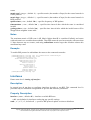
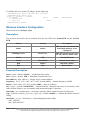
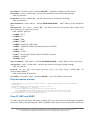
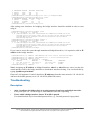
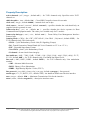
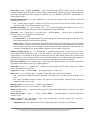
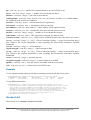
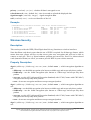
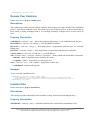
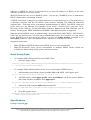
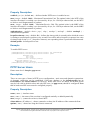
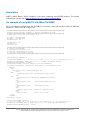
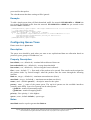
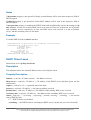
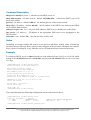
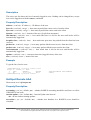
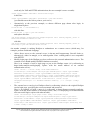
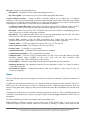
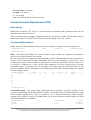
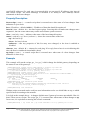
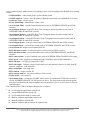
ap-bridge - the interface is operating as an Access Point
bridge - the interface is operating as a bridge
nstreme-dual-slave - the interface is used for nstreme-dual mode
station - the interface is operating as a client
station-wds - the interface is working as a station, but can communicate with a WDS peer
wds-slave - the interface is working as it would work in ap-bridge mode, but it adapts to its
WDS peer's frequency if it is changed
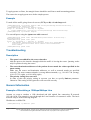
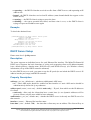
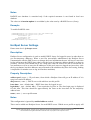
mtu ( integer : 68 ..1600 ; default: 1500 ) - Maximum Transmission Unit
name ( name ; default: wlanN ) - assigned interface name
noise-floor-threshold ( integer | default : -128 ..127 ; default: default ) - noise level threshold in
dBm. Below this threshold we agree to transmit
on-failure-retry-time ( time ; default: 100ms ) - in what interval keep trying to send packets in
case of failure
prism-cardtype ( 30mW | 100mW | 200mW ) - specify the output of the Prism chipset based card
radio-name ( name ) - MT proprietary extension for Atheros cards
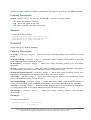
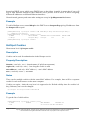
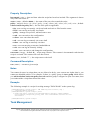
rate-set ( default | configured ) - which rate set to use:
• default - basic and supported-rates settings are not used, instead default values are used.
• configured - basic and supported-rates settings are used as configured
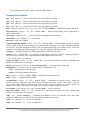
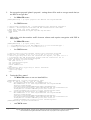
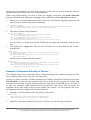
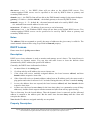
scan-list ( multiple choice: integer | default-ism ; default: default-ism ) - the list of channels to scan
• default-ism - for 2.4ghz mode: 2412, 2417, 2422, 2427, 2432, 2437, 2442, 2447, 2452, 2457,
2462, 2467, 2472; for 5ghz mode: 5180, 5200, 5220, 5240, 5260, 5280, 5300, 5320, 5745,
5765, 5785, 5805; for 5ghz-turbo: 5210, 5250, 5290, 5760, 5800
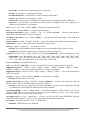
server-certificate - not implemented, yet
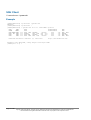
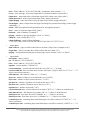
ssid ( text ; default: MikroTik ) - Service Set Identifier. Used to separate wireless networks
supported-rates-a/g ( multiple choice: 6Mbps, 9Mbps, 12Mbps, 18Mbps, 24Mbps, 36Mbps,
48Mbps, 54Mbps ) - rates to be supported in 802.11a or 802.11g standard
supported-rates-b ( multiple choice: 1Mbps, 2Mbps, 5.5Mbps, 11Mbps ) - rates to be supported in
802.11b standard
tx-power ( integer | default ; default: default ) - transmit power in dBm
• default - default value of the card
update-stats-interval ( integer | disabled ; default: disabled ) - specifies how often the card will
ask the remote end for information about connection quality.
• default - each time you registration-tabe print command is issued or this information queried
via SNMP, the results from last similar action will be returned
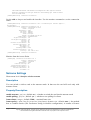
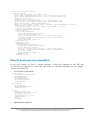
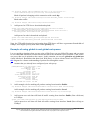
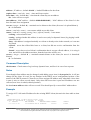
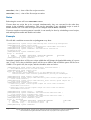
wds-default-bridge ( name ; default: none ) - the default bridge for WDS interface. If you use
dynamic WDS then it is very useful in cases when wds connection is reset - the newly created
dynamic WDS interface will be put in this bridge
wds-ignore-ssid ( yes | no ; default: no ) - if set to 'yes', the AP will create WDS links with any
other AP in this frequency. If set to 'no' the ssid values must match on both APs
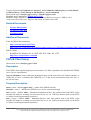
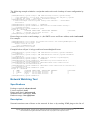
wds-mode ( disabled | dynamic | static ) - WDS mode:
• disabled - WDS interfaces are disabled
Page 212 of 521
Copyright 1999-2005, MikroTik. All rights reserved. Mikrotik, RouterOS and RouterBOARD are trademarks of Mikrotikls SIA.
Other trademarks and registred trademarks mentioned herein are properties of their respective owners.