1
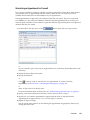
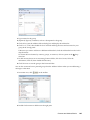
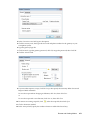
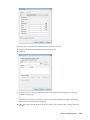
3 Click Send on the toolbar.
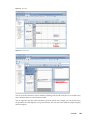
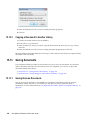
When the users you have scheduled with the Time Zone feature receive the appointment, they see a
time annotation after the subject when they see the appointment in their Mailboxes. For example, if
the subject of the meeting is “Marketing Conference” and the time zone is Saskatchewan, users
would see a subject and time annotation similar to the following: Marketing Conference
(Saskatchewan). In the users’ Calendars, the place is annotated with the time zone, rather than the
subject.
Rescheduling an Appointment
If you want to make sure the people and resources for the appointment are available, you can do a
busy search by clicking Busy Search on the toolbar.
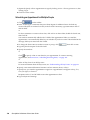
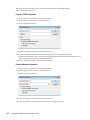
1 In your calendar, right-click the appointment you want to reschedule, then click Resend.
If you are rescheduling just one appointment in a series of recurring appointments, select the
appointment on the day you want to reschedule.
2 If the original appointment was an auto-date appointment, click This Instance or All Instances.
3 Make your changes, then click Send on the toolbar.
4 Click Yes to retract the original item.
To reschedule an appointment for a new time on the same day, open your Calendar and drag the
appointment to the new time.
Rescheduling Recurring Appointments
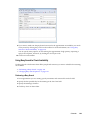
1 In your calendar, right-click the appointment you want to reschedule, then click Resend.
If you are rescheduling just one appointment in a series of recurring appointments, select the
appointment on the day you want to reschedule.
2 Click All Instances for all appointments in the recurring appointment.
or
Click This Instance for only one appointment in the series of recurring appointments.
3 Make your changes, then click Send on the toolbar.
4 Click Yes to retract the original item.
To reschedule an appointment for a new time on the same day, open your Calendar and drag the
appointment to the new time.
Calendar
143