1
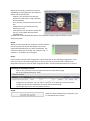
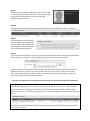
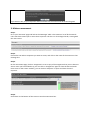
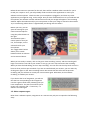
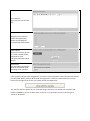
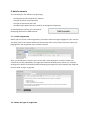
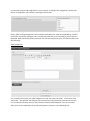
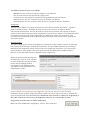
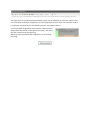
USER MANUAL CEFCULT PLATFORM This user manual is in two parts: A Quick Guide, which gives step by step instructions for using the basic functions of CEFcult: how to register, follow a scenario, assess a user, and view your assessments. A Descriptive Guide, which gives a more complete description of all the functions of CEFcult, including how to create your own scenarios and customized assessment scheme. Quick Guide 1. Register and log in Step 1. When you use CEFcult for the first time, you will need to register before you can log in. This operation is simple and automatic. Go to http://cefcult.eu/tool Step 2. Click on ‘Register’ and complete the form that is displayed. Enter your first name, last name and e-mail address in the corresponding fields. Choose your mother tongue from the dropdown list. If your language is not included in the list, choose ‘Other’ and then type the name of your language in the new line (‘Specify language’) that will appear. Type in a password. You can make up your own password – just make sure that you can remember it! Type the password again to confirm it. Step 3. Click on ‘Submit’. Your registration is now complete. For all further uses of CEFcult, you can log in directly. Step 4. You can now type the e-mail address and password into the log-in box to enter CEFcult.