1
ROTARY BODY FEATURES
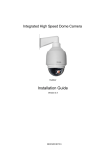
1. 5” compact, low profile color dome camera
2. 360° endless rotation
3. Pan speed up to 375° /sec
4. Tilt speed up to 300° /sec
5. Preset function enable user to record different 128 viewpoints what you want. You
can set Pan/ Tilt/ Zoom for every preset position.
6. Proportional Zoom enables Pan/ Tilt speed inverse proportional to Zoom ratio.
You can track an object easily with this function.
7. Auto-Turn Around function allows user to keep tracking object even the object
pass through the bottom of camera. You needn’t rotate 180 degrees in pan
direction to keep observing the object. This function will do this for you quickly.
8. Auto-Pan function enable dome camera to scan a specific region repeatedly with
user defined speed. You can set start point, end point and scan speed to scan a
specific region. User can make dome camera to do continuously panning without
limit through setting the start point the same as end point
9. Sequence function enable dome camera to switch viewpoints between presets.
There are three parameters can be filled into sequence function. You can set
“Preset number”, “Dwell Time” and “Speed” for sequence line.
10. Cruise function enable dome camera to scan a user defined path. User can
manipulate dome camera with joystick to establish this path.
11. Home function enables the possibility to lock a viewpoint or a function. Home
function will go back to home position or functions (Auto-pan/ Sequence/ Cruise)
when user move the camera to other position and the time period is expired.
12. Auto Restoring function will record current position when user defined period of
time is reached. Dome will go to the position if the power of your installation site is
recovery after shutdown.
13. Remote V-Sync Adjustment function enable user to adjust the line lock signal
remotely. You can adjust the phase of line lock signal to synchronize the system
from keyboard.
14. D Protocol and P Protocol Supported from OSD. You can control our dome
camera easily from any keyboard of PELCO (Pelco Corporation).
15. VCL Telemetry Control Protocol Supported from OSD. You can control our
dome camera easily from system of DM (Dedicated Micros Corporation).
16. Remote control via RS-485
17. Build-in 4 alarm input connectors
18. On Screen Display for camera control
19. 12VDC/ 24VAC power model available
20. Twist lock release from bracket for easy installation and servicing
00-377230Z1EA2
5