1
2.
T HE
TOO L B A R
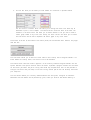
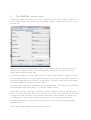
The mai n tool bar wi l l allo w you to access a variet y of C A T C H ’ s functi o ns and tools fro m one
locati o n. The tool bar looks like this, and is foun d in the top of the mai n interface:
The first menu, the ‘file menu’, wi l l allo w you to perfor m vari o us progra m and file related tasks. The
top-most opti o n you see wi l l open the file manager whi c h allo w s you to create new files for use in
CAT C H.
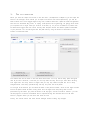
The second button, im p o rt dataset, wi l l allo w you to select one more processed wi g files (*.pwig) to
use in a new dataset.
The third butto n wi l l allo w you to select one more tracks (in the *.pwi g for m at) to add to the currentl y
acti ve unali g n e d dataset. Bel o w the first separator you wi l l find the load and save C A T C H cluster
butto ns. These wi l l allo w you to load a previ o u s l y saved processed dataset whi c h you have saved, or
to save the current l y selected aligned dataset.
Final l y, at the botto m of the file menu is the exit button whi c h does exactl y what you wou l d expect
fro m such a butto n – close the progra m and return you to your OS.
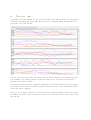
The second menu, the one called ‘expo rt functi o ns’ contai ns vari o us co m m a n d s to export C A T C H ’ s
data into for m ats to be used in other anal yti ca l progra m s. The first one, ‘expo rt dataset’ wi l l store the
processed wi g files with a prefi x you can speci f y. This wi l l allo w you to organi ze *.pwi g for future
referen ce. The other buttons wi l l allo w you to store the currentl y selected aligned dataset in a variet y
of for m ats; in this case NE W I C K , BE D and CS V. The scope of these file types wi l l not be discussed
in this manual. Free reference material is wi del y availab l e on the internet.
The third menu is called ‘opti o ns’ and allo w s you to change C A T C H ’ s opti o ns. M o r e infor m a t i o n on
the opti o ns menu is availabl e in a later chapter.
The last menu is the ‘help’ menu. In further versio n of C A T C H there wi l l be an interacti v e help
functi o n, but in this versio n onl y the ‘about’ wi n d o w can be accessed here. This wi n d o w wi l l allo w
you to marve l at the names of the wo n d e r f u l people who brou g h t you C A T C H .