1
ioLogik Active Cellular Micro Controller
Utilities
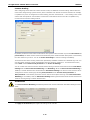
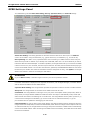
Cellular Reconnection
Carriers disconnect idle mobile device connections in order to save bandwidth for other on-line users and
applications. To keep the ioLogik W5300 Always On, the ioLogik W5340 must not only have the capability to
detect the cellular connection and reconnect to the network once it is disconnected, but also needs to send out
signals to notify carriers that the ioLogik W5340 is still alive.
NOTE
The default settings of the Cellular Reconnection function is disable, which prevents it to produce extra
packets. If the GPRS Operation Mode is set to On-Demand, we recommended NOT activating the Cellular
Reconnection function.
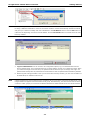
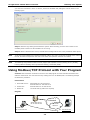
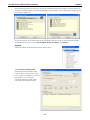
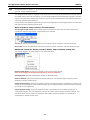
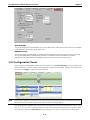
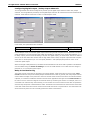
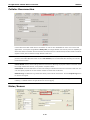
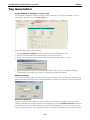
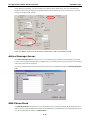
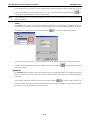
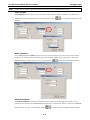
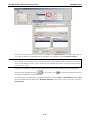
Carrier Check: Carrier Check settings define the timeout for detecting the physical cellular connection. Once
the ioLogik reaches the timeout, it will perform a system restart.
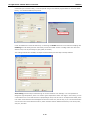
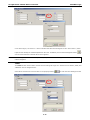
PING Check: A remote destination is used in this setting to indicate if the Internet connection is still alive. The
user can specify a public IP or URL and the number of retries that are allowed.
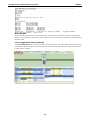
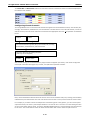
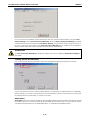
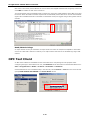
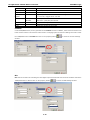
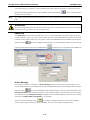
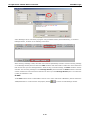
Network Log: The Network Log records the activity of the cellular connections. Click the Export Log button
to retrieve the log file.
NOTE
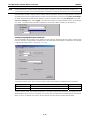
Since there is a limit to the number of times you can write to system memory, we strongly recommend
installing a 1 GB SD that the ioLogik W5300 can use for logging.
Meter/Sensor
4-24