1
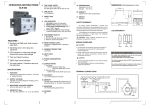
Item ref: 103.108UK User Manual STA40-BT MINI DIGITAL STEREO AMPLIFIER WITH BLUETOOTH™ Box contents: 1 x STA40-BT Amplifier 1 x Remote Control 1 x NFC Tag 1 x DC Power Supply A mini digital stereo amplifier capable of delivering up to a powerful 75W max. per speaker output with very little distortion. Built-in Bluetooth™ connectivity makes this amplifier incredibly easy to use and ideal for home multimedia. Also great for commercial installations where there is confined space. Class D digital amplifier in a compact unit NFC technology allows simple tap and connect with Bluetooth™ devices aptX® coding provides high definition, consistent audio streaming through Bluetooth™ Bluetooth™ device playlist can be control by supplied remote controller NFC tag supplied allowing the connection to be in an alternate location to the amplifier 2 x RCA gold plated stereo line inputs 4 x gold plated binding post stereo output to speaker 3.5mm line output for active subwoofer or signal feed for other devices Installation STA40-BT is capable of 8-16Ω impedence output. If more than one speaker is to be connected to the amplifier per channel then please ensure total impedence of the speakers are within the range. The total impedence can be work out by the below formula: Parallel Connection - 1/Rtotal = 1/R1 + 1/R2 + 1/R3……. Series Connection - Rtotal = R1 + R2 + R3……. Before connecting the speakers to the amp, please ensure the power is switched off and power supply is removed from the mains to avoid damage to equipment and installer. 103.108UK User Manual 1. ON/OFF Switch 7. RCA Stereo Line Input 2. Volume/Input Control 8. 3.5mm Line Output to Active Sub 3. IR Receiver 9. Bind Post Active Stereo Output 4. Input Indicators 10. DC power in 5. Power Indicator 6. Bluetooth Antenna 103.108UK User Manual Please note - before playing, always ensure the output volume is set to minimum to avoid damage to equiment. Volume Control Output volume can be adjusted from rotary switch, anti-clockwise to reduce and clockwise to increase. Volume can also be controled by the remote by pressing the volume up and down button while pointing at the IR receiver on the front of the amplifier. Aux Line Input To play through line input, simply press the front rotary switch or the “AUX” button on the remote control until the “LINE IN” LED on the front of the amplifier is illuminated. Connect the aux audio source to the two RCA sockets on the back of the amplifier. Turn volume up slowly until desired music level is achieved. Bluetooth Input To select bluetooth input, simply press the front rotary switch or the Bluetooth button on the remote control until the “Bluetooth” LED on the front of the amplifier is flashing. To pair, activate the Bluetooth function on the device and look for “STA40-BT” for pairing. Once paired, the “Bluetooth” LED will remain illuminated. Music can now be playing from the bluetooth device to the amplifier, turn the volume up slowly until desired music level is achieved. For details on bluetooth pairing please refer to your device manual. NFC This function allows simple tap to pair between NFC compatible bluetooth devices. A NFC tag is supplied with the the amplifier which contains the unique ID of the amplifier’s bluetooth. This allows a quick connection point different to the location of the amplifier, providing it is still within a 10m radius of the amplifiers location. 103.108UK User Manual To use NFC function, first of all the NFC data exchange function needs to be swtiched on, please refer to your device manual on how to enable NFC data exchange function. Once its on, simply tap the back of the device to the NFC tag. A message should pop up to confirm if you want to pair up with “STA40-BT”. Press YES or OK to confirm pairing. Please note, detection of the NFC tag is within 3cm distance, covers or cases may prevent your device from detecting the NFC tag. If this is the case, remove your case or cover and try again. To check if your device is NFC enabled please check with the compatiblity list on the link below: http://en.wikipedia.org/wiki/List_of_NFC-enabled_mobile_devices Specifications Power Supply 100-240Vac, 50/60Hz Power adaptor 24Vdc, 2910mA Max. output 75W per channel Output power 35Wrms @ 8Ω, 5% THD per channel Output impedence 8Ω to 16Ω Bluetooth™ range 10m Bluetooth™ version 2.1 Dimensions 150 x 135 x 48mm Weight 600g Troubleshooting No power / power LED not lit Check power switch on the back of the amplifier is switched on. Check DC plug is fully inserted at the back. Check the mains is switched on and mains lead is in good condition and fully inserted to the DC adaptor. Power on but no music output Check input connection is connected properly. Check the correct input is selected. Check audio device is playing. Check volume of audio device and amplifier are up. Check speaker cable is striped and connected properly to the amplifier and speaker. 103.108UK User Manual Diminishing output Check speaker polarity is connected correctly. Check audio source volume is up. Check line in connection cable. Unable to pair devices Check device Bluetooth™ function is enabled. Check amplifier input is selected to Bluetooth™. Check distance between devices and amplifier is within 10m with no major obstacle in between. Restart Bluetooth™ device. Unable to use NFC Check device compatibility. Check NFC data exchange function is enabled. Check if device is in a case cover, try with cover removed. Check distance between device and amplifier is within 10m with no major obstacle in between. Disrupted output Check output volume is not set too high. Check line input cable ensure it is not worn or damaged. Check amplifier is not located near any mains or router when using Bluetooth™ connection. Check speaker cable does not run along mains cable. Check distance between devices and amplifier is within 10m with no major obstacle in between. Errors and omissions excepted. Copyright© 2015. AVSL Group Ltd. 103.108UK User Manual