1
Contents
1. Introduction ..............................................................................................5
2. General Information ....................................................................................5
3. Technical requirements ................................................................................8
4. Navitel Navigator installation .........................................................................9
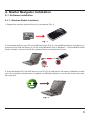
4.1. Software installation..................................................................................................9
4.1.1. Windows Mobile installation .............................................................................9
4.1.2. Android installation using DVD..........................................................................10
4.1.3. Android installation using Google Play...............................................................13
4.2. Map installation and additions ...................................................................................15
4.3.Automatic registration................................................................................................15
4.3.1. Automatic registration of the program ...............................................................15
4.3.2.Automatic registration “Federal district” map......................................................16
4.4. Registration using Internet (an alternative method for Windows Mobile)........................17
4.4.1. Program registration........................................................................................17
4.4.2. Map registration (“Federal District”)..................................................................18
5. Program interface.......................................................................................20
5.1. The program interface when routing...........................................................................20
5.2. “Map” interface. .......................................................................................................22
6. Pages ......................................................................................................24
6.1. “Map” page..............................................................................................................24
6.1.1. Map scrolling ..................................................................................................24
6.1.2. Zooming.........................................................................................................24
6.1.3. GPS-cursor ....................................................................................................24
6.1.4. Compass ........................................................................................................25
6.1.4.1. Map rotation..........................................................................................25
6.1.4.2. Day/Night skins .....................................................................................25
6.1.5. Information panels ..........................................................................................26
6.2. “Dashboard” page ....................................................................................................26
6.2.1 Gauges list ......................................................................................................27
6.3. “Satellites” Page.......................................................................................................32
6.4. “Weather” page........................................................................................................33
7. Main menu ................................................................................................34
7.1. Find.........................................................................................................................34
7.2. Route ......................................................................................................................34
7.2.1. Stop Route Guidance ......................................................................................34
7.2.2. Route editing ..................................................................................................34
7.2.3. Route plan ......................................................................................................34
7.2.4. Show the route................................................................................................35
7.2.5. Detour............................................................................................................35
7.2.6. Route simulation .............................................................................................35
7.2.7. Exsport...........................................................................................................35
7.2.8. Import ............................................................................................................35
7.3. My Navitel ................................................................................................................36
7.3.1. All products ....................................................................................................36
7.3.2. My products ...................................................................................................37
7.3.3. Update ...........................................................................................................37
2