1
8.10.2.6. Privacy
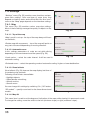
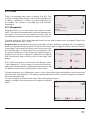
In "Navitel.Friends" service you can set privacy. This is a
mode for sharing your location with a friend.
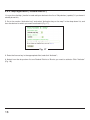
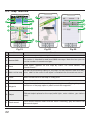
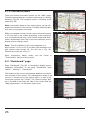
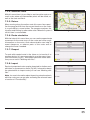
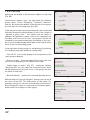
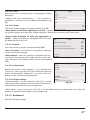
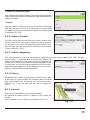
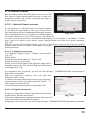
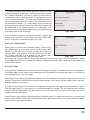
You can set the same privacy for all of your friends or individually. To set the same privacy for all your friends you need to
click the "Navitel.Friends" icon on the toolbar, choose
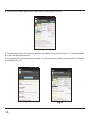
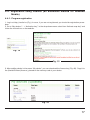
"Settings" – "Privacy settings" (Fig.127).
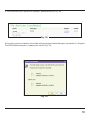
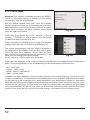
For individual privacy settings you need in "Privacy settings"
click on your friend's name and choose the option, or in
"Friend's profile" select "Privacy" and choose the required.
Fig. 126
You can set privacy only for the current device.
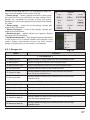
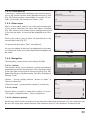
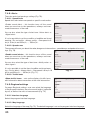
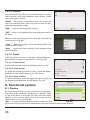
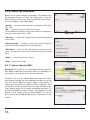
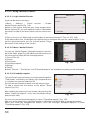
There are three types of privacy:
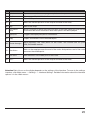
1. Share my exact location. Friends can see an exact point
where the device is, as well as its status (online/offline).
2. Share rough location. Friends see a city where the device
is, as well as the status of your friend. In this case the exact
position of the device is attracted to the nearest big city and
is displayed in the center of it.
3. Do not share my location. Friends don't see your device
on the map, and do not see its status.
8.10.2.7. Settings
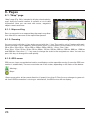
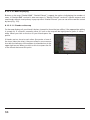
Fig. 127
"Navitel.Friends" has some additional settings, available from the "Navitel.Friends" menu and from the
main menu (Menu – Settings – Online services – Friends settings).
1.Enable "Navitel.Friends" service: turn on/off.
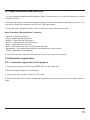
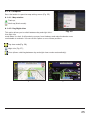
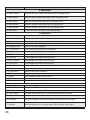
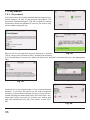
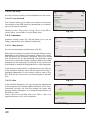
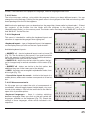
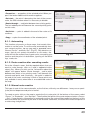
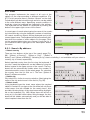
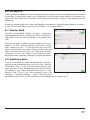
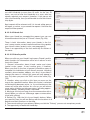
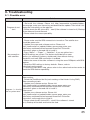
2.Profile (Fig.128): your profile, where you can edit information about yourself. All the data will be visible to users in the
search, as well as after adding you as a friend (in profile).
3.Forget password: it's active if you previously saved your
password. When you select this item, the program will show
the message that you will have to enter the password at the
next login.
4.Privacy settings: please refer to the paragraph "Privacy".
Fig. 128
5.Don't show users in offline mode: when the setting is
enabled, offline friends are not displayed on the map.
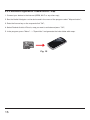
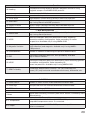
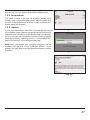
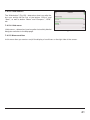
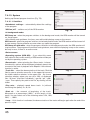
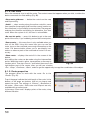
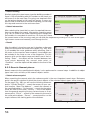
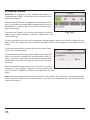
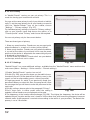
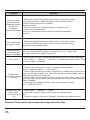
6.The frequency of the location data exchange (Fig.129). The higher the frequency, the faster will be
updated friends' location and the user's location. At the same time, with increasing frequency increases
network traffic (traffic payment is carried out according to the tariffs of your provider). The default frequency is set as 10 seconds.
62