1
Installation Guide
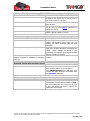
Problem: GSM light is flashing (T23 FLEET fails in sending message)
Possible Cause:
No GSM signal
Network busy
Zero balance on pre-paid account.
Phone number in user list is incorrect.
Resolution:
Check with a mobile phone to see if there is
a signal in the area or try to call the unit to
see if you receive a ring tone.
Wait a few minutes to see if the message
gets through.
Add credit to the account. Unit will recover
on its own or send BOOT command to
restart the device.
If you have just added a new user, check
that the phone number is correct.
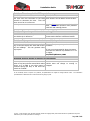
Problem: GPS light is on (T23 FLEET does not have a current location)
Possible Cause:
Unit does not have clear view of the sky.
Car tinting is blocking the GPS signal.
Unit has been moved a large distance
without a location fix. Example: on a flight or
train trip.
Problem: Owner has lost their phone
Possible Cause:
N/A
Resolution:
Move the unit to a location where the sky is
visible. Tall buildings, trees, heavy rain, car
tinting, can cause problems with the GPS
reception.
Move the unit outside the vehicle – if the
light goes off then the tinting is blocking the
signal. Either change the tinting in the
windshield or install the optional external GPS
antenna outside the vehicle.
Remove and re-insert the battery to reset the
location.
Resolution:
If a backup owner has been defined then use
their phone to add your new number in.
Use OWNER,password to add your new
number and then delete the old number with
the DELUSER command.
Problem: Owner has forgotten their password
Possible Cause:
N/A
Resolution:
The owner can send the RESETSETTINGS
command to set the password back to 0000.
All other settings are also reset as if the unit
is new. The Owner will have to register the
setting and users again.
© 2007 - 2013 Tramigo™ Ltd. All rights reserved. Under the copyright laws, this manual cannot be reproduced in any form
without the prior written permission of Tramigo™.
Page 22 of 23