1
Chapter Three
Menu
I. File Operation
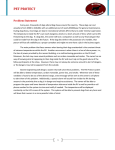
The instrument enter the main menu interface after being turned on, the interface is divided into the information
bar, main display area and status bar. And the cursor displays in the main display area in reversing mode.
Main Menu Interface
1. New
1.1 In the “Main menu” interface, move the cursor (or directly press the number key “1”) to select “File”
icon, press “Enter” to enter the “File list” interface.
File List Interface
1.2 Press “F1” to enter the “Segment & step” interface. Press “cursor moving keys” to select the unit number,
unit segment number and cycle times of the file. Press number key to input the specific value after
selecting the setting. If to set the extension function, please press “Tab” to move the cursor to the
extension function area, press “ ” or “ ” to move the cursor to choose “Disable” or “Enable” of grads,
temperature increment and time increment, press “Enter to confirm setting ” . After the setting is over,
press “F4”, and the system will enter the “Cycle parameter” interface for the next step.
Page 12 of 22