1
2. applanix2ogeom camera_file exterior_orientation output_dir
Will generate all geometries into the output_dir with name output_dir/<id>.geom.
3. applanix2ogeom camaera_file exterior_orientation imagefile
Will generate one geometry file if the image is found in the exterior orientation
file. The image is usually something of the form <id>.jpg or <id>.tif, .. etc. It
first strips the extension and then uses that for the id to lookup into the exterior
orientation file.
4. applanix2ogeom camaera_file exterior_orientation imagefile output_dir
Will generate one geometry file and then output to the output_dir.
10.8 igen
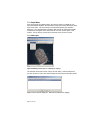
igen is a powerful command line application that is entirely keywordlist driven. It takes a
keywordlist as an argument and builds a product from the keywordlist specification. One
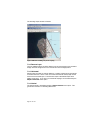
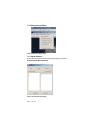
way to use it is to setup a product in imagelnker and save out a spec file. This is typically
done if you have a product that is very large and might take several hours or maybe a day
to run. The spec file generated can be used to run the command line application igen that
can be ran separate from the imagelinker GUI. For example, if you saved out the spec
file from imagelinker to a file called igen.spec then you can do:
igen igen.spec
producing a product based on your setting from imagelinker. Adding
mpirun –np <np> igen igen.spec
will run the application on a cluster of machines for faster product generation. Note: I
have not done windows builds of mpi.
Page 107 of 107