1
5.
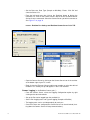
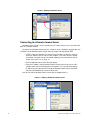
Once you have DCOM enabled on each network node, you can then select the
"servers" tab in TSP and connect to a remote server by adding the IP address of
the designated archive PC. The data on the archive PC will be viewable from the
network node PC.
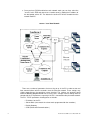
FIGURE 1.
Local Area Network
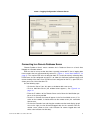
There are a number of parameters that must be set up in the PC in order to start real
time communications with the recorders over the Ethernet network. These settings vary
slightly depending on the operating system installed. The settings are generally found
under the Network Neighbourhood icon. In many cases, changes in these settings must be
cleared with the IT Department, especially if the PC is connected to the plant-wide network.
The PC’s TCP/IP parameters needing to be set include:
• IP Address for the PC
• Subnet Mask (must match the subnet mask programmed for the recorders)
• Default Gateway
• COM (Distributed Communications)
2
43-TV-07-18 GLO Issue 8 Dec 2014 UK