1
1. Safety Introductions
Please read the User Manual carefully as it includes important information
regarding details of operation, maintenance and technical data. Keep this
manual with unit for future consultation.
WARNING!
● Avoiding any flammable liquids, water or metal objects enter into the unit.
● If any liquid spill on the unit, disconnect the power supply immediately.
● When serious operation problem happen, stop using the unit immediately
and contact your local dealer for service.
● Do not open the unit because there are no user serviceable parts inside.
● Never try to repair the unit yourself. Repairs by unqualified people could
cause damage or faulty operation. Please contact your nearest dealer for
any service.
INSTRUCTION MANUAL
CU-4SMART
RGBW-LED-DMX Controller
Best. Nr.: 38.6090
CAUTION!
● After removed the package, make sure the unit is not damaged in any
way.
Don’t use it with doubt and contact an authorized dealer.
● Never use the unit under the excessive humidity and a temperature over
40℃.
● Do not try to dismantle or modify the unit.
2. Features:
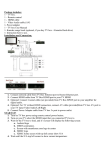
CU-4SMART is an ideal solution for dimming constant voltage LED
fixtures, especially LED strips. Multiple strips can be connected on
CU-4SMART and be dimmed individually (single color) or simultaneously.
• 4 independent constant voltage output. Each output can be dimmed
individually.
• Various input controlling protocol: 0-10v, DMX, DALI.
• User can setup CU-4SMART to Manual Mode, various channel modes
(RGB/RGBD,RGBW/RGBWD,D(4CH),WWWW,CW+WW,CT+D)
• Can adjust the white balance.
IMG Stageline
LC-4DIM/ LC-4COL
1
IMG Stageline
LC-4DIM/ LC-4COL
2
Specifications:
Input Voltage:
Power consumption:
Dimension:
Weight:
DC12V /10A or 24V /10A
Maximum 5A per line, Max. 10A in Total
240W
210.5X51.6X33.2mm
0.250kg
Control Mode: Under this menu you can choose four operation mode:
MANUAL MODE, DMX MODE, DALI CONTROL MODE, 0/1-10V
Press the MENU button up to when the
display. Pressing “
3. Main Functions
”button and the display will blink. Use “▲”and“▼”
button to select
mode),
is showing on the
(manual control mode),
(0-10V control mode),
(DMX control
(Dali control mode).
Manual control mode: In this mode you can adjust the brightness for
the four groups of the luminaries.
Pressing “
”button enter, use“▲”and“▼” button to select
1),
(group 2),
(group 3),
mode has been selected, Pressing “
( group
(group 4), Once the
”button enter, use “▲”and“▼”
button to adjust the valve 0-255. Press the “”button to setup. Or
automatically exit menu mode without any change after 60 seconds. To go
back to the functions without any change press the MENU button.
IMG Stageline
LC-4DIM/ LC-4COL
3
IMG Stageline
LC-4DIM/ LC-4COL
4
DMX control mode: In this mode you can set address and channel
mode
Default: In this function you can factory reset the driver.
Pressing “
Press the MENU button up to when the
”button enter, use “▲”and“▼” button to select
address) or
“
, once the
(DMX
has been selected, Pressing
”button enter, use “▲”and“▼” button to adjust the valve 0-509. once the
has been selected ,Press the “
“▲”and“▼” button to select
(CWWW),
is showing on the display.
Pressing “
”button to enter, Use
(RGBW),
(CCWW),
(WWWW),
(RGB),
(RGGB), once select , Press the “
(RRGB)
” to enter, Use “▲”and“▼” button to select the
. Once you selected, press the “
…or
” button to setup. Or
automatically exit menu mode without any change after 60 seconds. To go
back to the functions without any change press the MENU button.
”button to setup. Or
automatically exit menu mode without any change after 60 seconds. To go
White balance: In this mode you can adjust the brightness
back to the functions without any change press the MENU button.
OUTPUT MODE
Press the MENU button up to when the
CHANNEL
MODE
Pressing
RGB(
“
”
button,
and
is shown on the display.
Use
“▲”and“▼”
button
to
)
RGB/RRGB/RGGB
select
RGBD(
)
RGBW(
)
…or
, press “
”
button to confirm and use
“▲”and“▼” button to adjust the value between 125 and 255, once select ,
press “
” button to setup or automatically exit menu mode without any
RGBW
change after 60 seconds. To go back to the last function without any
change press the MENU button.
4C+D(
C+W(
)
CT+D(
)
CWWW/CCWW
Dimmer(
)
WWWW
4D(
IMG Stageline
LC-4DIM/ LC-4COL
)
5
IMG Stageline
LC-4DIM/ LC-4COL
6
ON/OFF the LED display according to your real requirement
Press the MENU button up to when the
Pressing
select
“
”
…or
button,
, press “
and
is shown on the display.
Use“▲”and“▼”
button
” button to confirm. When
select, the Led display will light up all the time, when
to
is
is selected,
the Led display will be off after 60 seconds.To go back to the last function
press the MENU button.
Version: show you the firmware version of the driver
Press the MENU button up to when the
is shown on the display.
Pressing “ ” button, the firmware version will be showed on the Led
display. E.g. V00,means version 00.
IMG Stageline
LC-4DIM/ LC-4COL
7
IMG Stageline
LC-4DIM/ LC-4COL
8