1
Table of Contents
I.
Table of Contents
I. Table of Contents ................................................................. 3
II. Introduction........................................................................... 4
III. Certifications......................................................................... 5
IV. FBT-6 Assistant Software Installation Instructions............... 6
Before Starting ......................................................................... 6
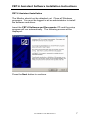
FBT-6 Assistant Installation ..................................................... 7
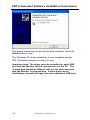
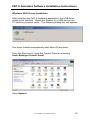
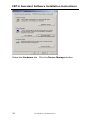
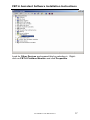
Windows XP Driver Installation.............................................. 11
Windows 2000 Driver Installation........................................... 15
Uninstalling the FBT-6 Assistant............................................ 19
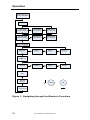
V. Operation............................................................................ 20
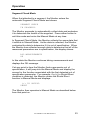
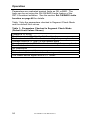
Segment Check Mode ........................................................... 23
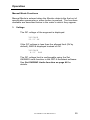
Manual Mode Functions......................................................... 25
1.
Voltage ..................................................................... 25
2.
Peak Noise ............................................................... 26
3.
Average Noise.......................................................... 28
4.
Shield Short.............................................................. 30
5.
Retransmit ................................................................ 31
6.
Add-Drop .................................................................. 32
7.
Device ...................................................................... 33
8.
Low ........................................................................... 35
9.
Device Count............................................................ 36
10. Save Report ............................................................. 37
USB Port and Associated Features ....................................... 39
1.
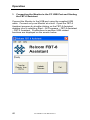
Connecting the Monitor to the PC USB Port and
Starting the FBT-6 Assistant .............................................. 40
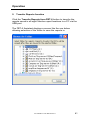
2.
Transfer Reports function......................................... 41
3.
Erase Reports function............................................. 45
4.
Set Report Names function ...................................... 46
5.
Set OK/BAD Limits function ..................................... 48
6.
Update Firmware function ........................................ 50
Using the Clip-on Probe Cable .............................................. 53
VI. Operation in Special Cases................................................ 54
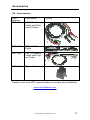
VII. Accessories ........................................................................ 57
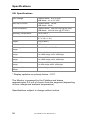
VIII. Specifications ..................................................................... 58
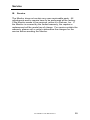
IX. Service................................................................................ 59
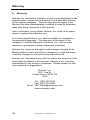
X. Warranty ............................................................................. 60
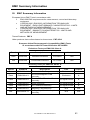
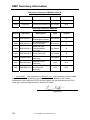
XI. EMC Summary Information ................................................ 61
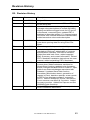
XII. Revision History.................................................................. 63
501-338 FBT-6 User Manual Rev H
3