1
Fully assembled device - Technical data
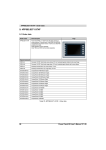
3.1.2 Diagnostic LEDs starting with AR J2.96, E3.01 and B3.06
LED
Status
User
X2X
CF
Color
Status
Description
see "Table 6: 4PP065.0571-X74F - Status LED blink code" on page 7
Green
On / Off
LED operable by the user (with the AsHW library)
Orange
On
Module sending data via the X2X Link interface
Orange
On
CompactFlash card being accessed
Table 5: 4PP065.0571-X74F - Diagnostic LEDs starting with AR J2.96, E3.01 and B3.06
Blink codes (200 ms pattern)
Description
Error / Reset
No errors, normal operation
Battery not installed or battery capacity too low
CompactFlash media not found
Reserved for future blink codes
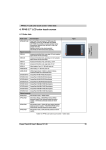
Table 6: 4PP065.0571-X74F - Status LED blink code
Because blink codes can only signal one error at a time, errors with higher priority take precedence. Fatal errors
have a higher priority than less significant errors (e.g. low battery capacity).
3.1.3 ACT / LNK LEDs for the RJ45 interface
There are two additional LEDs for the Ethernet interface.
ACT
(orange)
LNK
(green)
Figure 4: 4PP065.0571-X74F - ACT/LNK LEDs for the RJ45 port
LED
ACT
Color
Orange
LNK
Green
Status
On
Blinking
On
Description
No Ethernet activity on the bus
Ethernet activity on the bus
A link to the remote station has been established.
Table 7: 4PP065.0571-X74F - ACT/LNK LEDs for the RJ45 port
Data sheetV 1.00 4PP065.0571-B00
7