1
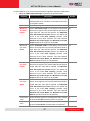
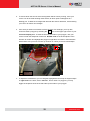
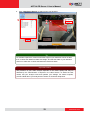
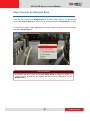
ACTi ALPR Server 1 User’s Manual PC Hardware Requirements The performance of live display quality is largely determined by the computer hardware capability and the number of live channels. The table below provides basic guidelines for selecting proper hardware for the computer that installs ACTi ALPR Server 1. PC Spec Recommended CPU Intel Core i7 Processor RAM Operation System 4GB Windows 7, Windows 8 Screen Resolution 2 800x600 Network 1 1 Ethernet 1000 Base-T Please use 64-bit system if your computer has more than 4GB RAM. Windows operating system has limits on memory and address space regardless of the real or virtual memory available on a particular computer. Take Windows 7 Professional for example, the maximum physical memory for a 32-bit(X86) system can address is 3.5 GB even though 16 GB of RAM has been installed on this computer. Therefore, if you consider increasing the computer’s multi-tasking capability by adding more RAM, you will need a 64-bit version of Windows to take advantage of it all. Please visit the link below for more memory limitations on various Windows platforms. http://msdn.microsoft.com/en-us/library/aa366778%28VS.85%29.aspx#physical_memory_limi ts_windows_7 Besides the limitation mentioned above, you may find the usable memory of your computer displayed here: Computer Properties is still less than actual installed memory. This is a common symptoms of all Windows platforms, please find explanations and solutions in this Windows official support document http://support.microsoft.com/kb/978610/en-us and http://windows.microsoft.com/en-us/windows7/taking-the-mystery-out-of-64-bit-windows 2 Please make sure your operation system is fully patched with the latest service packs. 7 www.acti.com