1
2. BPEL – An Overview
2.1
Introduction
The Business Process Execution Language (BPEL) workflow layer allows you to define a
workflow for handling different transactions. The front-end user interface of this layer allows
you to capture details required for the transactions and sends them to Oracle FLEXCUBE for
processing.
Each transaction in BPEL can be configured as a process. At certain points in a process, input
from the user-end is required. The input could be in the form of data to initiate or enrich a
transaction or to authorize an existing transaction. To facilitate this, human tasks are
generated by the BPEL engine as and when required during the process. These human tasks
are associated with a Function ID. When a user initiates a task, the different user roles
associated to the Function ID are assigned to the task.
Also, each process (transaction) passes through the workflow layer in stages. Access to each
stage is restricted to users who have the requisite rights. Once a task has been initiated or
completed for a particular stage, it is placed in the relevant queue or task list (explained later).
To proceed further with the process, a user - with relevant rights - needs to acquire it under
his/her user ID.
Note
System supports the co-existence of multiple composite versions of BPMN (Business Process Models and Notations) and BPEL process models. In BPMN processes, you can query the first task of a process by querying with the conversation id. You can customise the
BPMN process using the BPM Composer.
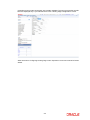
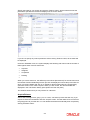
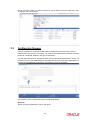
When you log into the application, the Landing Page, as shown below, is displayed:-
2-1