Download Global
Transcript
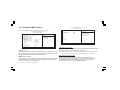
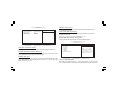
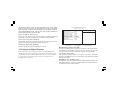
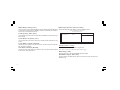
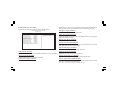
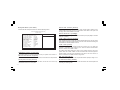
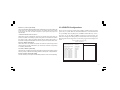
ACPI Suspend Type [S3(STR)] Use this item to define how your system suspends. In the default, S3 (STR), the suspend mode is a suspend to RAM, i.e., the system shuts down with the exception of a refresh current to the system memory. If you select S1 (POS), the suspend mode is equivalent to a software power down. Run VGABIOS if S3 Resume [Auto] This item allows the system to initialize the VGA BIOS from S3 (Suspend to RAM) sleep state. Video Off Method [DPMS] This item defines how the video is powered down to save power. This item is set to DPMS (Display Power Management Software) by default. Video Off In Suspend [Yes] This option defines if the video is powered down when the system is put into suspend mode. Suspend Type [Stop Grant] If this item is set to the default Stop Grant, the CPU will go into Idle Mode during power saving mode. MODEM Use IRQ [3] If you want an incoming call on a modem to automatically resume the system from a power-saving mode, use this item to specify the interrupt request line (IRQ) that is used by the modem. You might have to connect the fax/modem to motherboard Wake On Modem connector for this feature to work. Suspend Mode [Disabled] 3-14 The CPU clock will be stopped and the video signal will be suspended if no Power Management events occur for a specified length of time. Full power function will return when a Power Management event is detected. Options are from 1 Min to 1 Hour and Disable. HDD Power Down [Disabled] The IDE hard drive will spin down if it is not accessed within a specified length of time. Options are from 1 Min to 15 Min and Disable. Soft-Off by PWR-BTTN [Instant-Off] Under ACPI (Advanced Configuration and Power management Interface) you can create a software power down. In a software power down, the system can be resumed by Wake Up Alarms. This item lets you install a software power down that is controlled by the power button on your system. If the item is set to Instant-Off, then the power button causes a software power down. If the item is set to Delay 4 Sec. then you have to hold the power button down for four seconds to cause a software power down. Resume by PCI PME [Enabled] This item specifies whether the system will be awakened from power saving modes when activity or input signal of the specified hardware peripheral or component is detected. Resume by Ring [Disabled] An input signal on the serial Ring Indicator (RI) line (in other words, an incoming call on the modem) awakens the system from a soft off state. Resume by USB(S3) [Disabled] This option allows the activity of the USB devices (keyboard and mouse) to wake-up the system from S3 sleep state.