1
Table of Contents
Welcome . ..............................…………………………………………………….. 4
System Requirements …………............................ …………............ ……….…. 5
Installing Switched-On Schoolhouse® 2012 .............................. ……………... 6
SOS Home Edition – Full Install ….…………......….................... ..…….... 6
SOS Home Edition – Client Install ……………....….....................……… 11
Attn: Firewall Users..........................................................................11
Upgrading to SOS 2012 Home Edition …………..............................………... 15
Upgrading 2011 – 2012…………………………….................................. . 15
Upgrading 2010 – 2012 ………………............. ………............ …………. 16
Upgrading from Earlier (than 2010) Versions ……......................... ….… 17
Removing (Uninstalling) SOS 2012 …… ...……..... ……….......................…. 18
Setting Up Switched-On Schoolhouse® 2012 ………..............................…... 21
Logging In …………………………………………........................……….. 21
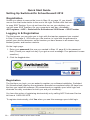
Registration ………………………………….....................……………...… 21
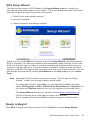
Setup Wizard ………………………………….......................... ……………..... 23
School …………….......................................................……………...….. 24
Creating a Calendar …………………….........................………………... 25
Customizing Your Calendar ……………........................ …………………26
Add Students ………………………............................. ……………..…… 27
Installing Subjects ……………………….........................…………...…… 28
Assigning Subjects ………….…………….........................…………….…29
Assigning a Sample Lesson ………………........................ ………….…. 30
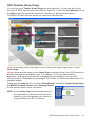
Teacher Home Page............................................................................... 31
Backup and Restore Procedures.................................................................... 32
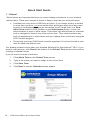
SOS Tutorials ……………………….................................………………….…. 36
SOS Overview Presentation ………................................ ……………….….... 37
Forgot Your Teacher Password? ………..................................………….…… 38
Troubleshooting …………………………................ ………….............………....39
Contacting Tech Support ………................................…….…………..……….. 43
Resource List …………………………….................................…………..…… 44
SOS Home Edition Quick Start Guide