1
Quick Start Guide
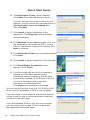
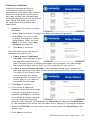
5. When SQL Server 2005 and all of the
necessary components are installed, click Next
to continue.
6. Click Finish to complete the installation of
Microsoft SQL Server 2005.
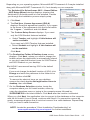
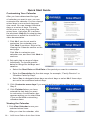
The Switched-On Schoolhouse 2012 - Home
Edition Database - AOP Setup window displays
again to walk you through the database installation
process step-by-step.
7. Click Next on the Welcome screen when
it displays.
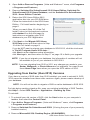
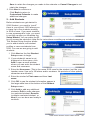
8. On the Customer Information screen,
enter:
• User Name: Only letters, numbers, and
spaces are allowed. Punctuation marks and
other special characters are not permitted.
• Organization: This might be your last
name or something like “Home”.
• Serial Number: The 16 digit serial
number is on the inside front cover of
this guide. Enter it exactly as it appears.
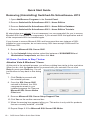
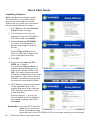
9.The Destination Folder screen (for the
database) displays.
To retain the location where the database is
automatically placed, click Next.
If you must change this default location, click
Change, enter the path to the folder you want
to use. Click OK when finished.
We HIGHLY recommend you leave the SOS
database in the default location.
8 •
SOS Home Edition Quick Start Guide