1
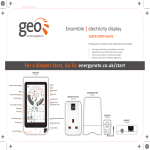
Milometer
The Milometer shows how much electricity you have used
in kWh, CO₂ or € for today, each of the last seven days or
the last four weeks.
Timer Icon
This will indicate if a Smart Plug has a schedule set
(requires a Web Pack).
Smart Plug on/off
This indicates whether a Smart Plug is on or off.
is on
is off.
Smart Plug Power
This shows the consumption of a particular appliance.
Smart Plug Comms
This indicates that the Display is paired and connected to
a particular Smart Plug.
Group Arrow
This shows you if a particular Smart Plug is in a group.
The Horizontal
If the two gauges are equal, (which they will be when you
first switch on) you will see this icon. You are on track to
meet your Target Consumption.
The Cross
If you have used more electricity than the Inner reference
gauge for this time of day and you will exceed your Target
Consumption.
The Tick
If you have used less electricity than the Inner reference
gauge for this time of day and you are using less than your
Target Consumption.
Ensemble Electricity Monitor, User Manual
page 15