1
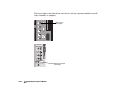
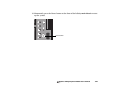
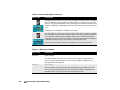
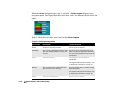
When the Drives navigation tree entry is selected, a Drives Legend displays in the
navigation panel. The legend describes what drive states are indicated by the drive slot
colors.
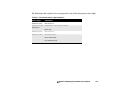
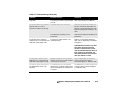
Table 4-4 describes the drive states listed in the Drives Legend.
Table 4-4. RAID Operating Modes
Drive State
Description
Action Required
Ready
The drive is operating normally.
Rebuilding
The system is rebuilding information on the No user action is required specific to this
drive. The rebuild operation can take up to drive. If the drive is replacing a failed drive,
12 hours.
the cause of the failed drive may need to be
investigated.
Failed
The drive has failed.
No user action is required.
The failed drive must be replaced
immediately.
For complete replacement instructions, refer
to “Replacing a Hard Drive” on page 3-2.
Missing
The slot contained an installed drive that
was in use, but is now missing.
Insert the missing drive or another working
drive immediately.
For complete replacement instructions, refer
to “Replacing a Hard Drive” on page 3-2.
Empty
4-12
The slot is not being used.
Status Indicators and Troubleshooting
No user action is required.